
Article·5 min
Cleaning and Maintenance for xTool F2 Ultra
Applicable scenario
Regular cleaning helps ensure consistent laser performance and extends the life of your machine. This guide will walk you step-by-step on how to clean your F2 Ultra.
Safety First
Before performing any maintenance, disconnect the power and remove the safety key to avoid injury or equipment damage.
Clean the Field Lens
When to Clean
- Engraved patterns are shallow
- Materials can't be cut as expected
How to Clean
- Use a lint-free cloth moistened with alcohol
- Gently wipe the lens surface to remove dust or residue
- Avoid scratching the lens during cleaning
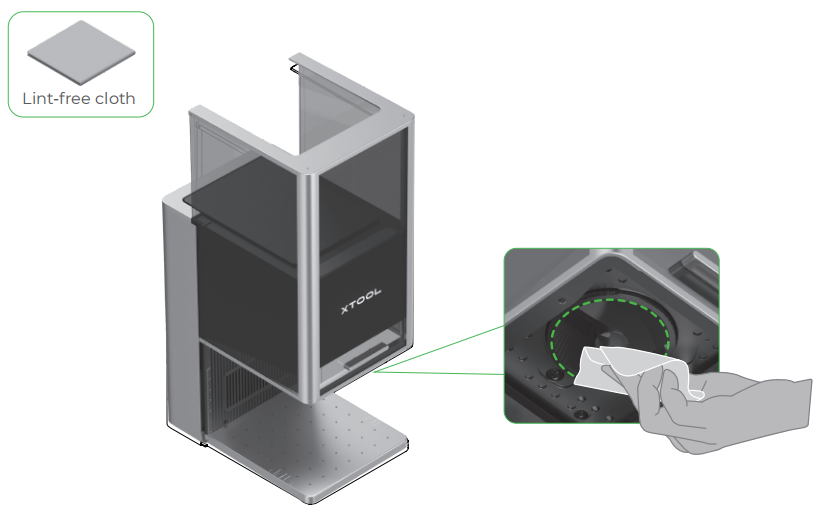
Clean the Fan Module
When to Clean
- Smoke leaks from the protective enclosure
- Exhaust seems weak or airflow is restricted
How to Clean
- Remove the magnetic fan guard from the smoke outlet.
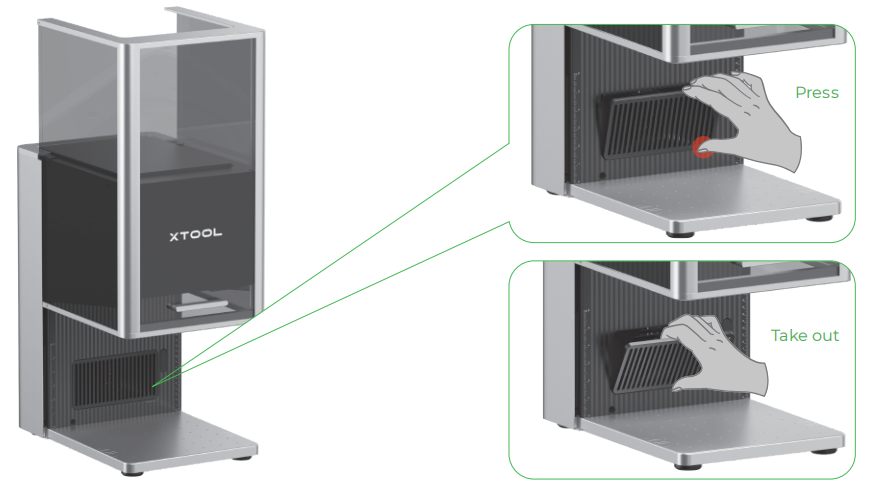
- Open the cover, and then take out the fan module.
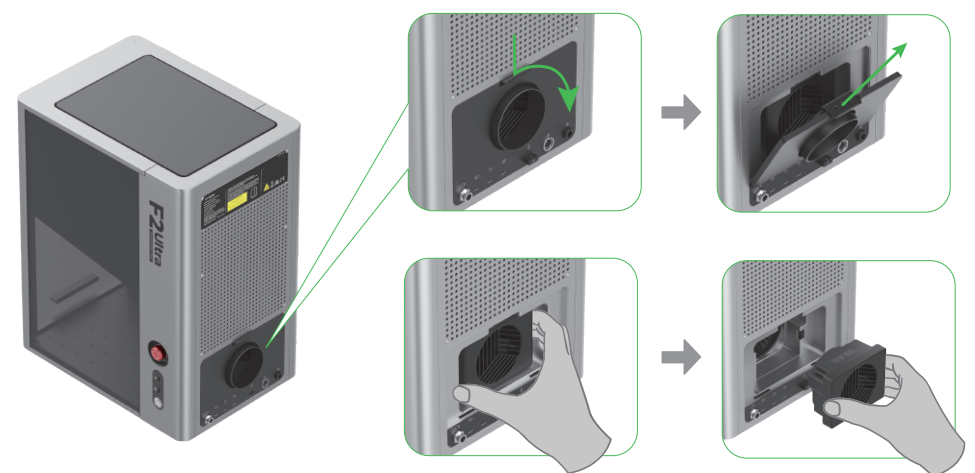
- Open the cover to reveal the fan.
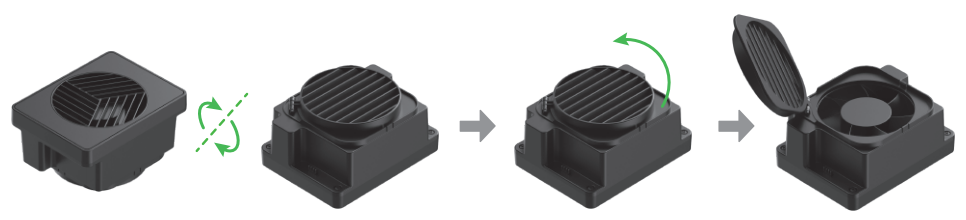
- Use a brush or other tools to clean the fan module and the magnetic fan guard. Then, install them back to the main unit.
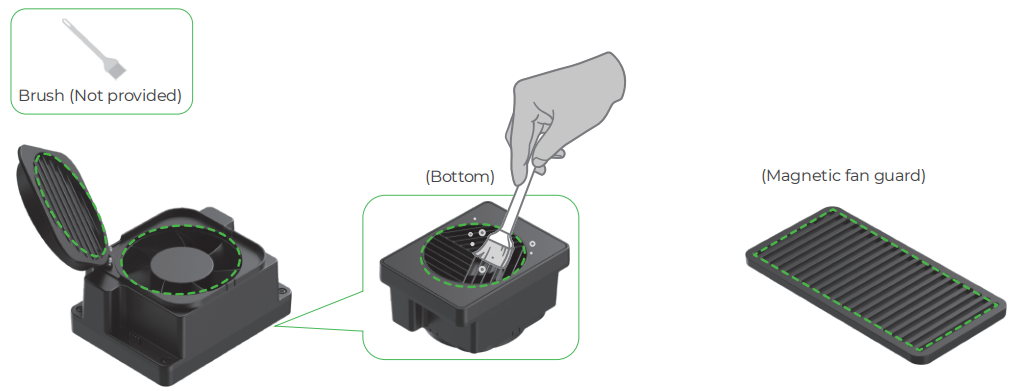
Note: Do not rinse or immerse the fan module in water, as it may damage the circuit.
Preview
Was this lesson helpful?
Lesson 2 / 7
Next Lesson
Troubleshoot "Access-control key" for xTool F2 Ultra
5 min

