
Article·5 min
XCS Can't Find xTool F2 Ultra Through Wi-Fi
Issue description
After connecting xTool F2 Ultra and the computer under the same Wi-Fi network, the machine's name can't be found in the device list.
Troubleshooting
Step 1: Check the XCS version
- Ensure you have downloaded the latest version of XCS.
- If you are using version 2.7 below, F2 Ultra may not be found or recognized.
- Download the latest version of XCS: https://www.xtool.com/pages/software
Step 2: Check VPN software
Exit any VPN software and try again.
Step 3: Check Wi-Fi signal
Try another Wi-Fi environment where the signals are strong enough.
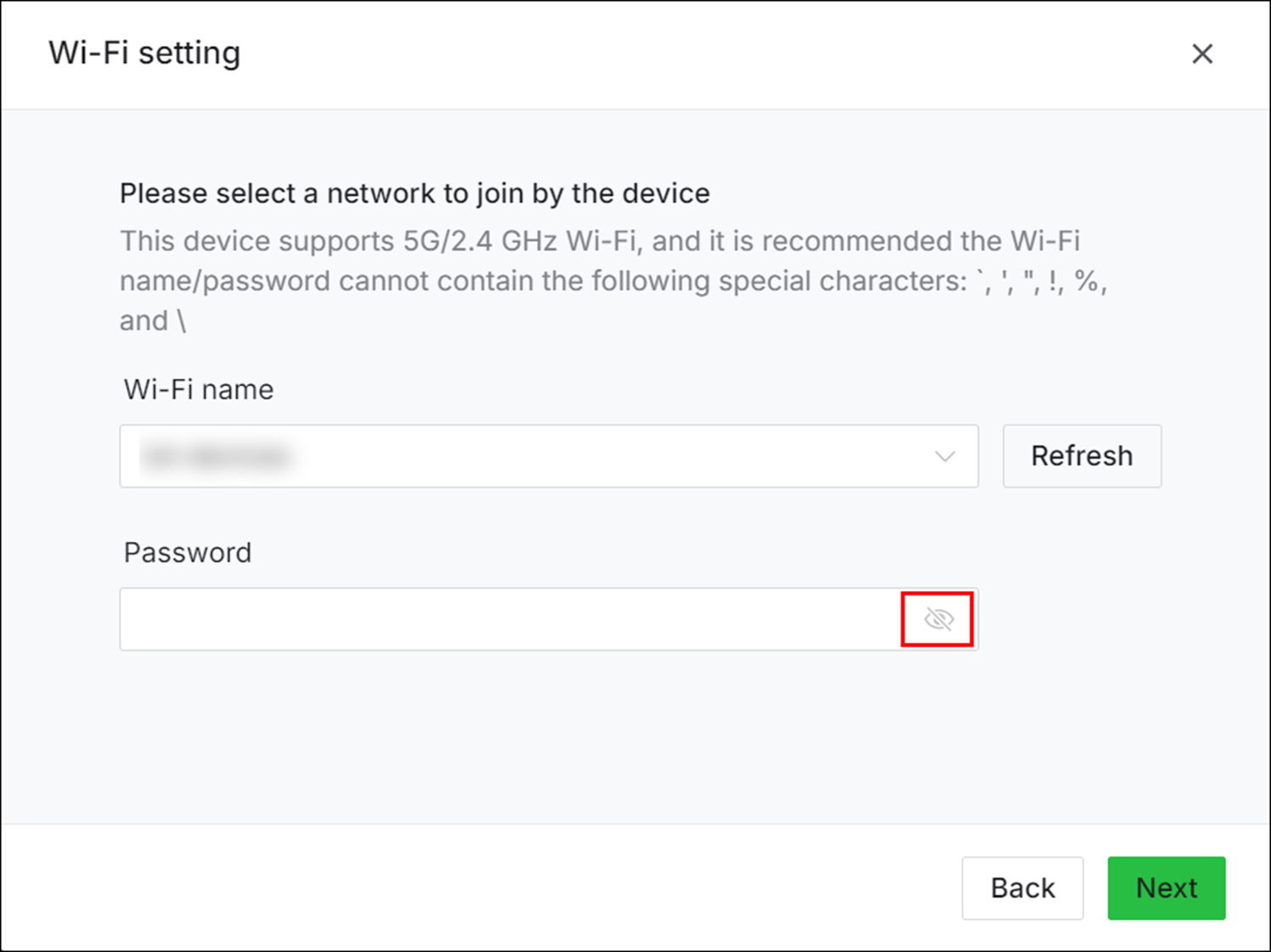
Step 4: Check the Wi-Fi name and password
- Make sure the Wi-Fi name and password consist of only pure letters and numbers.
- In order to avoid mistyping, please make the password visible when typing.
Step 5: Check Wi-Fi connection
- Connect the machine to the computer via USB.
- Choose the correct Wi-Fi and connect the machine to the computer through Wi-Fi.
Preview
Was this lesson helpful?
Lesson 6 / 7
Next Lesson
F2 Ultra Auto Focus Issue
5 min

