
Article·5 min
Troubleshoot Cutting Position Offset for xTool MetalFab CNC Cutter
Issue description
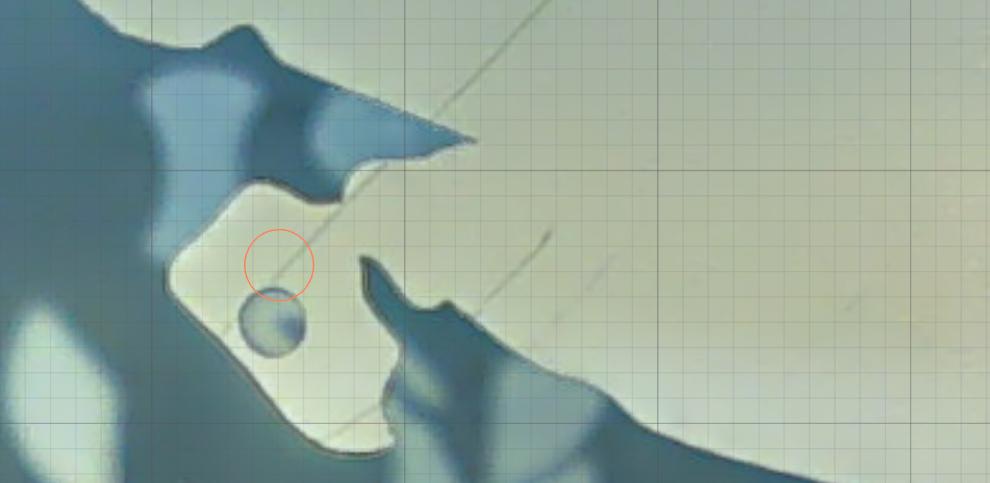
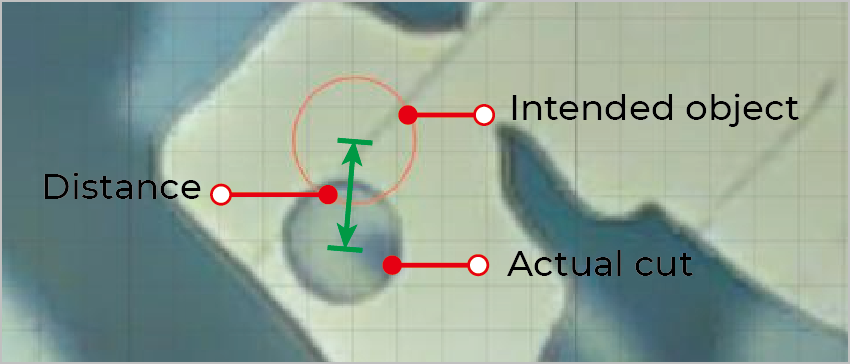
If the actual cutting position does not match the target one in XCS, (For example, the red circle in the image below marks the target cutting position, which is different from the actual cutting position.) please follow this troubleshooting guide to resolve this issue.
Possible Causes
- Incorrect thickness value: The material thickness value is incorrect, impairing camera precision.
- Improper object placement: The object in XCS is placed near the edge of the canvas, where camera precision degrades.
- Failed camera calibration: The cameras are not well calibrated, causing discrepancies between captured images and actual conditions.
Detailed procedure
Step 1: Check the camera offset value
- Use calipers or other tools to measure the actual material thickness and input the value in the target box.
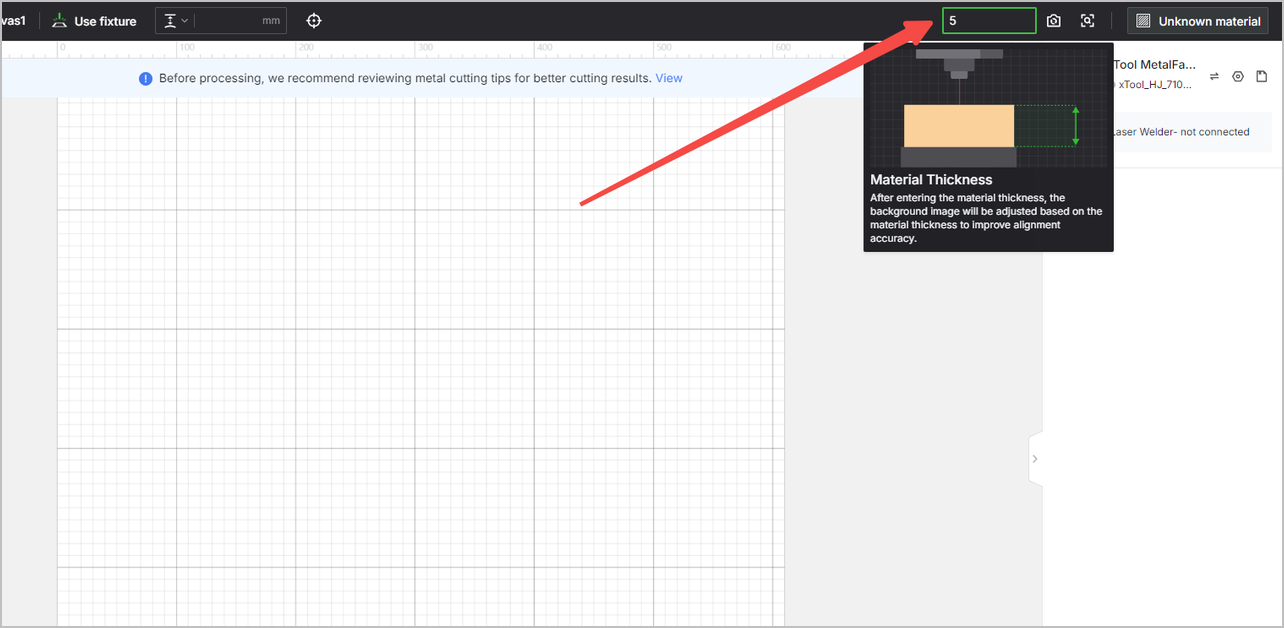
- Place the material in the machine's central area.
- Click
 or
or  in the upper right corner in XCS.
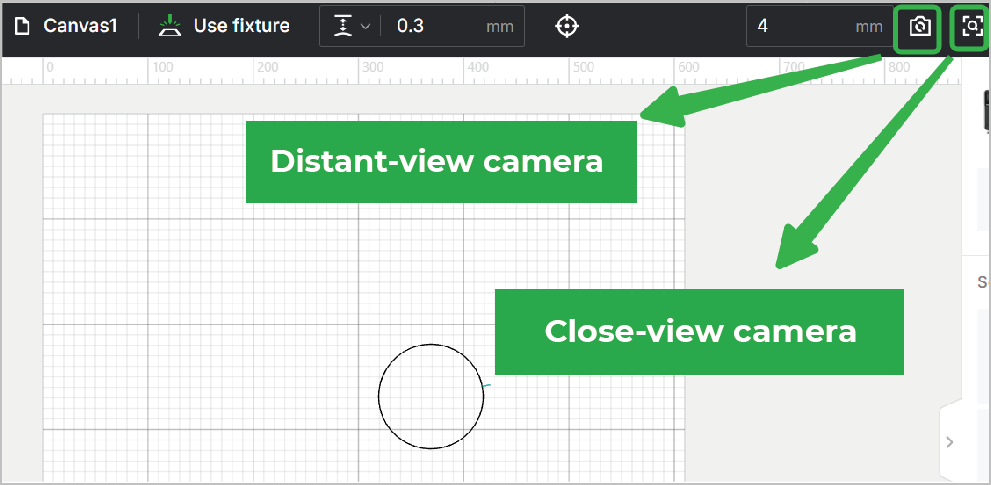
- Place an object at the center of the camera view.
- Process the material.
- After processing, click or again to capture an image.
Note: Do NOT open the lid or perform any operations.
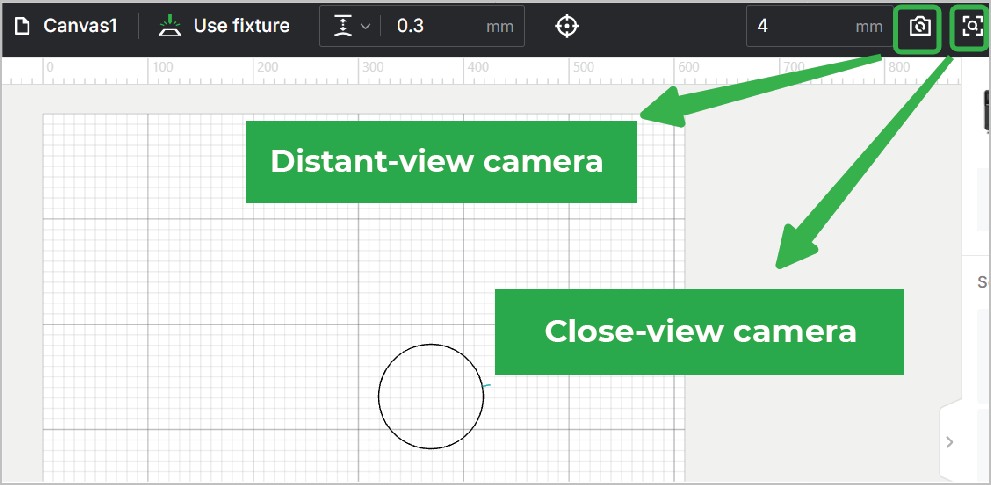
- Click Application > Measurement on the left panel.
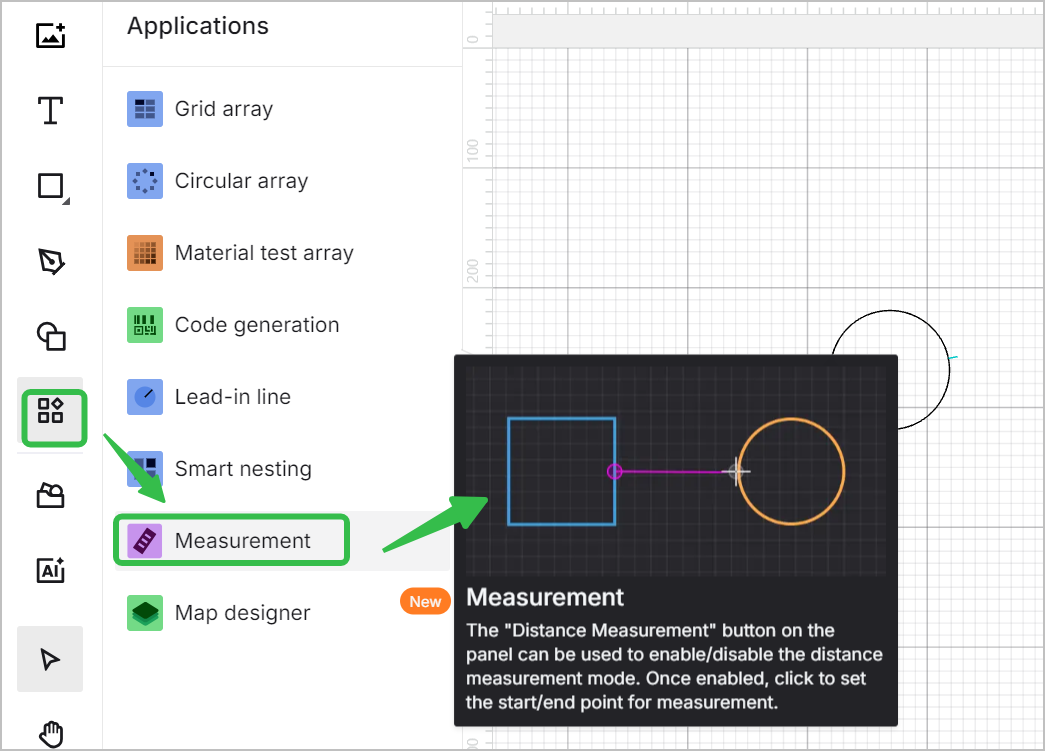
- Measure the distance between the actual cut center and the intended object center in XCS. The distance value is the offset value.
- Check if the offset value is within the acceptable range.
Distant-view camera | Close-view camera | |
|---|---|---|
Full area | ± 2 mm | ± 1 mm |
Central area | ± 0.2 mm | ± 0.2 mm |
- If the offset value goes beyond the range, proceed to the next step.
Step 2: Calibrate the cameras
- Follow the video below to calibrate the cameras.
- If the issue still persists, please perform calibrations a few more times to further improve camera precision.
Help us improve
If this article or video doesn't effectively assist you in resolving the issue, please let us know by clicking the “No” button in the “Was this page helpful?” section below, and leave your feedback in the pop-up suggestion box. Our knowledge base team will review it and consider it for future updates.
Still need help?
If you need any human assistance, please create a ticket by clicking the “Submit a Ticket” button in the “Help Ticket” section below. Our service team will get back to you in 1 business day via E-mail.
Preview
Was this lesson helpful?
Lesson 4 / 12
Next Lesson
Troubleshoot Unclosed Lid for xTool MetalFab CNC Cutter
5 min

