
The fire safety set package comes in two types:
Package 1: Read this document to know how to use the fire safety set with xTool P2S.
Package 2: The installation and use are the same as those for xTool P2. Refer to Use xTool Fire Safety Set on xTool P2.
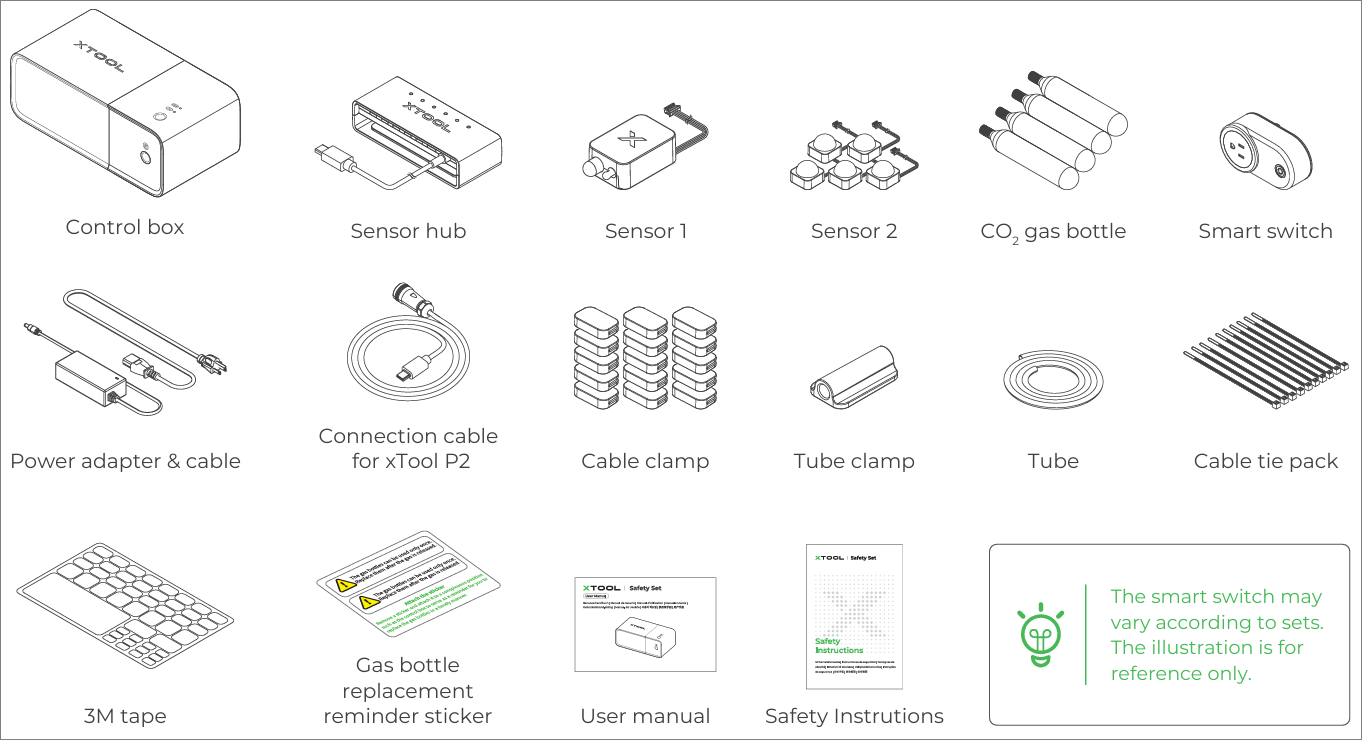
This document describes how to use the fire safety set with xTool P2S, which includes the following parts:
- Preparations
- Installations
- Check the air tube inside xTool P2S.
- Connect the tube and connection cable between the fire safety set and xTool P2S.
- Install CO2 gas bottles.
- Use the fire safety set
- Enter working state.
- Use one-press fire extinguishing.
- After use
- Replace CO2 gas bottles
Preparations
Check whether the air tube inside xTool P2S works properly
Before installing the fire safety set, check whether the air tube inside xTool P2S works properly. This tube is provided to deliver the CO2 gas from the control box to xTool P2S. Check the air tube as follows:
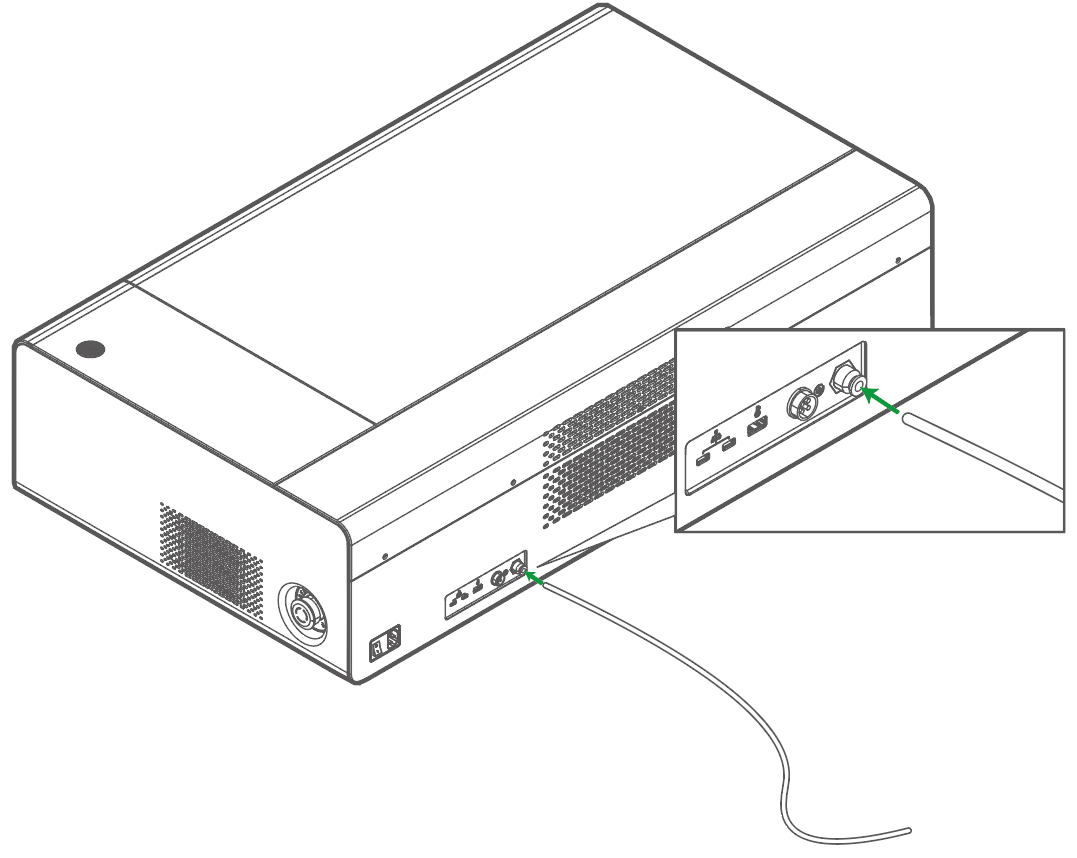
1. Insert the tube delivered with the fire safety set into the tube fitting on xTool P2S.
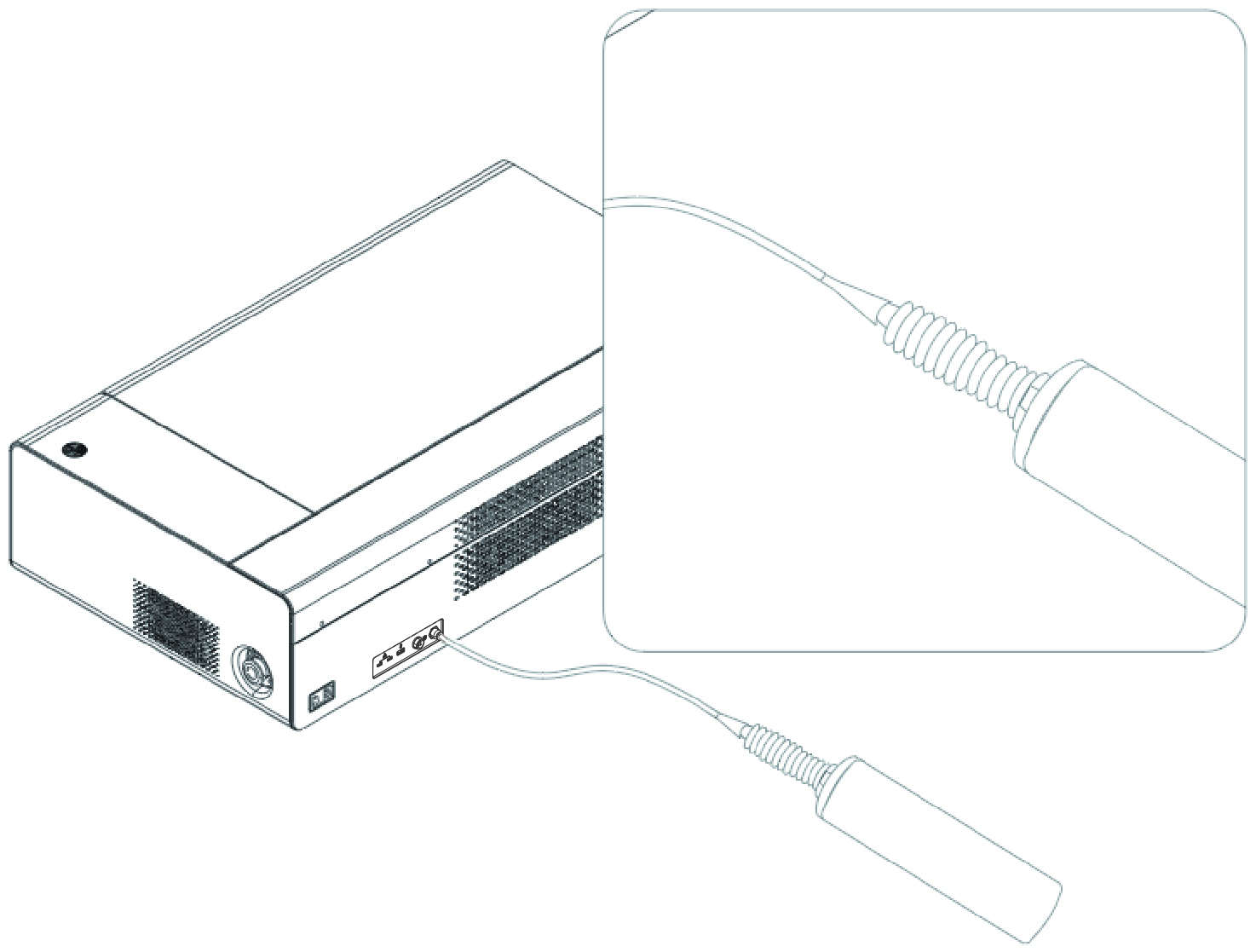
2. Use a balloon pump or any other air inflation tool, such as a syringe or air pump, to push air into the tube, and while you are pumping, observe whether the air comes out of the air outlet inside P2S.
You can use your hand or a piece of tissue to feel the air.
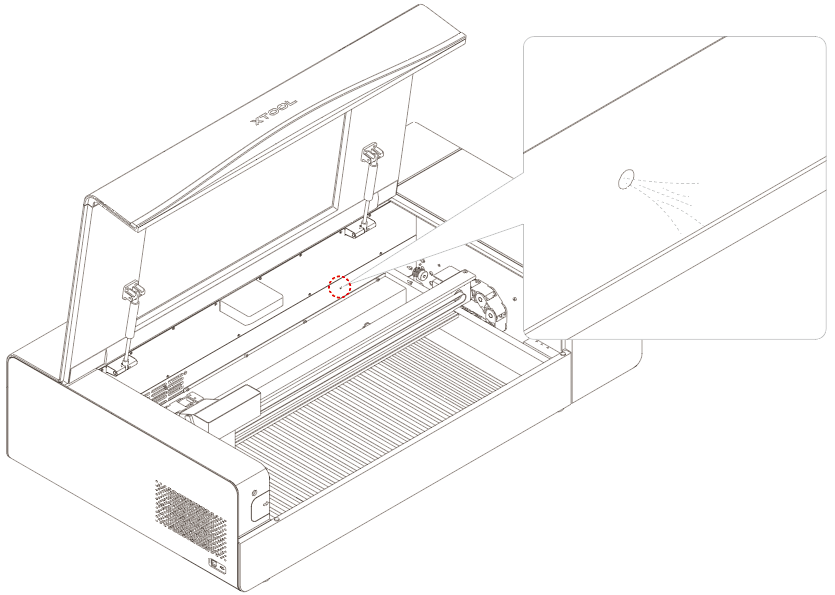
If the air is not delivered to the inside of xTool P2S properly, the possible causes are as follows:
(1) The tube is bent due to its length. You can take it down, clip it shorter, and then fit it back into the machine.
(2) The tube is loose. You need to fit it in place.
Note: For details about how to solve the problem where the CO2 gas of the gas bottles in the control box can't be released into xTool P2S, go to https://support.xtool.com/article/826.
Install the fire safety set
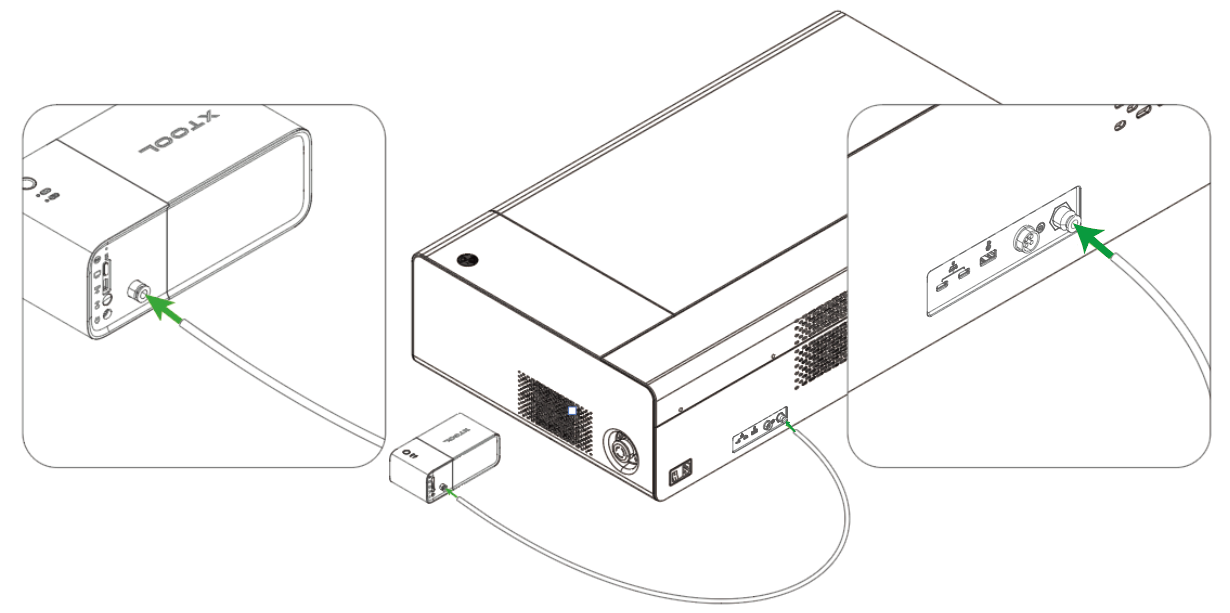
1. Connect the tube to the control box and xTool P2S
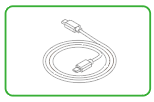
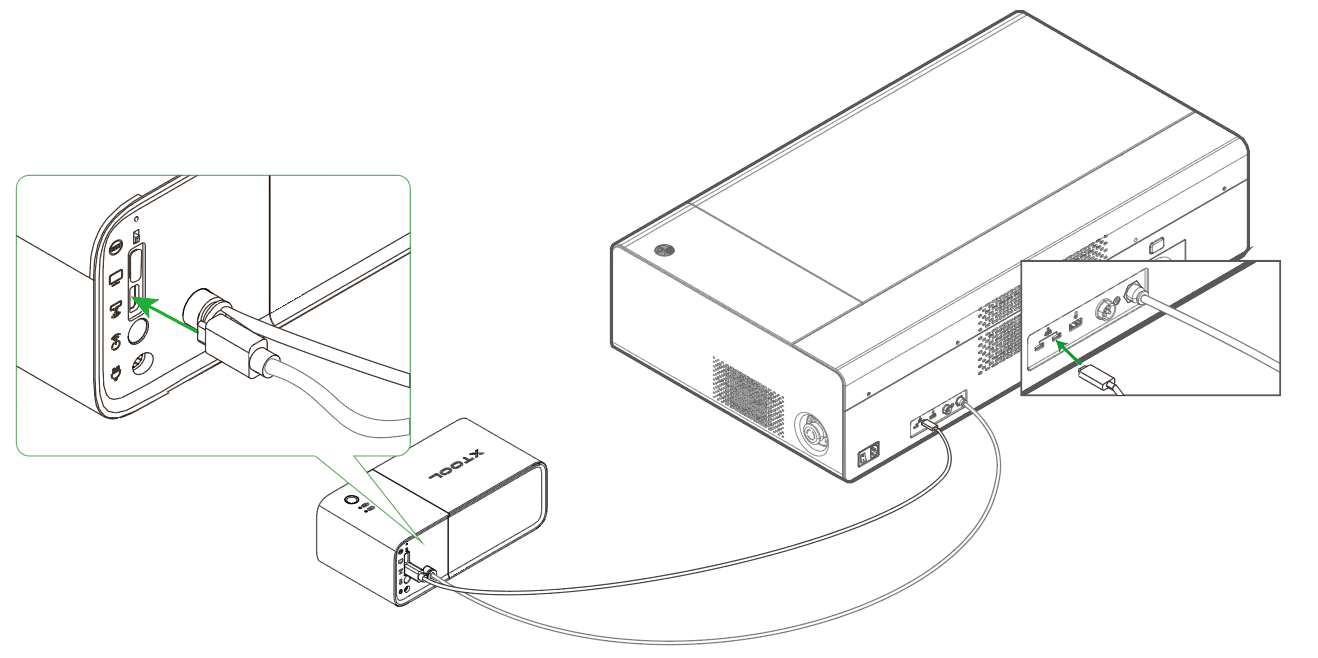
2. Connect the control box to xTool P2S with the connection cable
3. Install CO2 gas bottles
Unplug the USB cable before installing CO2 gas bottles. Or you may touch the one-press fire extinguishing button by mistake to trigger the action of fire extinguishing.
(1) Unplug the USB cable. Hold the middle part of the control box and remove the upper cover.
(2)Put the gas bottles into holes and rotate them clockwise to tighten them. Then put the upper cover back to the control box.
(3) Reconnect the control box and USB cable.
Installation completed!
Note: The tube connector included in the package is for use with other xTool laser machines.
xTool Inline Duct Fan and xTool Smoke Purifier (shown below) cannot be controlled by the fire safety set or xTool P2S. Therefore, if you use P2S with these accessories, you will need a smart switch to ensure successful fire extinguishing. However, for other products like xTool SafetyPro IF2 and xTool SafetyPro AP2, a smart switch is not required. The smart switch is not included in the package and needs to be purchased separately. If you need one, contact our after-sales services.
Use the fire safety set
Enter the working state
Make sure that the control box connects to the power supply. Toggle the Working / Test mode switch to enter the working state.
The test state indicator goes off and the working state indicator blinks.
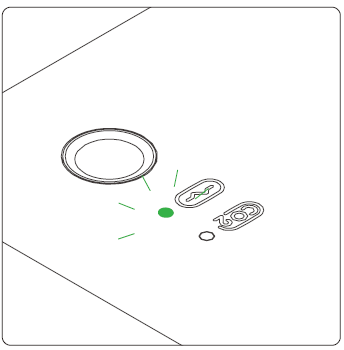
After 5s, the working state indicator turns solid green, indicating that the fire safety set enters the monitoring state.
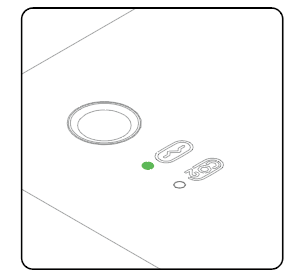
If xTool P2S detects a flame, the buzzer sounds. If the flame is small, the buzzer sounds slowly and only an alarm is triggered. If the flame is large, the buzzer sounds rapidly and the fire safety set is triggered to perform the action of fire extinguishing.
One-press fire extinguishing
Note:
- The one-press fire extinguishing function is available only when the fire safety set runs in working mode.
- Once triggered, the action of fire extinguishing can't be canceled. Exercise caution when using this function.
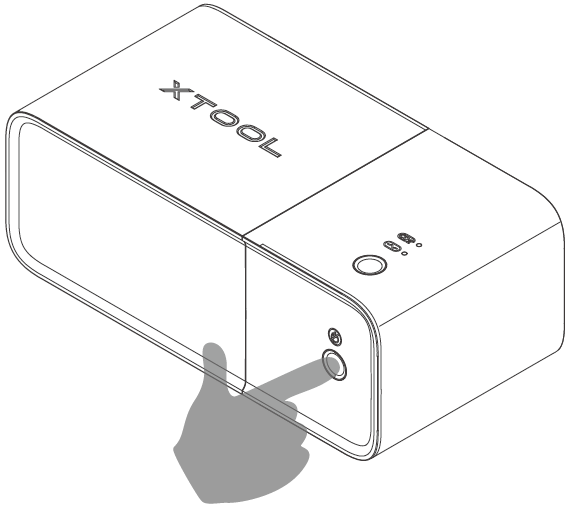
When the fire safety set runs in working mode, if you see a flame in the processing space of the machine and want to extinguish it immediately, you can manually trigger the action of fire extinguishing by pressing the one-press fire extinguishing button.
During fire extinguishing, the gas is released twice at an interval of about 20s. Please wait for the process to complete before you touch the control box.
After use
Replace CO2 gas bottles
After the action of fire extinguishing is performed, the gas bottle replacement indicator turns solid on, indicating that you need to replace the gas bottles.
You need to purchase new gas bottles for replacement. Click here to buy.
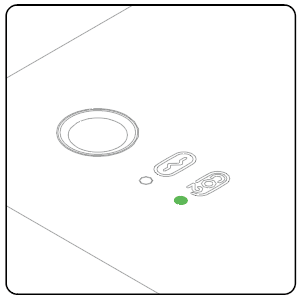
Note: The gas bottles can be used only once. Replace them after the gas is released.
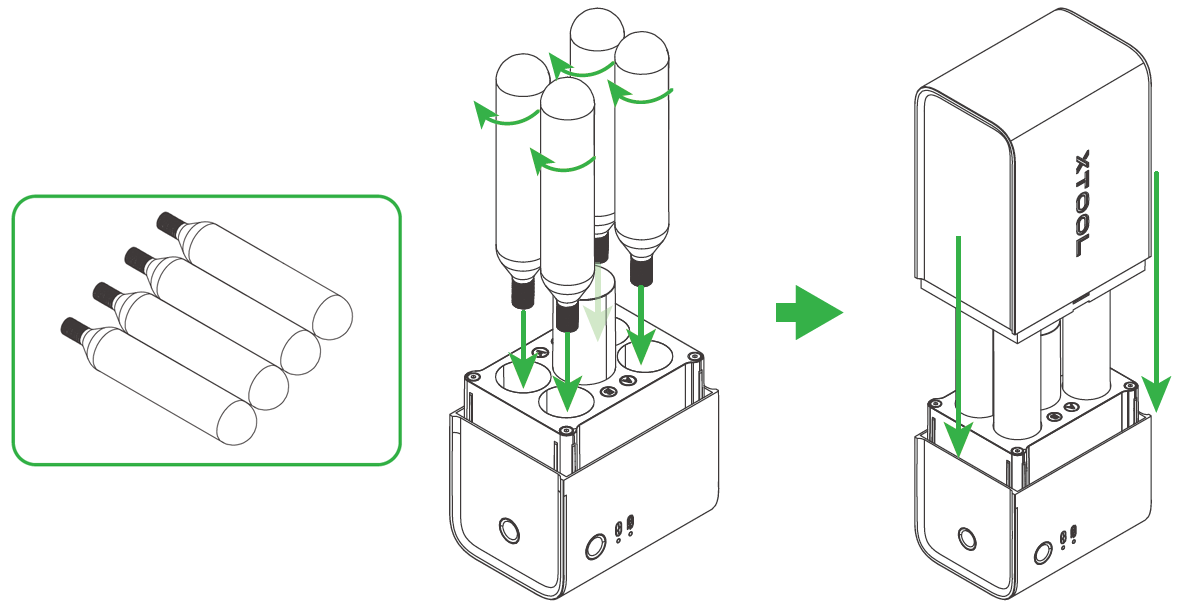
- Unplug the USB cable before replacing CO2 gas bottles. Otherwise, you may touch the one-press fire extinguishing button by mistake to trigger the action of fire extinguishing.
- Hold the middle part of the control box and remove the upper cover.
- Rotate the CO2 gas bottles anticlockwise to remove them.
- Install 4 new gas bottles in the control box.
After replacing the gas bottles, you can connect the control box of the fire safety set to P2S.

