
Preheat xTool F2 IR Laser When Temperature Falls Below 25 ℃
Operating xTool F2 IR laser in a temperature range of 25-30℃ delivers the best results. To achieve steady processing power, we recommend preheating the machine for 10 minutes when at a temperature of lower than 25 degrees.
F2 Infrared-Ray Laser Specifications:
Parameter | Specification |
|---|---|
Wavelength | 1064 ± 5 nm |
Power | 5.5–6 W |
Pulse width | ≈ 5 ns |
Laser Frequency | 25–35 kHz (non-adjustable) |
Power Supply | DC 24 V (100 W) |
In addition, using the correct power supply adapter is important for stable power output and ideal processing effects.
How to Preheat
Effective preheating ensures high-quality results with your infrared light processing. The device enters the default preheating procedure when connected to the power supply, adjusting to your ambient temperature and guaranteeing optimal conditions as processing begins. If your environment is chilly, the following methods can enhance your preheating result:
Method 1 - Preheating Before Infrared Processing
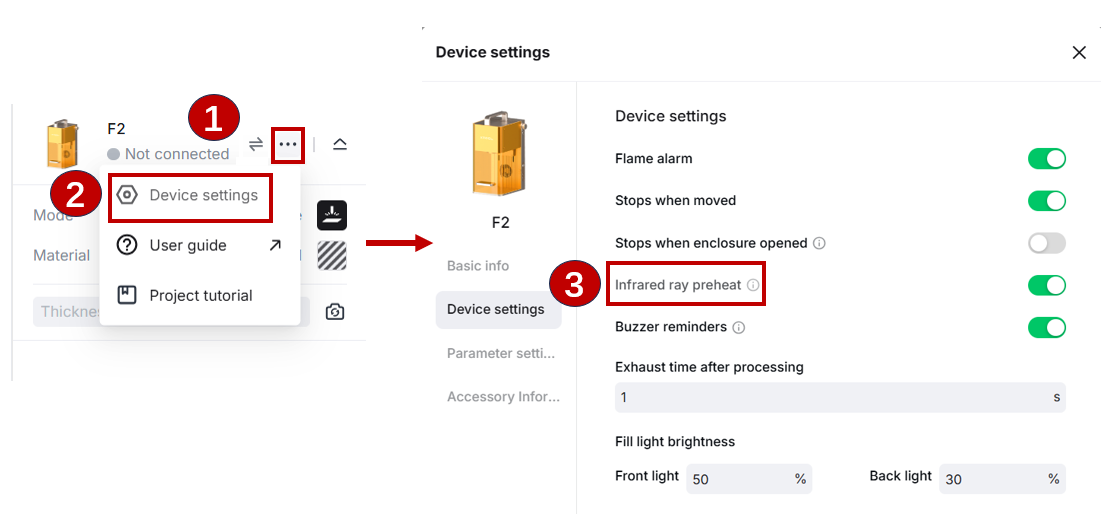
1. In the top-right corner of xTool Studio, click the ellipsis icon  next to the image of xTool F2. Select Device settings. On the pop up windows, enable the Infrared ray preheat.
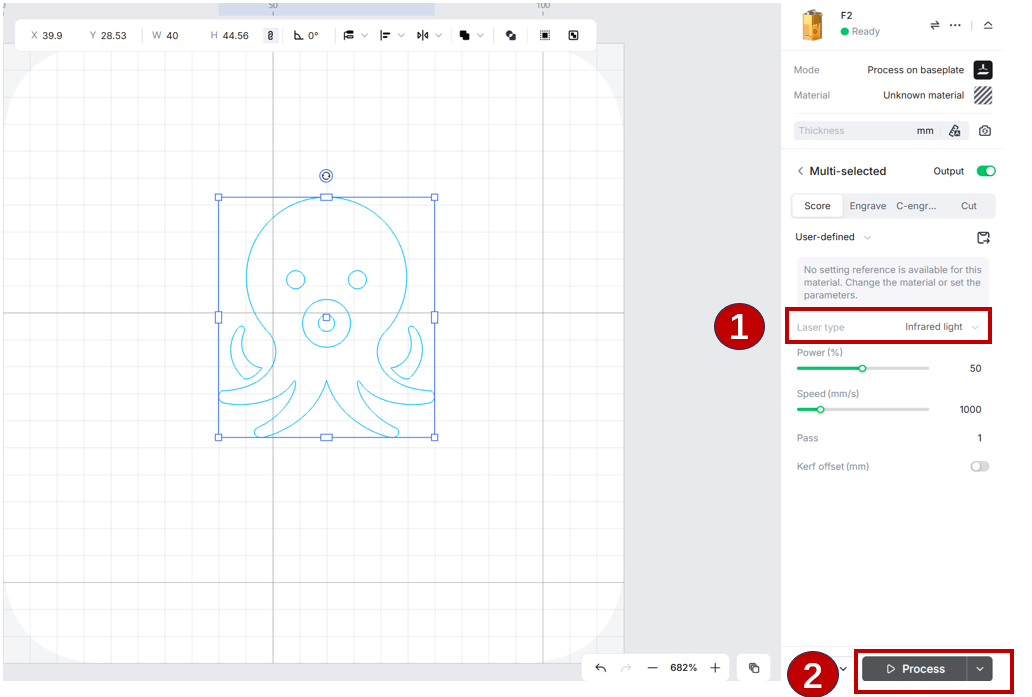
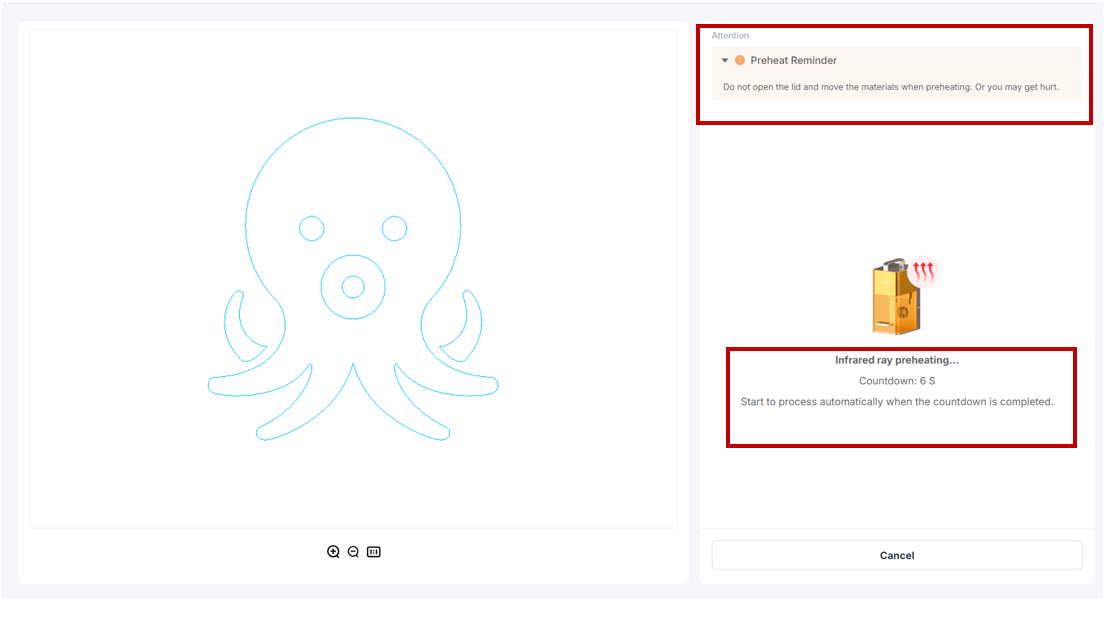
2. Choose the IR laser type, and the machine will automatically preheat for 10 seconds before processing your work. The processing will automatically start once preheating is completed.
Method 2 - Adjust the Parameter for Preheating
First, edit your design and set the parameters accordingly. Next, select the IR laser light and adjust it to 100% Power. Finally, run the laser on your test material for about half a minute.
Remember that pairing your F2 infrared laser with a suitable power adapter ensures a stable power output in the first place, as this ensures a stable power output and a consistent working environment for your machine.
During colder or winter conditions, we highly recommend methodically preheating your machine as per the steps above. In this way, you'll get high-quality processing results and the most satisfactory use of your xTool F2.

