
Troubleshoot "Access-control key" for xTool F2
Issue description
When this error occurs, it may indicate that the USB security key is defective or not properly inserted into the port.
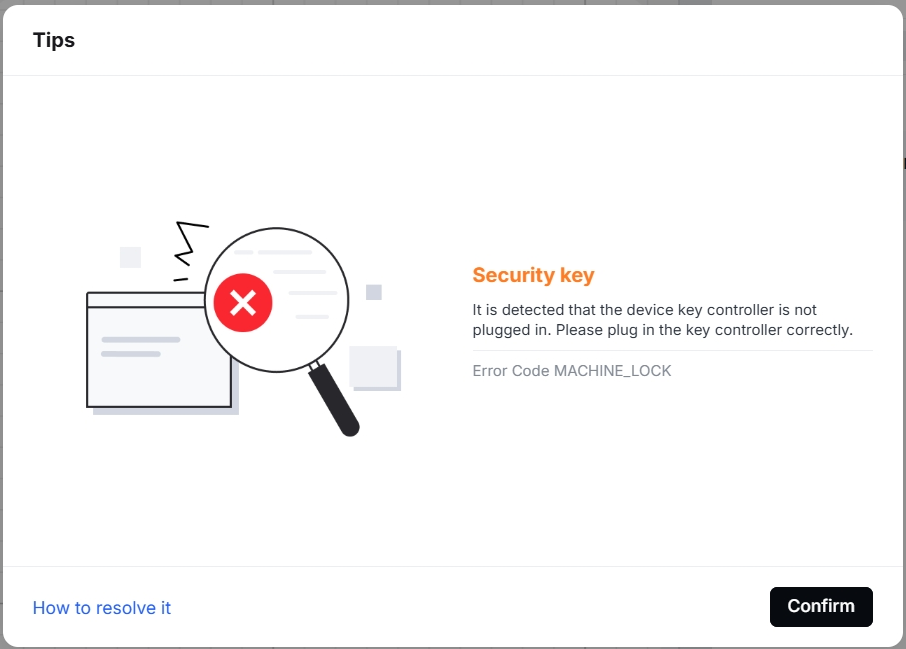
Troubleshooting
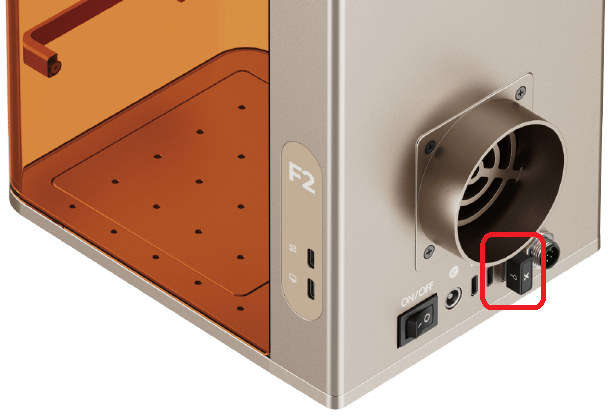
1. Ensure that the security key is firmly and properly inserted into the USB port.
2. Make sure your machine’s firmware has been updated to the latest version.
3. If the issue persists, power off the machine, replace it with the spare security key, and power it back on.
Still experiencing issues?
If the issue continues after performing the above troubleshooting steps, please submit a support request by clicking “Submit a Ticket” in the Help Ticket section below.
The standard response time from xTool Customer Service is one business day.
For a prompt resolution, please include the following details:
- Issue description: A clear and detailed explanation of the problem observed.
- Video evidence: A short video demonstrating the issue, if applicable.
- Troubleshooting performed: The steps you have already taken and their outcomes.
Providing this information enables our support team to identify the cause efficiently and offer a prompt solution.

