
Calibrate the Red Light Position of the Welding Head (Laser Welder Only)
The adjustment of the red light center directly affects welding and cutting quality. Please ensure it is calibrated before operation.
- For welding with pre-installed nozzle, most cases only require left-right centering, which can be adjusted through the smart touchscreen.
- When using a handheld cutting tip, if the red light is weak or misaligned vertically, a screwdriver should be used to adjust up or down.
For specific operational methods, please refer to the video and illustrated steps.
This tutorial is only for calibration of laser welder. If you wanna calibrate the red light position on the CNC cutter, refer to: How to Calibrate the Welding Gun Light Position of xTool MetalFab on CNC Cutter?
Calibrate with Welding Nozzle
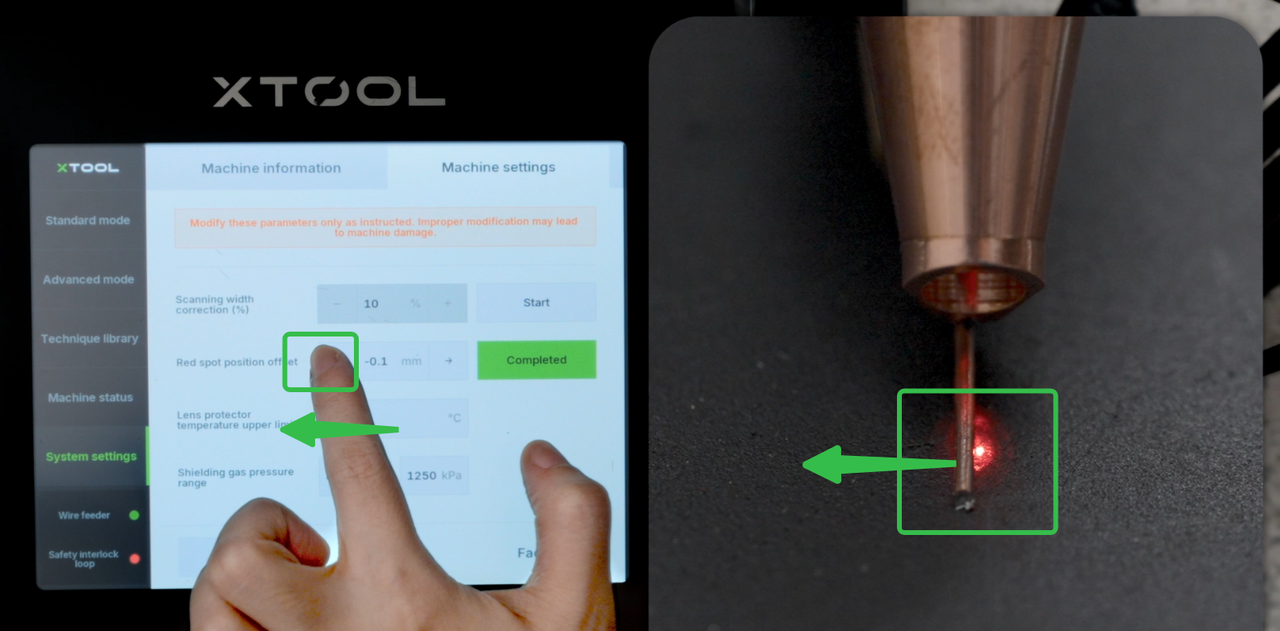
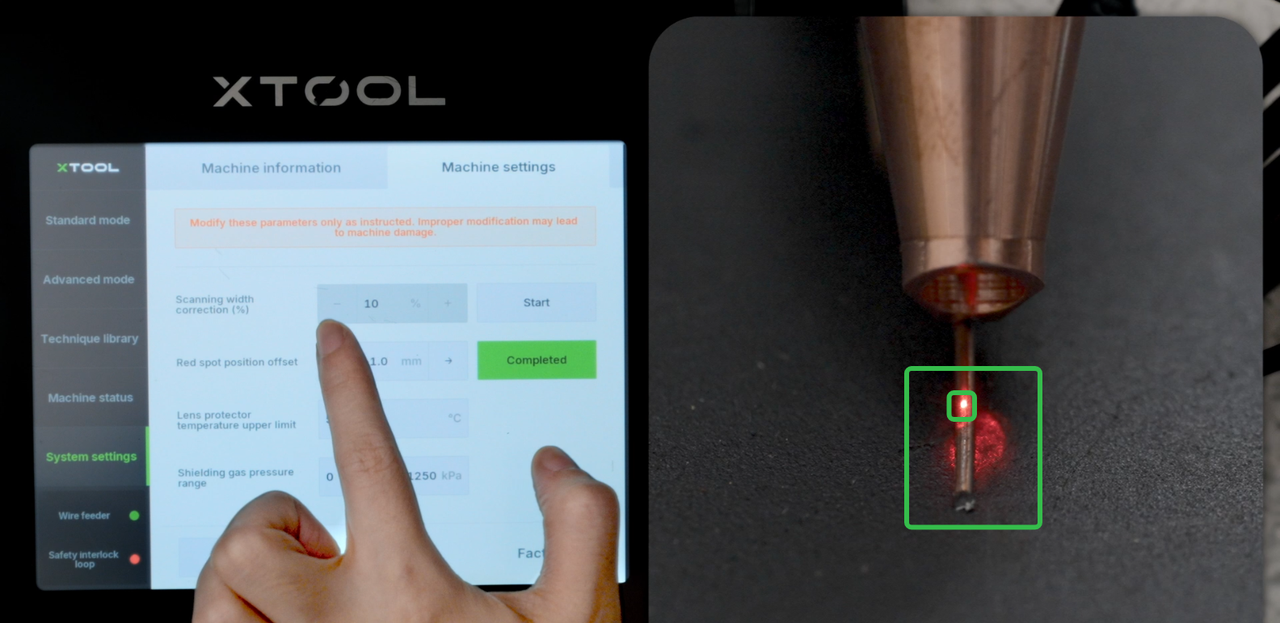
The red light offests the wire even when you install the nozzle and wire feeding tube properly.
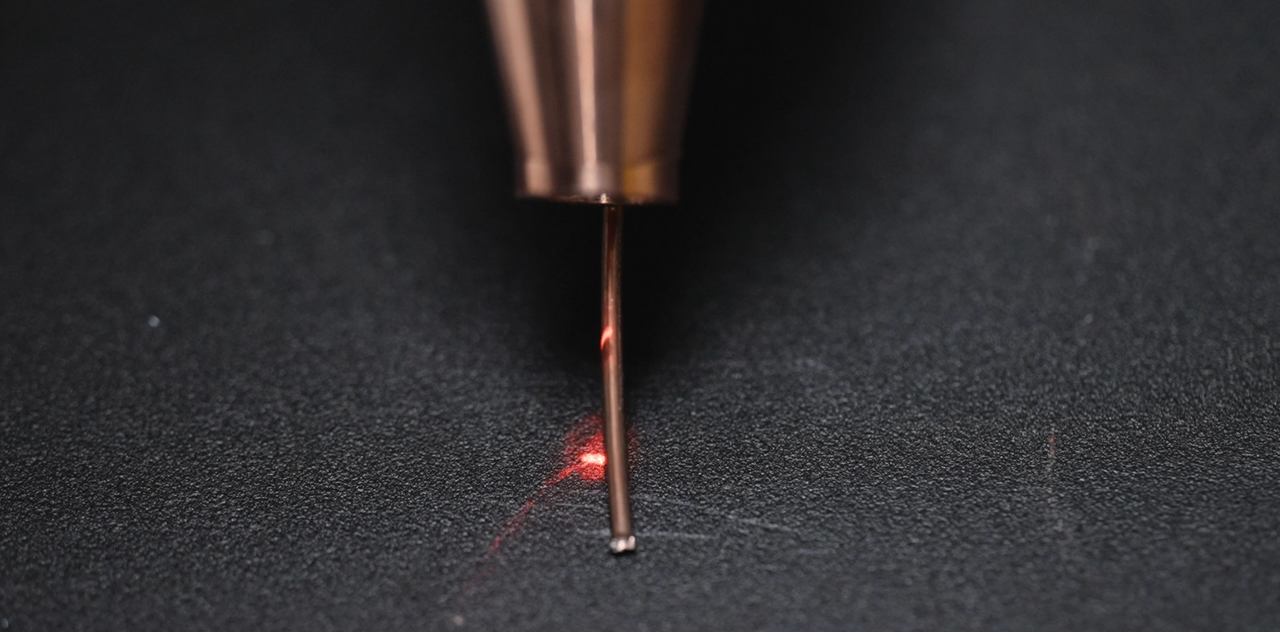
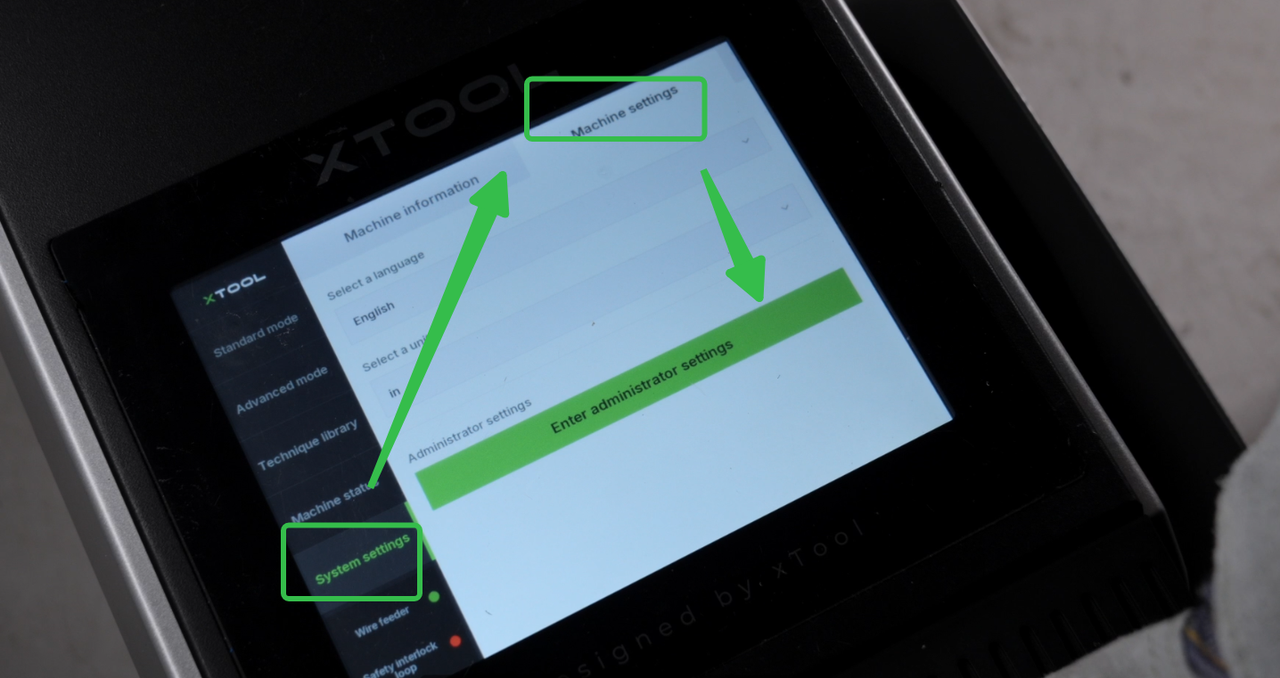
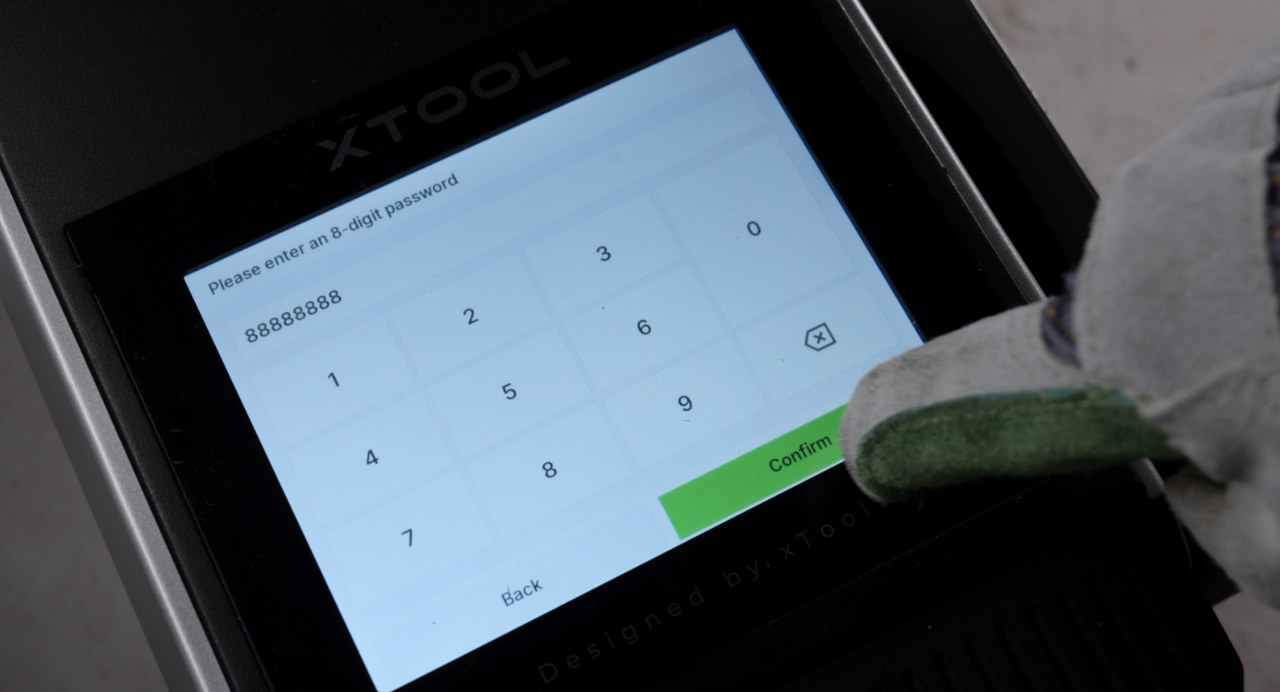
1. Power on, click the System settings→Machine settings→Enter the password of "88888888".
|
|
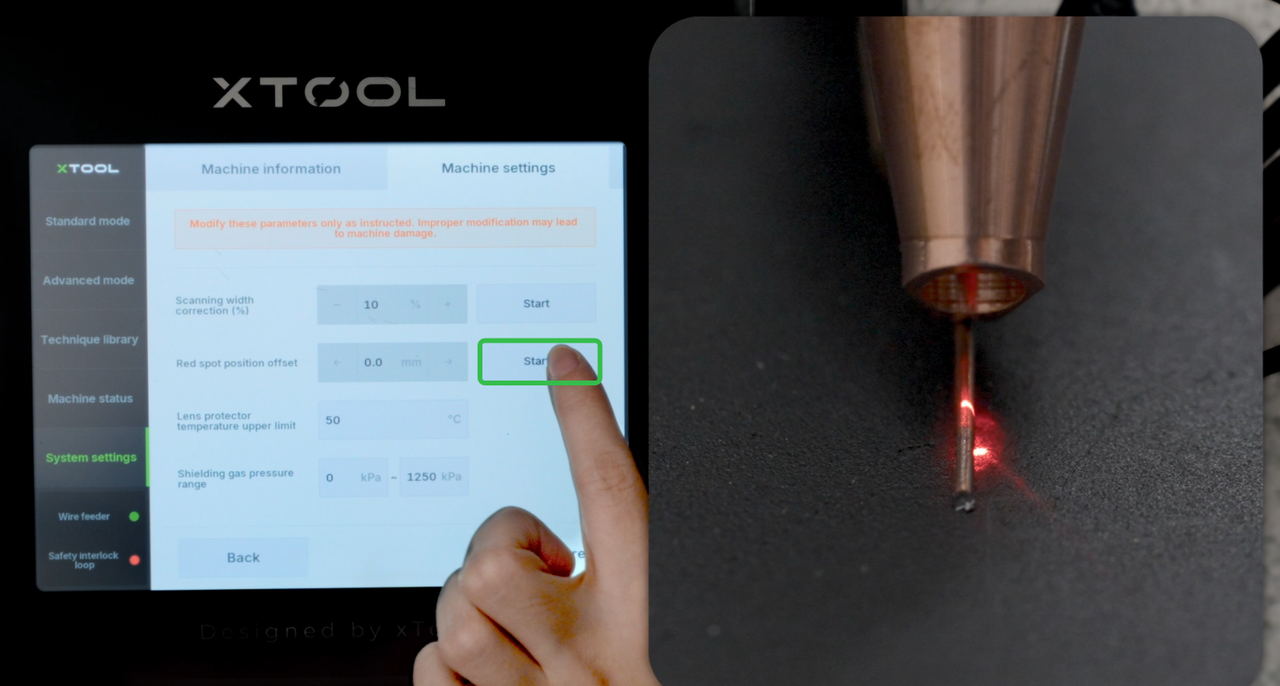
2. Tap "Start", adjust left or right according to the offset. When the red light hits on the center of the wire, stop.
|
|
Calibrate with Cutting Tip
If the red light cannot be brightened regardless of how you adjust it left or right, then you need to adjust it up and down.
1. Use the 2mm hex key to adjust the screws until the red spot becomes clear.
2. Follow the steps for welding nozzle and adjust right or left offset until the red light fully comes out.

