
What is safety mode?
Safety mode is a safety control state that prevents the laser device from restarting automatically after an emergency stop.
With safety mode off, once the emergency is cleared and the emergency stop button is released, the device can power back on normally.
With safety mode on, the device requires an extra sequence before turning on:
- clear the emergency;
- release the emergency stop button;
- press the reset button;
- close the door of the laser controlled area.
When the safety mode is activated:
- The Processing button on the laser device cannot be used to resume a task if processing was halted due to an emergency shutdown or the door of the laser controlled area being opened.
- On xTool laser devices equipped with a Framing button, this button is disabled.
- On xTool laser devices that support offline processing, offline processing is disabled.
If you attempt to turn on the mode during processing, autofocus, framing, or a firmware upgrade, the switch will remain in its current position. A message will appear: "Device is busy. Please try again shortly."
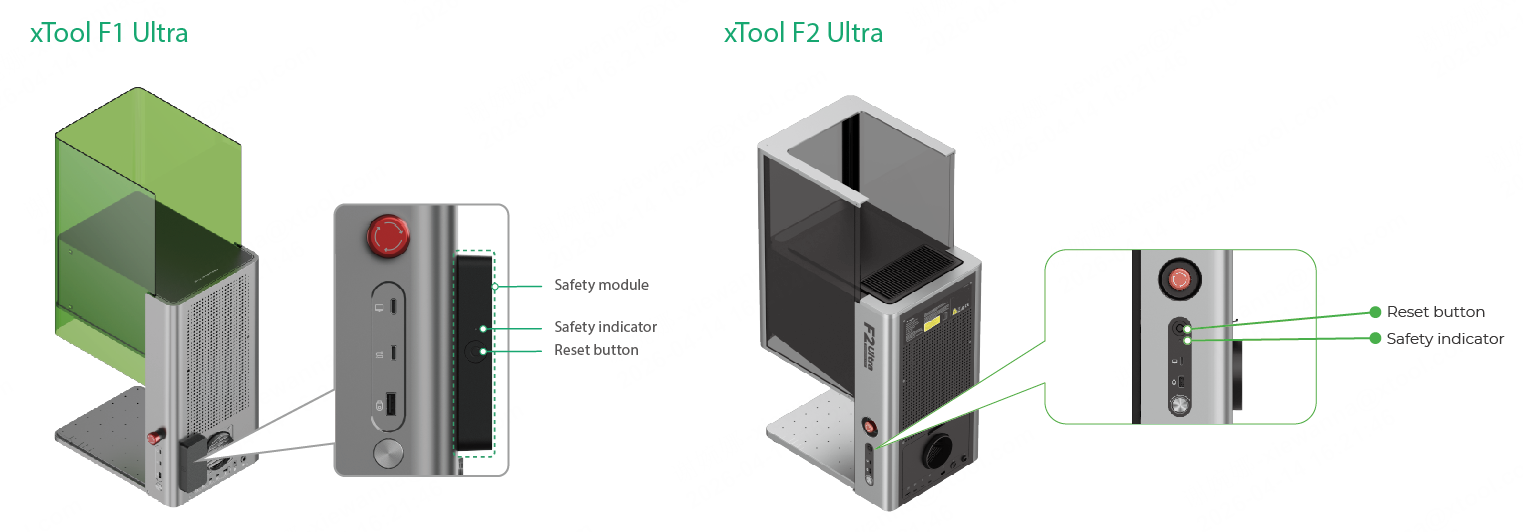
Safety mode depends on the safety module. For some devices, the safety module is exposed on the outside; for others, the safety module is located inside the device.
Example:
How to turn on safety mode?
- Connect the laser device to xTool Studio. For detailed instructions, see How to Connect Your xTool Device to xTool Studio?
- In the top-right corner of xTool Studio, click the three dots icon to the right of the device image. Then, select Device settings.
- In the pop-up window, select the "Device settings" tab.
- Scroll down and toggle the switch for Enable Access Control key to the ON position. Read through the tips before clicking on the Yes button.
How to operate the device in safety mode?
After turning on the safety mode, refer to the following steps to modify the laser device, turn it on, and make it ready for operation.
- Modify the access-control key to a remote interlock connector. For detailed instructions, see xTool Access-Control Key.
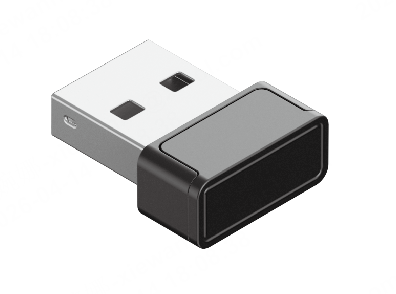
- In normal conditions, operate your device in safety enhancement mode. For detailed instructions, see Safety enhancement mode.
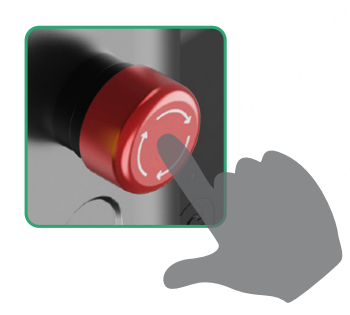
If an emergency happens, refer to the following steps to continue the operations. - In case of an emergency, press the emergency stop button to shut down the device immediately.
- Clear the emergency.
Eliminate the hazardous or abnormal condition that caused the emergency and restore the machine and work area to a safe state. - Rotate the emergency stop button clockwise to release it. The safety indicator will turn from red to white.
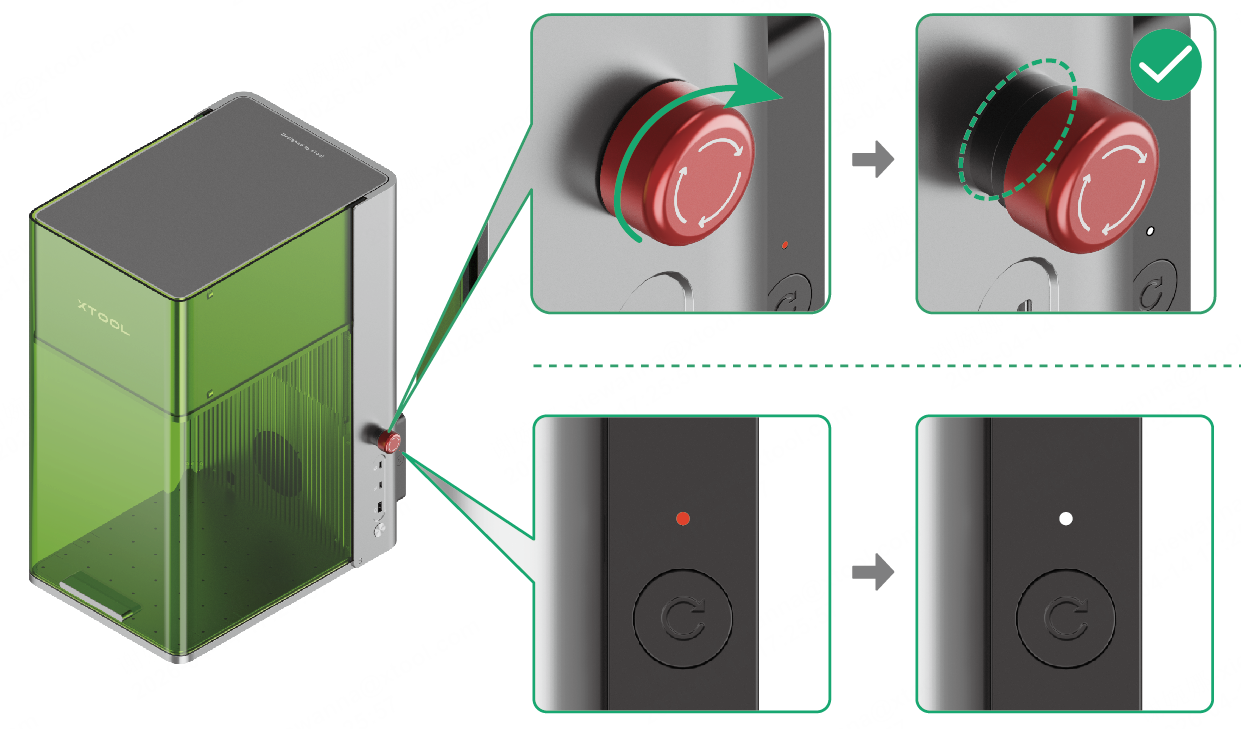
The image is for reference only.
- Press the reset button. The safety indicator will turn from white to green.
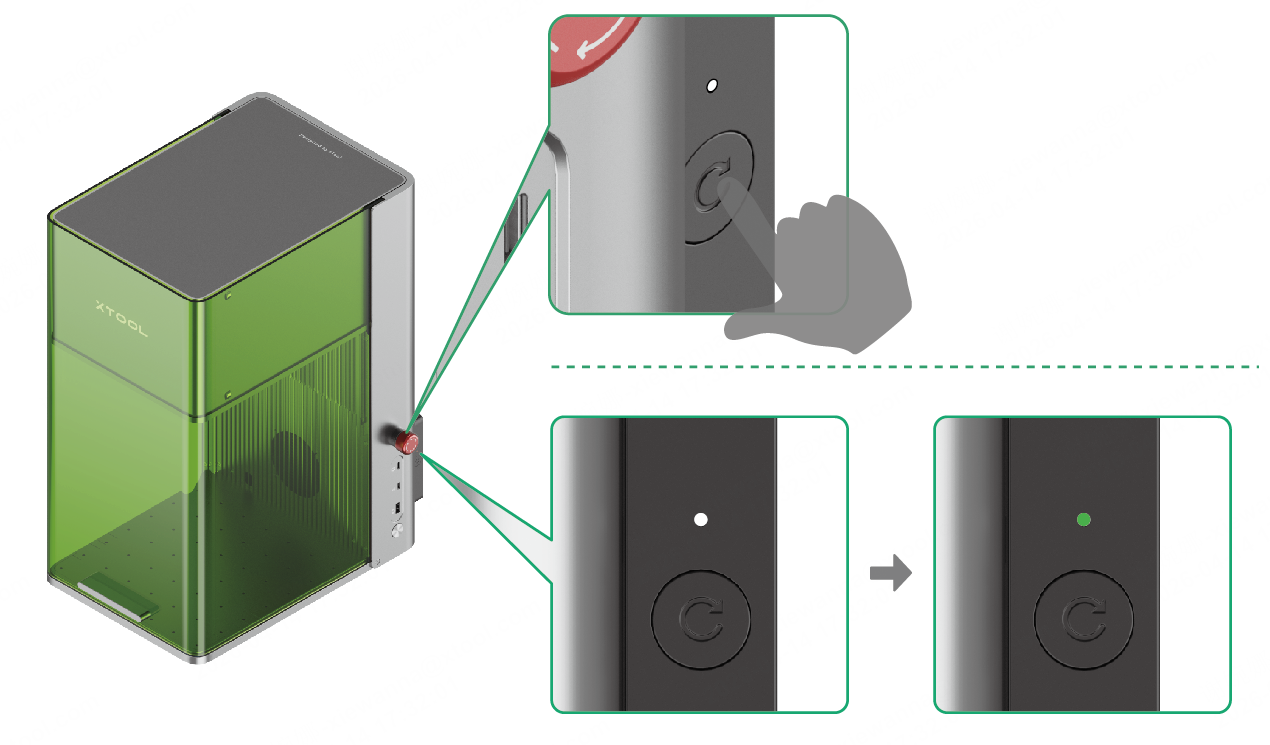
- Open and close the door of your workspace again (this recloses the interlock circuit). Then, the machine can operate normally again.

