
Issue description
After the gas cylinder is installed, the software still prompts that the gas cylinder is not installed during processing, and it also indicates that the gas cylinder is not installed in Device settings.
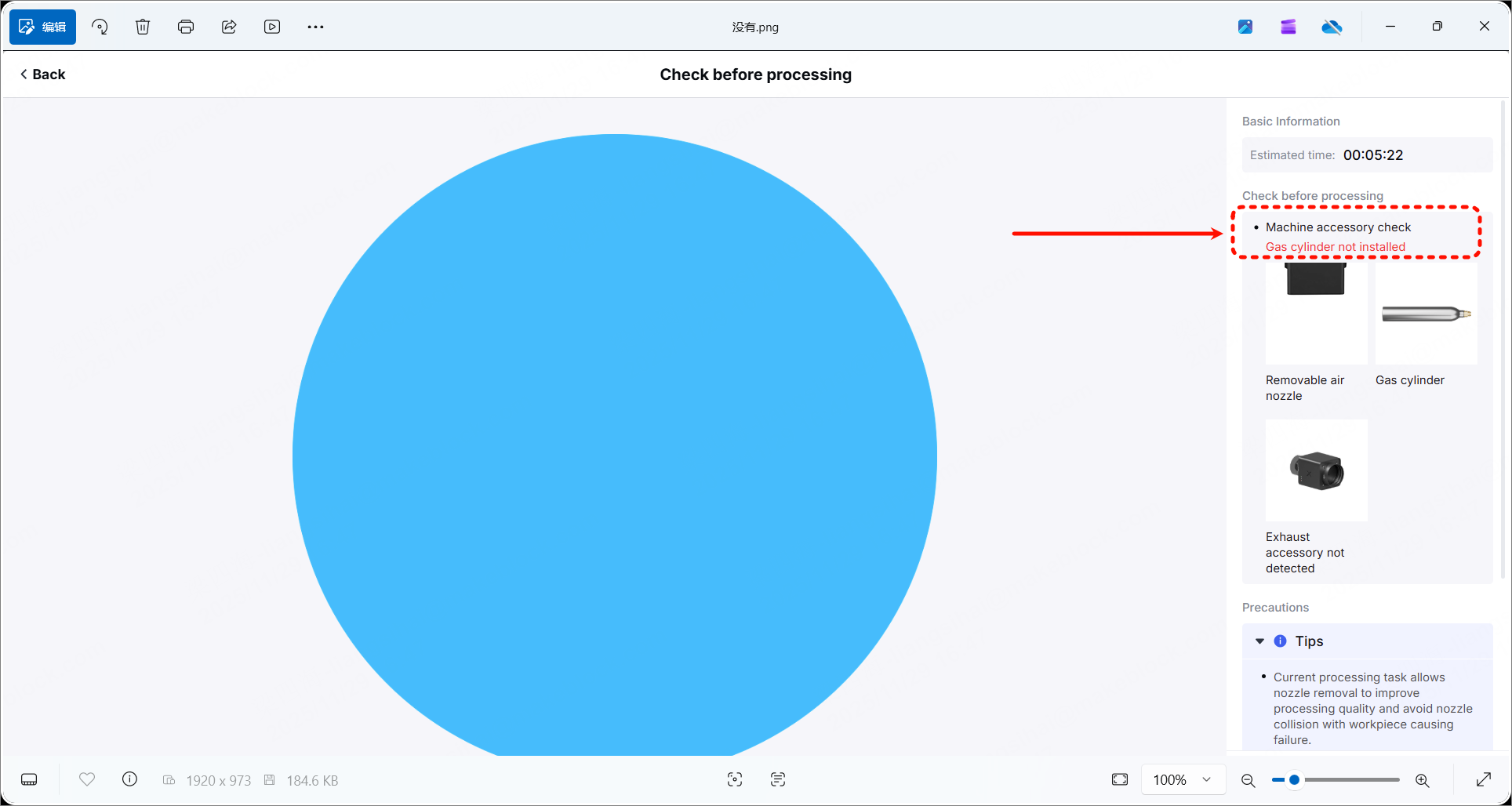
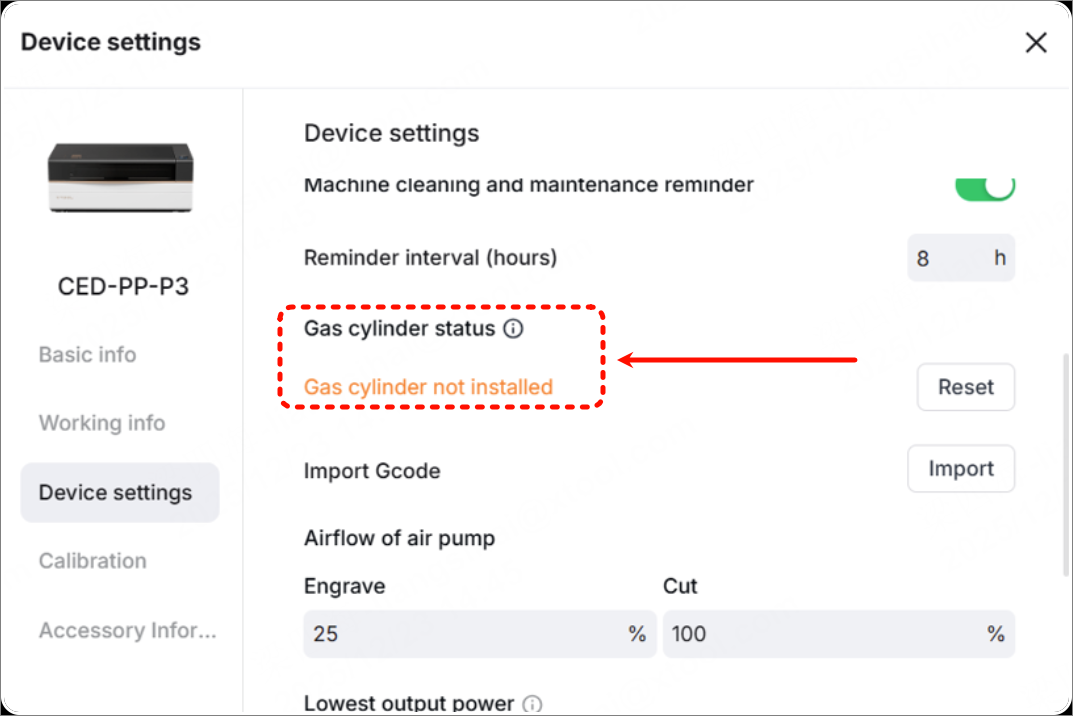
Possible causes
- The gas cylinder is not installed properly.
- The weight of the gas cylinder is insufficient.
- The weight sensor has not been calibrated.
- The connection cable of the weight sensor is disconnected.
- The gas cylinder detection sensor is faulty.
Troubleshooting procedures
1. Check whether the gas cylinder is installed
xTool P3 does not come with a gas cylinder as standard. Please ensure you prepare a gas cylinder available and it is properly installed.
- If the gas cylinder is already properly installed, go to the next step.
- If the gas cylinder is not properly installed, get a gas cylinder and follow the tutorial to install it.
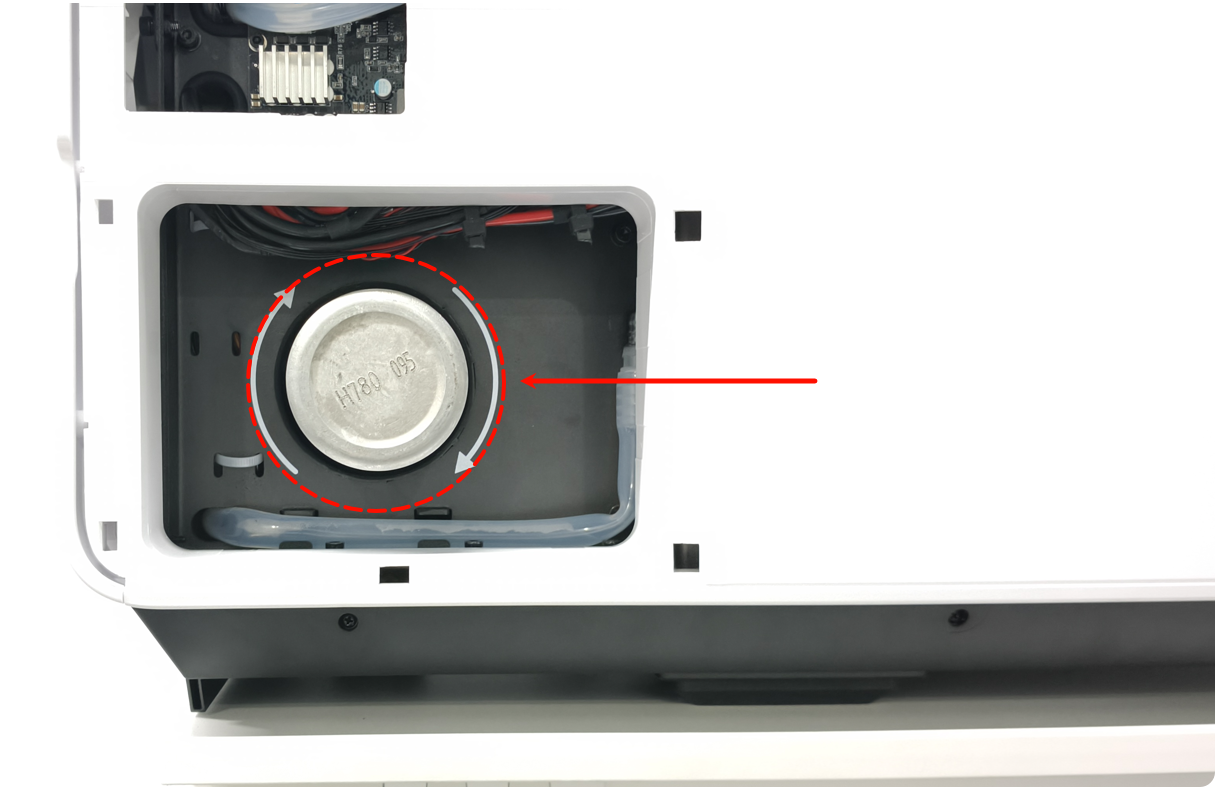
2. Check the installation of the gas cylinder
Normally, the gas cylinder should be positioned roughly at the center and should not touch the metal outer cover. If the cylinder touches the metal outer cover, it may cause a decrease in the weighing weight. Please try reinstalling it.
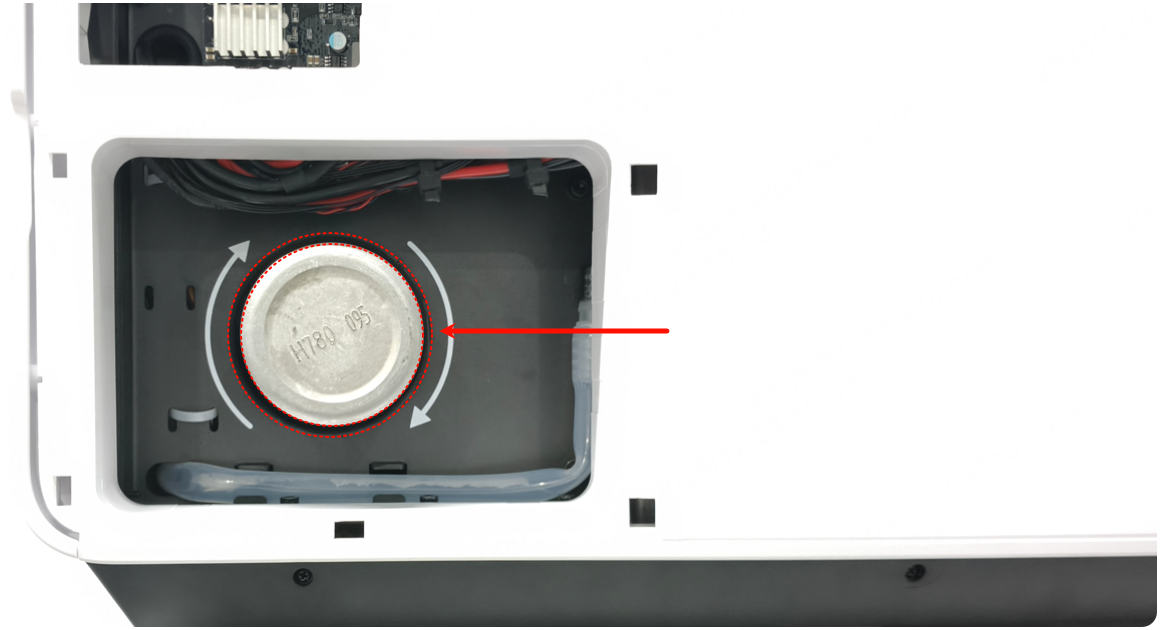
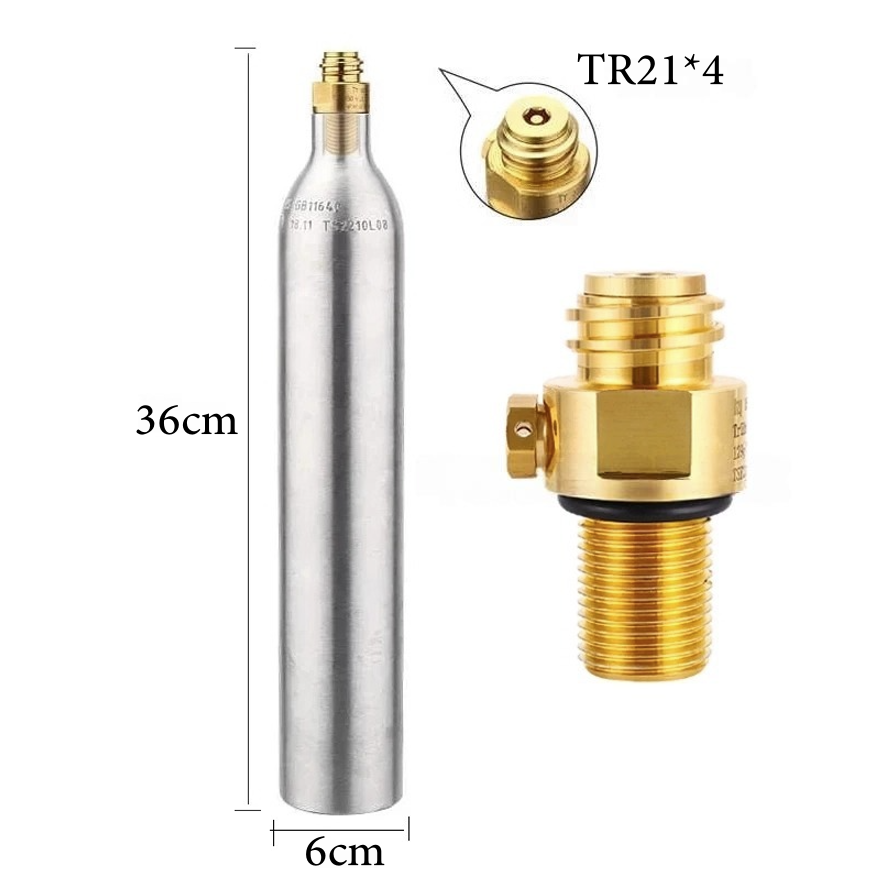
3. Check the specifications of gas cylinder
Cylinders that do not meet specifications cannot be fully screwed in during installation to trigger the cylinder detection sensor (even if tightened). Therefore, if the specifications are incorrect, replace the correct gas cylinder.
Cylinder specifications:
- 0.6L soda water cylinder
- Minimum CO₂ filling capacity of 400g
- M18*1.5 threaded bottle neck
- TR21*4 valve thread
4. Weigh the gas cylinder
Take out the gas cylinder and weigh it. If the weight is less than 700g, it may be determined as no gas cylinder installed.
- If the weight is ≤ 700g, replace a new gas cylinder.
- If the weight is > 700g, go to the next step.
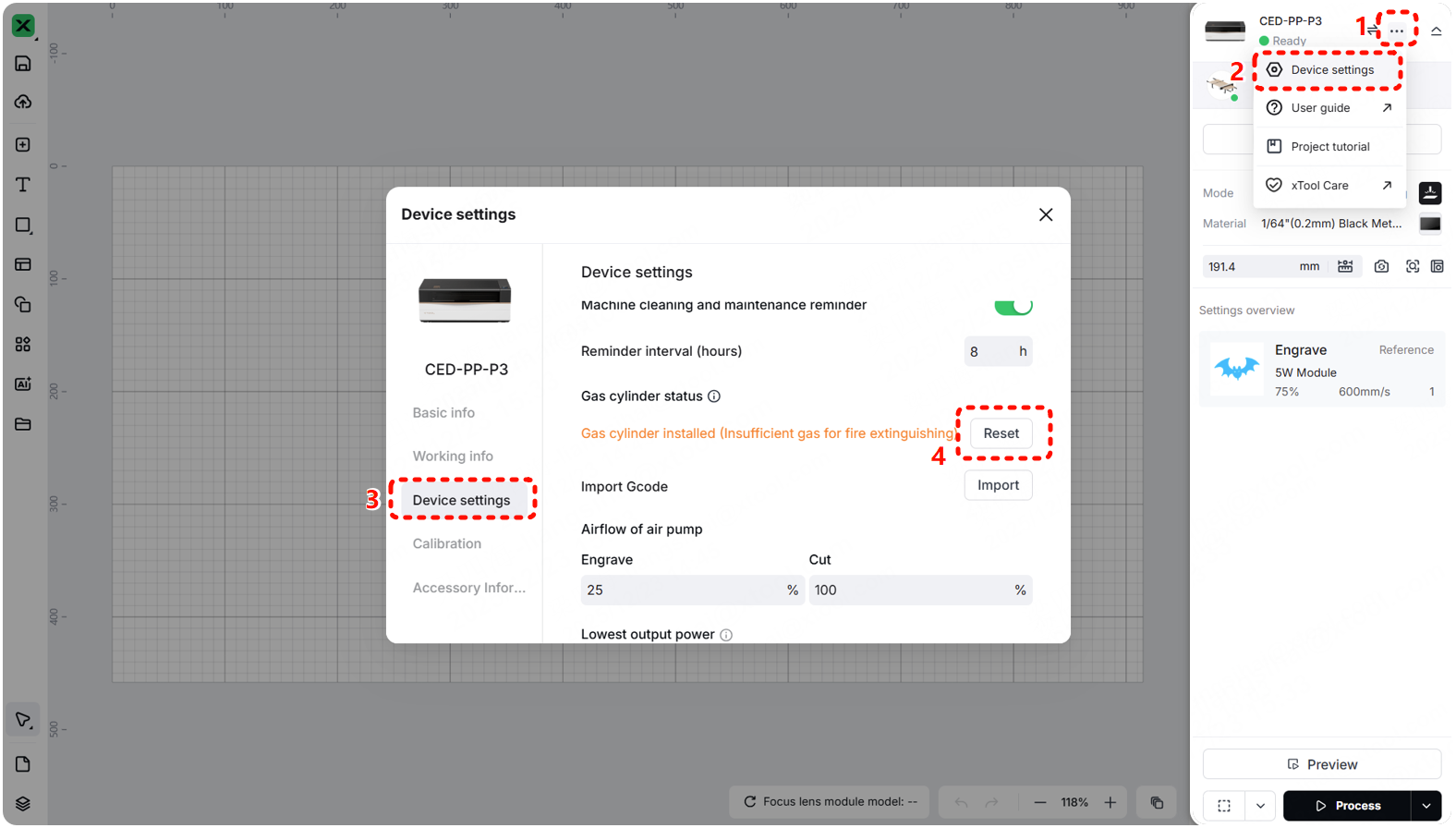
5. Reset the weight sensor
Go to ··· > Device settings > Device settings > Reset. Follow the prompts on the software to reset the weight sensor.
6. Check the connection cable of the sensor
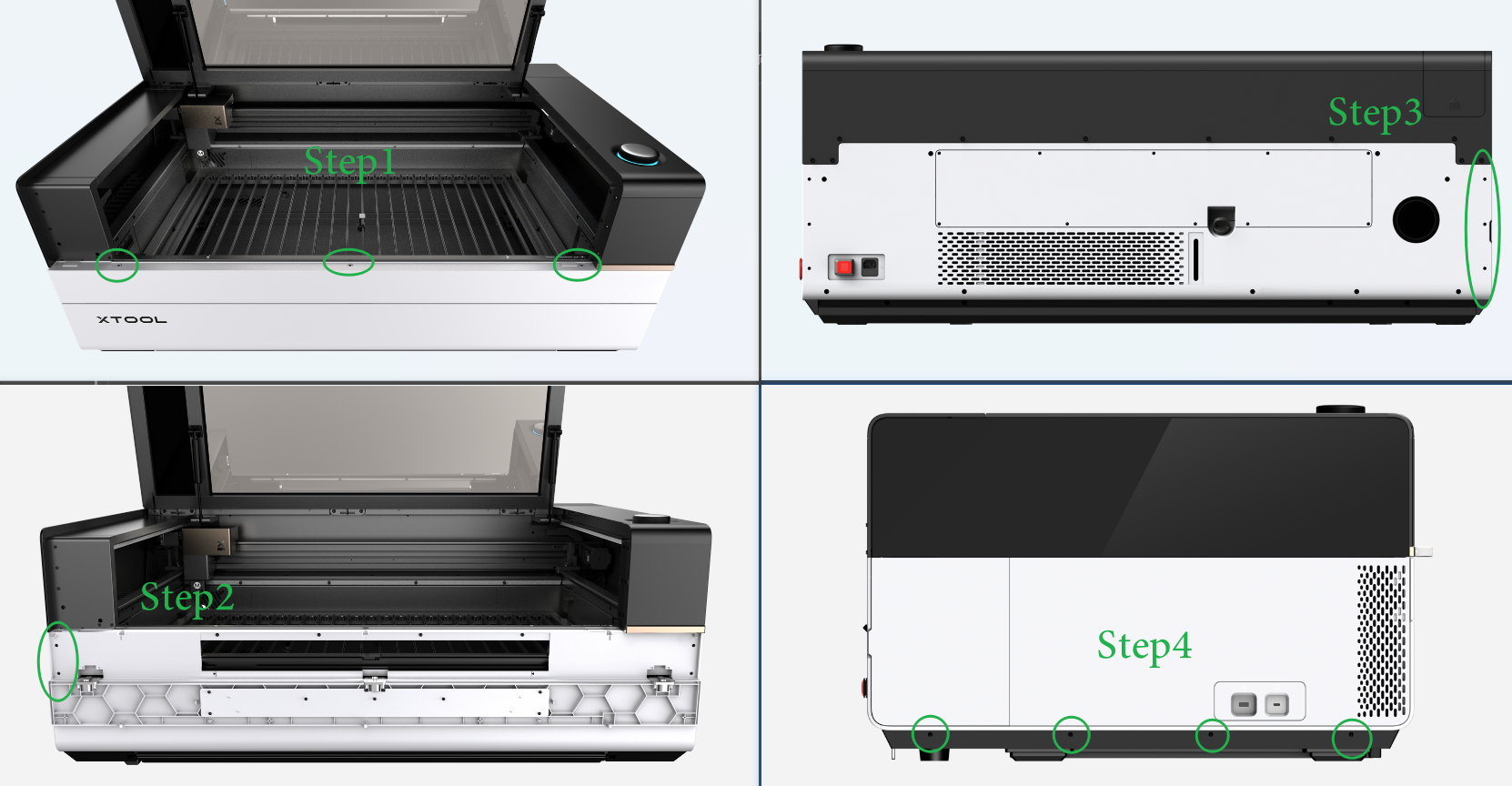
(1) Disconnect xTool P3 from a power supply.
(2) Remove the left plate as shown. Follow the video tutorial Assemble & Disassemble the Casing of xTool P3.
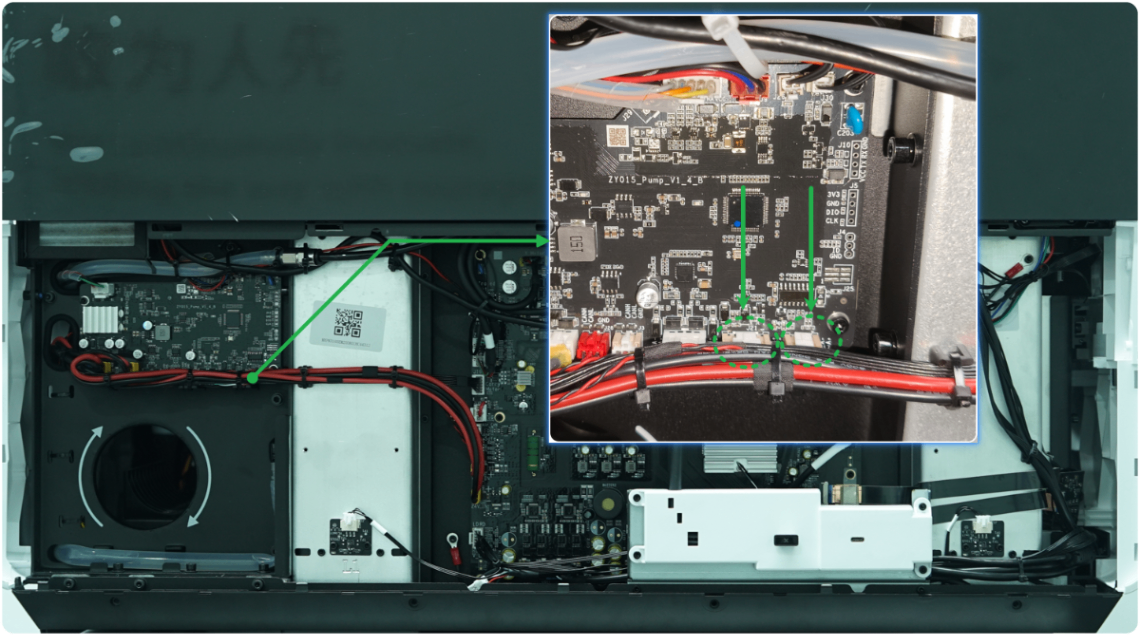
(3) Check whether the connectors are loose (as shown), plug them snugly, and restart xTool P3.
7. Check the sensor of gas cylinder
(1) Disconnect xTool P3 from a power supply.
(2) Remove the rear plate as shown. Follow the video tutorial Assemble & Disassemble the Casing of xTool P3.
(3) Check whether the gas cylinder can be fully tightened all the way (as shown).
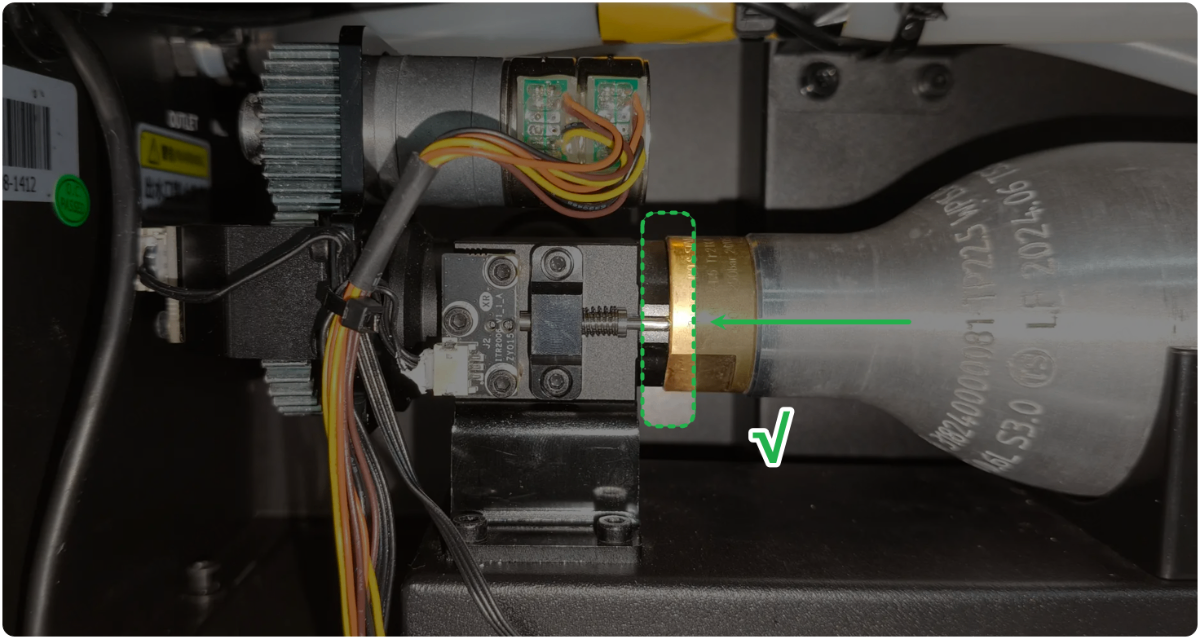
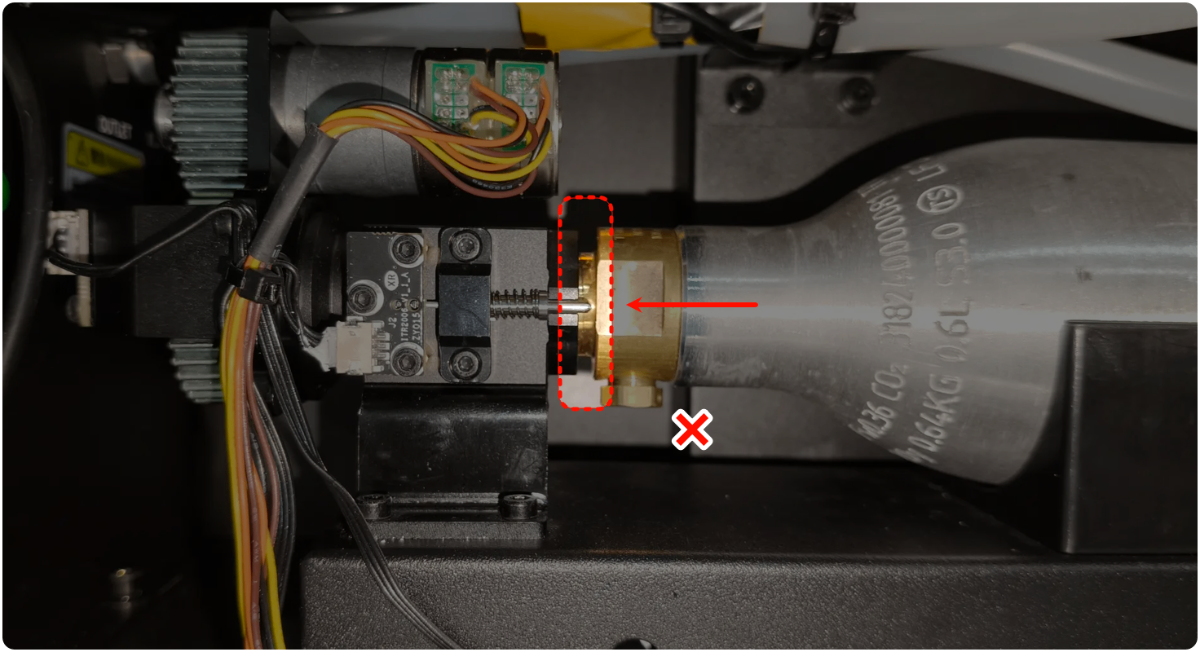
- If it can't be fully tightened all the way, replace a new gas cylinder.
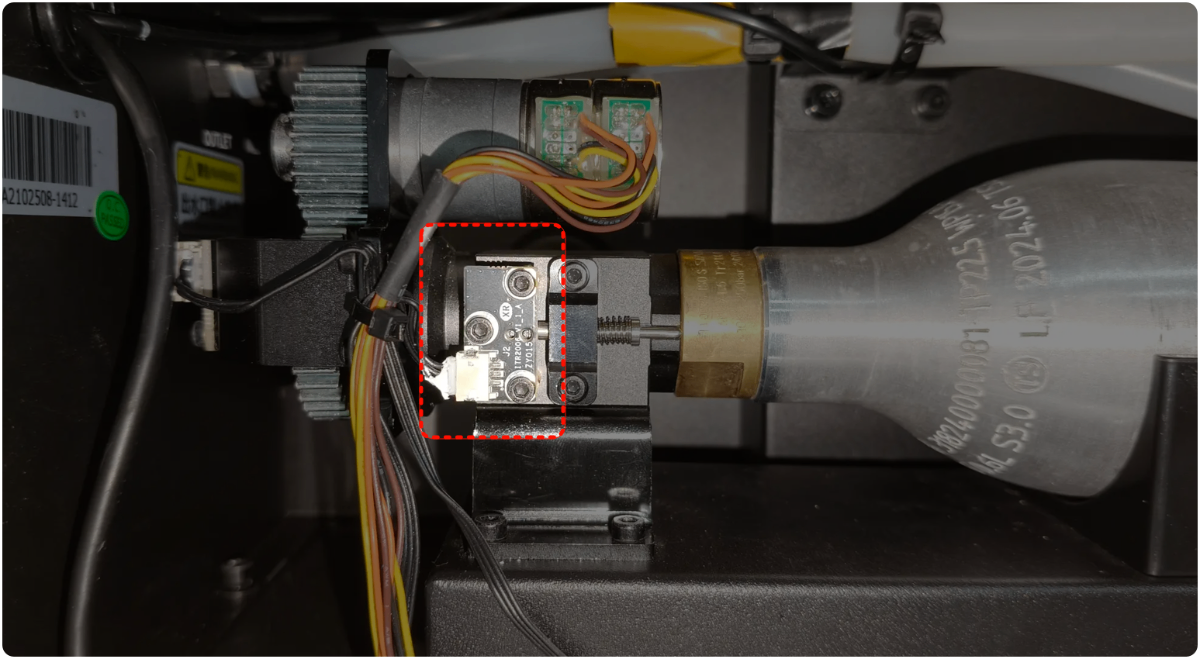
- If it can be fully tightened all the way, check whether the screws and connectors of the cylinder sensor are loose. Make sure they are fixed securely, unplug and plug the connector, and restart xTool P3.
8. Check the fire extinguishing module
If the fire extinguishing module is faulty, replace it with a new one.
Still experiencing issues?
Should the issue persist after completing the preceding steps, submit a ticket via the "Submit a Ticket" button in the "Help Ticket" section below. The standard response time for xTool Customer Service is one business day.
For a prompt resolution, please include the following details:
- Issue description: A detailed explanation of the observed problem.
- Video evidence: Attach a video demonstrating the issue, where applicable.
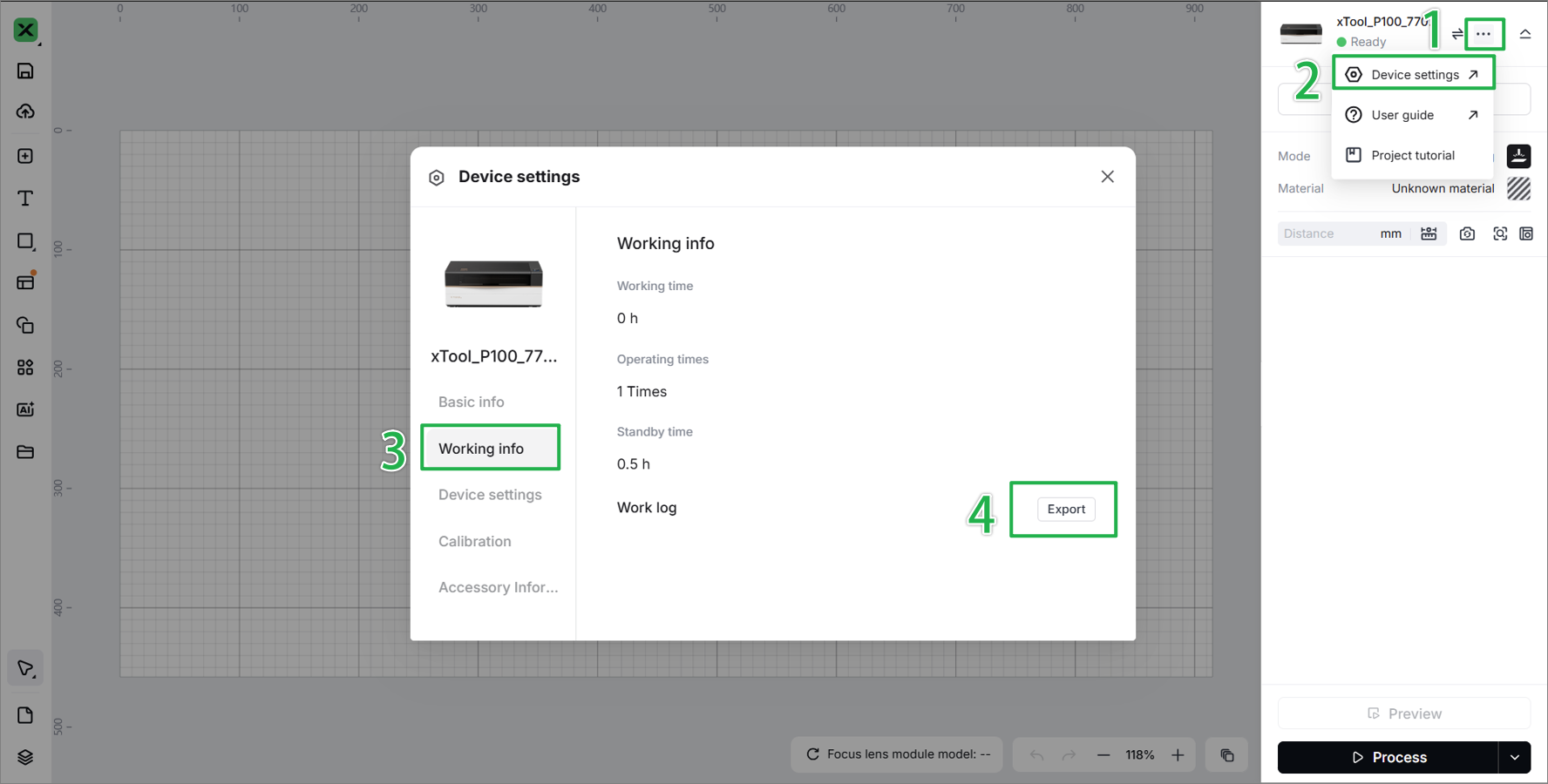
- Device information: Follow the steps to find the SN and export the work log.
- Troubleshooting performed: Any troubleshooting steps you have already attempted, along with their results.
This information is crucial for xTool technical support engineers to provide timely assistance.
Documentation feedback
Help improve this content by providing feedback. If this content did not meet your requirements, select "No" in the "Was this page helpful?" section below. Include specific details about what was unclear or missing in the pop-up suggestion box. Feedback submissions are reviewed by xTool technical writers to enhance future documentation.

