
How to Install or Replace the CO2 Cylinder
Updated Jan 4,2026
Updated Jan 4,2026
Prerequisite
- The CO₂ cylinder is classified as a hazardous item, and the transportation requirements are different from those of the device. Therefore, the device does not include a cylinder upon shipment. Due to regional policy variations, only certain areas or sales platforms may offer a separately packaged CO₂ cylinder with xTool P3 (specific policies and shipping methods are subject to the sales platform). For regions or platforms where a complimentary cylinder is unavailable, you can purchase a cylinder that meets the requirements below and follow the tutorial to install the cylinder.
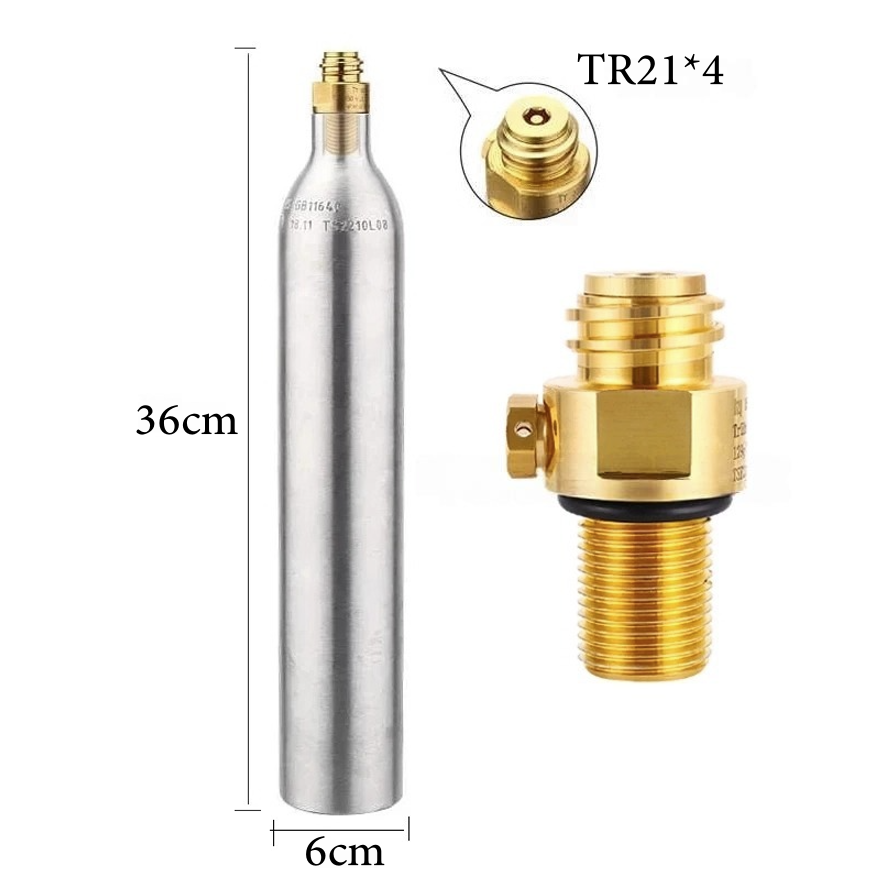
Cylinder specifications:
- 0.6L soda water cylinder
- Minimum CO₂ filling capacity of 400g
- M18*1.5 threaded bottle neck
- TR21*4 valve thread
- xTool P3 can operate normally without a CO₂ cylinder installed. However, if a flame is detected, the device will only emit a beep and cannot discharge CO₂ gas to extinguish the fire.
- Gas cylinders are disposable. After activation, the CO₂ gas in the cylinder will be completely discharged. Replace the CO₂ cylinder with a new one as soon as possible.
Applicable scenarios
- Unbox xTool P3 for the first time
- CO₂ gas in the cylinder is insufficient
Precautions
- Do not install the cylinder while the device is in operation. It is recommended to install them when the device is on standby so that you can hear the prompt sound when the cylinder is properly seated.
- If the gas cylinder is tightened when installed, but the cylinder still cannot be installed in place, the cylinder threads may be incompatible. Inspect the cylinder first and do not force-tighten.
- After installing the cylinder, check whether the rubber plug at the CO₂ outlet is properly seated:
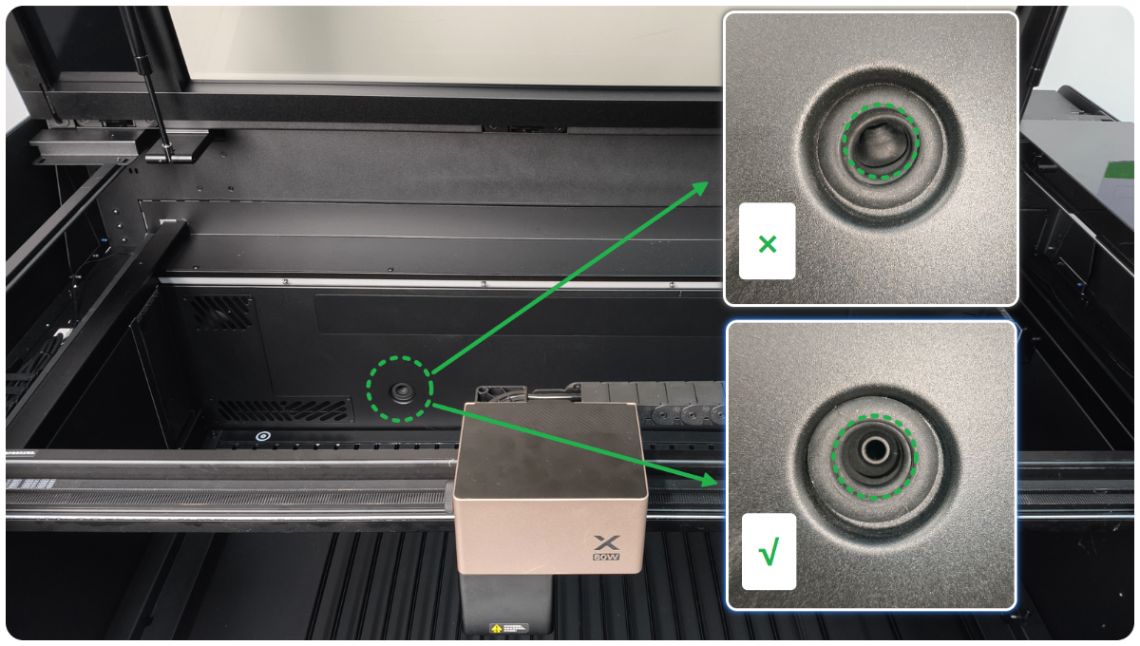
- If the plug is seated in place, use the device as proceeding.
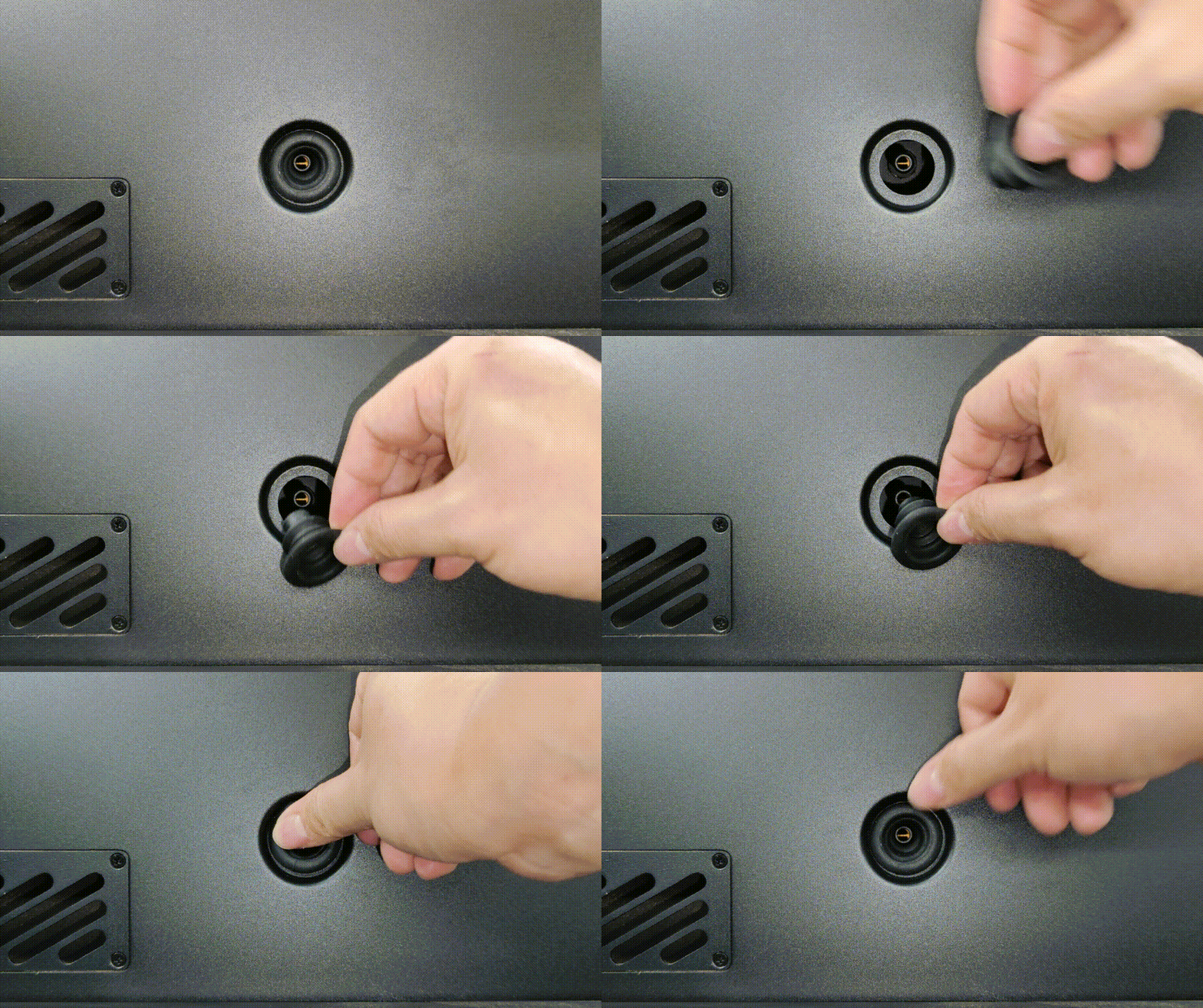
- If the plug is not seated in place, follow the instructions to adjust the plug to align with the gas tube.
FAQ
1. The CO₂ cylinder is tightened when installed, but it still cannot be installed in place. Why?
(1) Check whether the threaded bottle neck dimensions match the cylinder.
- If the dimensions do not match, replace it with a new cylinder.
- If the dimensions match, go to the next step.
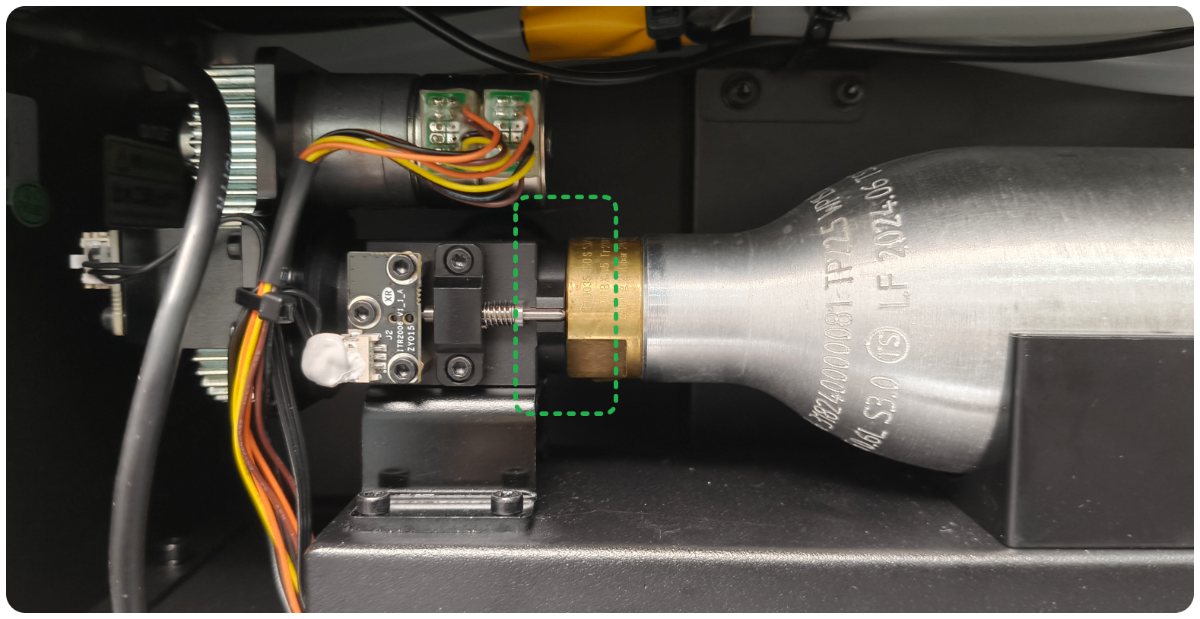
(2) Follow the video tutorial. Disconnect the device from the power supply, remove the rear plate of the device, and check the installation of the cylinder.
- If the cylinder sits against the edge (as shown) after tightening, but the device still cannot detect the cylinder, it means the fire-distinguishing module may be faulty. Contact xTool customer service for help.
- If the cylinder specifications match, but it still cannot be screwed in completely, it may be due to significant tolerances in the cylinder threads. Please replace it with a new cylinder.
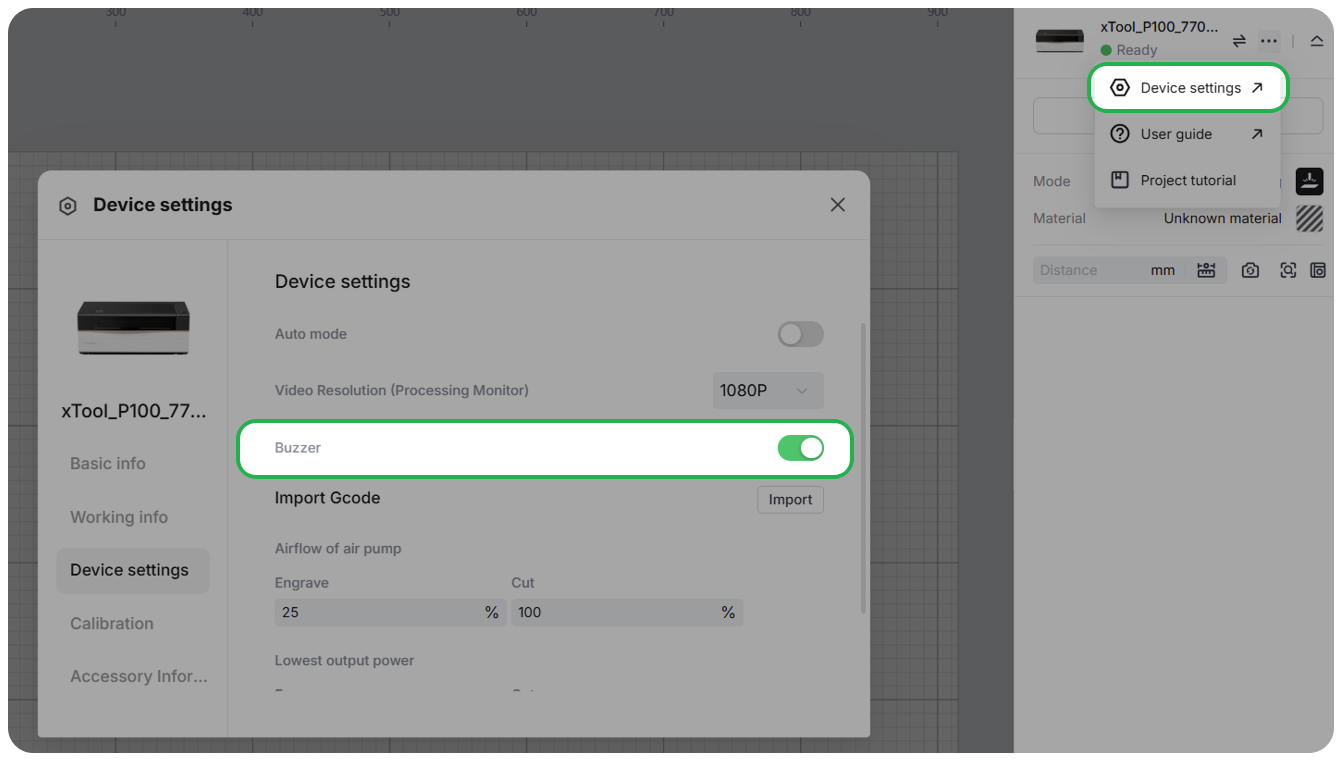
2. I can't hear a prompt sound after tightening the cylinder in place. Why?
Enable the buzzer in the device settings. Go to Device settings > Device settings > Buzzer.
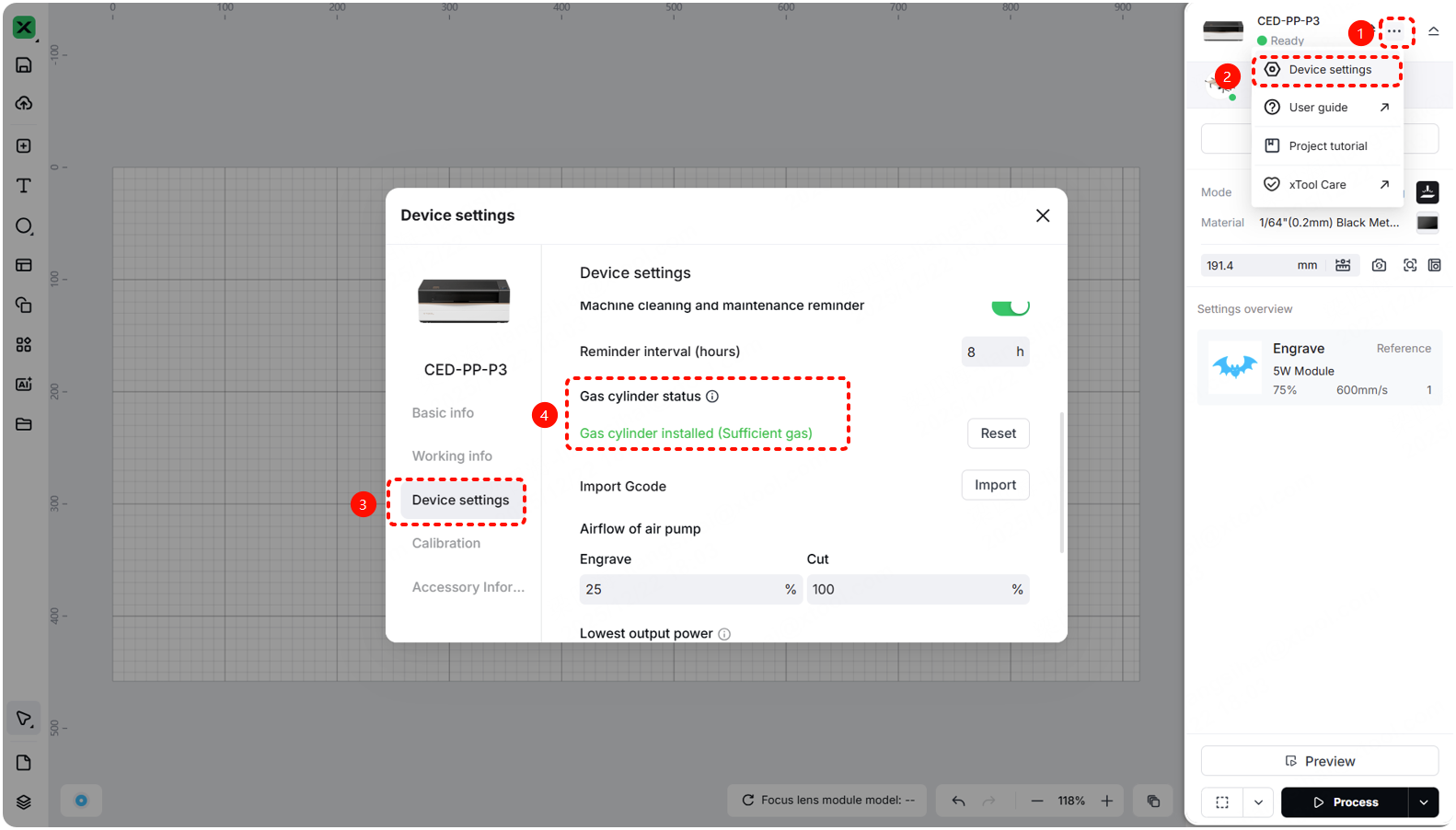
3. How to check the gas cylinder's installation status?
(1) Update the software and firmware to the latest version.
(2) Go to ··· > Device settings > Device settings > Gas cylinder status to check its status.
4. After installing the gas cylinder, a gas cylinder error appears during processing. Why?
- If the gas is not enough to extinguish the fire after installing the gas cylinder, click the link and follow the steps.
- If the software indicates "the gas cylinder is not installed" after installing it, click the link and follow the steps.
Video tutorial
Preview
Was this page helpful?
35 out of 38 found this helpful
Help Ticket
Use this help ticket to submit your issue. We will respond within 1 business day
Submit a Ticket 
