
1. Apparel Printer Film Rolls Heat Press Parameter Settings
Scan the QR code on the material instruction sheet included in the Apparel Printer Film Rolls packaging:
Scanning the QR code on the instruction sheet takes you directly to the corresponding page of the recommended-parameters webpage. You can select the substrate you want to heat press, and the page will display the heat press settings for each substrate.
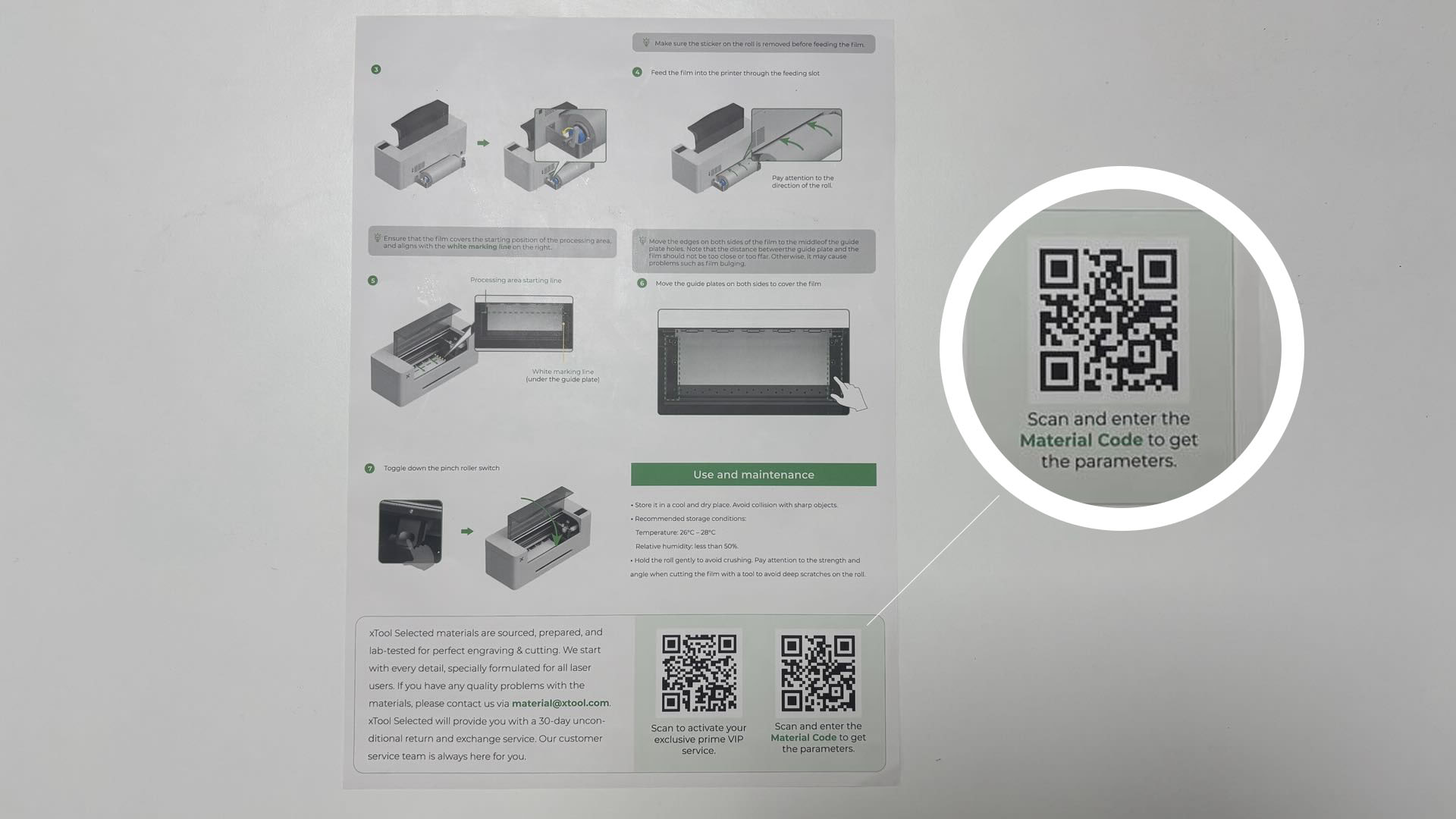
Go to the ATOMM website and select the processing parameters for the corresponding material:
The ATOMM website features a wide range of user project showcases, along with official recommended processing parameters for various materials sold by the brand.
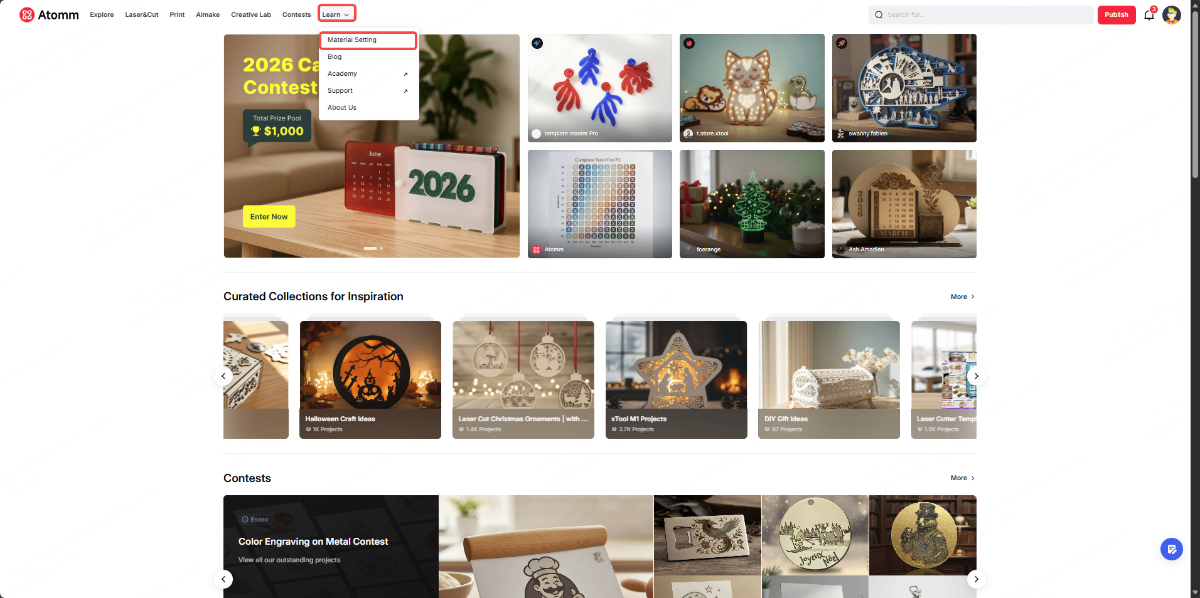
Step 1:
In the Learn section, select Material Setting to access the page for official consumables recommended parameters.
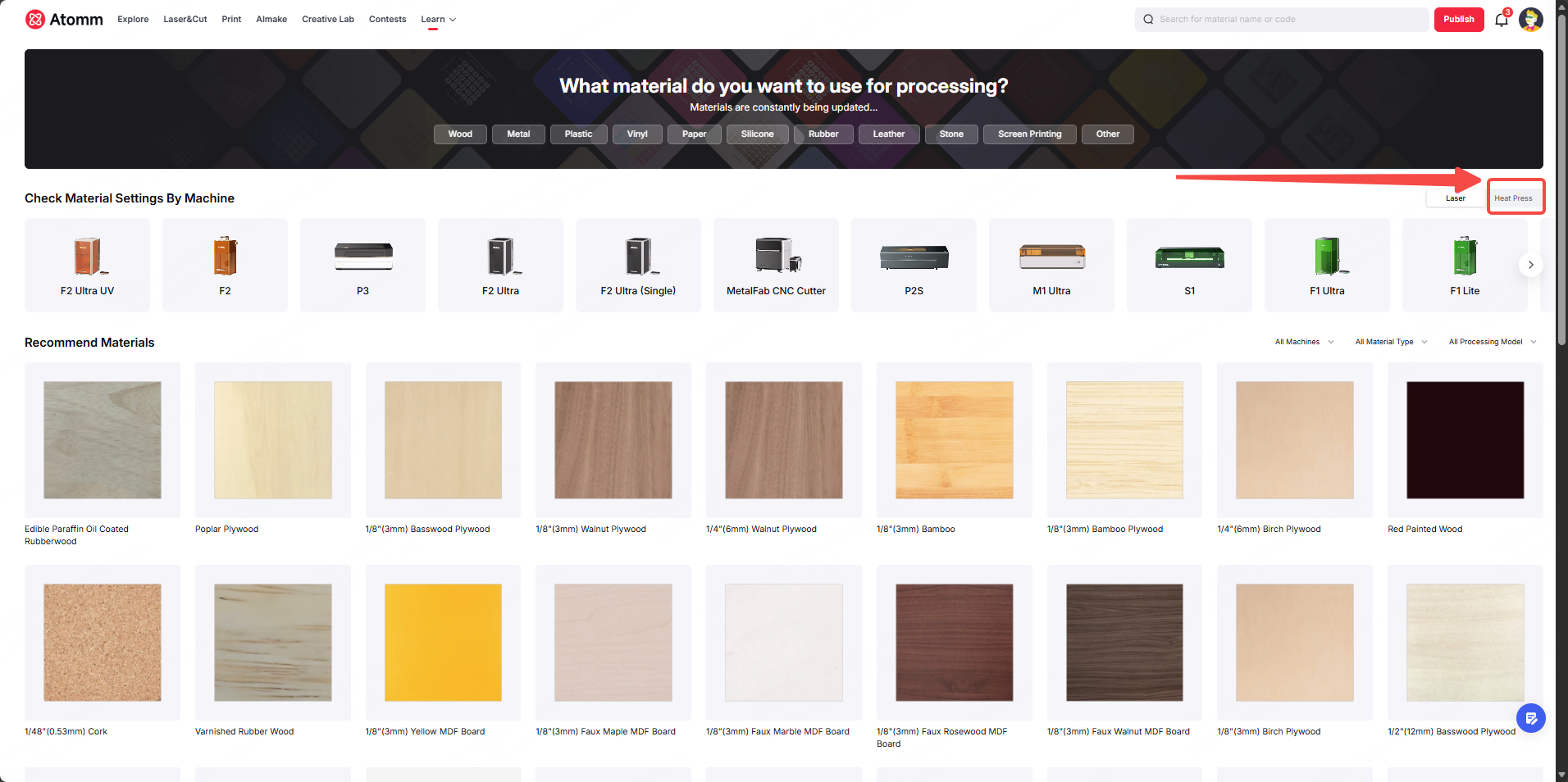
Step 2:
In Check Material Settings By Machine, select the Heat Press section.
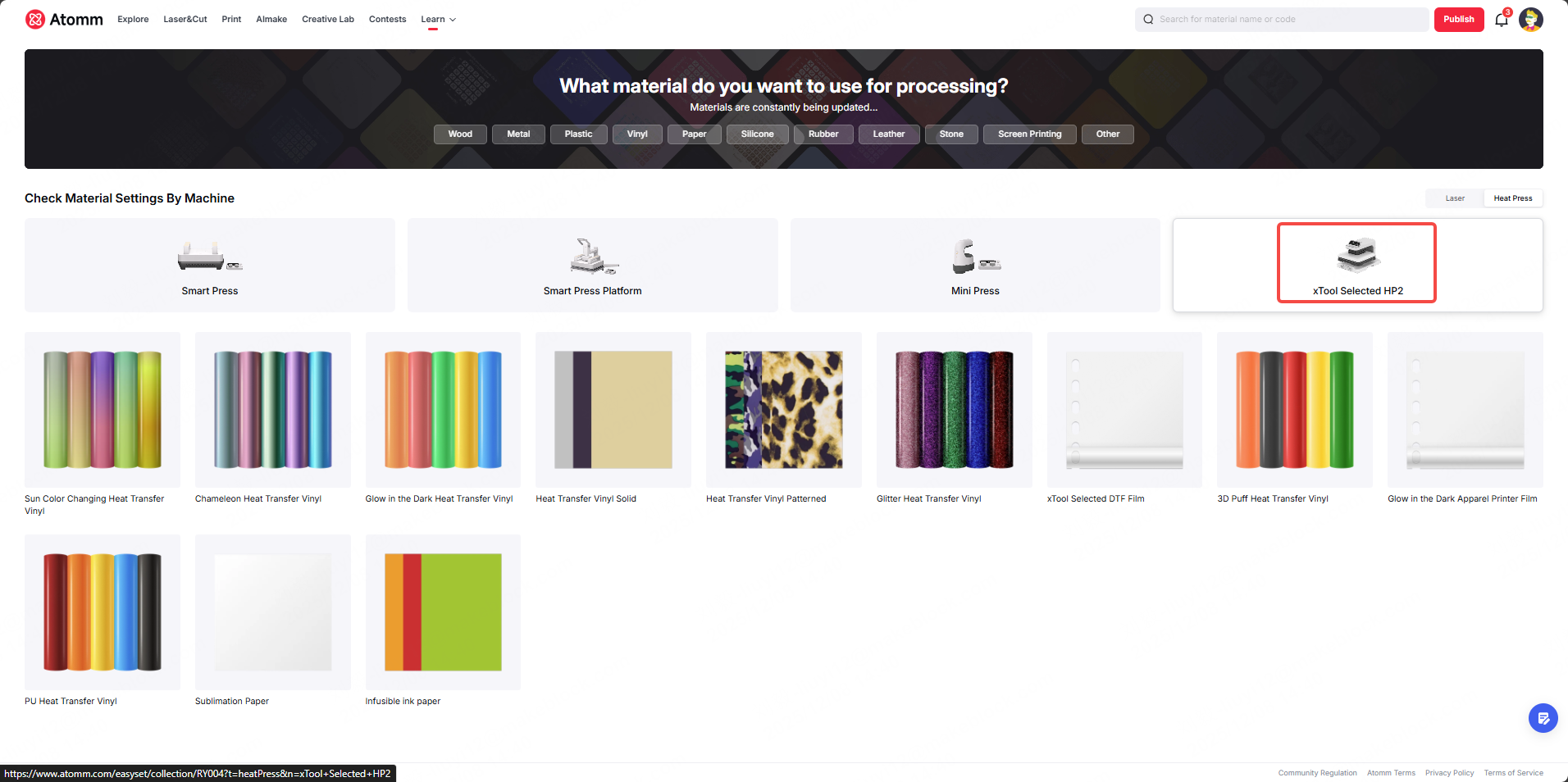
Step 3:
Select the device model you are using.
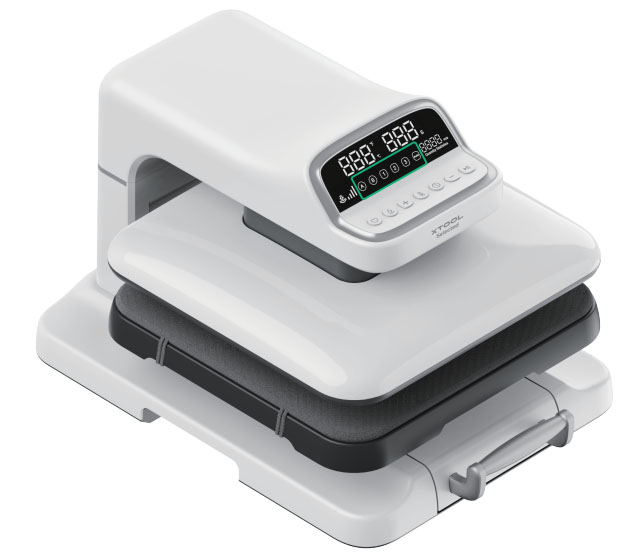
On the device touchscreen, tap the Fixed Mode button to select the heat press settings:
Click the xTool Selected HP2 User Guide document to learn more about the machine’s operation and structure.
In the device’s Touchscreen and buttons section, select the specific Fixed Mode button to set the Heat Press parameters for different materials. For detailed parameter values, please click the link above and refer to the machine user guide.
2. Effects of Heat Press Temperature on Printer Film Rolls
2.1 Excessive Heat (Exceeding the Heat Resistance Limit of the Film / Ink)
Effects on the film:
DTF film substrates are typically made of PET. Excessive heat can cause the film to shrink and deform, curl at the edges, and in severe cases melt and stick to the heat platen. Overheating may also make the film brittle and prone to cracking, reducing flexibility. If the substrate is leather (such as top-grain cowhide), high temperature may also react with oils on the leather surface, leading to bubbling or delamination of the film.
Effects on the ink:
Pigments and binders in the ink may undergo color migration and discoloration under high temperature (for example, bright colors become dull, and dark colors turn gray). Certain organic pigments may decompose, reducing gloss and color fastness (making the print more likely to fade during rubbing). If the ink contains fluorescent or glow-in-the-dark components, excessive heat may damage these properties, causing reduced or failed luminescent performance.
Effects on adhesion:
Over-melting of hot-melt adhesive can cause glue overflow (the adhesive penetrates beyond the intended bonding area, such as into leather pores), and after curing it forms hard edges that reduce surface smoothness. In addition, an over-melted adhesive layer may lose elasticity and become rigid. When the substrate (such as leather goods) is bent or stretched, the adhesive layer is more likely to crack and peel off, leading to a significant drop in long-term adhesion.
2.2 Insufficient Heat (Below the Hot-Melt Adhesive Melting Threshold)
Effects on the film:
The hot-melt powder does not fully melt and only softens slightly on the surface, resulting in poor bonding between the film and the substrate. Edges may lift and peel off easily. The film may not shrink noticeably, but because the adhesive layer does not penetrate the substrate, a “floating film” effect may occur, where the film can be peeled off by hand with minimal force. This is especially noticeable on substrates with complex textures (such as leather with dense pores), where visible gaps remain between the film and the substrate.
Effects on the ink:
Low temperature itself does not directly damage the ink, but because the film is not firmly bonded, the ink will lift off together with the film, causing incomplete patterns and blurred edges. If the film remains unbonded for an extended period, the ink may be affected by ambient humidity, potentially leading to moisture absorption, mold growth, or oxidation from air exposure, which can fade the colors.
Effects on adhesion:
The core issue is insufficient adhesion—unmelted adhesive powder cannot form a continuous bonding layer and only provides weak attachment through limited contact points. Finished products are prone to edge lifting and film peeling after friction or repeated bending.
3. Effects of Heat Press Time on Printer Film Rolls
3.1 Excessive Pressing Time
Effects on the film:
Prolonged exposure to high temperature amplifies cumulative film shrinkage, which can deform the design (e.g., stretched text or shifted graphics). Extended heating may also cause scorching or yellowing on the film surface, accelerate PET substrate embrittlement, and increase the risk of cracking during subsequent handling. If excessive pressure is applied at the same time, the film may be locally crushed, leaving irreversible press marks.
Effects on the ink:
When ink remains under high temperature for too long, thermal aging and decomposition accelerate, and color fastness (rub resistance and wash fastness) decreases significantly. Dark inks may fade or show whitening and uneven coloration. For inks containing metallic or pearlescent pigments, prolonged heat can cause pigment particles to agglomerate, creating a gritty surface texture and loss of gloss.
Effects on adhesion:
The adhesive layer may over-cure and shift from an elastic state to a brittle state. Although initial adhesion tests may pass, the layer is more likely to crack during long-term use (such as repeated bending of leather products) due to insufficient toughness. In addition, excessive pressing time can over-compress the adhesive, thinning it in certain areas and leaving insufficient adhesive at the edges, which may result in edge lifting or edge delamination.
3.2 Insufficient Pressing Time
Effects on the film:
The hot-melt powder only melts superficially and does not fully penetrate the substrate. Bonding between the film and substrate remains at the level of surface contact, leaving the edges without effective adhesion and making edge lifting more likely. The film itself may show no obvious damage, but weak bonding allows the film to shift, reducing processing accuracy in subsequent steps.
Effects on adhesion:
The adhesive layer does not complete the full “melt–penetrate–cure” process, so bonding strength remains extremely low and the film may peel off with minor rubbing or bending. Adhesion also becomes locally inconsistent: areas with accumulated powder show slightly stronger bonding, while areas with insufficient powder have almost no adhesion, resulting in overall bonding performance that does not meet practical requirements.
4. Effects of the Number of Heat Press Cycles on Printer Film Rolls
4.1 One Heat Press Cycle
Potential issues when pressing only once:
When pressing once, pressure and heat are more concentrated in the central core area of the machine, while the edge areas may cool faster and receive less uniform pressure transfer. As a result, the hot-melt adhesive may not fully melt and penetrate at the edges, leading to weak bonding between the pattern edge and the substrate and creating tiny gaps. During subsequent use, friction, bending, or washing may cause edge peeling, lifting, or allow air to enter the gaps and form bubbles. This issue is more noticeable on thick substrates, substrates with complex textures (such as densely porous leather), or designs with sharp corners.
Advantages of pressing only once:
One press requires only a single short high-temperature cycle, so the Printer Film Rolls substrate accumulates less heat and shrinkage or deformation can be kept within a small range, with minimal risk of embrittlement or curling.
4.2 Multiple Heat Press Cycles
Problems that multiple pressing cycles can resolve:
Multiple presses provide “secondary heat and pressure compensation,” allowing the hot-melt adhesive at the pattern edges and locally unbonded areas to fully melt and penetrate into the substrate’s fiber gaps. This fills micro-gaps left after the first press, significantly improving edge bonding and overall adhesion, and effectively addressing issues such as weak edges, lifting, and bubbles caused by a single press. For thick substrates, porous materials, or substrates with complex textures, multiple presses allow the adhesive to penetrate layer by layer, greatly increasing bonding strength and enabling the finished product to pass strict abrasion and bending tests.
Multiple presses can be applied only to the pattern edges:
If only the edges are not well bonded, multiple pressing cycles can be applied specifically to the edge areas without repeating a full-surface press. When the number of presses does not exceed six, repeatedly pressing with the recommended heat press parameters will not cause excessive shrinkage, embrittlement, cracking, or edge yellowing of the Printer Film Rolls substrate. The ink will also remain stable and will not discolor or agglomerate due to multiple short, low-heat exposures, and the pattern edges will not show scorching or distortion.
When performing repeated pressing, Butcher paper is recommended:
During repeated pressing,a sheet of Butcher paper (high-temperature, non-stick protective paper) is recommended to be placed between the heat press platen and the ink layer of the Printer Film Rolls, with the primary purpose of preventing the ink and hot-melt adhesive from coming into direct contact with the high-temperature platen:
- it prevents thermal migration and platen sticking caused by repeated high-temperature baking, which could damage or tear the pattern, and it also prevents over-melted adhesive from bonding to the platen and tearing the film;
- it helps distribute heat evenly, avoiding localized overheating that can cause film shrinkage, deformation, embrittlement, or edge carbonization;
- it reduces excessive adhesive overflow and glue buildup, keeping both the film and substrate surfaces flat and preserving the final hand feel (such as leather softness); and
- it protects the heat press platen from ink and adhesive residue, reducing contamination and lowering the frequency of equipment cleaning.

