
1. Acrylic
1.1 Comparison of Engraving Effects With and Without Protective Film
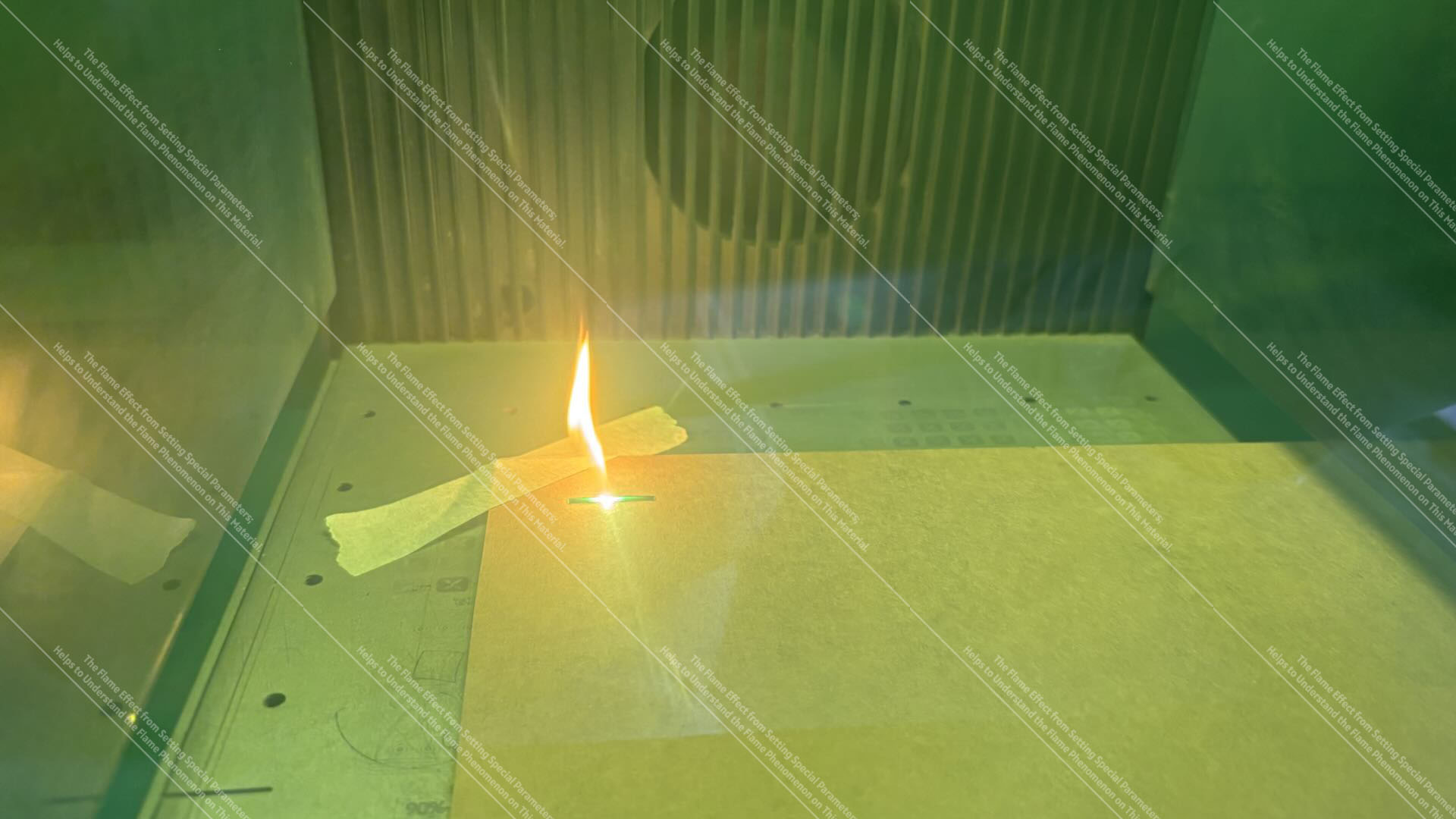
Acrylic sheets with intact surface protective film: Blue-light Engrave engraving may cause the protective film to catch fire.
Note: The flame effect shown in the image is generated by adjusting special parameters; it is intended to assist in understanding the flame effect phenomenon of this material.
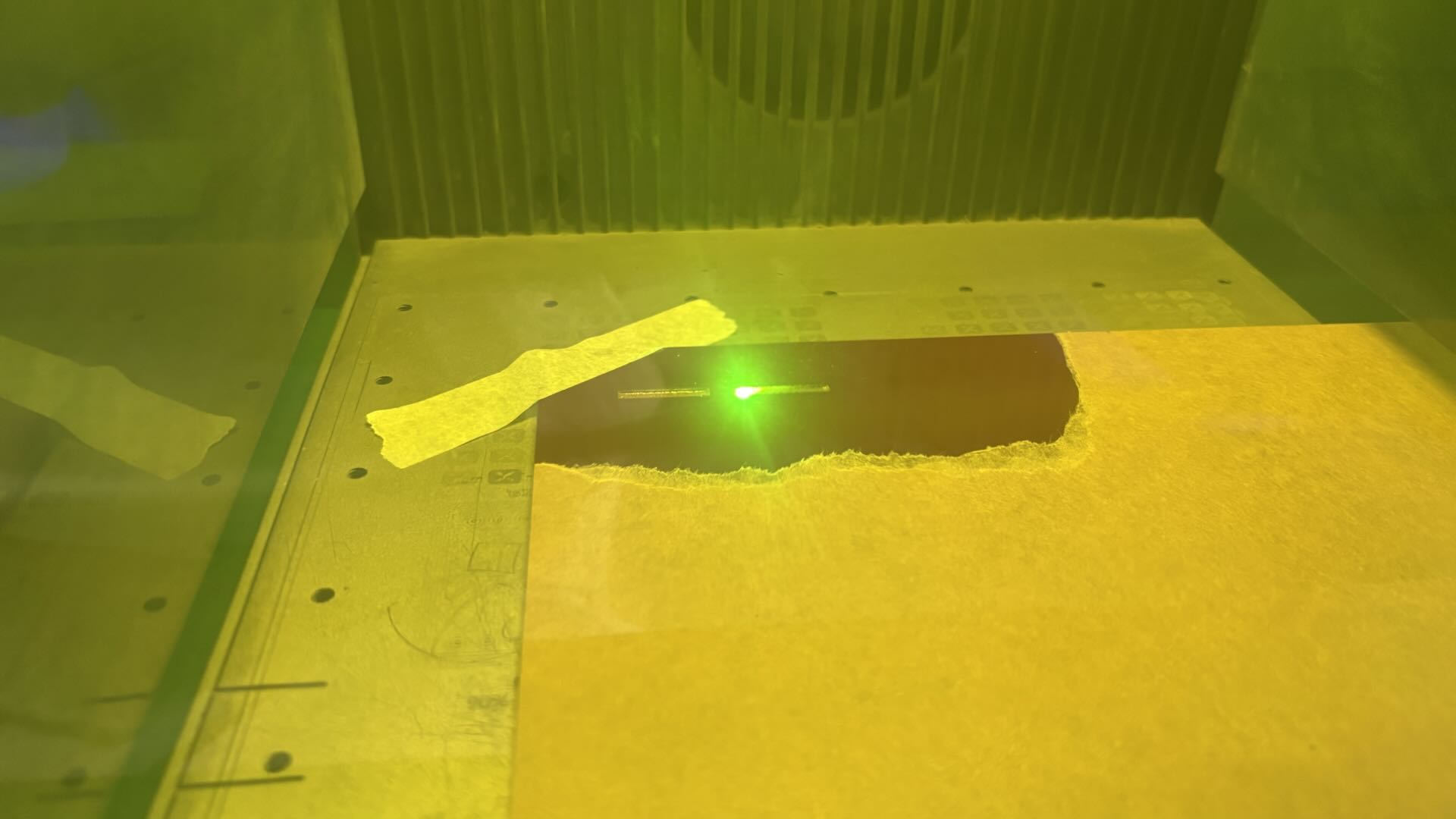
Using the Same Laser Power on Acrylic Without Protective Film: No Flames Occur During Engraving.
Note: The device is equipped with an automatic flame detection and alarm system. Do not disable this function during operation. You can adjust the flame alarm sensitivity based on actual testing conditions. If the flame alarm is triggered frequently, check for anomalies by restarting the device or cleaning the flame detection sensor.
1.2 Engraving Phenomena on Protective Film
Flames:
Laser engraving of the protective film may cause a flame effect, which can trigger the device's flame alarm. Large flames may damage the equipment. If the flame continues to burn on the material, immediately turn off the device and perform fire extinguishing operations.
Smoke:
The protective film will continuously produce smoke during the high-temperature process. The smoke contains irritating gases and dust, and excessive dust may affect the equipment's optical lens, thereby impacting the normal output power of the device.
Burning Effect:
Flames produced during laser engraving of the protective film can damage the acrylic. The areas where the acrylic is burned will show dark burn marks.
1.3 Correct Operating Steps
Clean the Surface Protective Film:
Remove the protective film from both the front and back of the acrylic. The protective film may be yellow paper or transparent in color.
Use with Accessories:
After removing the protective film, place the acrylic on the bottom plate in the device's processing area. If laser cutting is required, add a Honeycomb Panel under the acrylic. The Honeycomb Panel ensures the cutting quality on the backside of the acrylic, and the suspended cutting environment helps prevent heat concentration during the laser cutting process.
Clean the Processing Area:
After cutting, observe the smoke emissions from the device. Once the smoke dissipates, remove the acrylic and clean the waste material from the bottom plate to prevent cutting debris from affecting the next cutting process.
1.4 Instructions for Cutting Acrylic with Protective Film
CO₂ Cut can normally cut acrylic sheets with a protective film;
during the cutting process, no flames or other abnormal effects occur. Although Blue-light Engrave has a technique of processing with the protective film to assist in cutting materials that are normally difficult to cut (e.g., certain colored or semi-transparent acrylics), this method is not recommended. It requires the operator to constantly monitor the engraving process. Except for CO₂ lasers, other laser types cannot reliably process materials with a protective film—the laser will first interact with the film, causing it to release heat that affects the substrate, but this process involves many uncontrollable variables.
2. Metal
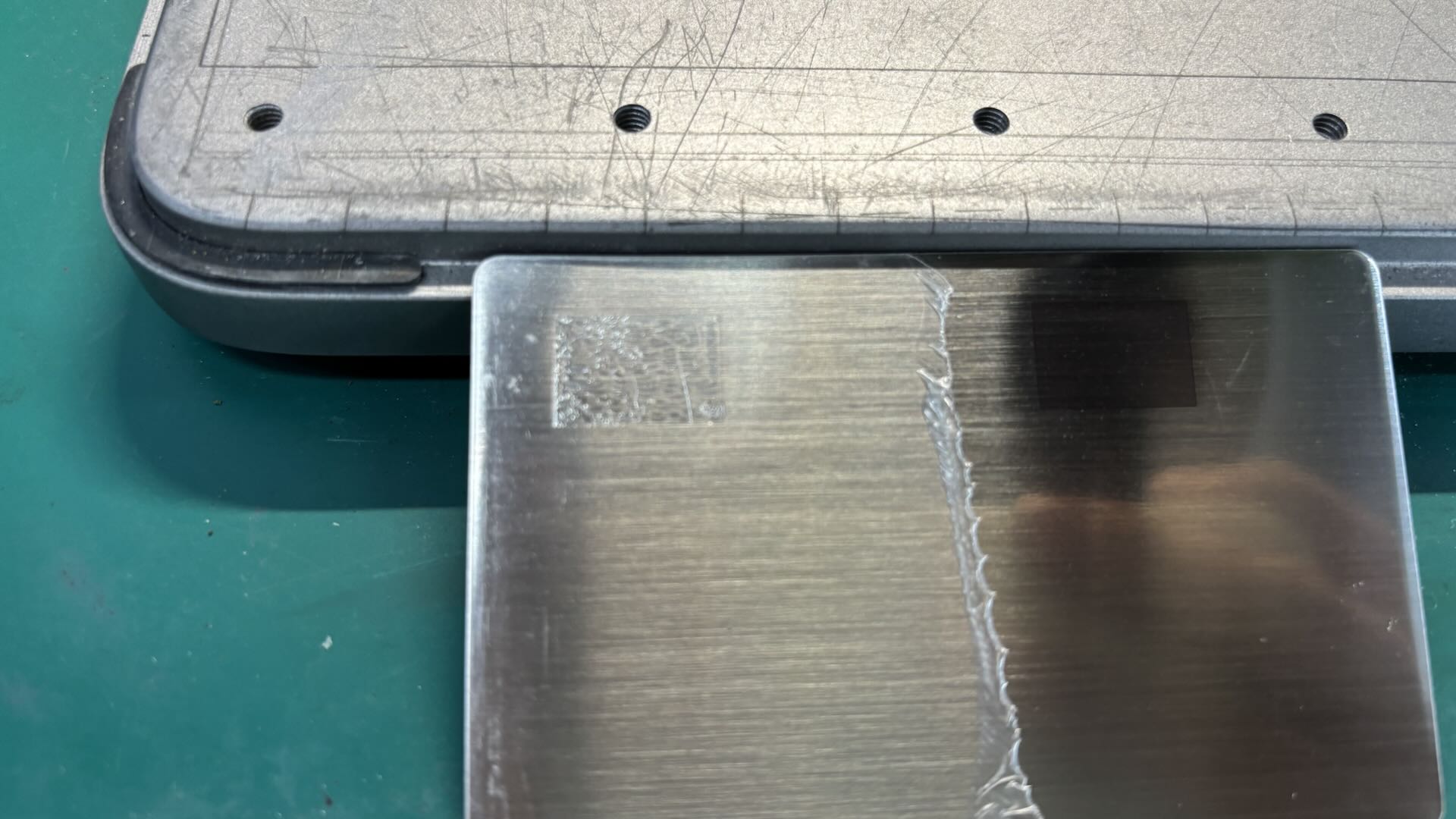
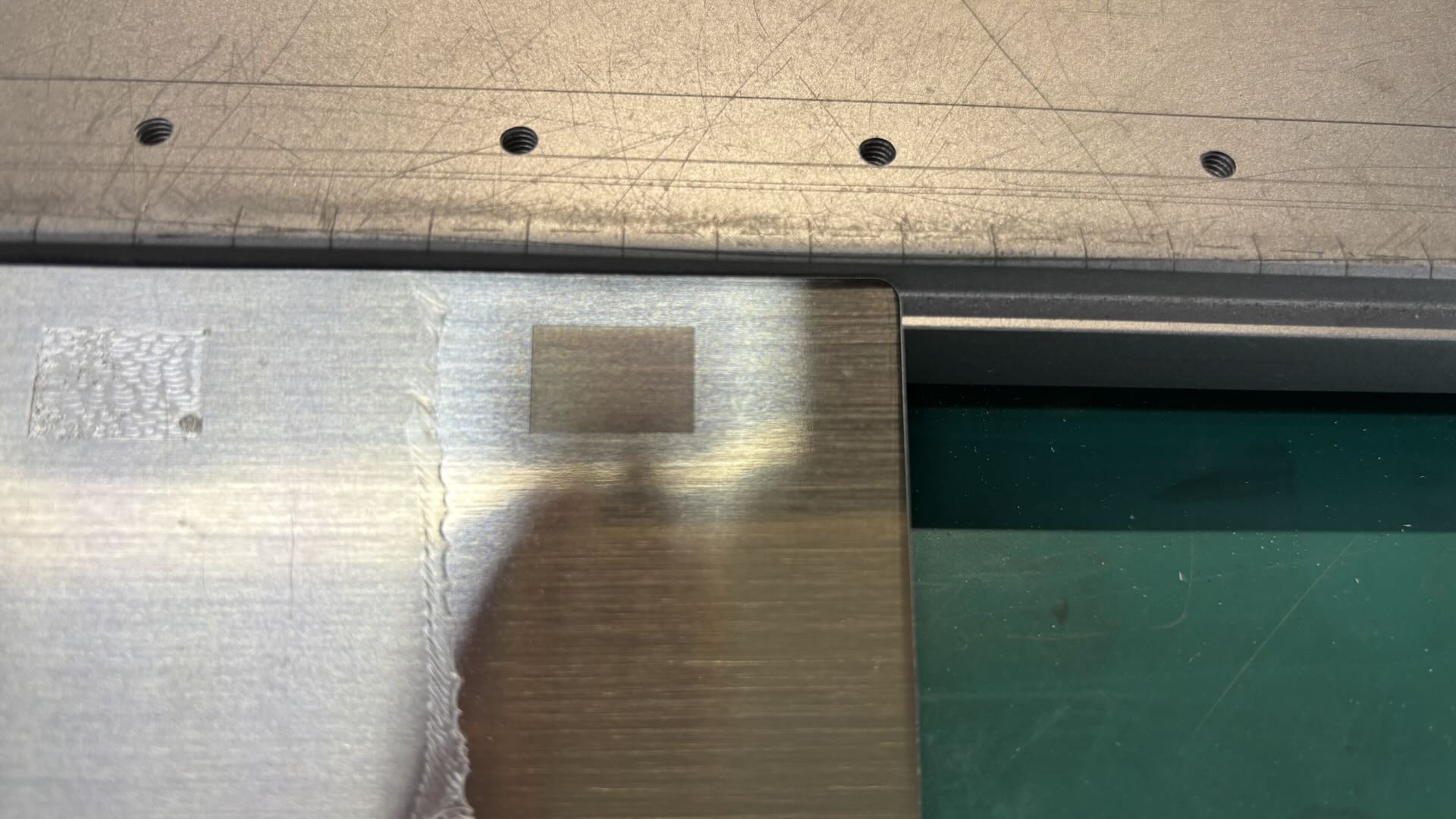
2.1 Comparison of Engraving Effects With and Without Protective Film
2.2 Engraving Phenomena on Protective Film
Melting:
When the protective film is melted by laser processing, a layer of sticky colloid forms on the engraved area of the metal surface.
Irritating Gas:
During laser processing, the protective film produces irritating gases. It is recommended to maintain proper indoor ventilation while processing the material.
2.3 Correct Operating Steps
Remove Protective Film:
Some metal material semi-finished products have a transparent protective film on the surface. Before processing, the transparent protective film needs to be removed. If both sides of the material are covered with protective films, it is recommended to remove all protective films.
Install Material:
When placing the material on the device’s processing area or base plate, use magnetic clamps, masking tape, or similar materials to secure it, ensuring the material lies flat on the device base plate.
Adjust Processing Parameters:
It is recommended to use the suggested parameters for material processing. When using the fill mode, you can select a processing effect with a different engraving color based on the actual laser engraving results observed in the fill matrix.
Handling Material:
Metal materials generally reach temperatures higher than body temperature during processing. After processing, it is recommended to wait for 1 minute before handling the material, or wear heat-resistant gloves when taking the material immediately after processing.
3. ABS
3.1 Comparison of Engraving Effects With and Without Protective Film
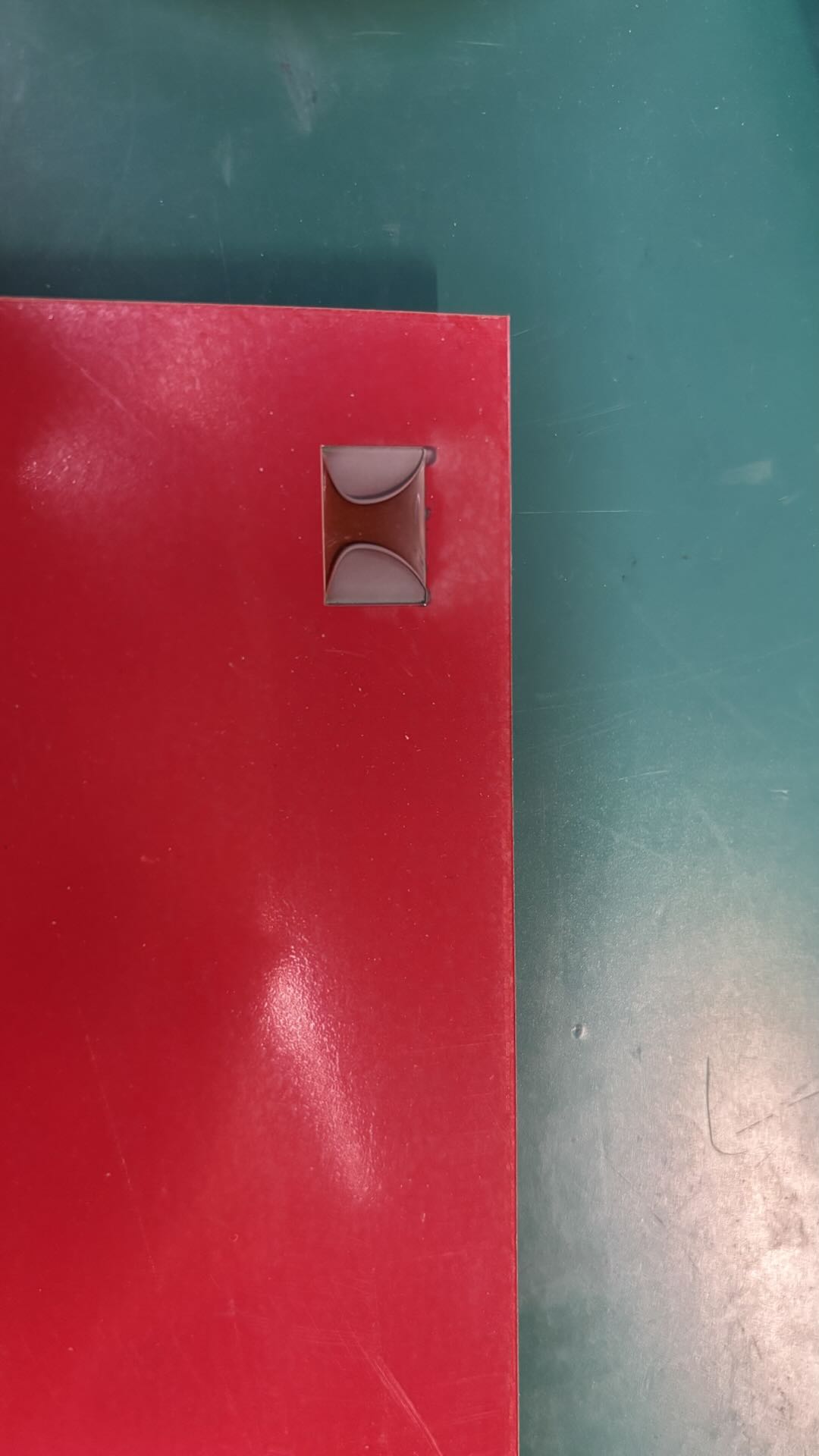
When Laser Engraving is Performed on the Protective Film on the Material Surface, the Protective Film Melts and Warps Due to High Temperature. The Laser is Affected by the Protective Film and Fails to Engrave the Preset Design onto the Material.
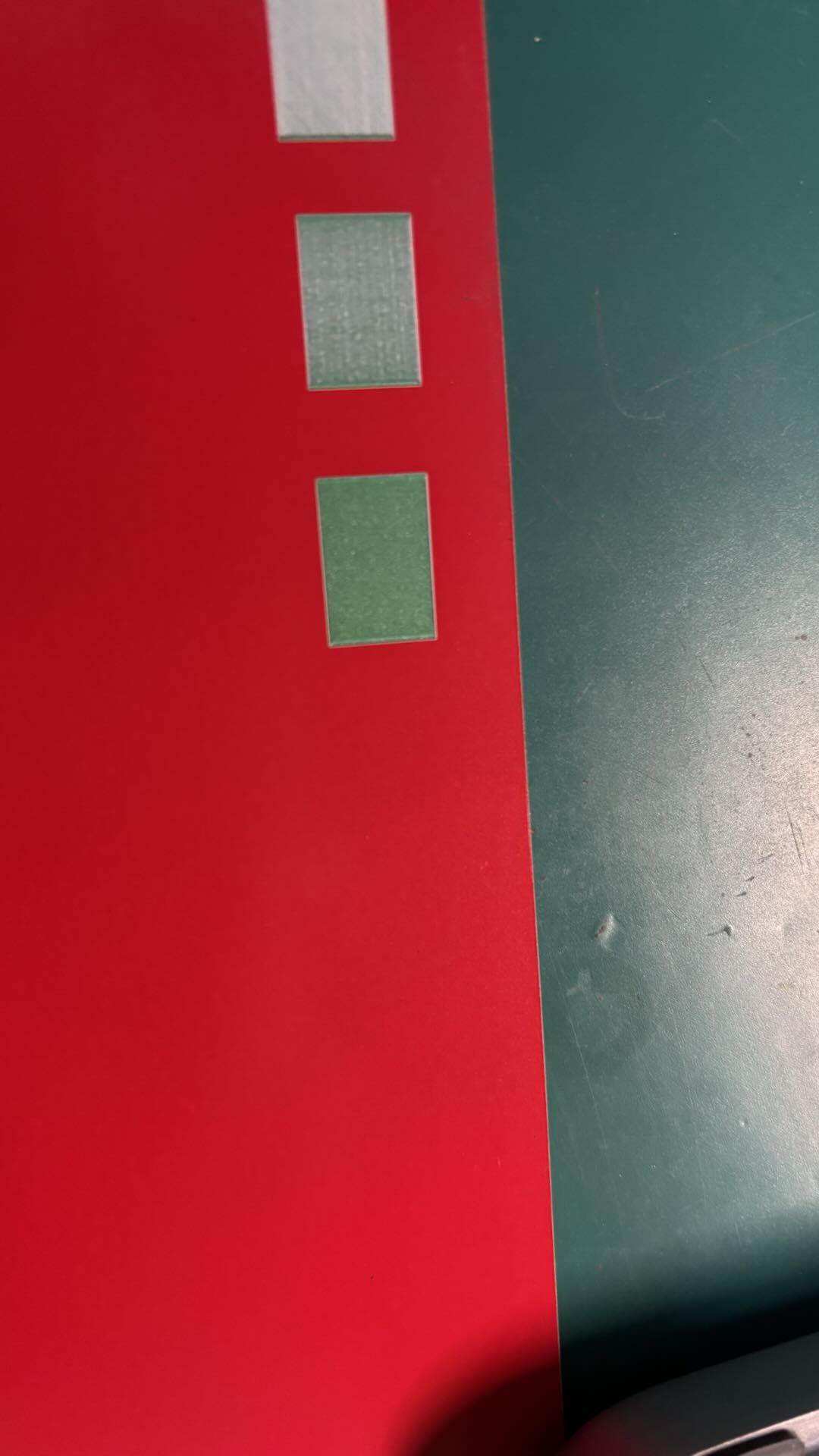
After Removing the Protective Film, the Laser Directly Engraves on the Material Surface, and the Engraving Effect on the Material Can Be Adjusted According to the Parameters.
3.2 Engraving Phenomena on Protective Film
Curling of Protective Film:
The protective film curls due to high temperatures, obstructing the normal processing range of the laser, and preventing the material from achieving the expected results.
Melting:
The protective film on the material surface may produce flames when exposed to high temperatures. The melted film and impurities can affect the surface quality of the material, and the high heat may also impact the material itself.
Smoke:
If the protective film burns, it produces black smoke along with irritating gases.
3.3 Correct Operating Steps
Remove Protective Film:
The material surface is covered with a transparent protective film that needs to be removed. If both sides of the material have protective films, it is recommended to remove all protective films.
Install Material:
When placing the material on the device’s processing area or base plate, use magnetic clamps, masking tape, or similar materials to secure it, ensuring the material lies flat on the device base plate.
Adjust Processing Parameters:
It is recommended to use the suggested parameters for material processing. When using the fill mode, you can select a deeper or lighter parameter for laser processing based on the actual engraving results observed in the fill matrix.
4. Screens
4.1 Function of Protective Film
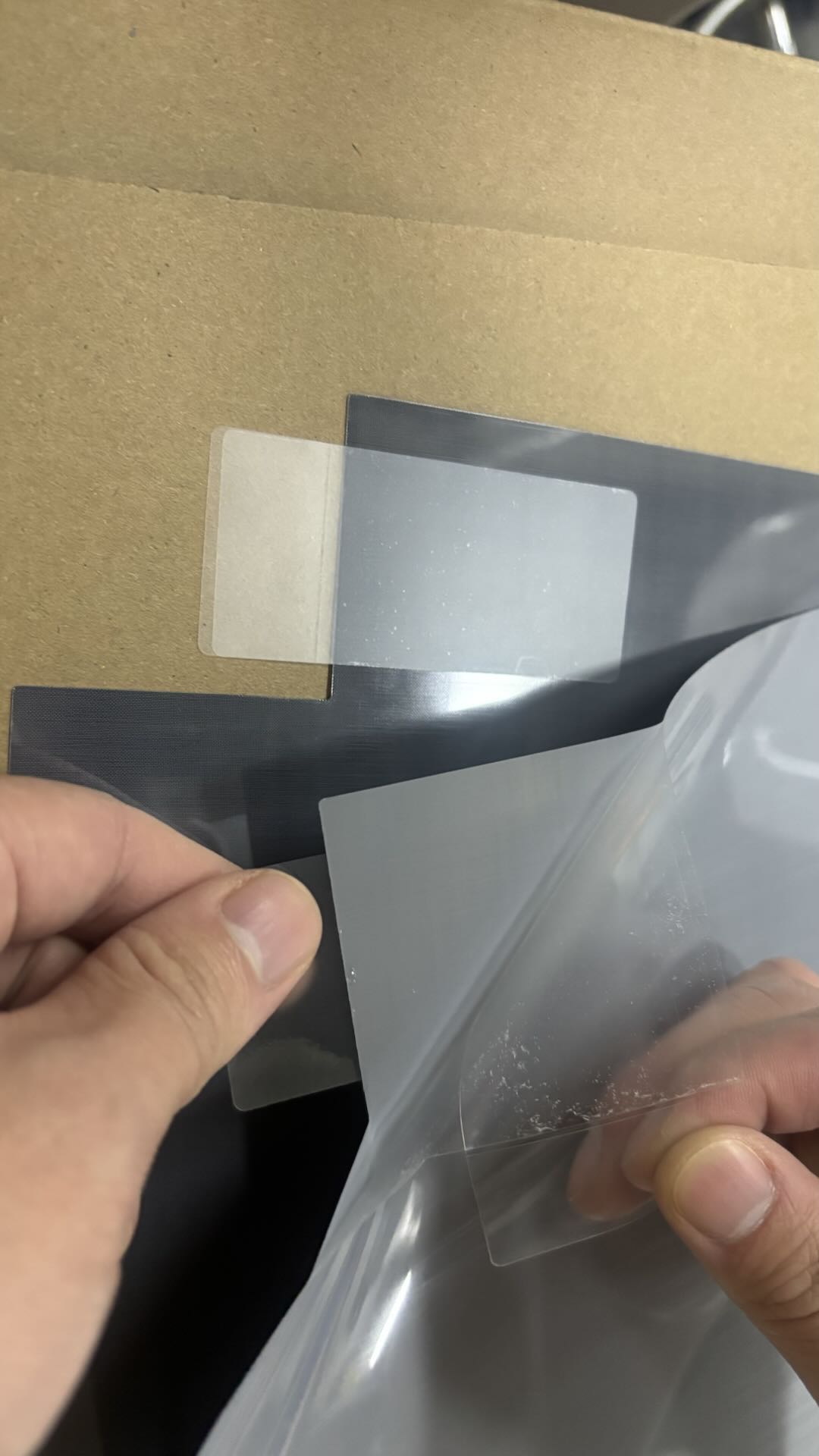
Polyester Screen Protection Film: The protection film is transparent and attached to the front of the Polyester Screen. It needs to be removed before installing the Polyester Screen onto the screen frame.
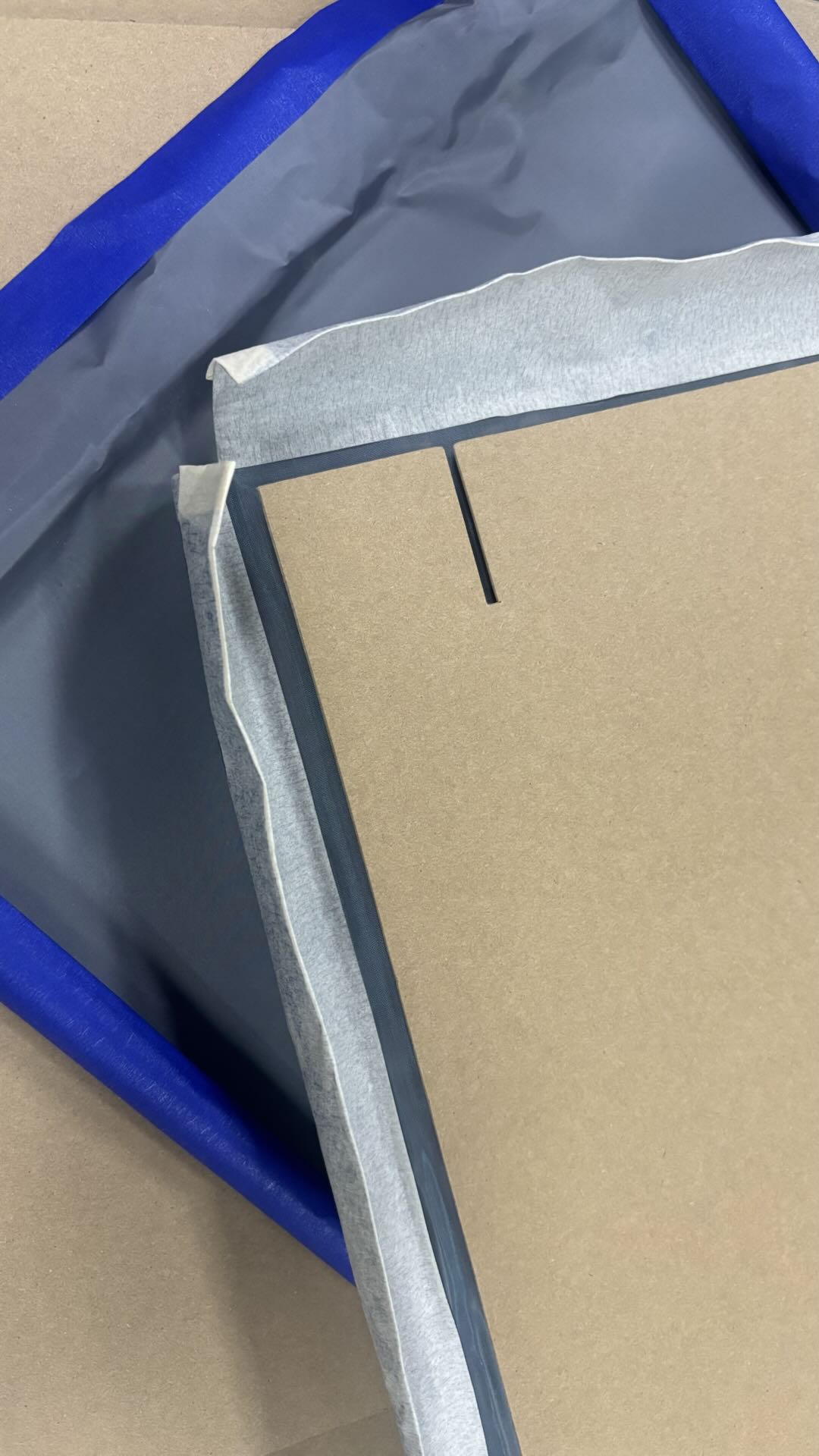
Coated Screen Protection Film: The protection film is a thick cardboard. The protection cardboard needs to be removed after the Coated Screen is installed onto the frame.
4.2 Correct Operating Steps
Polyester Screen Protection Film:
The protection film is fully adhered to the Polyester Screen. Not removing it will obstruct the installation of the Polyester Screen onto the frame. It will affect the fixing of the frame’s four corners with fixing pins and may also impact the laser engraving process.
Coated Screen Protection Film:
If the protection film is not removed after the Coated Screen is installed onto the frame, it will affect the engraving effect on the Coated Screen. Excessive heat can cause the cardboard to carbonize, which may lead to combustion, damaging the Coated Screen and affecting the final engraving result.

