
Issue description
If you are using a Mac computer running macOS 15 or later and cannot connect to your xTool F2, please refer to the following troubleshooting guide.
Note: Connecting a Mac computer to an xTool engraver requires a USB 2.0 Type-C to Type-C cable.
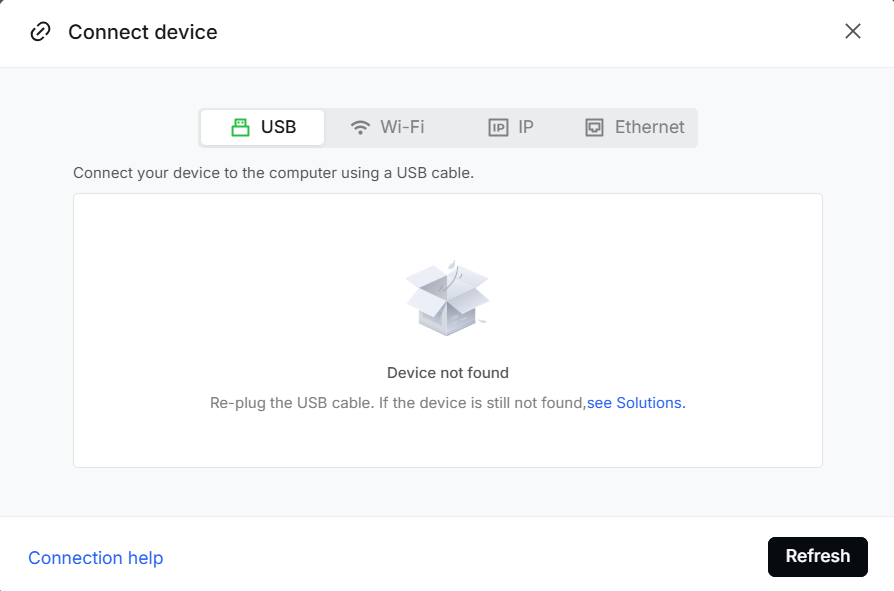
Possible cause
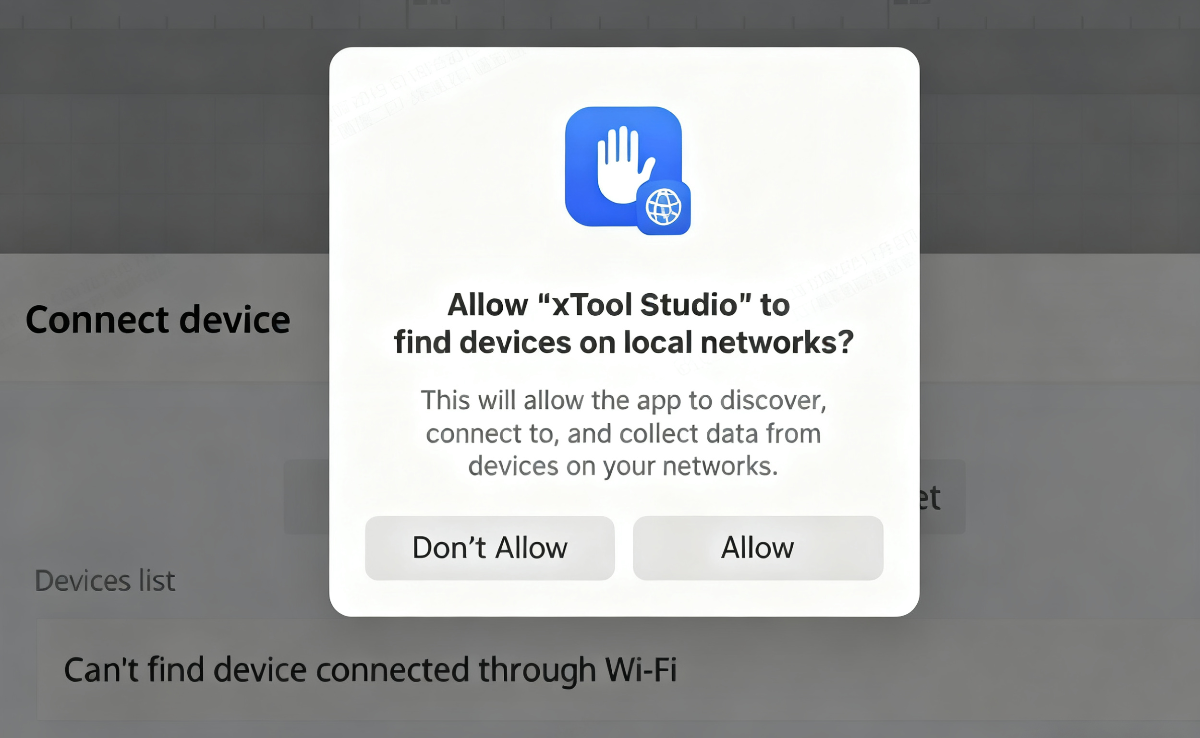
When you operate xTool Studio for the first time, a notification will prompt you to allow xTool Studio to access local networks.
- If the "Don’t Allow" is selected, xTool Studio will be denied access to the machine.
- To ensure a seamless connection, click on the "Allow" at this step.
When launching xTool Studio for the first time, a prompt will appear asking whether to allow the software to access your local network.
If Don’t Allow is selected, xTool Studio will be denied access to the machine.
To ensure a successful connection, make sure to click Allow when prompted.
Troubleshooting
Check local network access for xTool Studio
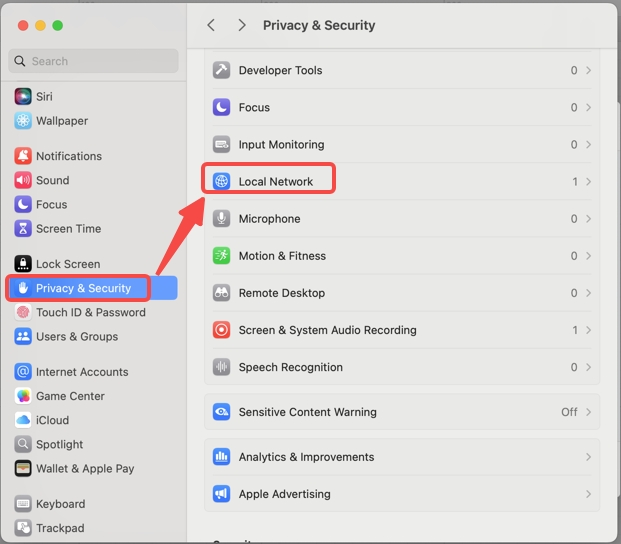
- Go to Settings > Privacy & Security > Local Network.
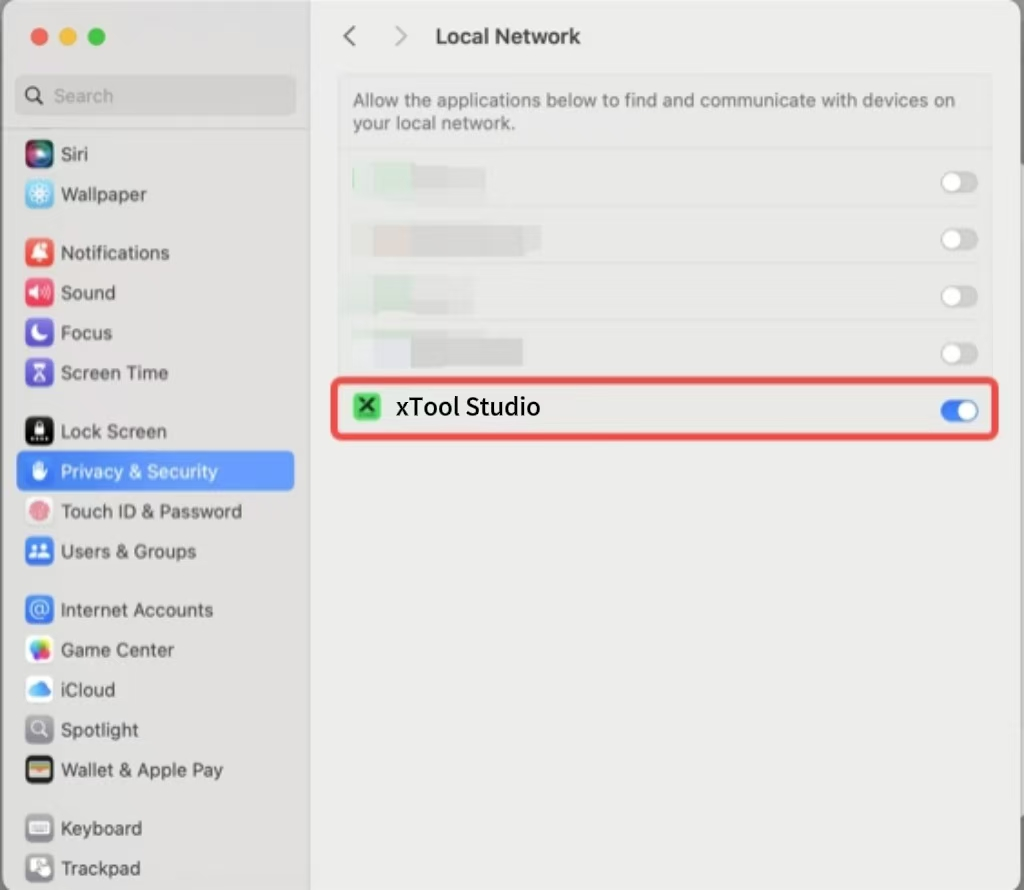
- Make sure xTool Studio is granted access to the local network; otherwise, the engraver cannot connect to your computer.
- If local network access is disabled, toggle the switch to enable it and allow the software to communicate with your engraver.
If the issue persists after completing the above steps, please contact xTool Customer Service (support@xtool.com) with a detailed problem description and the troubleshooting actions you have already performed.

Services & Help
Learn & Education

Copyright © 2025 xTool All Rights Reserved.