
1. What’s the difference between xTool SafetyPro™ IF2 2.0 and xTool SafetyPro™ IF2?
The redesigned xTool SafetyPro™ IF2 2.0 (hereinafter referred to as IF2 2.0) is smaller and more compact. Its innovative dual-layer fan blades spin at speeds of up to 16,000 RPM, delivering significantly more powerful and efficient smoke extraction.
2. Which xTool laser machines are compatible with IF2 2.0?
IF2 2.0 is compatible with all xTool laser machines available for purchase. During connection, different pipe connectors are used depending on the machine model:
Pipe connector 1: For P3, S1, F1 Ultra, and F2 Ultra series

Pipe connector 2: For M1 Ultra, F2, and F1
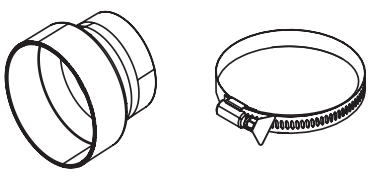
Pipe connector 2 +Clamp: For P2, P2S, D1, and D1 Pro
3. Do I need to turn off my laser machine’s built-in fan when using IF2 2.0?
Not necessarily. IF2 2.0 runs independently of your laser machine’s fan. However, if you prefer a quieter workspace, you can turn off the laser machine’s fan while using IF2 2.0.
4. How can I install IF2 2.0?
It can be installed in two ways: Desktop setup and wall mounting.
Desktop setup: Its compact design makes it easy to place on any table with minimal space required.
Wall mounting:
For detailed wall-mounting instructions, see Mount on the wall.
5. Can I connect IF2 2.0 to my laser machine without a Bluetooth dongle?
Yes, but it depends on your machine. IF2 2.0 can establish a Bluetooth connection with xTool S1, F1 Ultra, M1 Ultra, P2/P2S, F2 Ultra series, and P3.
- Requires Bluetooth dongle: S1, F1 Ultra, M1 Ultra, and P2S.
- No Bluetooth dongle required: F2 Ultra series, F2, and P3.
6. What’s the best way to clean IF2 2.0?
Use a standard kitchen degreaser. It works best for removing grease buildup on the fan blades.
7. Why can't I connect two Bluetooth dongles to my laser machine at the same time?
Each laser machine can connect to only one Bluetooth dongle at a time. Multiple dongles on the same machine are not supported.
8. IF2 2.0 is too noisy. How can I reduce the noise?
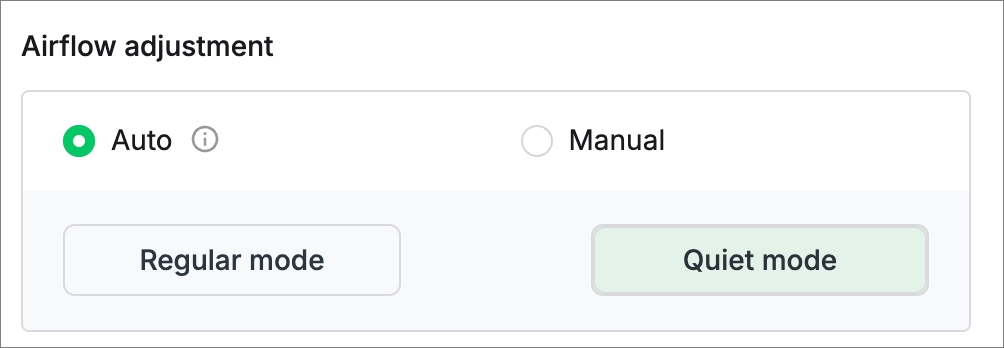
In the xTool software, go to Settings and enable Quiet mode under Auto mode. This helps lower the noise level. Also, extend the exhaust pipe as far outside the window as possible to further minimize indoor noise.
9. Why does IF2 2.0 continue running after the laser machine stops?
This is by design. In the xTool software, you can set how long IF2 2.0 continues to run after a task finishes to ensure complete smoke removal. You can adjust this time in the Settings page.

10. What should I do if the Bluetooth connection keeps dropping?
Make sure that IF2 2.0 and the laser machine are placed at least 2 meters away from strong interference sources, such as induction cookers or other high-radiation devices.
11. The Bluetooth dongle is plugged in, but IF2 2.0 didn’t connect automatically. What should I do?
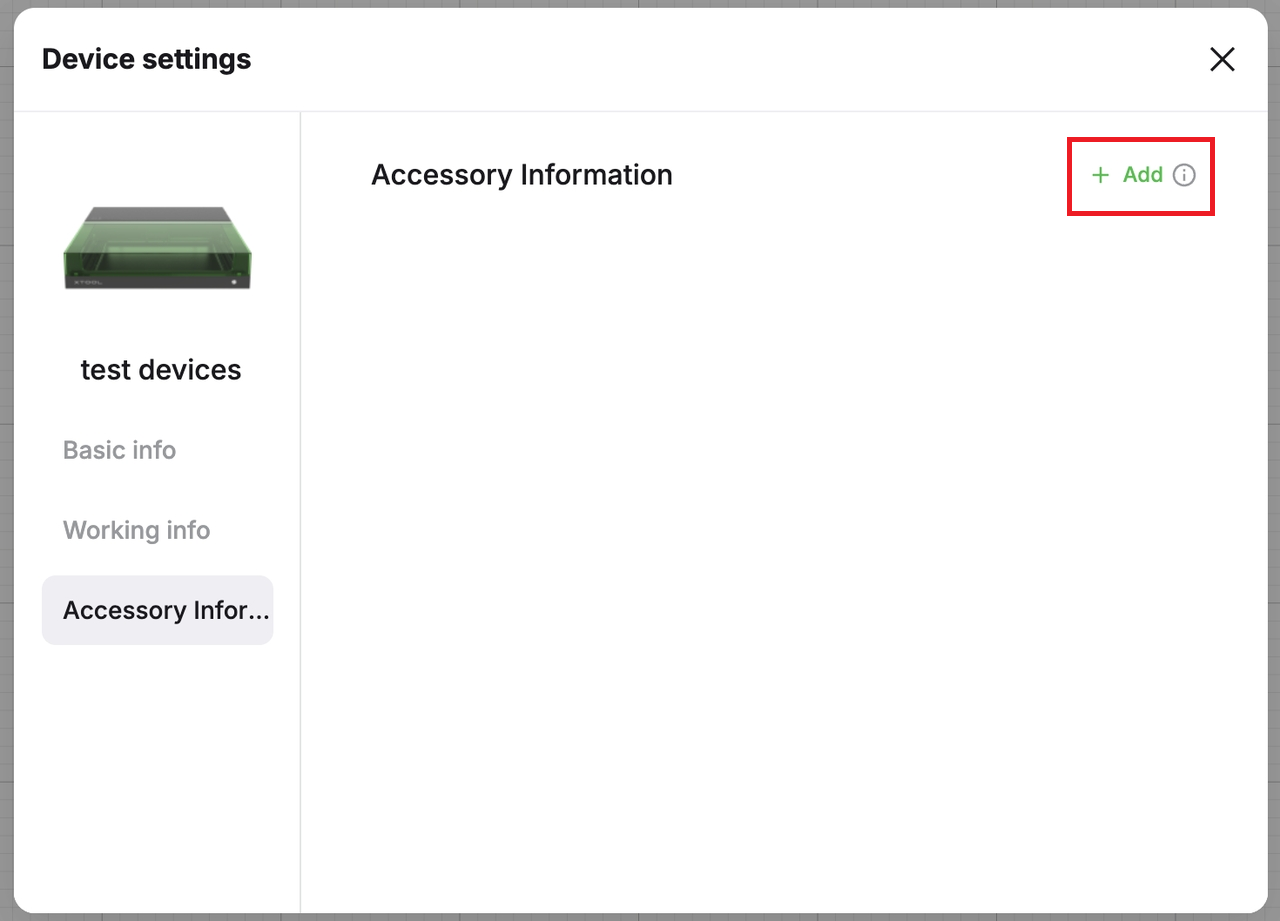
Normally, IF2 2.0 connects to the laser machine automatically. If it doesn’t, press and hold the IF2 2.0’s power button for 5 seconds to enter pairing mode, then use the Add option in the xTool software to complete the connection.
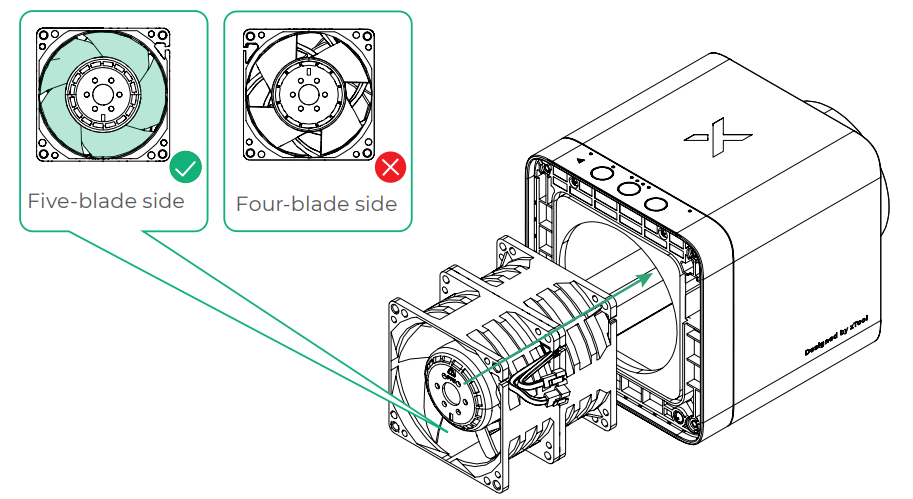
12. After cleaning and reinstallation, IF2 2.0 blows air in the wrong direction. Why?
Its fan may have been reinstalled backward. Please reinstall it with the five-blade side facing outward.
Related links
xTool SafetyPro™ IF2 2.0 User Guide
Use SafetyPro™ IF2 2.0 with xTool Software

