
Issue description
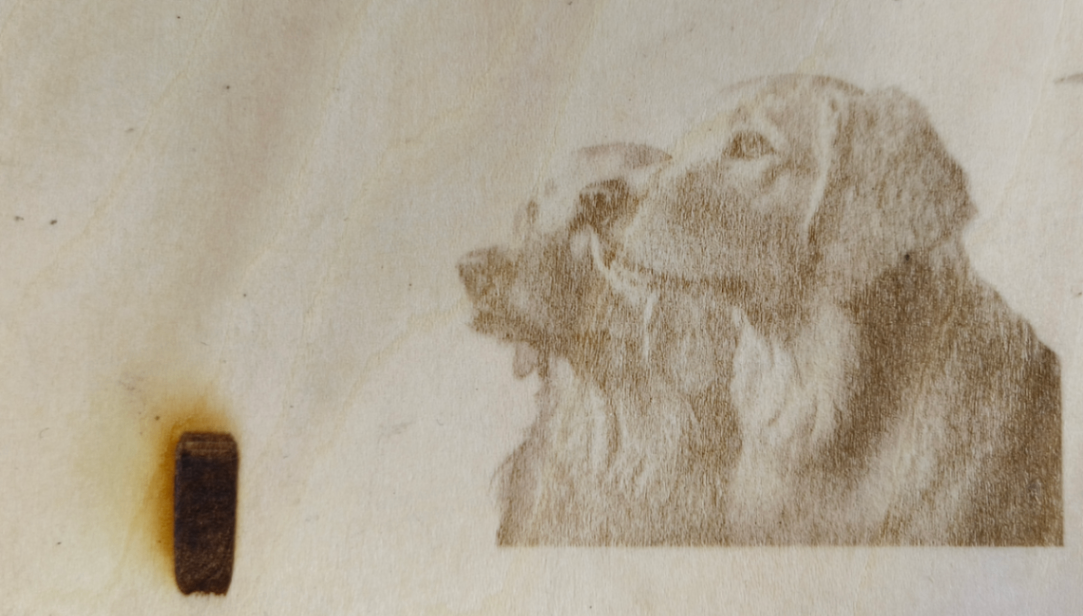
When this issue occurs, you may find the engraving performance of P3 is not as expected: the pattern appears blurry, and the engraving outcome is excessively dark or too shallow to be identified.
Possible causes
- File issues
- Incorrect processing parameters
- Too high power of the air pump
- The air nozzle is not removed
- Decreasing laser engraving power
- Incorrect focusing
Troubleshooting procedures
1. Check the image quality of the bitmap
Check the definition of the image. If the image definition is low, change it to a high definition one before processing.
2. Check the lines of the vector
Check whether the vector image contains very dense lines or enclosed shapes with very small areas. Due to the high line density in such shapes, using the recommended engraving parameters may not produce the best results.
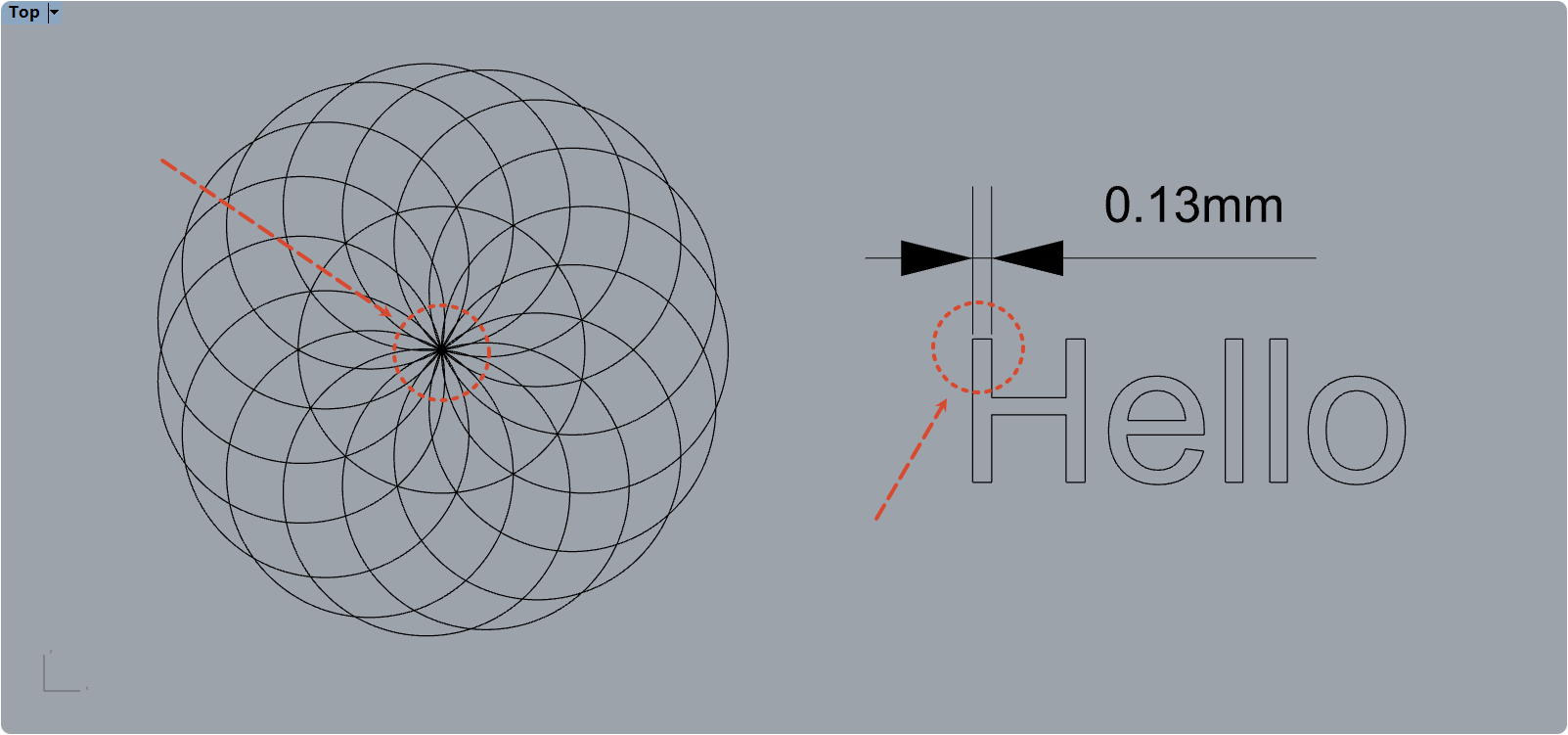
For such patterns, you can try to modify the processing parameters or settings to improve the results:
- If it is line engraving, you can reduce the processing power.
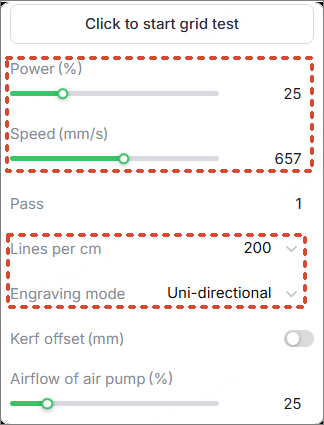
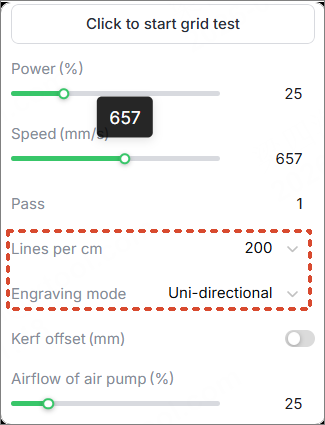
- If it is filling engraving, you can reduce the Power, increase the engraving density, and switch to the Uni-directional engraving mode.
3. Check the processing parameters
- For official materials, check whether the parameters match your material.
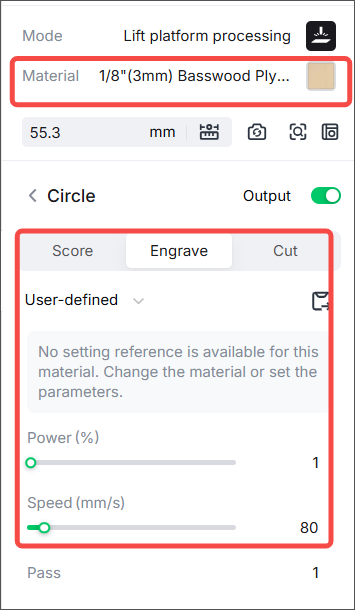
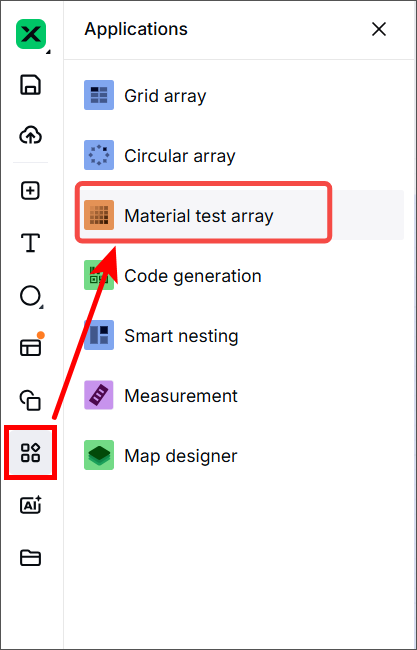
- For the unofficial ones, you can get the optimal parameters by using the material test array.
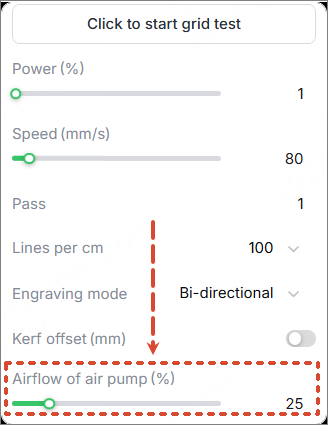
4. Check the airflow of the air pump
Adjust the Airflow of the air pump in Engrave mode to 25%.
If the airflow is set too high during laser engraving, the light-colored material is more likely to get a smoky yellowing.
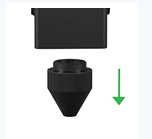
5. Check the nozzle
If you only process in laser engraving, the nozzle is not necessary. It is recommended to remove it, which can reduce the impact of smoke on materials.
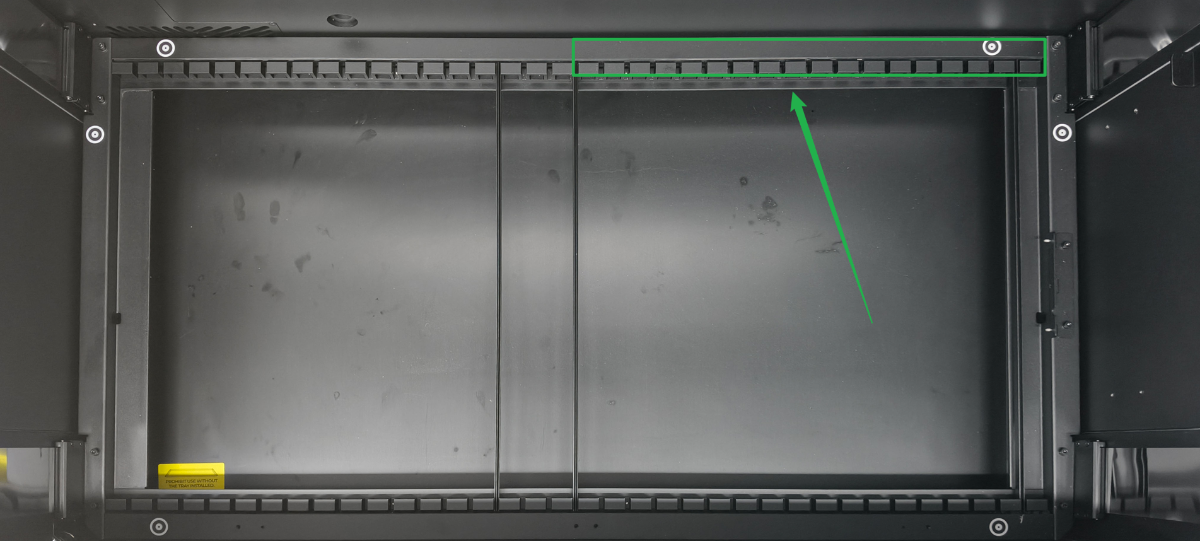
6. Check the material placement
The calibration point on the slat slots is for distance measurement. Do not cover the slat slots as shown, as this may cause defocusing.
7. Optimize the processing settings and parameters
The recommended engraving parameters are suitable for general processing, which balances both processing efficiency and accuracy. If you need to process more details of the pattern or want to achieve a more detailed effect, you can adjust the processing settings or parameters.
- Switch to the Uni-directional engraving mode. It can reduce the impact of backlash on the processing results, but it decreases processing efficiency.
- Increase the engraving density (Lines per cm). It can improve engraving resolution, but it also increases the energy density on the material. Therefore, you need to either reduce the processing power or increase the processing speed accordingly.
8. Check the laser power
If the laser power processes improperly, the engraving results will also be abnormal. You can perform a test in cutting to determine whether the laser power is normal.
Please use the recommended parameters to cut the basswood plywood (you can also use other official materials), and observe whether it can be cut through.
- If the board cannot be cut through, go to xTool P3 Won’t Cut Through the Material
- If the board can be cut through, check for other issues.
Still experiencing issues?
Should the issue persist after completing the preceding steps, submit a ticket via the "Submit a Ticket" button in the "Help Ticket" section below. The standard response time for xTool Customer Service is one business day.
For a prompt resolution, please include the following details:
- Issue description: A detailed explanation of the observed problem.
- Video evidence: Attach a video demonstrating the issue, where applicable.
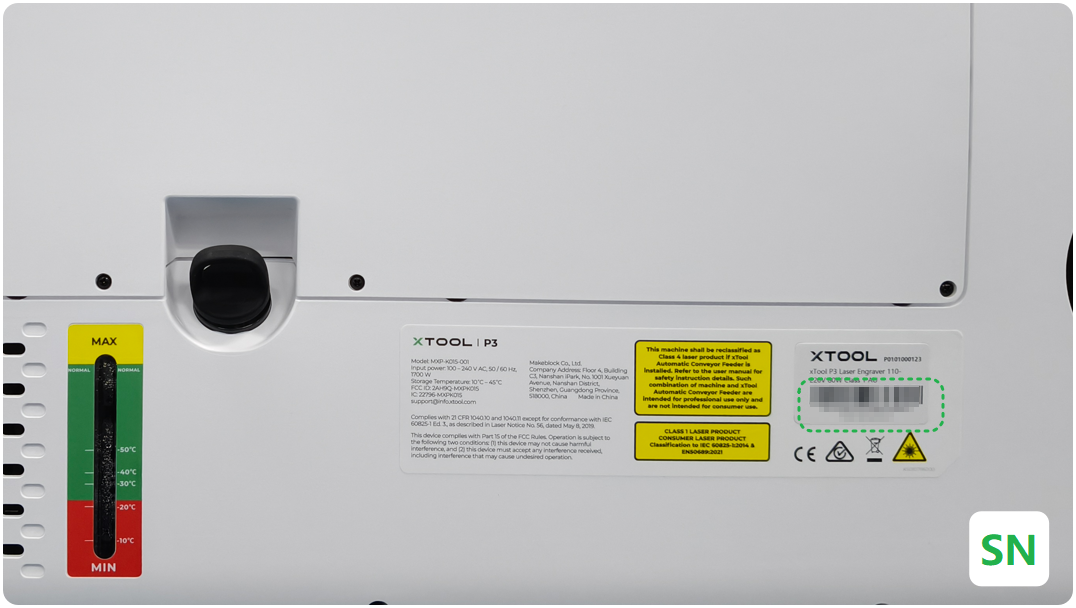
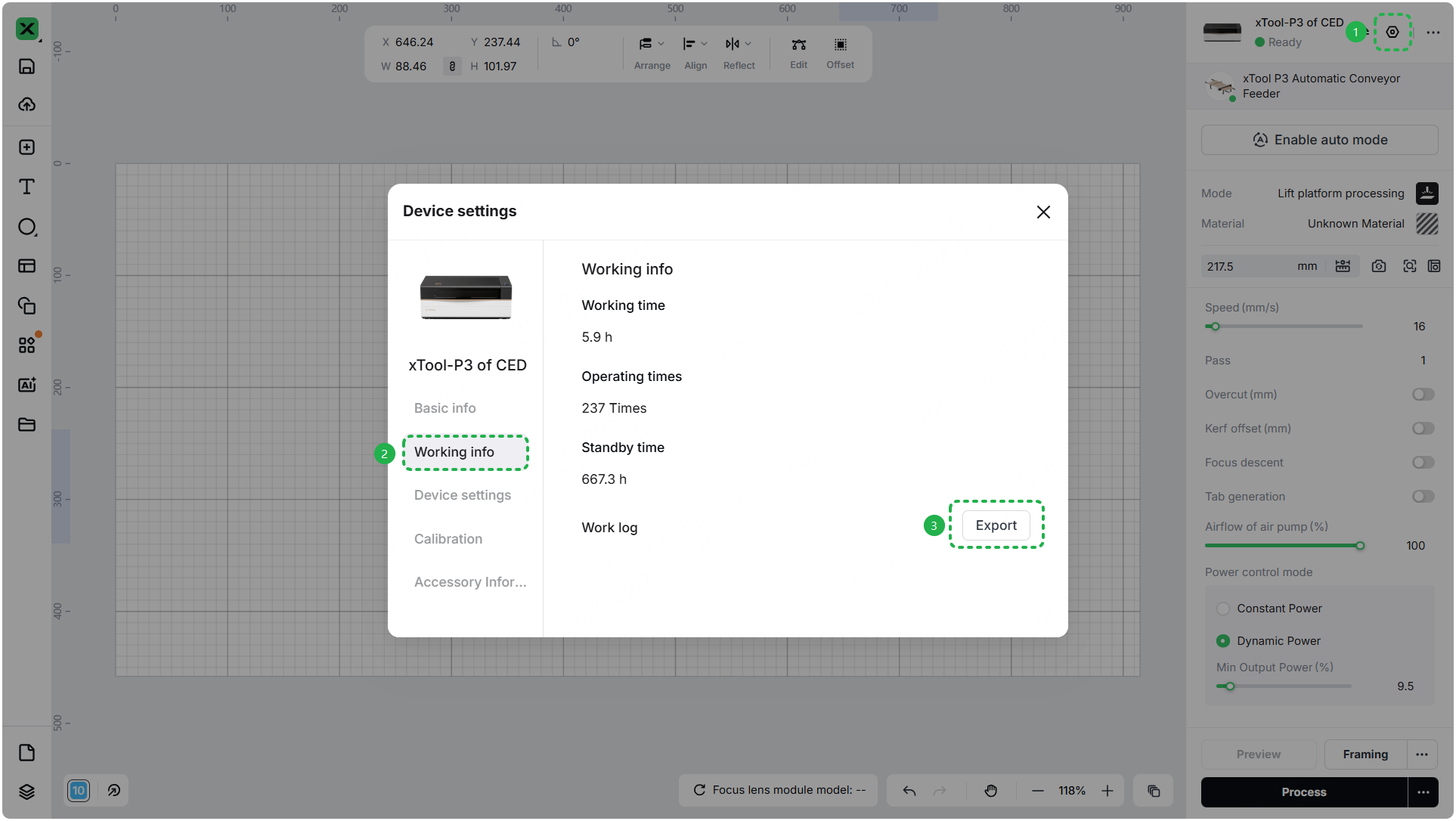
- Device information: Follow the steps to find the SN and export the work log.
- Troubleshooting performed: Any troubleshooting steps you have already attempted, along with their results.
This information is crucial for xTool technical support engineers to provide timely assistance.
Documentation feedback
Help improve this content by providing feedback. If this content did not meet your requirements, select "No" in the "Was this page helpful?" section below. Include specific details about what was unclear or missing in the pop-up suggestion box. Feedback submissions are reviewed by xTool technical writers to enhance future documentation.

