
Methods to Obtain High-Quality 3D Models
3D model generation
Method 1:Generate 3D models using AImake
- You can generate 3D models in AImake 3D Model Generator.
- Alternatively, you can generate 3D models in xTool Studio.
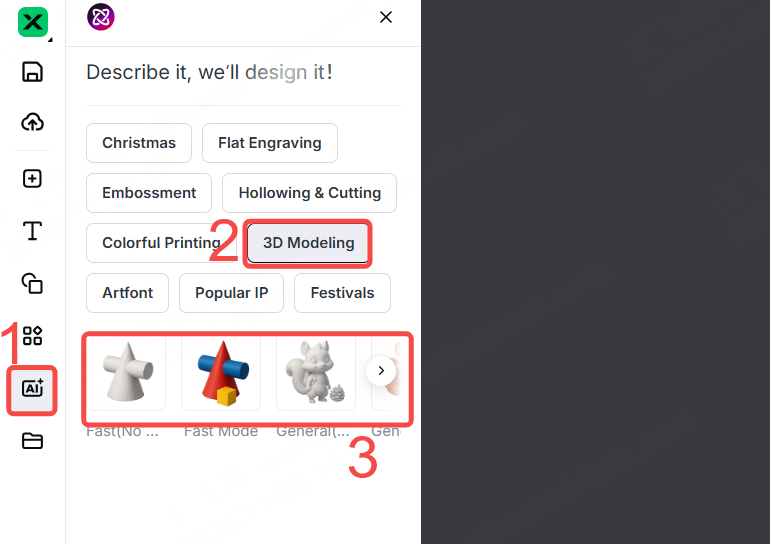
(1) Click the AImake icon.
(2) Click "3D Modeling".
(3) Select the desired model style.
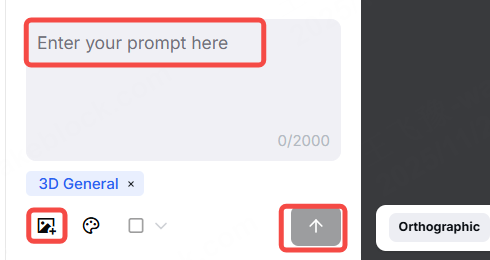
(4) Enter a prompt or upload an image.
(5) Click the up arrow icon to start the 3D model generation process.
Method 2: Generate 3D photos using xTool Studio
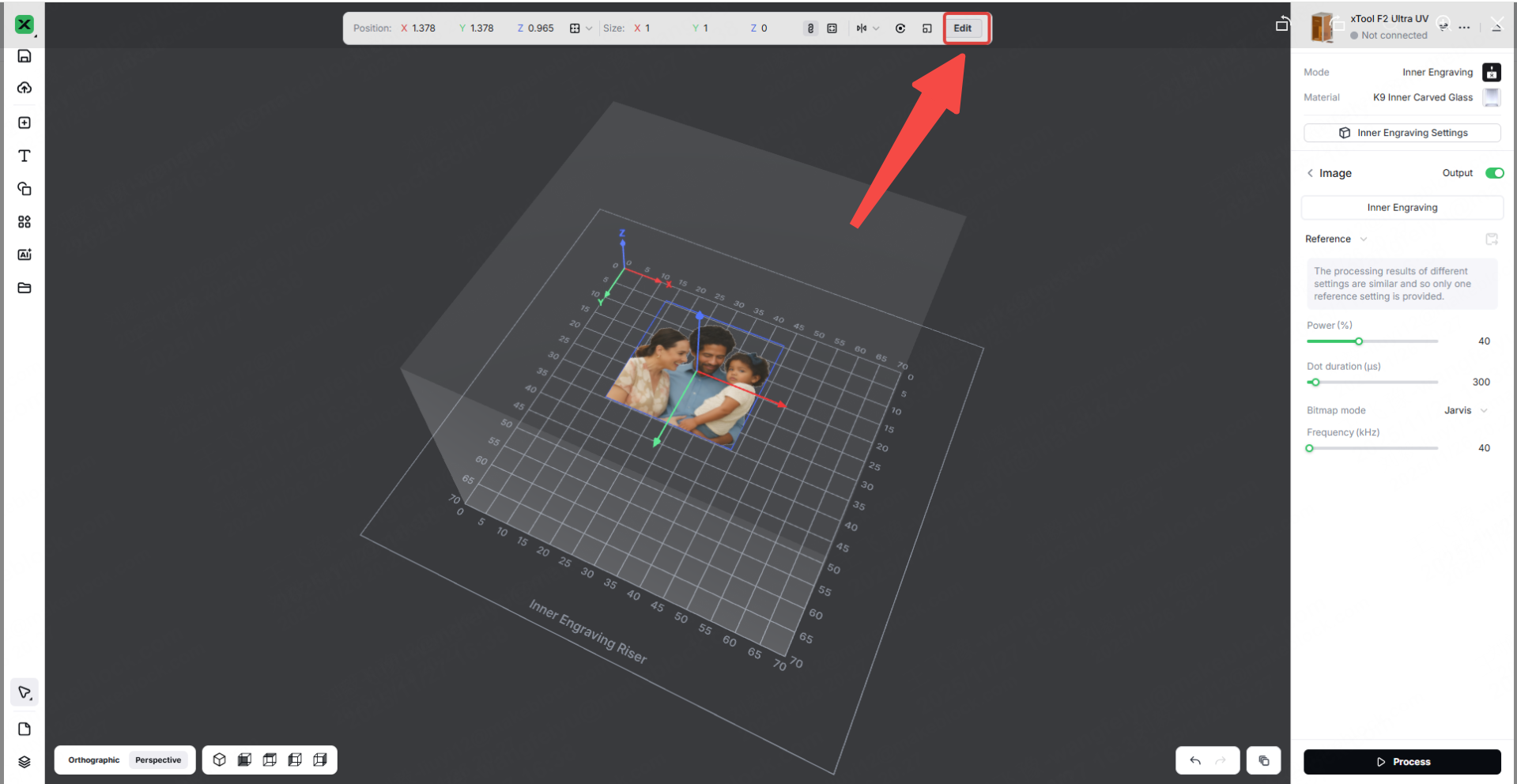
(1) Import a 2D image.
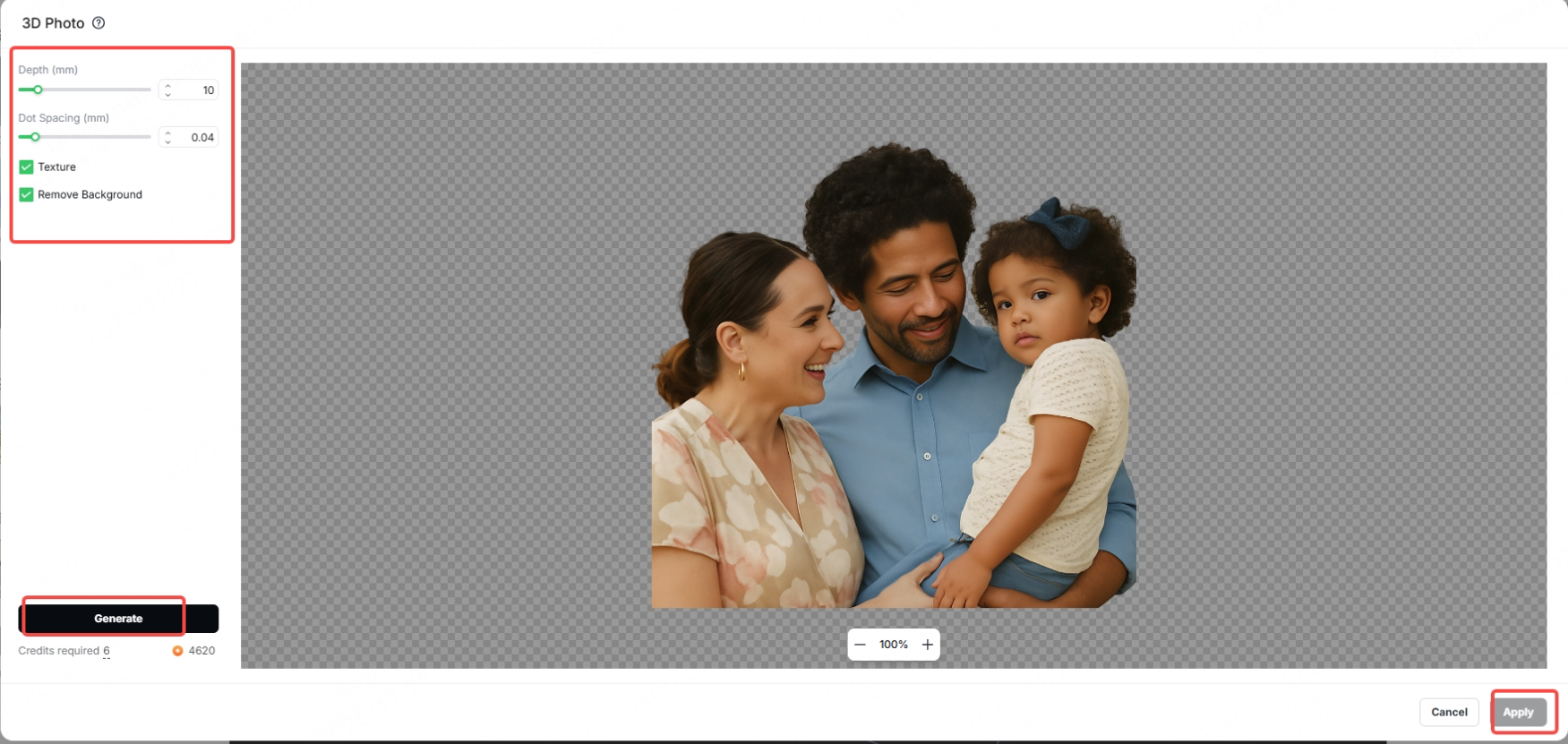
(2) Click "Edit" and select "3D Photo".
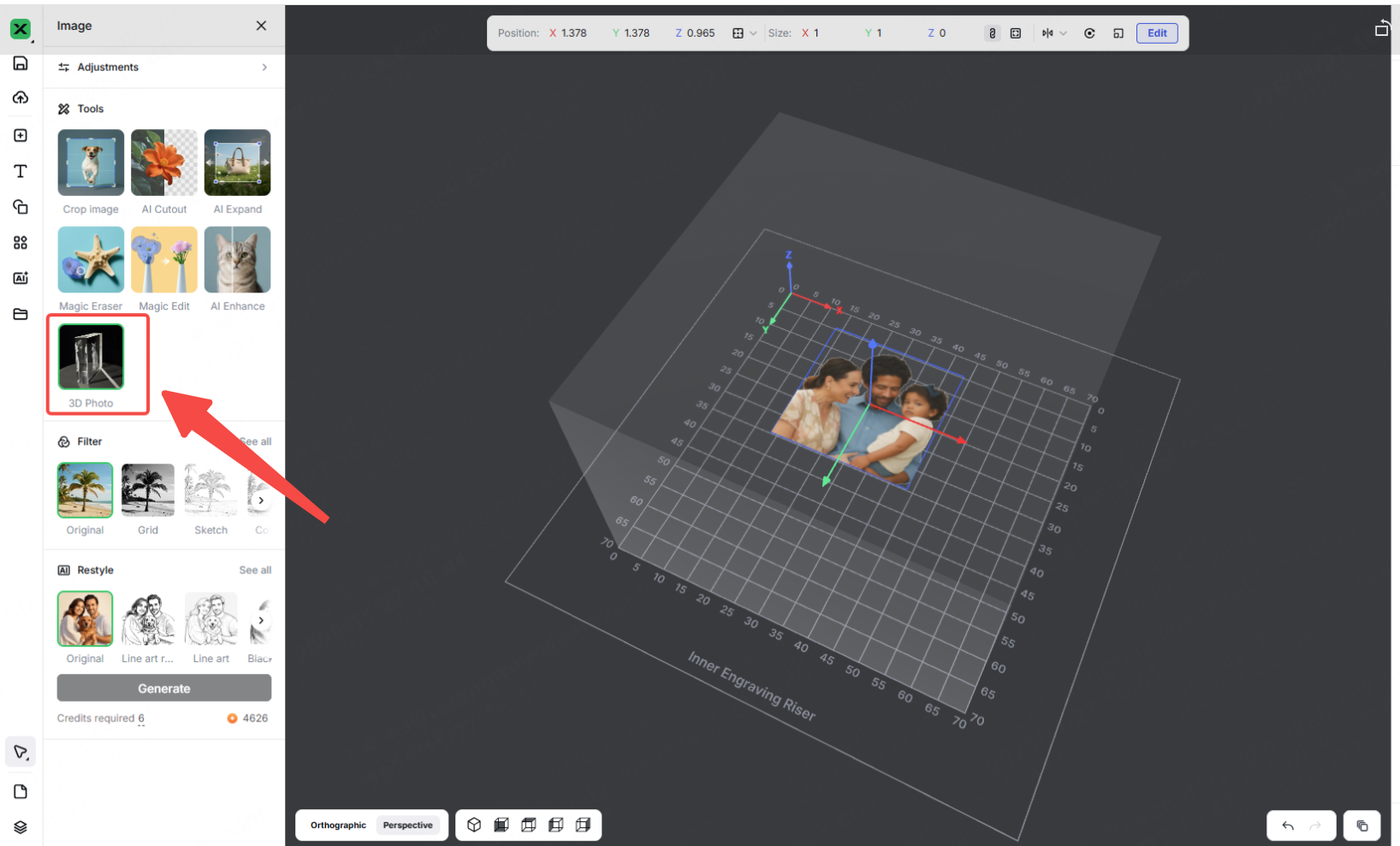
(3) Adjust the settings, then click "Generate" to start the 3D photo generation process. Once the photo is generated, click "Apply" to import it onto the canvas.
3D model download
Method 1: Download 3D models from our Atomm community forum
In our Atomm community forum, there are officially released 3D models designed to optimize inner engraving effects. Click here to view the specific models.
Method 2: Download 3D models from 3D model websites
Website | Brief introduction |
A global large-scale immersive 3D platform that supports 360-degree online model previews | |
A well-established free 3D design community with many models optimized for 3D printing | |
Specializing in 3D printing, this platform offers models that have all been tested for printability | |
Specifically adapted for SketchUp, with a focus on architectural models | |
Abundant free resources, compatible with various mainstream modeling software formats | |
Specializing in industrial and mechanical models, suitable for engineers as a reference | |
Founded by a 3D printing company, this platform allows users to download models directly without the need for registration | |
Powerful search functionality with support for automatic conversion between various model formats | |
Clear categorization, with a daily limit for free model downloads | |
Specializing in scanned models of museum artifacts, with extremely high detail accuracy |
More information
xTool F2 Ultra UV Unboxing and First Use
Inner Engraving Work Area Calibration
Z-axis Calibration for Inner Engraving
A Guide to Glass for Inner Engraving
Glass Surface Engraving Techniques
Approaches to Improving Inner Engraving Results
Crystal Ball Inner Engraving Operation Instructions

