
Inner Engraving Work Area Calibration for xTool F2 Ultra UV
When to perform inner engraving work area calibration
Perform inner engraving work area calibration if either of the following issues occurs to ensure processing accuracy:
1. Significant engraving position offset: The material is positioned correctly and the parameters are set properly, but the actual engraving position deviates significantly from the position set in the software.
2. Distorted engraving: The engraved pattern appears distorted.
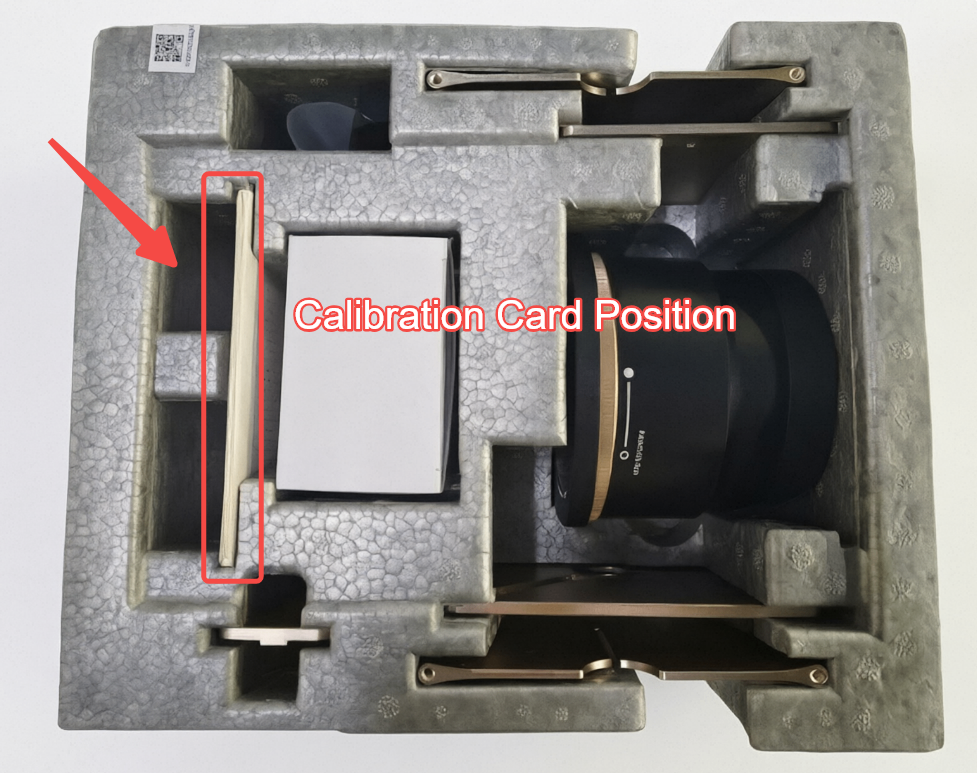
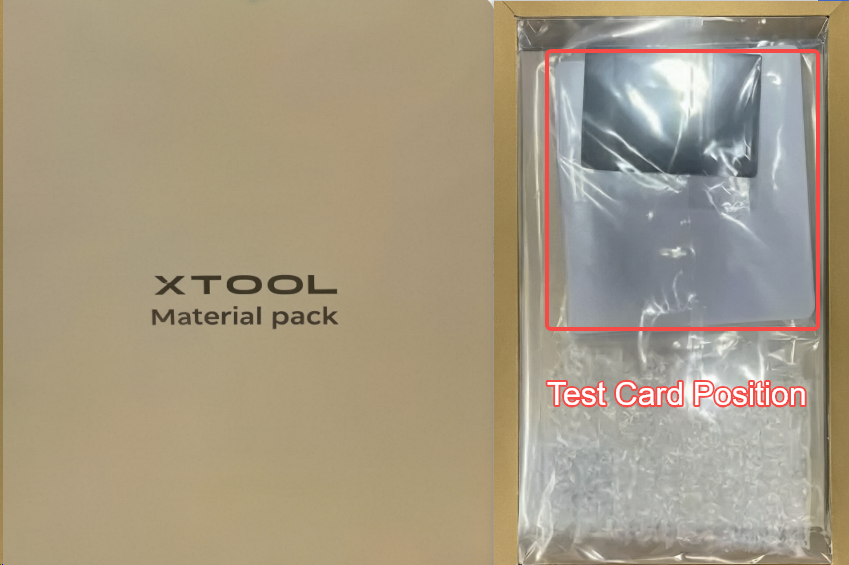
Where to find the calibration cards and test cards
Before performing the calibration, find the calibration cards and test cards as shown below.
Calibration cards
Test cards
The test cards are included in the material pack.
Perform inner engraving work area calibration
Follow the video below to perform the calibration.
Note: Difference between test card and calibration card:
Test card (both sides are blank)
Purchase link for more test cards: Test Card
Calibration card (one side blank, the other side with black dots)
More information
Start Z-axis Calibration for Inner Engraving with xTool F2 Ultra UV
Perform UV and Blue-Light Laser Calibration for xTool F2 Ultra UV

