
xTool F1 Ultra Won't Power On
Issue Description
Occasionally, you may find that the machine fails to turn on when the power cable is connected and the power switch is turned on. This issue may occur even with a brand-new machine right out of the box. If you encounter this issue, follow the troubleshooting steps below.
Possible causes
- Emergency stop button triggered (the most common cause)
- Power adapter or power cable malfunctions
- Emergency stop button malfunctions
Troubleshooting
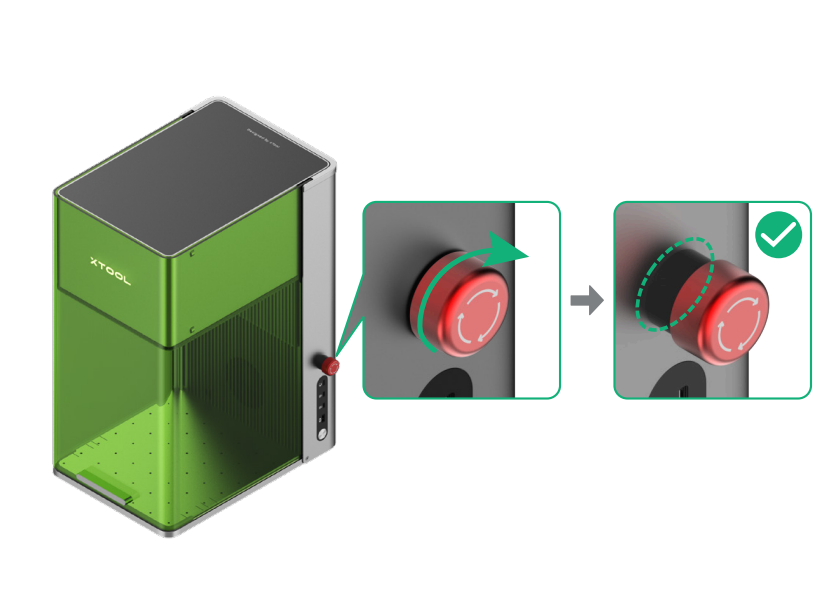
1. Check the emergency stop button
If the emergency stop button is triggered, rotate it to release it.
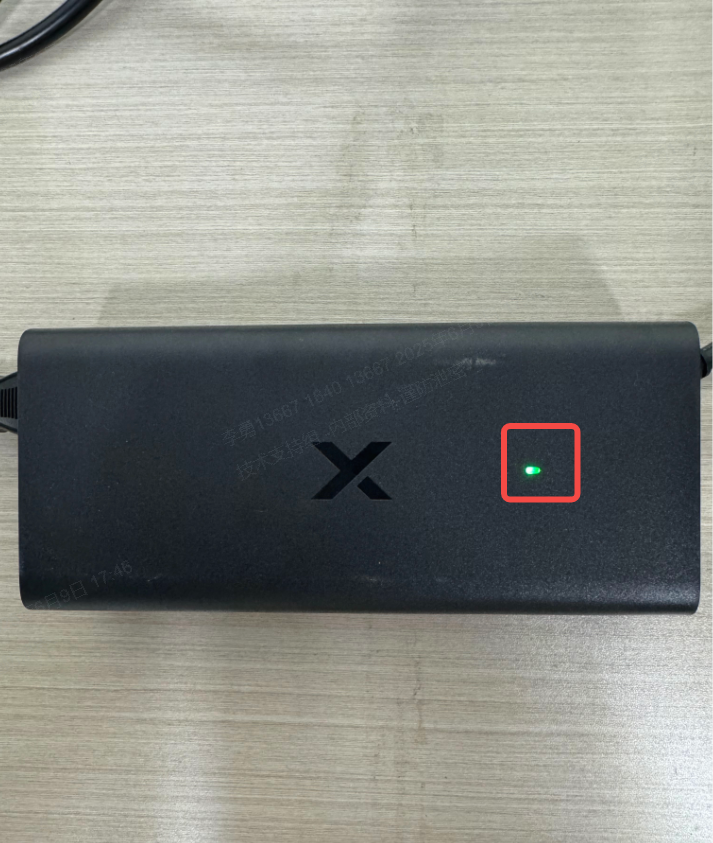
2. Check the power adapter and power cable
Ensure that the power adapter and power cable are securely connected. The power indicator on the power adapter should remain solid green when the device is powered on.
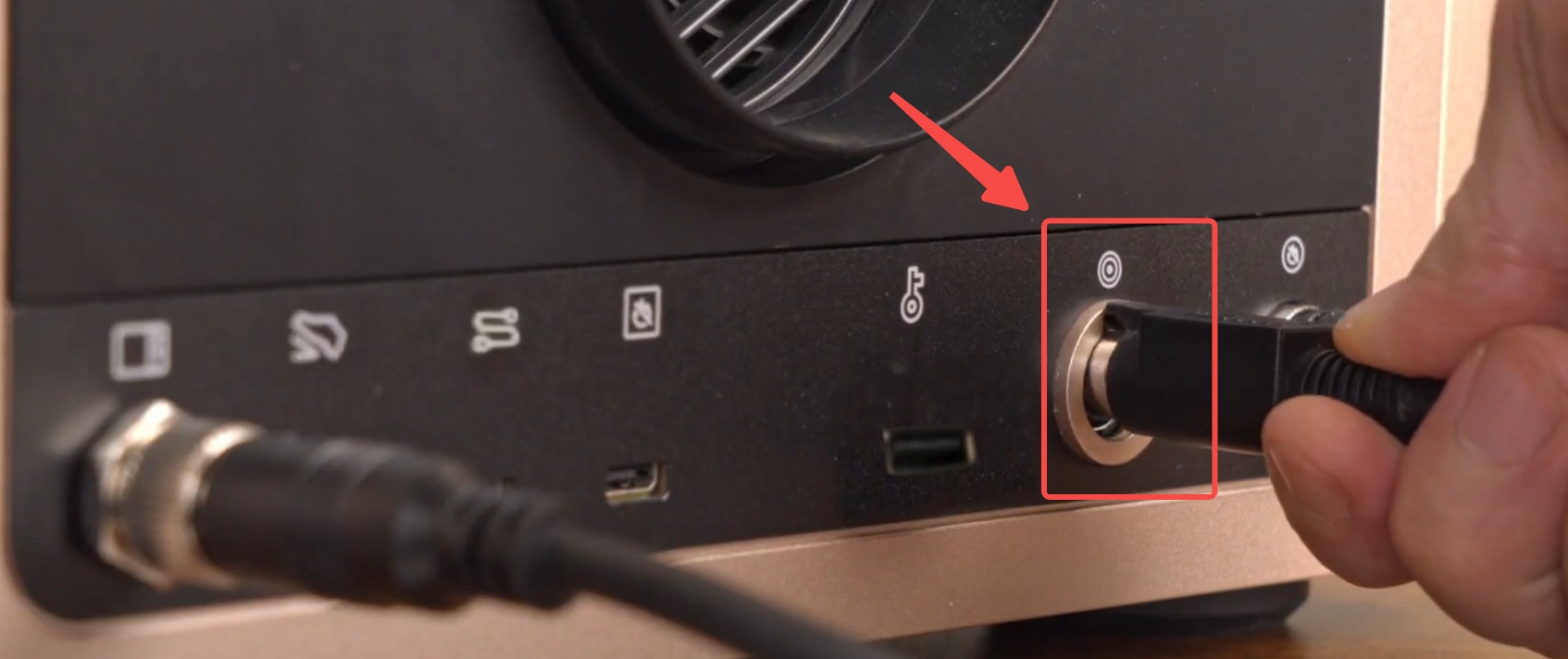
3. Power cycle the device
Disconnect the power cable from the device. Wait for 2 minutes, and then reconnect the power cable.
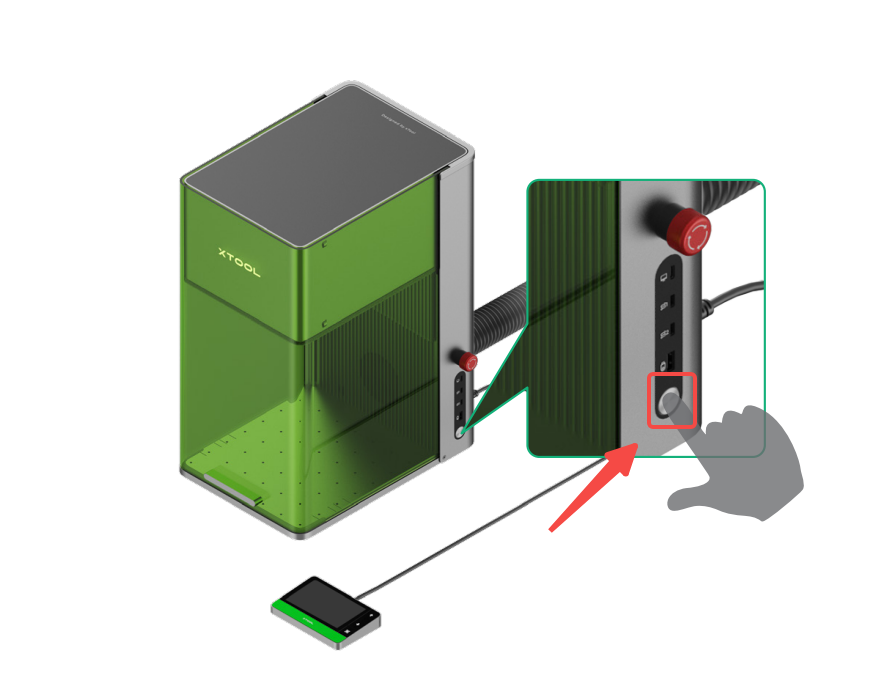
4. Restart the device
Press the power button to turn on the device again.
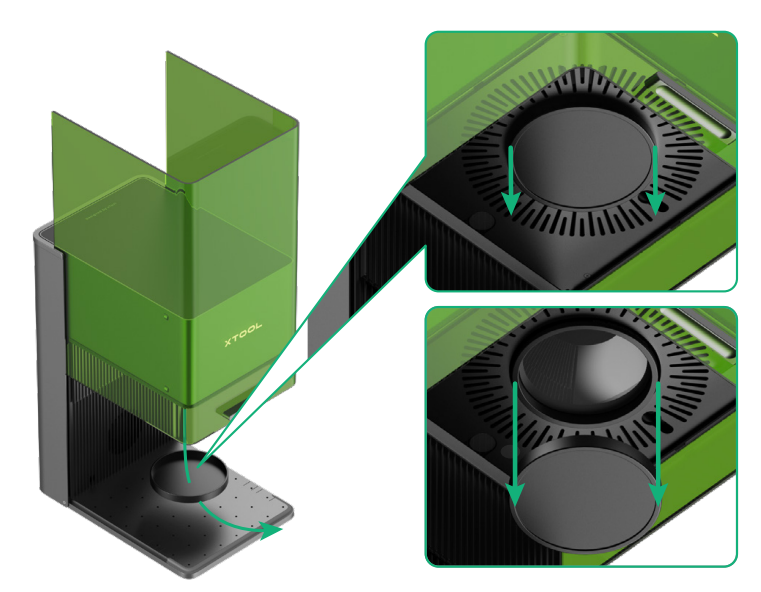
5. Remove the field lens protector
Ensure that the field lens protector at the bottom of the laser module is removed. Otherwise, the laser beam will be blocked.
Help us improve
If this article or video doesn't effectively assist you in resolving the issue, please let us know by clicking the “No” button in the “Was this page helpful?” section below, and leave your feedback in the pop-up suggestion box. Our knowledge base team will review it and consider it for future updates.
Still need help?
If you need any human assistance, please create a ticket by clicking the “Submit a Ticket” button in the “Help Ticket” section below. Our service team will get back to you in 1 business day via E-mail.

