
Issue description
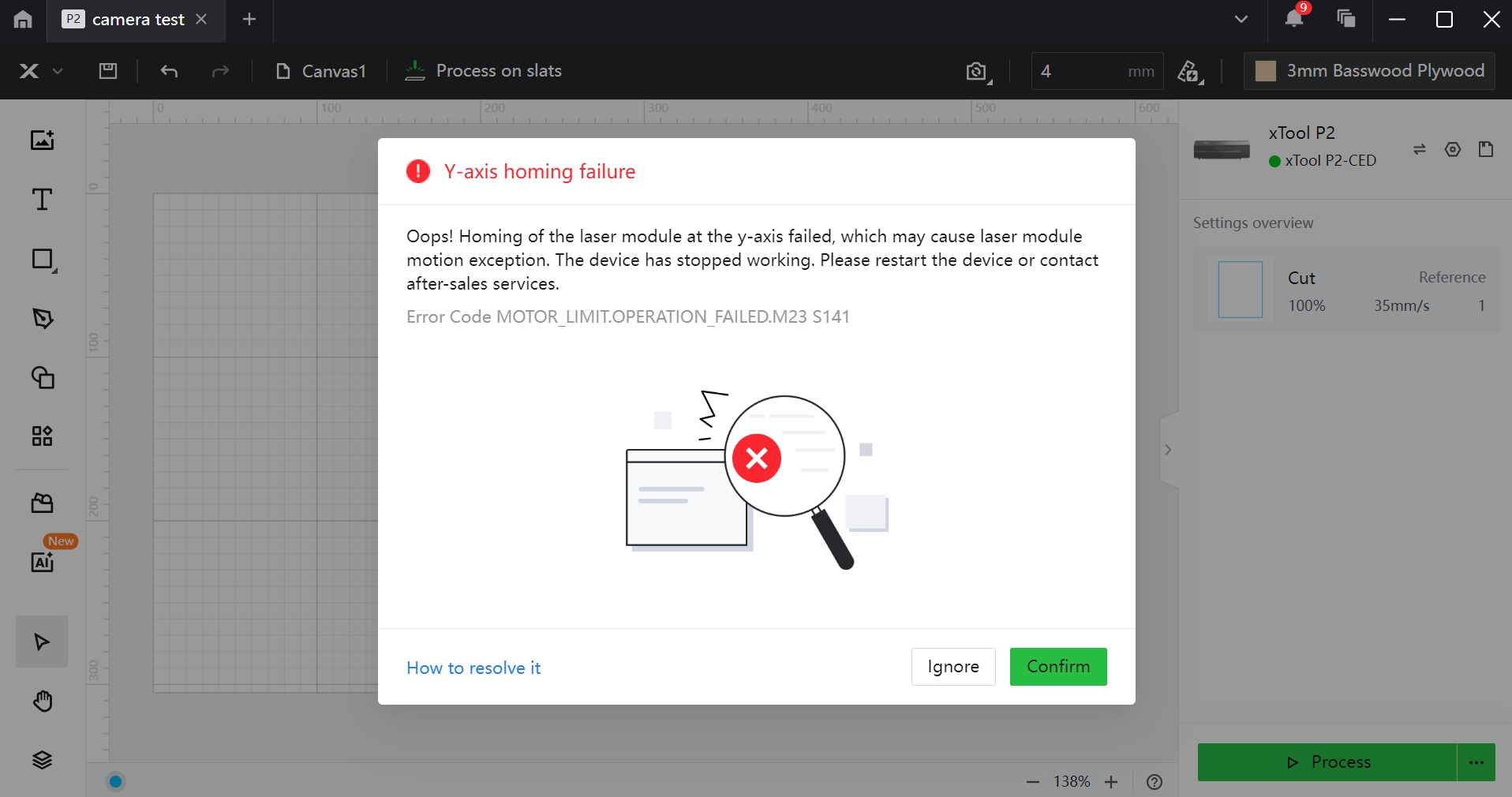
When this issue occurs, the Y-axis cannot complete the homing process during startup. If the device is connected to xTool Creative Space or xTool Studio, you may see a pop-up notification like below.
Possible causes
- The X-axis beam fastener was not removed.
- The gantry is misaligned.
- The Y-axis limit switch is faulty.
- The Y-axis motor is faulty.
- The limit switch connection cable is faulty.
Troubleshooting procedures
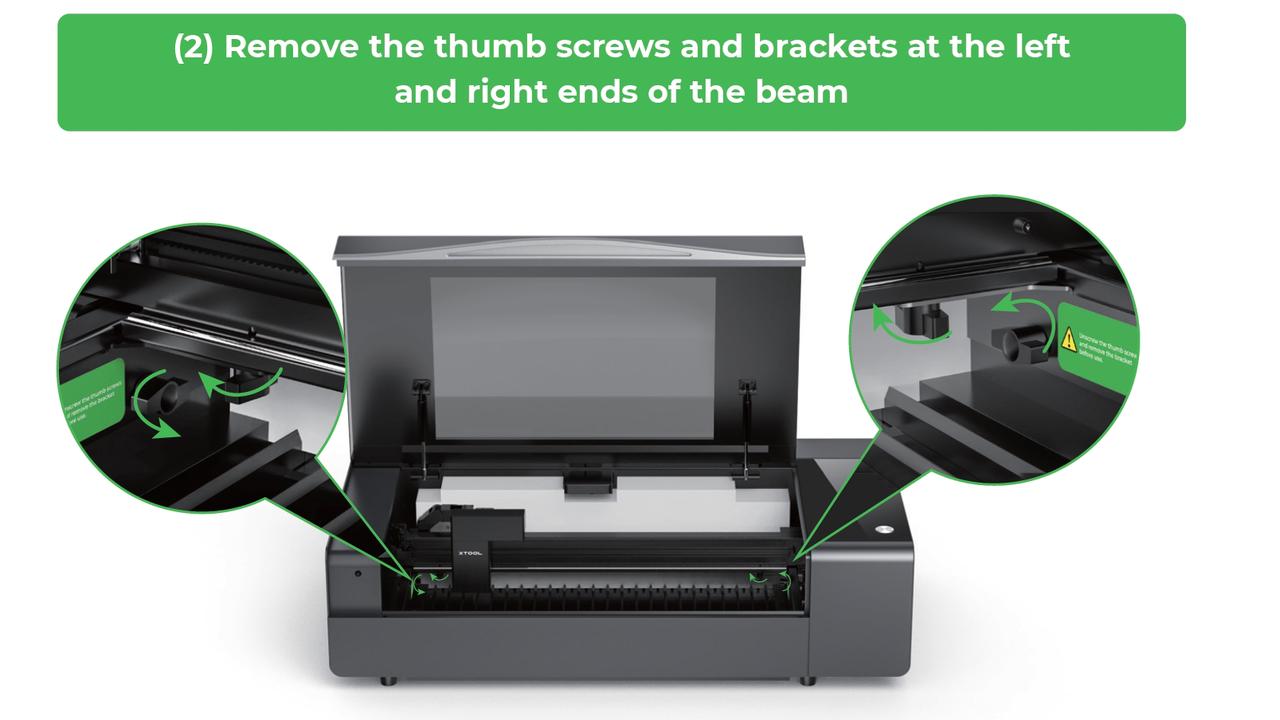
1. Remove the thumb screws and the brackets
Check if there are thumb screws and brackets fixing the X-axis gantry. If any are found, remove them.
2. Test the Y-axis motor
Move the laser head to the center position, then power on the device and check whether the gantry can move.
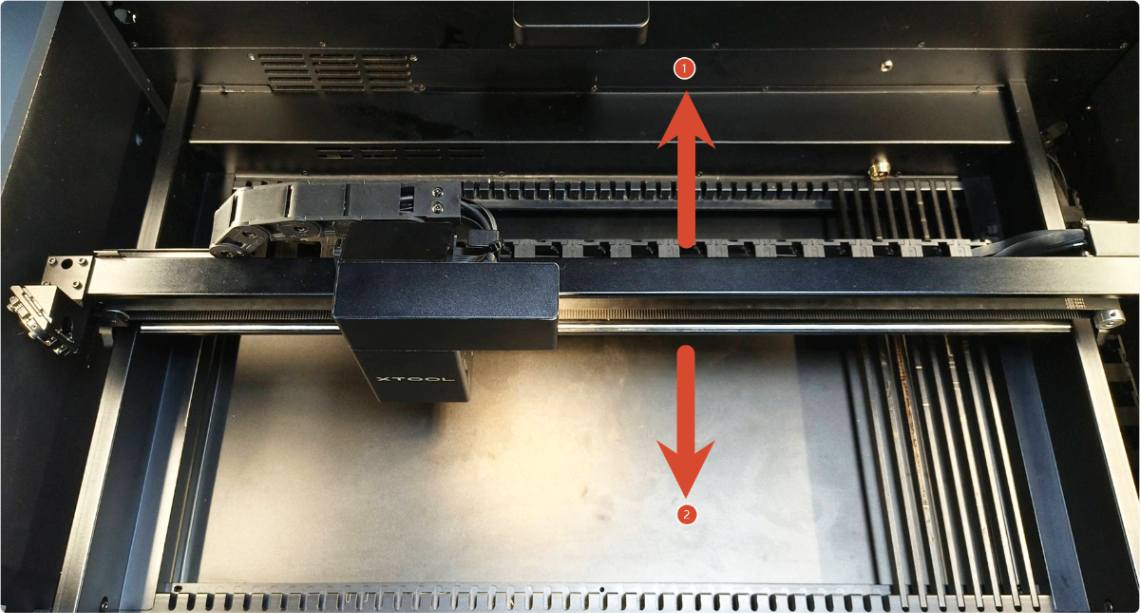
- Case 1: If the gantry moves quickly and smoothly toward the rear of the device during startup until it hits the rear plate and makes an abnormal noise (as indicated by ① in the figure), the motor is functioning normally. The limit switch is not detecting the limit flag on the gantry. Proceed with troubleshooting steps 3–6 below.
- Case 2: If the gantry moves very slowly toward the front of the device for a short distance after each startup (as indicated by ② in the figure; you can restart the device multiple times to observe this behavior), the motor is functioning normally. The limit switch probe is constantly triggered. Try Step 6 and clean the probe.
- Case 3: If the gantry does not move at all or vibrates noticeably during movement, replace the Y-axis motor.
3. Check whether the gantry is parallel
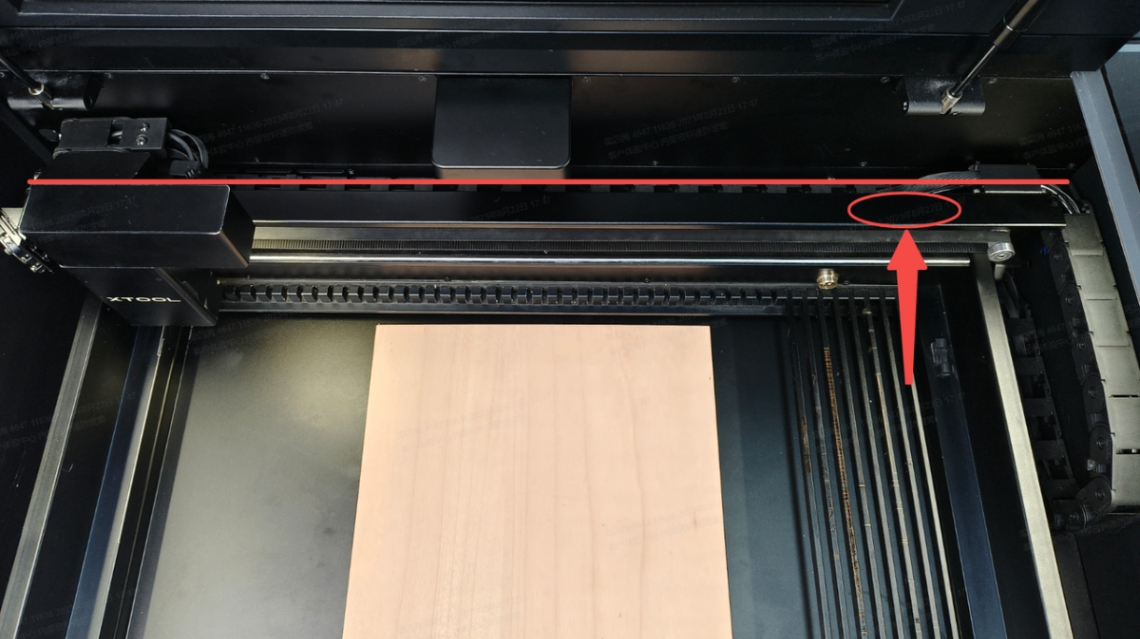
- If the X-axis gantry is not parallel (as shown in the figure below), the Y-axis limit switch may not detect the limit flag.
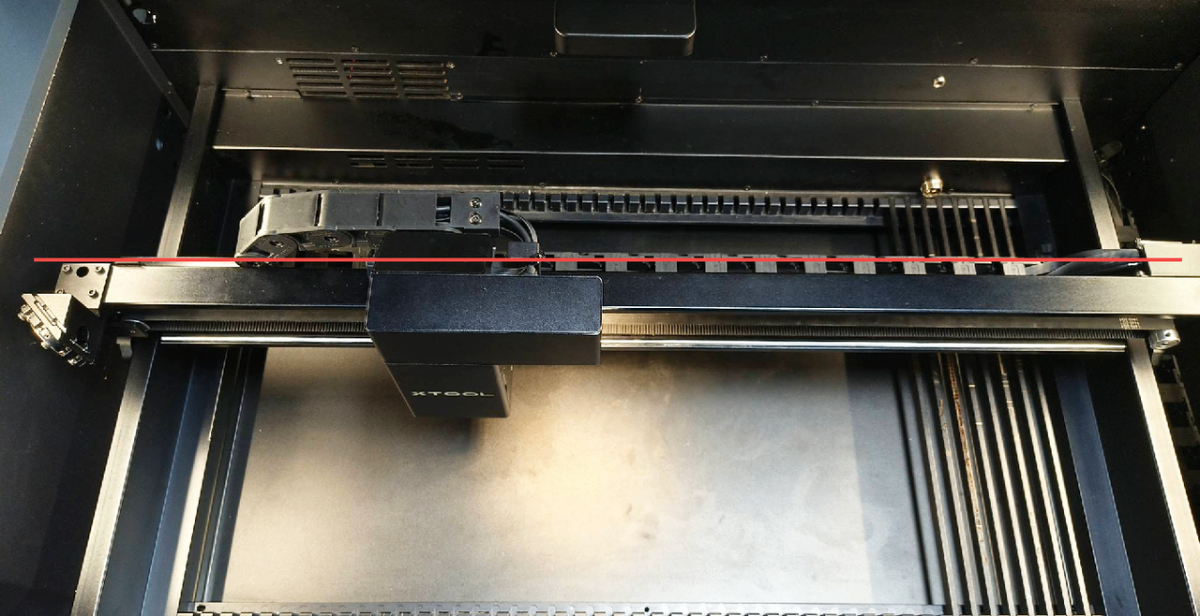
Power off the device, push the gantry to the top, then continue pushing upward slightly on the right side until it is adjusted to be parallel (a clicking sound is usually heard).
- If the gantry is parallel, troubleshoot other issues.
4. Remove foreign objects
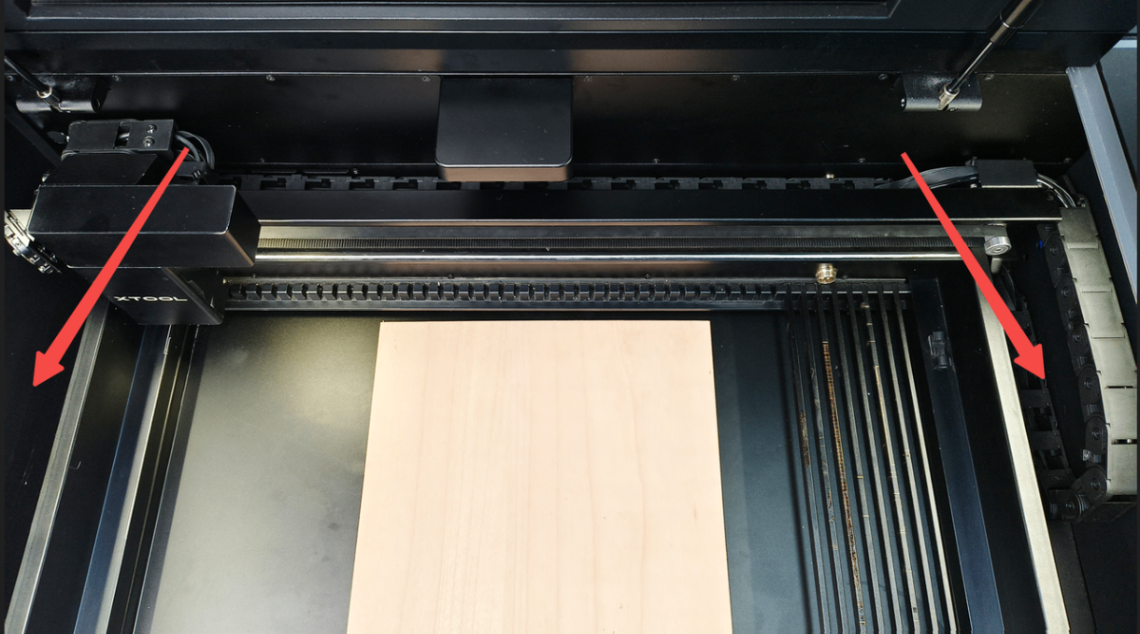
(1) Check for any foreign objects near the Y-axis frames that may hinder the movement of the X-axis gantry.
(2) If any are discovered, please remove them.
5. Check the Y-axis limit switch
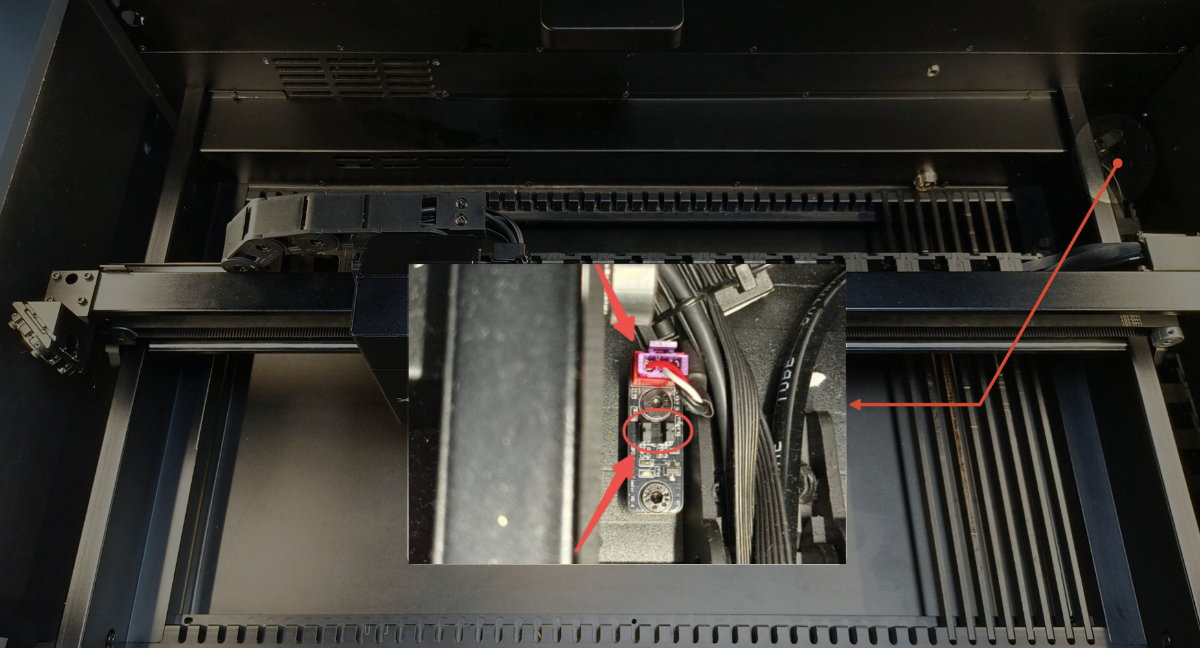
(1) Unplug and replug the cable to make sure it is fitted properly.
(2) Check the black sensor probes for deformation. If they are deformed, gently bend them back into position. If they are damaged, replace the Y-axis limit switch.
6. Test the Y-axis limit switch
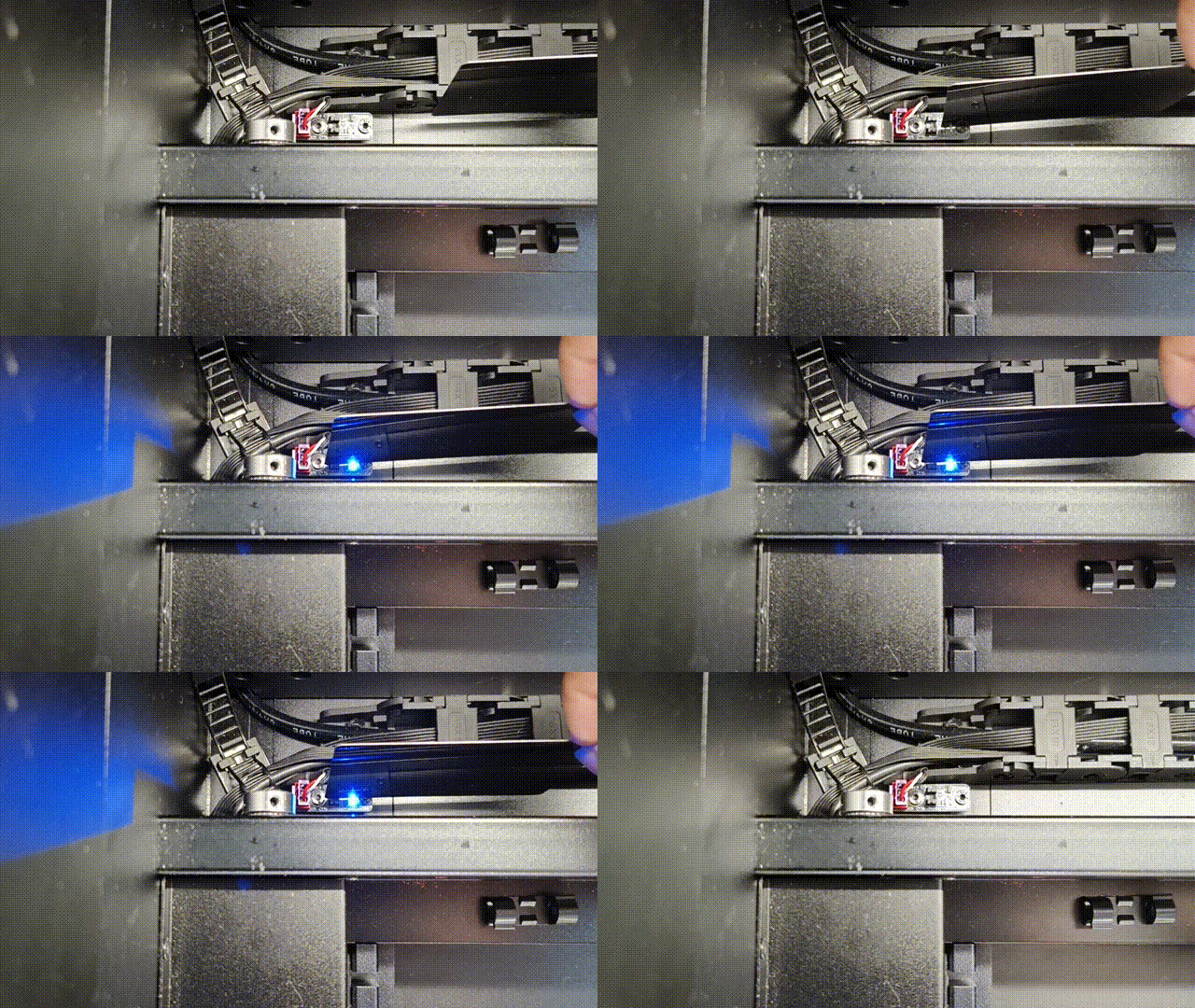
(1) Turn on the device, and manually move the gantry towards the front plate.
(2) Insert a black material into the gap between the two sensor probes as shown below, and observe whether the indicator of the Y-axis homing signal changes.
- If it does not change, it indicates the switch is faulty and needs to be replaced.
- If it changes, it means the switch functions properly. Troubleshoot other issues.
Still experiencing issues?
Should the issue persist after completing the preceding steps, submit a ticket via the "Submit a Ticket" button in the "Help Ticket" section below. The standard response time for xTool Customer Service is one business day.
For a prompt resolution, please include the following details:
- Issue description: A detailed explanation of the observed problem.
- Video evidence: Attach a video demonstrating the issue, where applicable.
- Troubleshooting performed: Any troubleshooting steps you have already attempted, along with their results.
This information is crucial for xTool technical support engineers to provide timely assistance.
Documentation feedback
Help improve this content by providing feedback. If this content did not meet your requirements, select "No" in the "Was this page helpful?" section below. Include specific details about what was unclear or missing in the pop-up suggestion box. Feedback submissions are reviewed by xTool technical writers to enhance future documentation.

