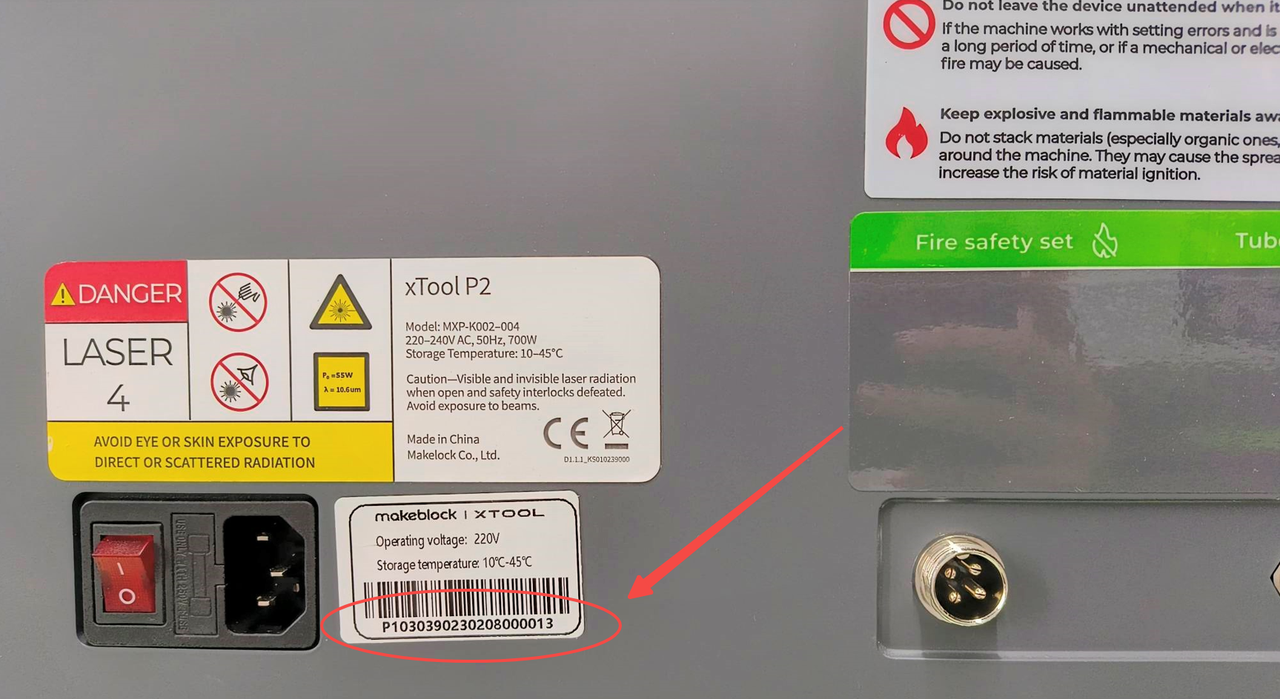
Issue description
The laser tube lights up as usual, but there is no laser coming out from the laser module.
Possible causes
- Power settings are too low.
- The X-axis gantry is distorted.
- Abnormalities in the laser mirrors
- Abnormalities in the focus lens
- The laser optical path has shifted.
- Clogged air nozzle
Troubleshooting procedures
1. Check the laser tube
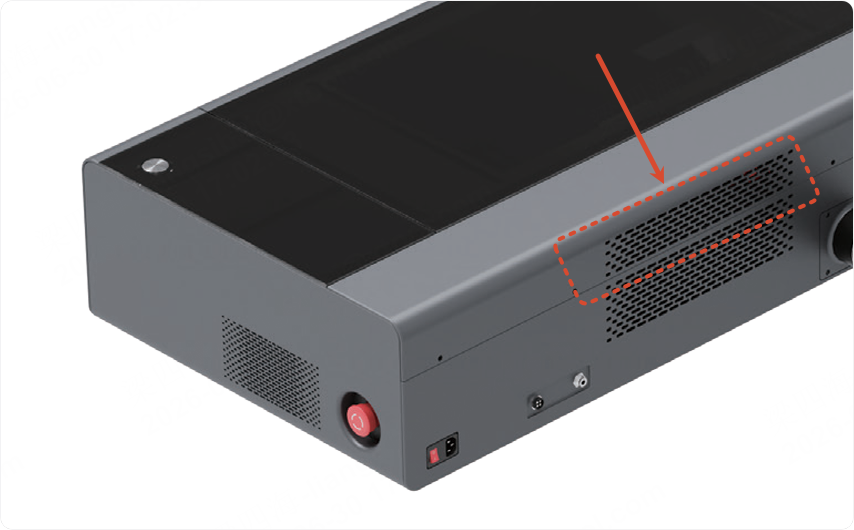
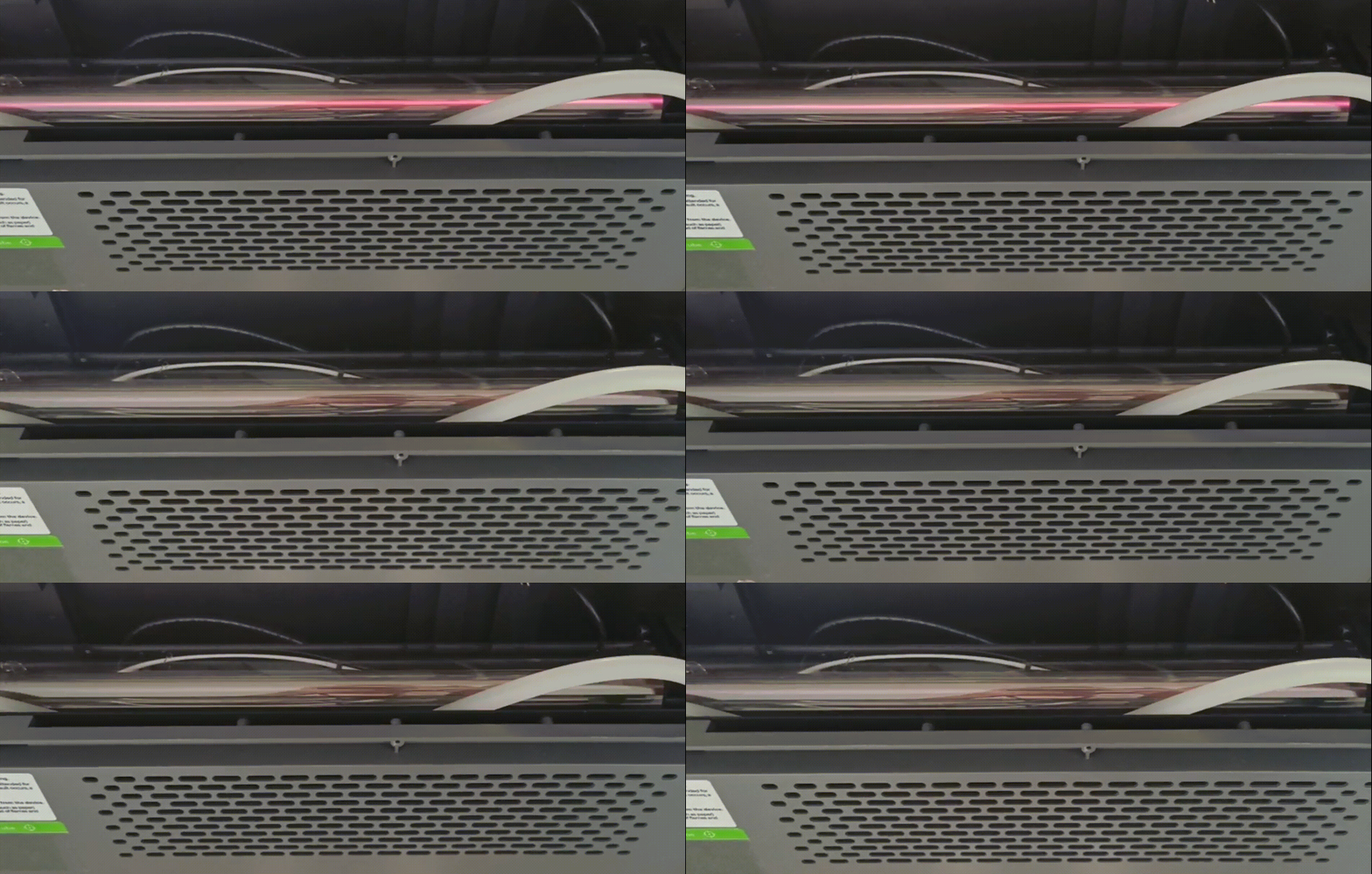
Please process at a power level of 50% or higher, and observe through the gap in the rear cover to see if the laser tube emits light during processing.
- If the laser tube does not emit light, the issue is caused by a malfunctioning laser tube. Go to The Laser Tube Won't Light Up - xTool Support Center to find a solution.
- If the laser tube emits light, please follow the steps below to troubleshoot the issue.
2. Check the gantry
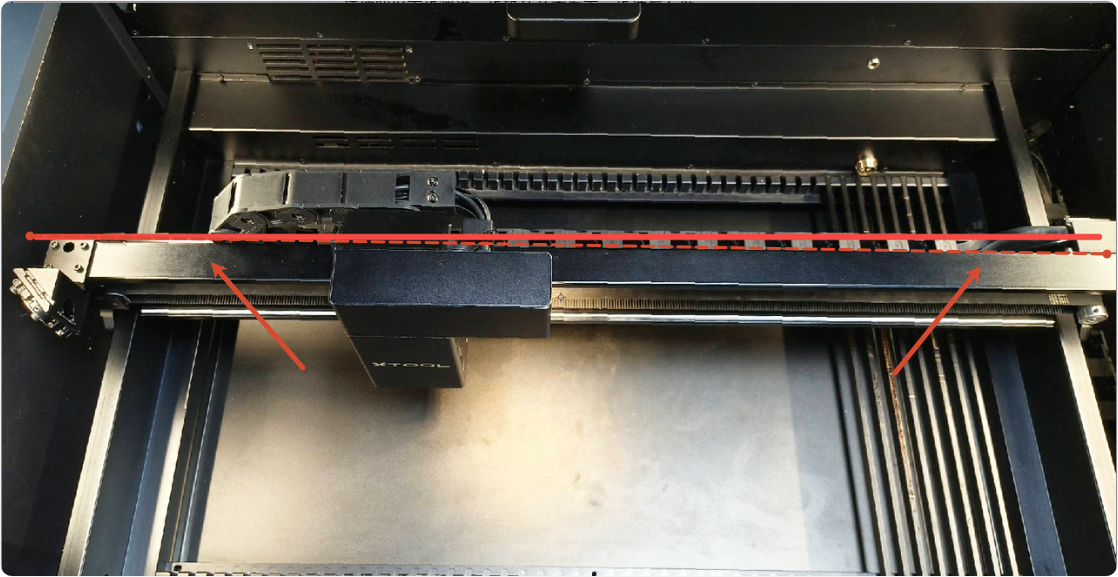
Check whether the gantry is distorted. If so, follow the tutorial to adjust it.
3. Check the laser mirrors
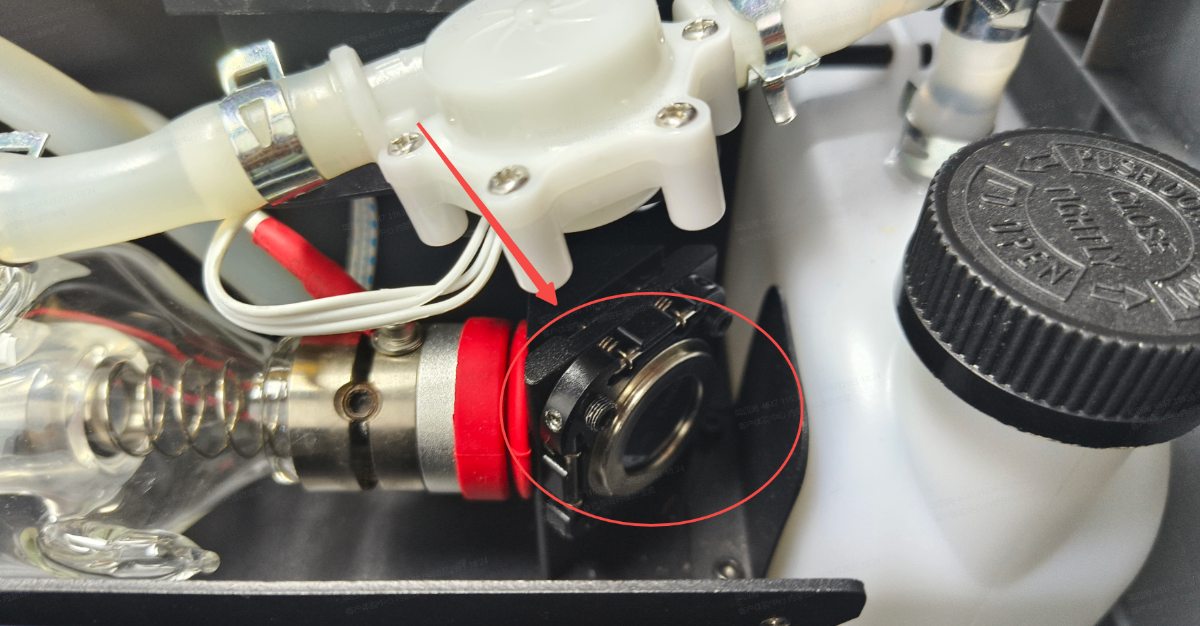
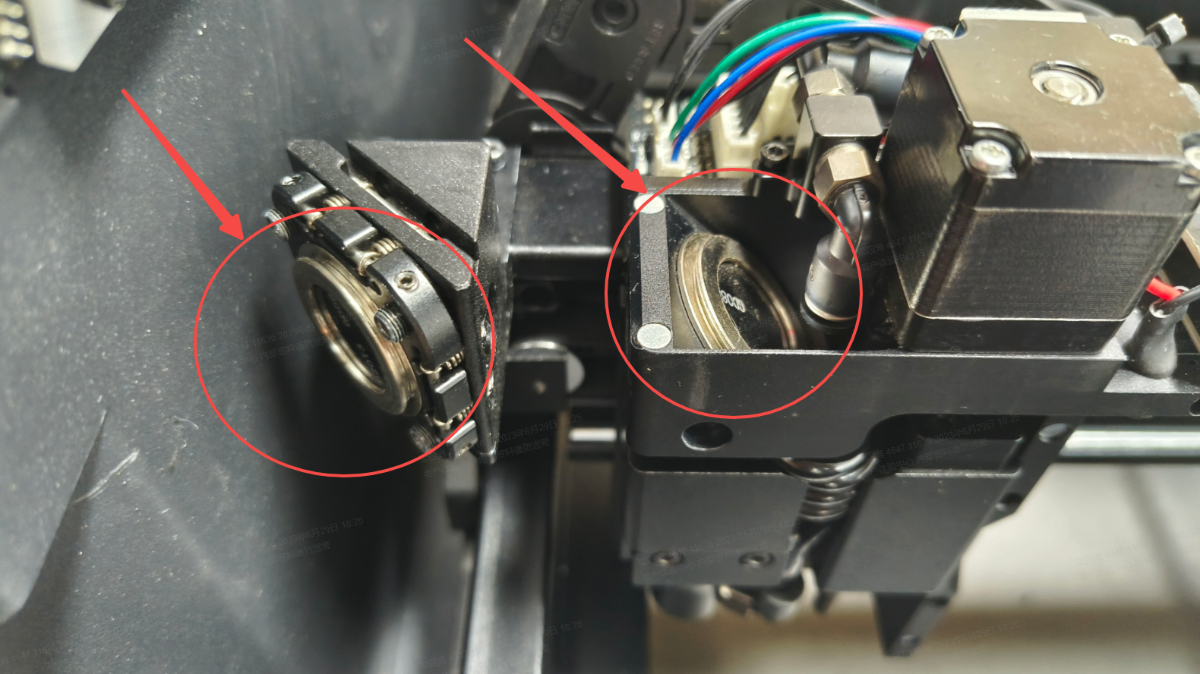
The appearance and structure of xTool P2 and P2S laser mirrors and their holders differ, but their positions are the same.
Please ensure that the primary, secondary, and tertiary laser mirrors are not missing, misaligned, or installed backwards (correct installation: reflective surface facing inward).
The laser mirror positions are shown below:
4. Check the focus lens
Follow the video tutorial to check the focus lens for any abnormalities (such as cracks or foreign objects attached to it).
- If so, please wait until the lenses are clear again before using them (replace or clean them as appropriate).
- If not, please check for other issues.
5. Check the air nozzle
Follow the video tutorial to check whether the air nozzle clogs, which could be blocking the laser, and clean it if necessary.
6. Check the optical path
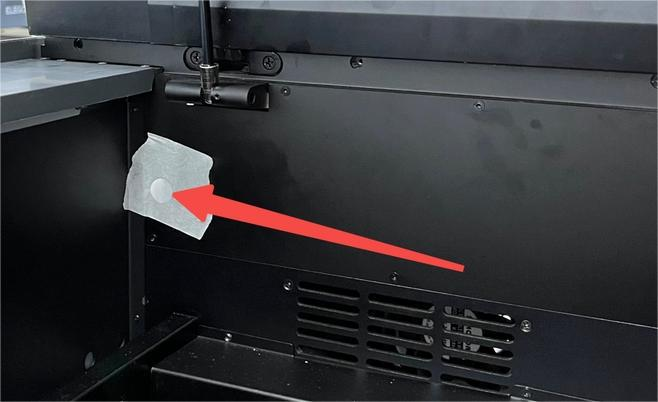
Please follow the optical path calibration tutorial and apply a piece of masking tape over the output hole of the primary mirror to calibrate the optical path.
If clear burn marks appear on the masking tape, this indicates that the laser functions properly. A lack of light output is typically caused by a misaligned optical path, please follow the steps to calibrate the optical path.
- xTool P2: Test and Calibrate the Optical Path for xTool P2 (Important)
- xTool P2S: How to Calibrate the Optical Path for P2S
If none of the above works
If you have any questions, collect the troubleshooting steps you have taken and the product SN, shoot a video of the issue, and contact us for further assistance at: support@xtool.com.