
Issue description
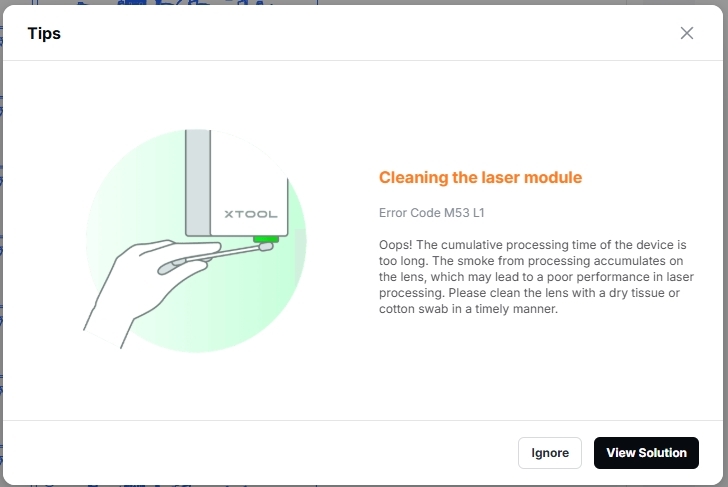
When this issue occurs, a pop-up window appears in the software showing "Cleaning the laser module", as shown below. This message may appear in the following situations:
- The laser module has reached the specified cumulative operating-time threshold, triggering an automatic cleaning reminder.
- The user starts the machine or prepares to begin a processing task.
Possible causes
This is a normal maintenance reminder, not a fault alarm. The machine automatically reminds you to clean the laser module based on cumulative processing time:
- 10 W laser module: every 4 hours
- 20 W laser module: every 2 hours
- 40 W laser module: every 1 hour
- 2 W laser module: every 4 hours
Troubleshooting procedure
This is a normal maintenance reminder. You can choose the following steps based on your needs.
Step 1: Clean the laser module
Following the cleaning tutorial to clean and maintain the laser module for optimal processing performance: Clean the Laser Lens, the Lens Protector, and the Air Nozzle for xTool S1
Step 2: Ignore the reminder
Click Ignore in the software to dismiss the current reminder. This will not affect normal operation.
Step 3: Disable the cleaning reminder
In Device settings, turn off Lens protector cleaning reminder.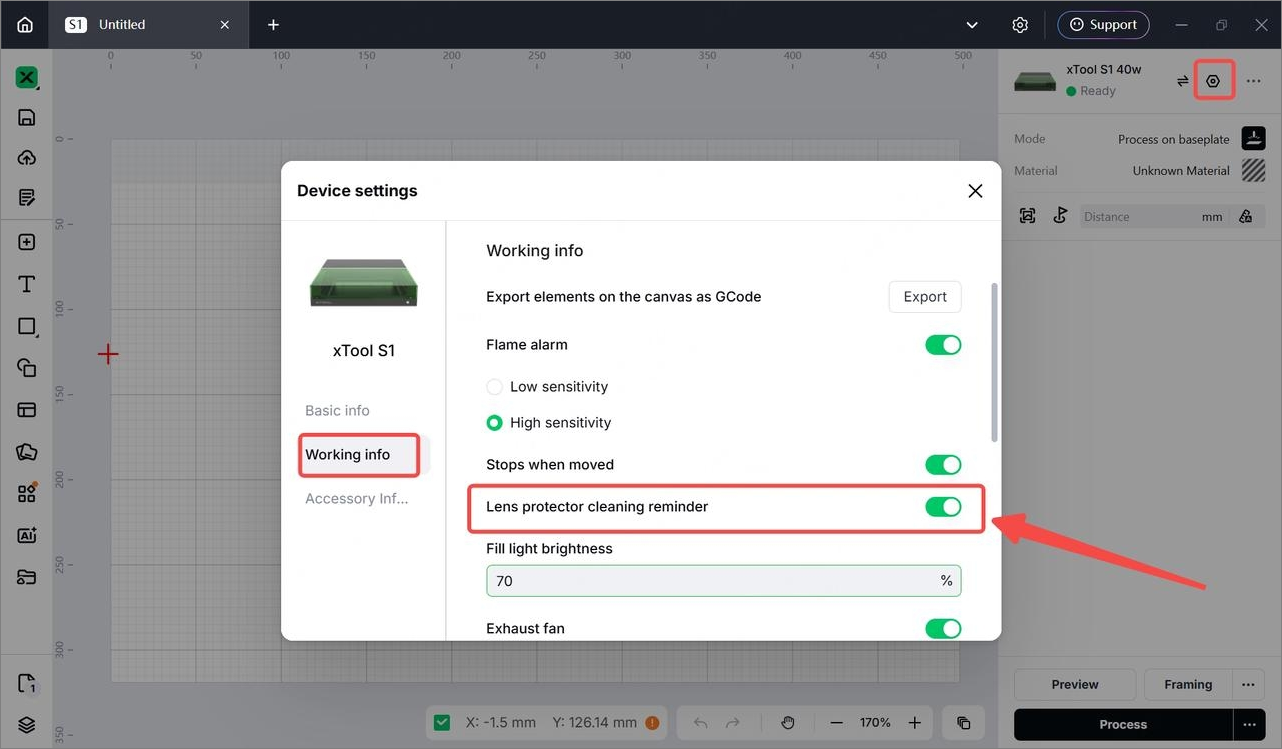
Once this setting is disabled, the system will no longer display cleaning reminders automatically. You can schedule cleaning and maintenance based on your needs.
Still experiencing issues?
Should the issue persist after completing the preceding steps, submit a ticket via the "Submit a Ticket" button in the "Help Ticket" section below. The standard response time for xTool Customer Service is one business day.
For a prompt resolution, please include the following details:
- laser module model and power rating (10 W, 20 W, 40 W, or 2 W)
- S1 machine serial number (SN), located on the back of the machine
- xTool Studio software version and machine firmware version
- A video or screenshot showing the error message
This information is crucial for xTool technical support engineers to provide timely assistance.
Documentation feedback
Help improve this content by providing feedback. If this content did not meet your requirements, select "No" in the "Was this page helpful?" section below. Include specific details about what was unclear or missing in the pop-up suggestion box. Feedback submissions are reviewed by xTool technical writers to enhance future documentation.

