
Issue description
You are using a DT printhead and no ink flow is observed in the white ink circulation tube.
Possible causes
- The white ink cartridge may not be installed properly.
- The circulation pump may be faulty.
Troubleshooting procedure
Step 1: Check the ink cartridge installation
- Check whether all ink cartridges are pressed fully into place. Only check whether they are on the same plane. Do not remove and reinstall them to avoid ink dripping.
- If any ink cartridge is not installed properly, press it again using the correct method. Small ink cartridges can be pressed into place with one hand, while large ink cartridges require pressing with both hands at the same time, as shown in the figure below.
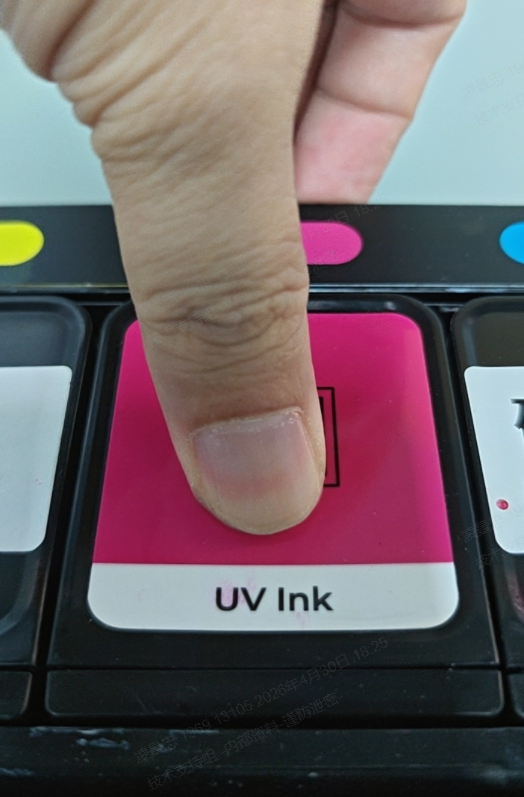
Small: One-hand press
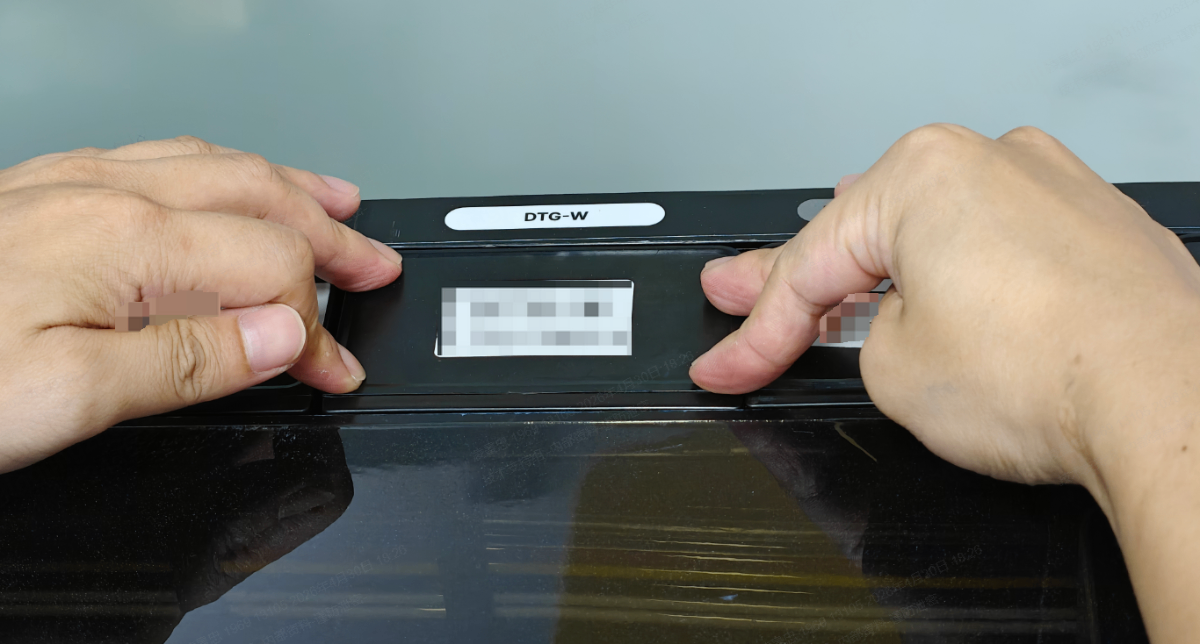 Large: Two-hand press
If all ink cartridges are installed properly but the issue persists, proceed to the next step.
Step 2: Submit a ticket
The issue may be caused by a pump failure, which prevents ink from flowing. Submit a ticket through the following link: https://support.xtool.com/submit-ticket, and inform customer support of this situation.
Still experiencing issues?
Should the issue persist after completing the preceding steps, submit a ticket via the "Submit a Ticket" button in the "Help Ticket" section below. The standard response time for xTool Customer Service is one business day.
For a prompt resolution, please include the following details:
- Issue description: A detailed explanation of the observed problem.
- Video evidence: Attach a video demonstrating the issue, where applicable.
- Troubleshooting performed: Any troubleshooting steps you have already attempted, along with their results.
This information is crucial for xTool technical support engineers to provide timely assistance.
Documentation feedback
Help improve this content by providing feedback. If this content did not meet your requirements, select "No" in the "Was this page helpful?" section below. Include specific details about what was unclear or missing in the pop-up suggestion box. Feedback submissions are reviewed by xTool technical writers to enhance future documentation.

