
Troubleshoot Abnormal Task Cancellation for xTool M2 CMYK Inkjet Module
Updated Aug 5,2026
Updated Aug 5,2026
Issue description
xTool software indicates "Task canceled" when you proceed to process a material with xTool M2 CMYK Inkjet Module, which stops the processing task.
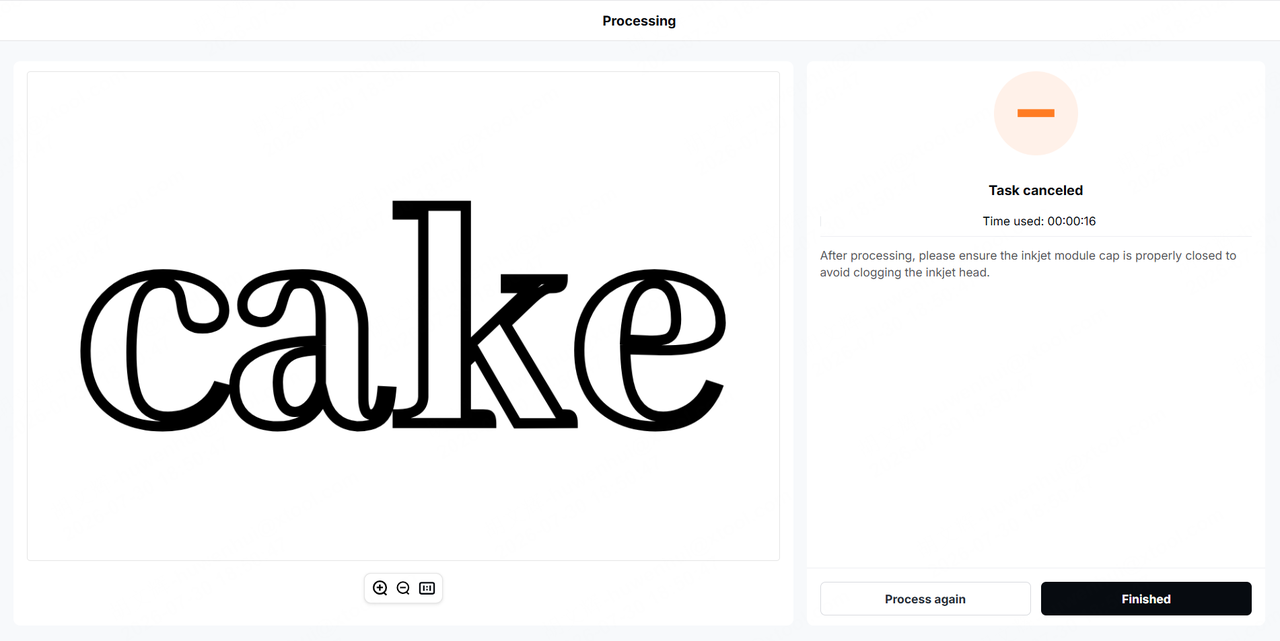
Possible causes
- Loose module connection cable
- Improper installation of the ink cartridge
- Inkjet module malfunction (main cause)
Troubleshooting procedure
Step 1: Reinstall the ink cartridge
- Turn off xTool M2.
- Remove the ink cartridge from the inkjet module.
- Check the metal contacts of the module and the cartridge for dirt, oxidation, or tape residue. If there is any, gently wipe them with a cotton swab or a clean and lint-free cloth slightly dampened with anhydrous alcohol, then wait until they are completely dry.
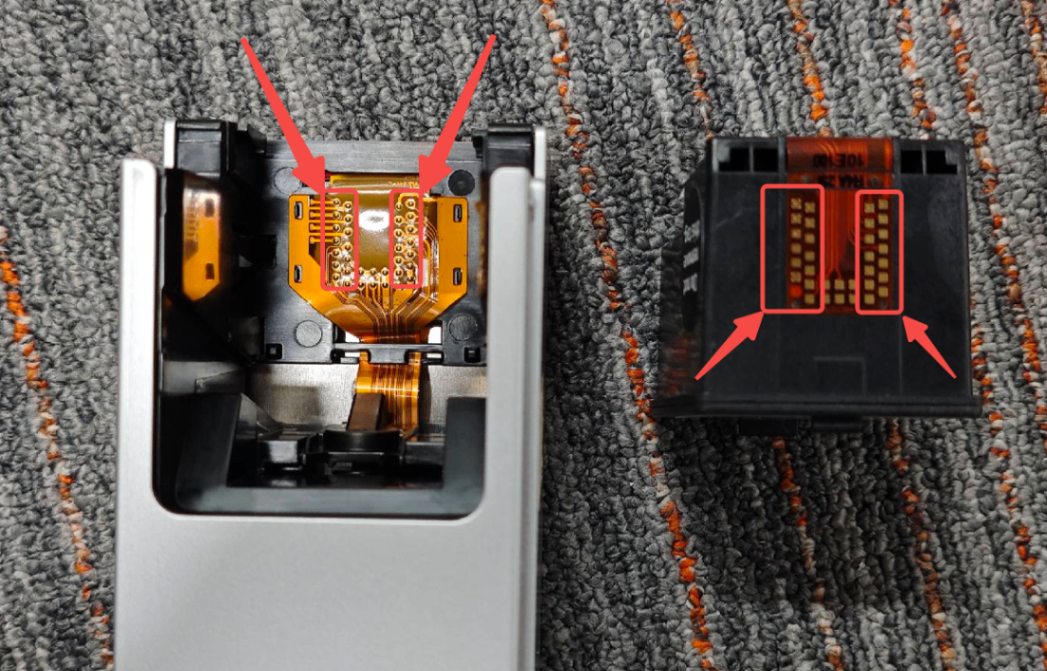
- Reinstall the ink cartridge into the inkjet module and ensure that it is securely seated.
- Turn on xTool M2 to run a print test.
Step 2: Check the connection between the inkjet module and xTool M2
- Unplug the module connection cable connecting the inkjet module and xTool M2. Then, check if the cable is damaged.
- If yes, replace the cable.
- If not, proceed to the next step.
- Replug in the cable and ensure it is well seated.
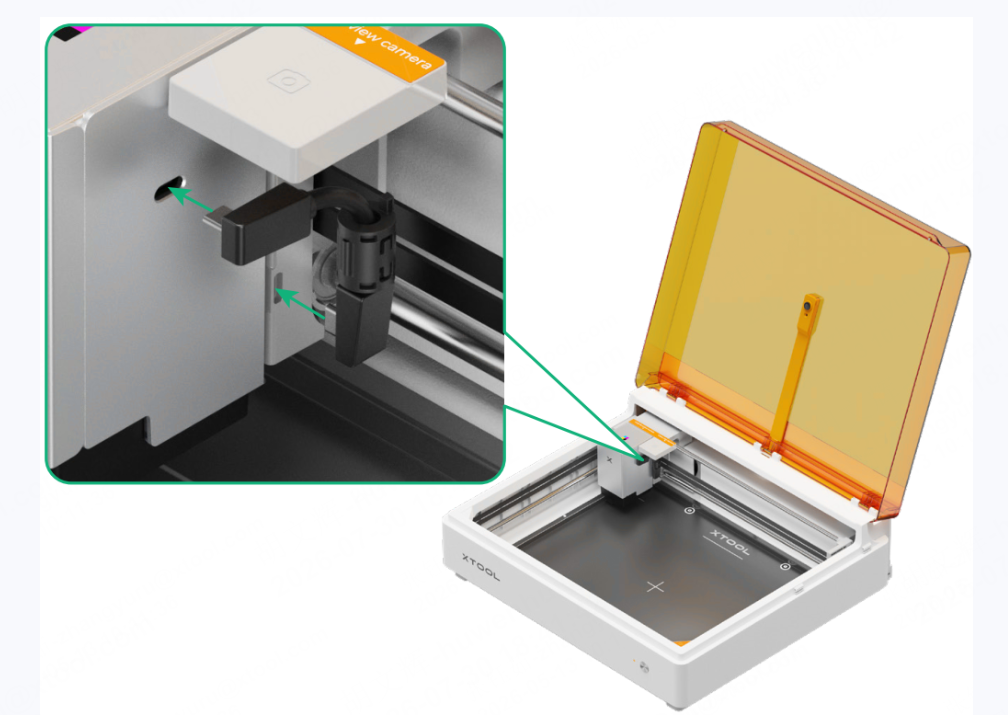
- Turn on xTool M2 and run a print test.
- Proceed to the next step if the issue persists.
Step 3: Contact xTool Support Team
If the issue persists after you perform the previous two steps, the inkjet module may malfunction. In this case, please contact xTool Support Team with the following information and request a new inkjet module:
- xTool M2 CMYK Inkjet Module SN (printed on the package box)
- Video of the whole troubleshooting process and results
- xTool software work log
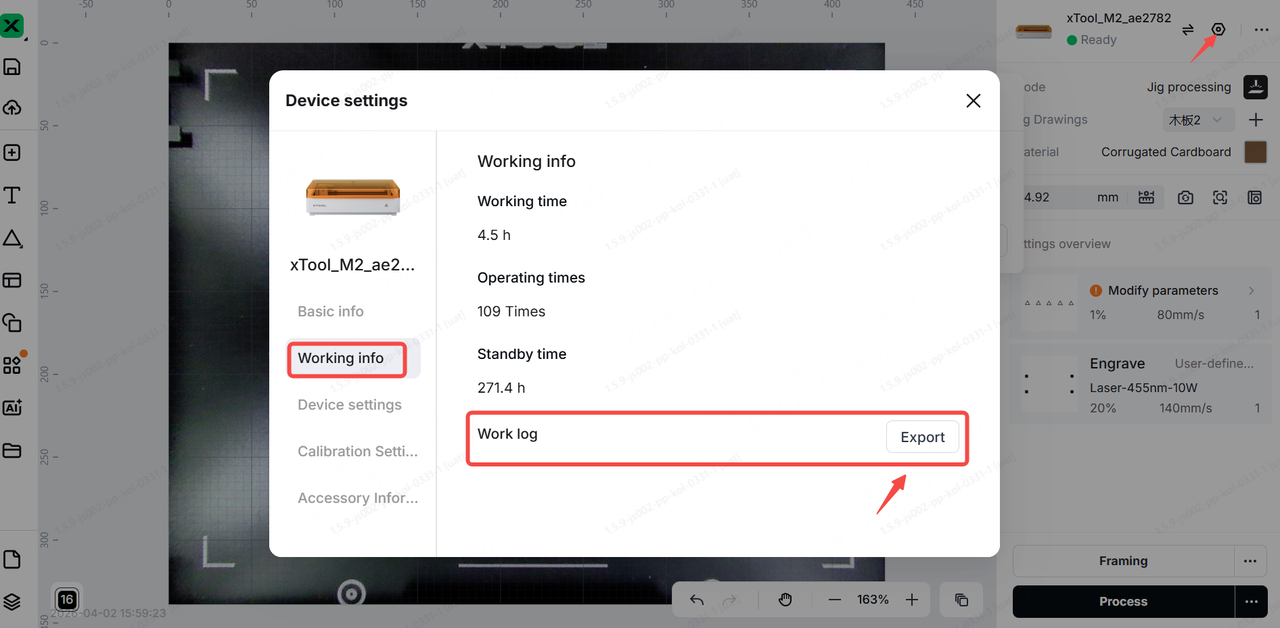
Still experiencing issues?
Should the issue persist after completing the preceding steps, submit a ticket via the "Submit a Ticket" button in the "Help Ticket" section below. The standard response time for xTool Customer Service is one business day.
For a prompt resolution, please include the following details:
- Issue description: A detailed explanation of the observed problem.
- Video evidence: Attach a video demonstrating the issue, where applicable.
- Troubleshooting performed: Any troubleshooting steps you have already attempted, along with their results.
This information is crucial for xTool technical support engineers to provide timely assistance.
Documentation feedback
Help improve this content by providing feedback. If this content did not meet your requirements, select "No" in the "Was this page helpful?" section below. Include specific details about what was unclear or missing in the pop-up suggestion box. Feedback submissions are reviewed by xTool technical writers to enhance future documentation.
Preview
Was this page helpful?
1 out of 1 found this helpful
Help Ticket
Use this help ticket to submit your issue. We will respond within 1 business day
Submit a Ticket 
