
xTool Studio Desktop V1.8 Release Notes
Updated Sep 10,2026
Updated Sep 10,2026
- Download link :
Windows Version macOS-Intel Version macOS-M Version
This release focuses on improving the first-time setup, printing stability, rotary attachment workflows, roll printing, and multi-device workflows for the O1 Omni Printer.
Key Updates
- Key update: Improved the first-time setup flow, including ink loading, white ink circulation, nozzle checks, and error handling.
- Improved full-wrap printing, white ink uniformity on tapered objects, and horizontal seam lines in roll printing.
- Improved rotary attachment leveling, height measurement, alignment, handle avoidance, and canvas size calculation.
- Enhanced calibration printing with more reliable cover-open pause, failure interruption, and error prompts.
- Enhanced multi-device workflows with support for more devices, size validation, manual alignment, and device assignment guidance.
- Added alerts for consumable issues, maintenance fluid switching, and UV/DTG protection.
- Support multi-device workflow — print-then-cut between the O1 and P2, P2S, and M2
General
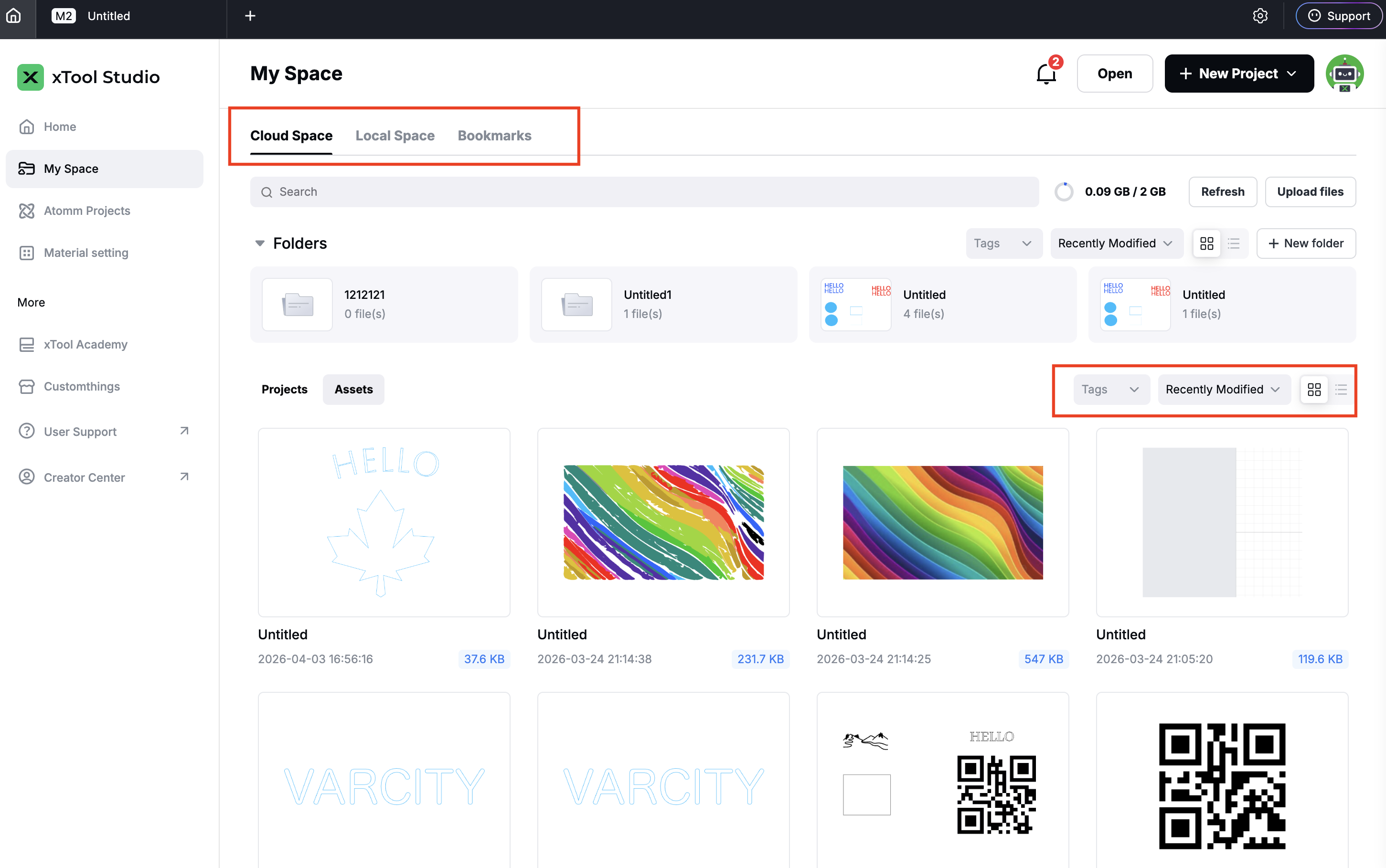
- Upgrade My Space with the new Local Space, quickly manage local projects and assets, all unified with your cloud files and favorites in one place.
- Add Local Space to manage files on your local disk directly in Studio, without moving or copying the originals
- Add asset detail pages with custom covers, tags, and descriptions
- Add more filters — machine model, material, source, and tags — to find assets faster
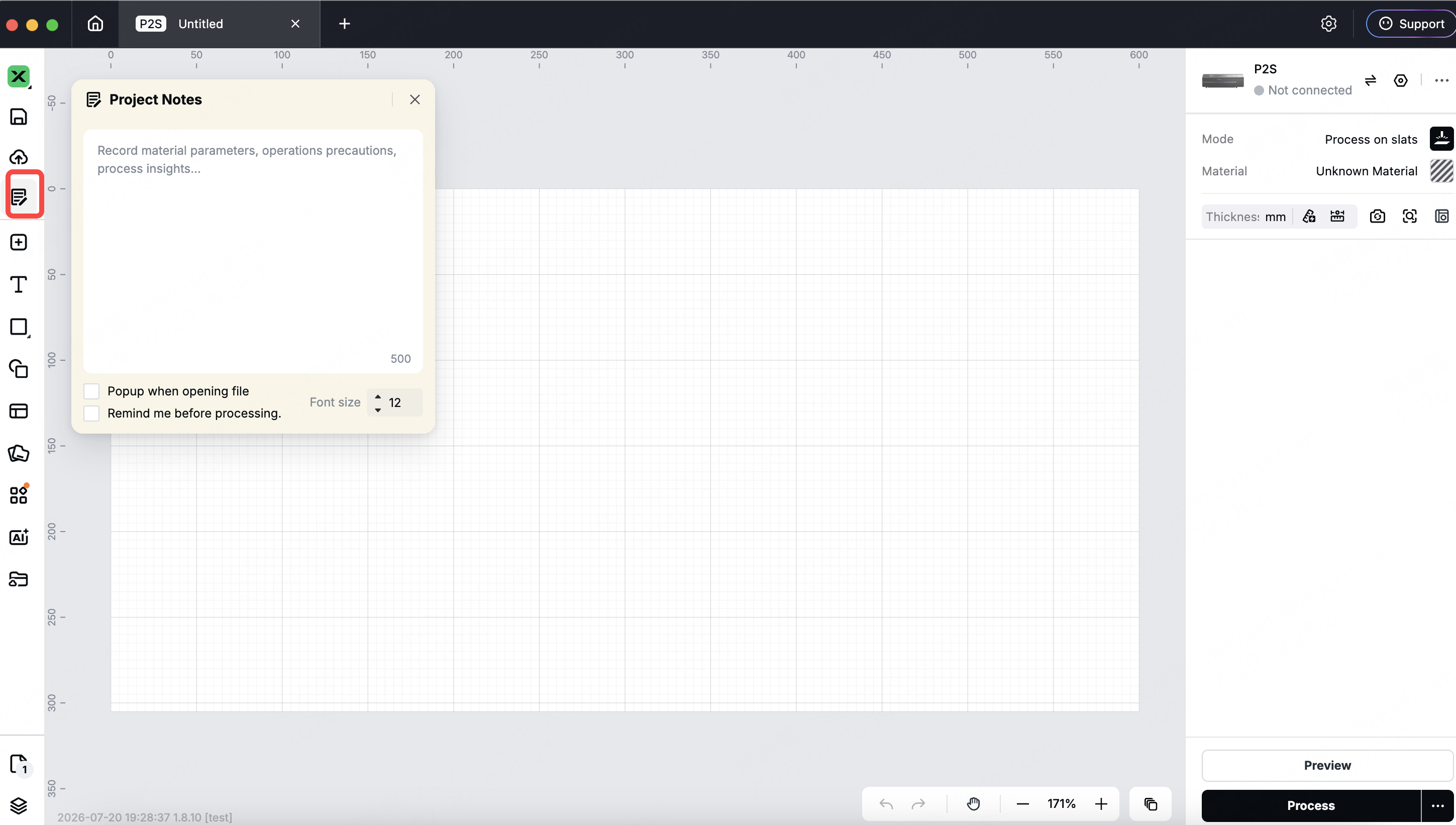
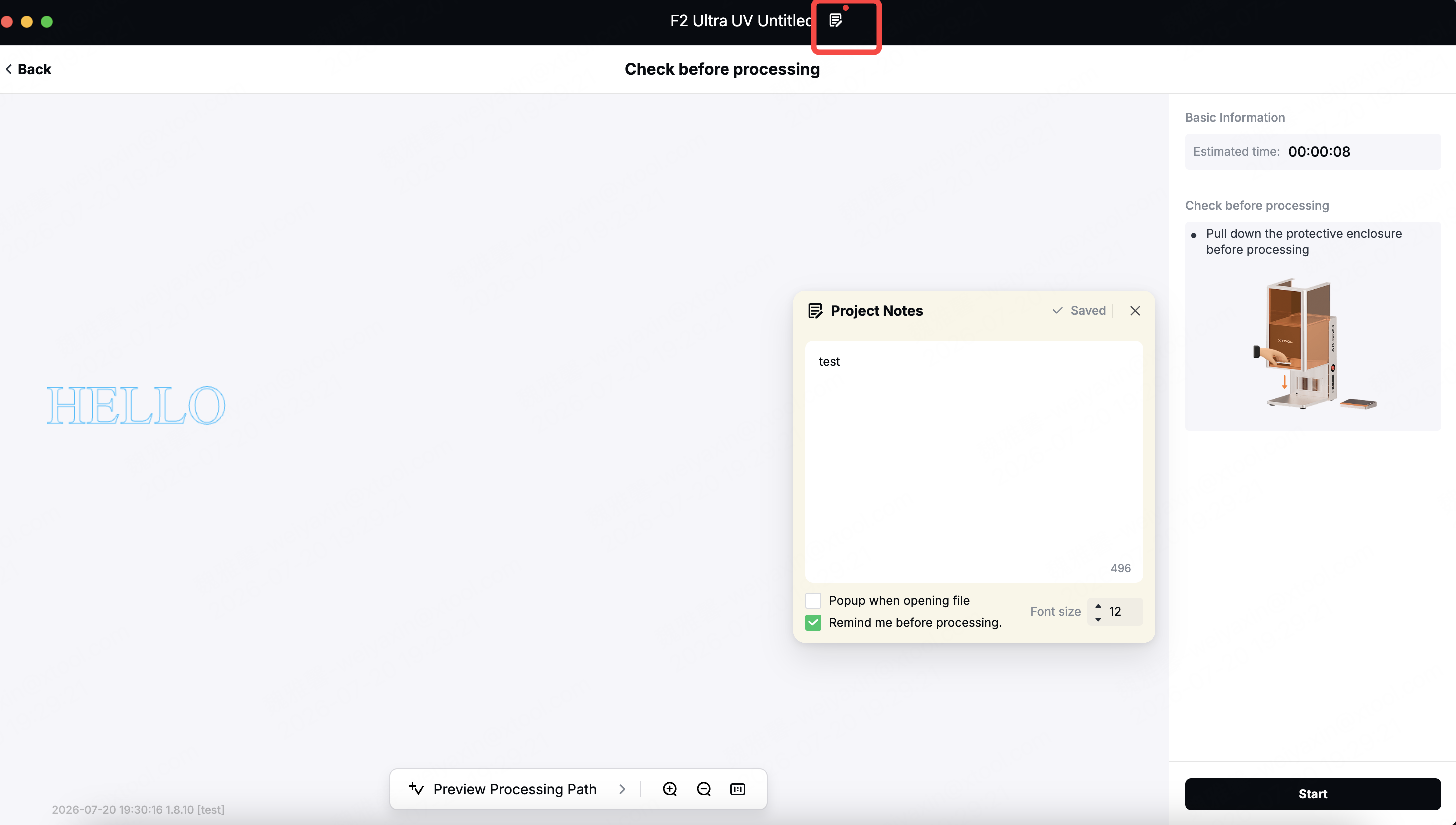
- Add Project Notes: jot down operating tips or cautions on the fly, saved together with the project.
- Create, view, or edit project notes on either the editor page or the processing page.
- Set an automatic reminder to appear the next time the file is opened or before processing.
Editor
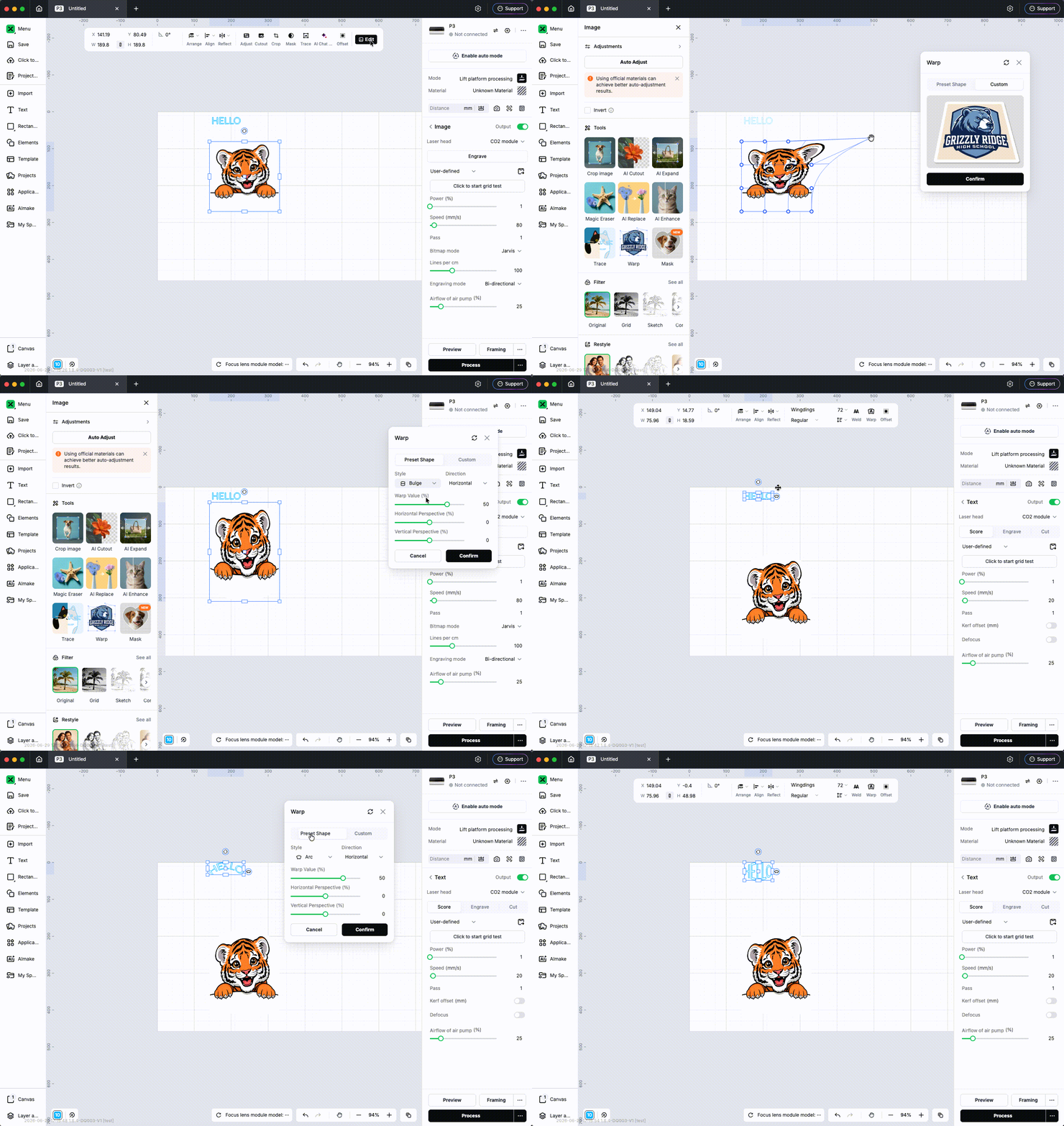
- Add Warp to bend, arch, distort, and apply perspective to text and images using preset shapes or custom parameters.
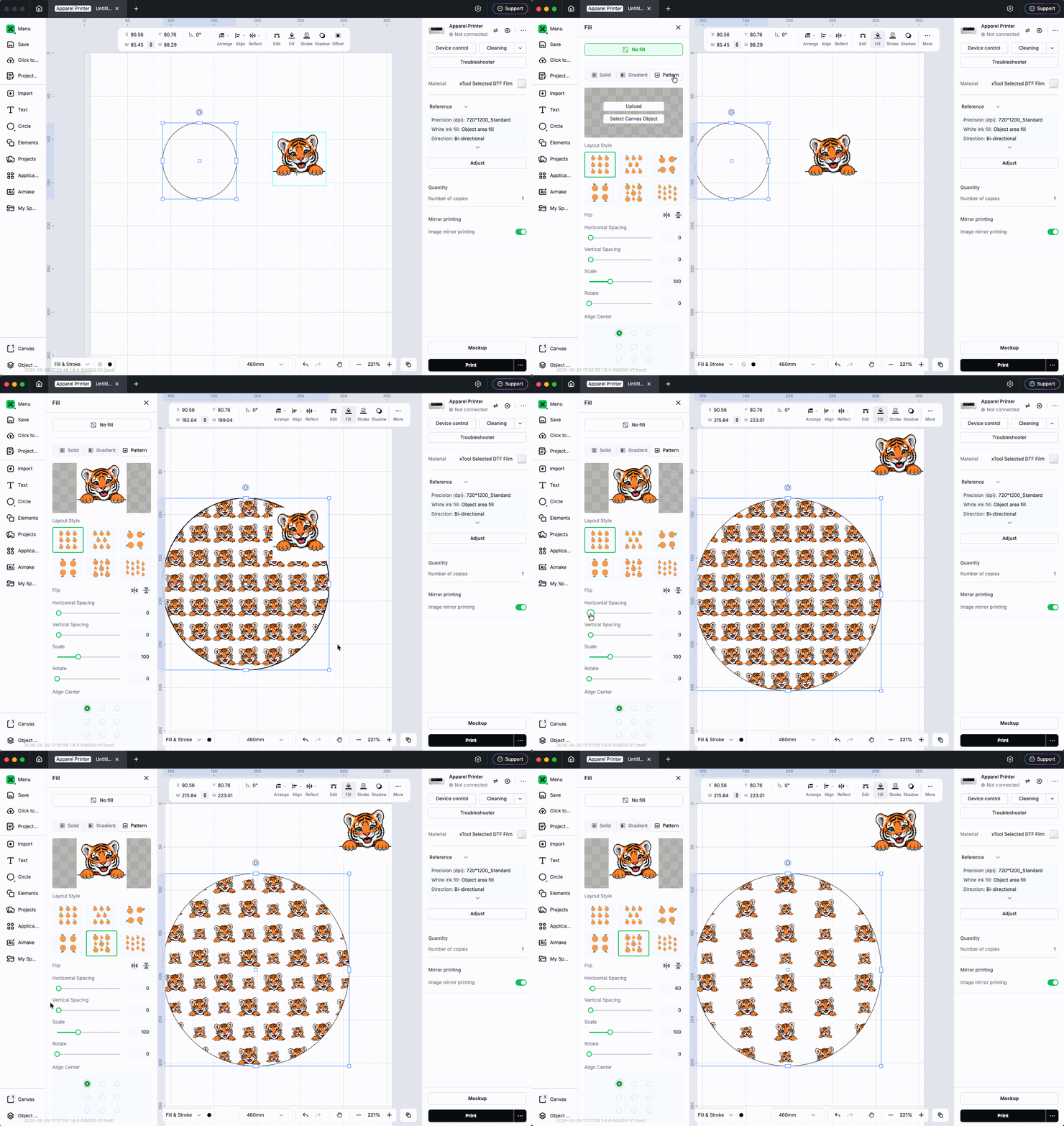
- Add Pattern Fill to fill shapes with image patterns in multiple layouts. (Available on Apparel Printer and M2 only)
- Support auto tiling, spacing adjustment, and scale adaptation so patterns fit naturally within the target area
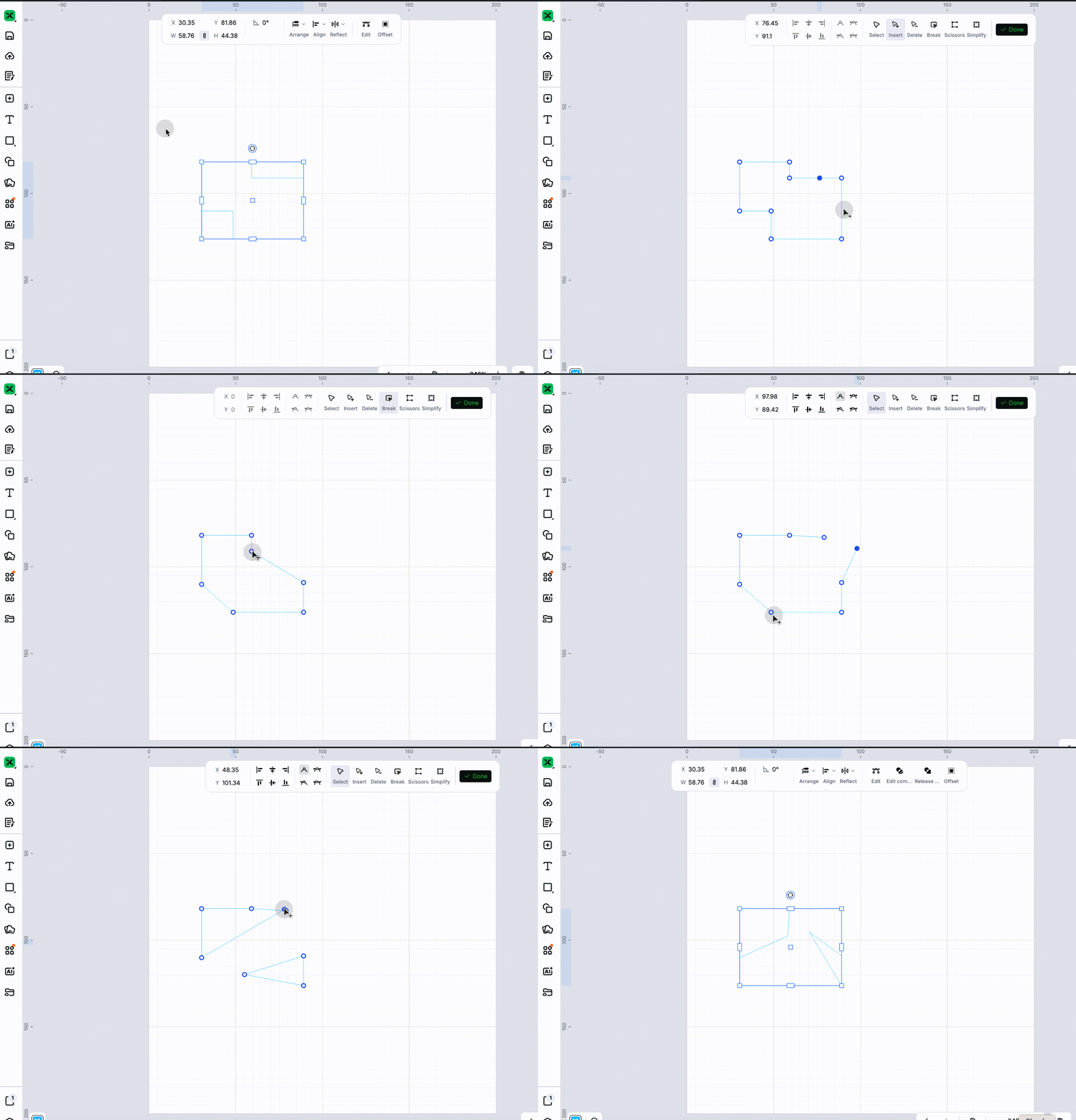
- Revamp node editing tools for faster path editing.
- Add four dedicated tools: Select, Add, Delete, and Break
- Drag a segment directly to bend a straight line into a Bezier curve
- Support snap-merging any endpoints within a compound path and snapping along paths
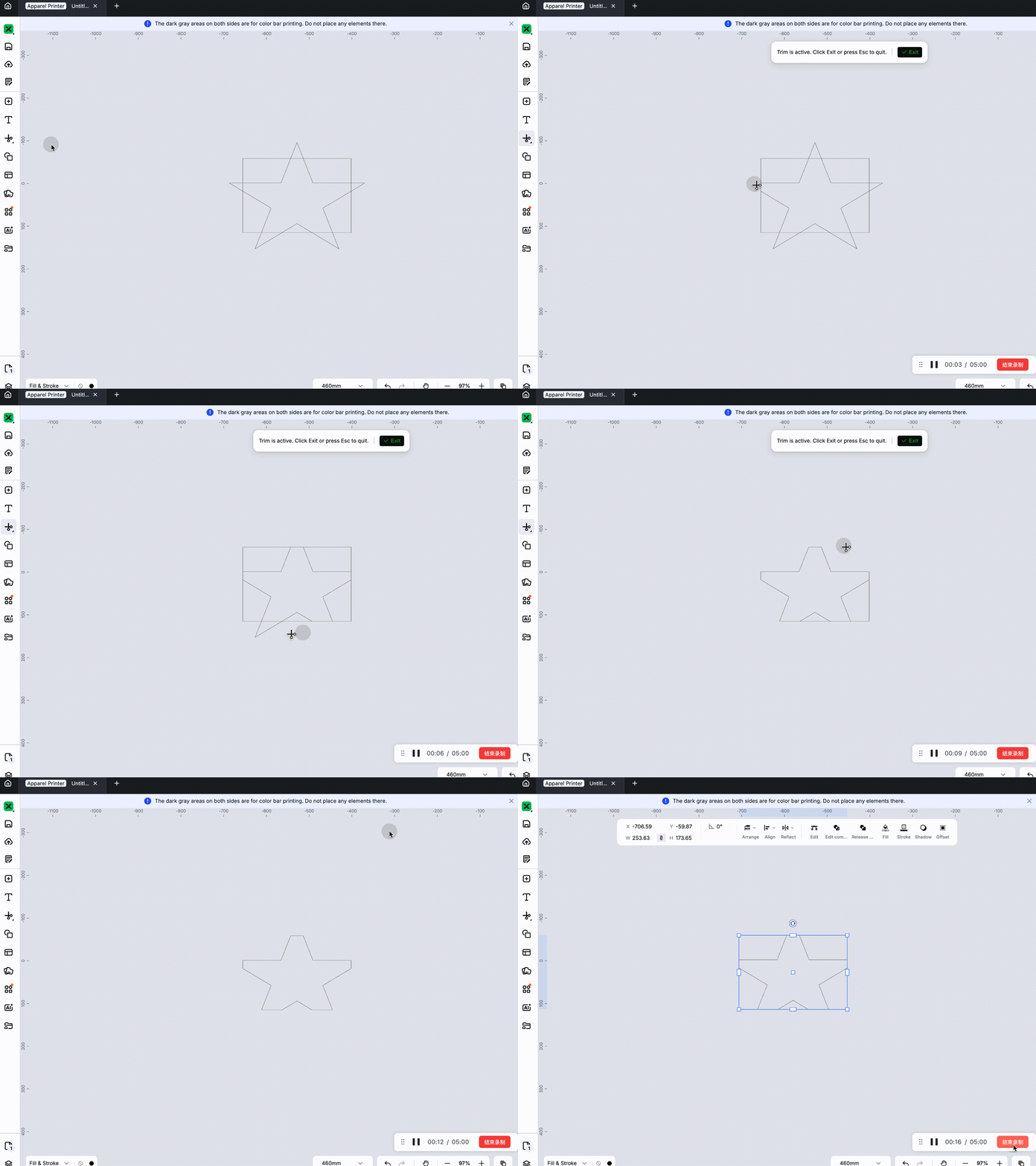
- Add a segment trim tool to quickly clean up extra segments between crossing paths.
- Supports converting objects into variables, allowing them to use values from a spreadsheet for batch production of different designs. The spreadsheet can be edited in multiple ways, including automatically generating sequences with prefixes and suffixes, converting data into QR codes or barcodes, and importing data from external Excel or CSV files based on column headers. It also supports controlling the batch production process and previewing the output of the current batch.

- Optimize the canvas user experience
- When moving, rotating, or resizing an object on the canvas, it becomes semi-transparent, making it easier to align with the background beneath it.
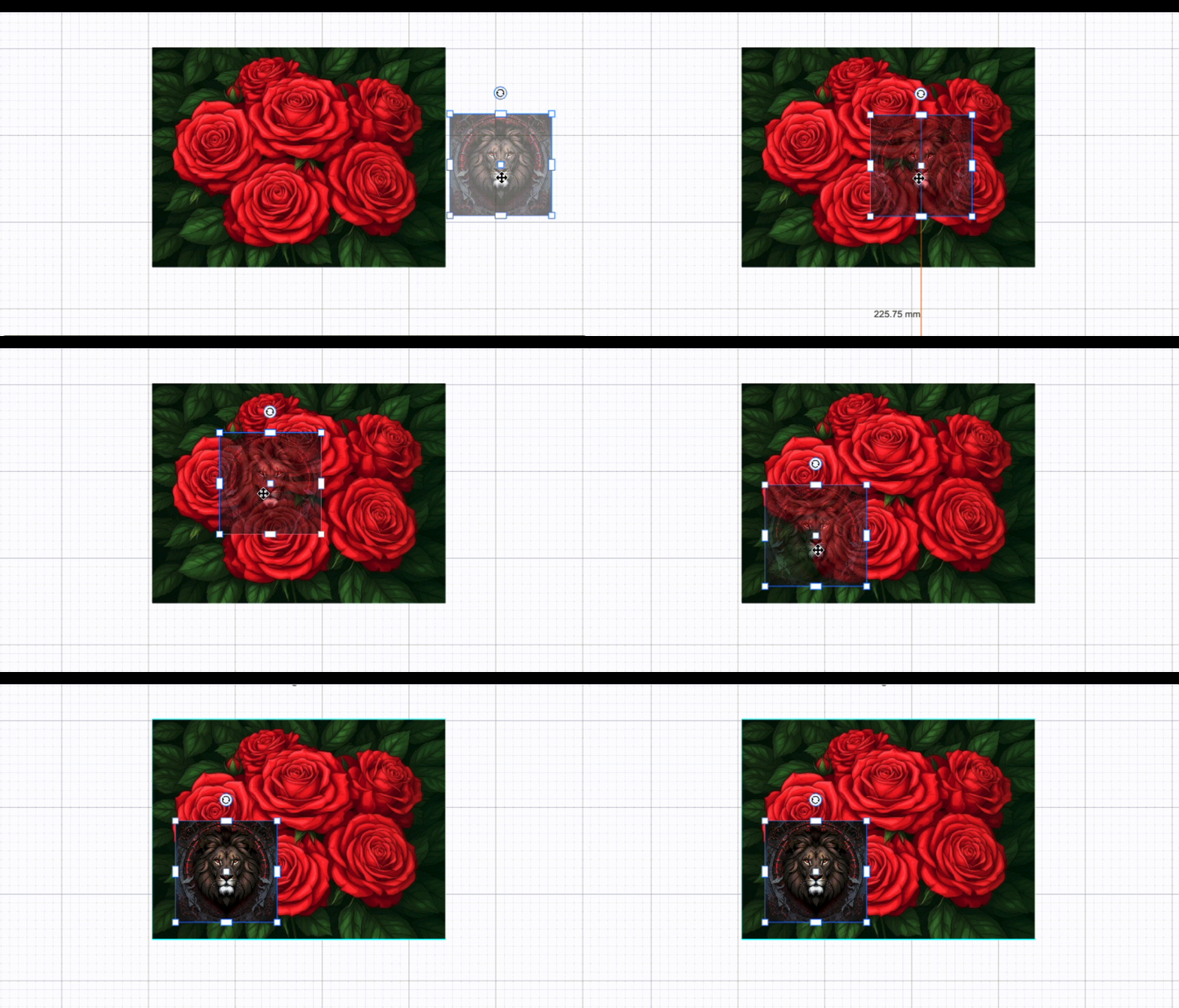
- Adds snapping when resizing objects on the canvas.
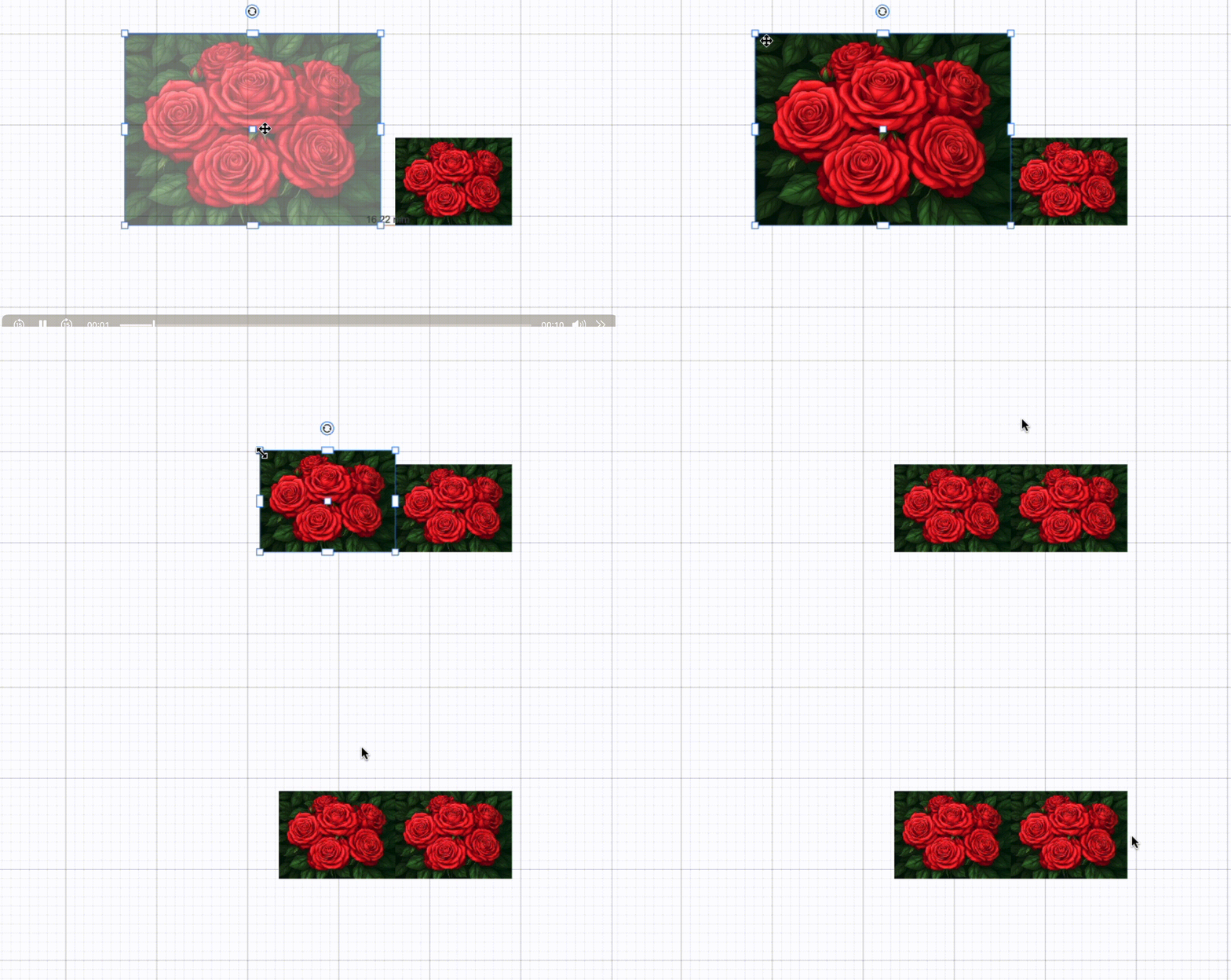
- When moving, rotating, or resizing an object on the canvas, it becomes semi-transparent, making it easier to align with the background beneath it.
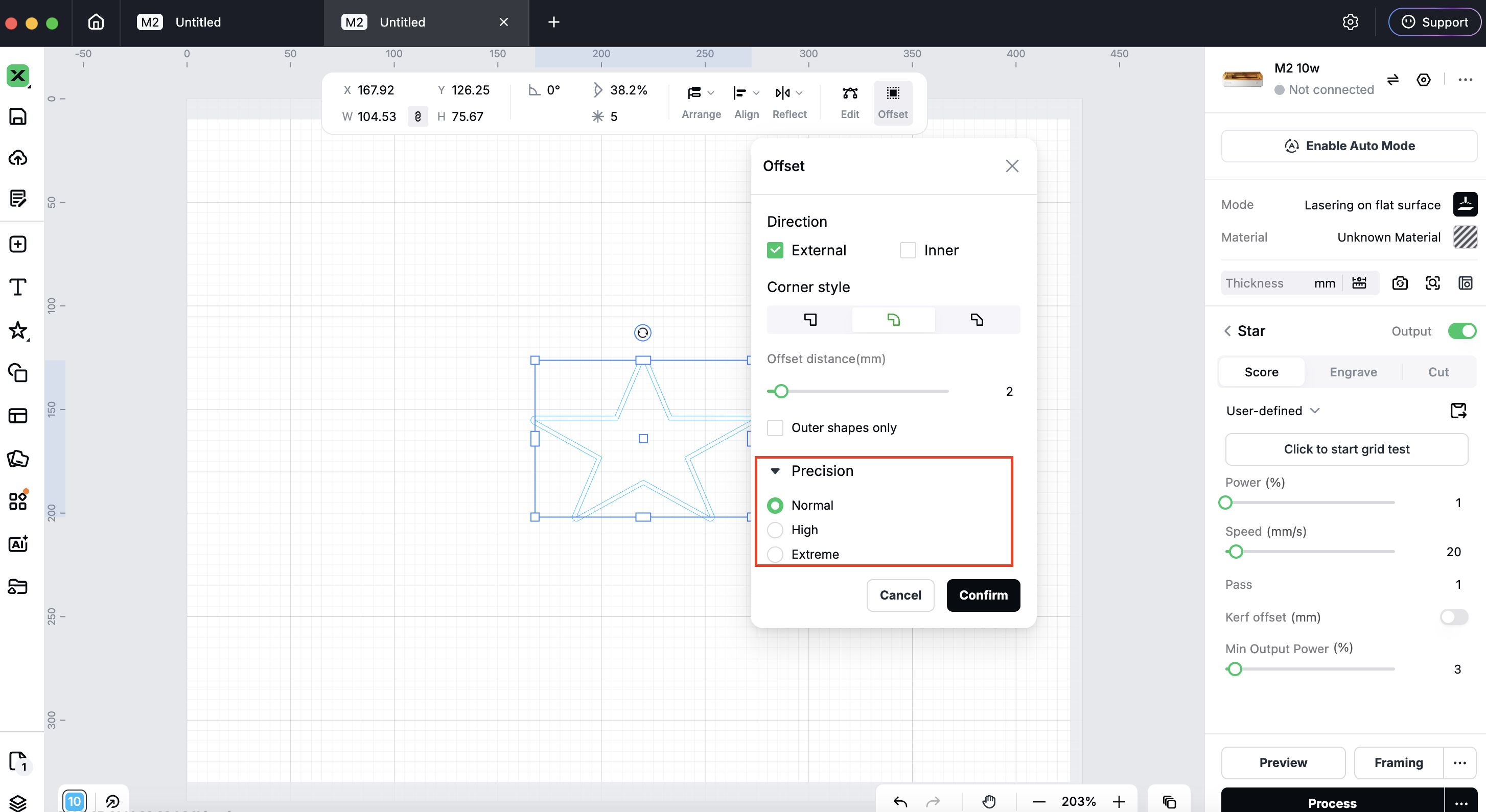
- Improve Offset - add an adjustable precision option.
- Choose Normal, High, or Very High to balance processing speed against contour detail
Material Parameters
- Material parameters now support local storage and offline use.
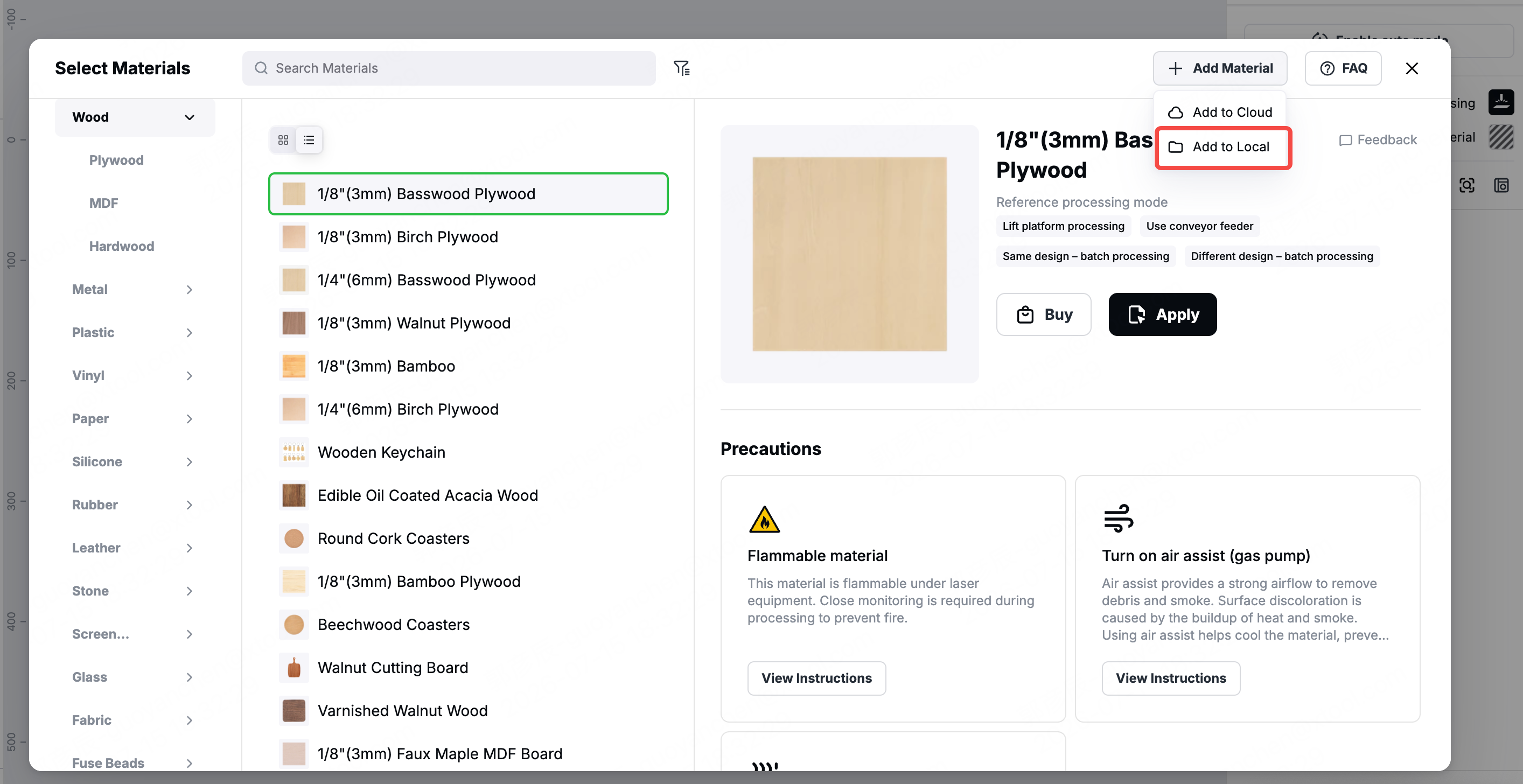
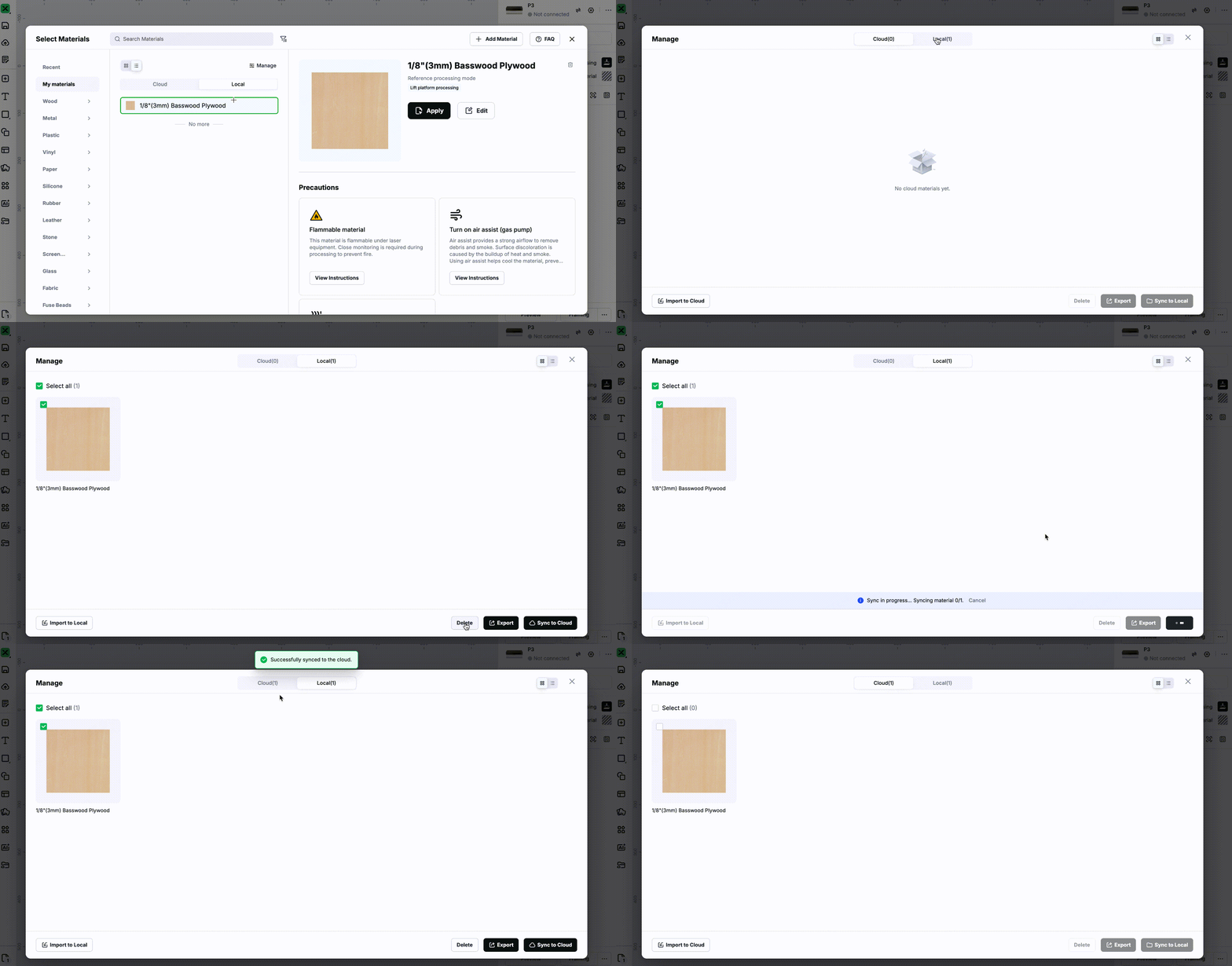
- Enhanced Material Management: Two-way sync between local and cloud material parameters, plus import, export, and batch deletion. Export now supports the
.mxsformat, including parameter settings and associated processing result images.
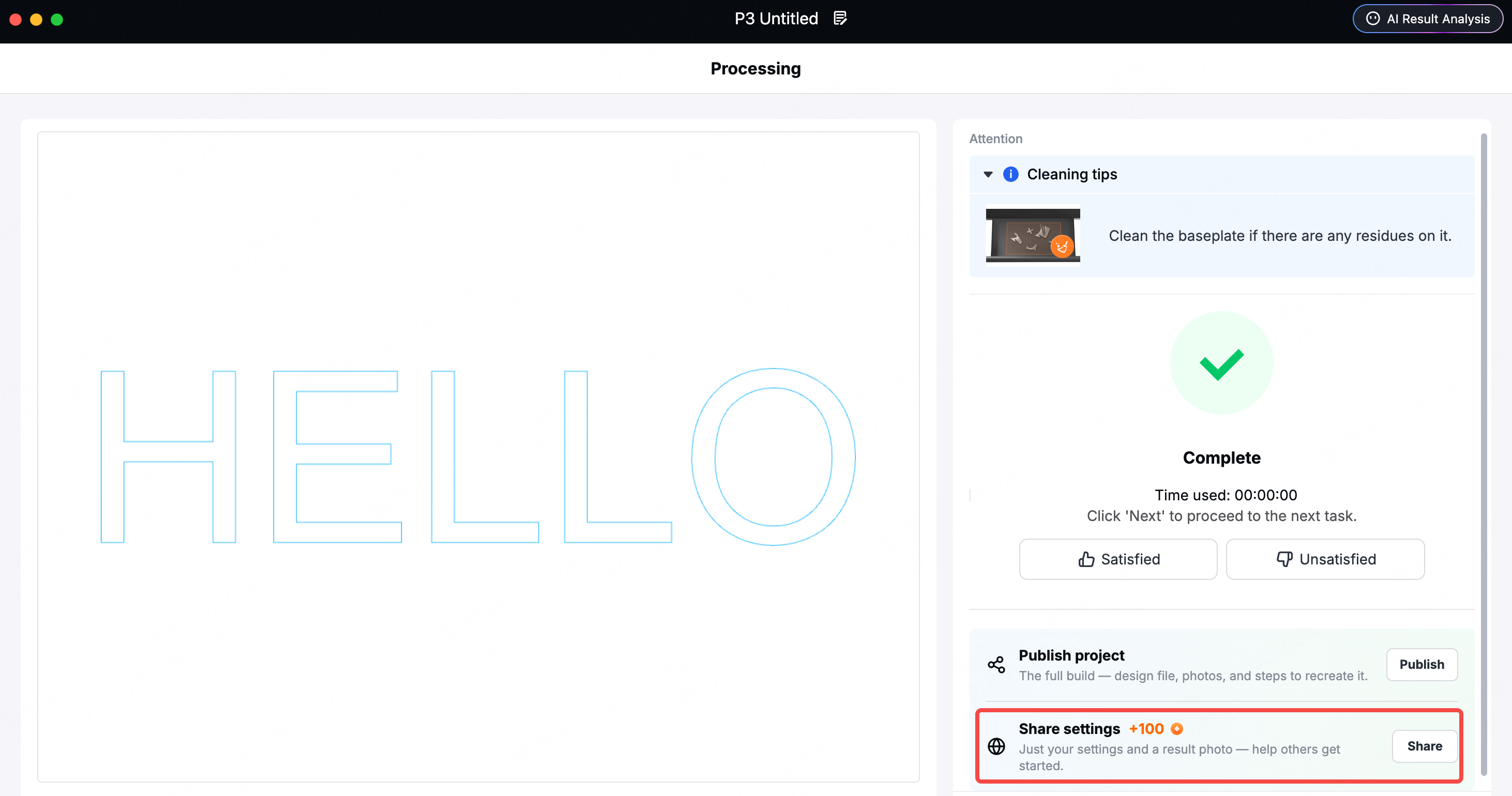
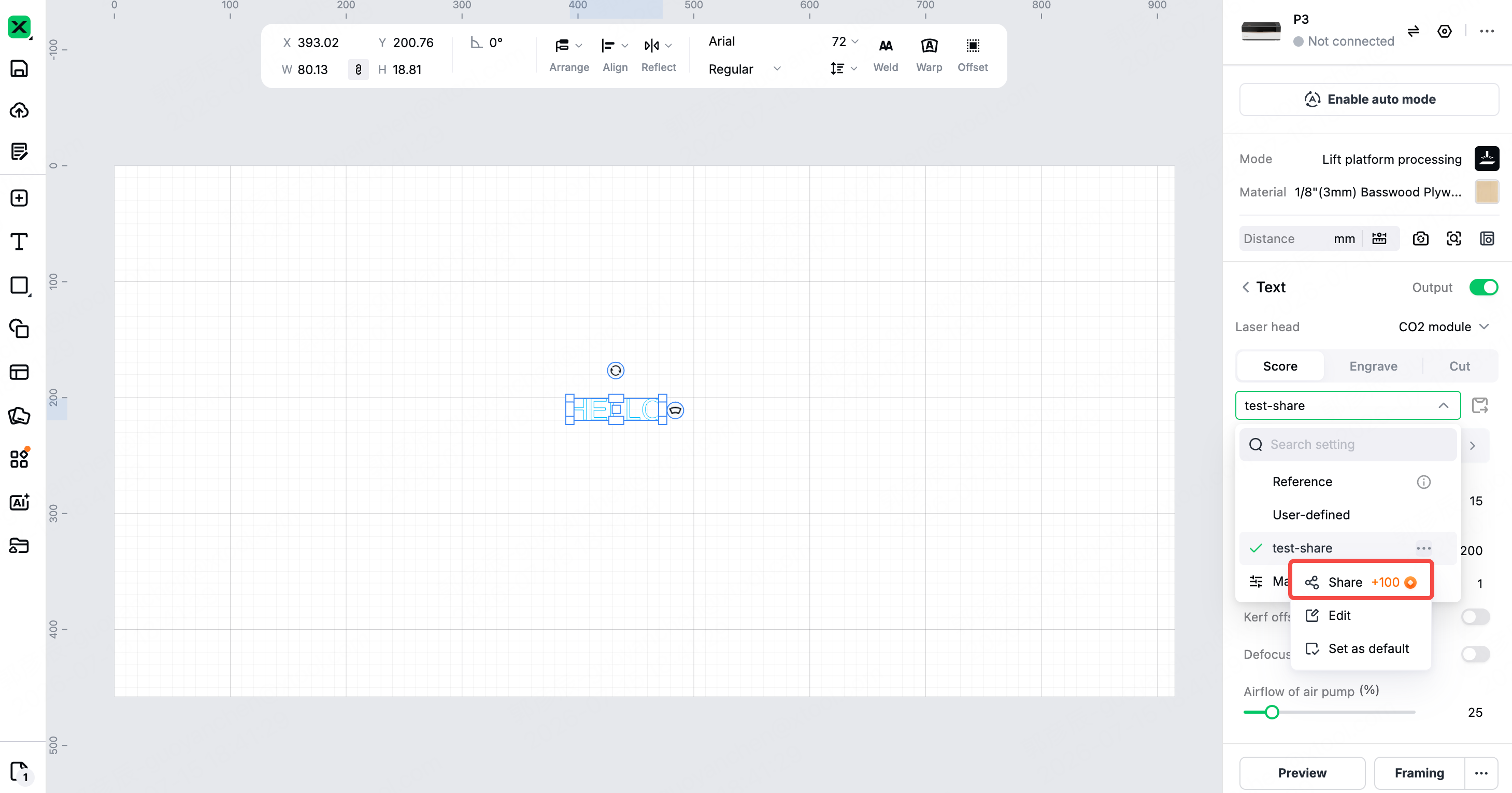
- New Material Parameter Sharing: Share saved parameter settings or the settings used for completed jobs. Featured shares may appear in the Material Parameters section on the Home page for other users to explore and use.
Devices
Preview
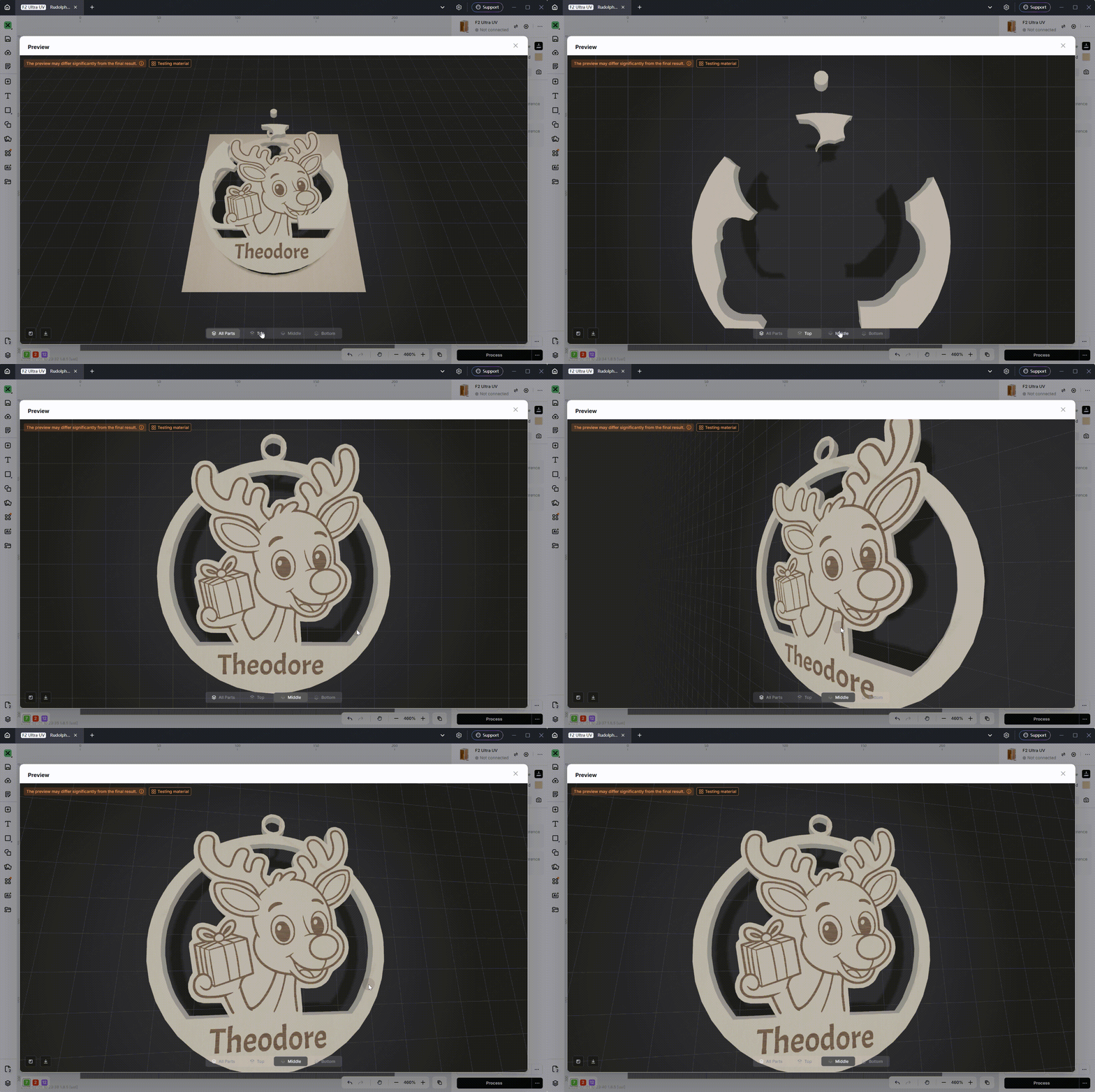
- Flat Preview Fully Optimized: Cutting now consistently shows the actual cut-through result. With the new Layer Selector and Exploded View, even complex designs can be viewed clearly layer by layer. Material preview now includes thickness data with streamlined prompts, helping you set more accurate processing expectations.
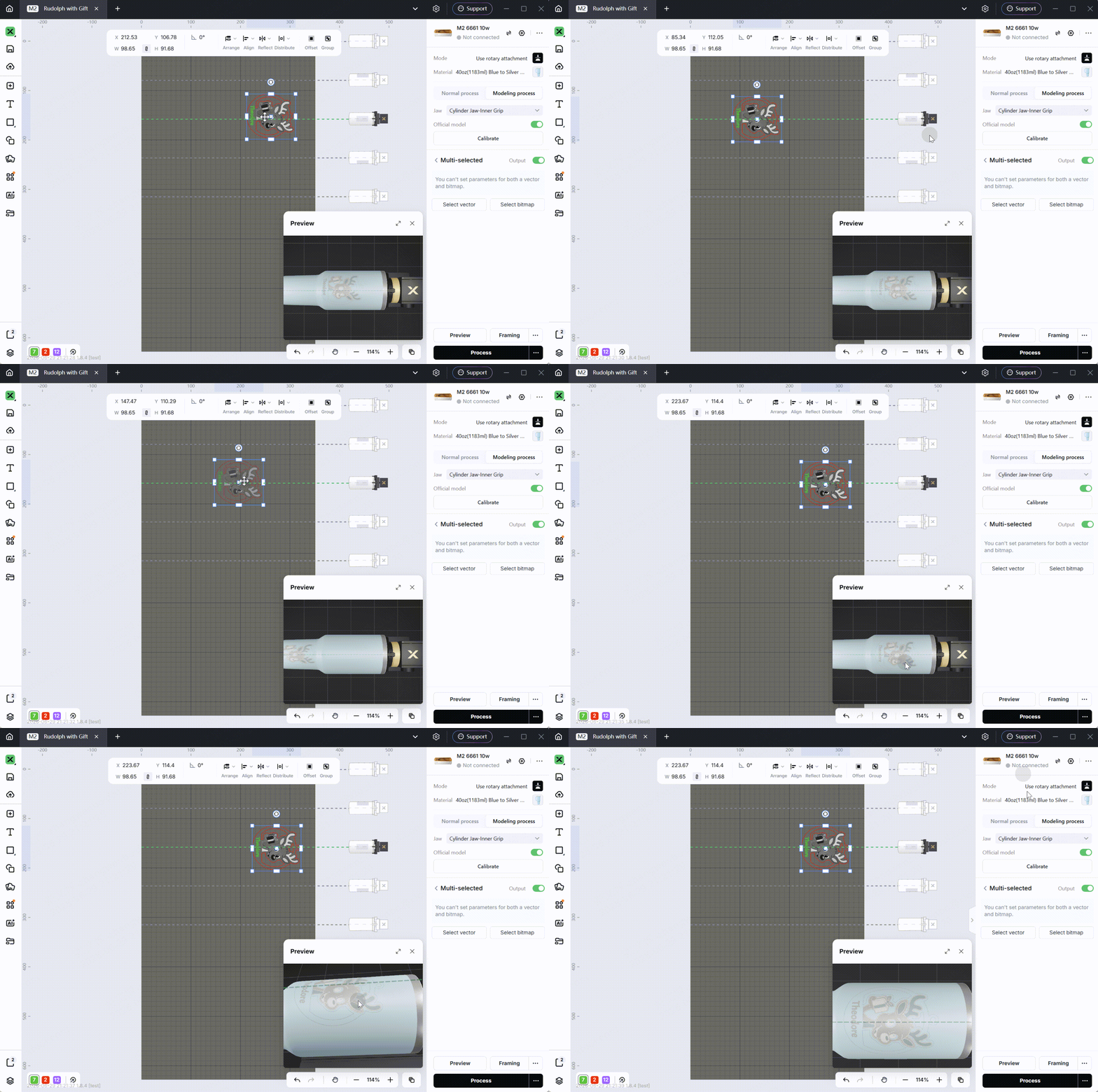
- Real-Time Mini-Window for Rotary Processing: When editing with the RA3 rotary attachment on P3 and M2 (in automatic modeling mode), you can preview the design's position on the object's surface in real time. Complete with a centerline guide and accessory rendering, alignment reference is easier than ever.
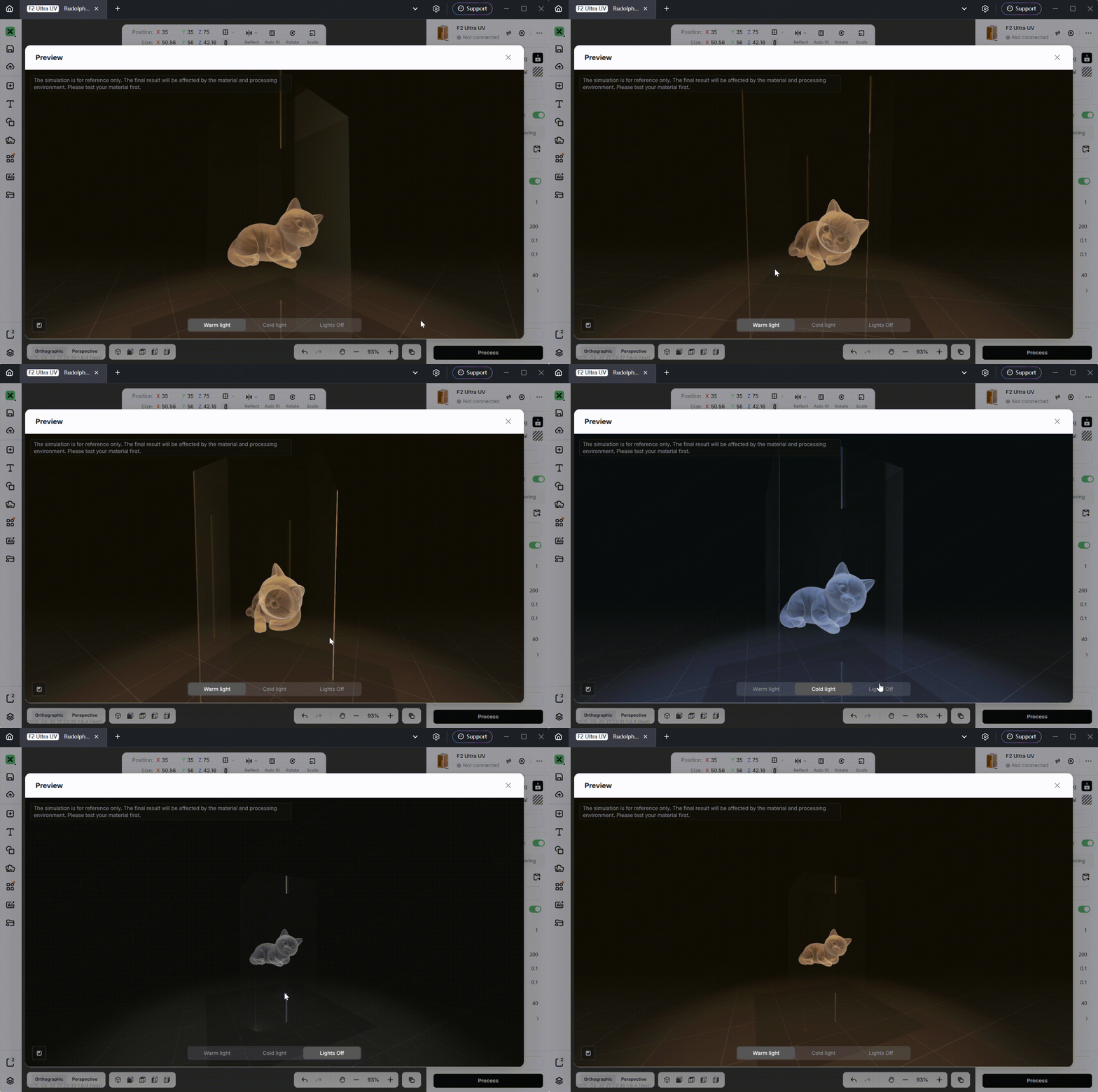
- Enhanced Glass Inner Engraving Preview: Features highly realistic glass material and lighting rendering. The engraved point cloud is presented inside a translucent glass body with accurate highlights and refraction. By switching between warm light, cold light, and lights-off modes, you can easily preview the finished texture and lighting aesthetics before processing.
M2
- M2 supports one‑click cutting contour generation and allows secondary editing of the generated contours. In the “Print & Cut” mode, you can instantly assign cutting contours to images (both bitmaps and vector graphics), with support for various contour shapes such as irregular, rectangular, circular, and heart‑shaped; all contours remain editable after generation.
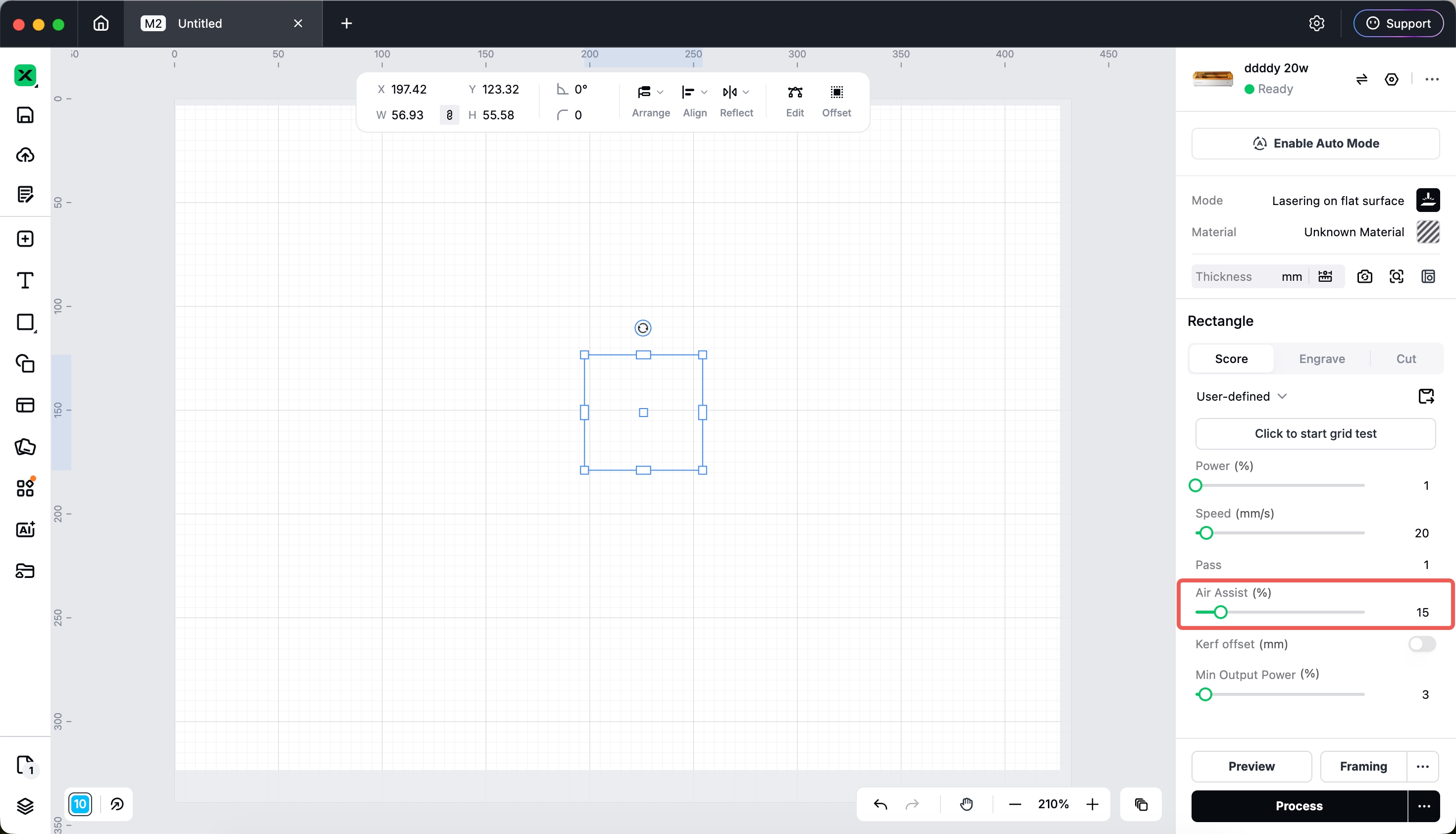
- The air pump flow settings in M2 have been relocated to the parameter panel, allowing airflow to be configured per machining element.(Firmware must be upgraded to version 40.141.010.3 or later)
F2
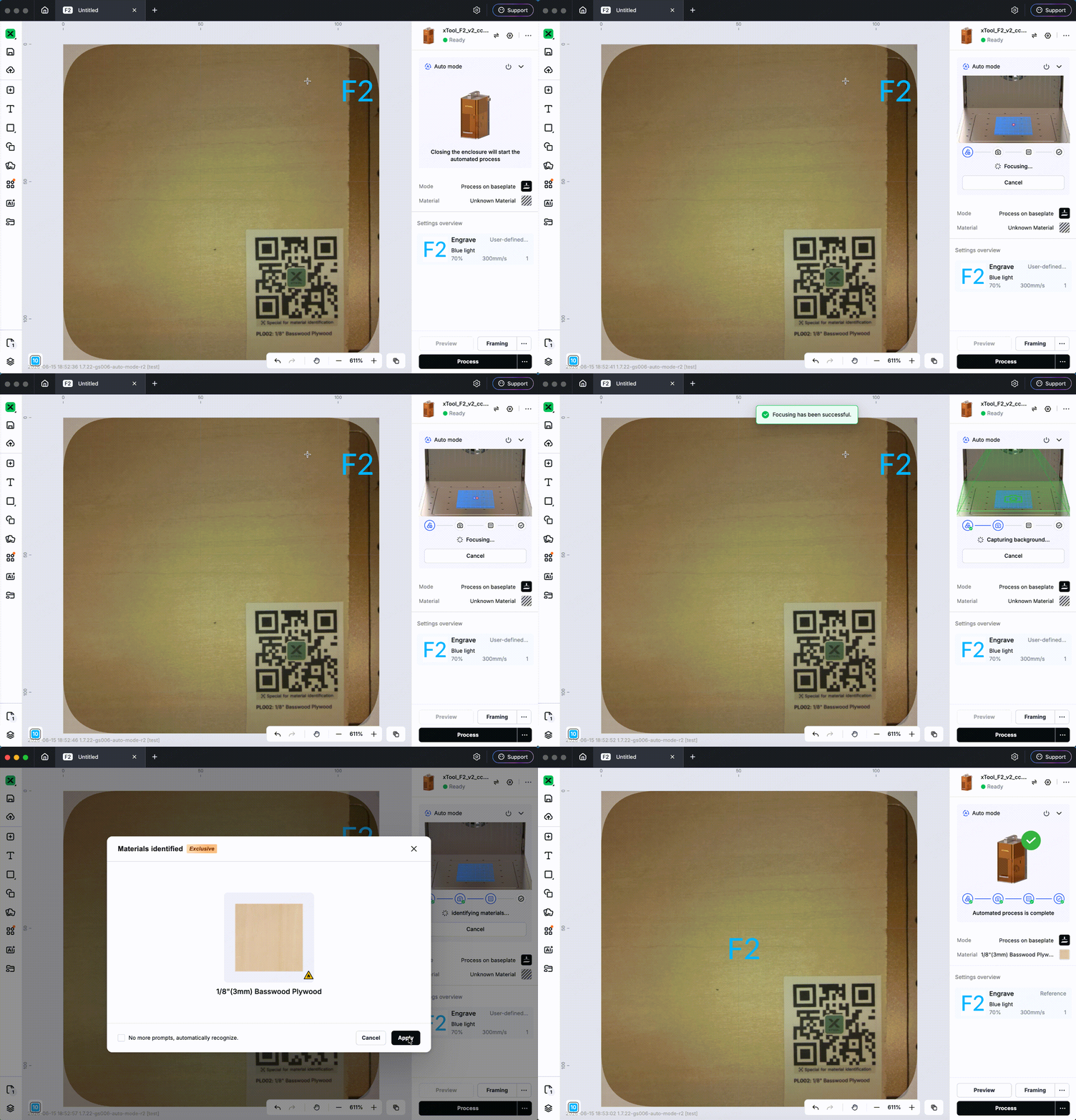
- F2 now supports Auto Mode — close the lid and the machine auto-focuses, refreshes the background, recognizes the material QR code, and centers your canvas elements within the material outline. Truly place-and-create. (Requires firmware v024 or above.)
P3
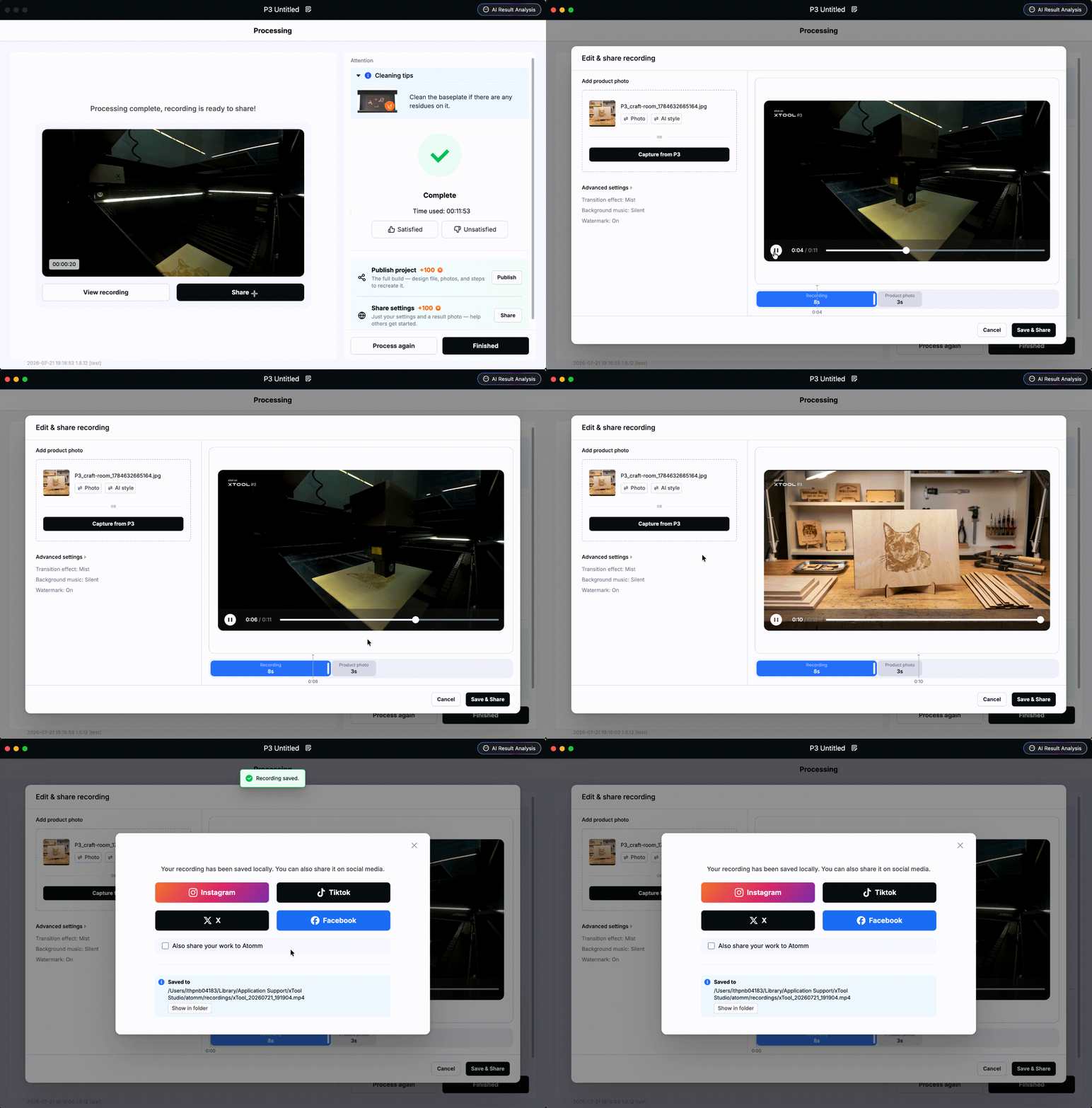
- Support one-click video editing & sharing - When a P3 recording is longer than 10 minutes, you can trim and share the processing video after the job is finished. Adjust the video length, capture product photos with the P3's built-in camera, enhance them with AI, and share them to platforms such as Facebook and Instagram.
- Supports Print & Cut workflows pairing the O1 with the P3, S1, or M1 Ultra: create your design in Step 1, then connect the corresponding device in Step 2 and Step 3 to print and cut respectively. With our unique printed registration marks, you can quickly align the cutting outline either automatically or manually.

Support New Device
- Supports the all-new apparel printer: xTool Apparel Printer Plus
- Supports the all-new multifunction printer: xTool O1 Omni Printer
Bug Fixes
- Fixed a crash when extracting contours in certain cases
- Fixed a processing-mode mismatch when importing Keychain Generator designs into Studio
- Fixed slow file transfer on the Apparel Printer in certain cases
- Fixed slow estimated-time generation for certain files
- Fixed other known issues
Preview
Was this page helpful?
139 out of 140 found this helpful
Help Ticket
Use this help ticket to submit your issue. We will respond within 1 business day
Submit a Ticket 
