
Issue description
During glass inner engraving, factors such as material properties, device settings, and environmental conditions may cause unexpected results. To help you quickly identify the cause and improve engraving quality, we have compiled a collection of common result anomalies.
Compare your finished product with the examples below. If you find a similar issue, follow the recommended solution to adjust the parameters or verify that the glass material is suitable for inner engraving to achieve optimal engraving quality.
Example 1
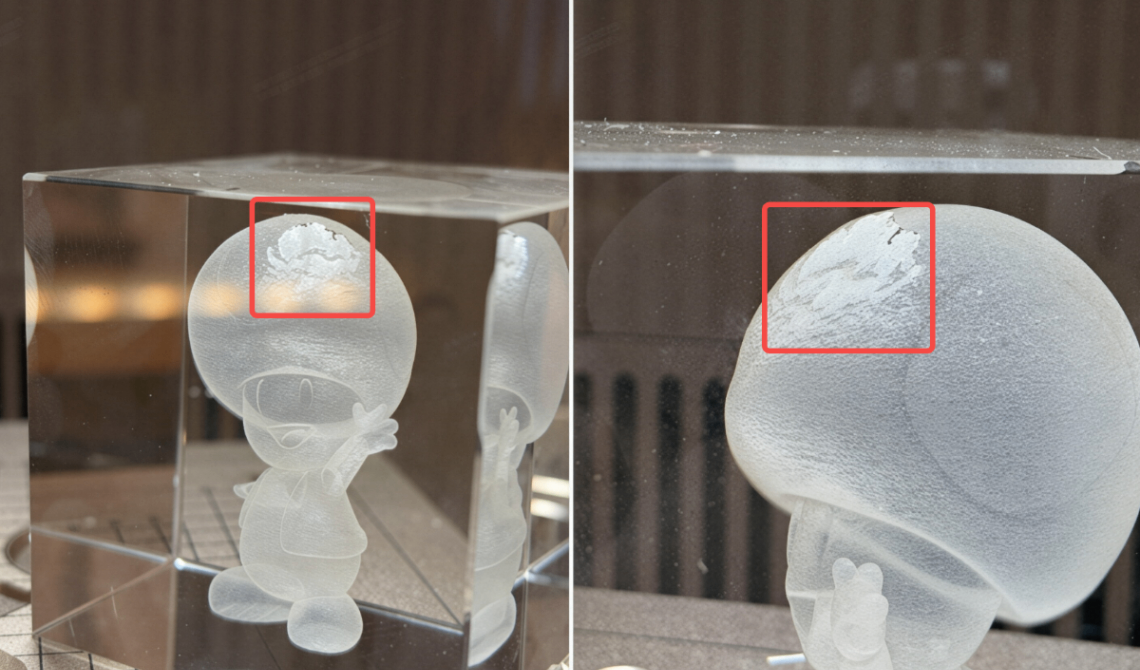
When using xTool F2 Ultra UV for glass inner engraving, the engraved image may appear broken, misaligned, or layered, as shown below.
Solution
This issue is caused by excessive laser power. Reduce the laser power by about 5% and try again. If necessary, continue lowering the power gradually until the desired engraving result is achieved.
Example 2
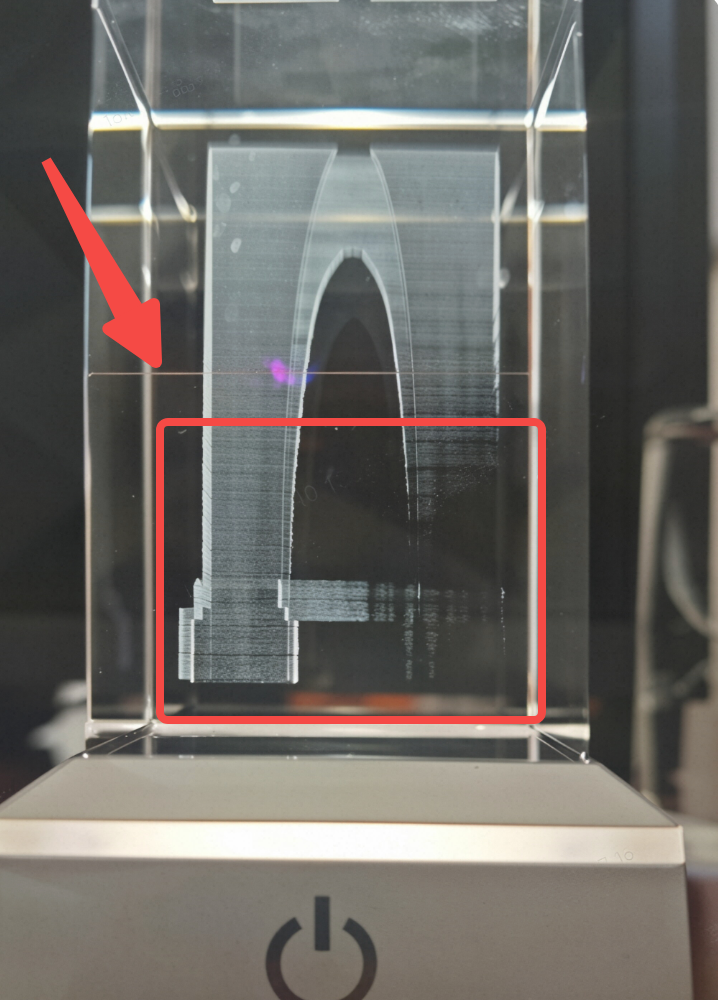
The lower portion of the inner engraving may appear faint or show no visible engraving marks, as shown below.
Solution
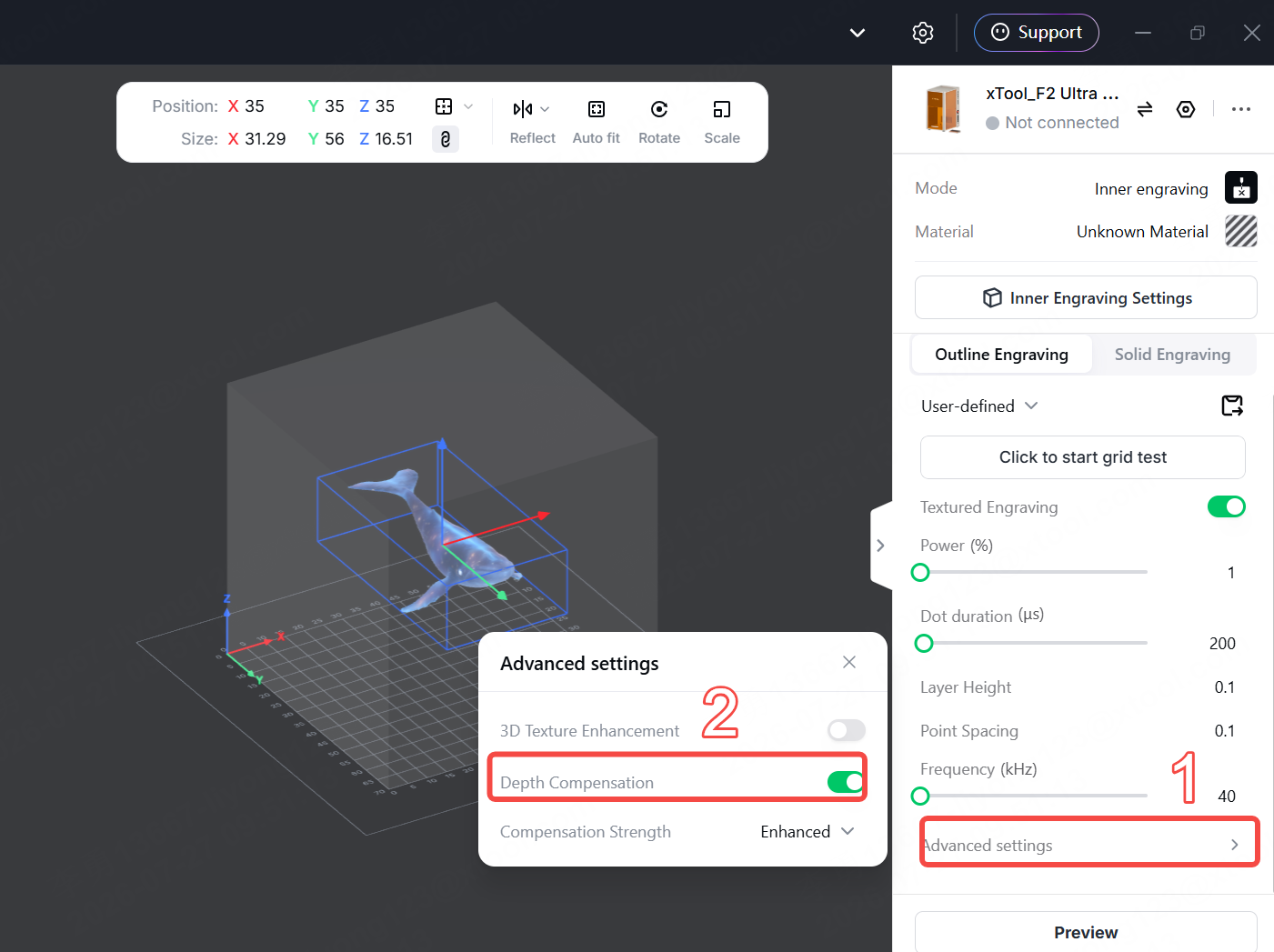
Update xTool Studio to version V1.8 or later, and enable the Depth Compensation feature in Advanced settings (as shown below). If the issue persists, gradually increase the power until the desired result is achieved.
Example 3
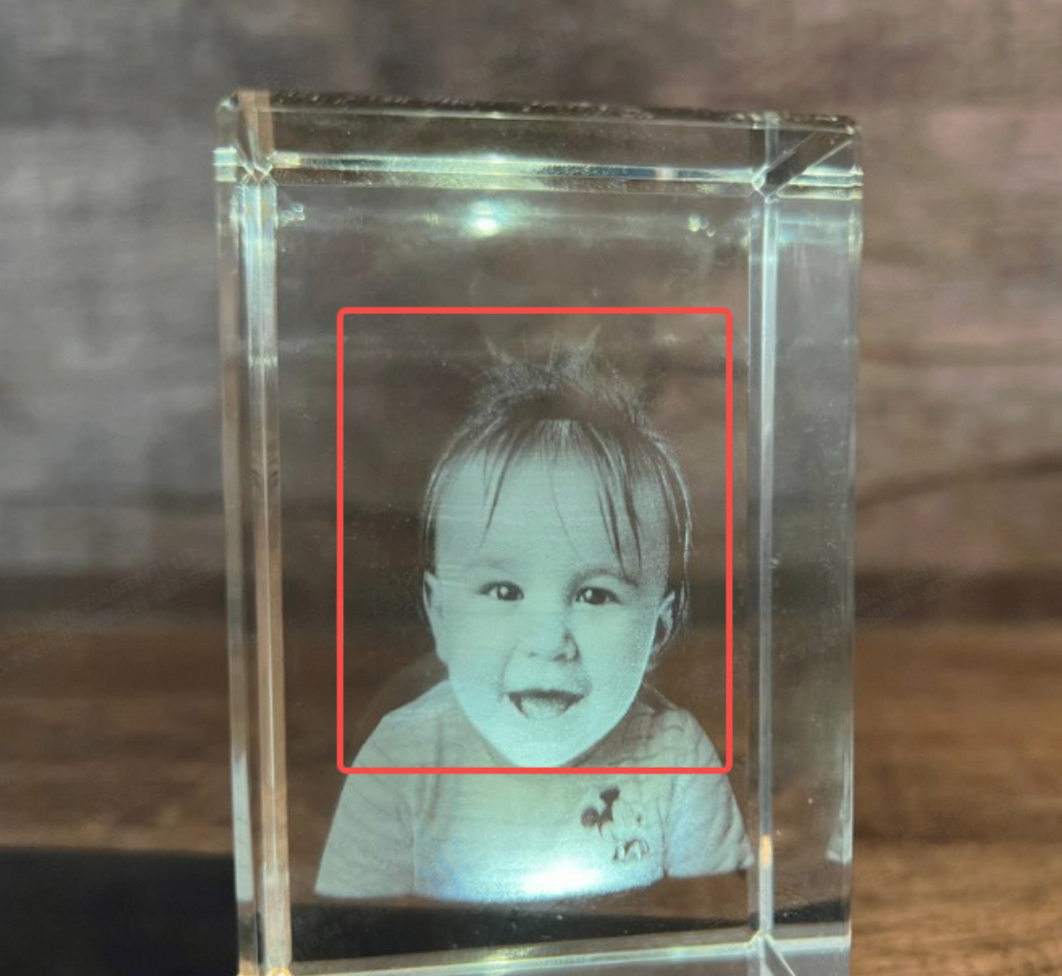
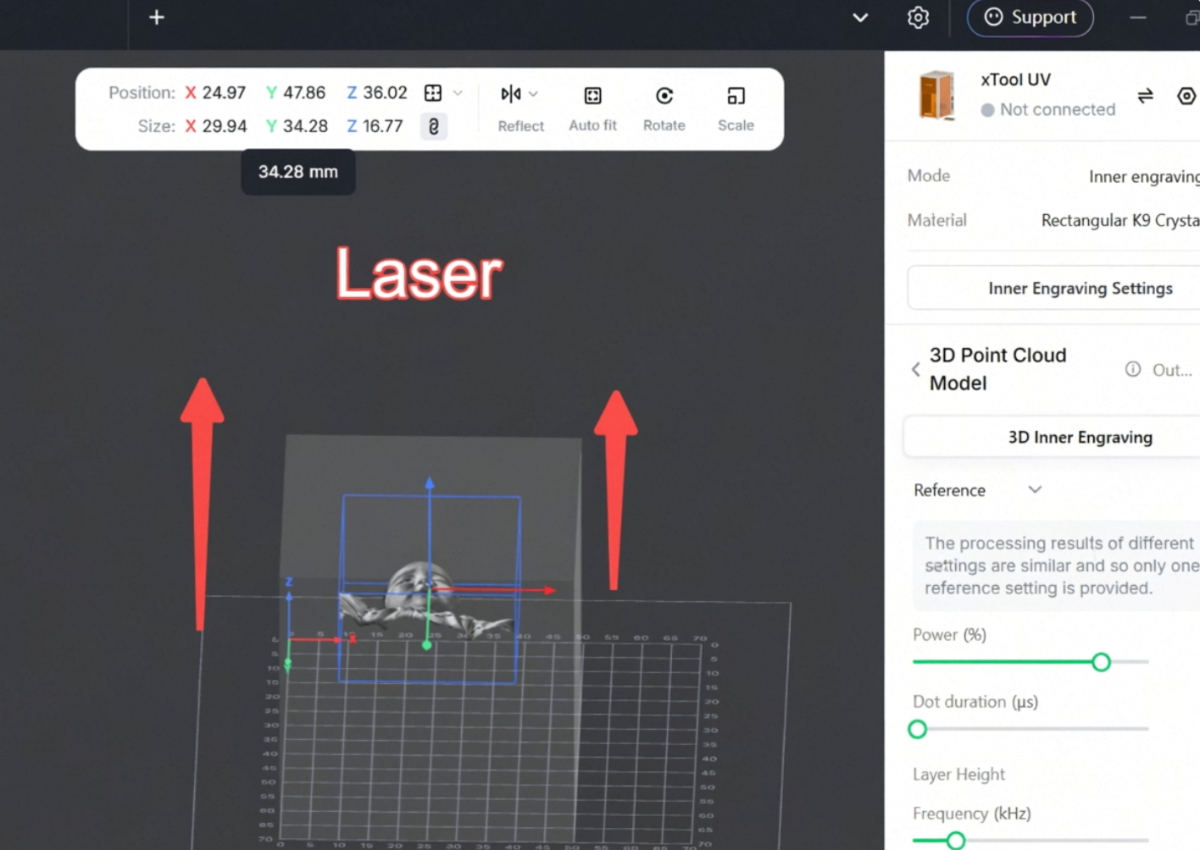
The finished 3D inner engraving shows visible streaks, as shown below.
Note: The image is provided for illustrative purposes only. If it infringes on any rights, please contact us and we will remove it promptly.
Solution
Because glass inner engraving is created layer by layer, highly detailed images may exhibit visible streaks. To minimize this effect, we recommend orienting the subject's face toward the laser during processing, as shown below.
Example 4
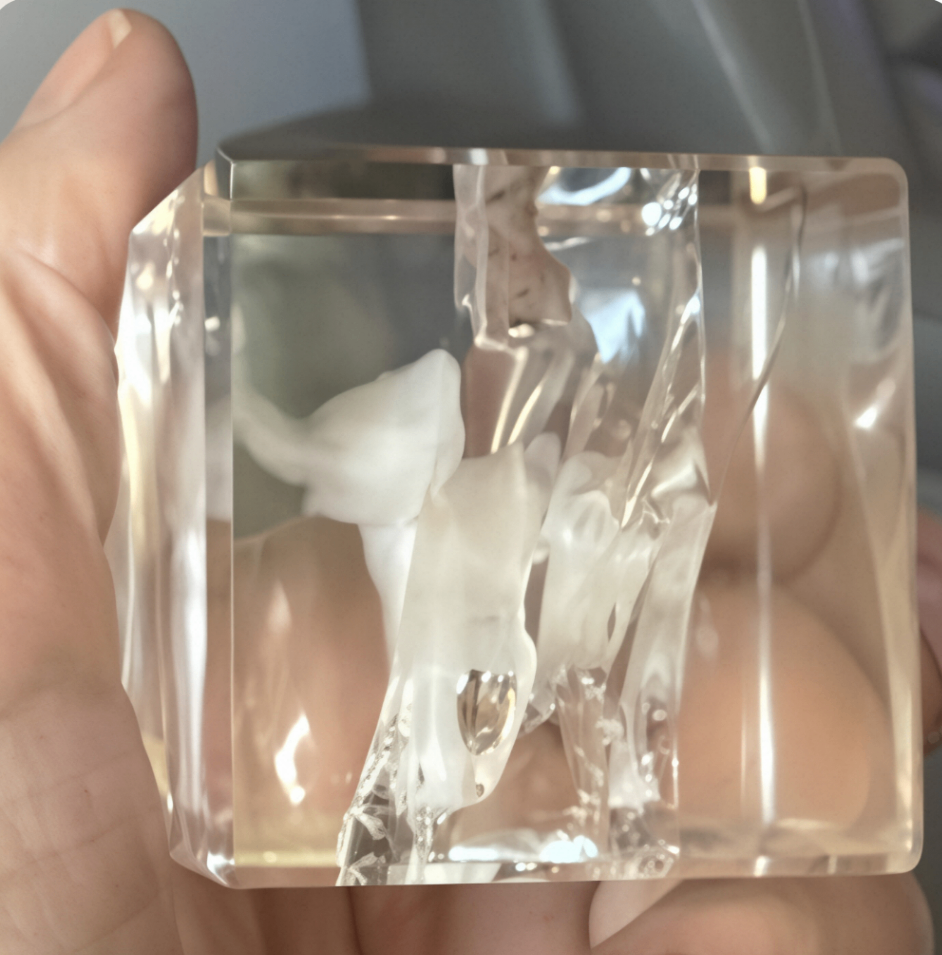
When using inner engraving mode, the glass may crack during engraving, as shown below.
Solution
This issue may be caused by excessive laser power or the glass material. Try reducing the laser power or increasing the engraving speed. If the glass still cracks, the issue is likely due to the glass material. We recommend using K9 glass instead.
Still experiencing issues?
Should the issue persist after completing the preceding steps, submit a ticket via the "Submit a Ticket" button in the "Help Ticket" section below. The standard response time for xTool Customer Service is one business day.
For a prompt resolution, please include the following details:
- Issue description: A detailed explanation of the observed problem.
- Video evidence: Attach a video demonstrating the issue, where applicable.
- Troubleshooting performed: Any troubleshooting steps you have already attempted, along with their results.
This information is crucial for xTool technical support engineers to provide timely assistance.
Documentation feedback
Help improve this content by providing feedback. If this content did not meet your requirements, select "No" in the "Was this page helpful?" section below. Include specific details about what was unclear or missing in the pop-up suggestion box. Feedback submissions are reviewed by xTool technical writers to enhance future documentation.

