
Introduction
Light-colored garments pretreatment solution = Color ink pretreatment solution
Dark-colored garments pretreatment solution = White ink pretreatment solution
Pretreatment solutions help improve ink adhesion to fabric and ensure vibrant, professional prints when printing using xTool O1 Omni Printer.
Two types of ink pretreatment solutions are currently provided: dark-colored garments pretreatment solution and light-colored garments pretreatment solution. This document describes information, precautions, and usage of the dark-colored garments pretreatment solution. For details about color ink pretreatment solution, see Light-Colored Garments Pretreatment Solution for O1 Omni Printer.
Product name: Dark-colored garments pretreatment solution Net content: 250 mL/500 mL Shelf life: 12 months Application: Pretreatment for dark garments before printing Dilution: Not required [Buy now] |
Safety precautions
■ Keep out of reach of children. ■ Keep away from fire and flames. ■ Exercise caution when dealing with ink pretreatment solution and never allow it to enter your eyes or get on skin. ■ The ink pretreatment solution may cause skin irritation, allergic skin reactions, or serious eye irritation. ■ Wash your hands and other body parts exposed thoroughly after handling ink pretreatment solution. ■ If ink pretreatment solution is swallowed, seek medical advice immediately.
Usage
Note:
1. Use dark-colored garments pretreatment solution only to pretreat dark-colored garments.
2. Before applying the pretreatment solution, you need to heat press it using a heat press machine. For details, see Prepare the garment.
1. Pour thepretreatment solution into the spray bottle.
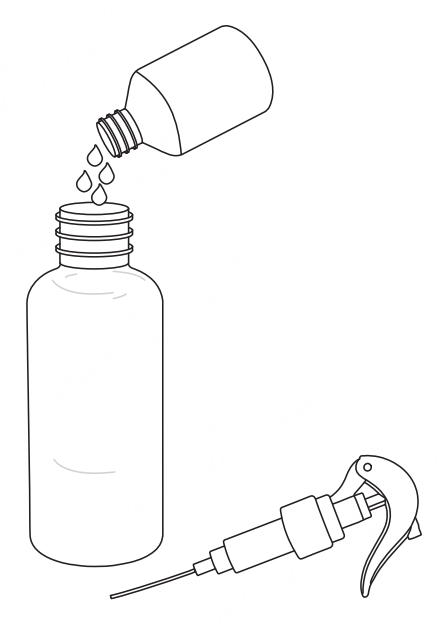
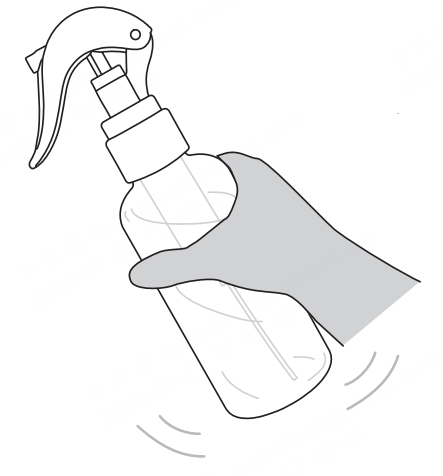
2. Shake the pretreatment solution well.
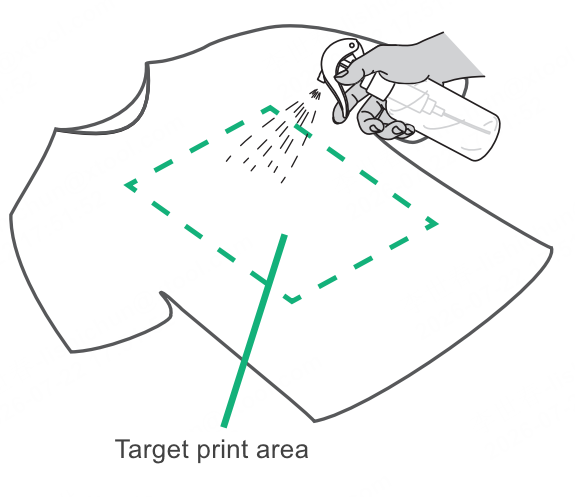
3. Spray the pretreatment solution onto the target print area on the garment.
Recommended amount: 20-25 mL
4. Heat press the garment again and finish printing as instructed in DT Printing Using O1 Omni Printer.

