
Issue description
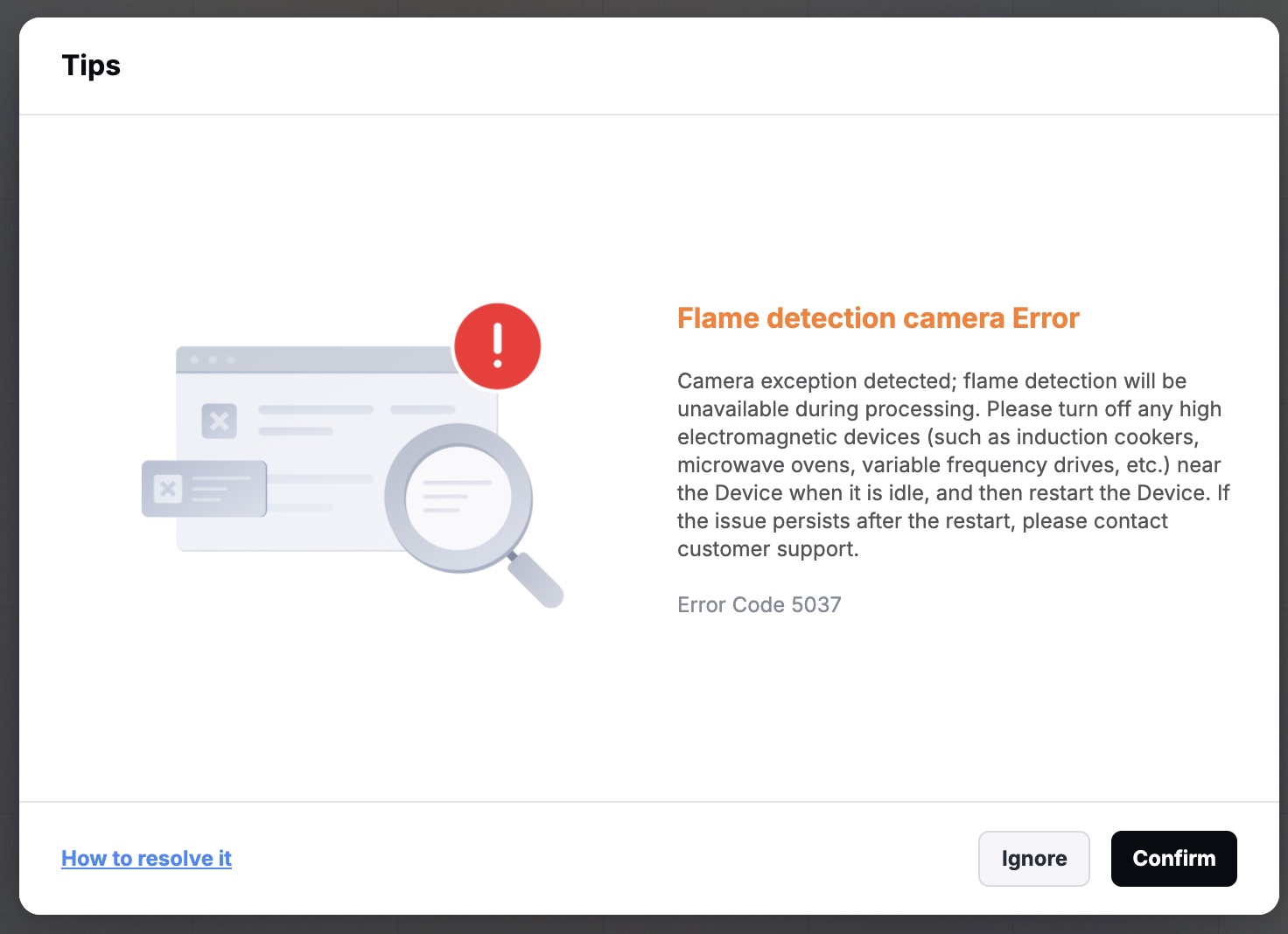
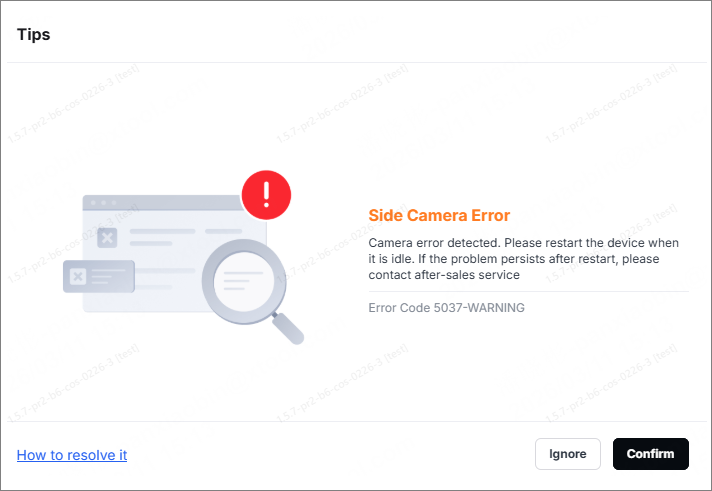
When using xTool M2, the "Side Camera Error" pop-up may appear in xTool Studio (Error Code 5037-WARNING).
If this error occurs, the side-view camera may not function properly, causing flame detection features that rely on it to be unavailable.
Possible causes
- xTool M2 has electromagnetic interference.
- Software or firmware version is incompatible.
- The side-view camera cable is loose or has a poor connection.
- Side-view camera hardware malfunctions.
Troubleshooting procedures
1. Restart the device
(1) Turn off the power supply of the device and wait about 10 seconds.
(2) Turn the device on and wait for it to finish self-check and initialization.
(3) Restart the xTool Studio software, and perform a processing task.
- If the camera returns to normal after a restart, this indicates that the issue was likely caused by temporary electromagnetic interference. Please check the area around the device for equipment that emits high levels of electromagnetic radiation (such as induction cookers, microwave ovens, frequency converters, or high-power motors) and remove or turn off the M2 to prevent the same problem from happening again.
- If the problem persists after restarting, please proceed to the next steps.
2. Check the software and firmware versions
(1) Check whether the software and firmware versions are up to date. If not, update them to the latest versions.
- Software version
- Firmware version
(2) After the update is complete, restart the software and the device.
(3) Test the side-view camera again to see if the error has been resolved.
3. Check the connection cables of the side-view camera
(1) Turn off the device and disconnect the power cable.
(2) Refer to the video from 0:00 to 0:50 to locate the connection cable on the back of the main control board.
(3) Locate the side-view camera connector shown below.
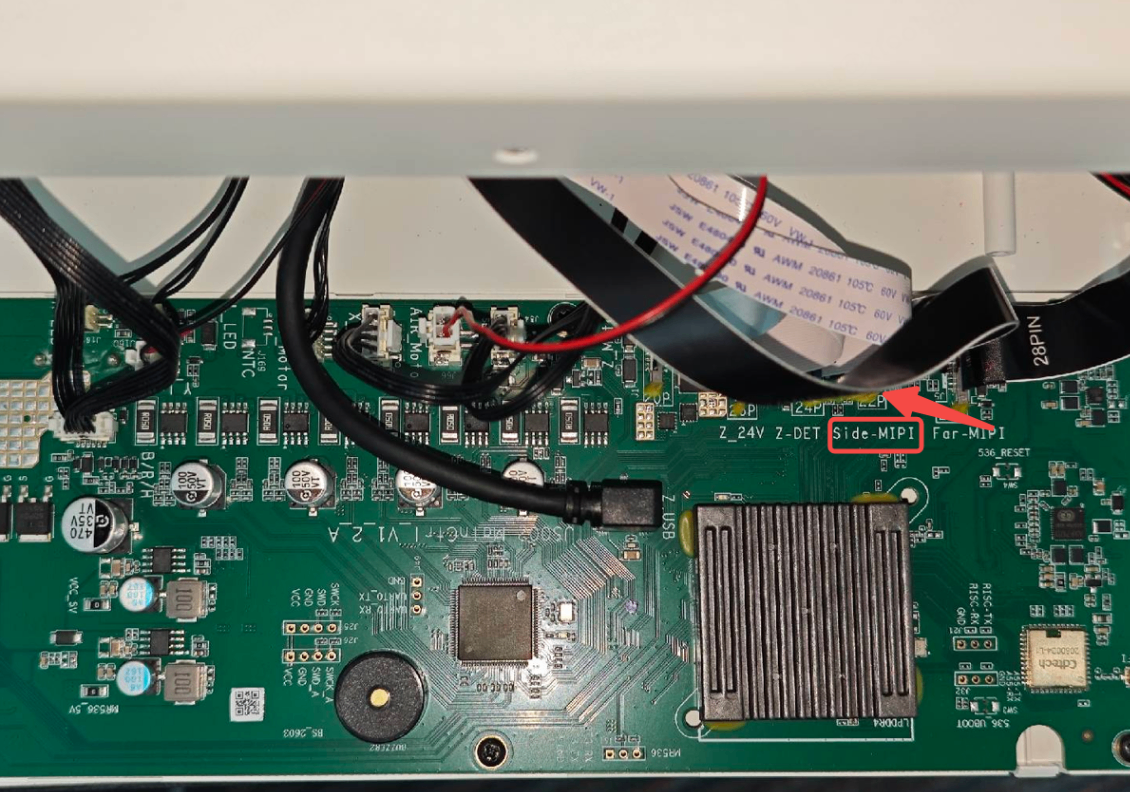
(4) Ensure that the cable connectors are fully inserted into the ports and are neither misaligned nor loose. If any cables are noticeably loose, reinsert them firmly to ensure a secure connection.
(5) Refer to the video from 0:00 to 3:00 to locate the connection cable of the side-view camera. Check whether the cable is loose. At the same time, check that the connection cable on the camera side is secure, as shown below.
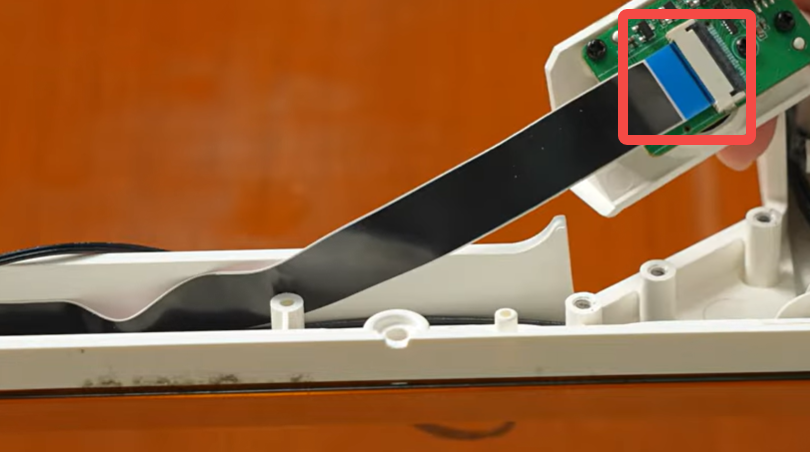
(6) After ensuring that all cables are securely connected, reconnect the power supply and start the device. Perform Refresh background or start processing again to see whether the error message disappears.
4. Contact xTool after-sales team
- If the issue persists after completing steps 1 to 3 above, it indicates a hardware malfunction with the camera.
- Please get in touch with the xTool after-sales team and provide the following information.
Still experiencing issues?
Should the issue persist after completing the preceding steps, submit a ticket via the "Submit a Ticket" button in the "Help Ticket" section below. The standard response time for xTool Customer Service is one business day.
For a prompt resolution, please include the following details:
- Software and firmware version: The software version of xTool Studio and the firmware of xTool M2 that you use.
- Video evidence: Attach a video demonstrating the issue, where applicable.
- Device information: Find the SN number on the back of xTool M2. Follow the steps to export the work log.
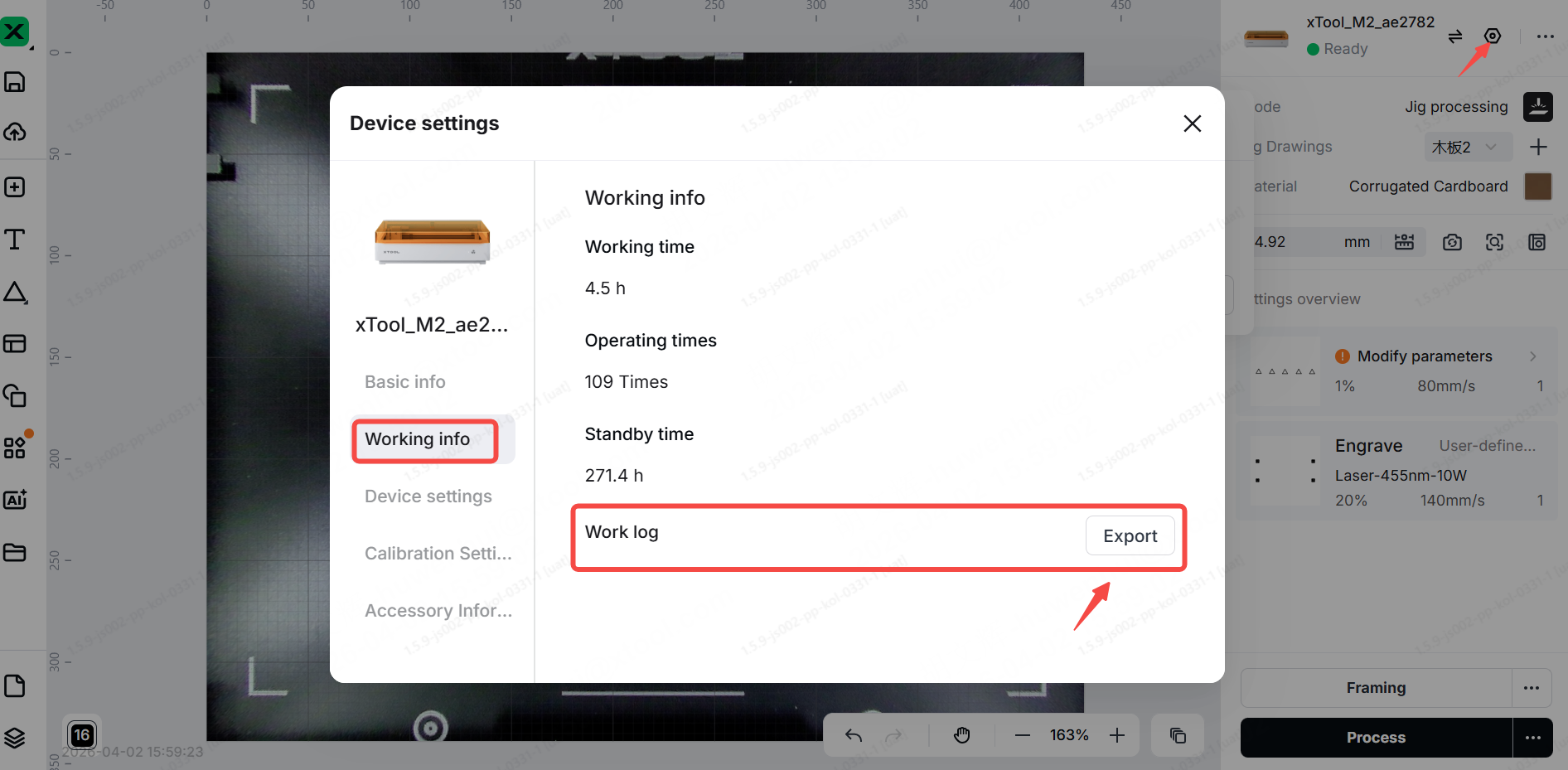
This information is crucial for xTool technical support engineers to provide timely assistance.

Services & Help
Learn & Education

Copyright © 2025 xTool All Rights Reserved.