
Issue description
The software may become unavailable on certain models after upgrading the firmware version.
- Models: xTool F1; xTool F1 Lite; xTool F1 Ultra; xTool P2S; xTool M1 Ultra
- Software: xTool Creative Space (Mobile and Desktop); LightBurn; xTool Studio (Version 1.6 and below)
Updated Firmware:
xTool F1: 40.51.020.04 or above.
xTool F1 Lite: 40.55.020.04 or above
xTool F1 Ultra (Class 4): 40.52.016.05 or above
xTool F1 Ultra (Class 1): 40.53.007.05 or above
xTool M1 Ultra: 40.41.017 or above
xTool P2S: 40.22.011 or above
Downgraded Firmware:
xTool F1: 40.51.015.02
xTool F1 Lite: 40.55.003.02
xTool F1 Ultra (Class 4): 40.52.013.01.ht22
xTool F1 Ultra (Class 1): 40.53.005.01.ht5
xTool M1 Ultra: V40.41.016.2020.01
xTool P2S: 40.22.010.03
Possible cause
To provide more robust underlying system protection and keep pace with global trends in industrial equipment optimization, we have implemented a comprehensive upgrade to our communication protocols. LightBurn, XCS, and Studio versions below 1.6 are no longer supported.
Troubleshooting
You can resolve this issue by downgrading the firmware. The older firmware version is compatible with LightBurn, XCS, and Studio versions below 1.6. Here are the instructions for downgrading the firmware:
- xTool F1/F1 Lite: Operation Guide for F1 & F1 Lite Firmware Downgrading
- xTool F1 Ultra: Operation Guide for F1 Ultra Firmware Downgrading
- xTool M1 Ultra: Operation Guide for M1 Ultra Firmware Downgrading
- xTool P2S: Downgrade Firmware for xTool P2S in xTool Studio
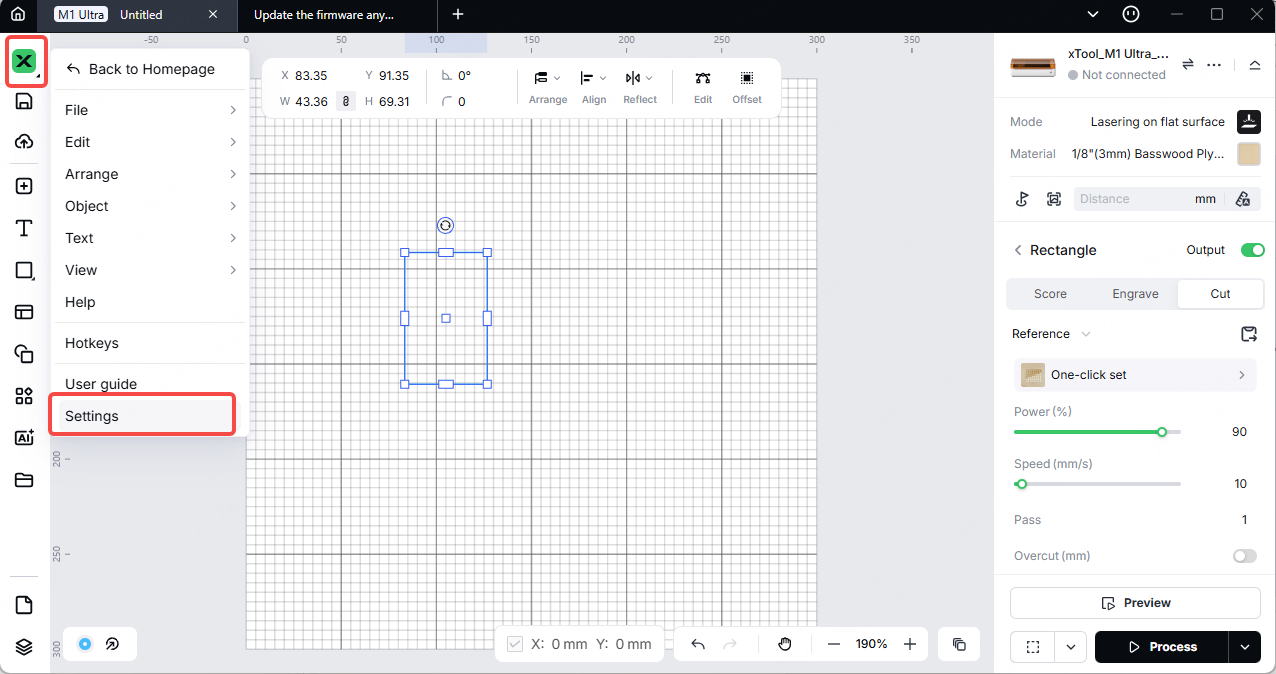
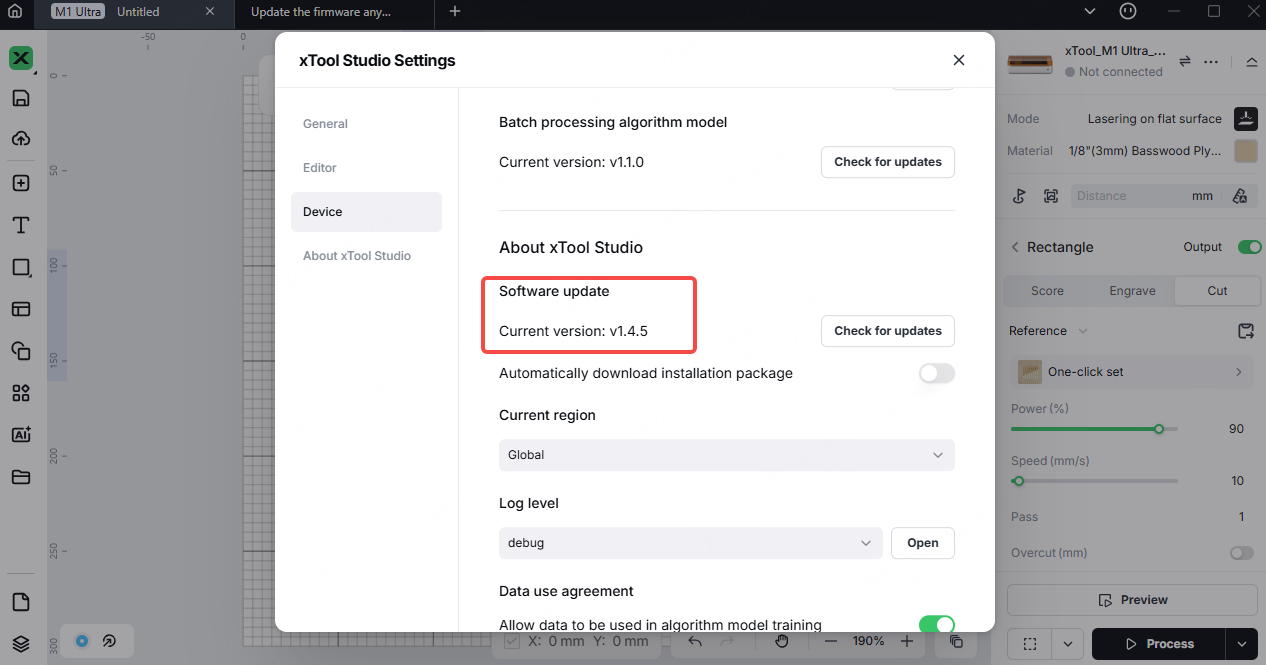
1. Confirm firmware version
Check and confirm that the xTool Studio software version is greater than V1.4. Only when the software version is greater than V1.4 will the firmware downgrade operation entry be supported.
2. Connect the device
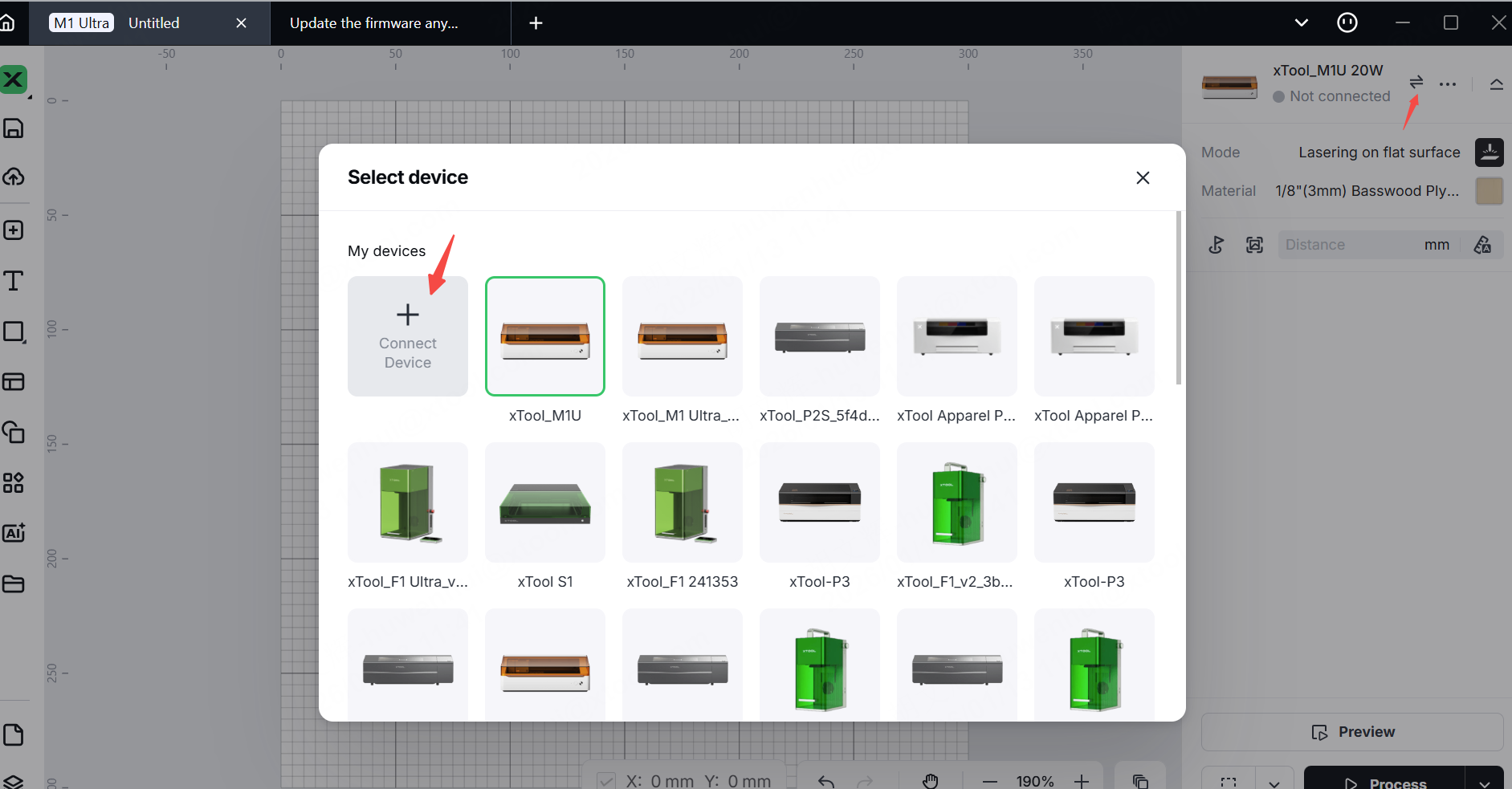
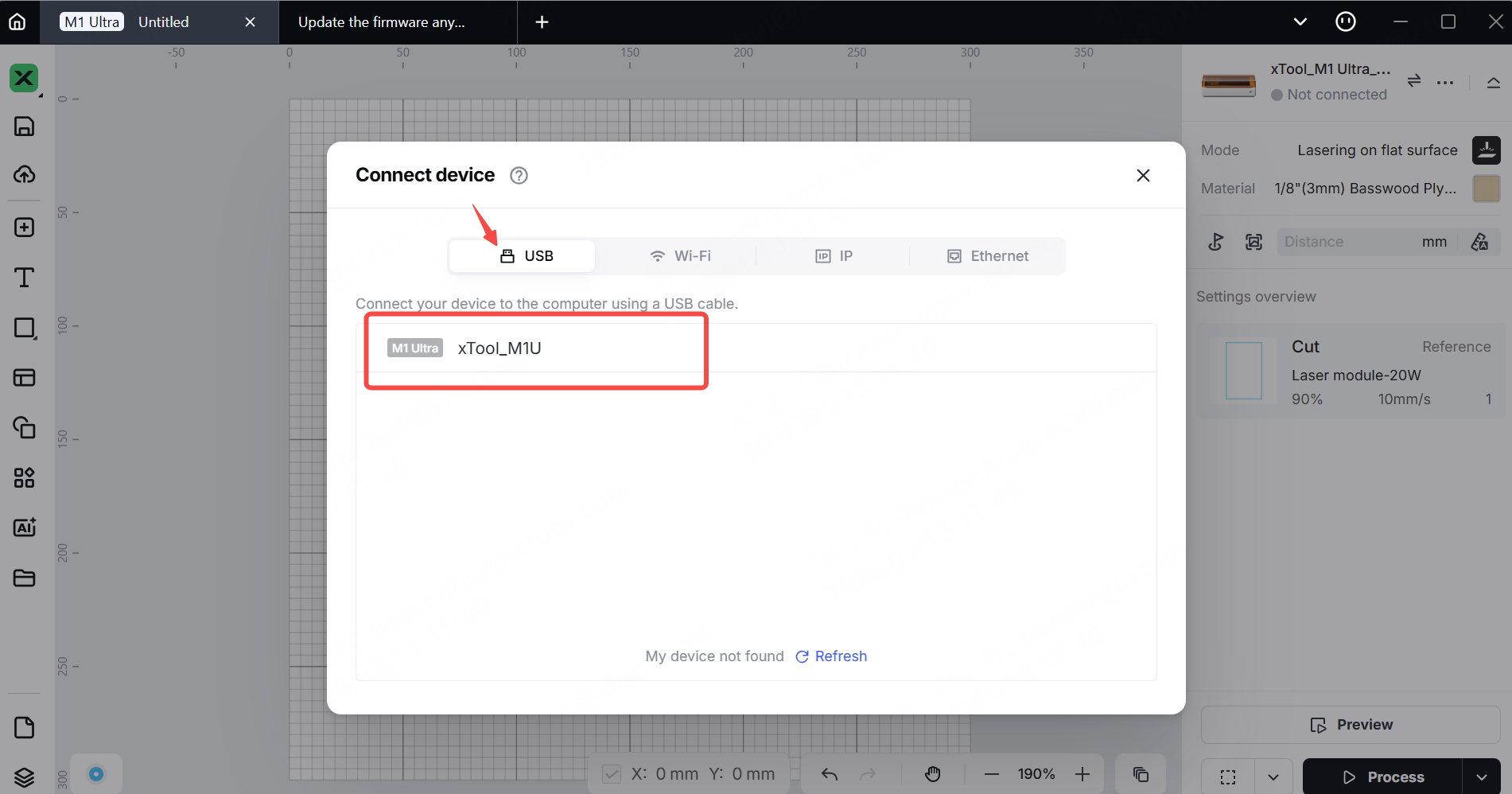
Please note that firmware downgrade is only supported when connected via a USB data cable. WiFi connection or IP connection will result in the failure of firmware downgrade.
(1) Click "Connect Device".
(2) Connect the device to the computer using a USB cable. In the USB list, double-click on the device and then connect.
3. Firmware downgrade
(1) Click "Settings - Device - Firmware Management - Start".
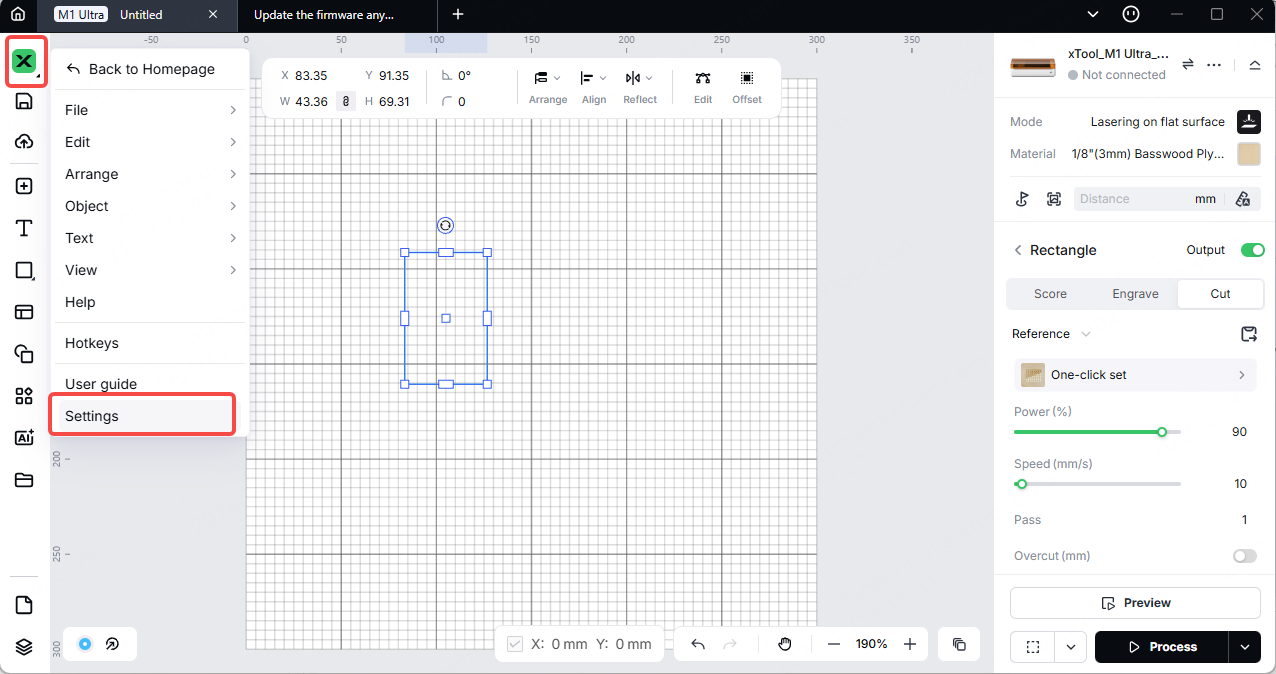
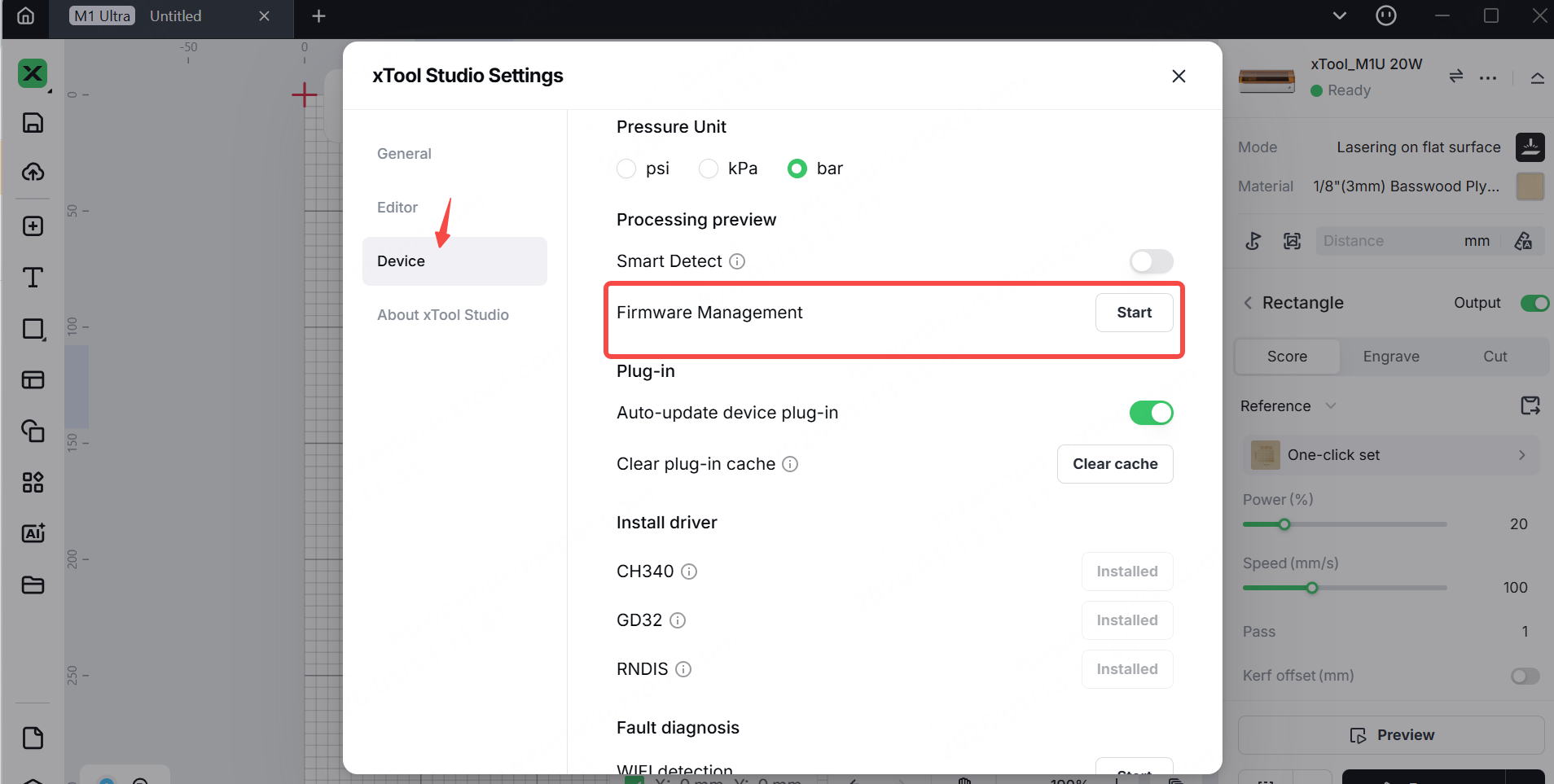
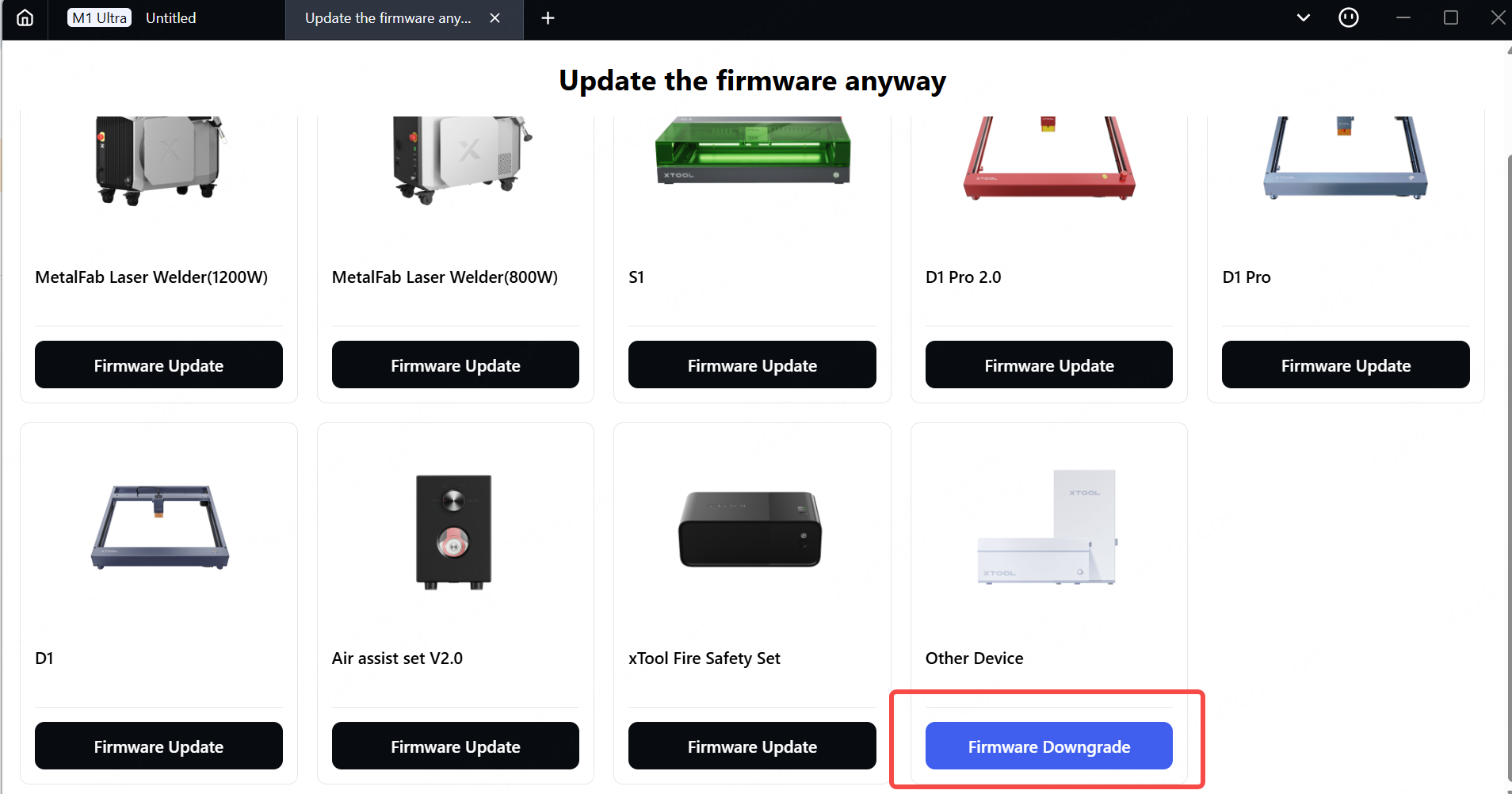
(2) After entering the firmware management mode, select "Firmware Downgrade".
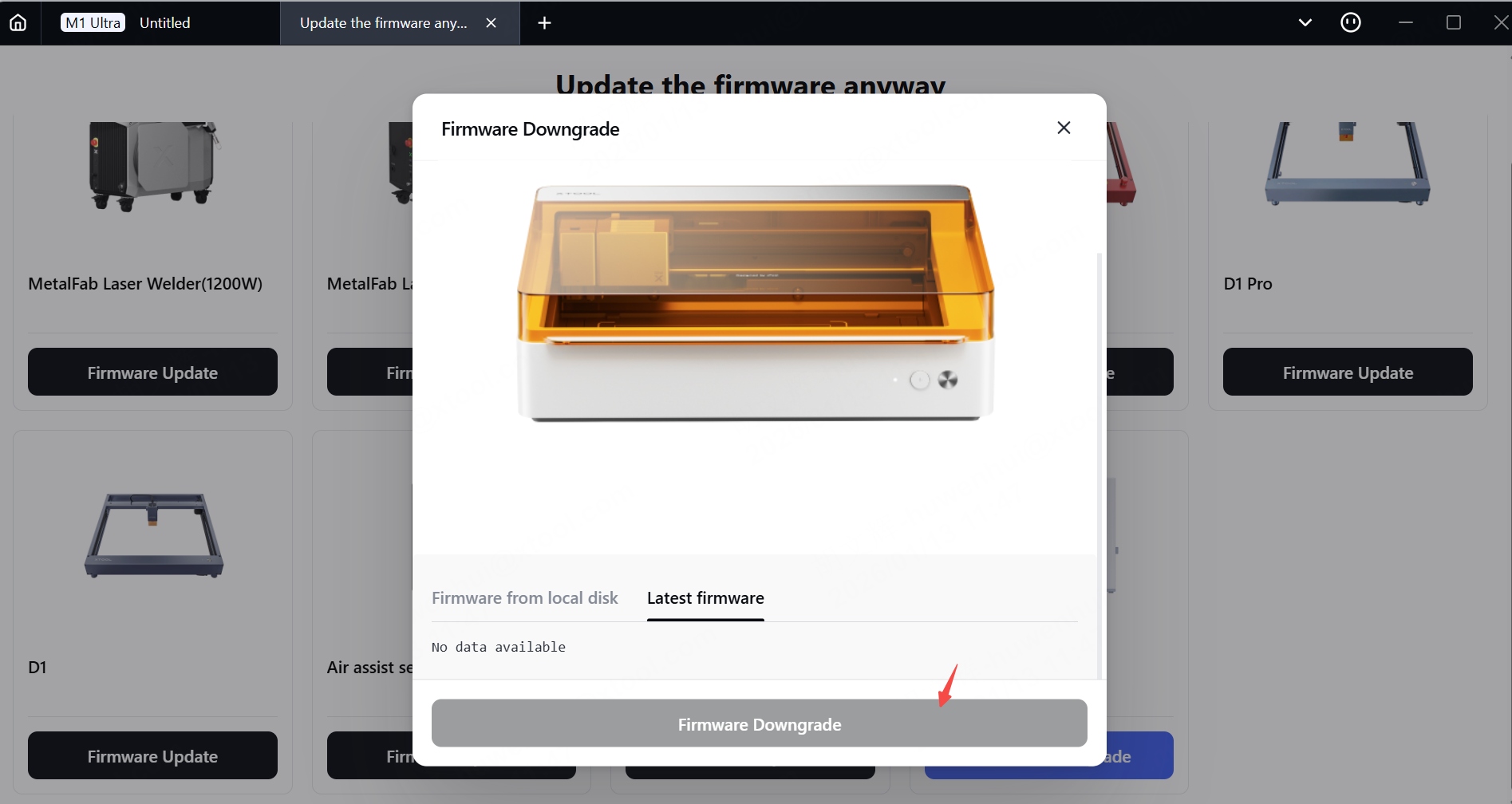
(3) Select "Latest firmware" and then click the "Firmware downgrade" button. After performing the firmware downgrade operation, the firmware version will be automatically reduced to V40.41.016.2020.01.
(4) Waiting for the firmware downgrade to be successful.
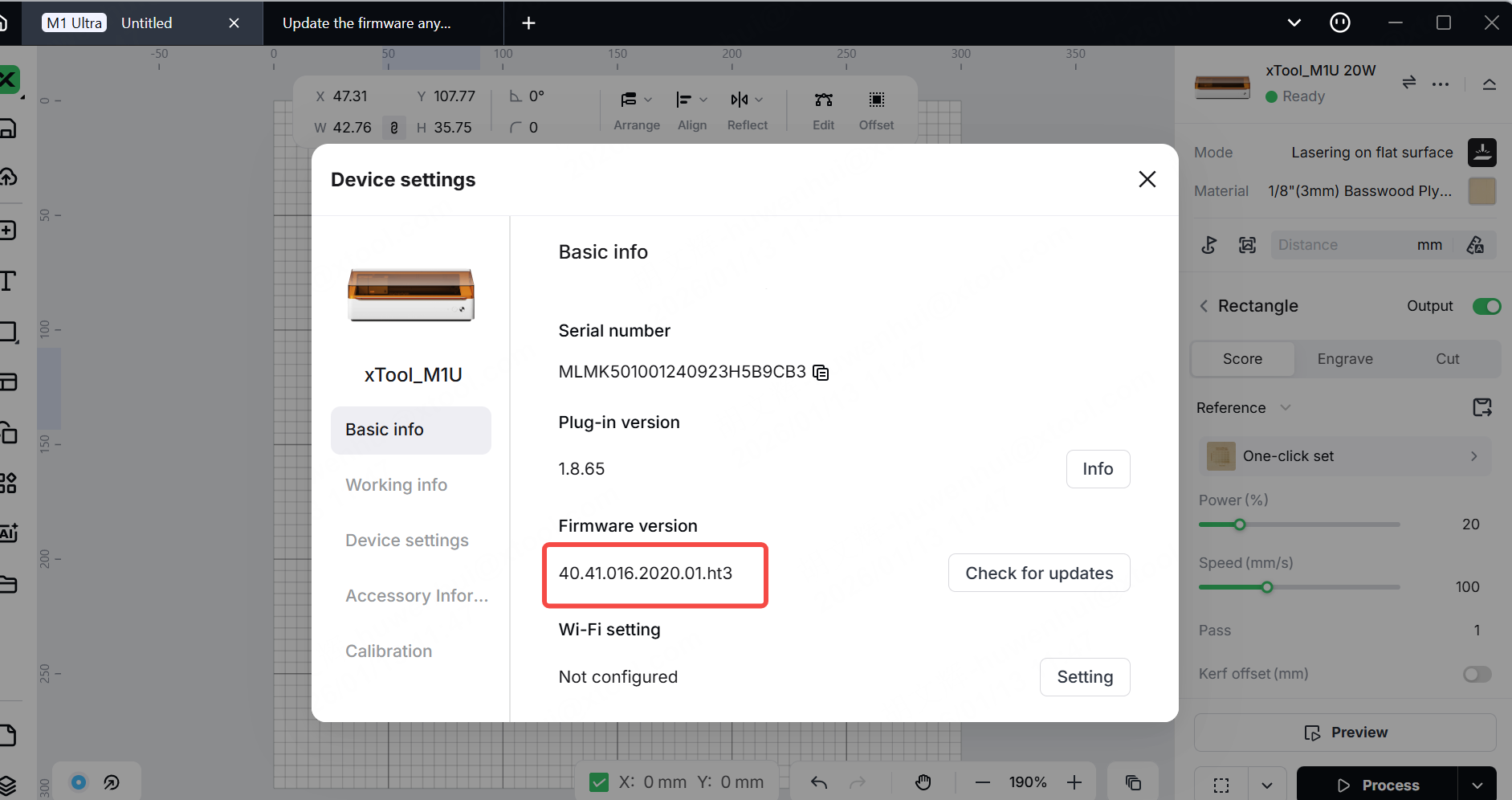
Check the firmware version. After the firmware downgrade is successful, go to the device settings and check if the firmware version is V40.41.016.2020.01. If it is, it indicates that the firmware version downgrade was successful.
4. Reconnect the device
After downgrading the firmware, if you need to reconnect xTool Studio to the device, unplug and replug the USB cable, then restart xTool Studio to reestablish the connection.
Download XCS
If you find that you cannot locate the XCS on Google Play, preventing you from downloading and installing it, you can try downloading the APK file.

