
xTool Store
Undo and redo
Updated May 20,2026
Updated May 20,2026
Menu
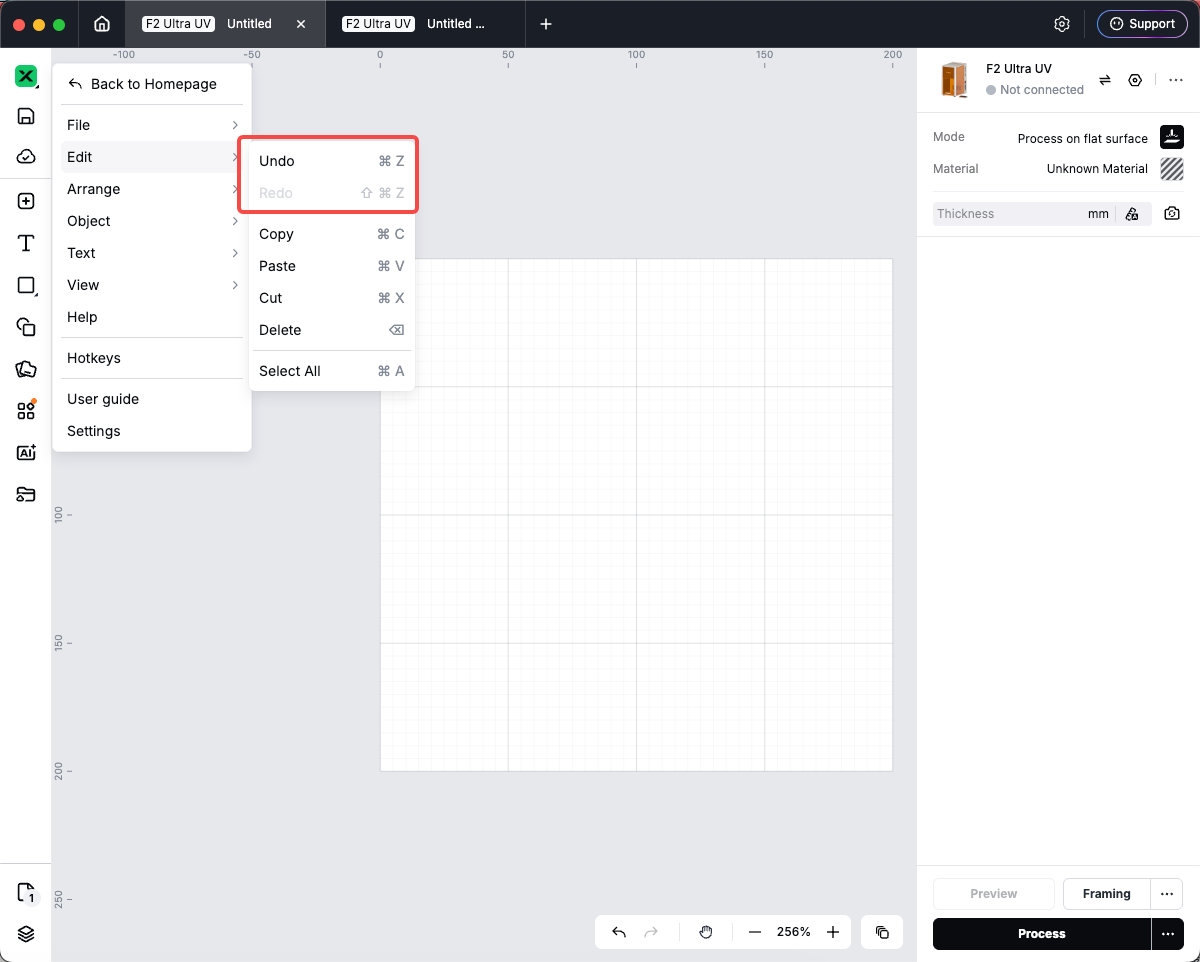
- Studio logo menu → Edit → Undo or Redo.
Keyboard
- Undo: ⌘Z (Mac) or Ctrl+Z (Windows).
- Redo: ⌘⇧Z or ⌘Y (Mac); Ctrl+Shift+Z or Ctrl+Y (Windows).
Bottom bar
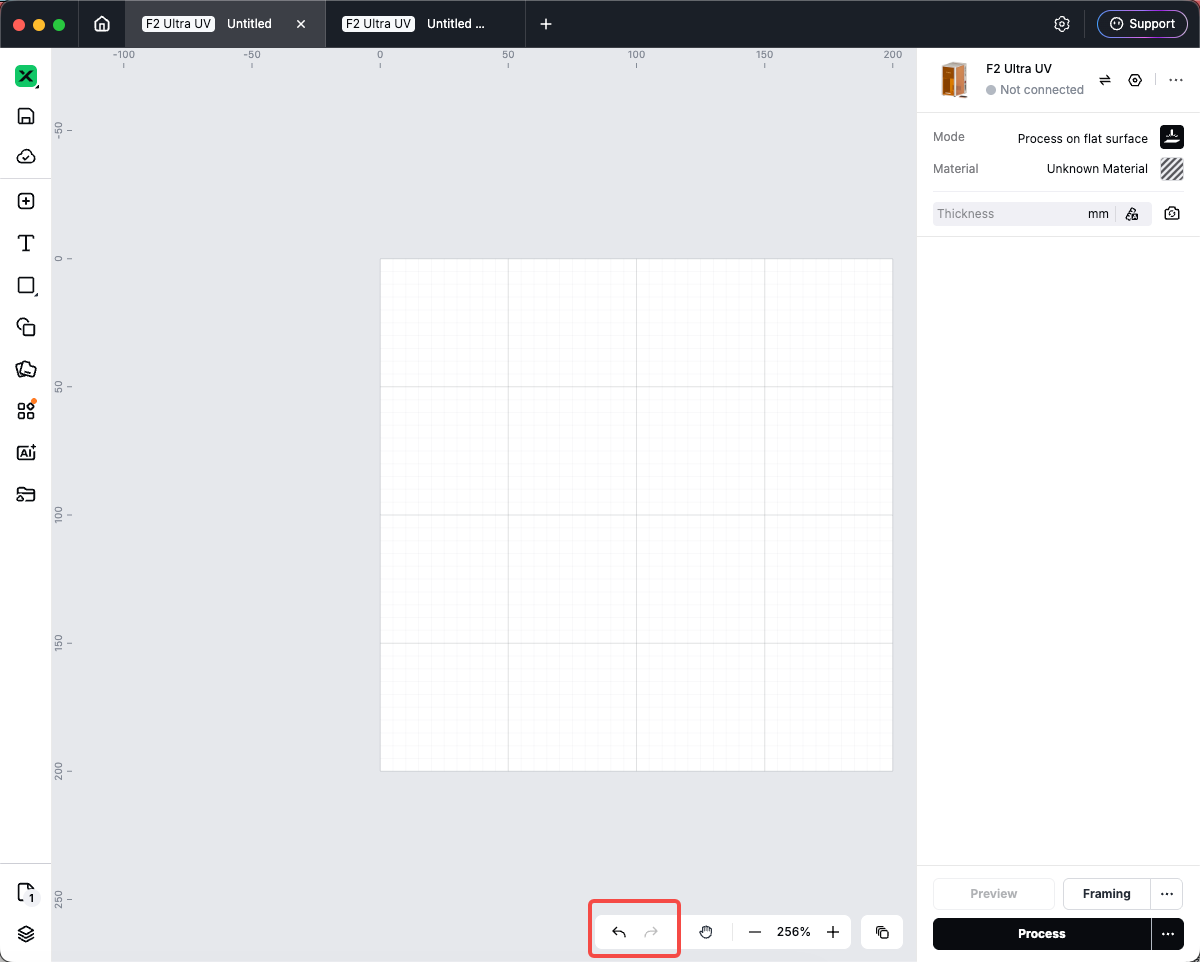
- At the bottom-right of the canvas, use Undo and Redo next to the zoom controls. Shortcuts may appear in tooltips.
Preview
Was this page helpful?
0 out of 0 found this helpful
Help Ticket
Use this help ticket to submit your issue. We will respond within 1 business day
Submit a Ticket Tags
Help Ticket
Use this help ticket to submit your issue. We will respond within 1 business day
Submit a Ticket 
Services & Help
Learn & Education

Copyright © 2025 xTool All Rights Reserved.