
The editor groups project commands in the left rail menu, quick save/undo controls on the rail and bottom toolbar, and Canvas management at the bottom of the left rail.
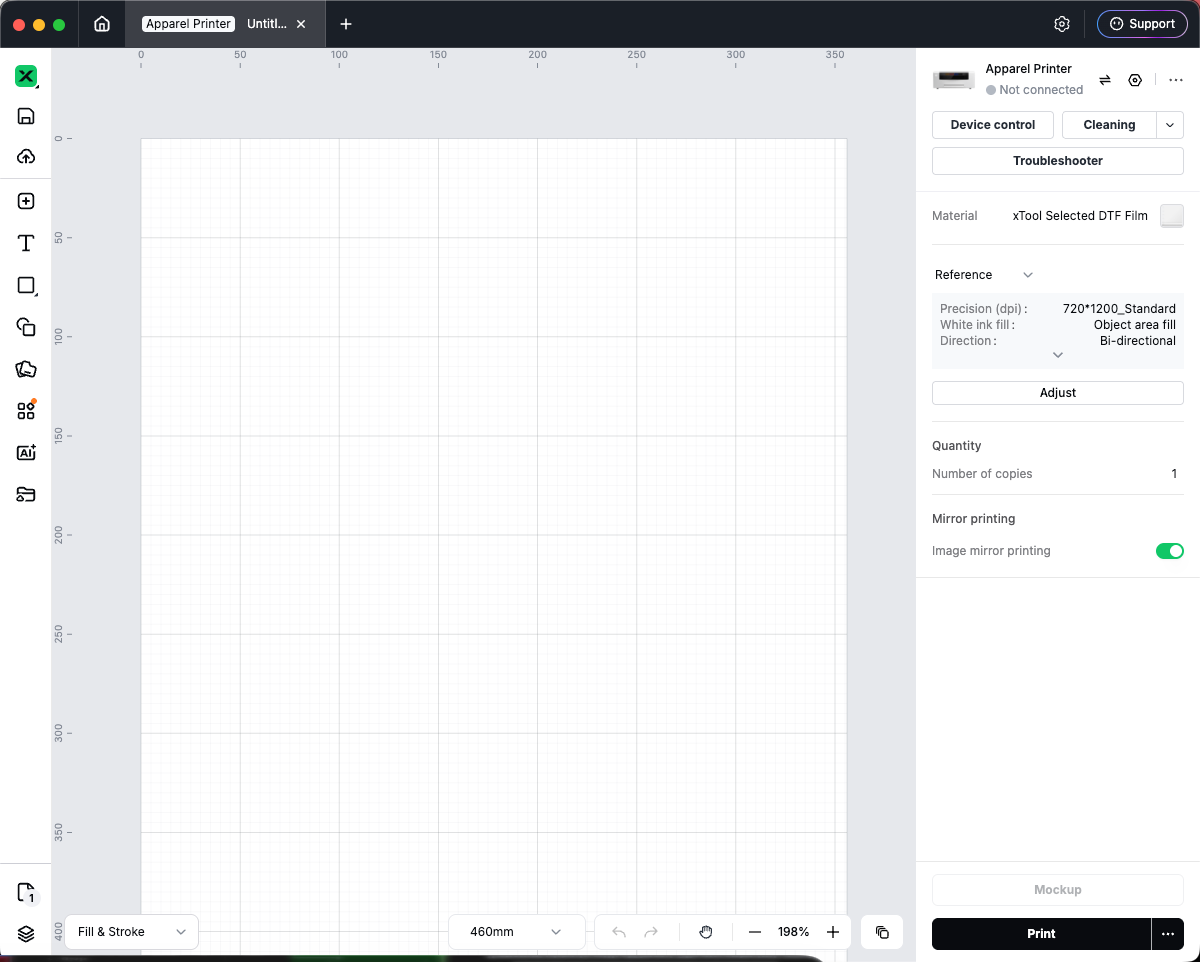
Open the main menu
- Open a project in the editor.
- On the left rail, click the Studio logo at the top.
- A menu opens with items such as Back to Homepage, File, Edit, Arrange, Object, Text, View, Help, Hot keys, User guide, and Settings.
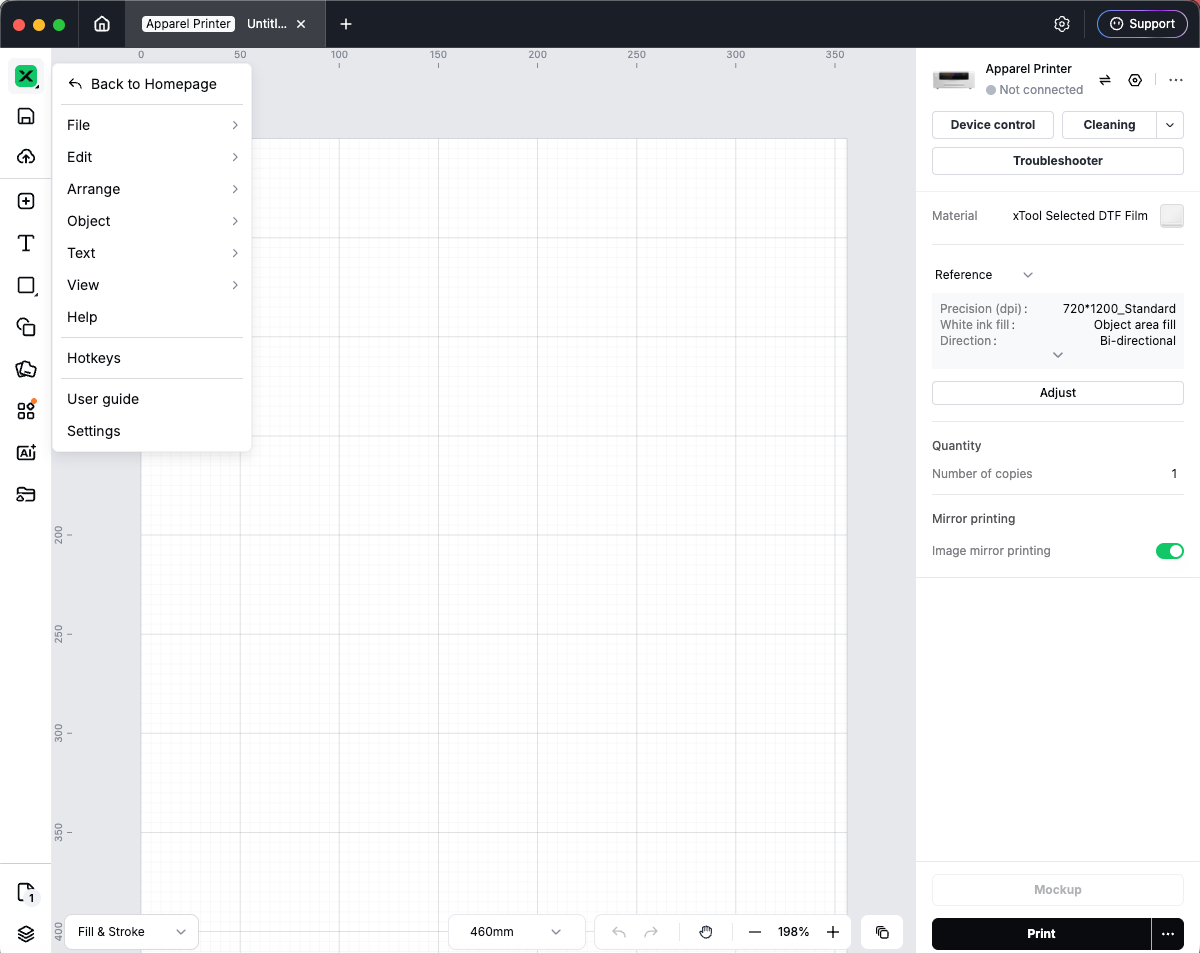
Common menu actions
Menu | What you can do |
File | New, open/import a project, Save (desktop), rename, export, and related file actions |
Edit | Undo, Redo, copy, paste, cut, delete, Select All (shortcuts shown beside items) |
Arrange | Layer order, align, distribute, flip, and similar layout commands |
Object | Object-specific commands (availability depends on selection) |
Text | Text-related commands when applicable |
View | Canvas appearance such as Show grid / Hide grid and grid density (Grid - Dark, Medium, Light) |
Help | Opens the Support Center in your browser |
Hot keys | Opens the keyboard shortcuts help page |
User guide | Restarts the in-app user guide |
Settings | Opens system settings |
Quick actions on the left rail and bottom bar
- Save (desktop app): On the left rail, click the Save icon. The tooltip shows the save shortcut (for example ⌘S on Mac or Ctrl+S on Windows).
- Cloud / My Space: Use the cloud icon below Save to upload or sync the project when signed in.
- Undo / Redo: At the bottom-right of the canvas, use Undo and Redo next to the zoom controls. Shortcuts appear in tooltips (for example ⌘Z / Ctrl+Z).
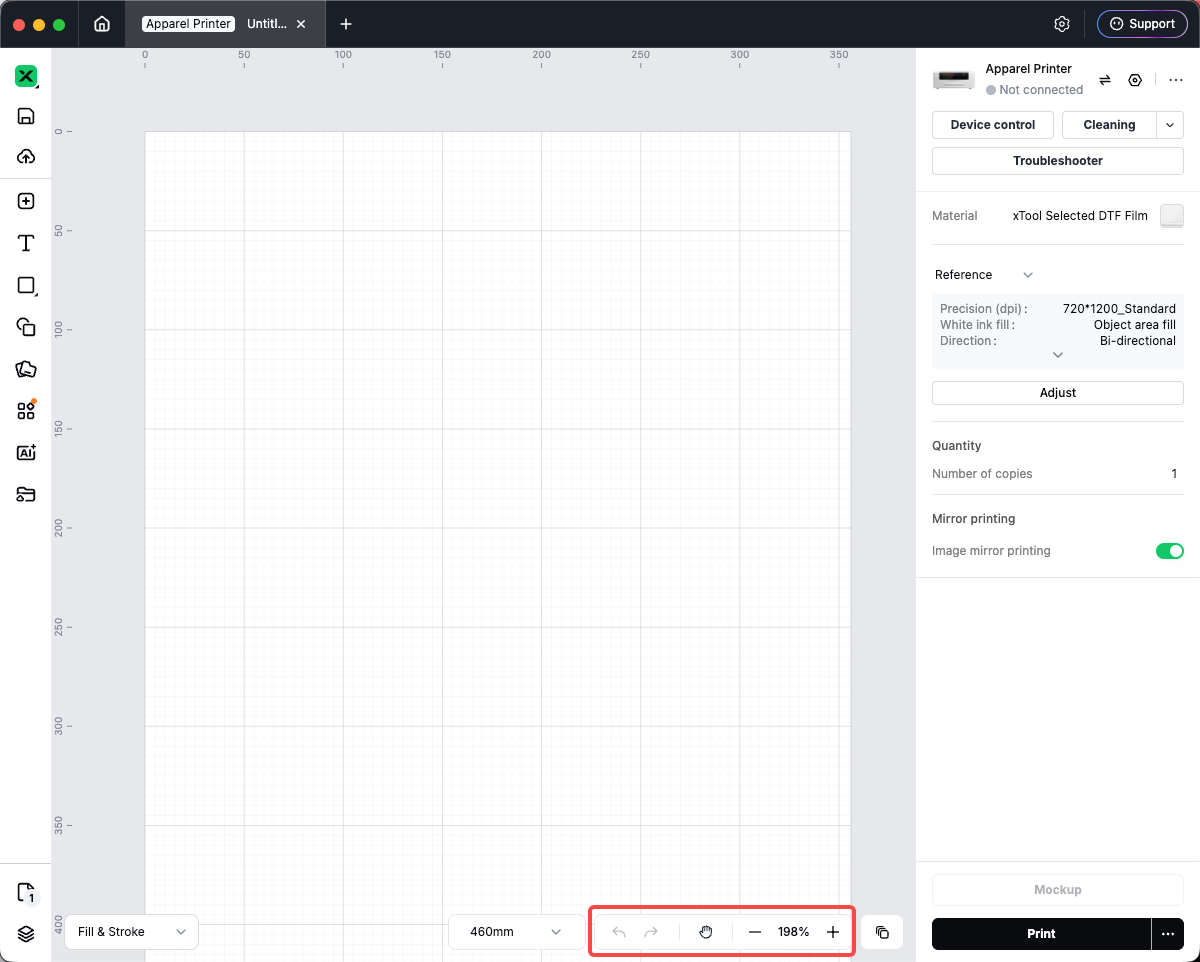
Tip: New and Open are under File in the logo menu, not as separate top-bar buttons.
Work with multiple canvases
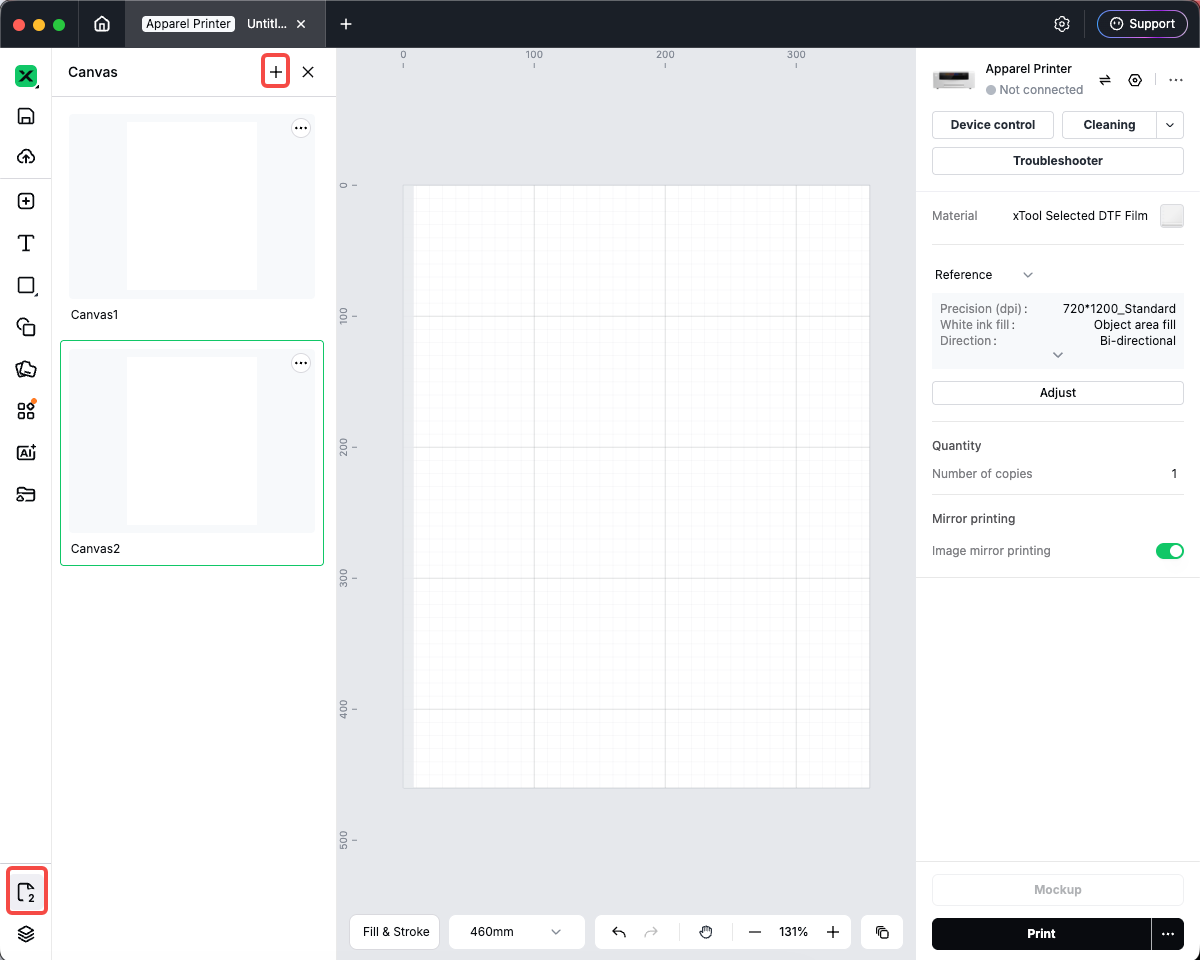
- At the bottom of the left rail, click the Canvas control (it shows the current canvas name and total count, for example Canvas / … (2 canvases total)).
- The Canvas panel opens on the left.
- In the panel:
- Click a thumbnail to switch canvases.
- Click + to add a canvas (up to 100 canvases per project).
- Double-click a name to Rename.
- Use the thumbnail menu to copy or delete a canvas.
- Drag thumbnails to reorder canvases.
Quick reference
Goal | Where to go |
New / open project | Logo menu → File |
Save locally | Left rail Save or File → Save |
Undo / Redo | Bottom-right toolbar or Edit menu |
Manage canvases | Bottom of left rail → Canvas panel |

Services & Help
Learn & Education

Copyright © 2025 xTool All Rights Reserved.