
xTool Store
How to send feedback in xTool Studio
Updated May 20,2026
Updated May 20,2026
Use feedback to share ideas or report problems (bugs, crashes, things not working). Signing in first helps us pre-fill your email and attach logs when you report an issue.
Open feedback from the home screen
- Click your profile / account in the top-right corner, then choose the menu item for feedback or reporting issues.

- A window opens with two choices:
- Product suggestions — ideas and general feedback.
- Report issues — problems and bugs (this option may show a short line about product usage feedback under the title).

Product suggestions
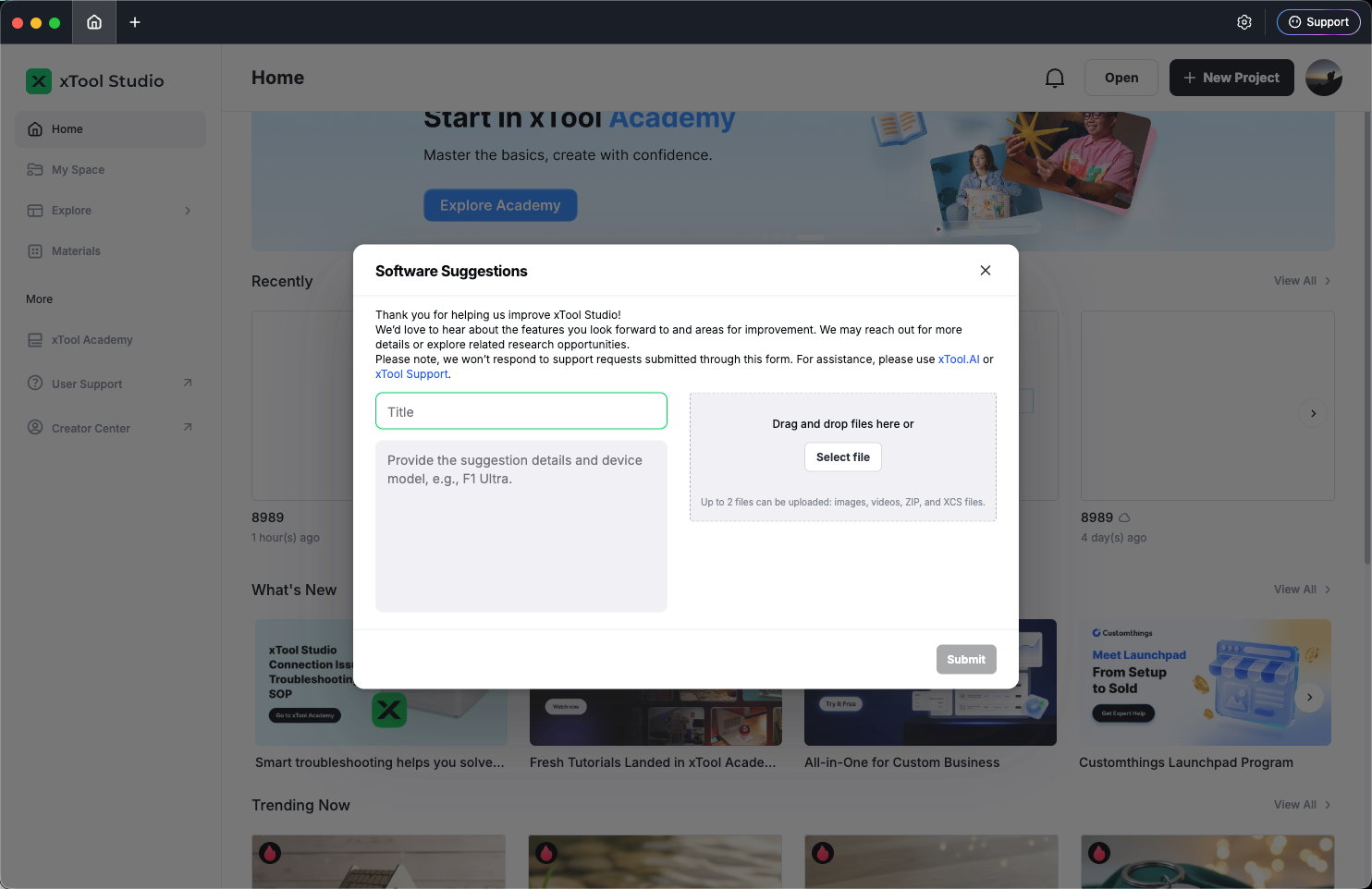
- Enter a title and details (both are required).
- Optionally add up to 2 files (e.g. images, video, project files — follow the types shown in the app).
- Click Submit and wait for the success message.
Report issues
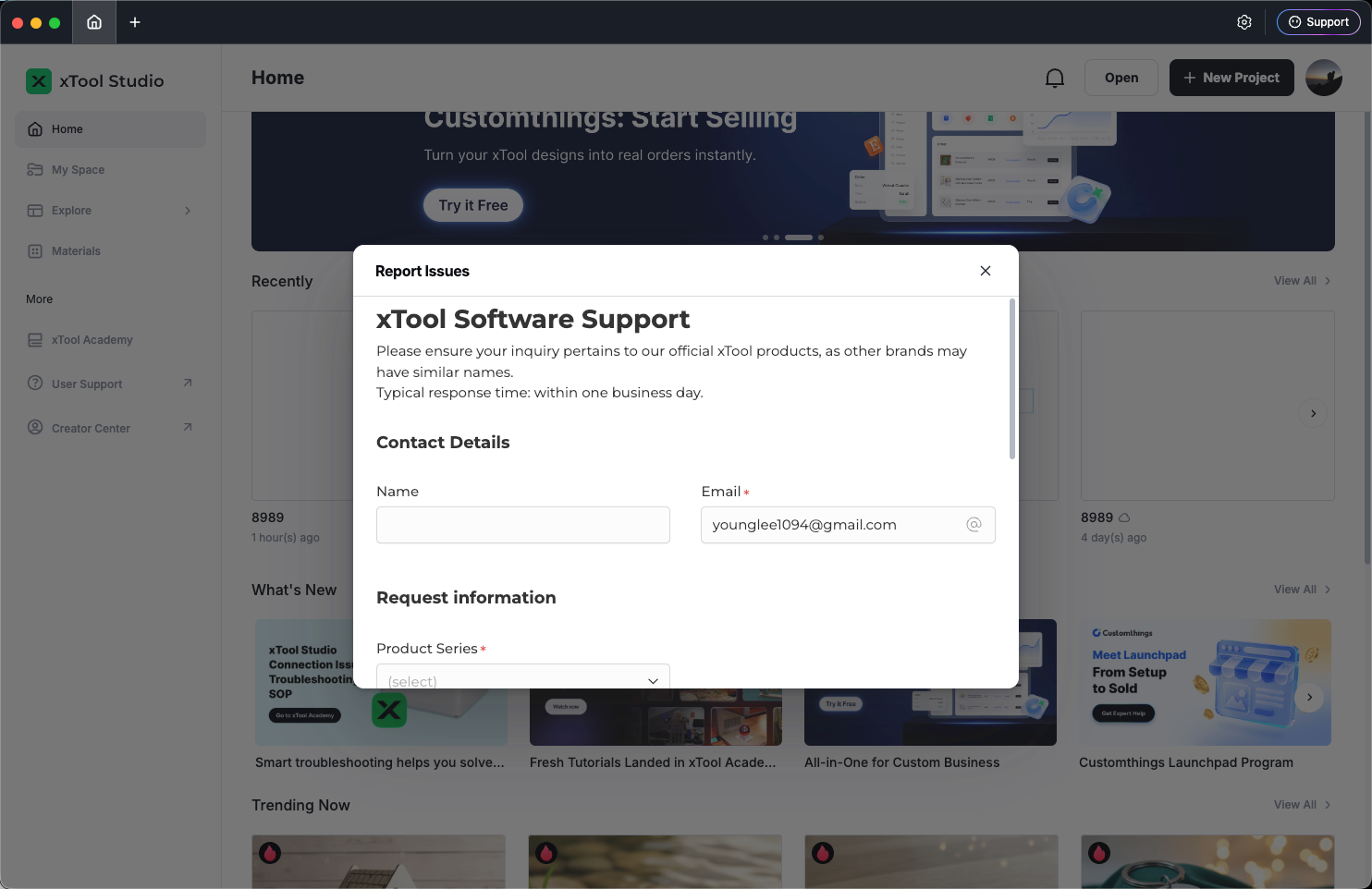
- Stay online — the form loads in the window.
- Fill in the fields as instructed (what happened, steps, screenshots if asked).
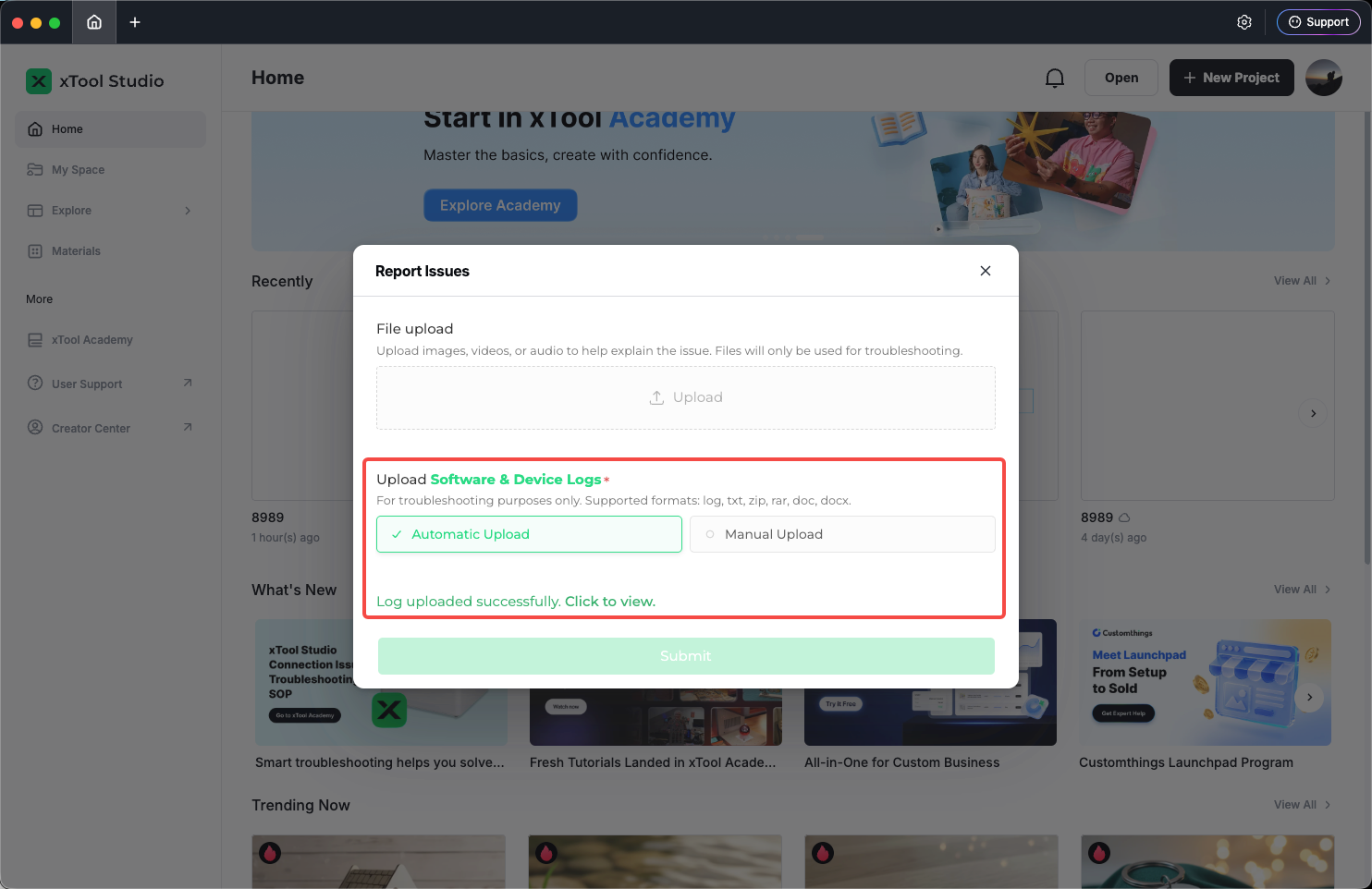
- When you are signed in, Studio may attach logs automatically to help us investigate. Submit when you are done.
Tips
- Sign in before reporting issues so we can match your account and logs.
- Report issues needs internet; suggestions also need internet to submit.
Preview
Was this page helpful?
0 out of 0 found this helpful
Help Ticket
Use this help ticket to submit your issue. We will respond within 1 business day
Submit a Ticket Tags
Help Ticket
Use this help ticket to submit your issue. We will respond within 1 business day
Submit a Ticket 
Services & Help
Learn & Education

Copyright © 2025 xTool All Rights Reserved.