
Issue description
When using the camera positioning function, if there is a noticeable deviation between the actual processing position and the target position in xTool Studio (which may be along the X axis, the Y axis, or both), please refer to the following range to determine the cause:
- Distant-view camera mode: Offset > 1.5 mm (normal accuracy ≤ 1.5 mm)
- Close-view camera mode: Offset > 0.65 mm (normal accuracy ≤ 0.65 mm)

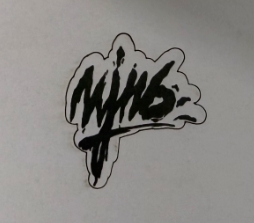
Target position in xTool Studio Actual processing position
If the range above is exceeded, the camera's positioning accuracy will fail to meet processing requirements, potentially resulting in reduced accuracy of the finished product. If this issue occurs, please refer to this guideline.
Possible causes
- Uneven material
- Auto-measure malfunction
- Camera positioning deviation
- Camera hardware failure
Troubleshooting procedures
1. Check the software and firmware versions
Check whether the software and firmware versions are up to date. If not, update them to the latest versions.
- Software version
- Firmware version
2. Restart xTool M2 and xTool Studio
(1) Power off xTool M2. After 10 seconds, power it on again and wait for it to complete the self-test and initialization.
(2) Restart xTool Studio, and reconnect xTool M2 to it.
If the issue persists, proceed to step 3.
3. Check the surface flatness of the material
- Before using the camera positioning, please ensure the material surface is flat, without warping or curved deformation.
- Use the Auto-measure to verify flatness:
(1) Connect xTool M2 to xTool Studio and move the laser head to different positions on the material (e.g., top-left corner, center, bottom-right corner).
(2) Click Auto-measure to record the material thickness at each location. If the thickness values obtained from multiple measurements differ significantly (for example, a deviation exceeding 1mm), it indicates that the material itself is uneven or not level.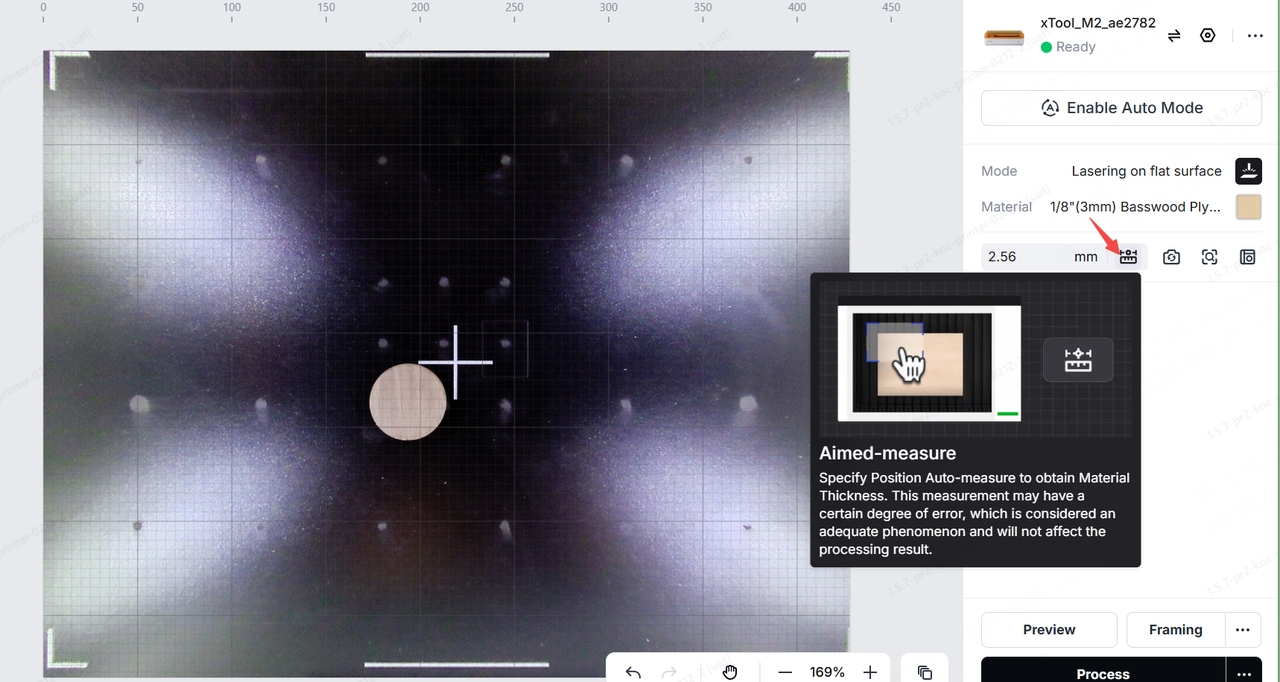
- If the material is not flat, replace it with a flat piece of material (for example, a new sheet, acrylic, etc.) and secure it again, ensuring it is tightly attached to the processing platform. After replacement, try processing again.
4. Perform camera positioning accuracy calibration
If the material is flat but the processing results are still deviated, perform camera positioning accuracy calibration. For instructions, please refer to the video:
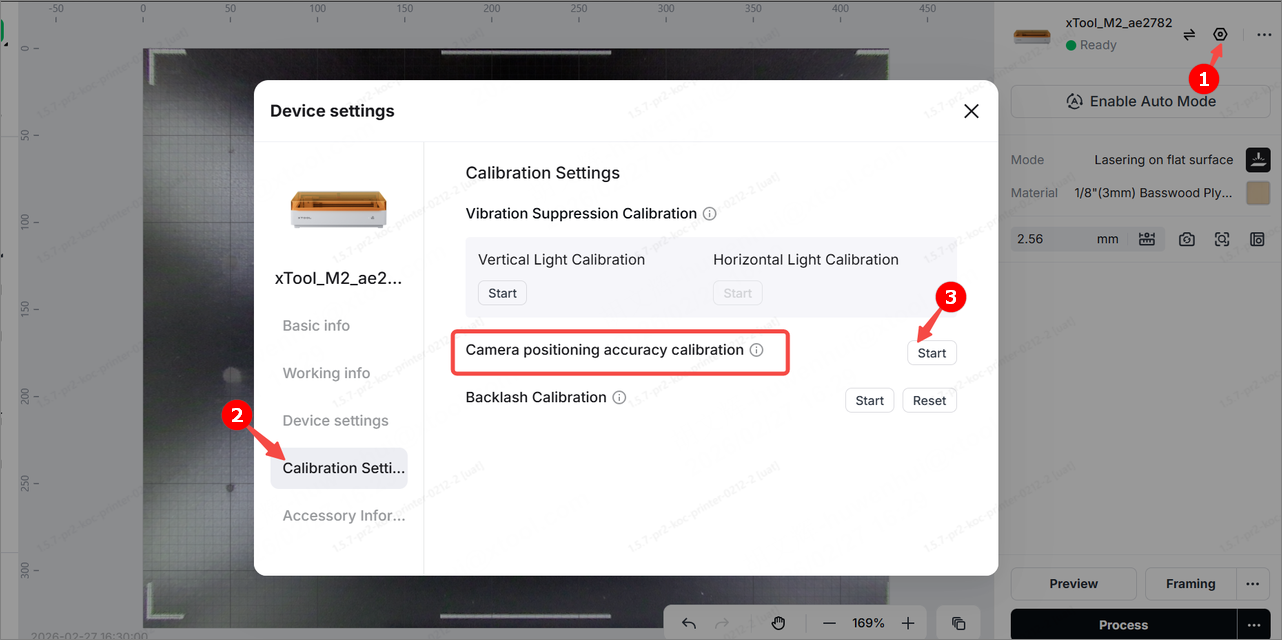
After the calibration is complete, retry the processing and observe whether the issue has been resolved. If the issue persists, proceed to step 5.
5. Verify the malfunction of the Auto-measure
The material thickness data provided by the Auto-measure is a critical parameter for the camera positioning algorithm. If the deviation is too large, it will lead to camera positioning deviation.
Verification method:
(1) Use your own measuring tools (such as calipers or micrometers) to measure the actual thickness of the processed material.
(2) In xTool Studio, click Auto-measure to read the thickness value measured by the software.
(3) Compare the software-measured value with the actual thickness.
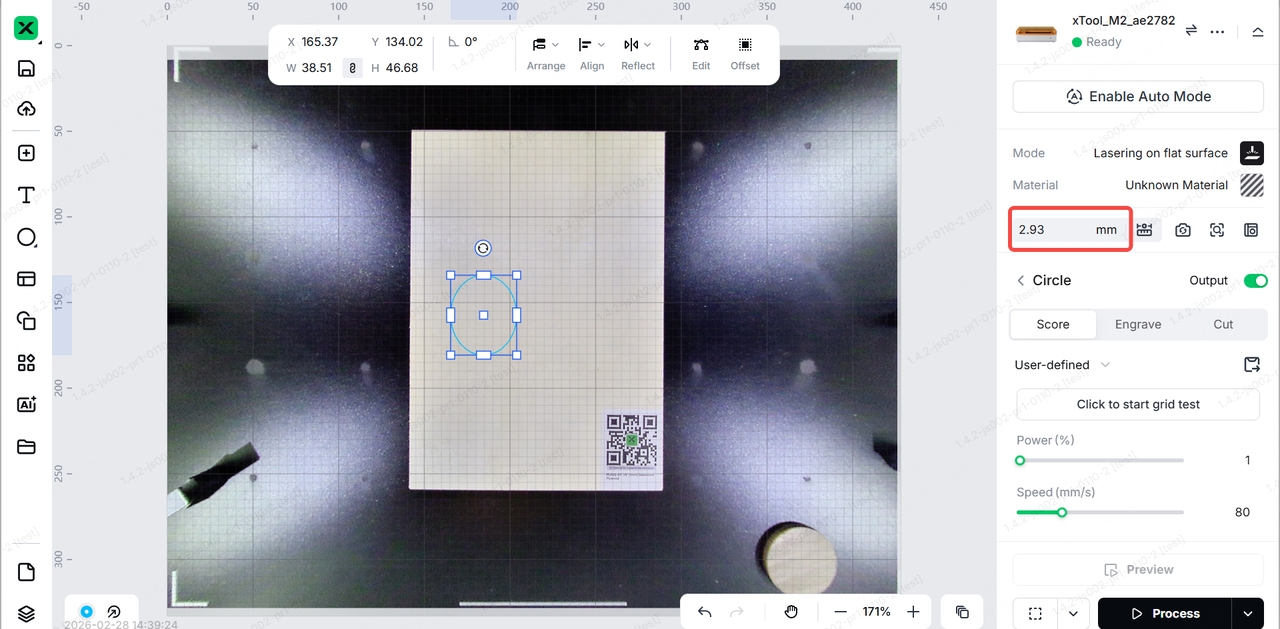
Note: If the deviation is greater than 0.5 mm, the Auto-measure is deemed to be malfunctioning. Taking a 3-mm-thick linden board as an example, if the distance measured by the software is greater than 3.5 mm or less than 2.5 mm, it is considered an anomaly.
Still experiencing issues?
Should the issue persist after completing the preceding steps, submit a ticket via the "Submit a Ticket" button in the "Help Ticket" section below. The standard response time for xTool Customer Service is one business day.
For a prompt resolution, please include the following details:
- Actual processing position: The picture of the finished product.
- Software version: The software version of xTool Studio that you use.
- Firmware version: The firmware version of xTool M2 that you use.
- Serial number (SN) of xTool M2: Located on the back of the device.
- Device information: Follow the steps to export the work log.

Services & Help
Learn & Education

Copyright © 2025 xTool All Rights Reserved.