
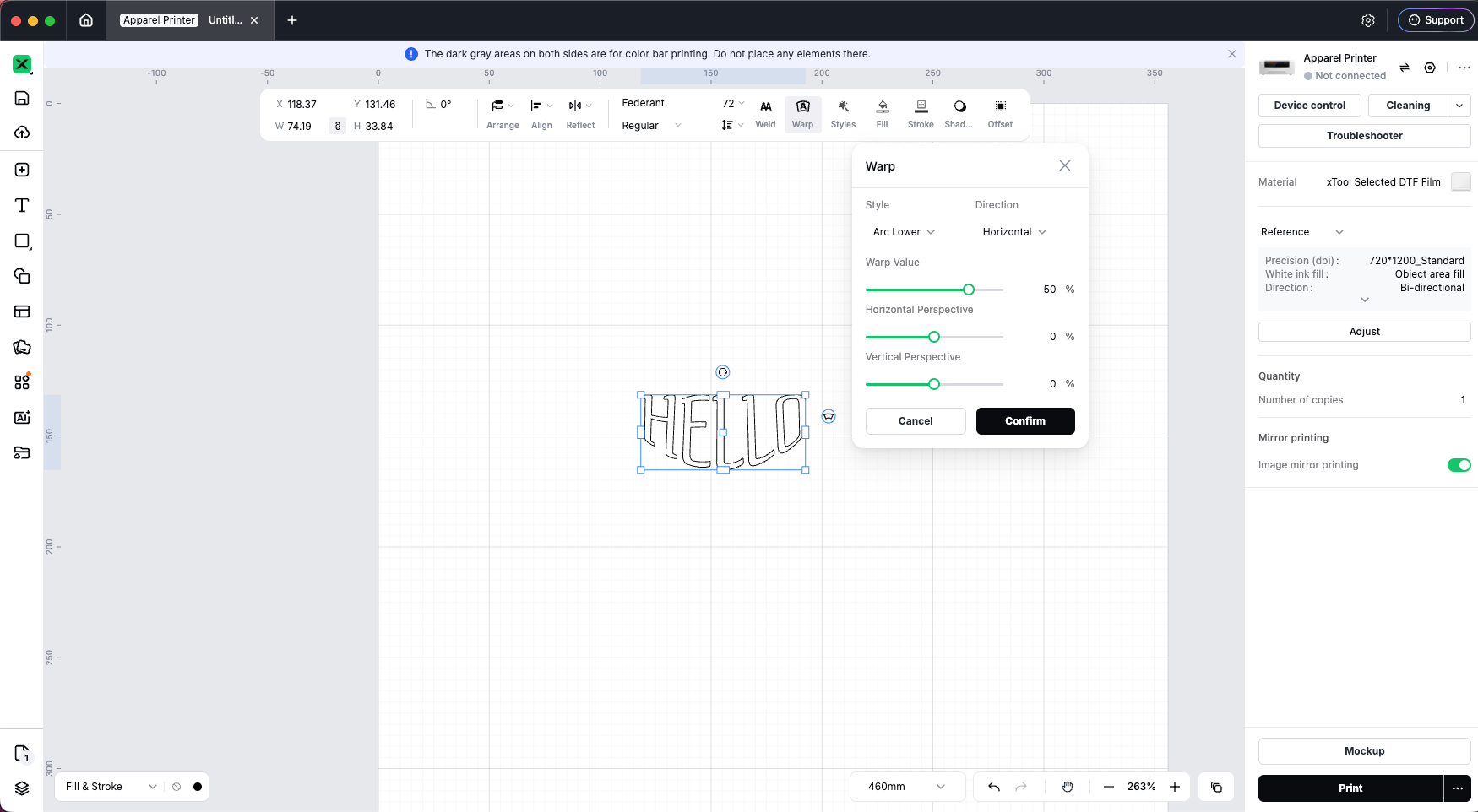
Warp bends a single line of text along curves and shapes—arcs, arches, waves, and more. Use it for logos, titles, and decorative lettering. Changes preview live on the canvas; click Confirm to keep them in your project.
Before you start
- Select exactly one text object on the canvas (not multiple text objects, not text mixed with other objects).
- If this isn’t met, the Warp button won’t appear on the top toolbar.
Open Warp
- Click the text you want to warp.
- On the top design toolbar, click Warp.
- A Warp panel opens near the toolbar.
Panel controls
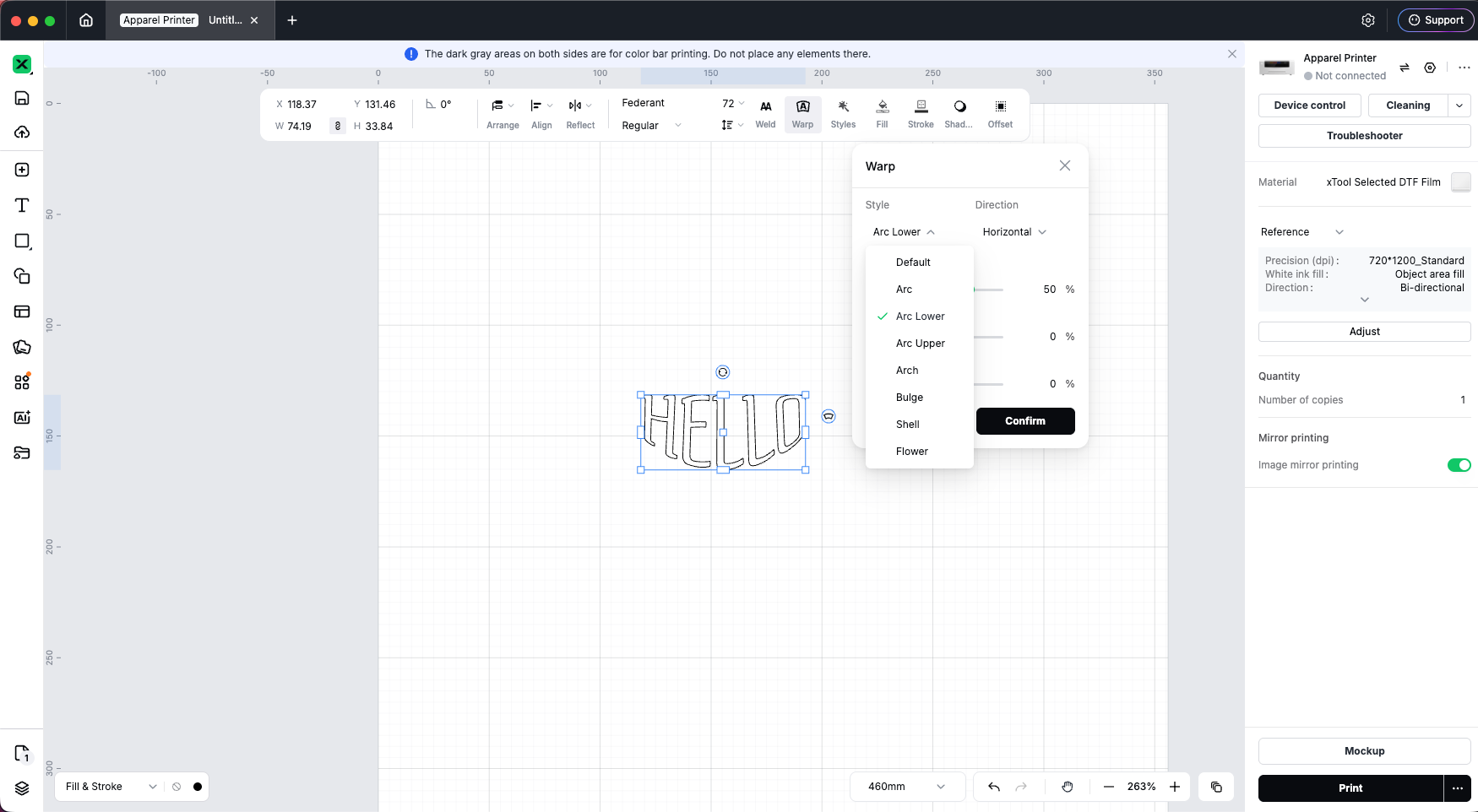
Style
Choose a preset from the Style list.
When None is selected, Direction and the strength sliders are disabled.
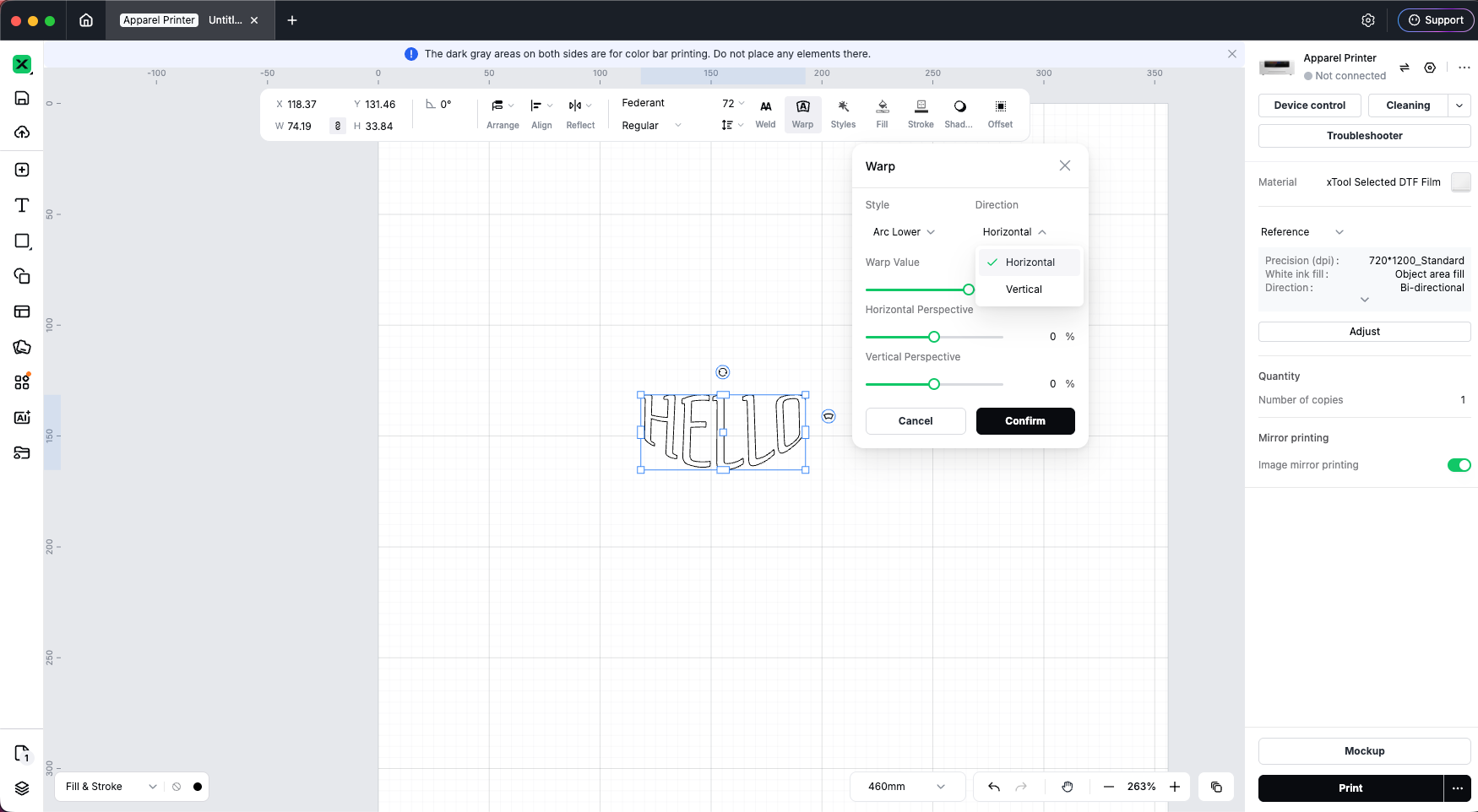
Direction
- Horizontal
- Vertical (may appear as Portrait in some builds)
Controls how the warp is applied. Available only when a style other than None is selected.
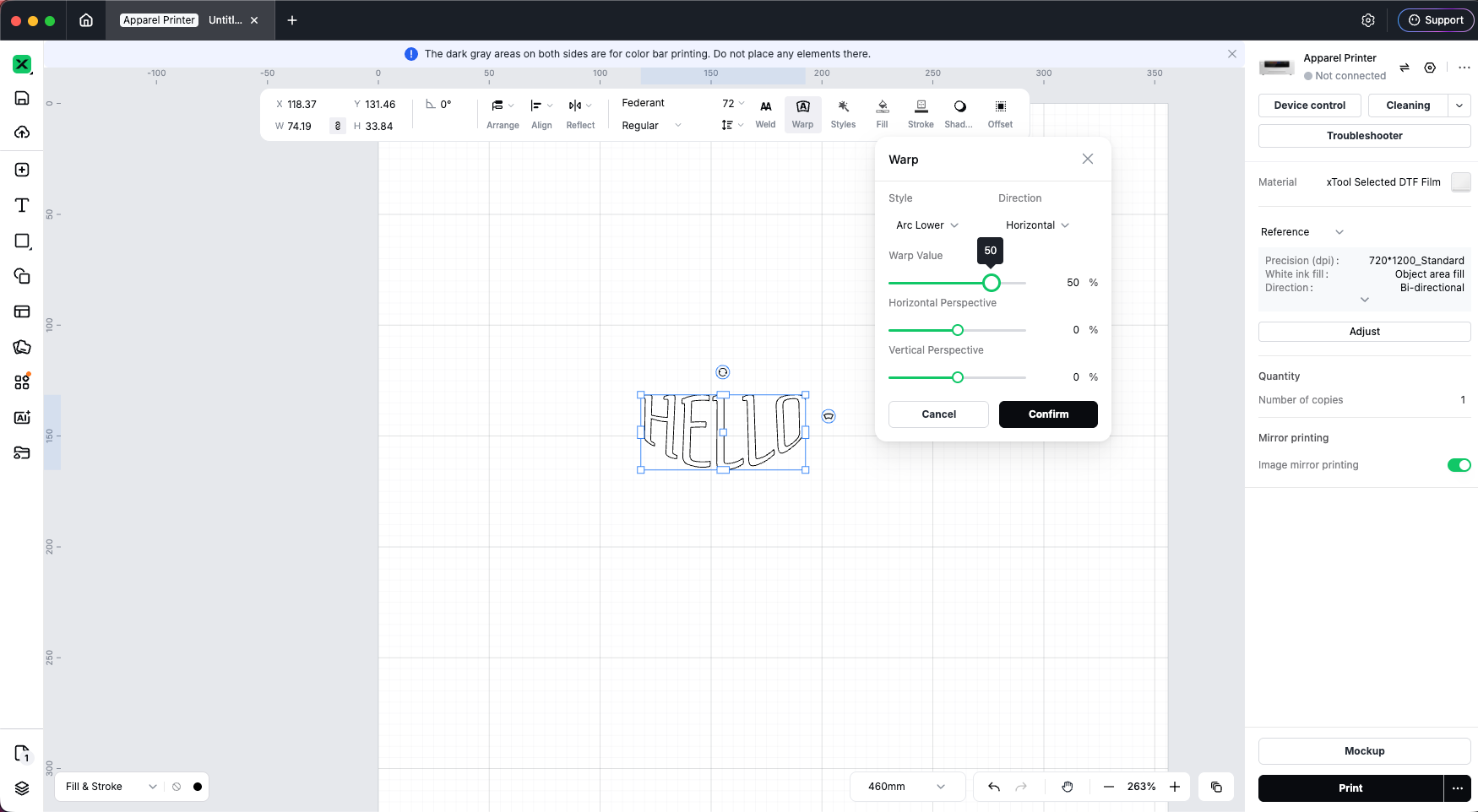
Strength sliders
Slider | Range | What it does |
Warp value | -100% to 100% | Overall warp strength |
Horizontal perspective | -100% to 100% | Horizontal perspective |
Vertical perspective | -100% to 100% | Vertical perspective |
The canvas updates as you drag so you can compare effects.
After you pick a new style (not None), Warp value often defaults to about 50%—adjust as needed.
Confirm or cancel
Button | Result |
Confirm | Saves the warp; you can Undo later if needed |
Cancel | Discards changes and restores the text as it was before you opened the panel |
Closing the panel by clicking outside usually works like Cancel (unsaved edits are not kept).
Tips
- Set font and size first, then warp—fewer layout surprises.
- Very strong warps on small text can hurt readability and cut quality; use moderate values.
- To remove a warp, set Style to None, then click Confirm.
- Warp is for text only. Bitmap warp/deform is a separate image tool—don’t confuse the two.
Quick steps
- Select one text object
- Click Warp
- Choose Style and Direction
- Adjust sliders and preview
- Click Confirm

Services & Help
Learn & Education

Copyright © 2025 xTool All Rights Reserved.