
Unboxing and First Use
Download PDF files (multi-language)
The Quick Start Guide provides the list of items, product introduction, and instructions for installing and using xTool Dual Station.
|
List of items
Unbox Dual Station and check the items inside the pack. If you find items missing or broken, please contact us for after-sales support.
Dual Station base | Stabilizing stand | Heat Press Module |
| ||
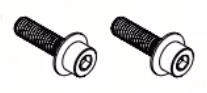
Hex screw | Thumb screw | Quick Start Guide |
Introduction
xTool Dual Station is intended for use only with xTool WonderPress. It supports two Heat Press Modules, one for heat pressing and the other for processing preparation, which improves efficiency for batch production.
Before use, read and follow the Safety Instructions and Quick Start Guide of xTool WonderPress.
Install the Dual Station
1. Turn off xTool WonderPress and wait for the heating plate to cool down.
Press the power button on the heat press machine to turn it off. Wait until the heating plate has cooled down before proceeding.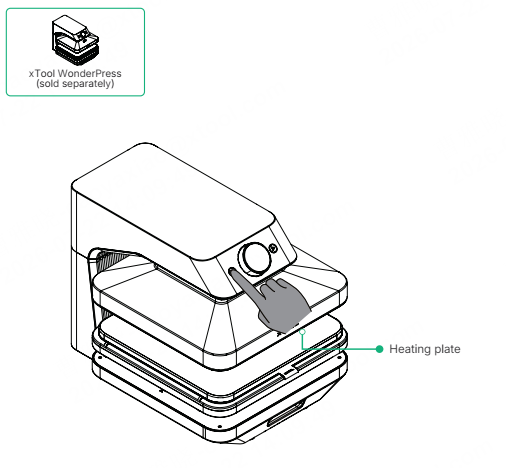
2. Remove the currently installed module.
(1) Pull out the base by the handle.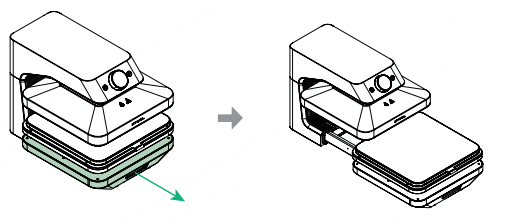
(2) Remove the currently installed module, then push the base back.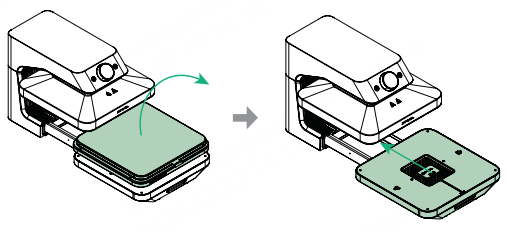
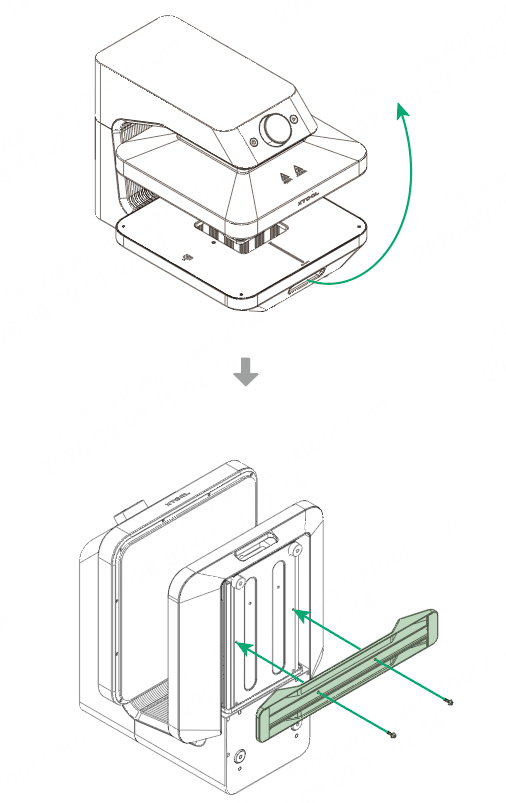
3. Install the stabilizing stand.
Rotate the heat press by 90°, then install the stabilizing stand on its bottom.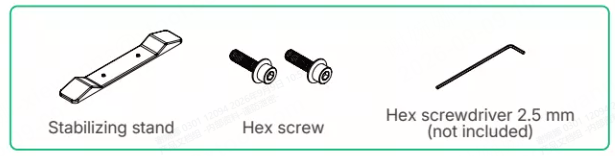
4. Install the Dual Station base.
(1) Pull out the base by the handle.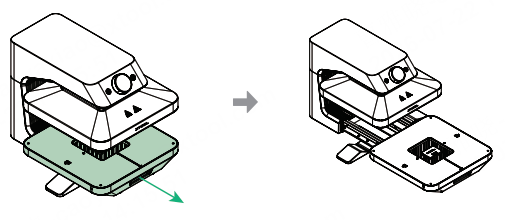
(2) Move the sliding rail to the middle.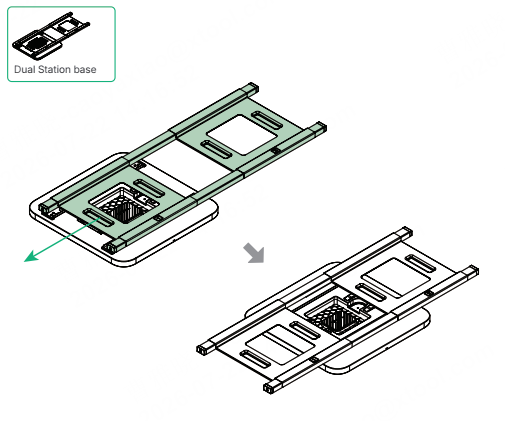
(3) Place the Dual Station base into the base of the main unit.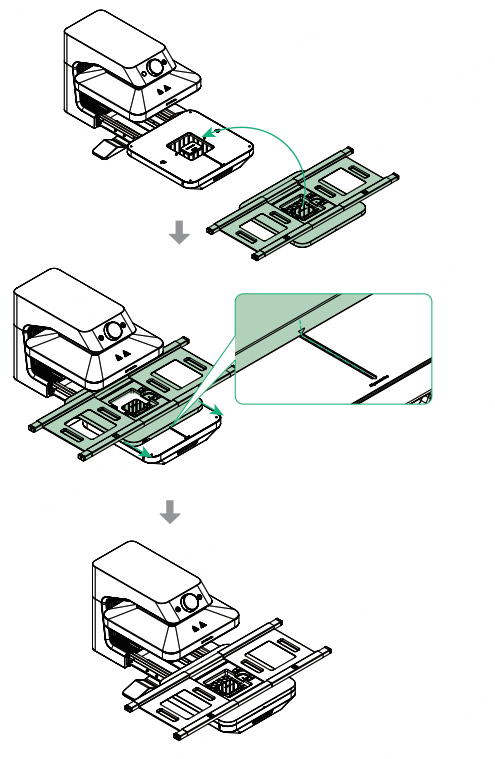
Note: Align the installation marks first. Then, slide the Dual Station base forward until its bottom protrusion fits into the recess in the main unit base
(4) Adjust the position of the sliding rail to expose the two screw holes, then tighten the screws to secure the Dual Station base.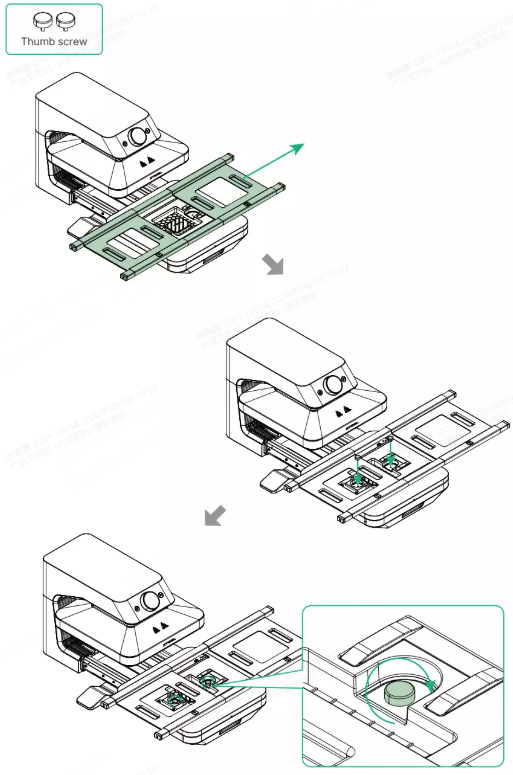
5. Install the Heat Press Modules.
Place a Heat Press Module into each of the two stations on the Dual Station base.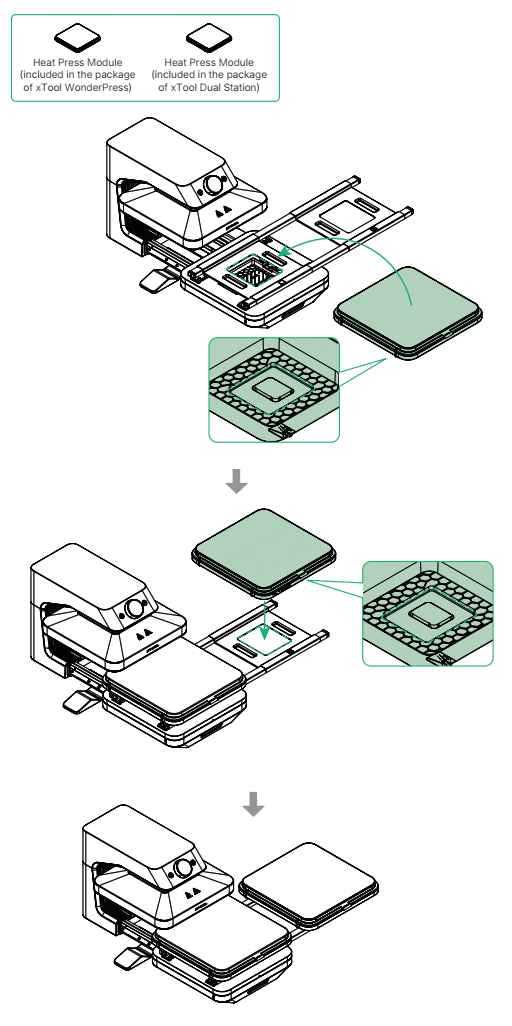
Note: Ensure that the protrusion on the bottom of the module fits into the recess of the station.
Use the Dual Station
1. Start heat pressing on one station.
- For detailed instructions on heat pressing, please refer to the Quick Start Guide for xTool WonderPress.
- The Dual Station does not support auto mode. You need to press the start/stop button to begin processing.
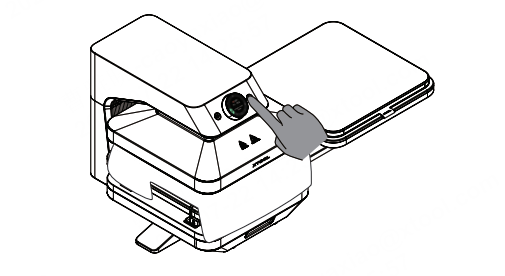
2. Prepare the next task on the other station.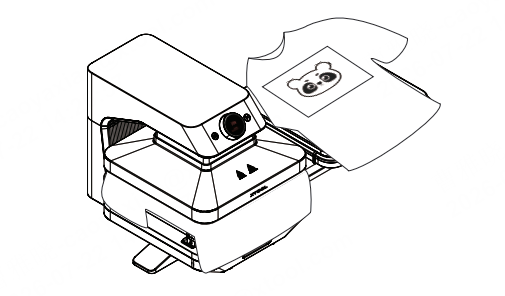
3. Switch stations and continue the next processing task.
(1) When the previous station finishes processing, the heating plate will rise automatically.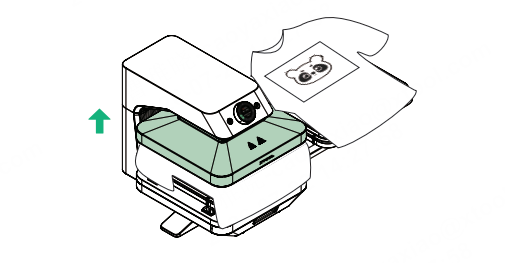
(2) Push the sliding rail to move the other station directly under the heating plate.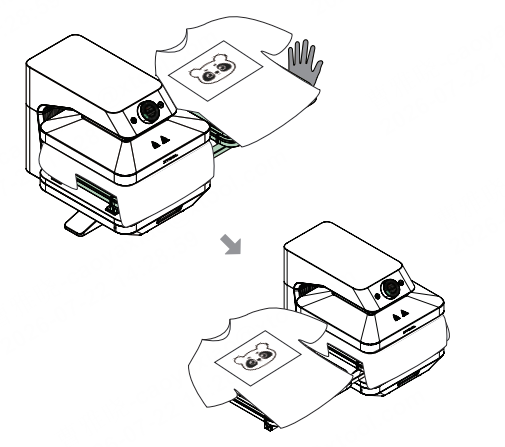
(3) Press the start/stop button to begin processing the next garment.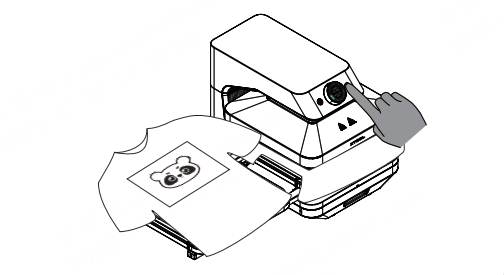
(4) Remove the processed garment, then peel off the DTF film after it cools down.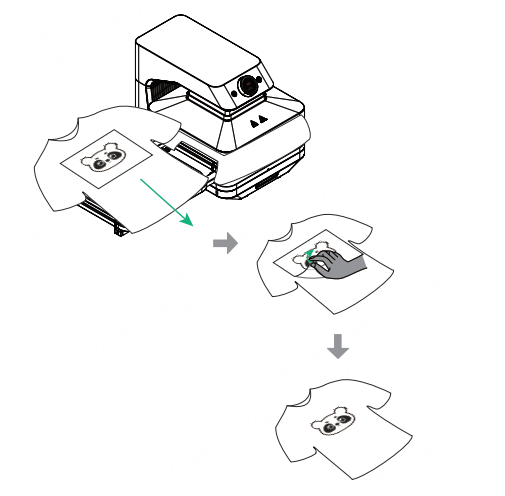
Note: To continue processing more garments, repeat the steps above to prepare the garment, switch stations, and start processing.

