
When encountering product malfunctions or processing results that do not meet expectations, it is recommended to provide the following information to xTool support team based on the type of issue encountered, so that the cause of the problem can be quickly identified and a solution provided.
Product malfunctions
Software version
Follow the steps below to get the software version and inform xTool support team of it.
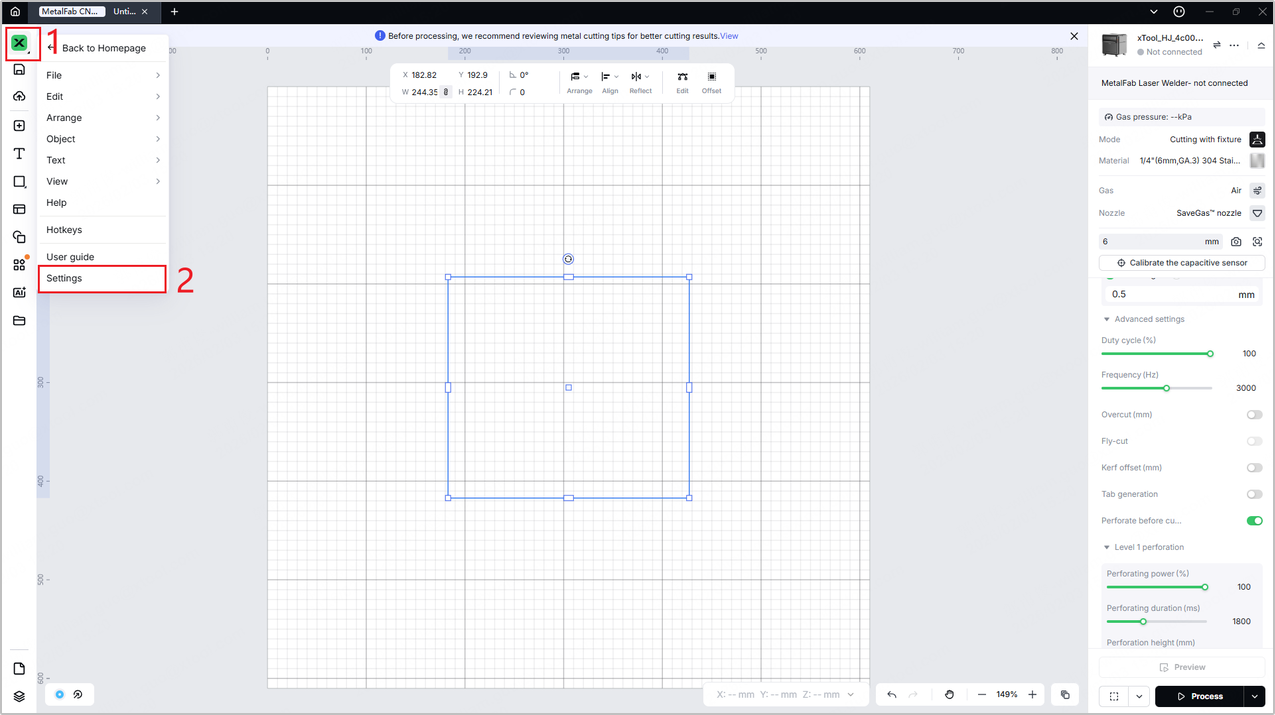
- Click the icon in the top left corner and click Settings.
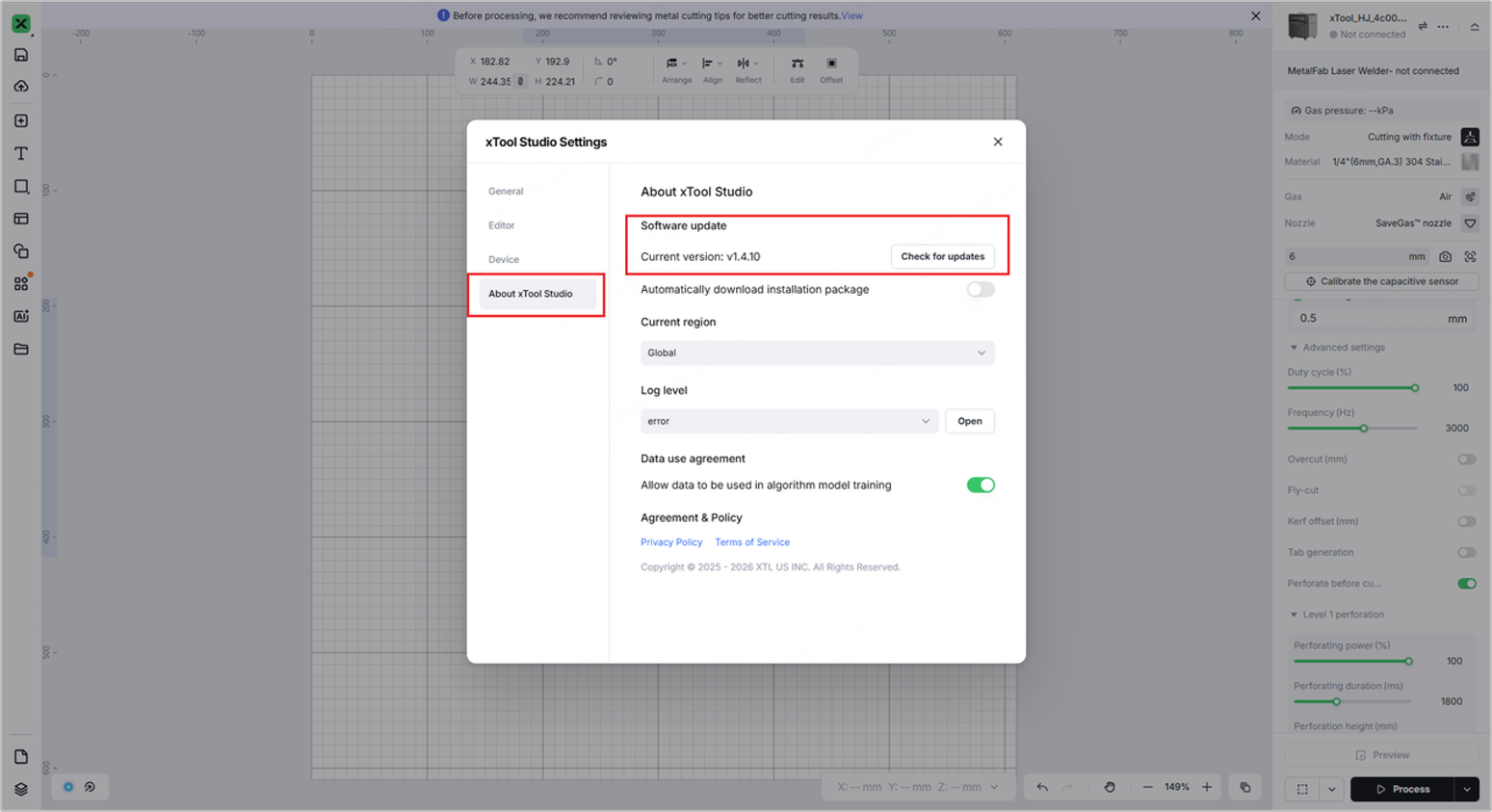
- In the dialog box, click the About xTool Studio tab and get your current software version.
Firmware version
Follow the steps below to get the firmware version and inform xTool support team of it.
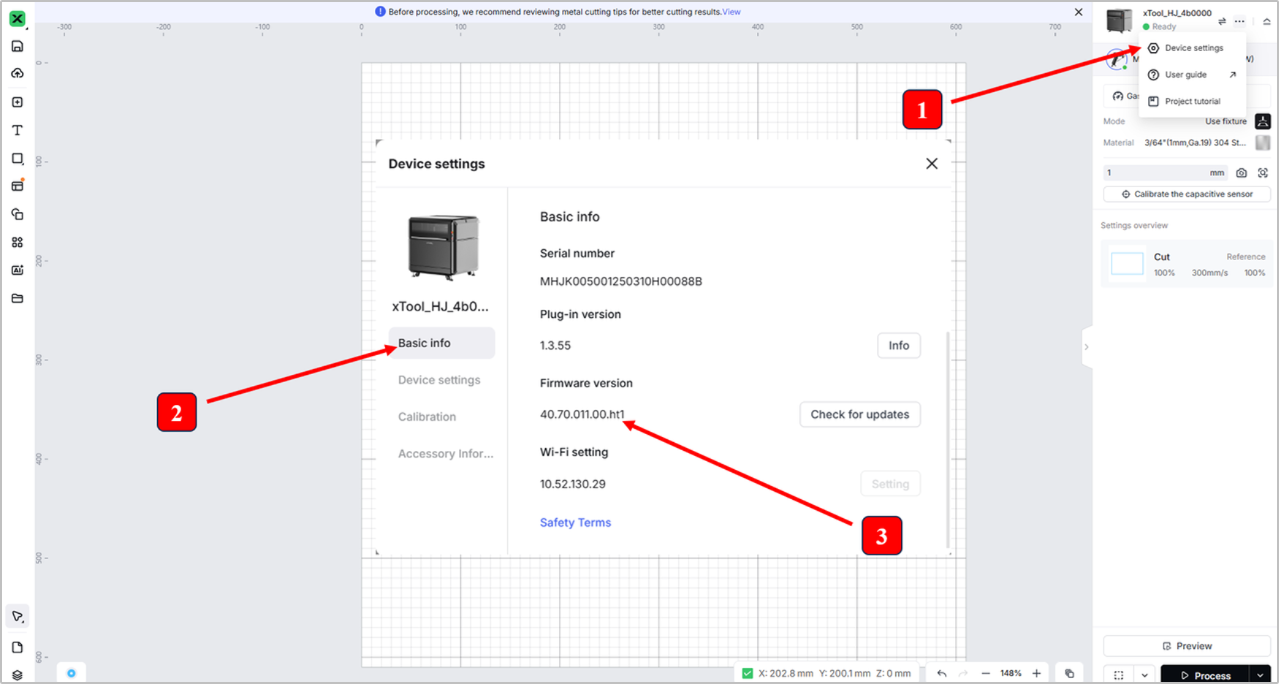
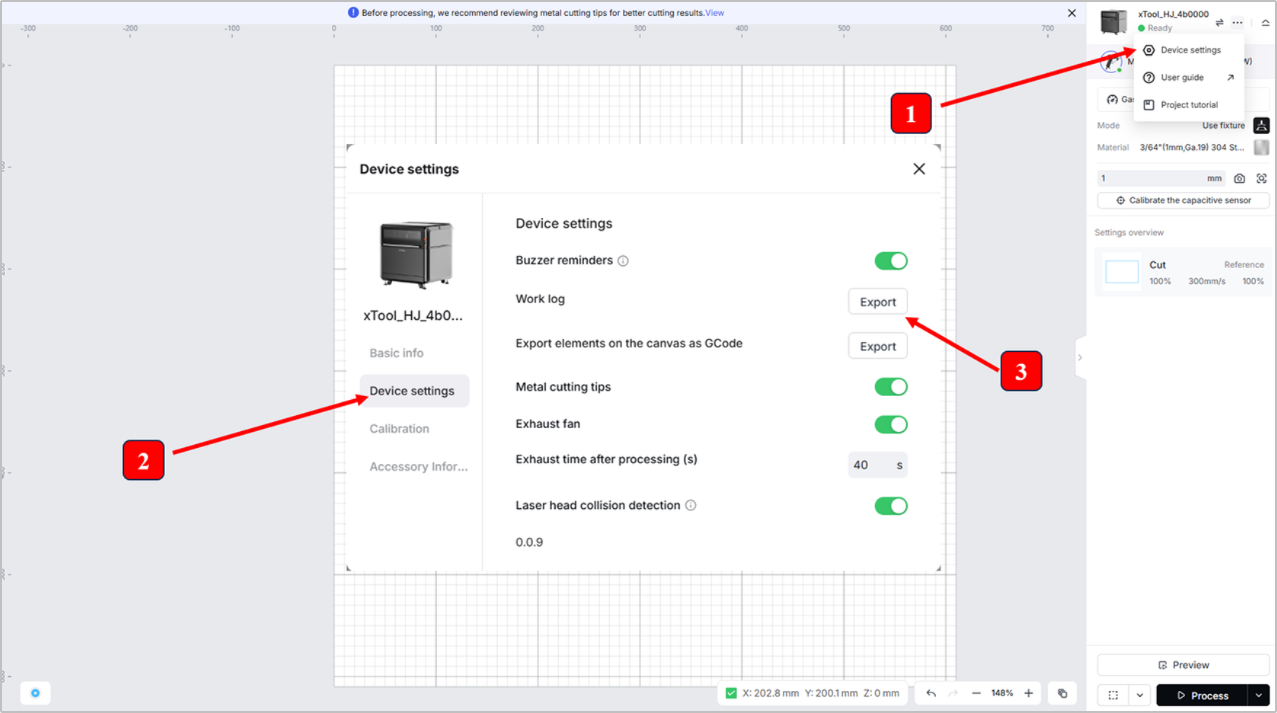
- Click the ... icon > Device settings.
- Click the Basic info tab.
- Get the information in the Firmware version area.
Serial number (SN)
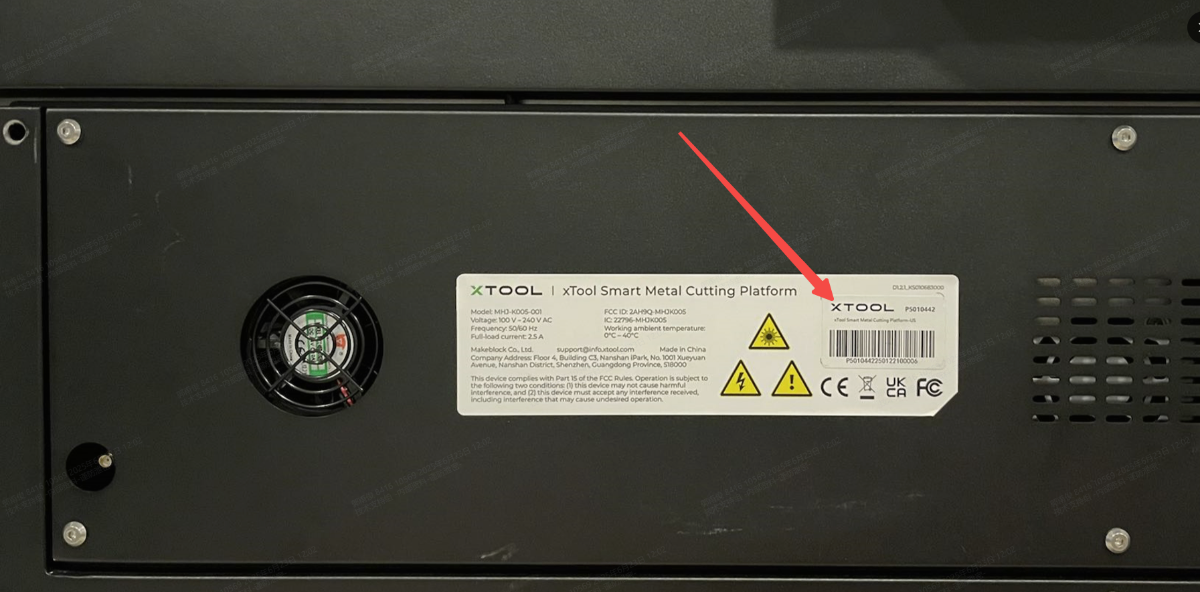
The SN label for xTool MetalFab CNC Cutter is located on the rear plate of the machine. Please inform xTool support team of it
Work log
Follow the steps below to get the work log and provide it to xTool support team.
- Click the ... icon > Device settings.
- Click the Device settings tab.
- Click Export next to Work log.
Note: The exported file is named xTool_hj003_log by default.
|
Video about the malfunction
Please provide a video about your operations and the malfunction.
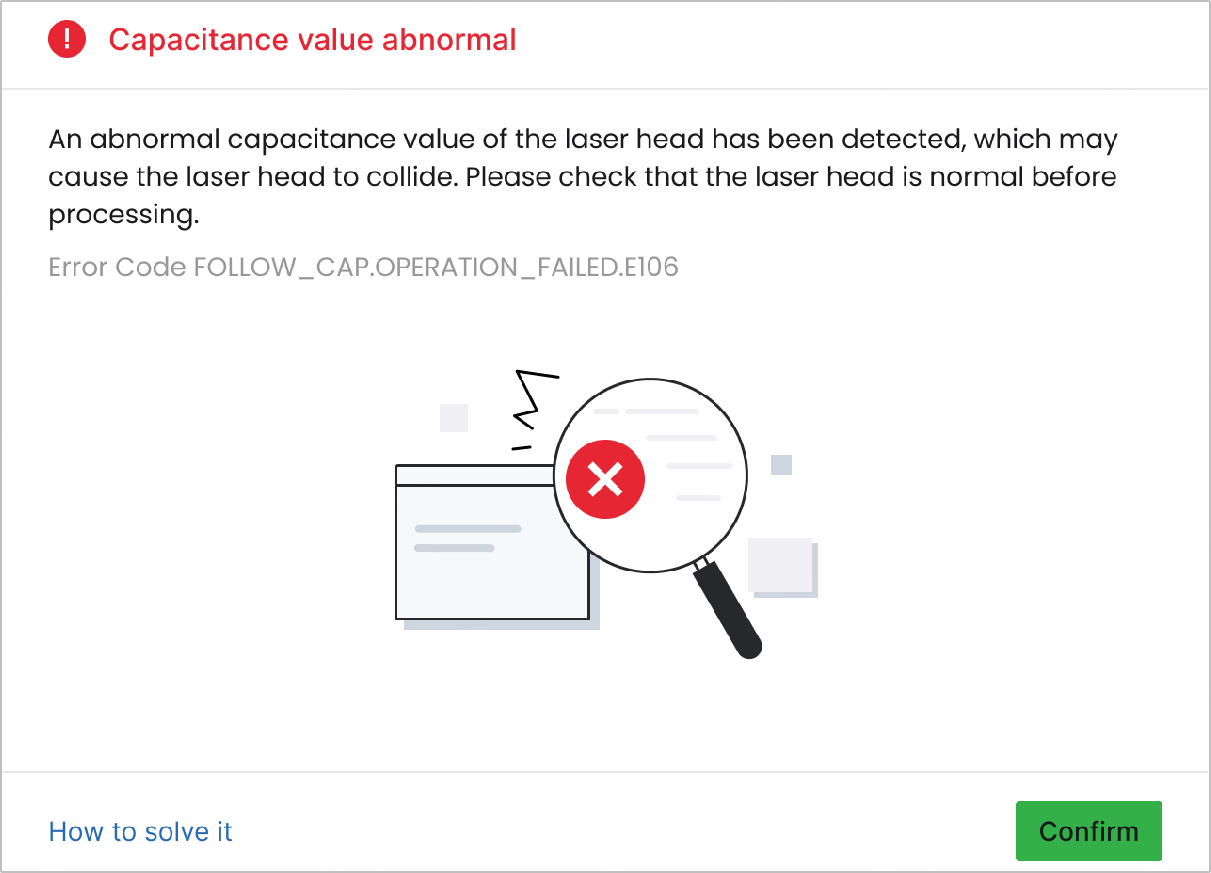
- If an error message pops up during your operation, please provide a screenshot of the message as shown in the figure below.
- If the issue is hard to identify, please take a photo of it.
- If the issue is hard to reproduce or occurs randomly, please provide detailed operation steps and descriptions for further analysis.
Video about the troubleshooting process and results
If you have performed troubleshooting according to the solution provided by xTool, please record the troubleshooting process and results in a video and send the video to the xTool support team; this will help resolve the issue quickly.
Processing result failures
Shielding gas type and purity
Please inform xTool support team of the following information:
- Gas type. For example, nitrogen, argon, oxygen, or compressed air.
- Gas purity.
Note: If xTool Air Compressor is used as the shielding gas supply equipment, check whether xTool Air Dryer has been used together as well.
Material type and thickness
Please inform xTool support team of the material type and its thickness. For example, 3 mm brass.
Focus values
Please inform xTool support team of the U-shaped component value and the value of Focus scale reference.
To find the Focus scale reference value, tap Machine information > System settings on the touchscreen of xTool MetalFab Laser Welder.
U-shaped component value | Focus scale reference value |
Gas pressure value
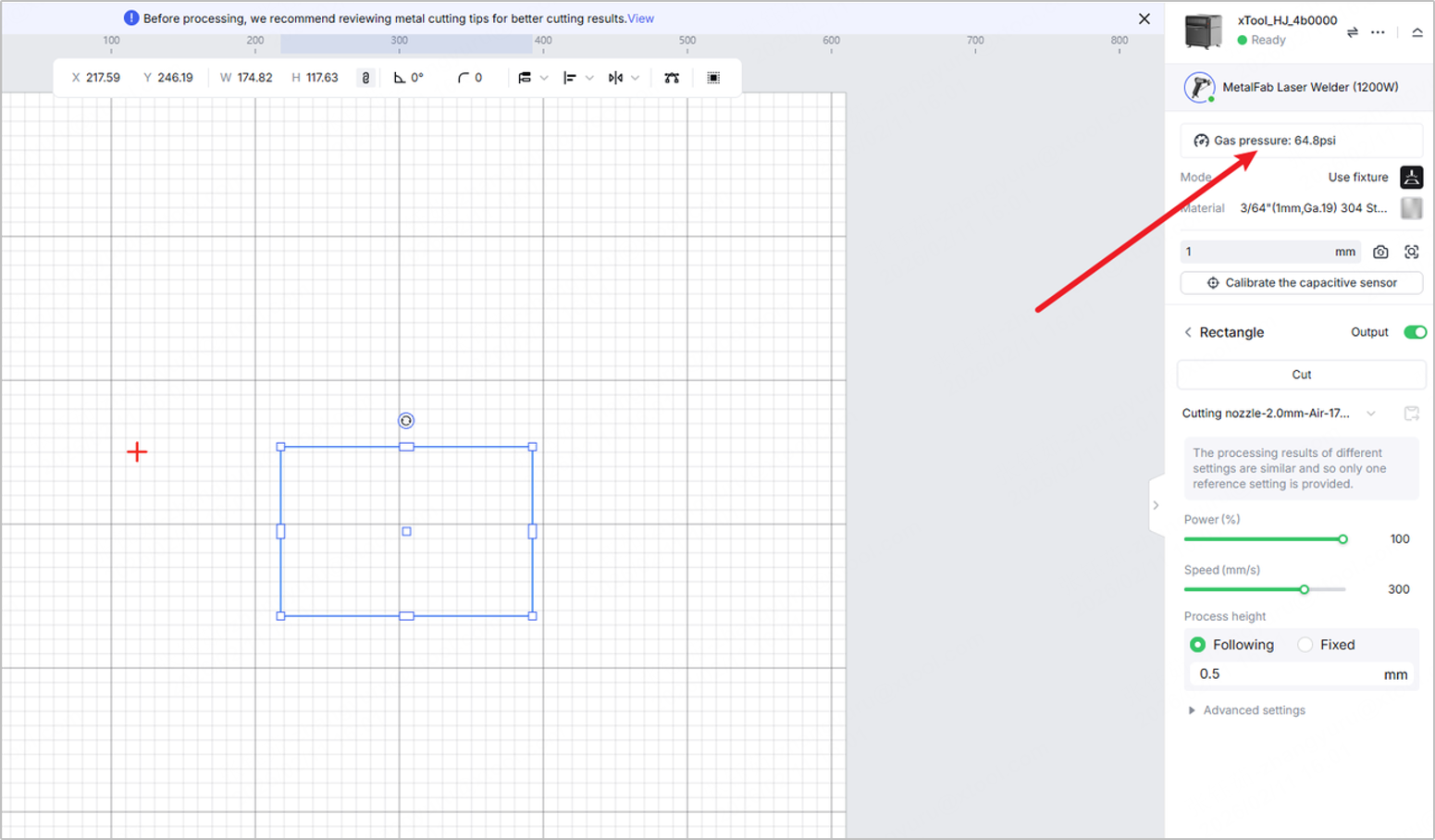
Please inform xTool support team of the gas pressure value, which can be obtained in xTool software.
Nozzle type
Please inform xTool support team of the nozzle you're using. For example, cutting nozzle.
Nozzle installed on the welding head | Different nozzles you can use for processing |
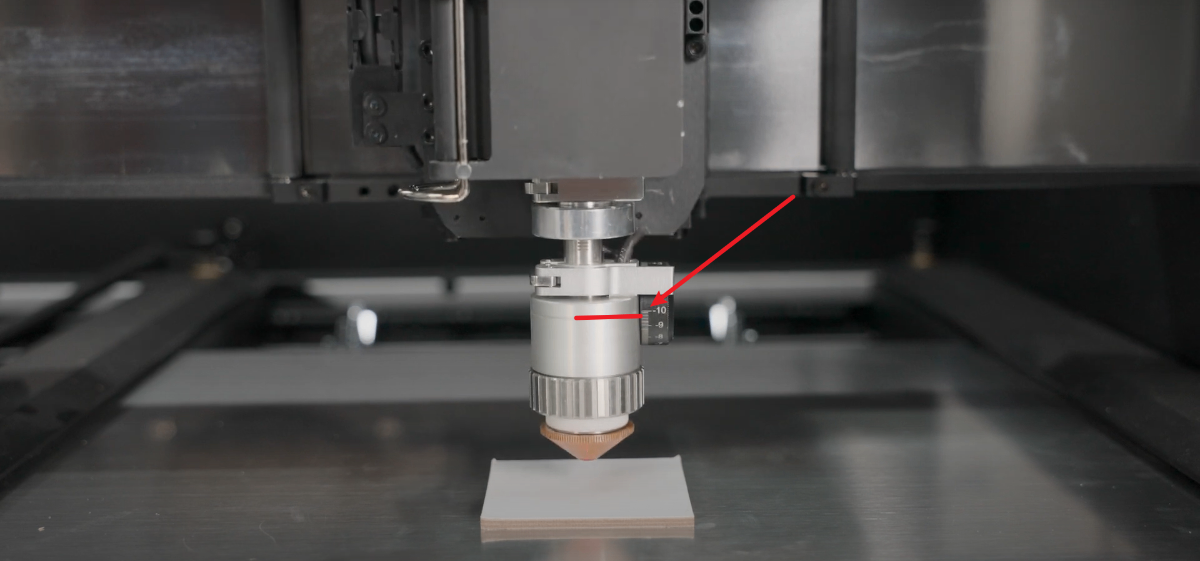
Cutting tip knob value
Please inform xTool support team of cutting tip knob value as shown in the figure below.
Photos of lens protectors
In a relatively dust-free environment, follow the steps below to provide photos of your lens protectors.
- Wear lint-free gloves.
- Take out the two lens protectors inside the welding head.
- Take photos of them.
|
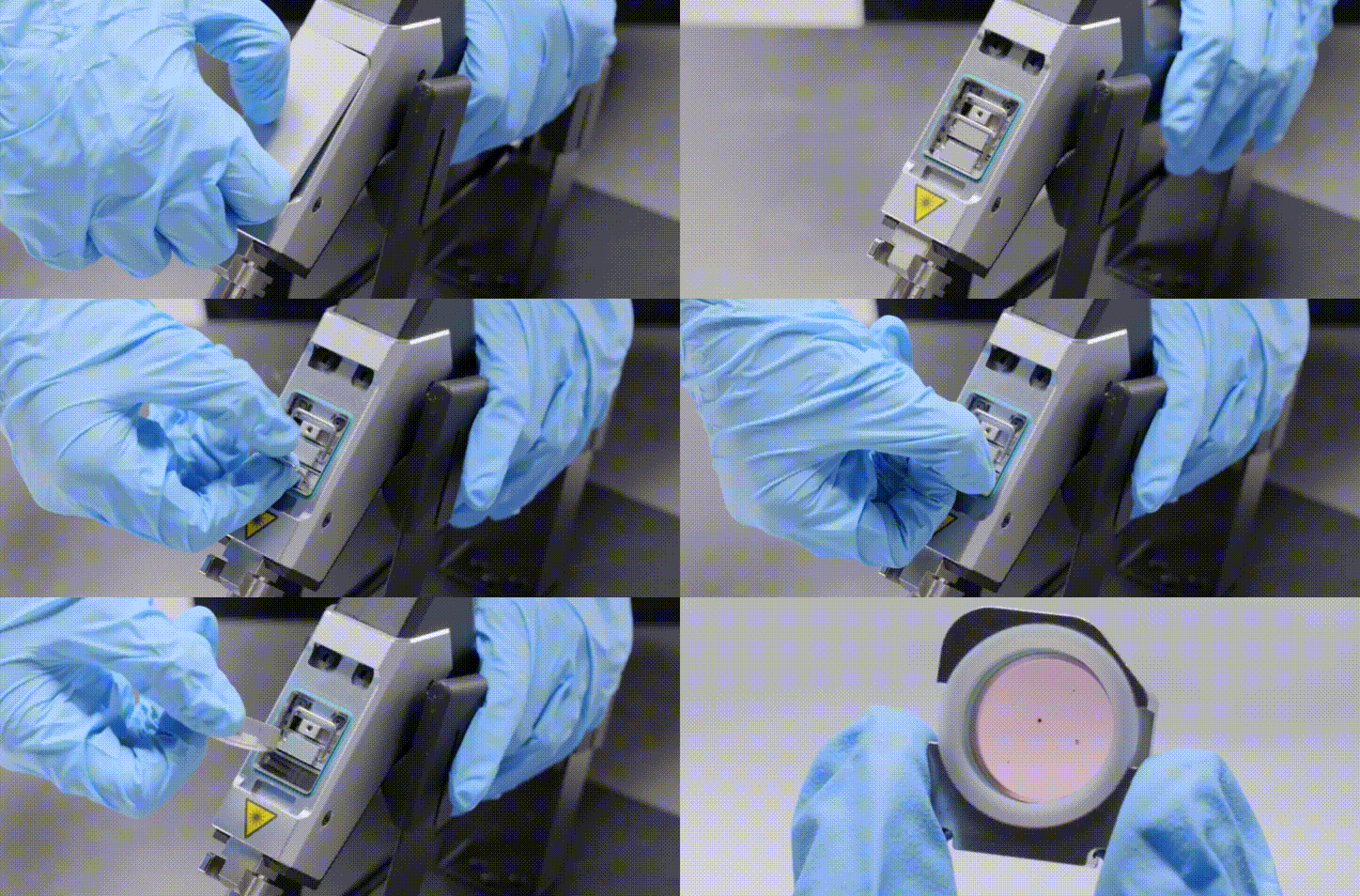
Note: Reinstall the lens protectors immediately after taking photos to prevent contamination.
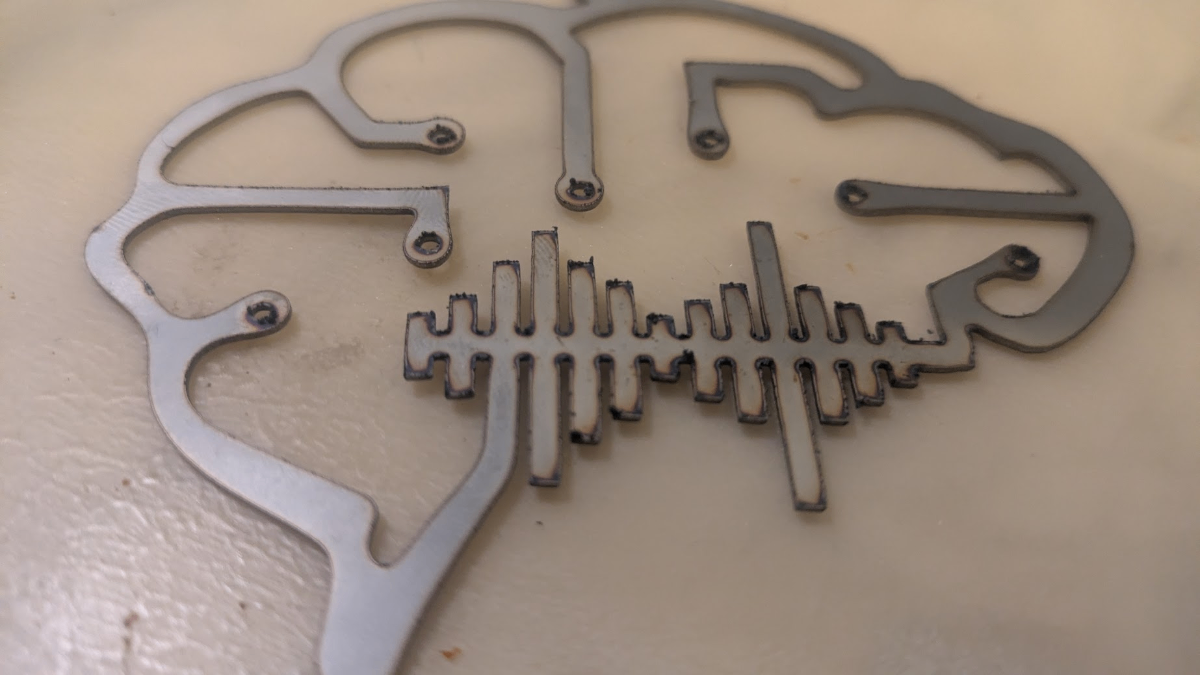
Photos of processing results
Please provide xTool support team with the photo of the actual processing results. The following figure is for reference only.
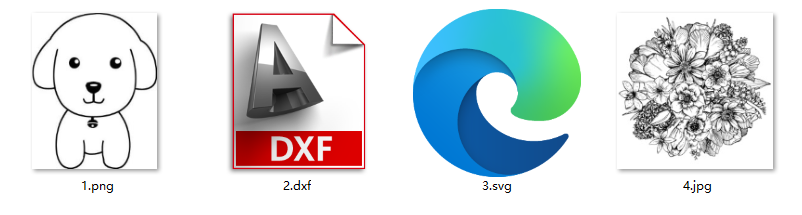
Original processing file
Images to be processed may be required, which can be
- Vector images in SVG or DXF formats, or
- Bitmap images in JPG, PNG, or other formats
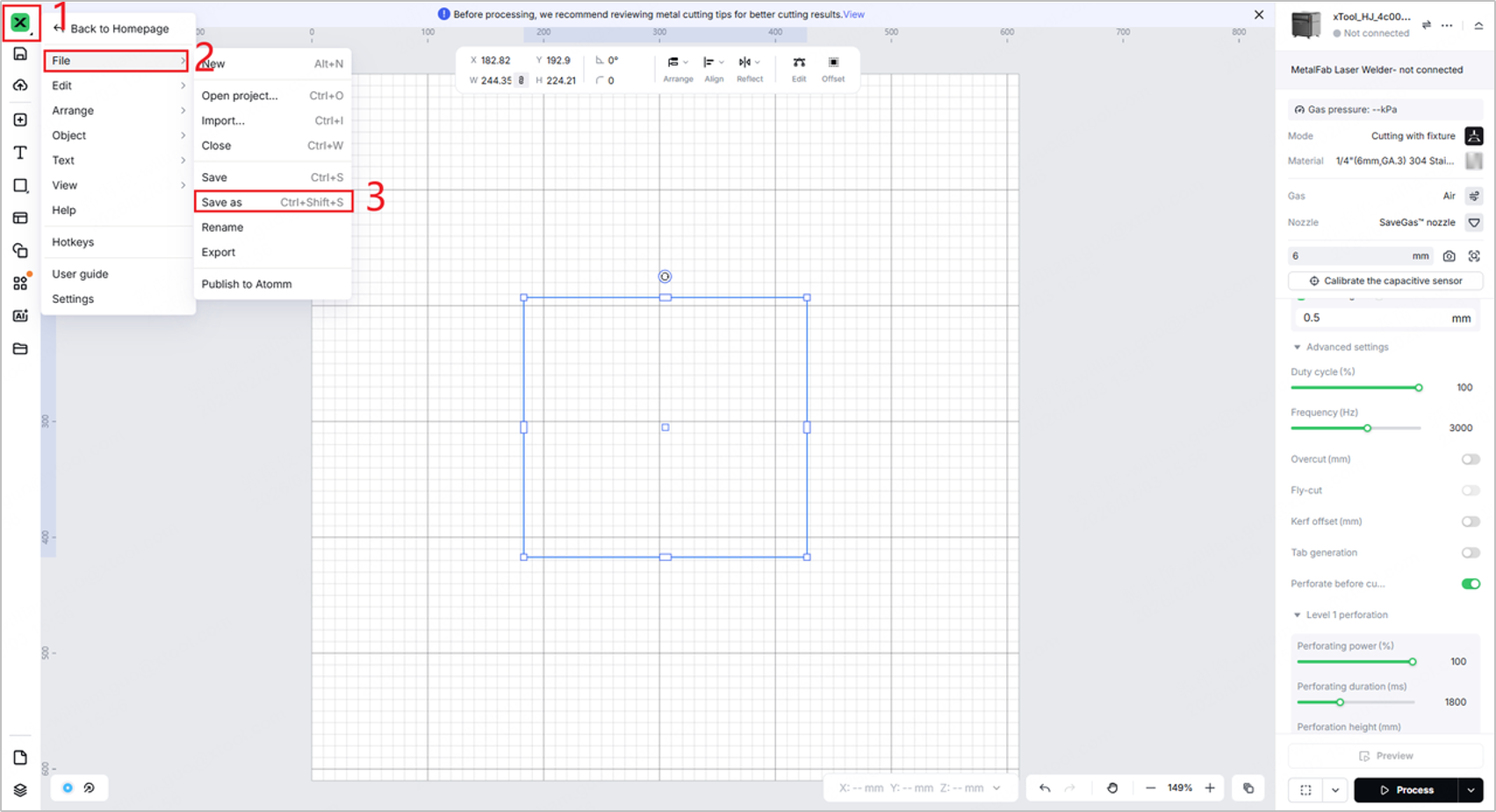
xTool Studio project and G-code files
Please provide xTool support team with the xTool Studio project files.
- How to export the project file:
|
|
Steps:
| Project file |
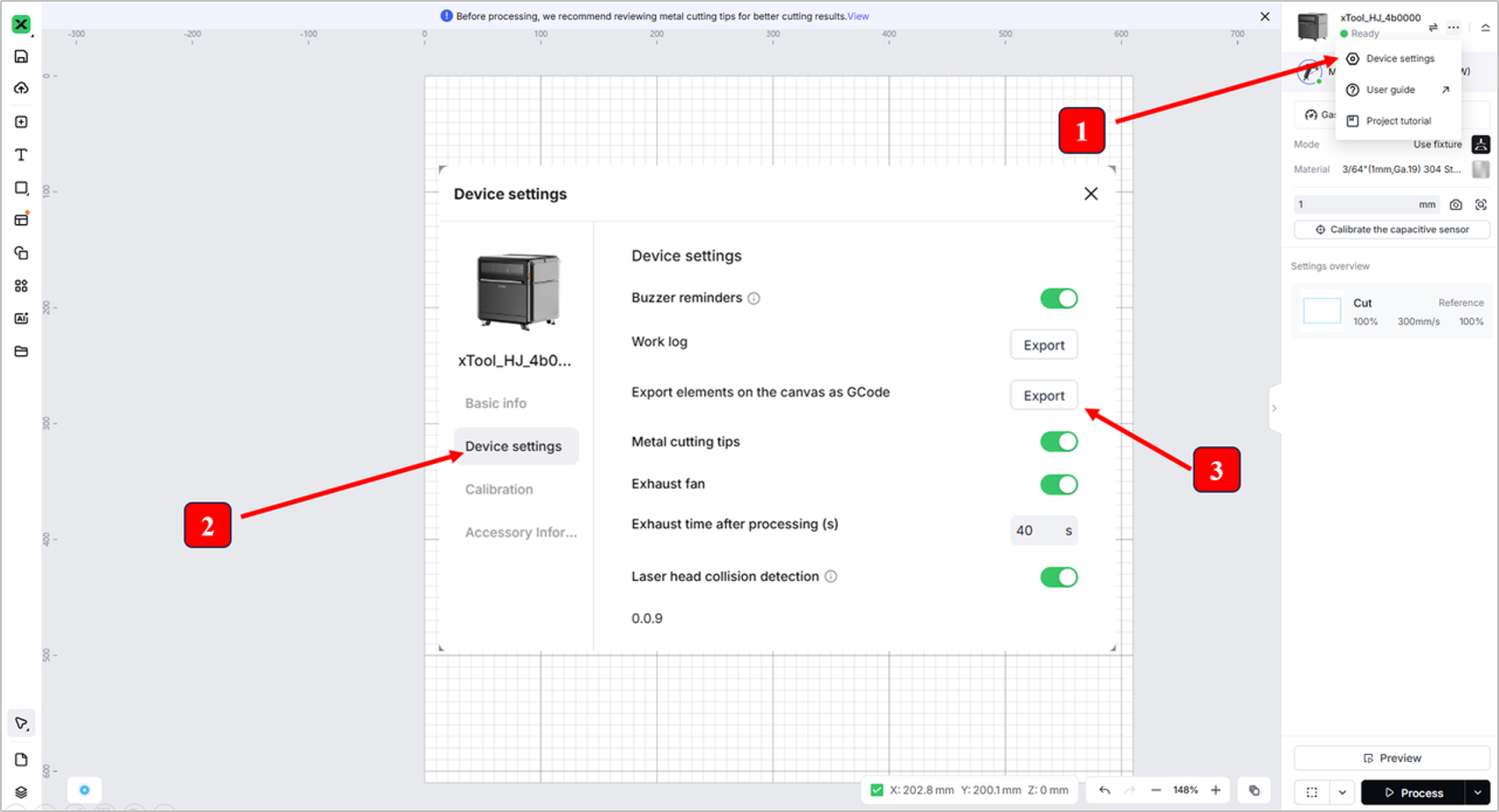
- How to export the G-code file:
- Click the ... icon > Device settings.
- Click the Device settings tab.
- Click Export next to Export elements on the canvas as GCode.

Services & Help
Learn & Education

Copyright © 2025 xTool All Rights Reserved.