
Important:
1. If the glass cup to be engraved has a curved surface, the height difference between the highest and lowest points in the engraving area on the glass cup must not exceed 0.75 mm.
2. It is recommended to start processing after the device has been running for 5 minutes, allowing the laser module to warm up.
3. When the ambient temperature is between 10°C and 15°C, it is recommended to warm up the device for approximately 20 minutes to allow the laser module to reach thermal equilibrium before starting processing.
Follow the steps below to start engraving on the surface of your glass cup!
1. Place the rotary attachment (RA2, RA2 Pro, or RA3) correctly on the baseplate of F2 Ultra UV.
Note: Placement instructions for RA2 and RA2 Pro can be found here, while instructions for RA3 can be found here.
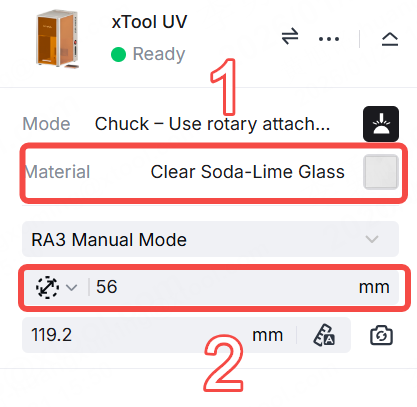
2. Select the corresponding glass cup material in xTool Studio, measure the perimeter or diameter of the cup, and enter the value.
3. Ensure that the engraving area of the cup is parallel to the ground. Use the mini level included with the rotary attachment to adjust it to a perfectly horizontal position.
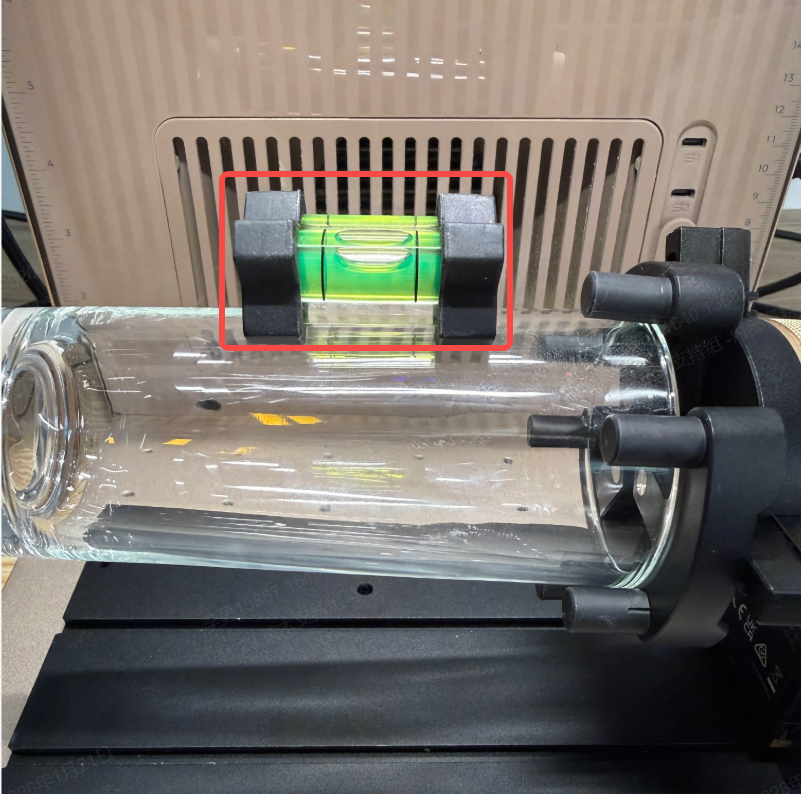
Note: When the mini level is parallel to the ground, the bubble in the mini level is centered.
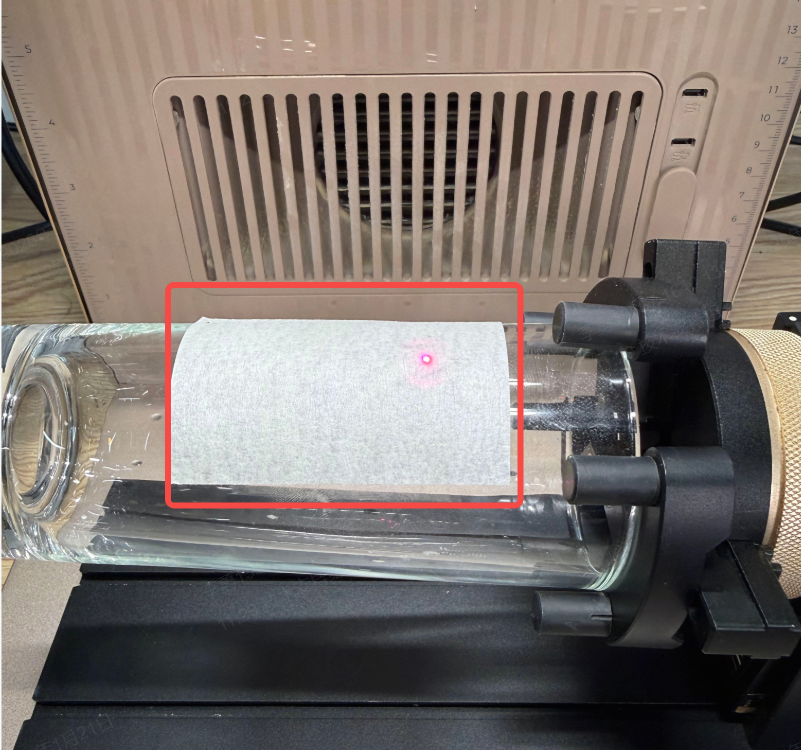
4. Use masking tape or other opaque materials to firmly attach to the surface of the glass cup, ensuring the opaque material is placed within the engraving area for focusing.
5. Click the Auto-measure icon to make the red and blue points overlap at the highest point on the surface of the cup.
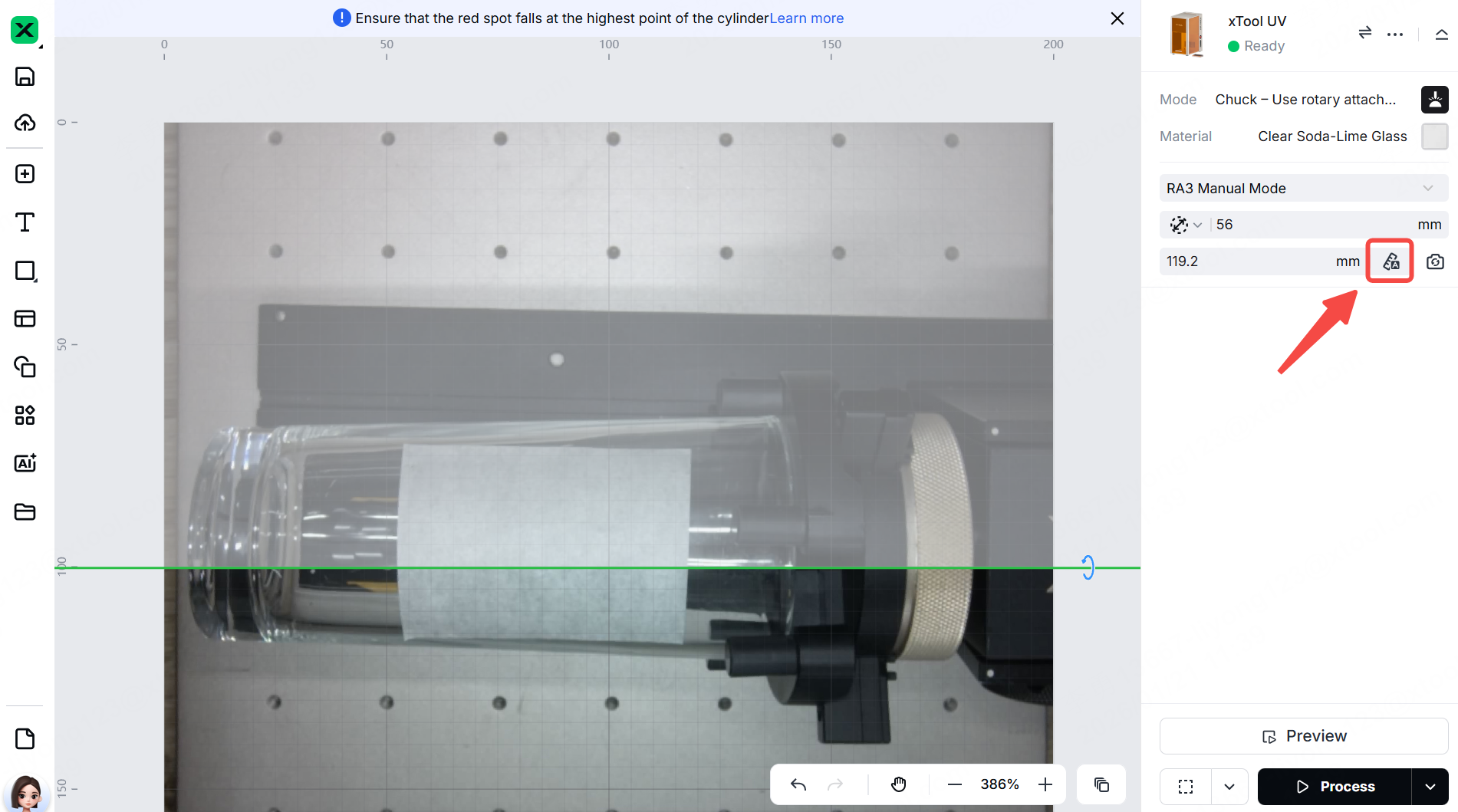
6. Remove the masking tape and adjust the auto-measured thickness by subtracting the masking tape's thickness.
Note: The thickness of masking tape is typically 0.5 mm. For example, if the auto-measured thickness is 119.2 mm, adjust it to 118.7 mm.
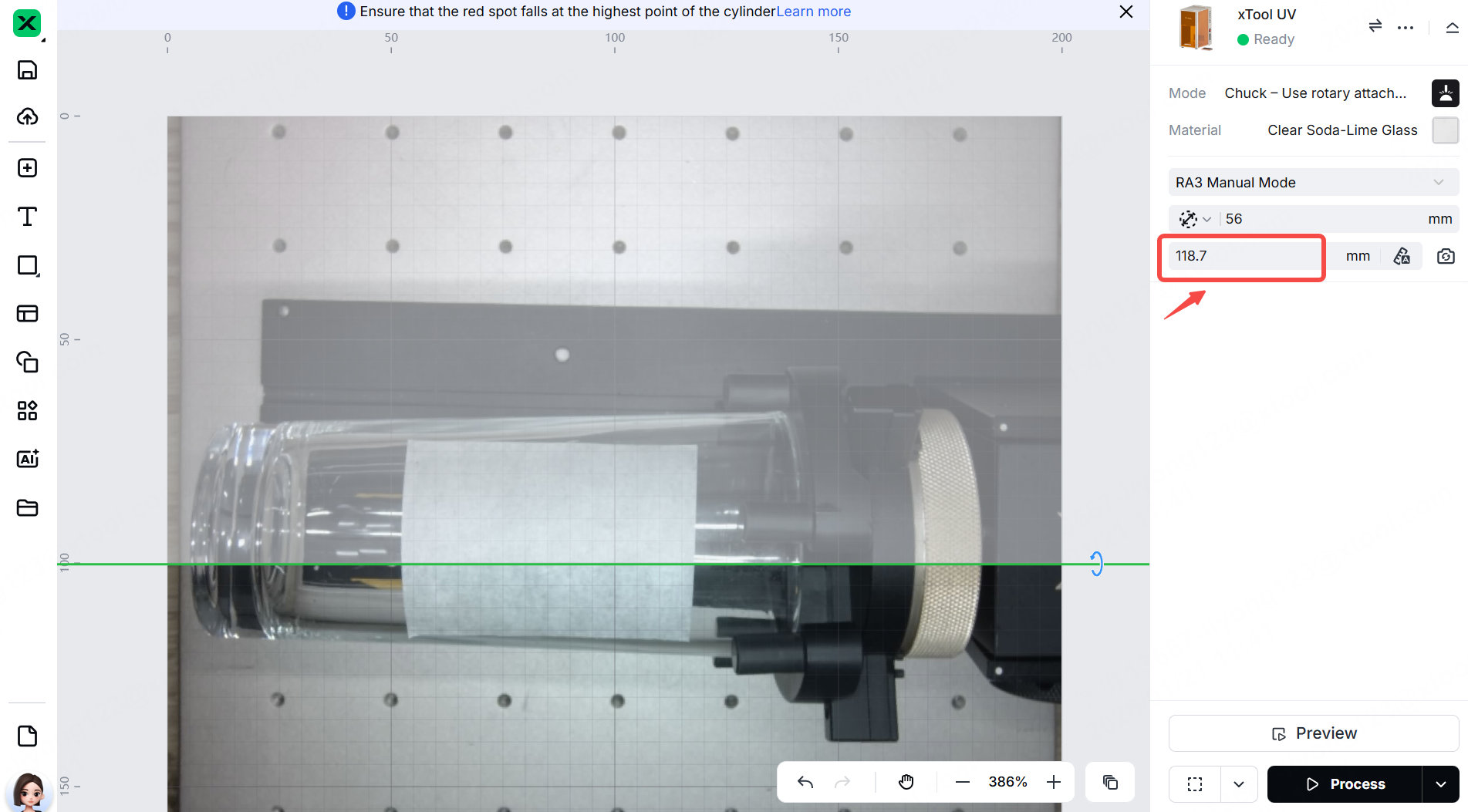
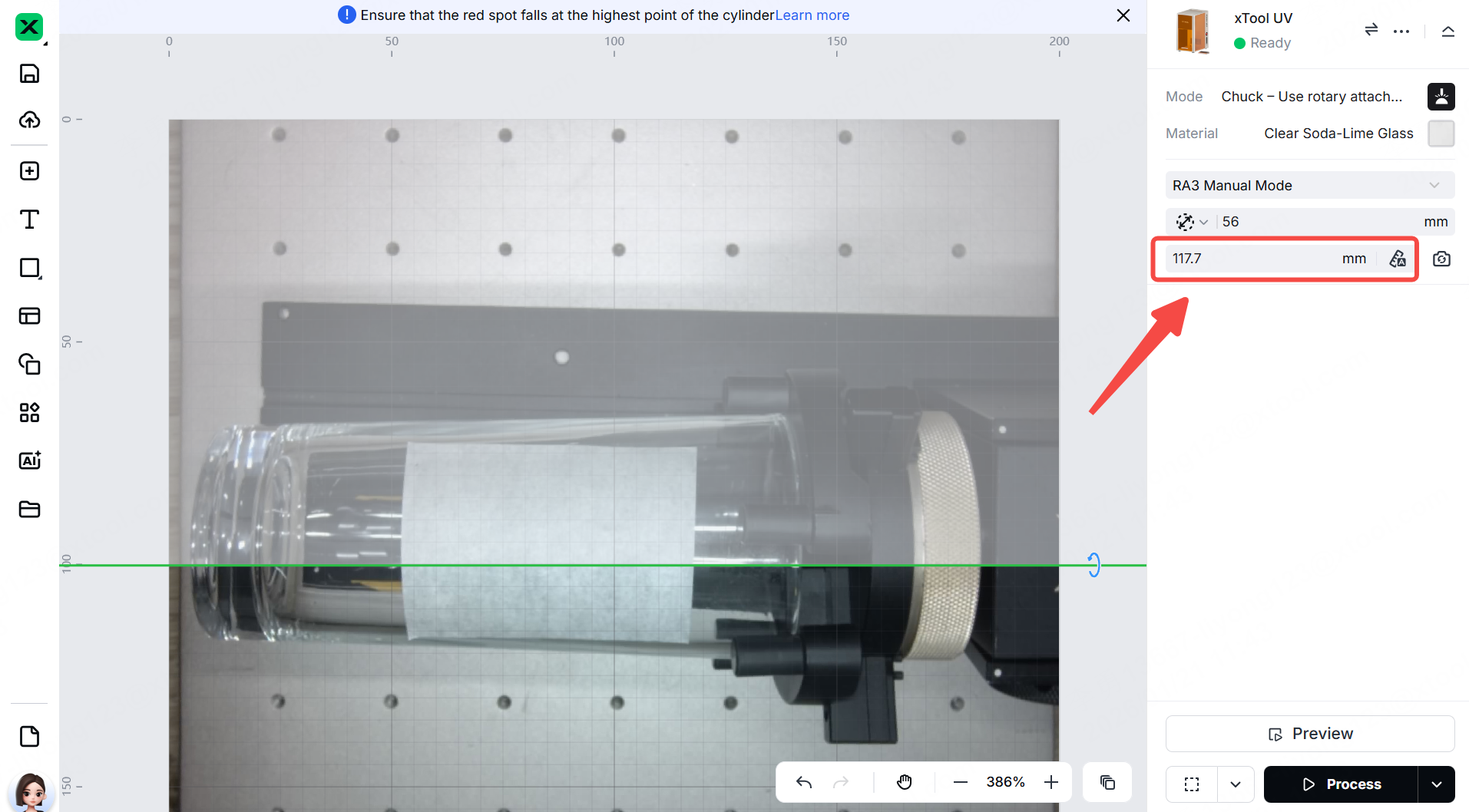
7. If surface engraving fails, lower the focal point by 1–2 mm to improve focusing accuracy. For example, if the thickness is set to 118.7 mm, adjust it to 117.7 mm or 116.7 mm.
More information
xTool F2 Ultra UV Unboxing and First Use
A Guide to Glass for Inner Engraving
Glass Surface Engraving Techniques

