
Issue description
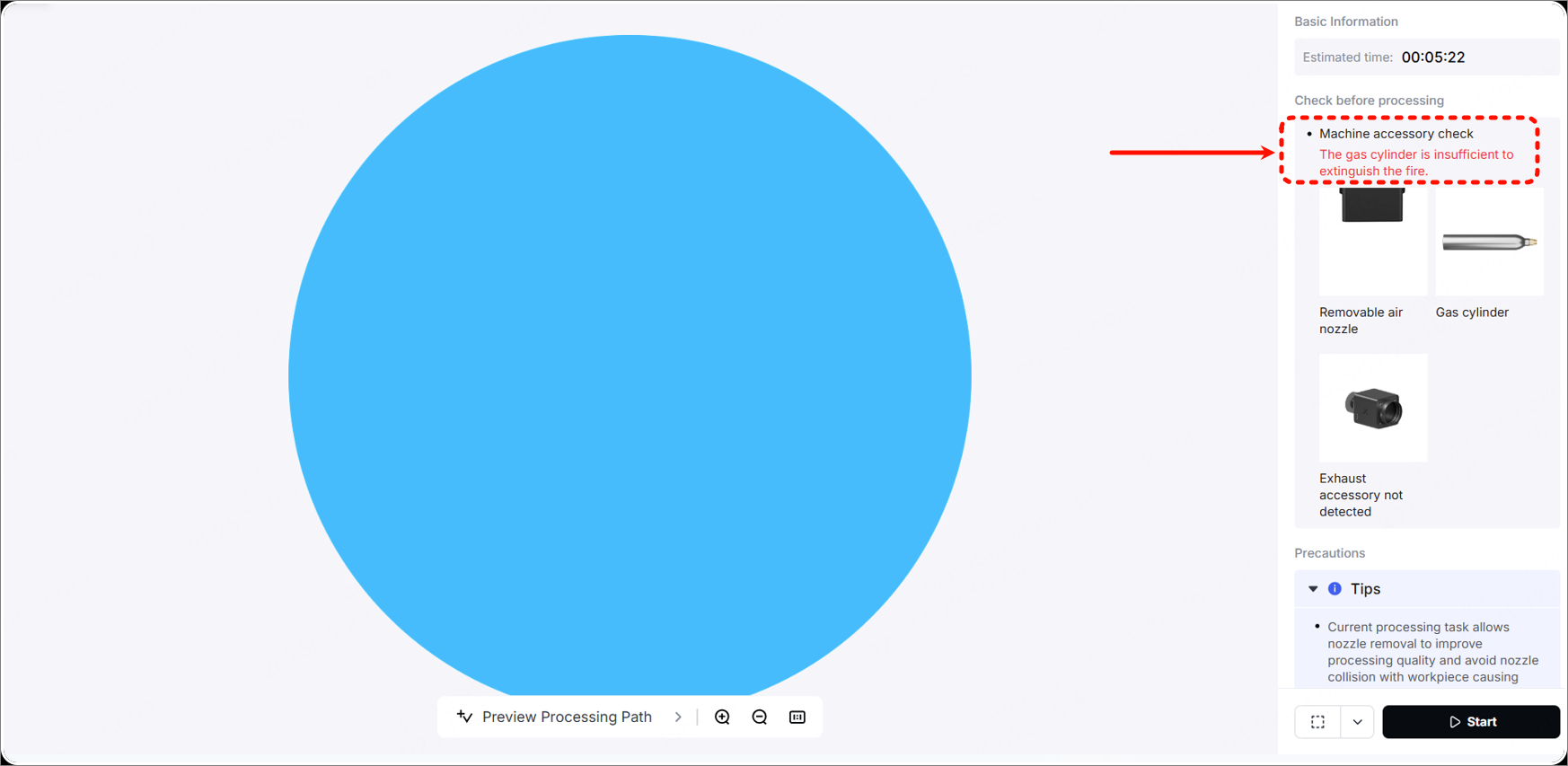
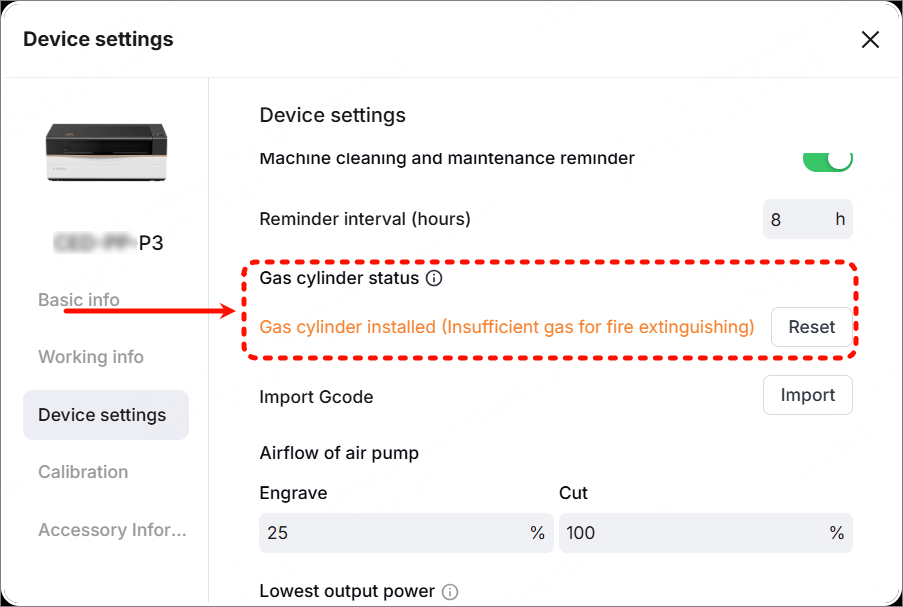
When the gas cylinder is installed, the software prompts that the gas in the cylinder is insufficient during processing, and there are also prompts in Device Settings.
Possible causes
- CO2 gas in the cylinder is insufficient.
- Weight sensor has not been reset.
- The gas cylinder is installed improperly.
- The fire extinguishing module is faulty.
Troubleshooting procedures
1. Weigh the gas cylinder
Check whether the gas cylinder weighs 1000g.
- If the weight is less than 1000g, it means the gas is insufficient. Please replace it with a new gas cylinder.
- If the weight is equal to 1000g, follow the following steps to troubleshoot.
2. Check the installation of the gas cylinder
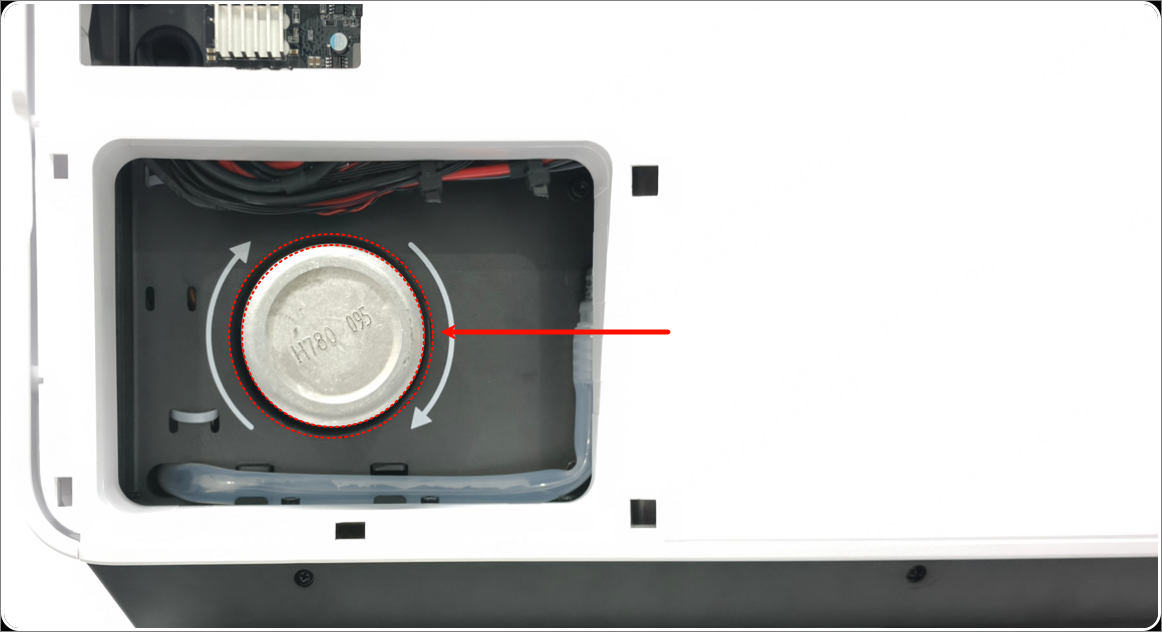
Normally, the gas cylinder should be positioned roughly at the center and should not touch the metal outer cover. If the cylinder touches the metal outer cover, it may cause a decrease in the weighing weight. Please try reinstalling it.
3. Reset the weight sensor
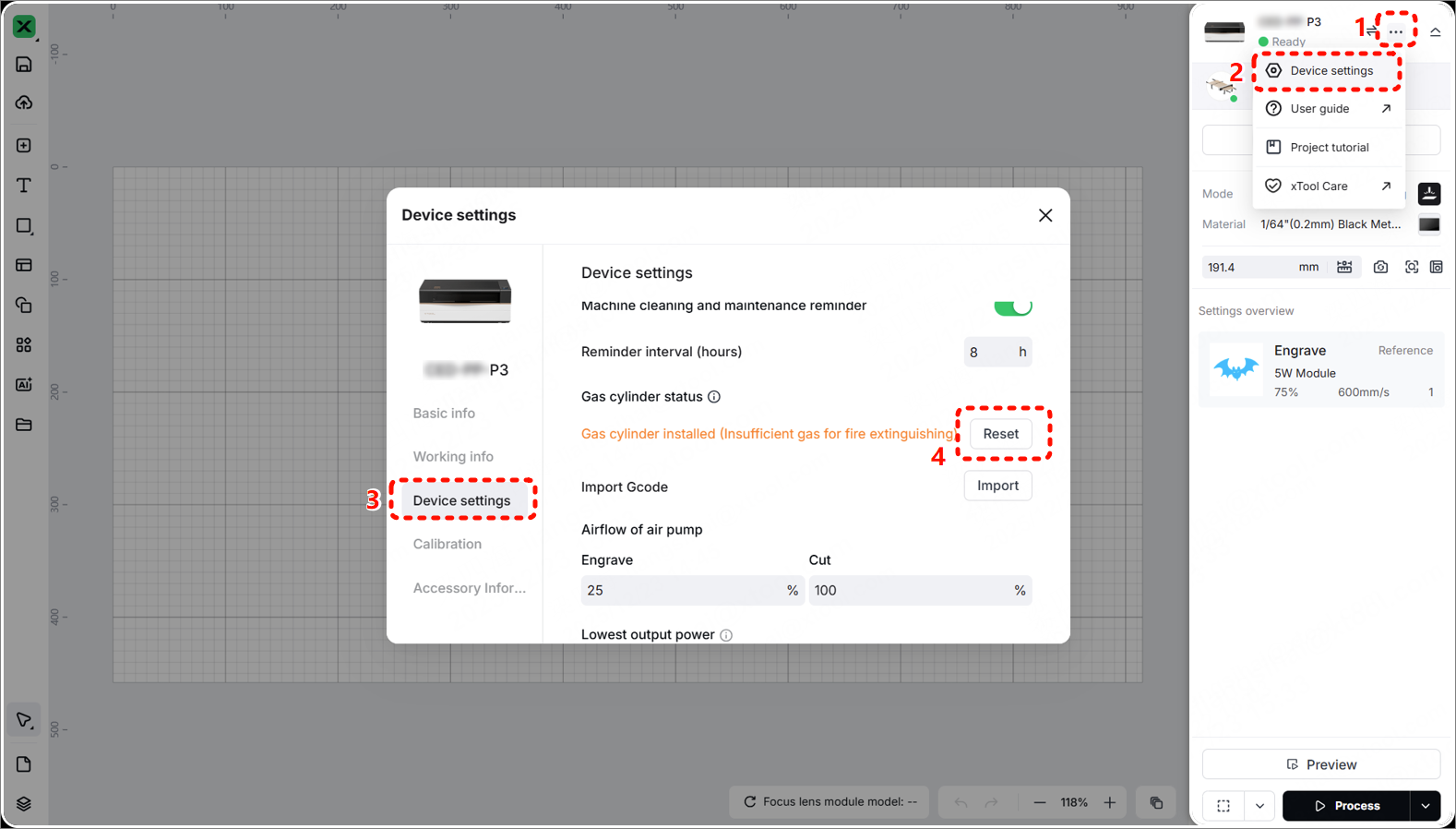
Go to ··· > Device settings > Device settings > Reset. Follow the prompts on the software to reset the weight sensor.
4. Check the weight sensor
If the weight sensor is faulty, please replace it with a new fire extinguishing module (The weight sensor is included).
Still experiencing issues?
Should the issue persist after completing the preceding steps, submit a ticket via the "Submit a Ticket" button in the "Help Ticket" section below. The standard response time for xTool Customer Service is one business day.
For a prompt resolution, please include the following details:
- Issue description: A detailed explanation of the observed problem.
- Video evidence: Attach a video demonstrating the issue, where applicable.
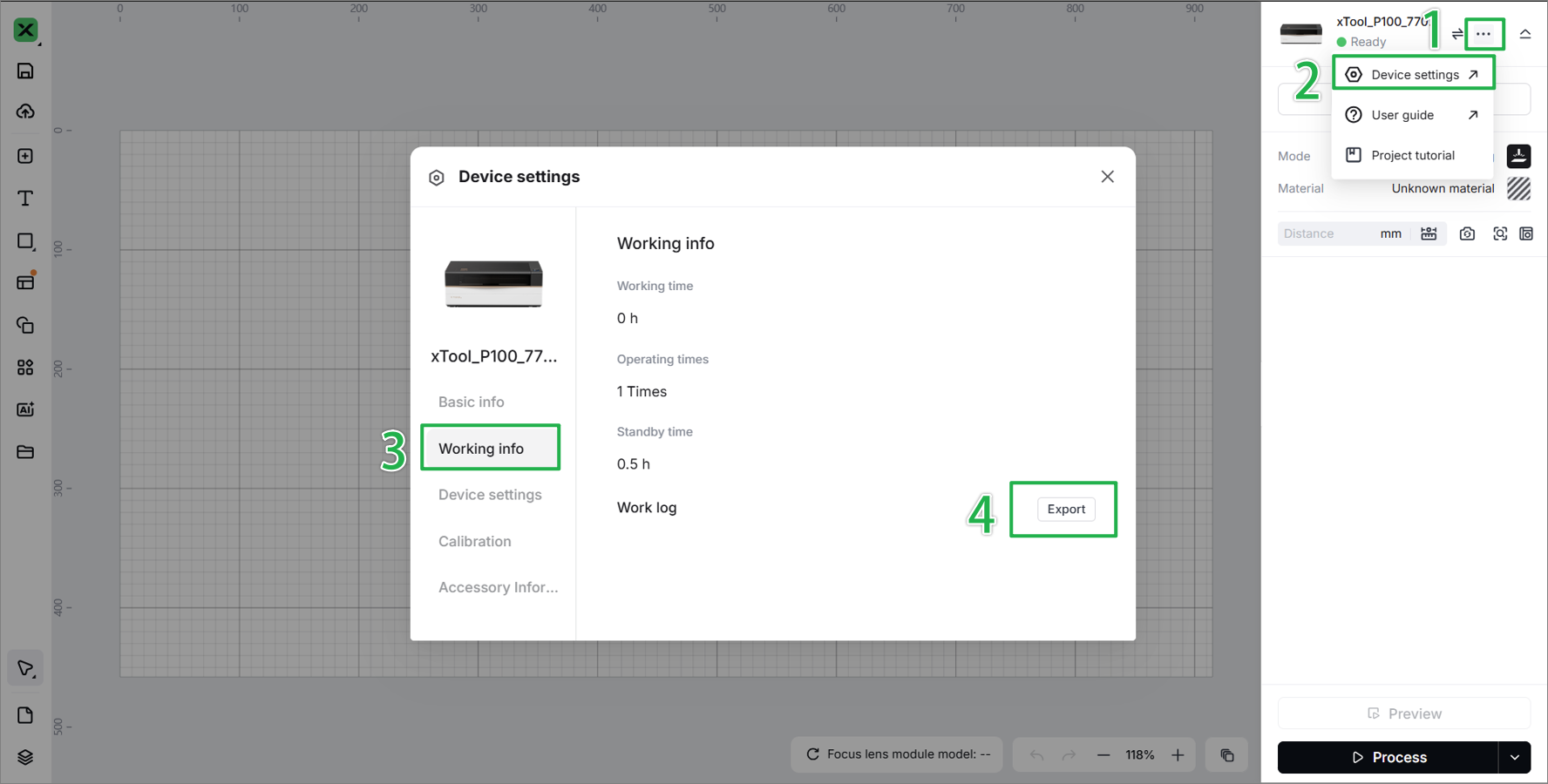
- Device information: Follow the steps to find the SN and export the work log.
- Troubleshooting performed: Any troubleshooting steps you have already attempted, along with their results.
This information is crucial for xTool technical support engineers to provide timely assistance.
Documentation feedback
Help improve this content by providing feedback. If this content did not meet your requirements, select "No" in the "Was this page helpful?" section below. Include specific details about what was unclear or missing in the pop-up suggestion box. Feedback submissions are reviewed by xTool technical writers to enhance future documentation.

