
Maintenance frequency
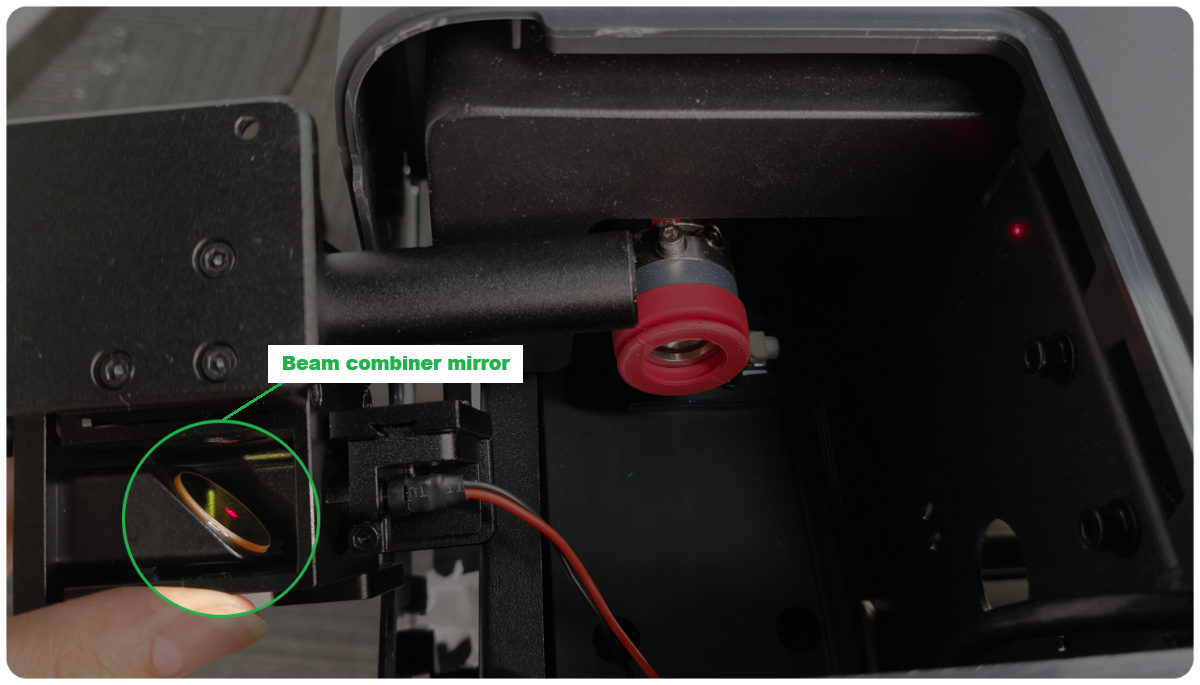
The beam combiner mirror operates in a semi-enclosed environment. Coaxial red light is reflected by it, while the CO₂ laser beam passes through it. Therefore, both surfaces of the mirror should be cleaned.
- For daily maintenance, you can inspect the mirror every 6 months.
For high-frequency processing (processing time:>4 hours every day), you can inspect the mirror every 3 months.
- If both surfaces of the mirror are clean, cleaning is not needed.
- If there is some dust or dirt on the surface, clean the beam combiner mirror following this tutorial.
- If the mirror is oxidized severely or broken, contact xTool after-sales service to get a new beam combiner mirror holder for replacement.
2. If the laser cutting performance or the coaxial red light spot suddenly works abnormally, you can also follow the tutorial to check whether the beam combiner mirror is damaged or dirty after ruling out the cause of the laser mirror, focus lens, and window lens.
Tools required
- Optical lens cleaner (such as high-concentration alcohol, isopropyl alcohol, etc.)
- Microfiber lens cleaning cloth or other optical lens cleaning cloth
- Lint-free cotton swab
- Air blower
- 2.5mm hex key
- Scissors
Important notes
- Alcohol and isopropyl alcohol are flammable. Please keep away from high temperatures and fire sources. Do not spray them on the objects.
- Store the alcohol and isopropyl alcohol properly in a cool, dry place out of reach of children.
- Do not place the laser mirror directly on the table or device. It should be placed on the cleaning cloth to avoid scratches.
- When you install or uninstall the mirror holder, pay attention to prevent the mounting screws from falling into the device.
- The optical path must be recalibrated after inspecting the beam combiner mirror.
Video tutorial
Still experiencing issues?
Should the issue persist after completing the preceding steps, submit a ticket via the "Submit a Ticket" button in the "Help Ticket" section below. The standard response time for xTool Customer Service is one business day.
For a prompt resolution, please include the following details:
- Issue description: A detailed explanation of the observed problem.
- Video evidence: Attach a video demonstrating the issue, where applicable.
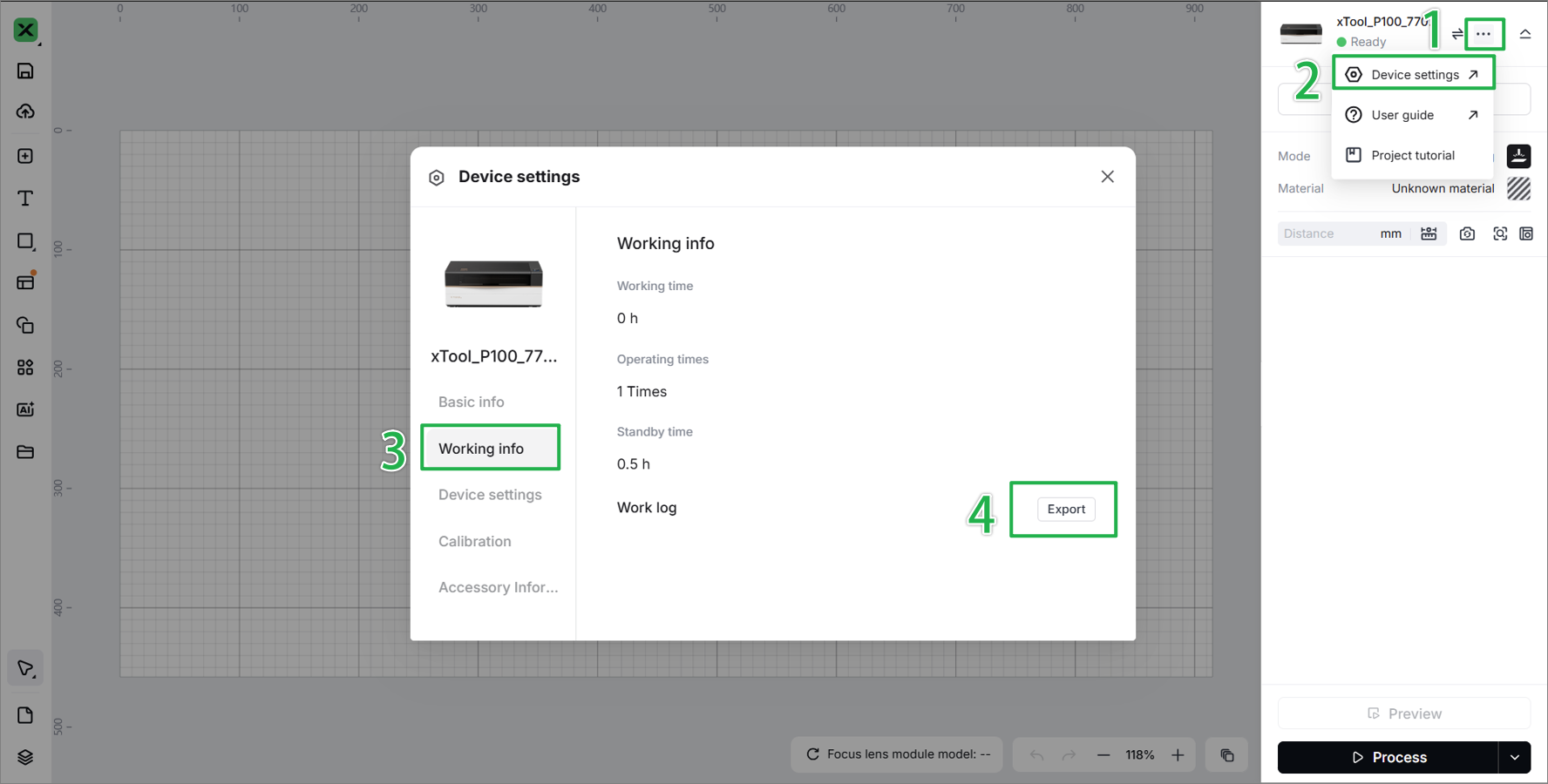
- Device information: Follow the steps to find the SN and export the work log.
- Troubleshooting performed: Any troubleshooting steps you have already attempted, along with their results.
This information is crucial for xTool technical support engineers to provide timely assistance.
Documentation feedback
Help improve this content by providing feedback. If this content did not meet your requirements, select "No" in the "Was this page helpful?" section below. Include specific details about what was unclear or missing in the pop-up suggestion box. Feedback submissions are reviewed by xTool technical writers to enhance future documentation.

