
Issue description
When the focus lens holder is uninstalled, the screw on the holder is stripped.
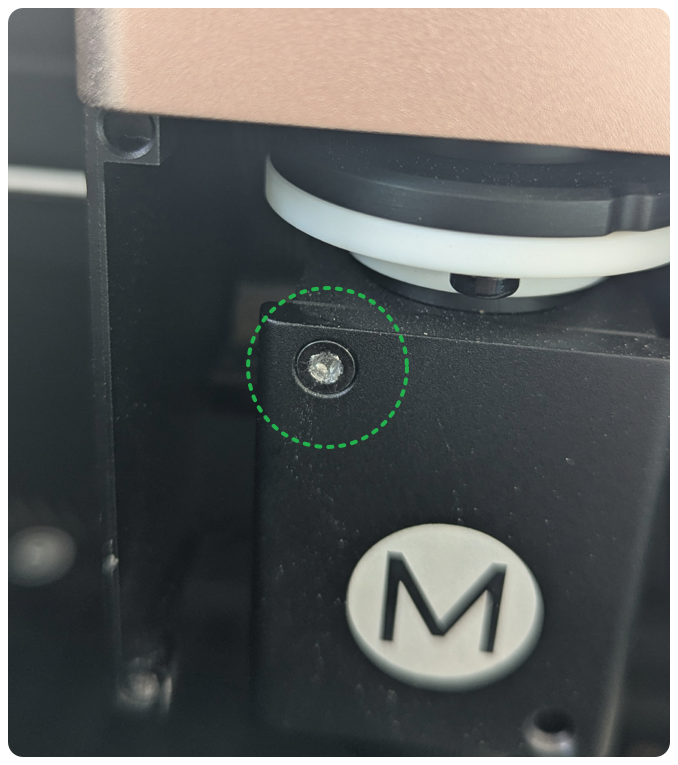
Possible causes
- The way of uninstalling the focus lens holder is incorrect.
- The screw is tightened too much.
Troubleshooting procedures
1. Tighten the screw in the correct direction
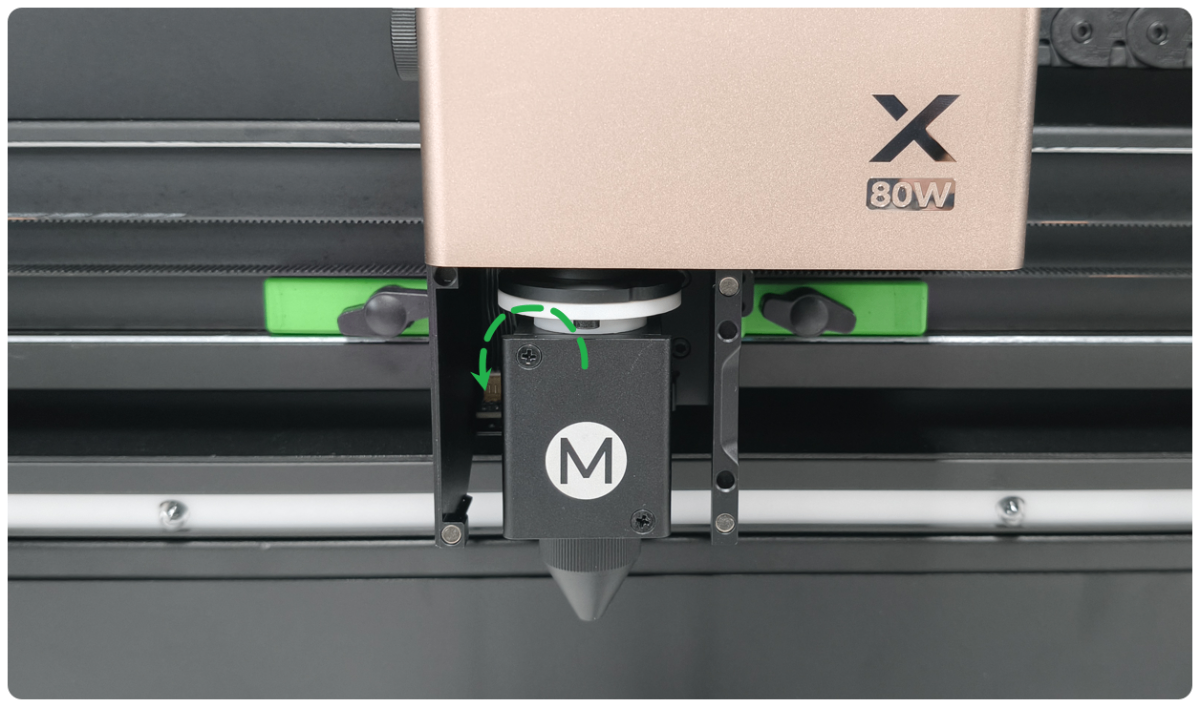
Directly face the laser module. Loosen the screw anticlockwise, while tightening the screw clockwise.
2. Use a correct screwdriver
Use the Phillips screwdriver included in the package or a Phillips screwdriver of the same specification to loosen the screw.
3. Remove the holder base
If the screw is stripped severely, follow the steps to remove the holder base.
(1) Remove the laser module's cover. Use a slot-type screwdriver to lower the Z-axis motor shaft to the lowest position.
(2) Use a 2.5mm hex key to remove 4 screws on the back of the holder base.
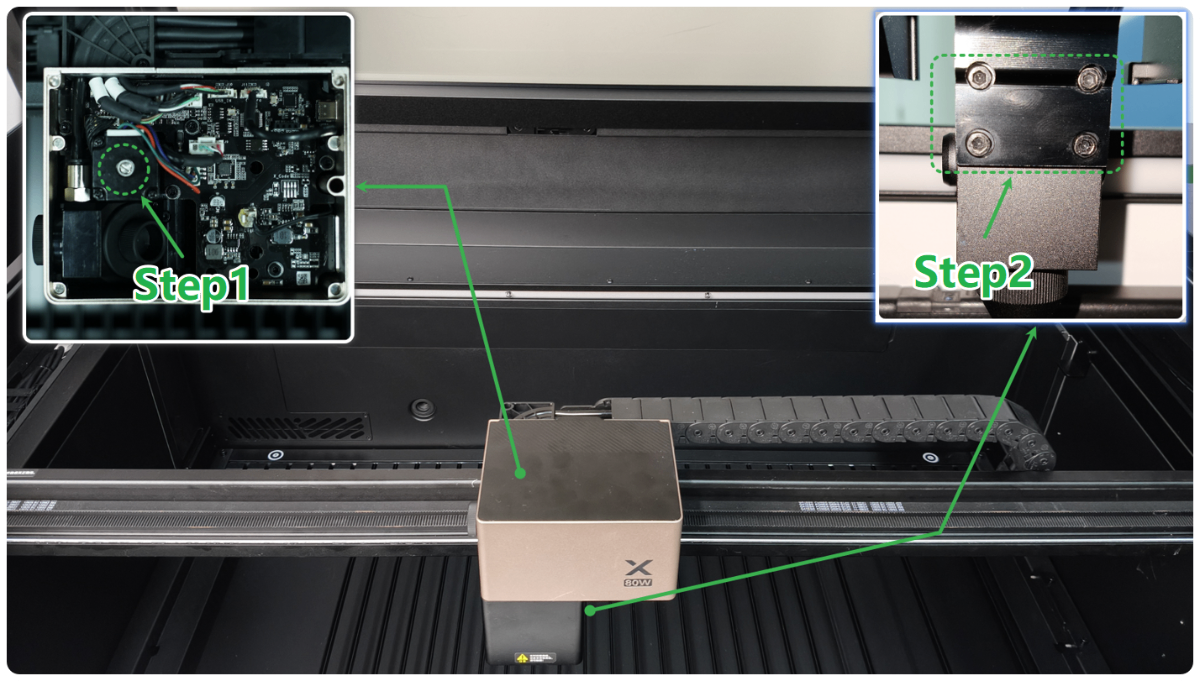
(3) Take out the holder base, then follow the following steps.
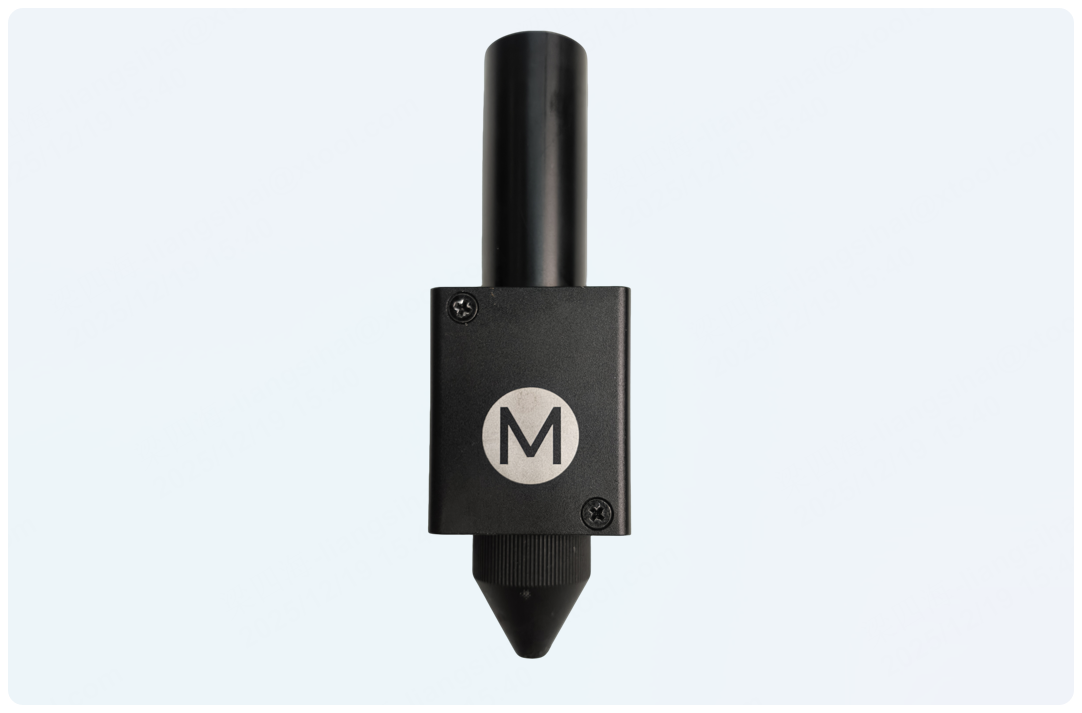
4. Increase the friction
Apply an ultrathin rubber sheet or foil sheet between the stripped screw and screwdriver to increase friction. Then, loosen the screw.
5. Apply lubricating oil
Apply a small amount of lubricating oil to the gap of the stripped screw, such as WD-40. Wait for a few minutes, and loosen the screw.
6. Replace the whole components
Contact xTool after-sales service, and ask for replacing the holder base components (including the focus lens, focus lens holder, holder base, but excluding the nozzle ).
Still experiencing issues?
Should the issue persist after completing the preceding steps, submit a ticket via the "Submit a Ticket" button in the "Help Ticket" section below. The standard response time for xTool Customer Service is one business day.
For a prompt resolution, please include the following details:
- Issue description: A detailed explanation of the observed problem.
- Video evidence: Attach a video demonstrating the issue, where applicable.
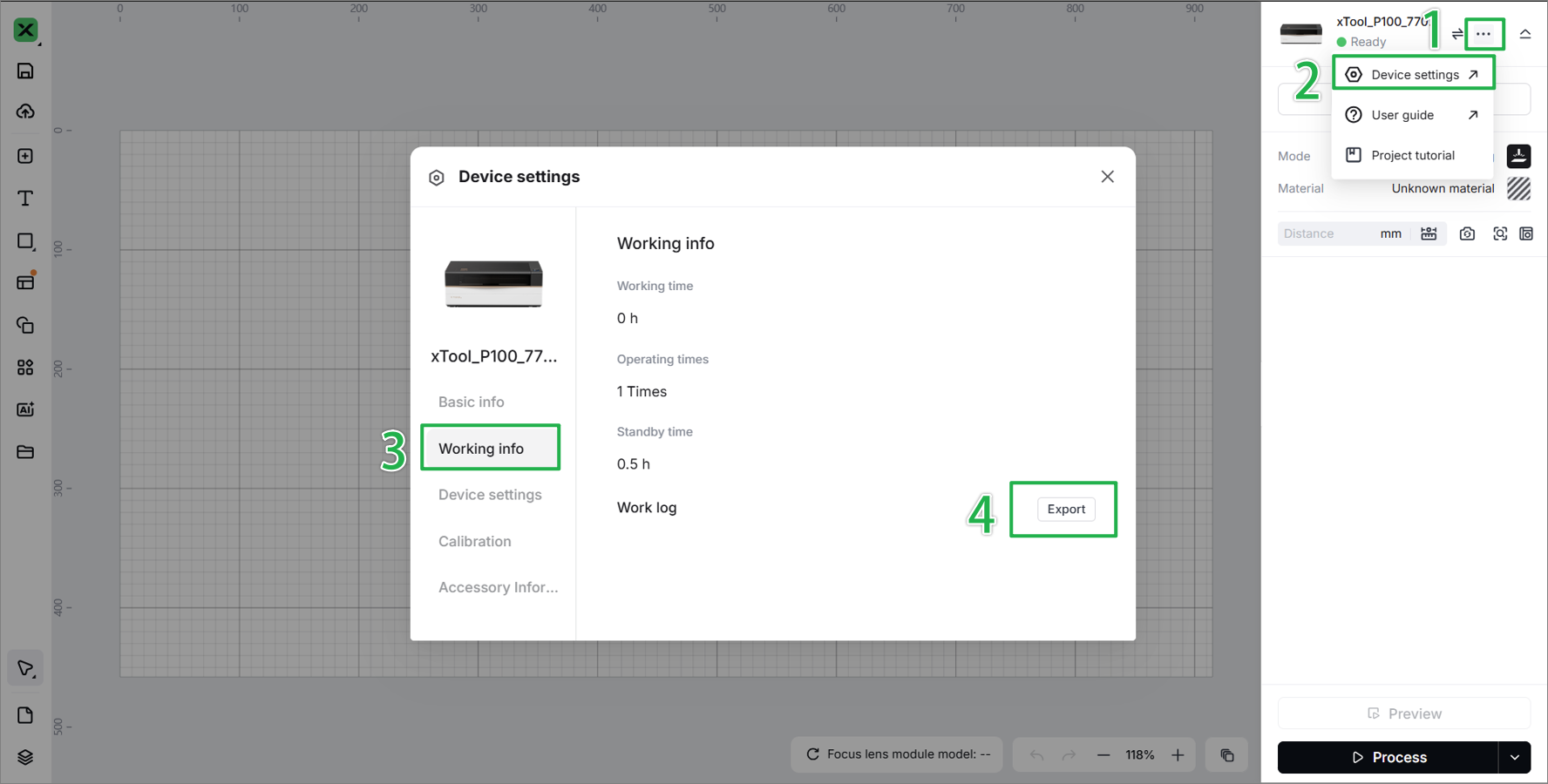
- Device information: Follow the steps to find the SN and export the work log.
- Troubleshooting performed: Any troubleshooting steps you have already attempted, along with their results.
This information is crucial for xTool technical support engineers to provide timely assistance.
Documentation feedback
Help improve this content by providing feedback. If this content did not meet your requirements, select "No" in the "Was this page helpful?" section below. Include specific details about what was unclear or missing in the pop-up suggestion box. Feedback submissions are reviewed by xTool technical writers to enhance future documentation.

Services & Help
Learn & Education

Copyright © 2025 xTool All Rights Reserved.