
Issue description
The UI module incorporates multiple functions, including a circular display, touchscreen, and knobs. The corresponding problem types differ. Please select the appropriate troubleshooting procedures based on the actual situation.
If the device displays multiple abnormal situations, troubleshoot them separately and sequentially.
Issue type 1: Touchscreen or control knob functions abnormally
The touchscreen or the control knob is unresponsive. The controls do not respond to operation.
Issue type 2: Knob screen displays abnormally
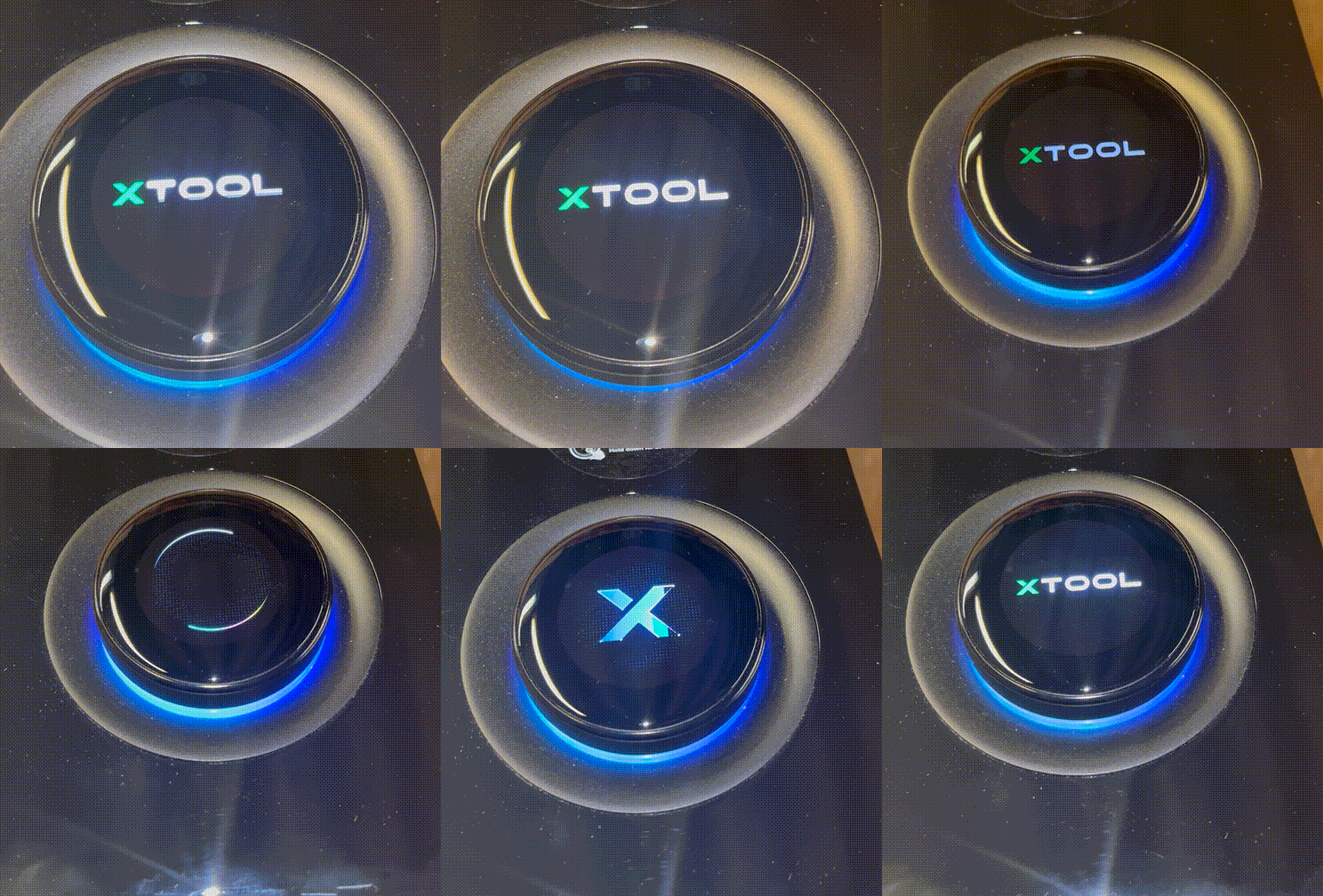
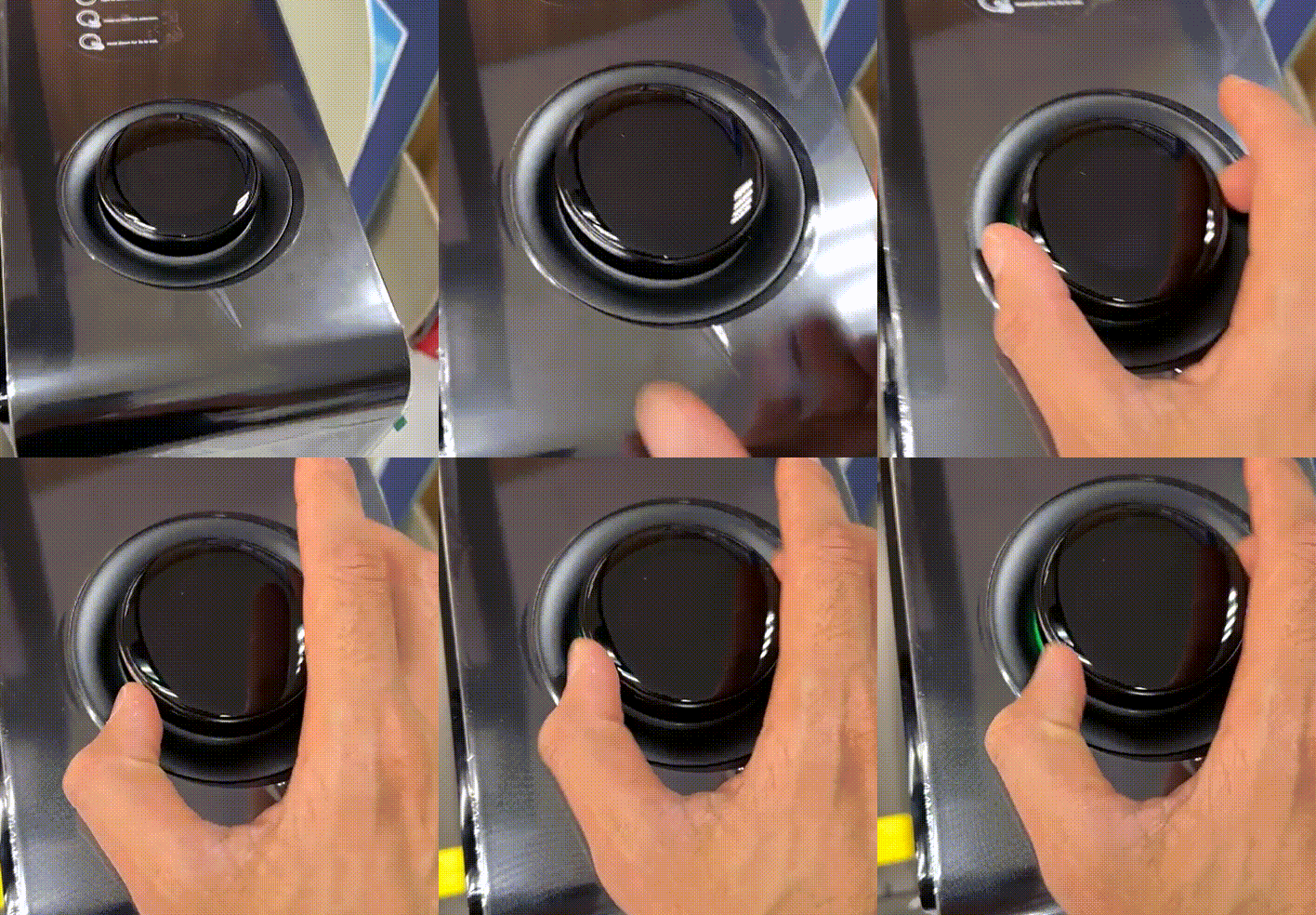
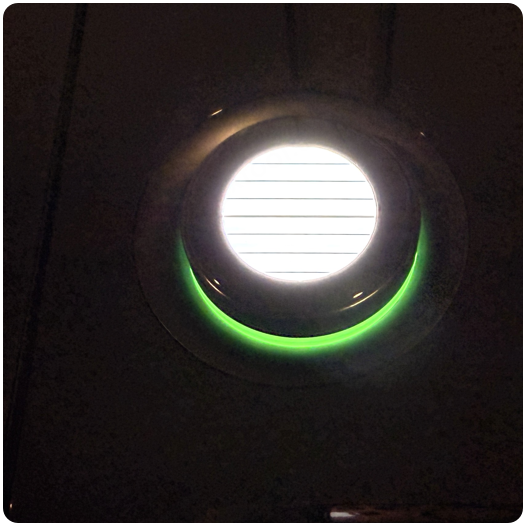
The control knob screen displays issues, such as the screen freezing, flickering, looping the startup animation, and so on.
- Looping the startup animation:
- Screen freezing:
- Screen flickering:
Possible causes
- The screen is affected by electromagnetic interference.
- The connection of the control knob is abnormal.
- The screen of the control knob is broken.
Troubleshooting procedures
1. Restart the device
Turn off the device. Wait for a few minutes to discharge the static electricity, then turn the device on.
2. Arrange the Type-C cable
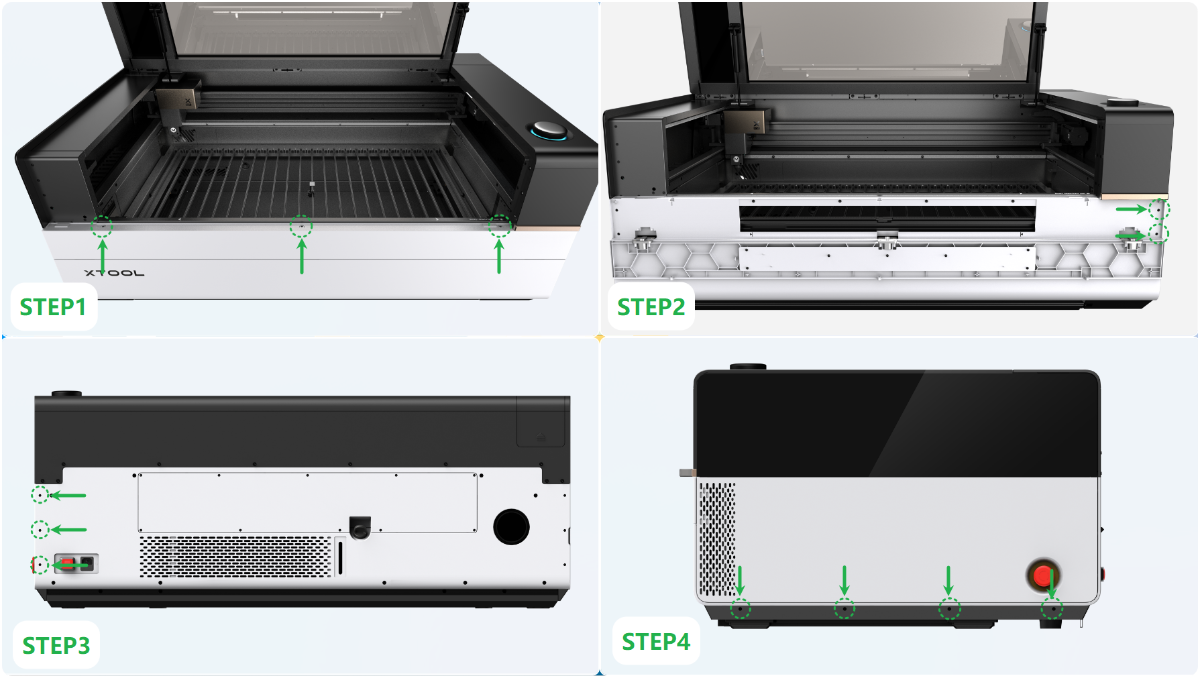
(1) Power off the device and disconnect it from a power supply. Follow the video tutorial Assemble & Disassemble the Casing of xTool P3 to remove the left plate.
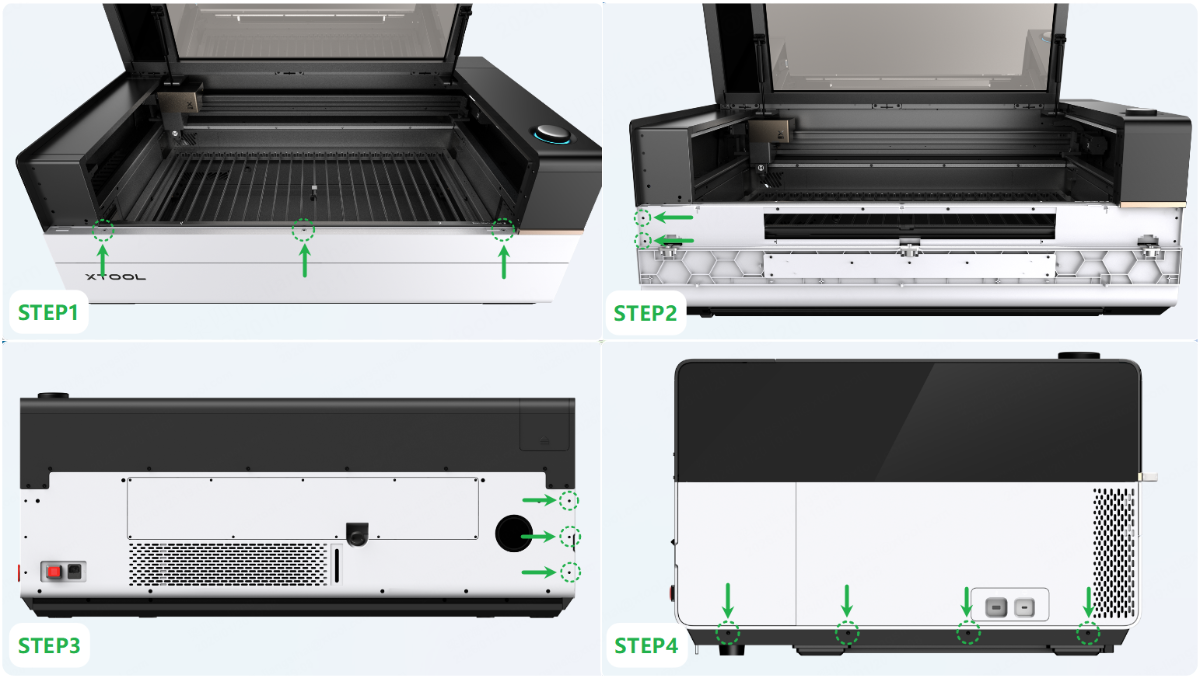
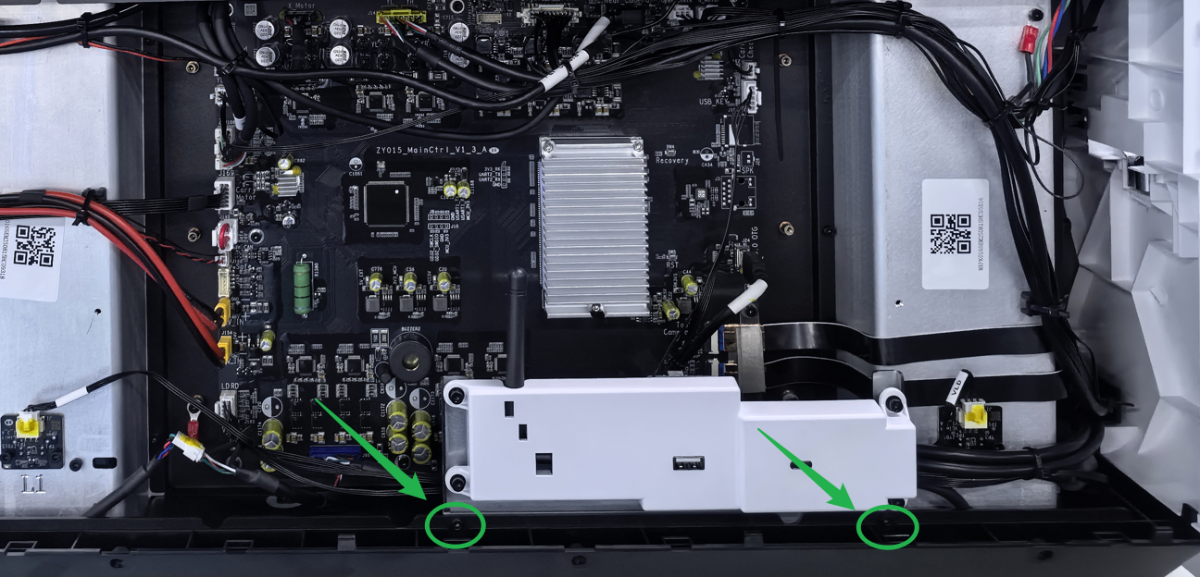
(2) Use a 2.5 mm hex key to remove the screws as shown.
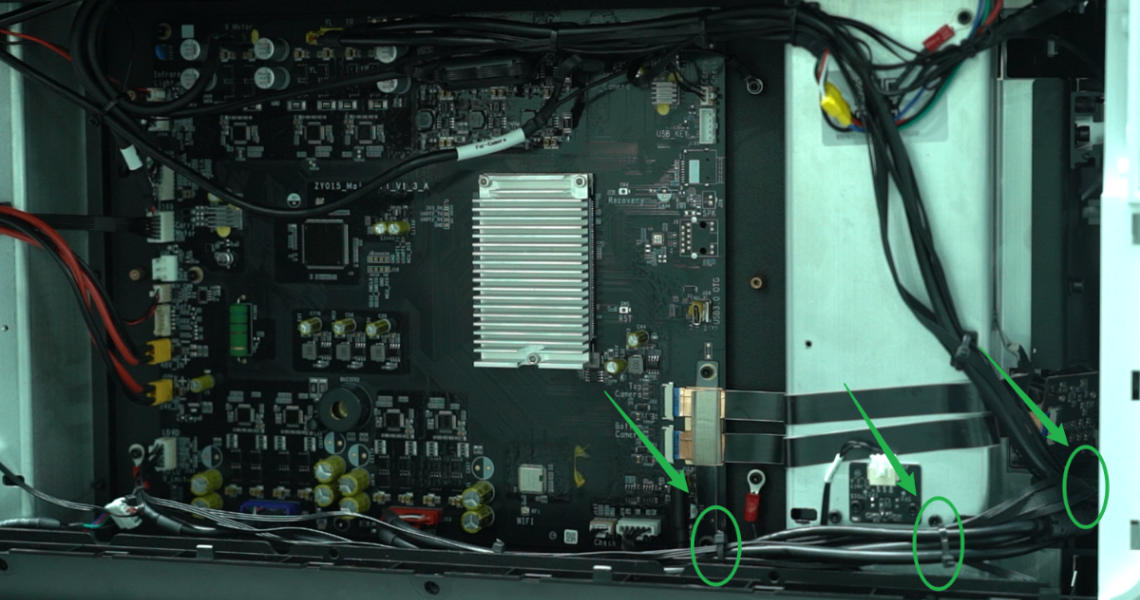
(3) Cut the three cable ties on the UI board as shown.
(4) Find a Type-C cable. Flip over its connector to 180° and plug it into the socket.
Elevate the cable and restart the machine.
There may be some yellow rubber on the connector of the Type-C cable. If the connector is plugged too tightly, you can scrape the rubber before unplugging the connector.
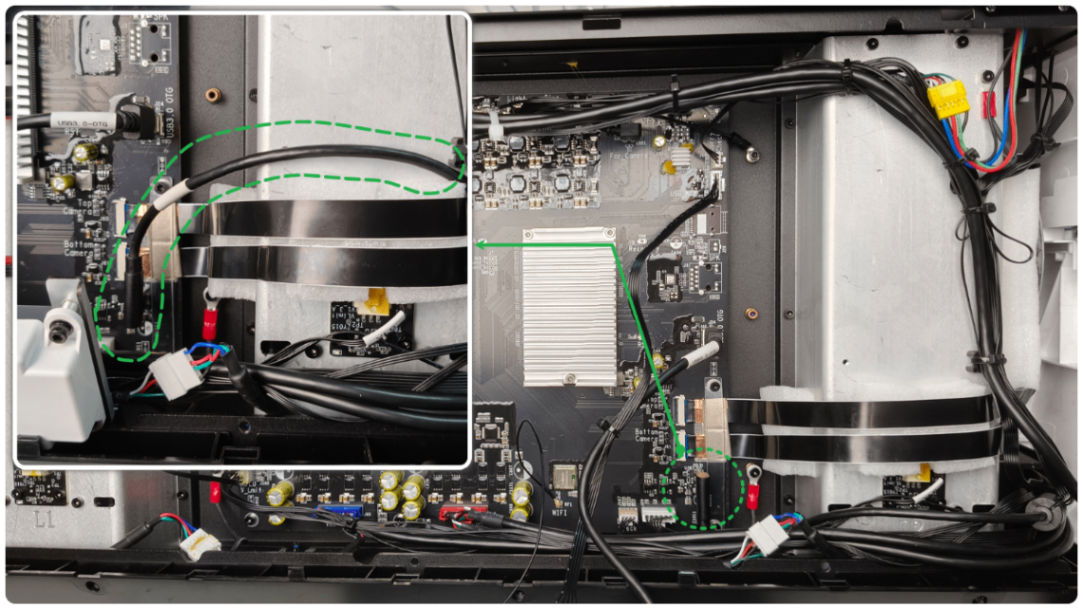
- If the device resumes working, fix the cable with the masking tape in this way.
- If the device does not resume working, check for other issues.
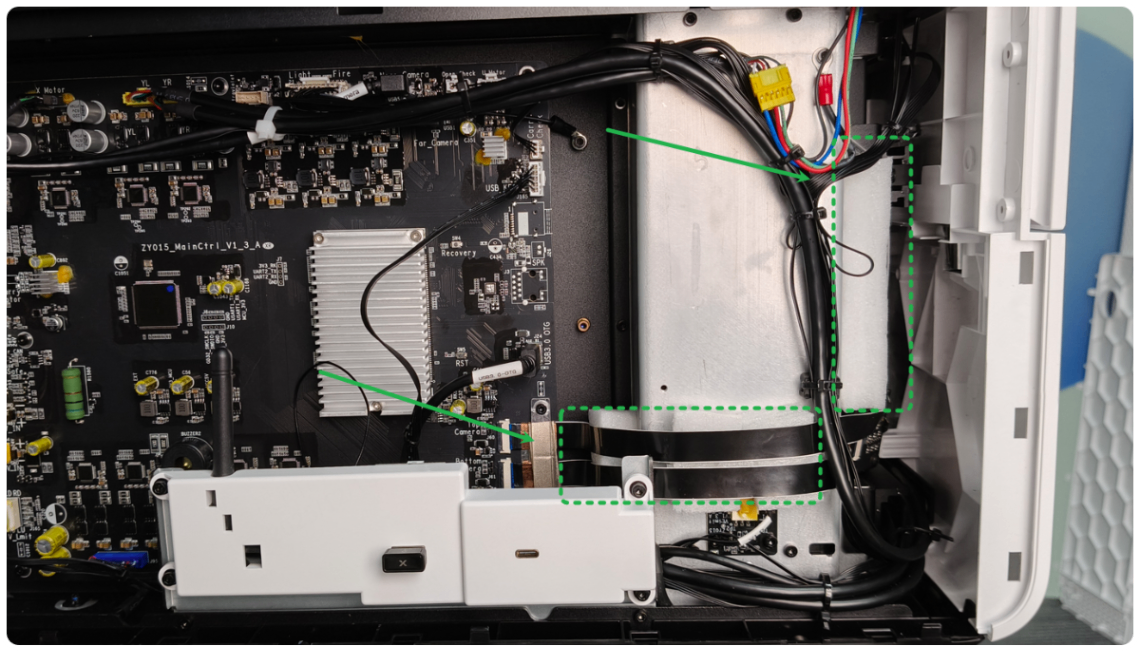
3. Arrange the flat cables of the camera
If the device's knob malfunctions alongside any of the following issues: connection failure, touchscreen unresponsiveness, knob unresponsiveness, or main control board disconnection, perform this step. Otherwise, if any of the following conditions apply, you may skip this step:
- The USB connection, control knob, processing, and other functions are normal, only the screen displays abnormally.
- The flat cables of the camera are already elevated.
Follow the video tutorial to arrange the flex cables of the camera: How to Adjust the Flex Cables of the Side Camera.
4. Check the connector on the UI board
(1) Power off the device and disconnect it from a power supply. Follow the video tutorial Assemble & Disassemble the Casing of xTool P3 to remove the right plate.
(2) Check if the connectors of the UI board and the ground wire are loose or disconnected.
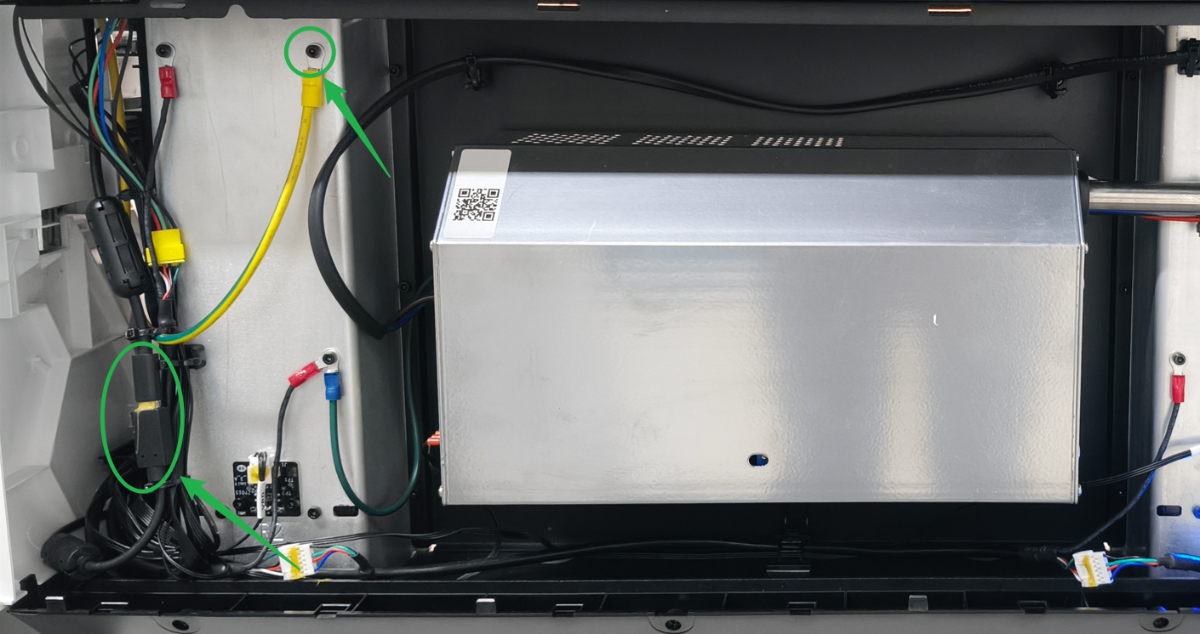
- If they are loose, please unplug and plug them snugly.
- If they are not loose, check for other issues.
5. Adjust the connection cable of the UI module
(1) Power off the device and disconnect it from a power supply. Follow the video tutorial Assemble & Disassemble the Casing of xTool P3 to remove the front plate.
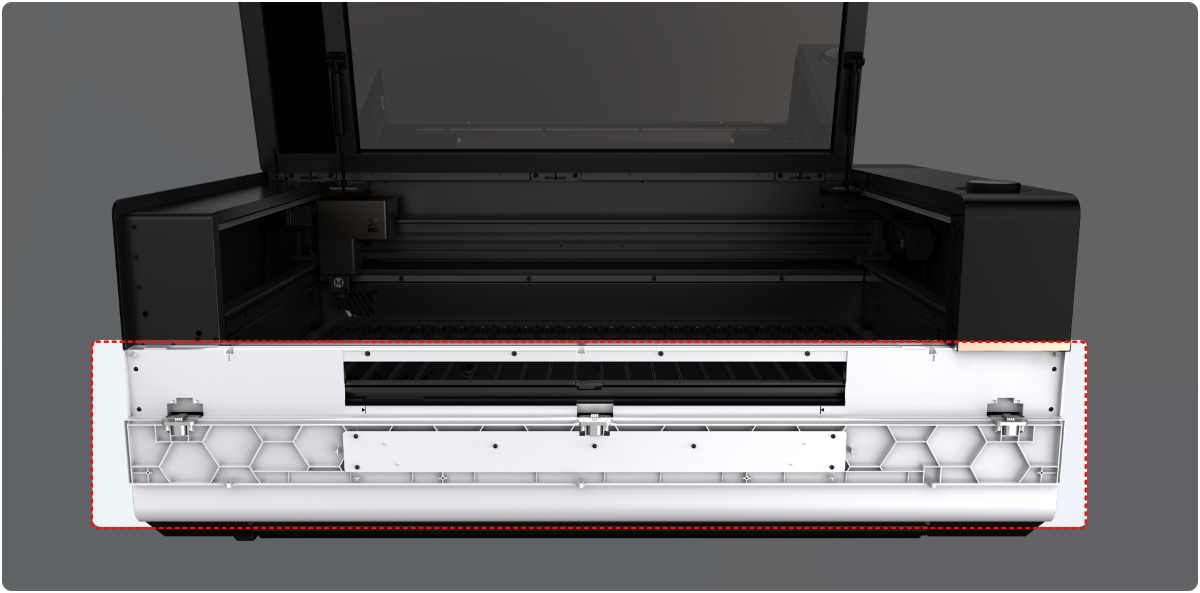
(2) Find the connection cables of the UI module.
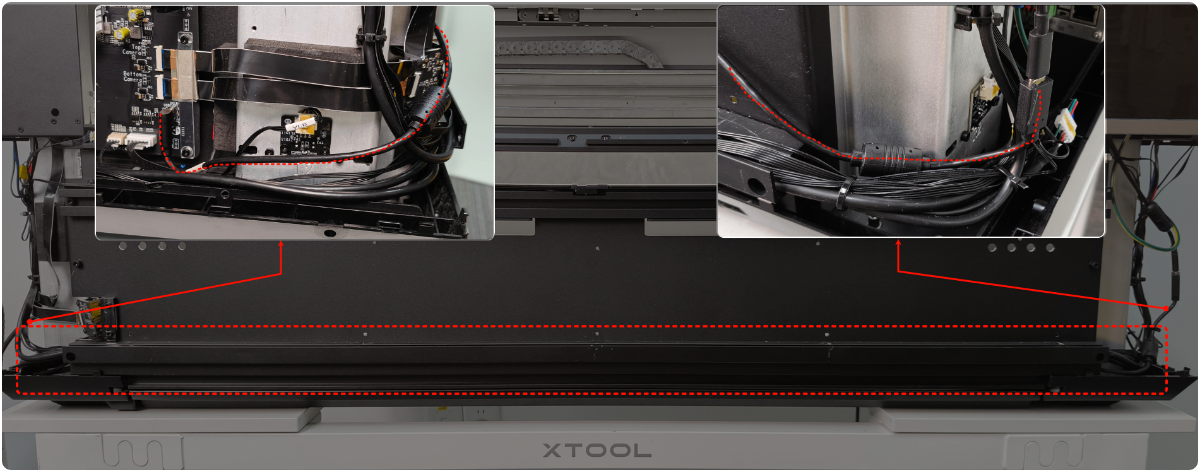
(3) Move the connection cable slowly from the slot. And use the tape to secure the cable on the inner metal plate (avoid the screw holes).
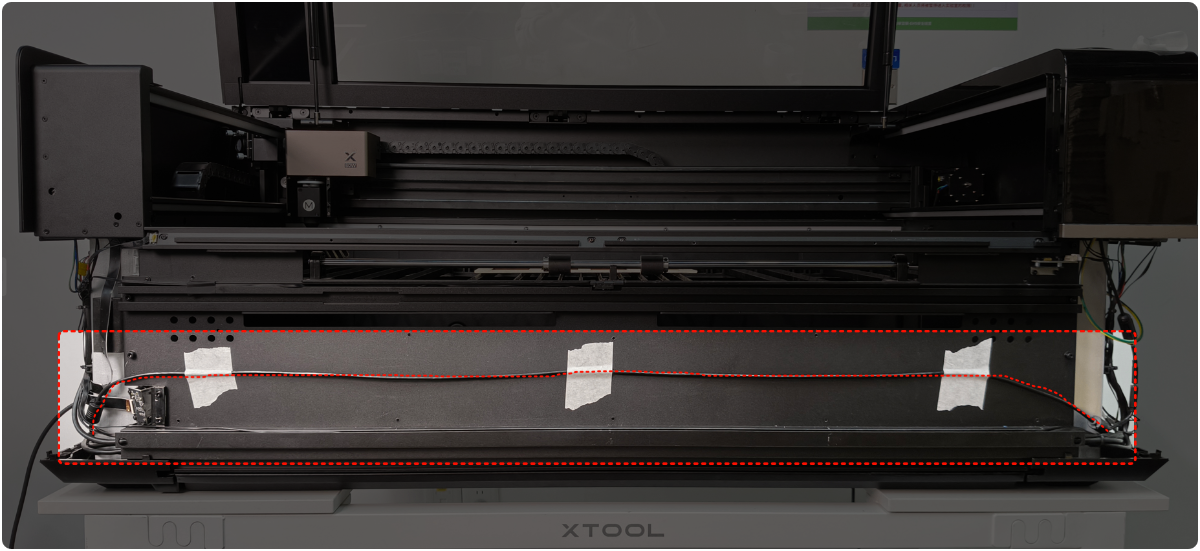
(4) Restart the device.
- If the device remains normal, power off the device. Then install the front plate.
- If the device remains faulty, troubleshoot other issues.
6. Check the UI module
If the UI module is faulty, replace it with a new one.
Still experiencing issues?
Should the issue persist after completing the preceding steps, submit a ticket via the "Submit a Ticket" button in the "Help Ticket" section below. The standard response time for xTool Customer Service is one business day.
For a prompt resolution, please include the following details:
- Issue description: A detailed explanation of the observed problem.
- Video evidence: Attach a video demonstrating the issue, where applicable.
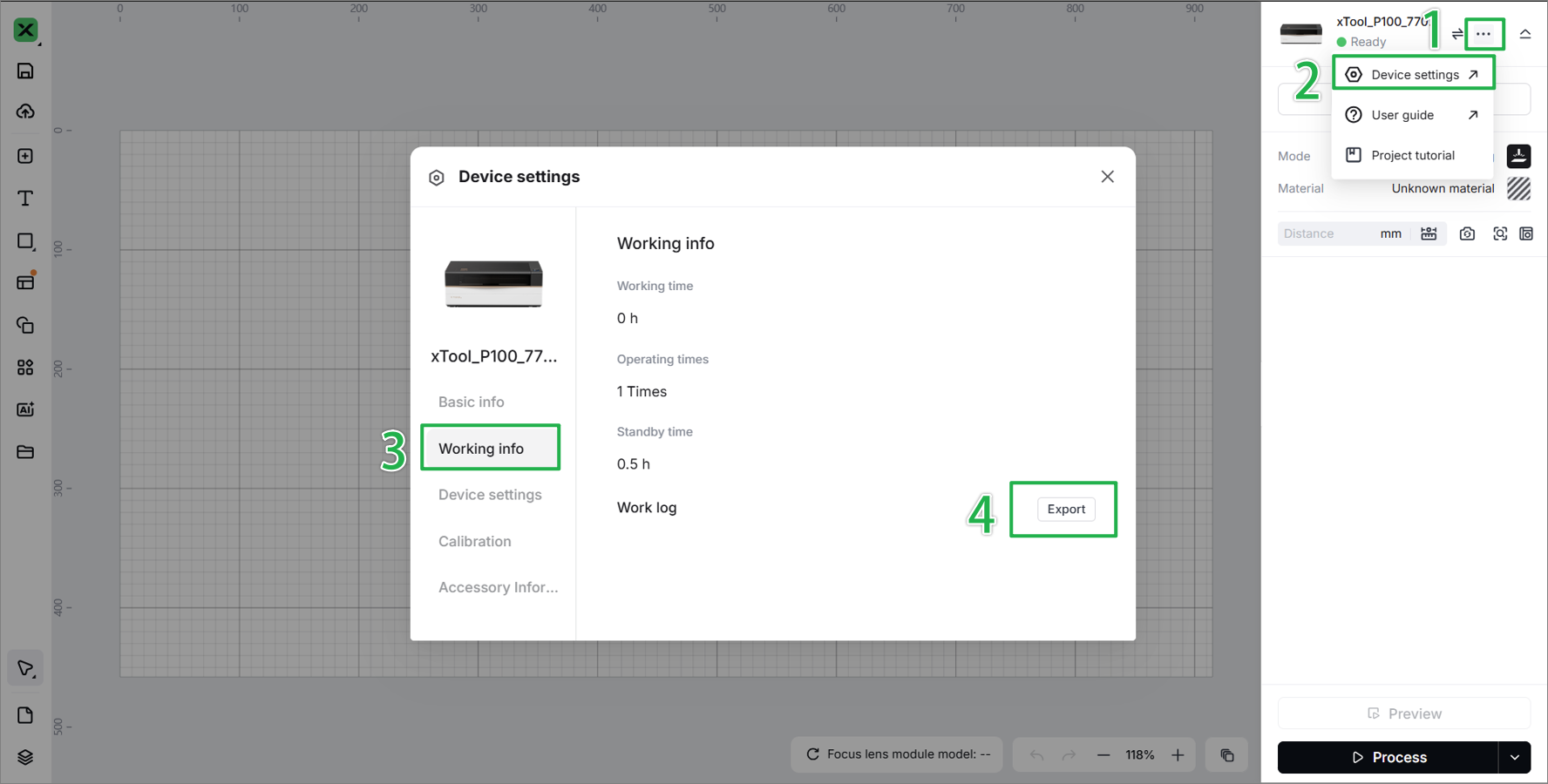
- Device information: Follow the steps to find the SN and export the work log.
- Troubleshooting performed: Any troubleshooting steps you have already attempted, along with their results.
This information is crucial for xTool technical support engineers to provide timely assistance.
Documentation feedback
Help improve this content by providing feedback. If this content did not meet your requirements, select "No" in the "Was this page helpful?" section below. Include specific details about what was unclear or missing in the pop-up suggestion box. Feedback submissions are reviewed by xTool technical writers to enhance future documentation.

Services & Help
Learn & Education

Copyright © 2025 xTool All Rights Reserved.