This document summarizes information that you may want to know about xTool P3 5W Infrared Module. The FAQ is categorized into four parts:
- About xTool P3 5W Infrared Module
- About processing features
- About processing materials
- About using the module
About xTool P3 5W Infrared Module
1. Is the infrared module a semiconductor?
Yes.
2. Does the infrared module emit a continuous laser?
No. The infrared module emits laser pulses at a frequency of 25–30 kHz.
3. Can I use the infrared module with other xTool machines?
No. The module is compatible with only xTool P3 for now.
4. Does the infrared module need an extra power supply?
No. The infrared module is powered by xTool P3.
5. What is the size and weight of the infrared module?
- Size: 136.5 mm × 94.5 mm × 92.5 mm (W × D × H)
- Weight: 850 g
6. What is the red spot size of the infrared module?
0.03 mm
7. What is the infrared module's expected lifespan?
Theoretically, the infrared module has a lifespan of approximately 8,000 hours.
About processing materials
1. What materials can the infrared module process?
The infrared module can score and engrave on common metal and plastic materials, including:
- Gold
- Brass
- Leather
- Fabric
- Rubber
- Cement
- Stone
- Anodized metal
- Stainless steel
The infrared module, with higher efficiency, processes the same types of materials as the 2W laser module (like that of xTool D1 and S1.) For details, visit Unlock the Material Possibilities with Your xTool Laser Machines.
2. Can the infrared module process mirror-finish metals?
No. Processing mirror-finish metals may very likely cause laser reflection and module damage.
3. Can the infrared module cut metals?
No.
About processing features
1. Can the infrared module emboss metal materials?
No.
2. Can the infrared module color engrave materials?
No.
3. What is the processing range of the infrared module in xTool P3?
- Processing area: 650 mm × 426 mm
- Maximum material height: 180 mm
4. What is the maximum processing speed of the infrared module?
- Engraving: 1,000 mm/s
- Scoring: 300 mm/s
- Cutting: Not supported
Laser absorption rate varies with materials. Therefore, the maximum processing speed may be different for optimal results. You're advised to adopt the recommended settings in the xTool software.
5. Can I use both the pre-installed module and the infrared module for the same project?
Yes.
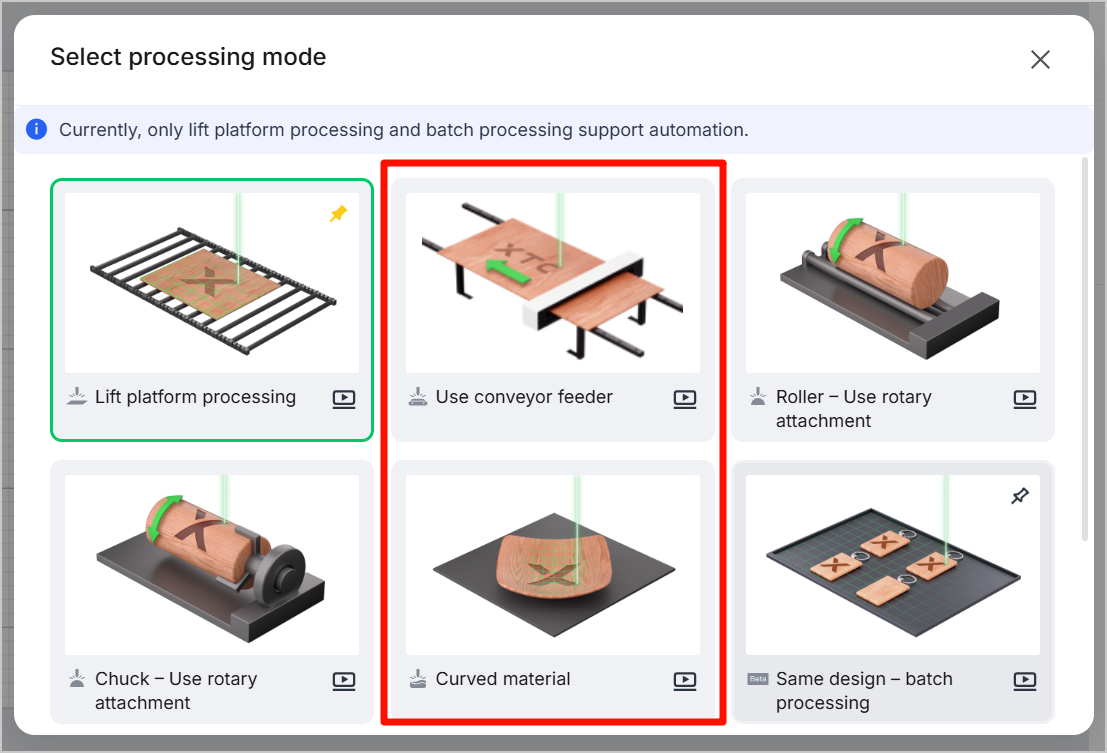
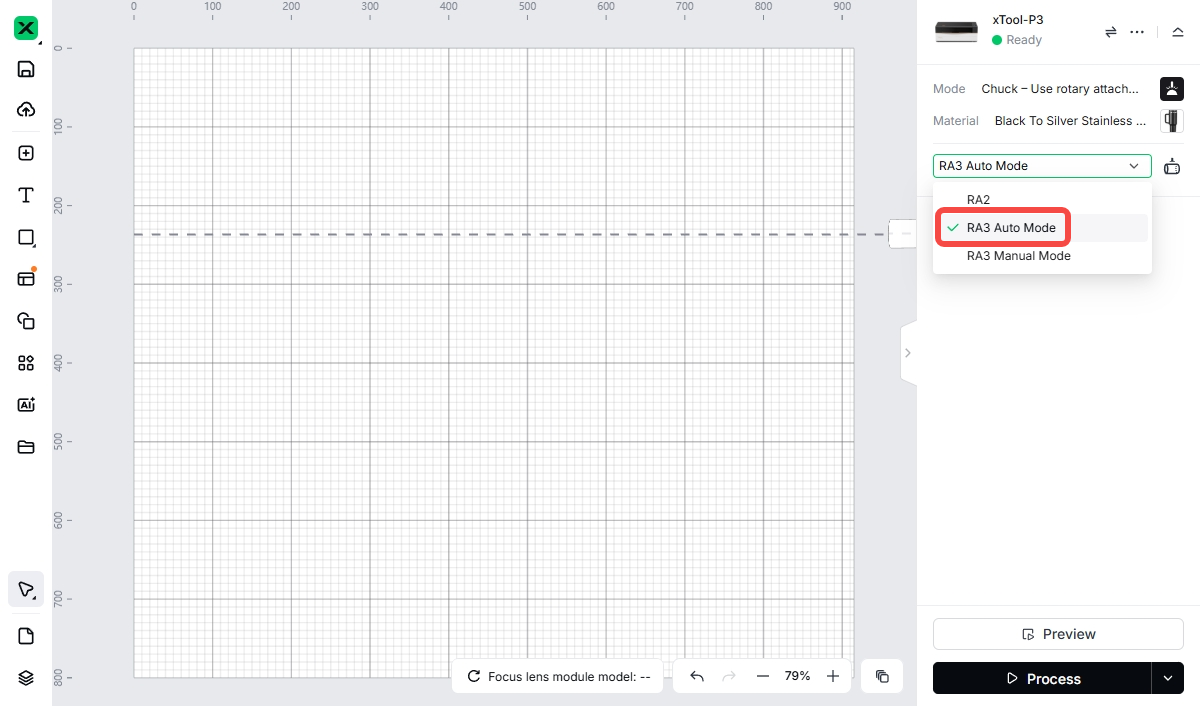
6. What processing modes are not supported by the infrared module?
- Use conveyor feeder
- Curved material
- Auto mode of the Use rotary attachment processing mode
|
|
About using the module
1. How can I install and calibrate the infrared module?
Installation guide: Install xTool P3 5W Infrared Module
Calibration guide: Use xTool P3 5W Infrared Module with xTool Software
2. Why is the fan off after the infrared module is installed in xTool P3?
Repeatedly plugging and unplugging the connection cable in a short period can cause the turn-off of the fan.
To solve this issue, unplug the cable, wait for a moment, and then plug it back in.
3. Why does the fan keep working after the infrared module is installed in xTool P3?
The infrared module is highly sensitive to temperature. To ensure proper operation of the module, if xTool P3 is powered on, the fan continuously adjusts its operation based on the temperature.
4. Why does the xTool software fail to recognize the infrared module?
The software or the firmware version may not be the latest. Download the latest software or update the firmware version.
5. Does the infrared module support hot-swapping?
Yes. However, it is not recommended to plug and unplug the connection cable in a short period. To avoid port damage, please regularly check the port for dirt and abnormalities.
6. Why does the infrared module not produce laser beams during material processing?
The temperature of the infrared module is too high, which triggers overheat protection.
To solve this issue, pause the current task, wait until the infrared module cools down, and then continue the processing.
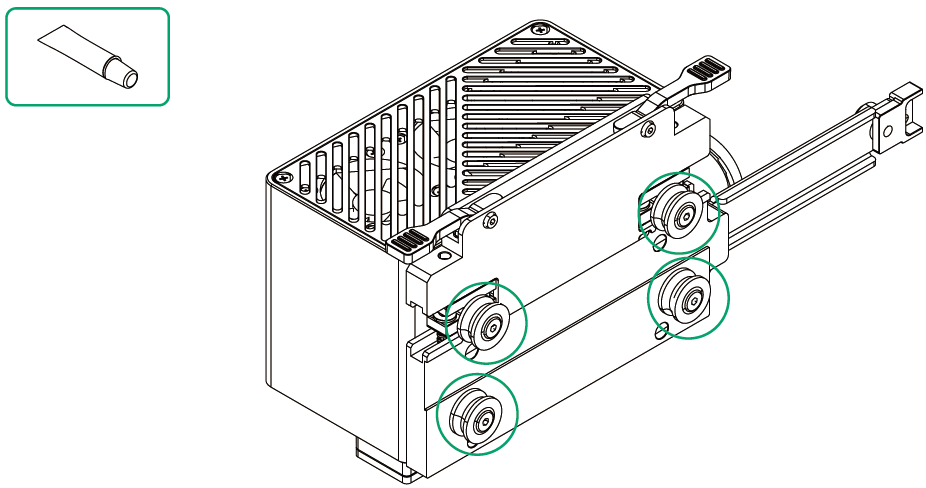
7. Why does the infrared module not slide smoothly?
The rollers may experience insufficient lubrication after long-term use, resulting in increased sliding resistance.
To solve this issue, pause the current task and turn off the machine. Then, take out the infrared module and evenly apply the included lubricant to the rollers.
8. Why is the engraving result blurry?
The infrared module may not be well secured, and thus cause module movement during engraving.
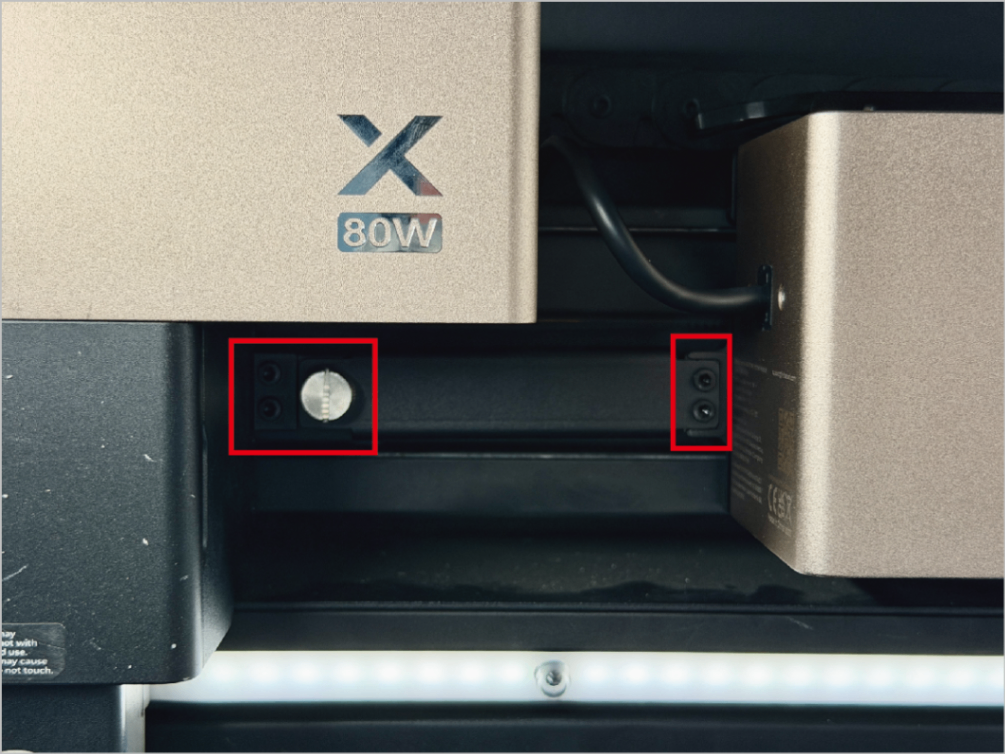
To solve this issue, pause the current task and turn off the machine. Tighten the black four screws and the silver thumb screw. For details about how to tighten them, visit Assemble xTool P3 5W Infrared Module.