
xTool Store
Upgrade AP2 Firmware Using XCS on Your Mobile Phone
Updated Dec 9,2025
Updated Dec 9,2025
This document describes how to upgrade AP2 firmware using XCS on your mobile phone. It is applicable only to laser machines that do not support Bluetooth connectivity.
Preparations
You have installed XCS Mobile (2.2.1 or above) on your phone.
Procedure
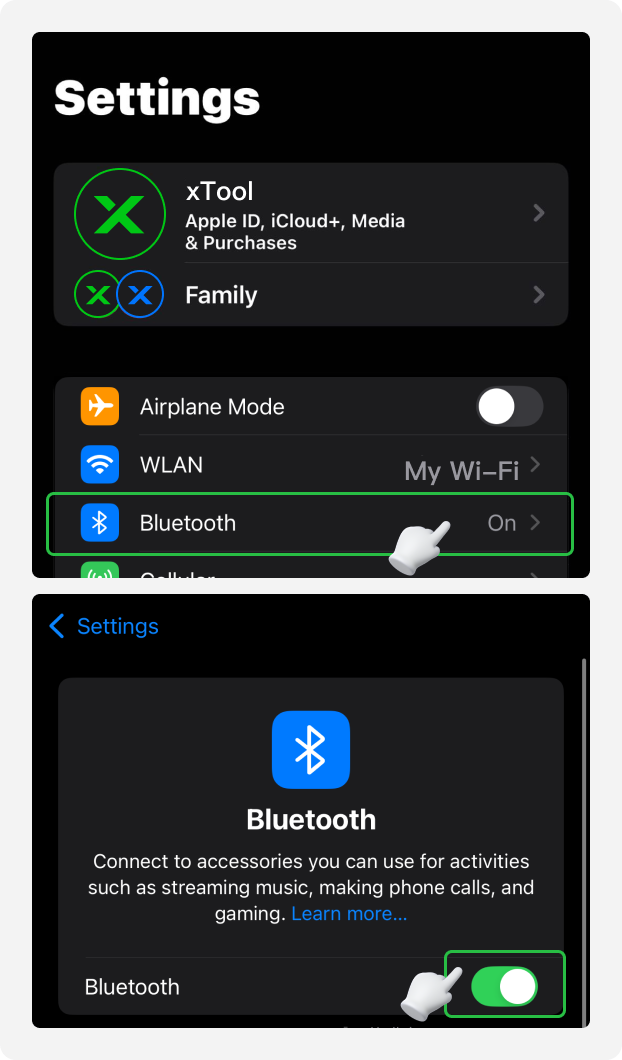
1. Enable Bluetooth permission on your phone
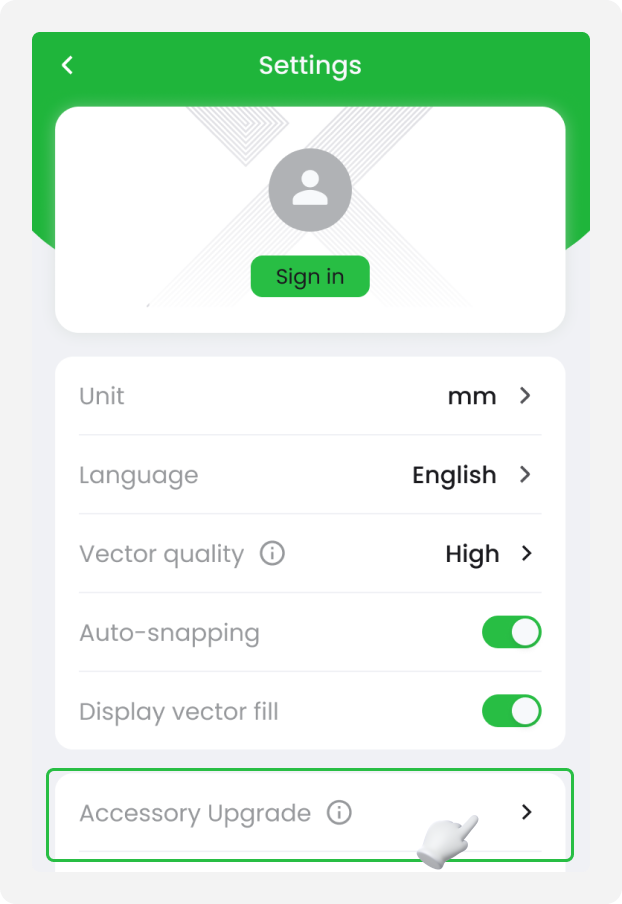
2. Perform the upgrade in XCS software
Tap Accessory Upgrade and select AP2.
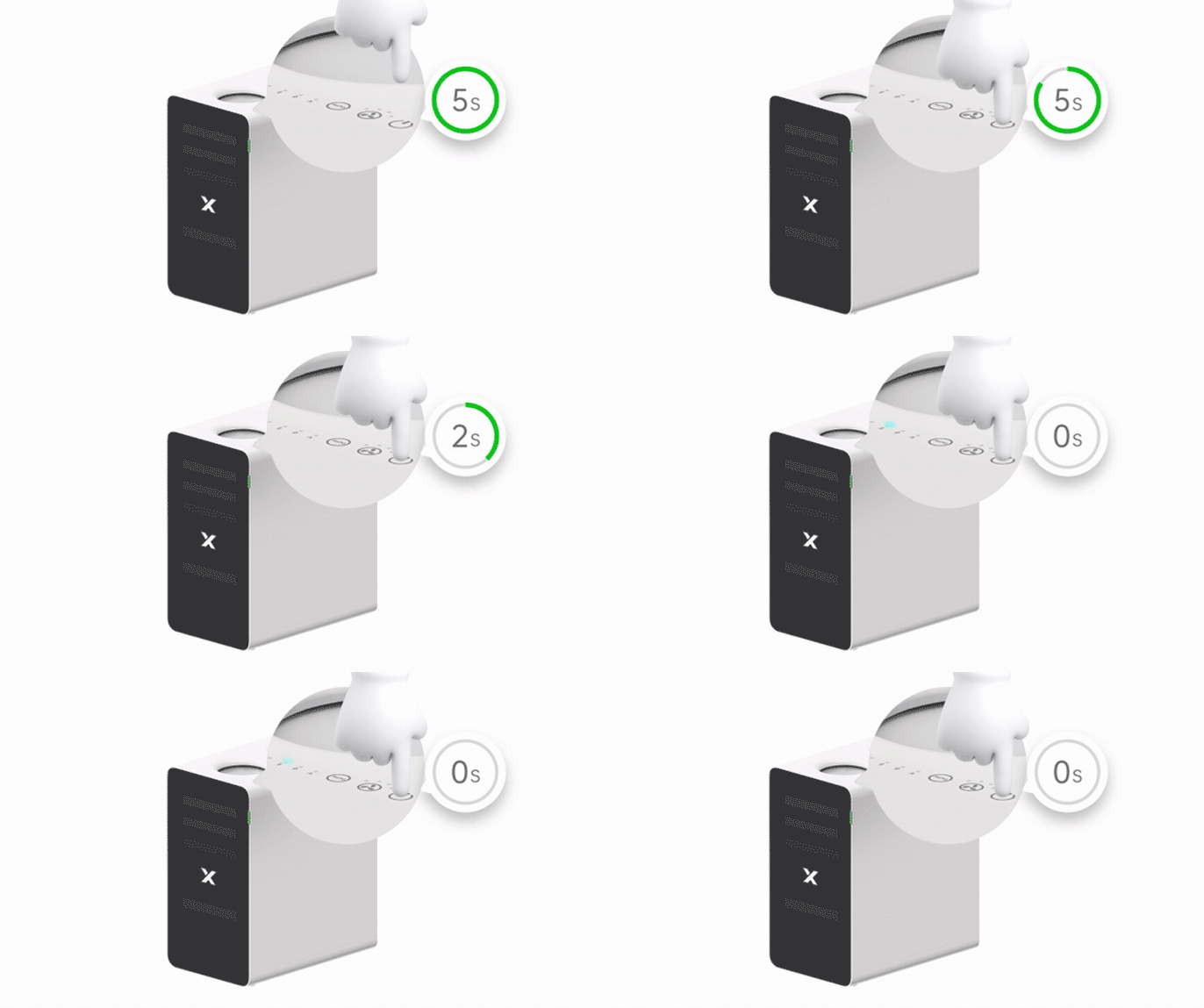
3. Restart AP2
Press and hold the power button of AP2 until the indicator flashes.
4. Connect AP2 in XCS software
Connect AP2 in XCS.
Preview
Was this page helpful?
0 out of 1 found this helpful
Help Ticket
Use this help ticket to submit your issue. We will respond within 1 business day
Submit a Ticket Tags
Help Ticket
Use this help ticket to submit your issue. We will respond within 1 business day
Submit a Ticket 
Services & Help
Learn & Education

Copyright © 2025 xTool All Rights Reserved.