
1. Test Environment for Leather Cutting
1.1 Leather Types
Laserable PU:
Laserable PU is a polyurethane (PU) synthetic leather that has been specially engineered for laser engraving applications. It features a unique multi-layer structure that produces a vivid two-tone contrast when processed by a laser.
Genuine Leather:
Genuine Leather is real leather made from natural animal hide. Its key advantages include a natural texture, breathability, and wear resistance, making it well-suited for premium laser processing applications. The key to successful laser processing is precise energy control combined with an understanding of the material’s fiber characteristics. CO₂ lasers are typically preferred, and with proper adjustment of power, speed, and assist gas, issues such as burn marks and fuzzing can be minimized while preserving the leather’s natural finish.
PU Leather:
PU Leather, short for polyurethane synthetic leather, is an artificial leather material produced through a chemical manufacturing process using polyurethane resin as the primary component. It is coated or laminated onto a base layer such as nonwoven fabric or knitted fabric. Its defining characteristic is that it contains no natural animal-hide components and is fully synthetic.
1.2 Leather Placement
Secure the Material:
Use magnetic clamps or masking tape to hold the leather sheet flat and firmly on the machine’s working surface.
Use a Honeycomb Panel:
A honeycomb panel is required. Secure the leather on the honeycomb panel for cutting to prevent the leather from coming into direct contact with the metal base plate, which can cause heat buildup and lead to severe carbonization.
1.3 Wearing Protective Equipment
Laser Safety Goggles:
The goggles must be strictly matched to the laser wavelength to block direct and scattered laser radiation and protect the retina. They must be worn at all times and cannot be substituted.
Respiratory Protection:
For small-batch processing, use a KN95 activated-carbon mask to filter smoke, dust, and a limited amount of VOCs. For high-volume production or enclosed environments, use a half-face respirator equipped with organic vapor cartridges to effectively adsorb harmful gases such as polyurethane decomposition byproducts generated during PU leather cutting.
2. Leather Cutting Results with Different Laser Sources
Recommended Processing Parameters for Top Grain Cowhide Leather
Recommended Processing Parameters for PU Leather
Recommended Processing Parameters for Laserable PU Leather
2.1 Blue-light Cut
Blue-light Cut Laserable PU
Compatible Cutting Thickness:
0.6 mm–1 mm
Cutting Result Description:
With Air-Compress Assist disabled, thermal reaction along the cut path edges is obvious, and areas with high line density are prone to severe melting. Smoke marks and darkening are visible on the back side.
With Air-Compress Assist enabled, the cut path edges become smooth and clean, and there is no surface smoke staining.
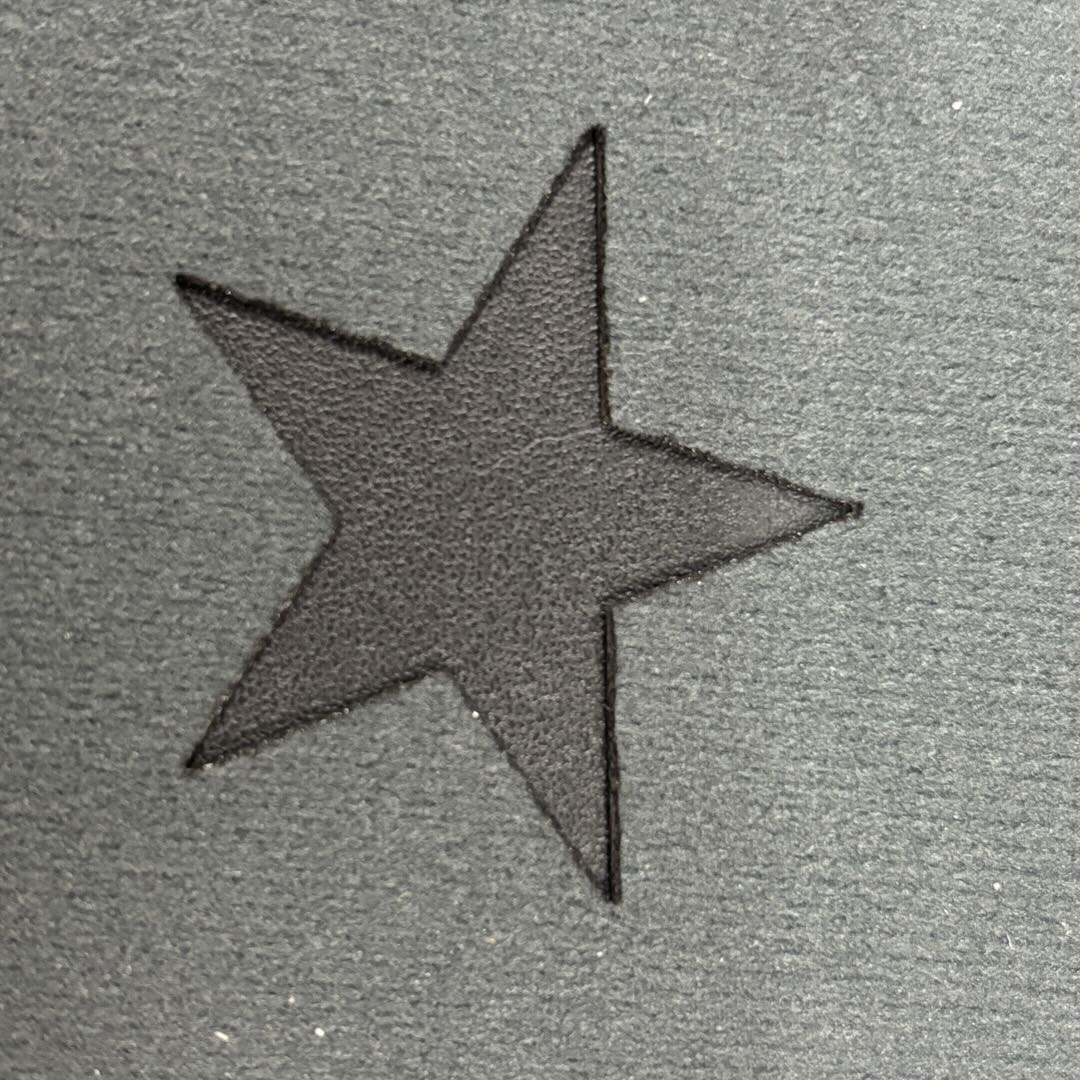
Cutting Results with Air-Compress Assist Enabled
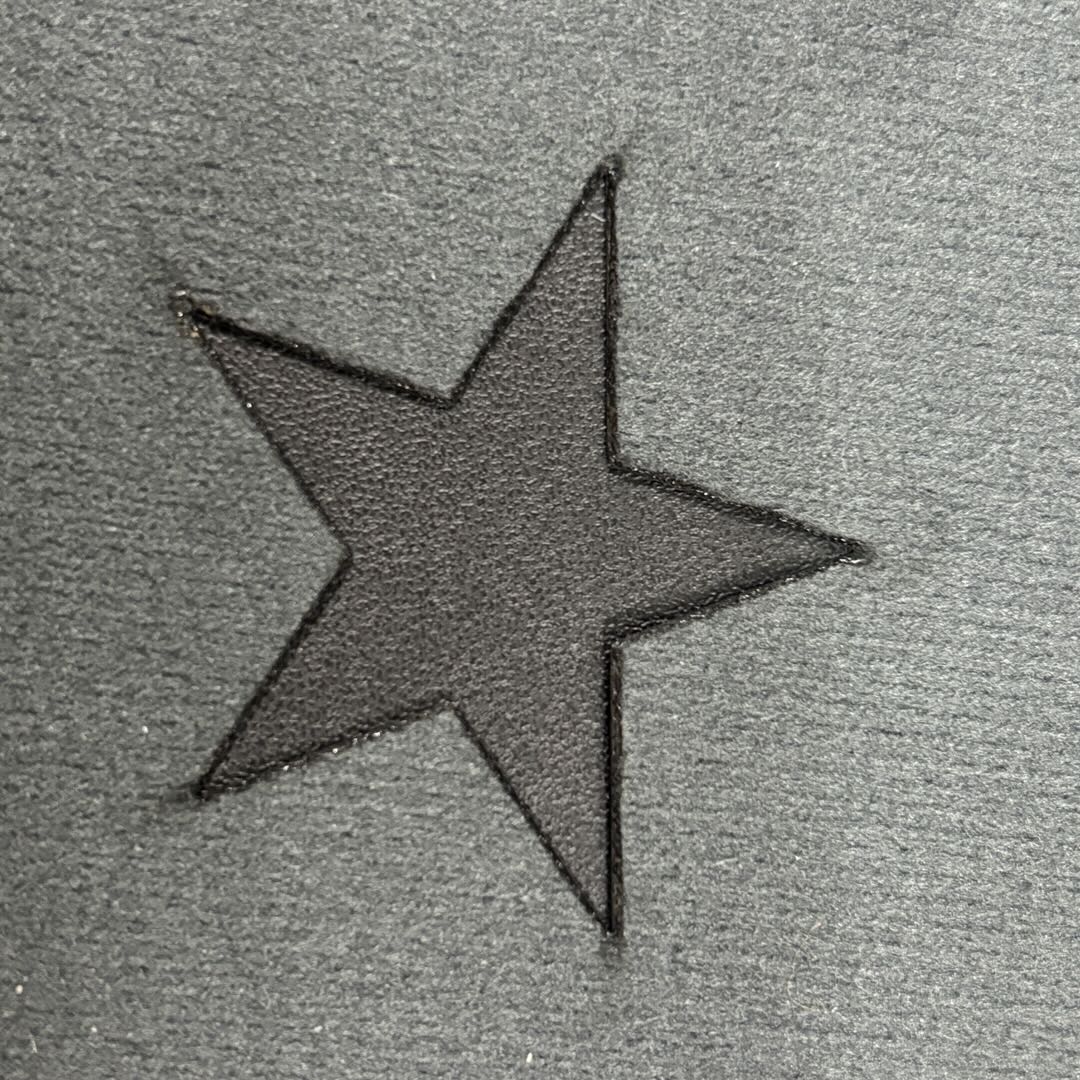
Cutting Results with Air-Compress Assist Disabled
Blue-light Cut Genuine Leather
Compatible Cutting Thickness:
1 mm–3 mm
Cutting Result Description:
With Air-Compress Assist disabled, the leather surface may show smoke staining, and black carbon powder can flake off along the cut edges. When Air-Compress Assist is enabled, the cutting results are significantly improved.

Cutting Results with Air-Compress Assist Enabled
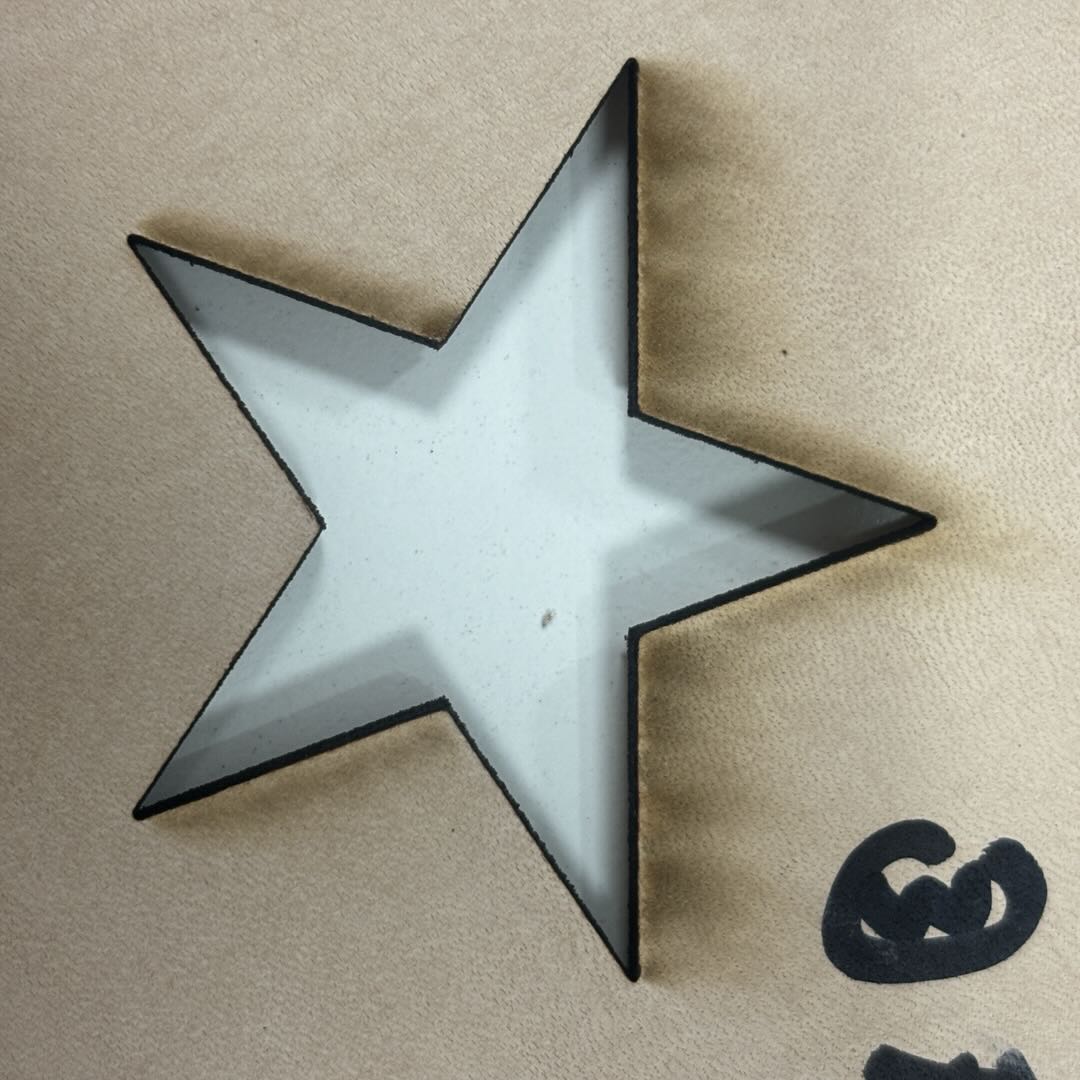
Cutting Results with Air-Compress Assist Disabled
Blue-light Cut PU Leather
Compatible Cutting Thickness:
0.5mm
Cutting Result Description:
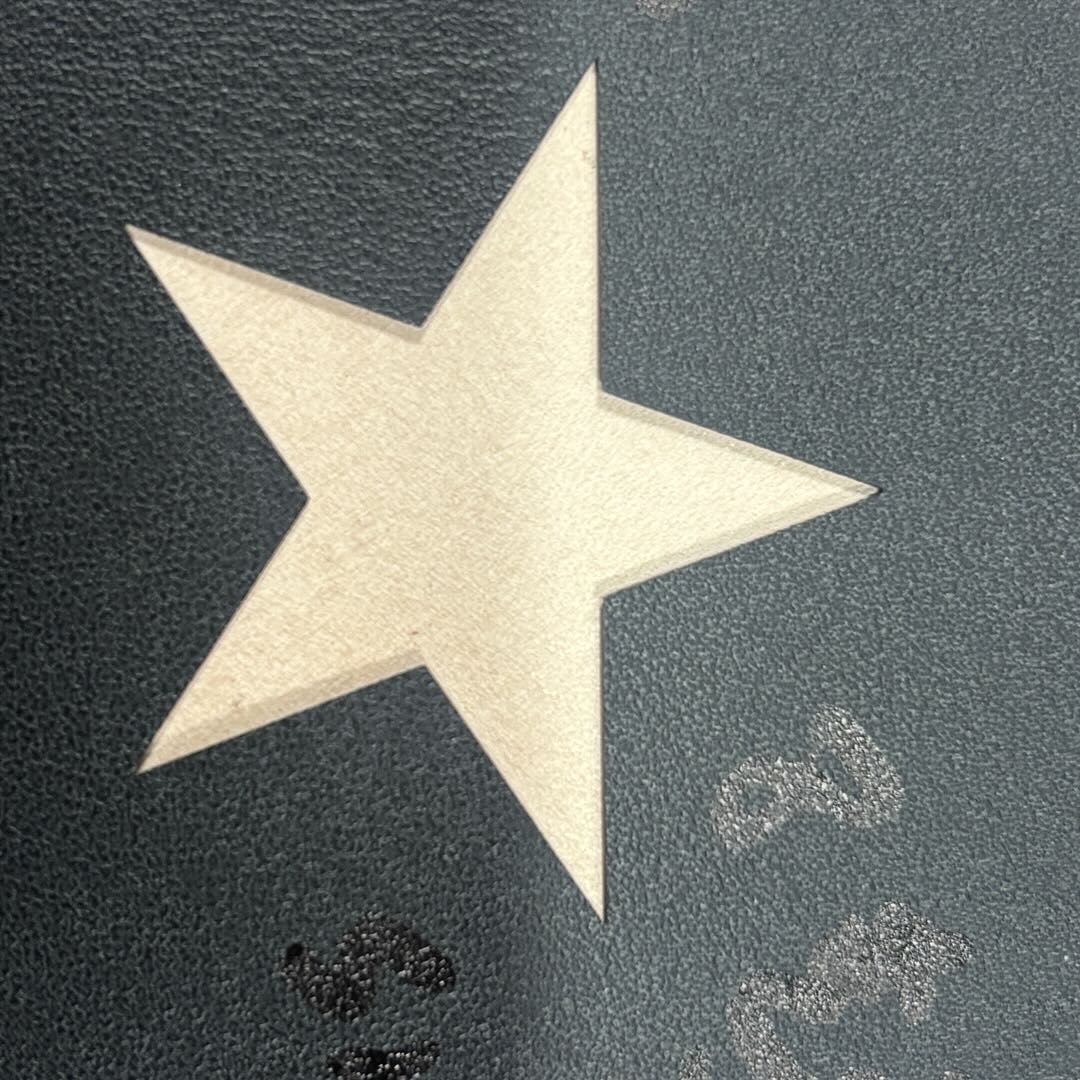
2.2 Infrared Cut
Infrared Cut Laserable PU
Compatible Cutting Thickness:
0.6 mm–1 mm
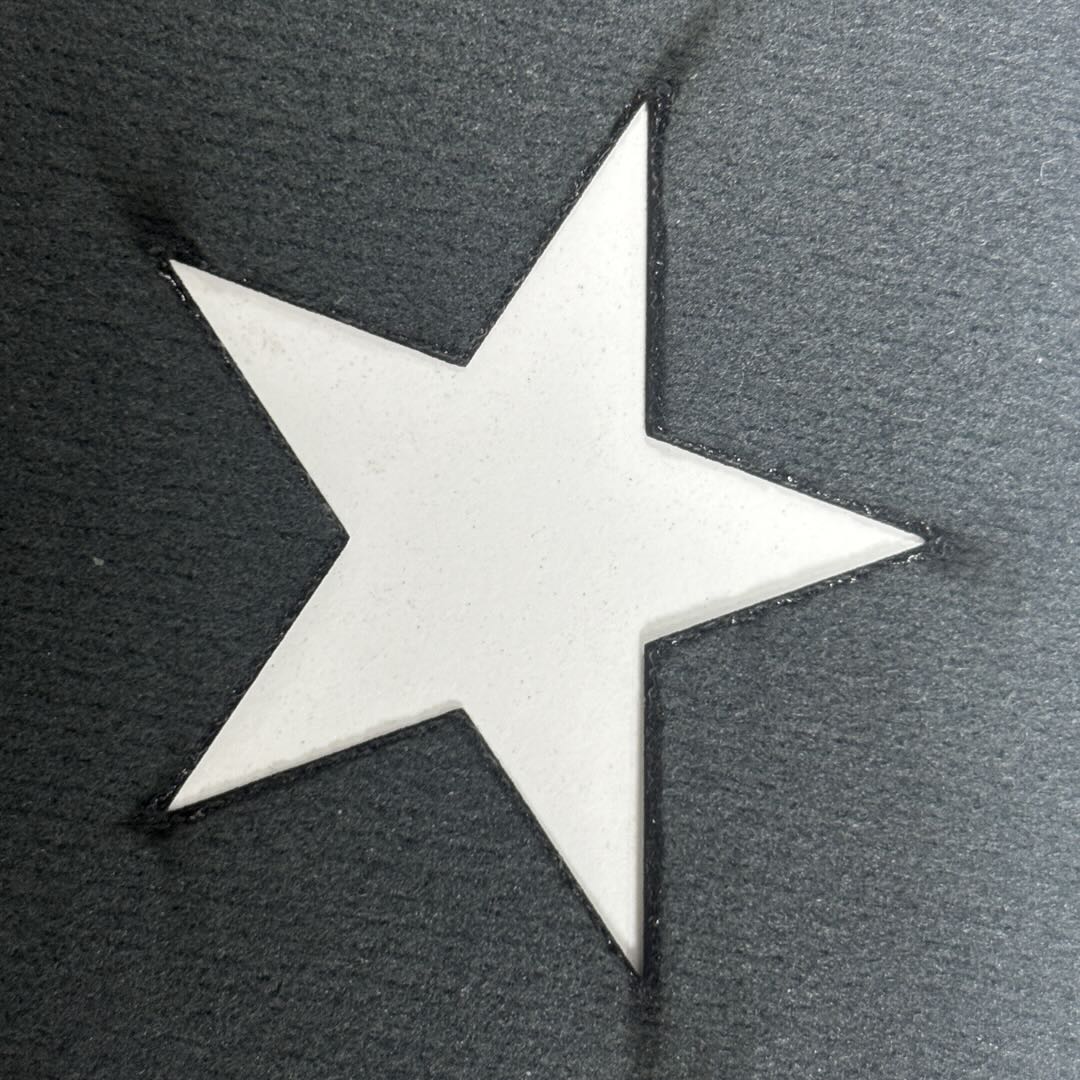
Cutting Result Description:
The front surface of the leather shows no abnormalities. However, due to heat exposure on the back side, the cut edges exhibit slightly severe melting, and smoke generated during processing may adhere to the material surface at path corners.
Infrared Cut Genuine Leather
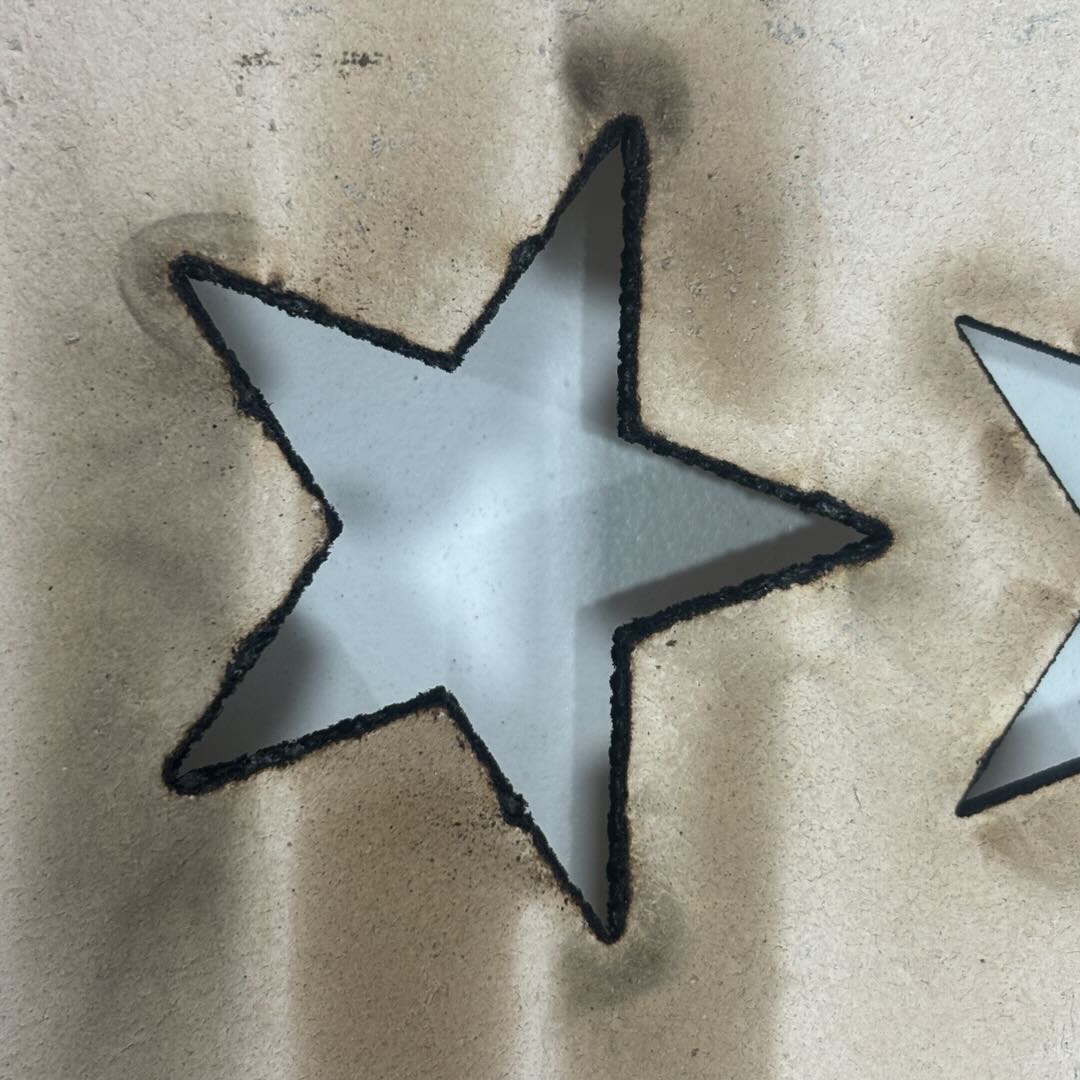
Cutting Result Description:
Because Top Grain Cowhide Leather is relatively thick, when cutting with high power, the heat and smoke generated during cutting cannot be discharged quickly. This leads to severe carbonization along the cut edges and noticeable smoke staining on the leather surface.
Infrared Cut PU Leather
Compatible Cutting Thickness:
0.5mm
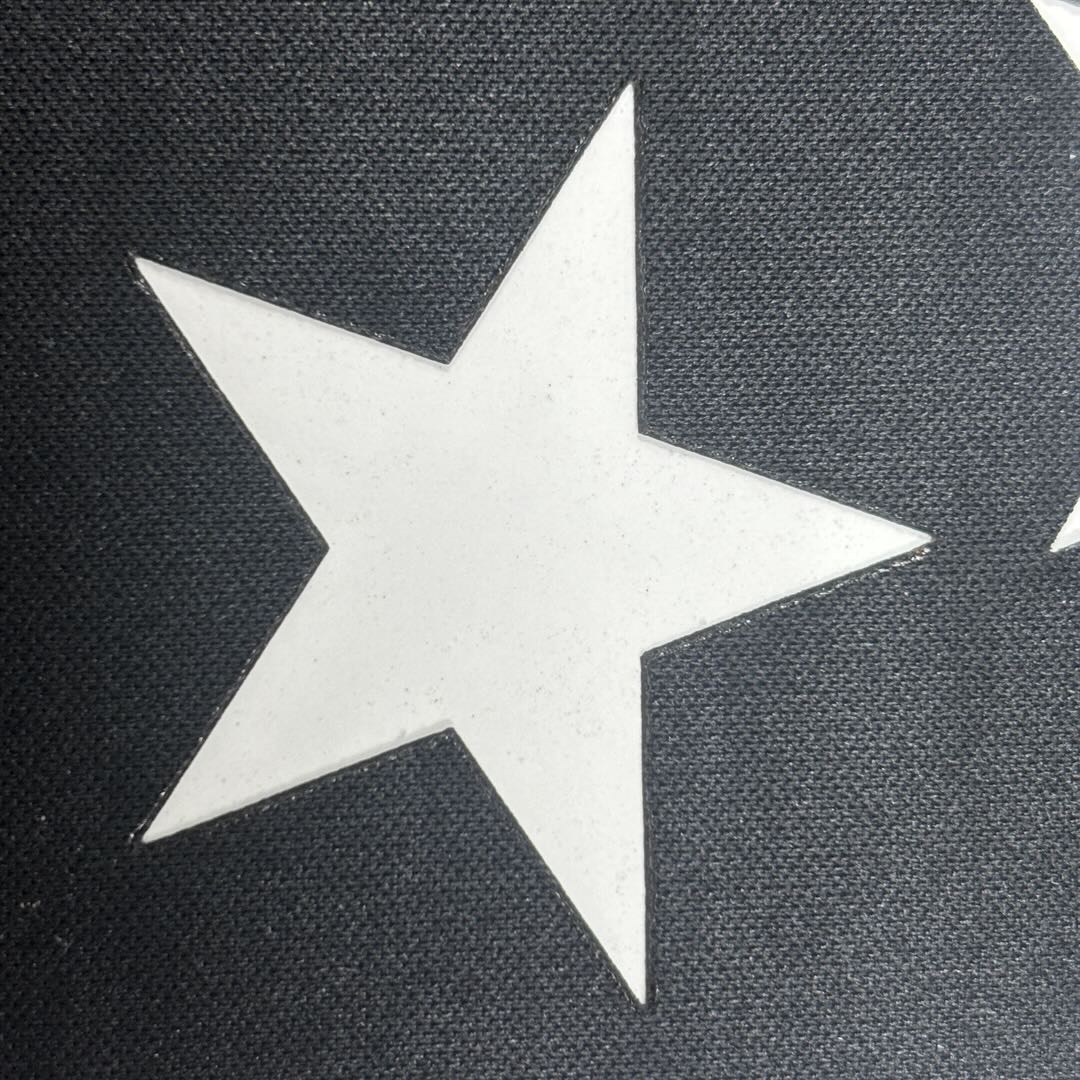
Cutting Result Description:
No smoke staining or other abnormalities appear on either side of the leather, but excessively high power can cause the cut edges to melt and shrink inward due to heat.
2.3 CO₂ Cut
CO₂ Cut Laserable PU
Compatible Cutting Thickness:
0.6 mm–1 mm
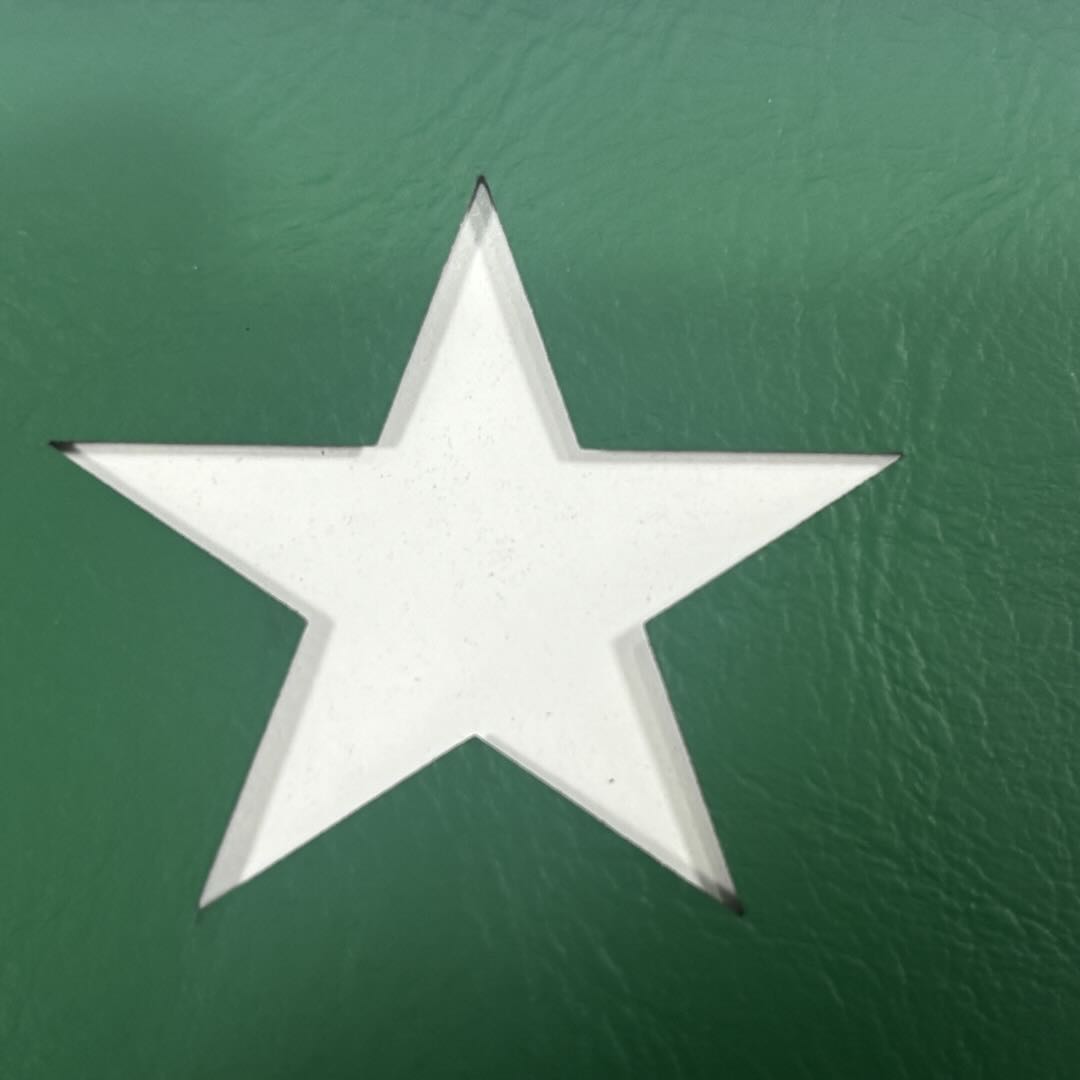
Cutting Result Description:
When processing with a CO₂ machine, Air-Compress Assist is enabled automatically. If you need to adjust Air-Compress Assist manually, set its power to the maximum level to achieve optimal cutting results, with no edge melting and no surface contamination on the leather.
CO₂ Cut Genuine Leather
Compatible Cutting Thickness:
1 mm–5 mm
Cutting Result Description:
When Air-Compress Assist is running at high airflow, cutting quality is good. When Air-Compress Assist is running at low airflow, severe smoke staining appears on the leather surface, and edge carbonization along the cut path becomes more noticeable.
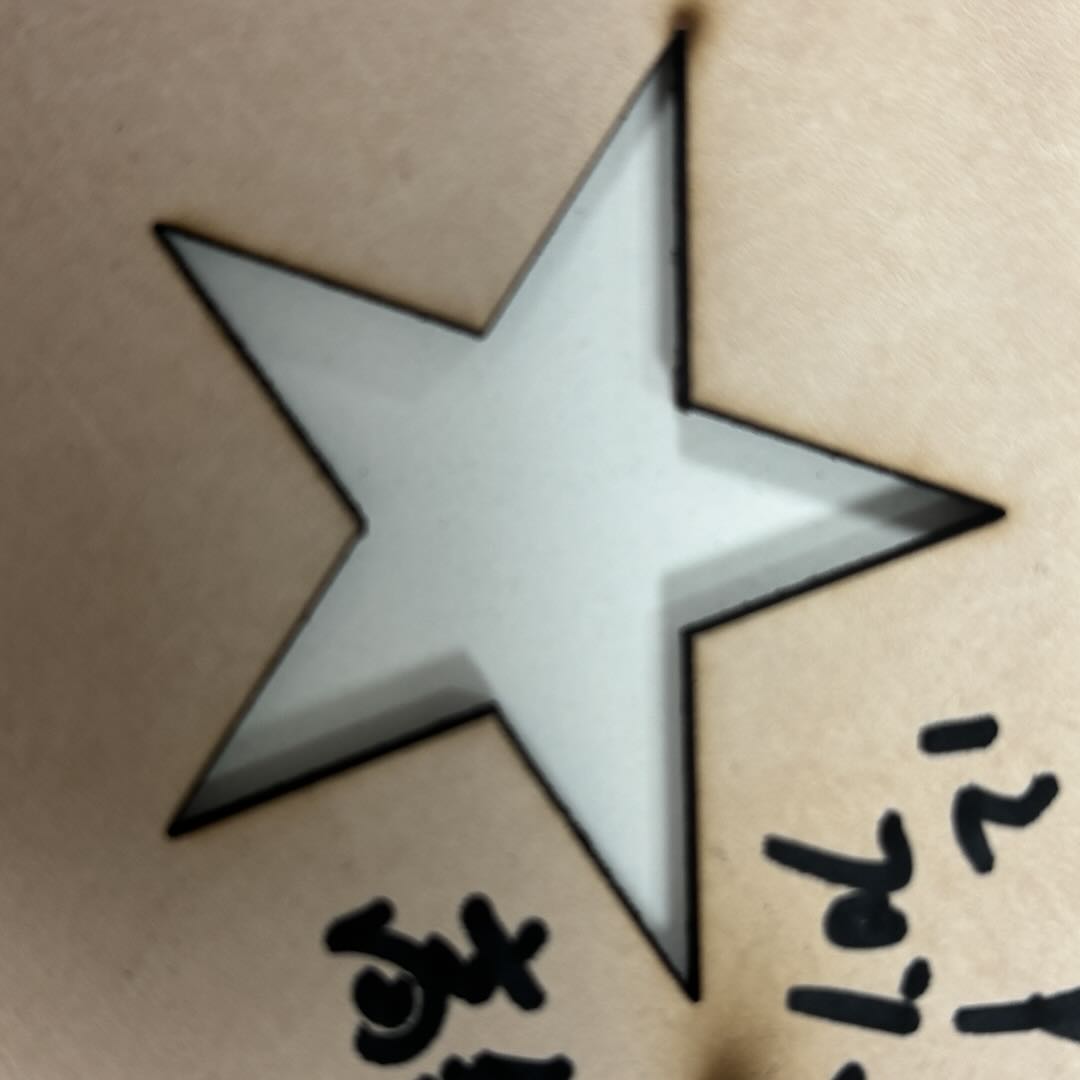
Cutting Results with Air-Compress Assist Enabled
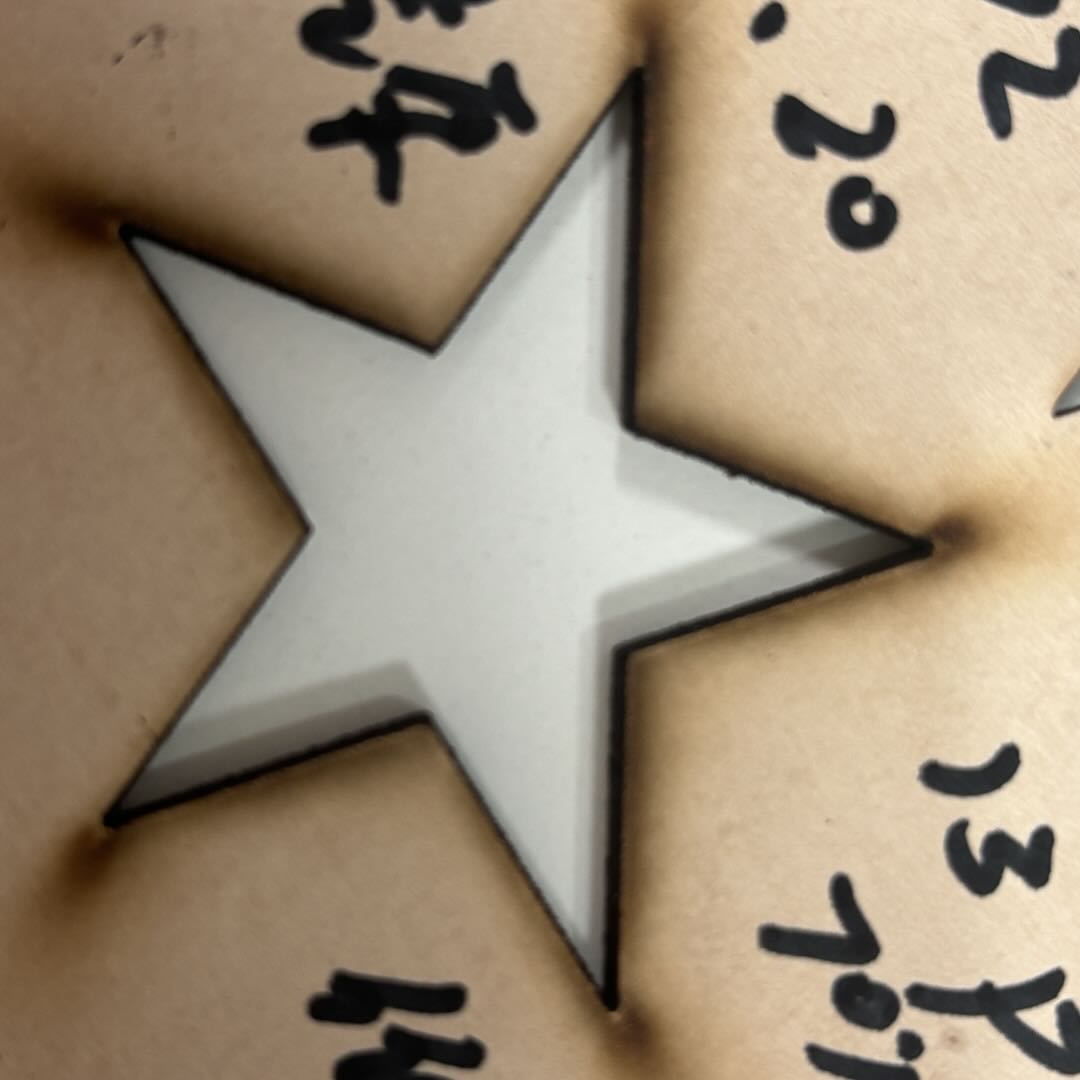
Cutting Results with Air-Compress Assist Disabled
CO₂ Cut PU Leather
Compatible Cutting Thickness:
0.5mm
Cutting Result Description:
When processing with a CO₂ machine, Air-Compress Assist is enabled automatically. If you need to adjust Air-Compress Assist manually, set its power to the maximum level to achieve optimal cutting results, with no edge melting and no surface contamination on the leather.

3. Methods to Improve Leather Cutting Quality
Using an Air Pump:
The Air Pump Is An Essential Auxiliary Device For Laser Cutting Rather Than An Optional Accessory. Its Functions Extend From Surface Cleaning (Removing Smoke And Dust), To Core Quality Control (Cooling And Reducing Molten Residue), And Even Equipment Protection (Safeguarding The Laser Lens), Covering The Entire Cutting Process.
For Materials Such As Leather And Glass—Which Require High Edge Quality And Surface Cleanliness—The Air Pump Effectively Prevents Common Defects Including Burn Marks, Cracks, And Adhesion. At The Same Time, It Helps Reduce Equipment Maintenance Costs. Therefore, The Air Pump Is A Critical Component For Achieving Efficient, High-Precision Cutting.
Using Masking Tape:
Protects The Leather Surface From Contamination And Damage:
Masking Tape Can Isolate Smoke, Soot, And Carbon Residue Generated During Laser Cutting, Preventing Them From Depositing On The Leather Surface And Forming Burn Marks Or Dark Spots (Especially Important For PU Leather And Laser-Engraved Leather With Metallic Coatings). It Also Prevents Scratches Caused By Friction With The Worktable Or Pressure From Clamps. After Removal, The Leather Surface Remains Smooth And Clean With No Need For Additional Cleaning.
Assists With Positioning And Prevents Material Shifting:
The Mild Adhesion Of Masking Tape Allows The Leather To Remain Firmly Attached To The Honeycomb Panel Or Worktable, Preventing Thin Leathers (Such As Sheepskin Or Thin PU) From Shifting Due To Airflow Impact Or Machine Vibration. This Ensures Accurate Cutting Paths And Is Particularly Suitable For Fine-Pattern Cutting.
Improves Edge Quality:
Masking Tape Helps Reduce Excessive Melted Edges On PU Leather And Minimizes Fiber Fraying On Genuine Leather. By Absorbing A Portion Of Laser Heat, It Reduces The Heat-Affected Zone And Prevents Molten Residue From Adhering To The Cut Line, Resulting In Cleaner, More Uniform Edges And Less Post-Processing Work.
Optimized For Special Leather Applications:
For Laser-Engraved Leather (Including Metal-Coated Surfaces), Masking Tape Protects The Laser-Sensitive Layer Or Metallic Coating From Oxidation, Discoloration, Or Scratches During Cutting. For Textured Leather, It Also Helps Prevent Texture Deformation Caused By High Temperatures, Preserving The Original Surface Detail And Appearance.

