
Issue description
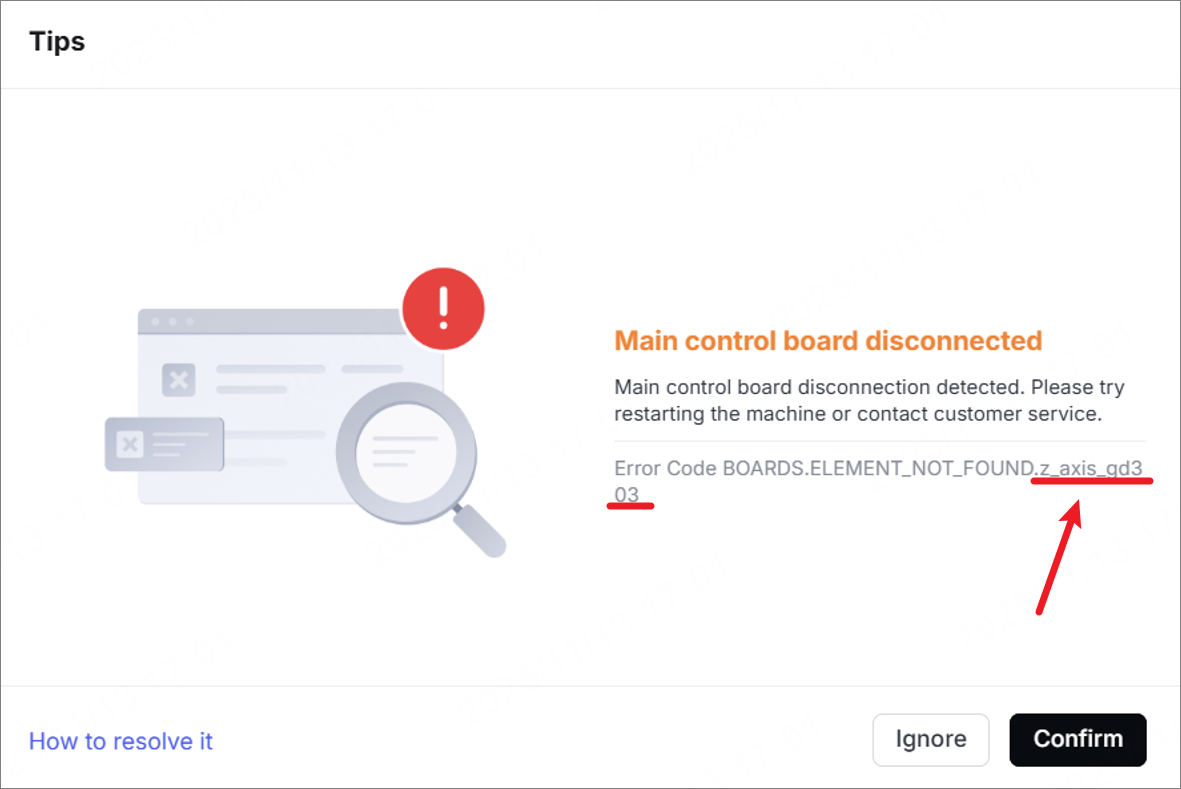
The software prompts "Main control board disconnected", and the error code indicates "BOARDS_ELEMENT_NOT_FOUND.z_axis_gd303". It means the Z-axis board is disconnected from the device.
Possible causes
- The firmware and software are not the latest version.
- The connection cable of the Z-axis is loose.
- The adapter board of the Z-axis is faulty.
- The main control board is faulty.
Troubleshooting procedures
1. Restart the device
2. Check the firmware and software
Update the firmware and software to the latest version. And then restart the device.
3. Check whether there are similar error codes
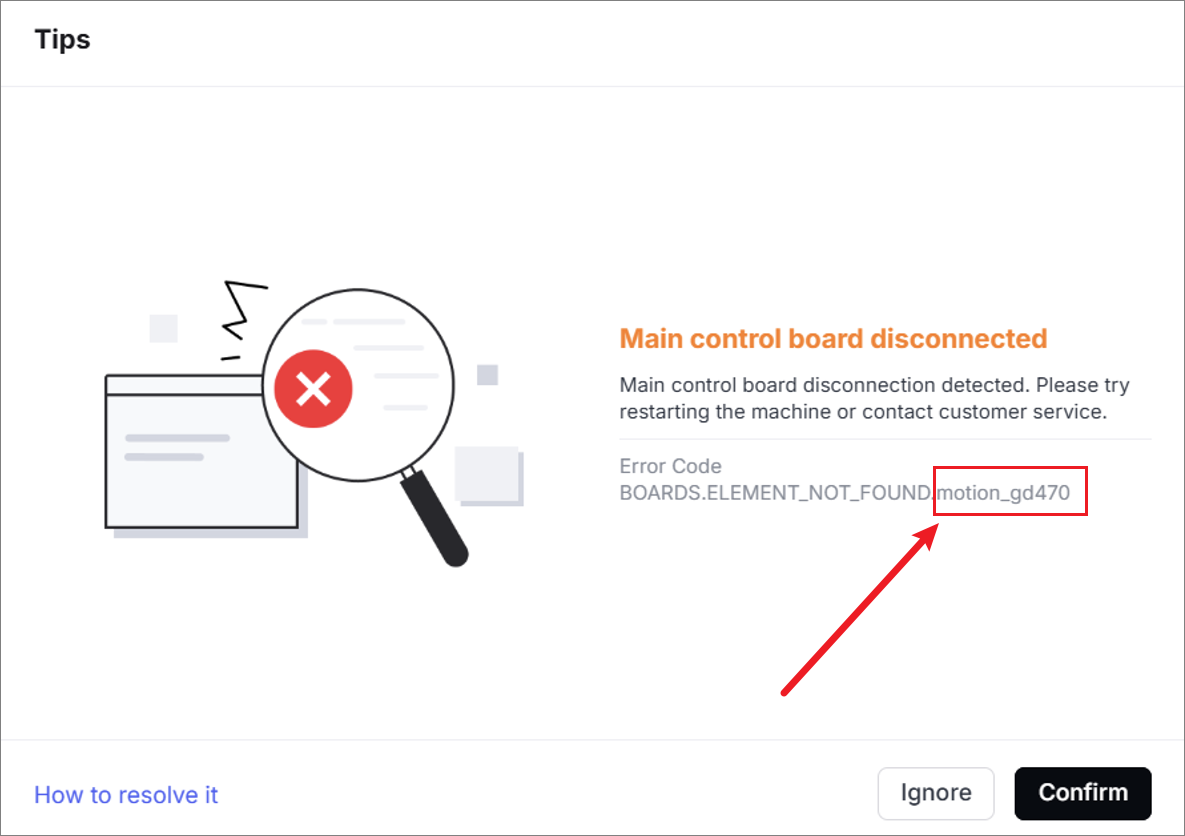
If there is also another "Main control board disconnected" error code (BOARDS.ELEMENT_NOT_FOUND.motion_gd470, as shown below), the Z-axis board disconnection issue described in this article will definitely occur at the same time.
Please click the link to resolve the issue of the main control board disconnection first, and then proceed to the next step: Troubleshoot Main Control Board Disconnection (Error Code: motion_gd470)
4. Check the connector on the Z-axis board
(1) Power off the device and disconnect it from a power supply.
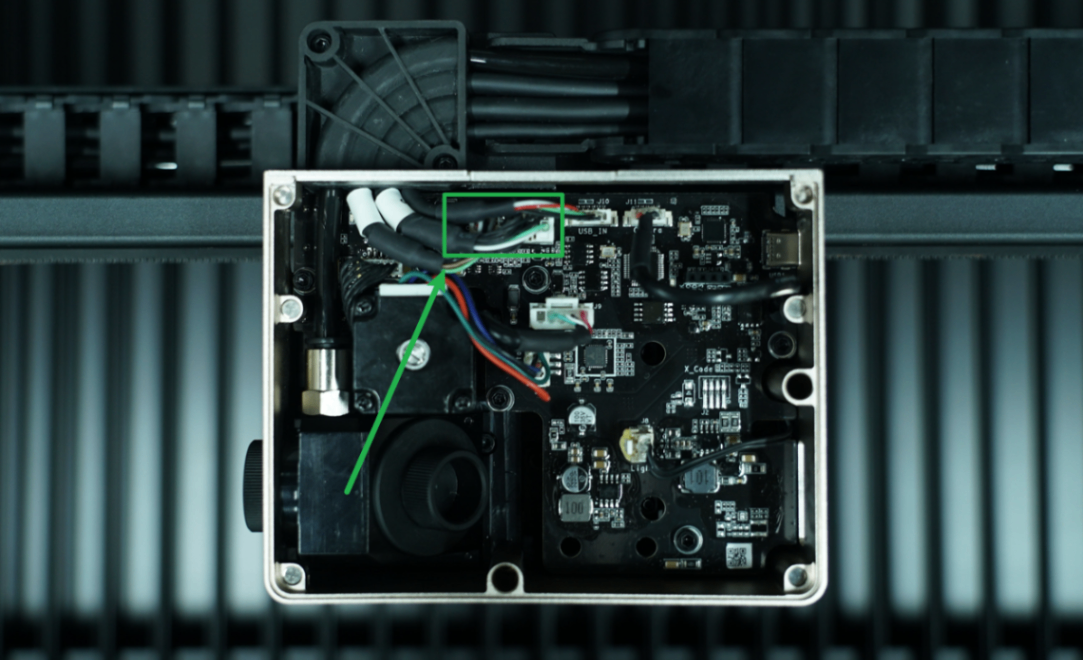
(2) Remove the cover of the laser module.
(3) Check if the connector on the Z-axis board (as shown) is loose.
(4) Unplug and plug it snugly, and then power on xTool P3.
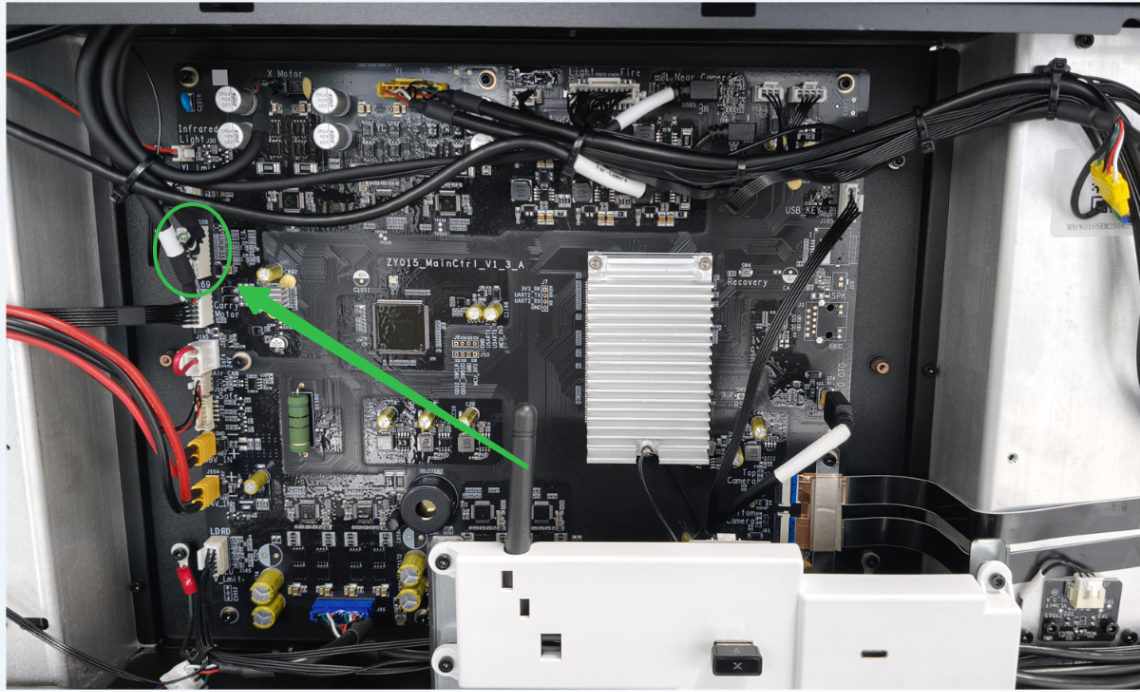
5. Check the connector on the main control board
(1) Power off the device and disconnect it from a power supply. Follow the video tutorial Assemble & Disassemble the Casing of xTool P3 to remove the left plate.
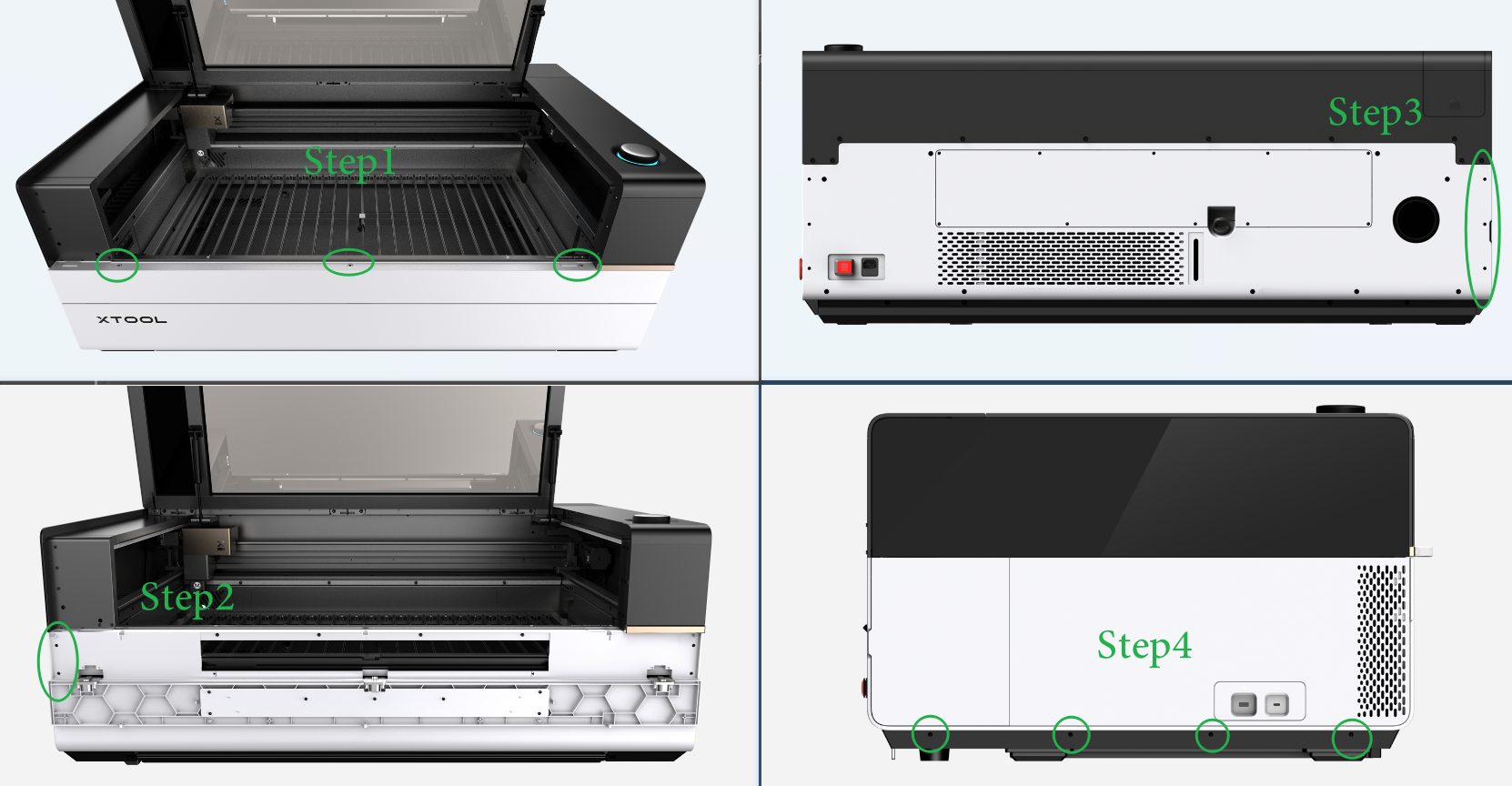
(2) Find the main control board. Unplug and plug the connector to check if it is loose.
6. Check the Z-axis board
If the Z-axis board is faulty, replace it with a new one.
7. Check the main control board
If the main control board is faulty, replace it with a new one.
Still experiencing issues?
Should the issue persist after completing the preceding steps, submit a ticket via the "Submit a Ticket" button in the "Help Ticket" section below. The standard response time for xTool Customer Service is one business day.
For a prompt resolution, please include the following details:
- Issue description: A detailed explanation of the observed problem.
- Video evidence: Attach a video demonstrating the issue, where applicable.
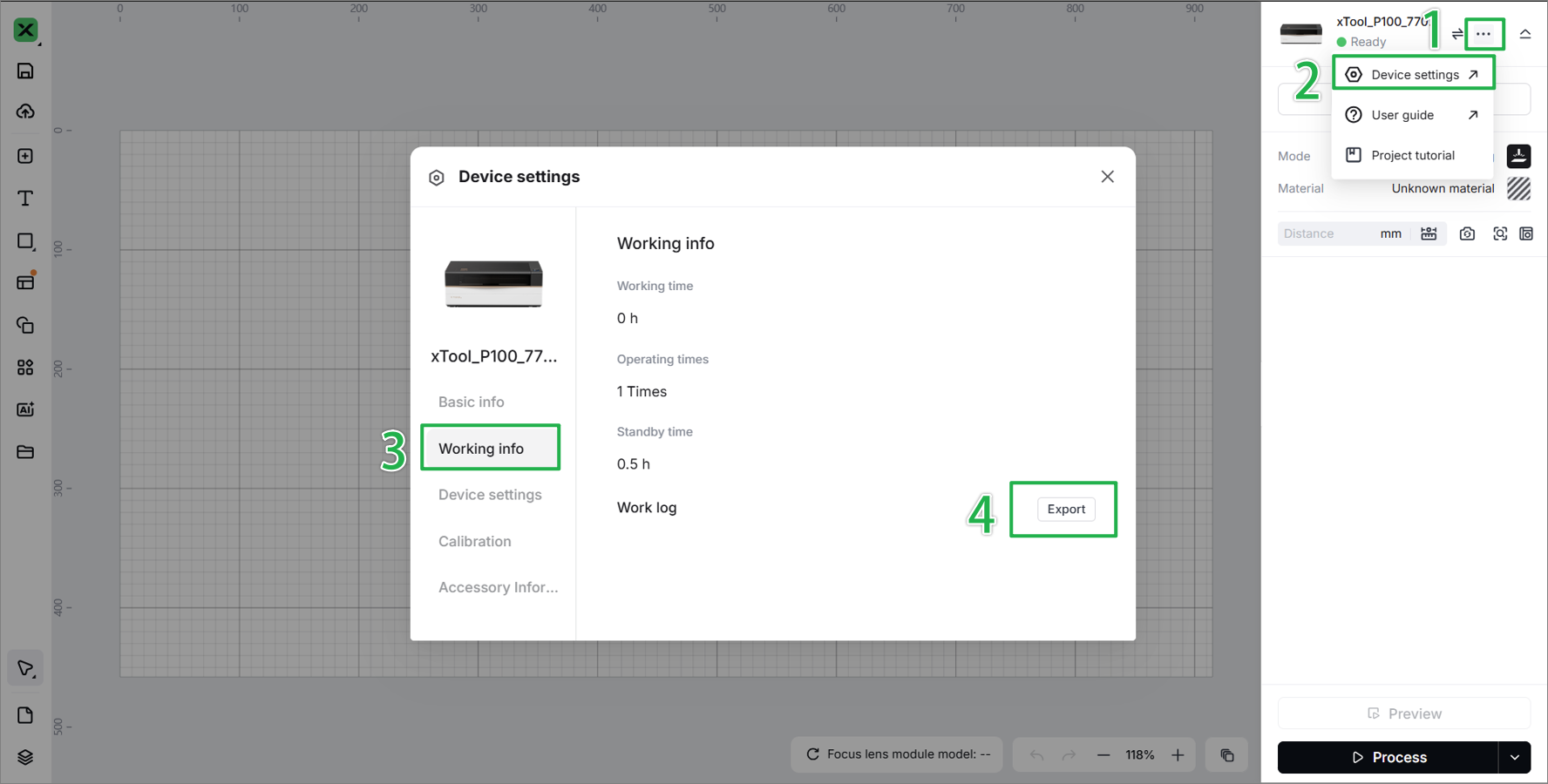
- Device information: Follow the steps to find the SN and export the work log.
- Troubleshooting performed: Any troubleshooting steps you have already attempted, along with their results.
This information is crucial for xTool technical support engineers to provide timely assistance.
Documentation feedback
Help improve this content by providing feedback. If this content did not meet your requirements, select "No" in the "Was this page helpful?" section below. Include specific details about what was unclear or missing in the pop-up suggestion box. Feedback submissions are reviewed by xTool technical writers to enhance future documentation.

