
Issue description
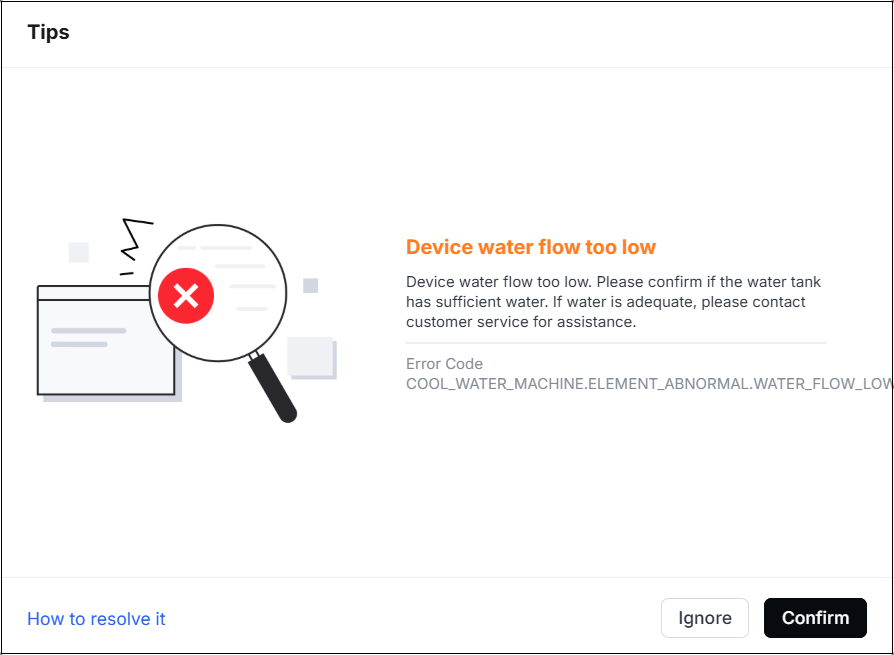
The processing is paused suddenly and cannot continue to process. The software displays a pop-up window.
The error code is COOL_WATER_MACHINE.ELEMENT_ABNORMAL.WATER_FLOW_LOW.
Possible causes
- The firmware and software are not the latest version.
- The proportion of the antifreeze is incorrect.
- The water pipe is clogged.
- The water-cooling system malfunctions.
Troubleshooting procedures
1. Check the firmware and software
Update the firmware and software to the latest version. And then restart the device.
2. Check the proportion of the antifreeze
(1) Check whether the proportion and volume of the antifreeze meet the actual requirements (as in the table below).
When its concentration is too high, the water flow speed will decrease. Especially when you pour the whole antifreeze into the tank, the "water flow too low" error code may occur.
Drain the antifreeze according to the link and then refill it.
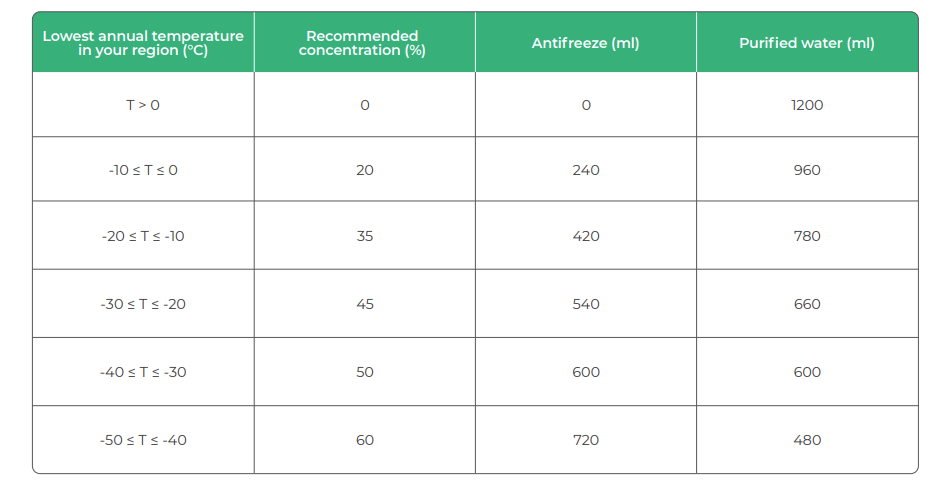


(2) If the water flow is too slow, follow step 3 in the tutorial to drain the antifreeze and refill the tank with the correct concentration of antifreeze.
3. Check the water flow
When the device powers on, the water pump keeps working, no matter whether you are processing or not.
- Disconnect the power supply.
- Follow the video to remove the upper plate and the laser tube cover.
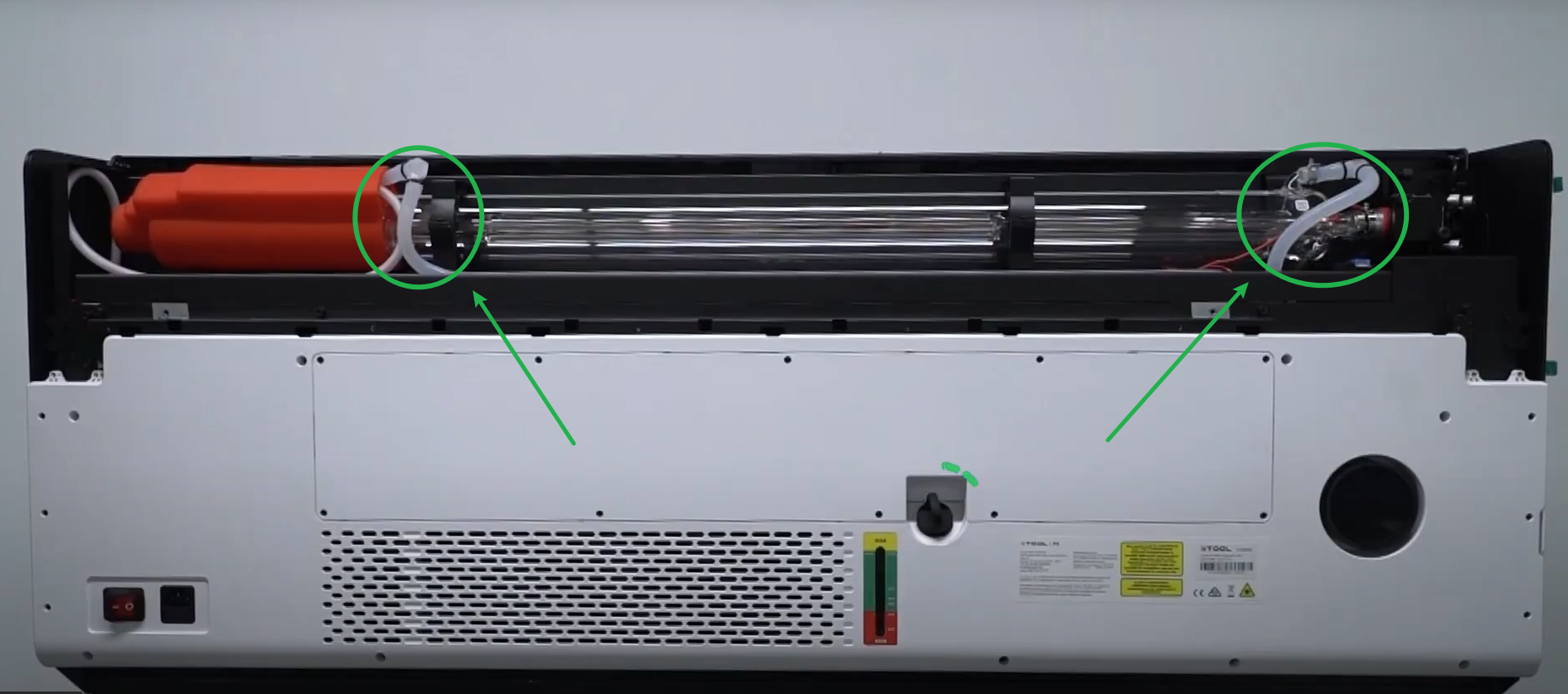
- Connect the power supply and turn on the device. Pinch the water pipe (as shown) and observe whether the water is flowing (When water is flowing, the pipe is relatively hard due to the pressure; when the water is not flowing, the pipe is relatively soft).
- If the water flows normally, check for other issues.
- If the water does not flow or flows intermittently, go to step 4 to check the water pipe.
4. Check for bending of the water tube
(1) Disconnect the power supply, then remove the rear cover by following the video tutorial on replacing and removing the outer casing.
(2) Check whether the water pipes (as shown) are kinked or bent severely, which may obstruct the water flow.

- If not, please check for other issues.
- If so, adjust the water tube by gently straightening it or pulling it slightly to ensure it is not kinked, then install the housing and restart the machine.
5. Check the water-cooling system
If the water pipes are not kinked and the antifreeze mixture is correct, but the water flow is still too low, it means the water pump inside the water-cooling system may have failed.
See the video to replace water-cooling system.
Still experiencing issues?
Should the issue persist after completing the preceding steps, submit a ticket via the "Submit a Ticket" button in the "Help Ticket" section below. The standard response time for xTool Customer Service is one business day.
For a prompt resolution, please include the following details:
- Issue description: A detailed explanation of the observed problem.
- Video evidence: Attach a video demonstrating the issue, where applicable.
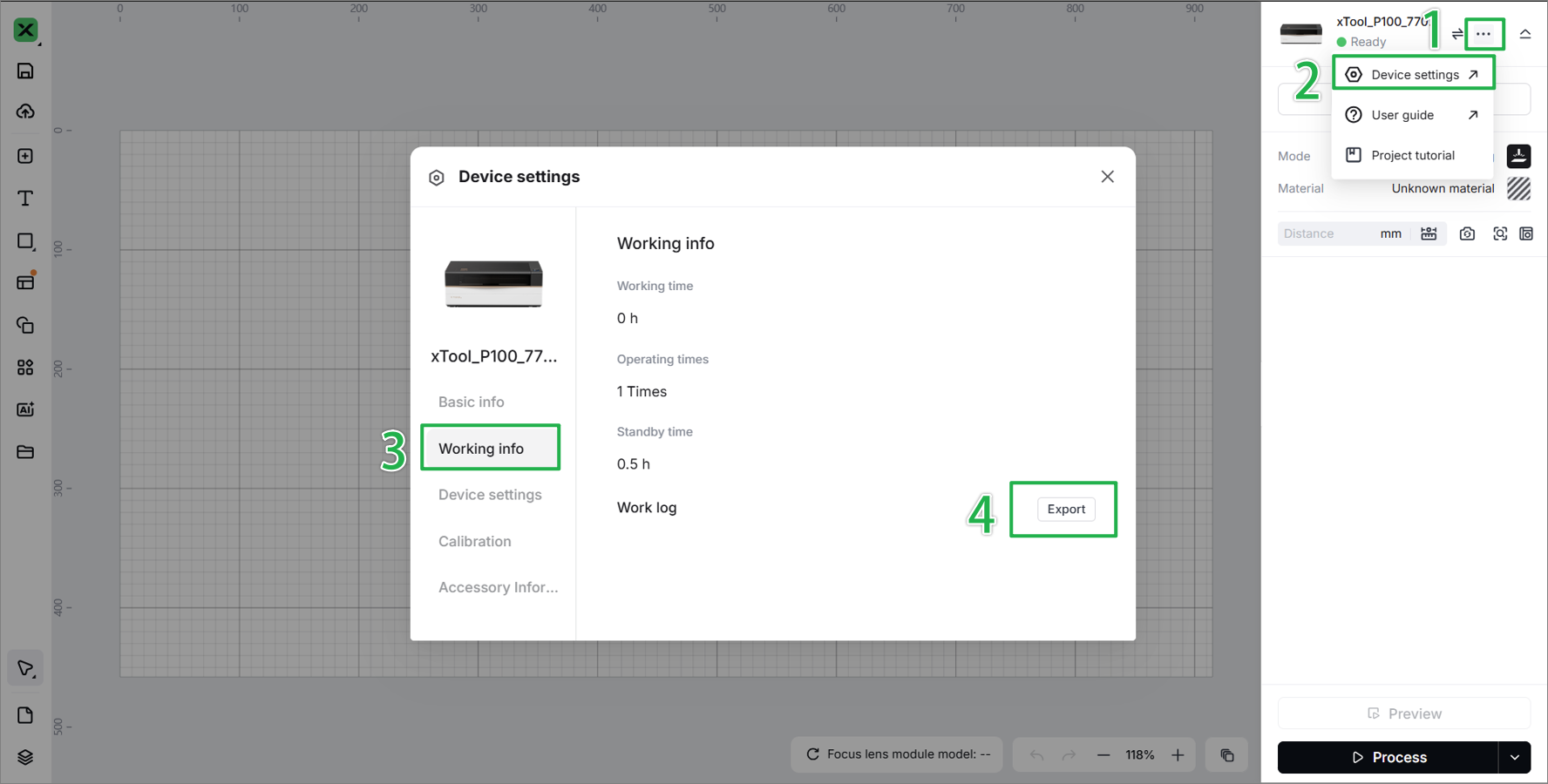
- Device information: Follow the steps to find the SN and export the work log.
- Troubleshooting performed: Any troubleshooting steps you have already attempted, along with their results.
This information is crucial for xTool technical support engineers to provide timely assistance.
Documentation feedback
Help improve this content by providing feedback. If this content did not meet your requirements, select "No" in the "Was this page helpful?" section below. Include specific details about what was unclear or missing in the pop-up suggestion box. Feedback submissions are reviewed by xTool technical writers to enhance future documentation.

