
xTool Store
Troubleshoot "Exceptions Occur" (Error Code: M9039 S2) on xTool AP Series
Updated Nov 6,2025
Updated Nov 6,2025
Issue description
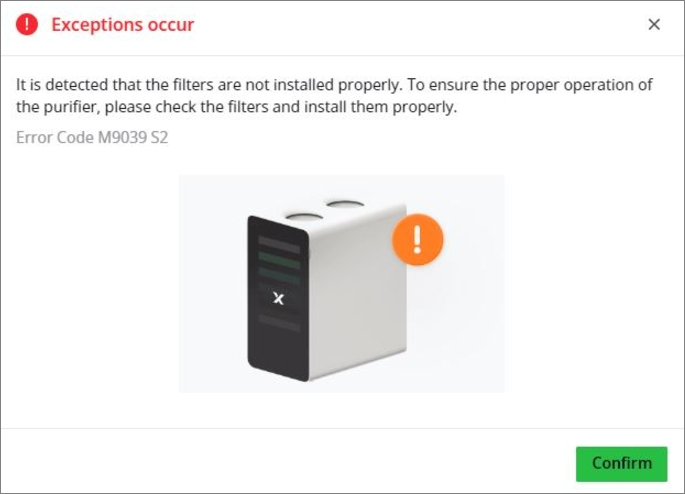
When AP2 works with an xTool laser machine that supports Bluetooth conectivity, the xTool software may prompt an error message with the error code M9039 S2 as shown in the following figure.
Potential causes
- The filters are not properly installed.
- The NFC card is not working
Troubleshooting procedures
Step 1: Check and re-install the filters
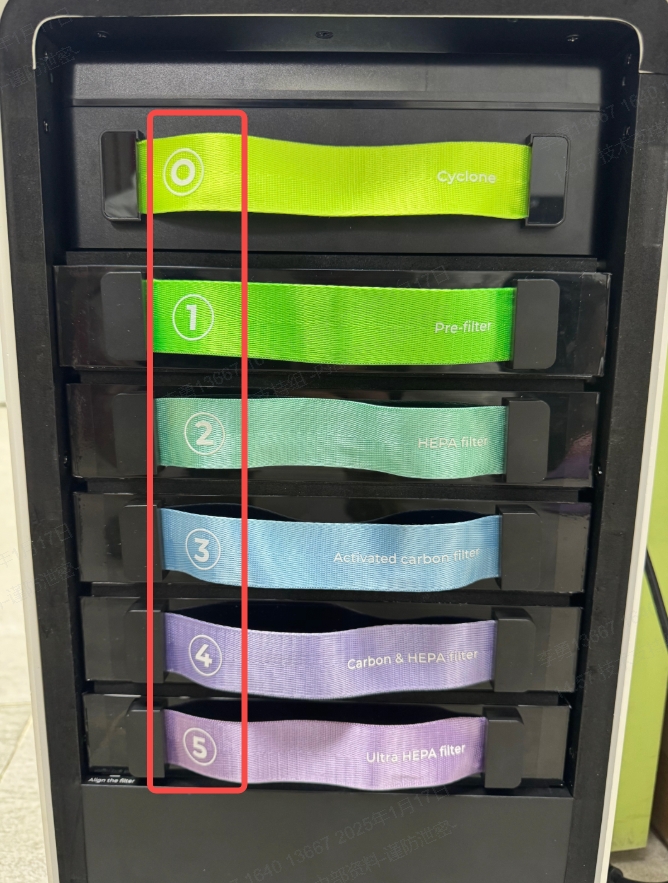
1) Check whether the five filters and the cyclone are installed in place.
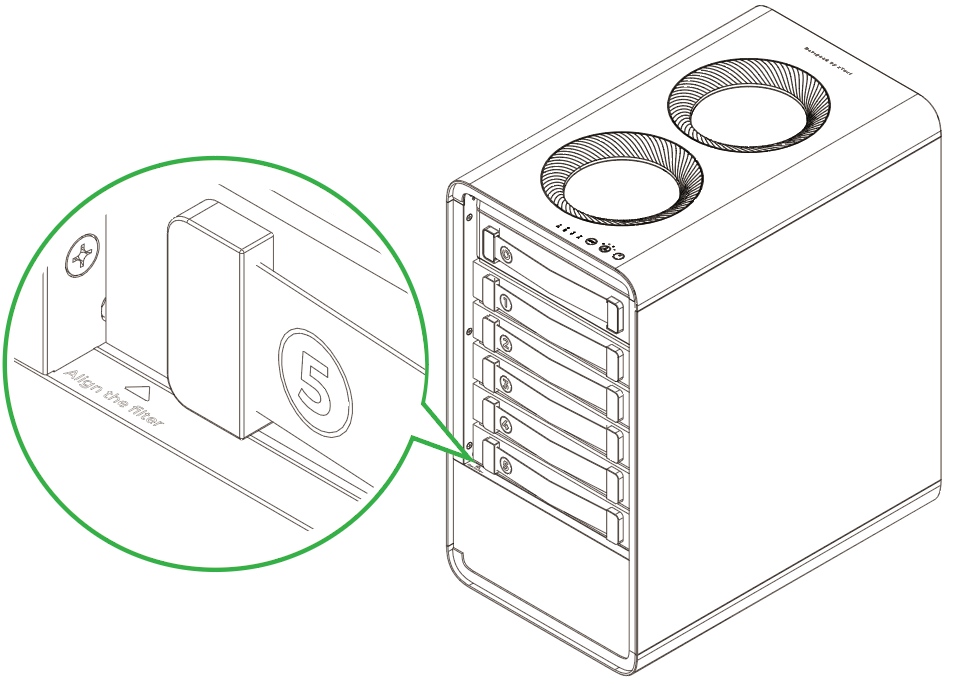
2) Check whether the filters are pushed all the way to the innermost.
Step 2: Check whether the NFC malfunctioning is causing the issue
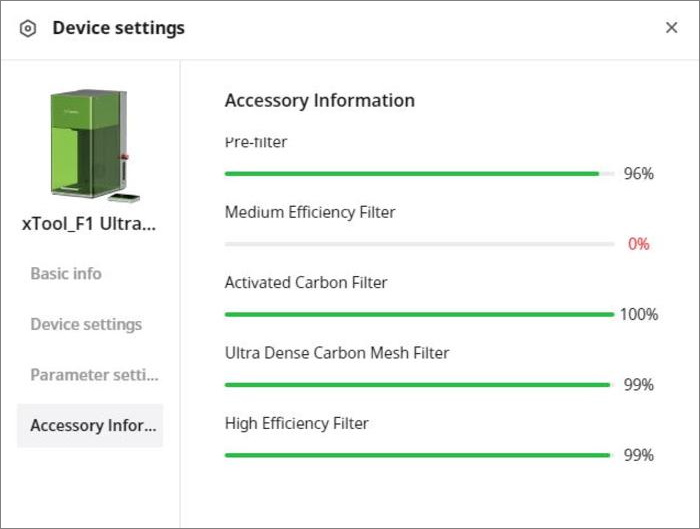
The filter life is calculated via the NFC card inside AP2. If the NFC card is invalid, the filter life would be mistakenly displayed as 0, and the error code M9039 S2 would be reported as well.
On the xTool software, check whether any filter life is 0 as shown in the following figure. If yes, take a screenshot and contact technical support for solutions.
Documentation feedback
Help improve this content by providing feedback. If this content did not meet your requirements, select "No" in the "Was this page helpful?" section below. Include specific details about what was unclear or missing in the pop-up suggestion box. Feedback submissions are reviewed by xTool technical writers to enhance future documentation.
Preview
Was this page helpful?
0 out of 0 found this helpful
Help Ticket
Use this help ticket to submit your issue. We will respond within 1 business day
Submit a Ticket Tags
Help Ticket
Use this help ticket to submit your issue. We will respond within 1 business day
Submit a Ticket 
Services & Help
Learn & Education

Copyright © 2025 xTool All Rights Reserved.