
About this video tutorial
You need to replace the main control board of xTool SafetyProTM AP2 Max if any of the following occurs:
- AP2 Max fails to start.
- The indicators on AP2 Max's front panel are off.
This video tutorial aims to provide step-by-step instructions on the main control board of xTool SafetyProTM AP2 Max.
⚠️ Important notes
When performing the replacement, please disconnect the power supply to AP2 Max.
Tools required
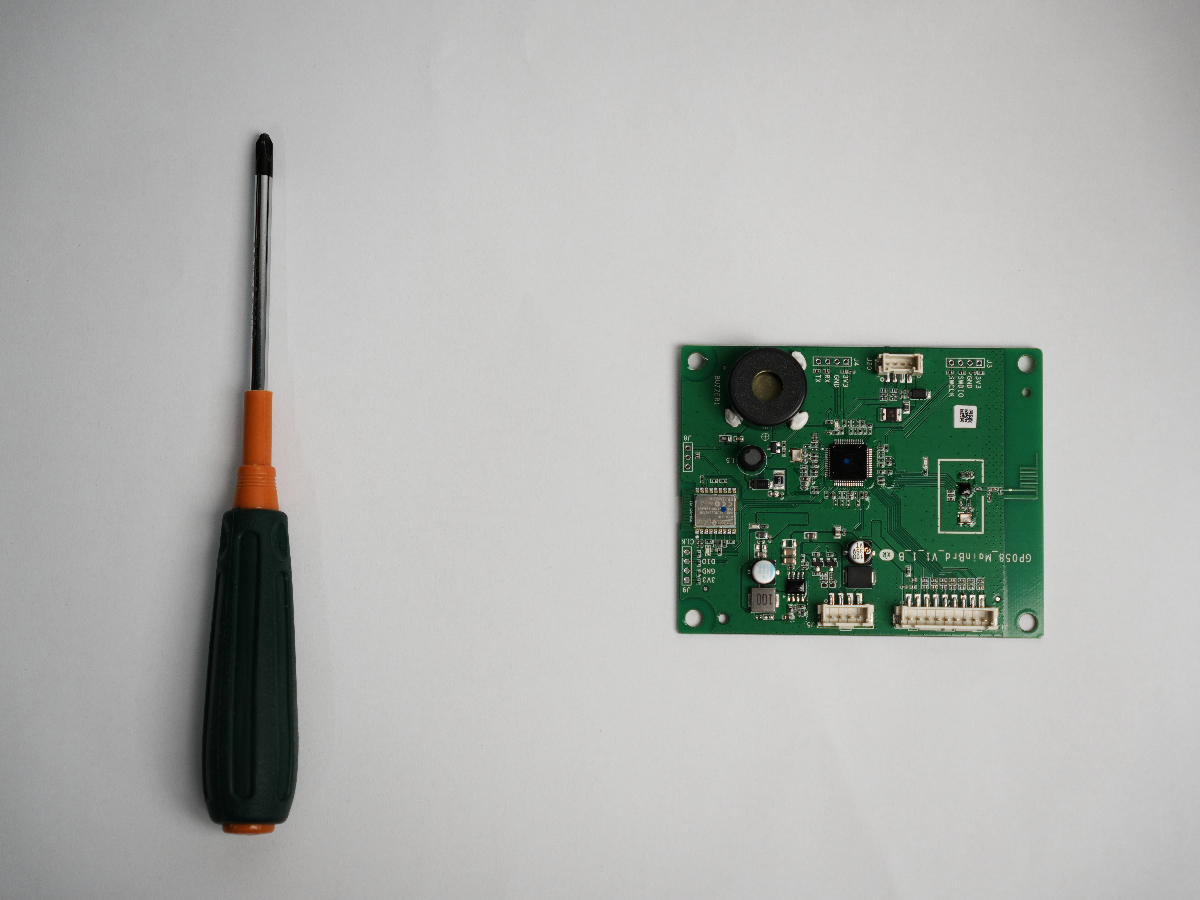
To ensure a smooth replacement process, please prepare the following items:
- 2.0 mm Phillips screwdriver
- New main control board for AP2 Max
Replacement procedure
Documentation feedback
Help improve this content by providing feedback. If this content did not meet your requirements, select "No" in the "Was this page helpful?" section below. Include specific details about what was unclear or missing in the pop-up suggestion box. Feedback submissions are reviewed by xTool technical writers to enhance future documentation.

Services & Help
Learn & Education

Copyright © 2025 xTool All Rights Reserved.