
Issue description
When the device is powered on or after the focus lens detection button is clicked, the software prompts "Focus Lens Model Not Detected".
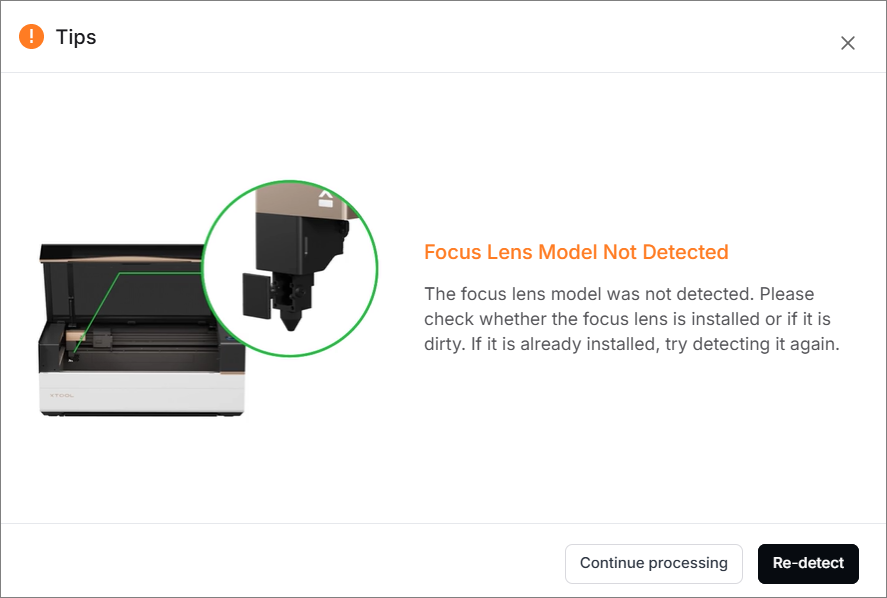

Possible causes
- The camera in the upper left corner of the device is faulty.
- The camera is interfered with by the electromagnetism.
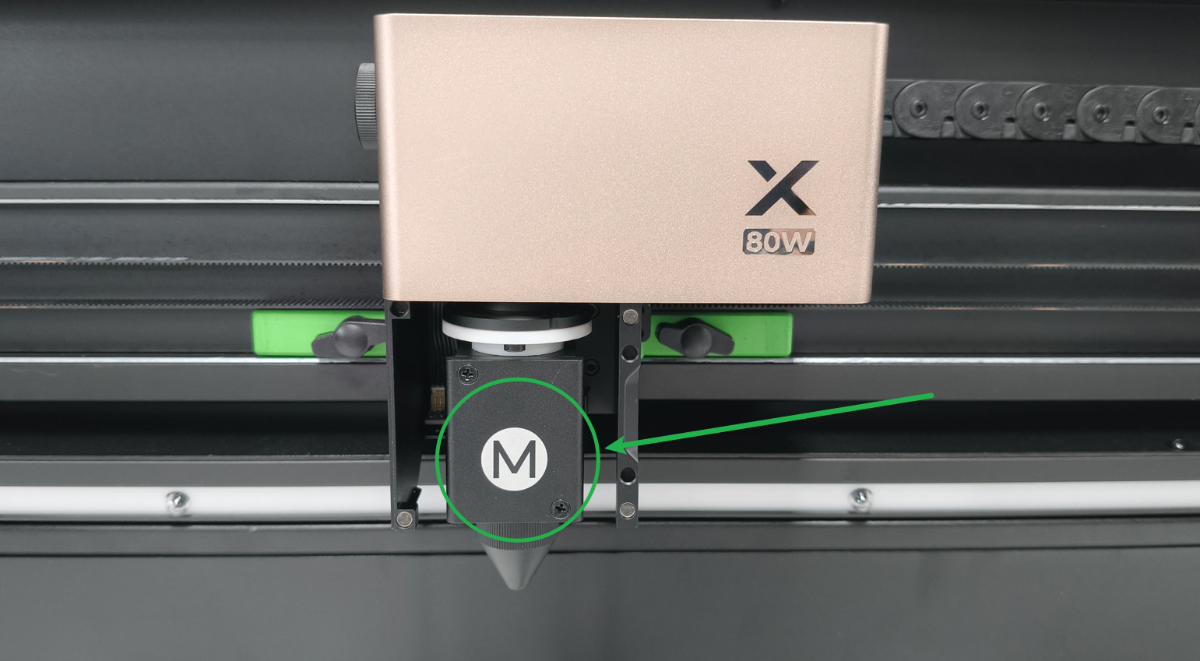
- The letter on the focus lens holder is not clear.
Troubleshooting procedures
1. Check the firmware and software
Update the firmware and software to the latest version. Then restart the device.
2. Check the holder of the focus lens
Check whether the letter on the holder is clear. If not, please clean it or replace it with a new holder.
3. Manual focus lens recognition
After the device successfully returns to the origin, or after the first automatic image capture, if the lid is closed, the focus lens recognition is automatically triggered. However, due to factors such as lighting conditions or software operations, recognition may fail (it does not indicate a device malfunction).
In this case, click  for manual recognition.

4. Check the camera capturing function
Focus lens recognition is performed by capturing the letter on the focus lens holder using the top side camera at the bottom left corner.
(1) Click Process to start processing.
(2) Select Side view to monitor the process, and observe whether the screen is clear and stable.
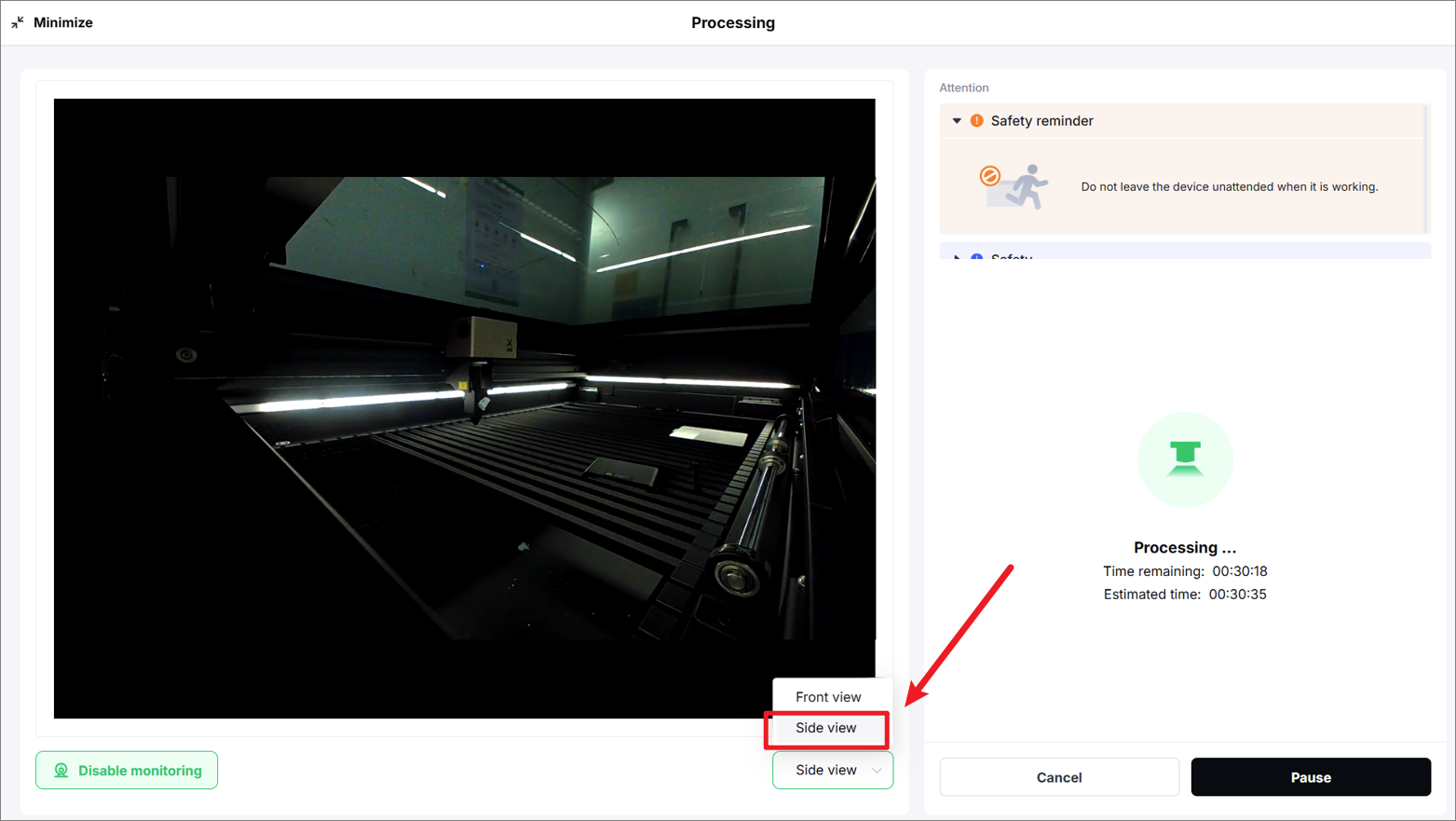
- If the screen is clear and stable, check for other issues.
- If the screen displays stripes or remains black for an extended period, adjust the camera ribbon cable according to the tutorial below:
If your device was shipped with the ribbon cable already elevated, check for other issues by reading the article: How to Adjust the Flex Cables of the Side Camera.
- If the camera still fails to display the screen after elevating the ribbon cable, check the ribbon cable and its connector according to the following steps.
5. Check the connection cable at the camera's end
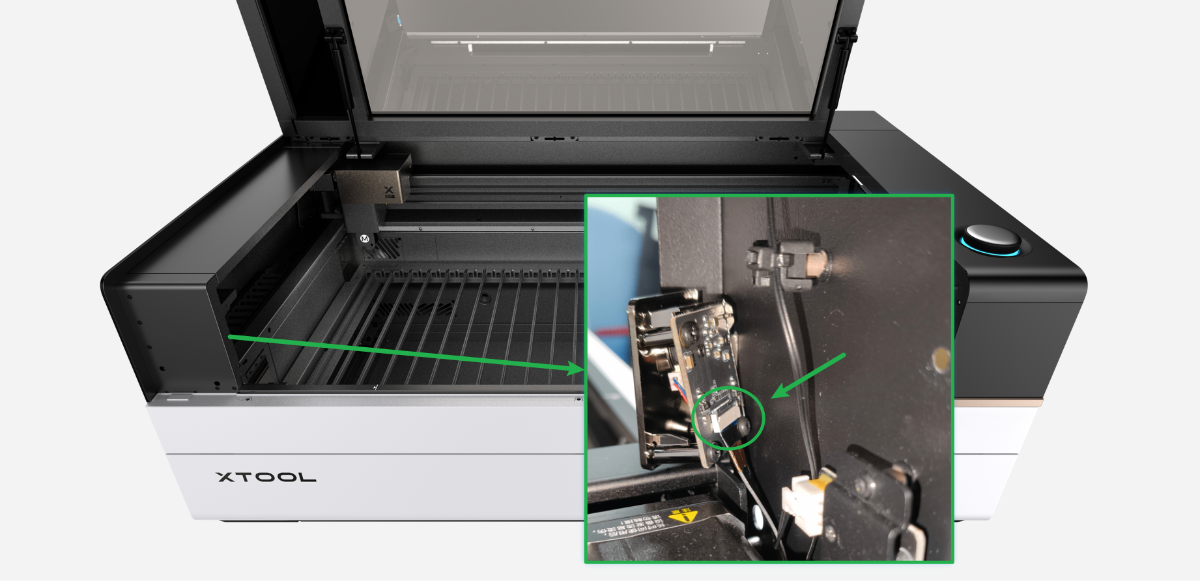
Check whether the connector on the ribbon cable (as shown) is loose. If yes, unplug and plug it snugly.
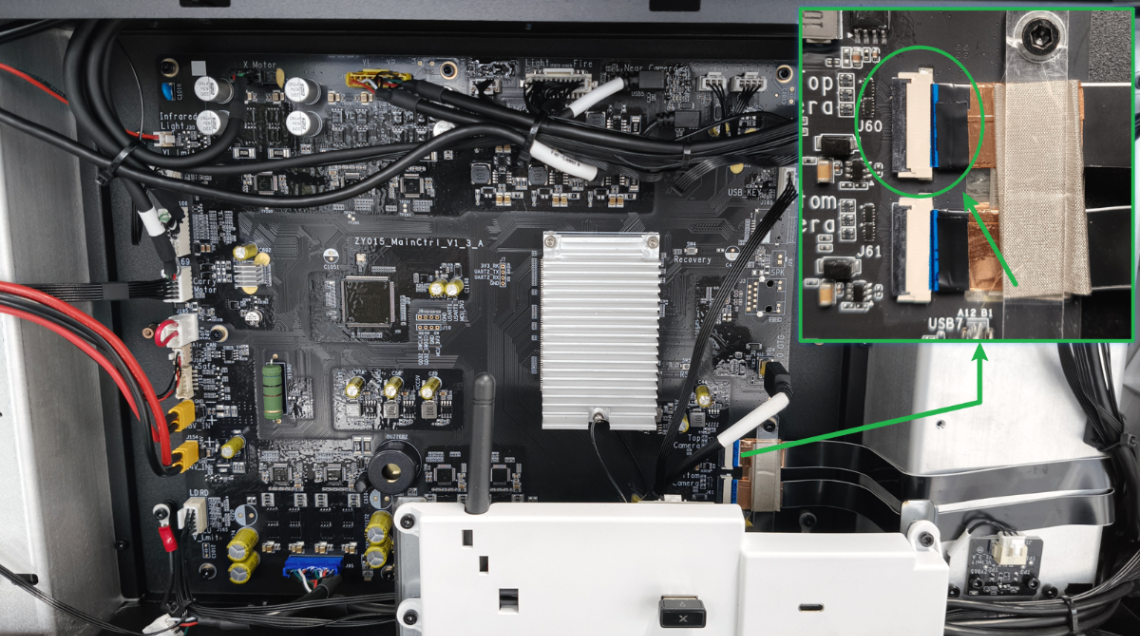
6. Check the connection cable at the main control board's end.
(1) Disconnect xTool P3 from a power supply.
(2) Remove the left plate according to the article: How to Adjust the Flex Cables of the Side Camera.
(3) Check whether the ribbon cable (as shown) is loose. If yes, unplug and plug it snugly.
7. Check the ribbon cable
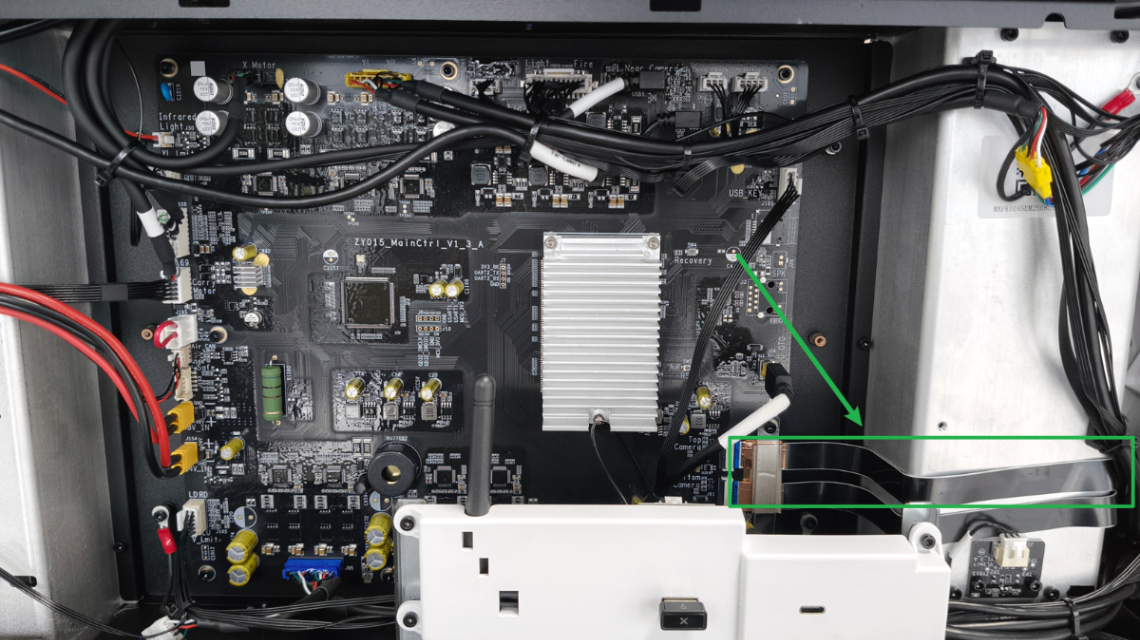
Check whether the ribbon cables of the camera (as shown) are damaged.
- If they are damaged, replace a new cable.
- If they are not damaged, check for other issues.
Still experiencing issues?
Should the issue persist after completing the preceding steps, submit a ticket via the "Submit a Ticket" button in the "Help Ticket" section below. The standard response time for xTool Customer Service is one business day.
For a prompt resolution, please include the following details:
- Issue description: A detailed explanation of the observed problem.
- Video evidence: Attach a video demonstrating the issue, where applicable.
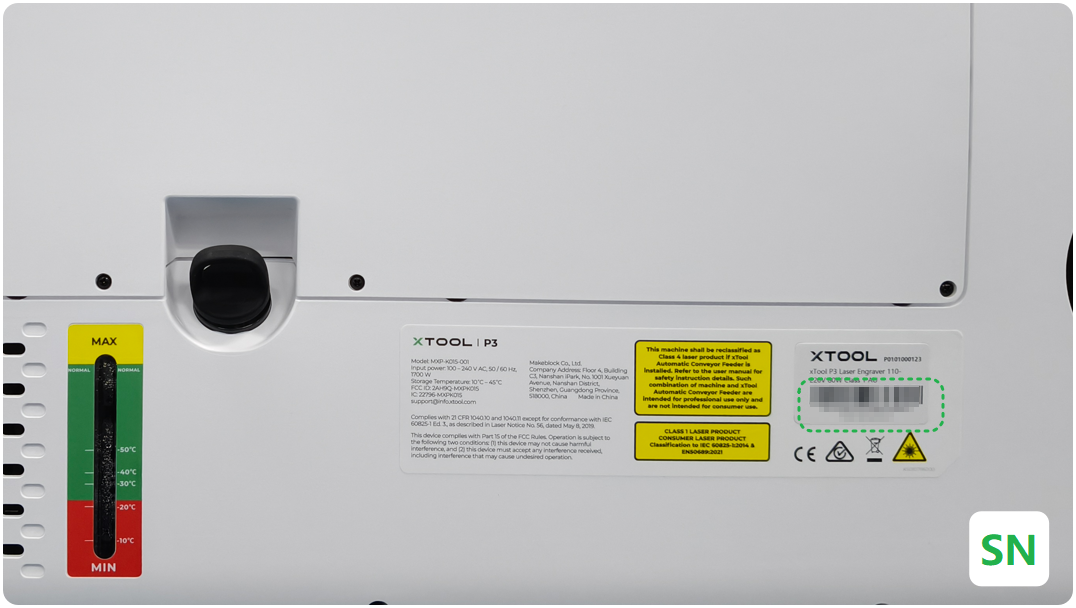
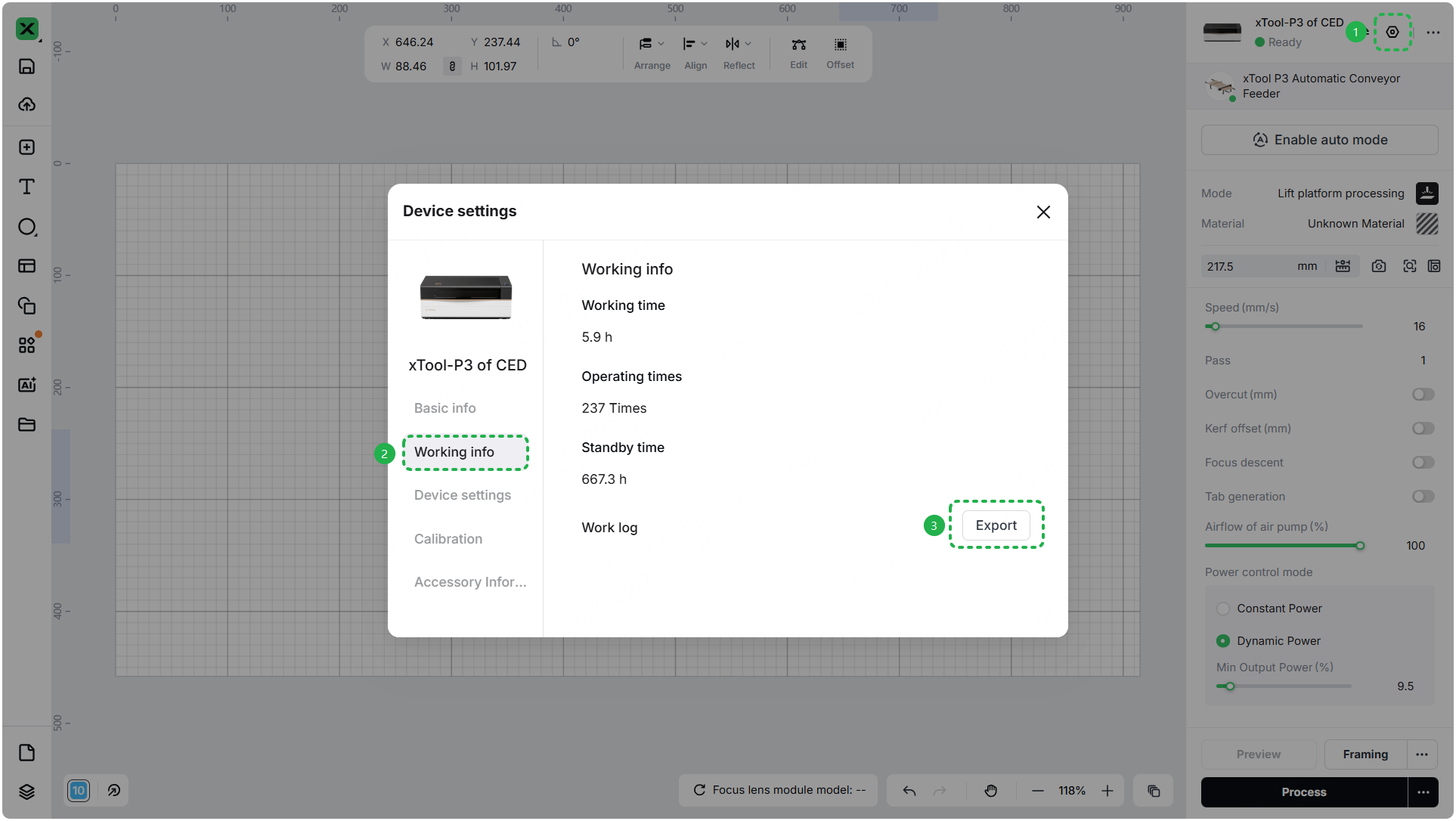
- Device information: Follow the steps to find the SN and export the work log.
- Troubleshooting performed: Any troubleshooting steps you have already attempted, along with their results.
This information is crucial for xTool technical support engineers to provide timely assistance.
Documentation feedback
Help improve this content by providing feedback. If this content did not meet your requirements, select "No" in the "Was this page helpful?" section below. Include specific details about what was unclear or missing in the pop-up suggestion box. Feedback submissions are reviewed by xTool technical writers to enhance future documentation.

Services & Help
Learn & Education

Copyright © 2025 xTool All Rights Reserved.