
Issue description
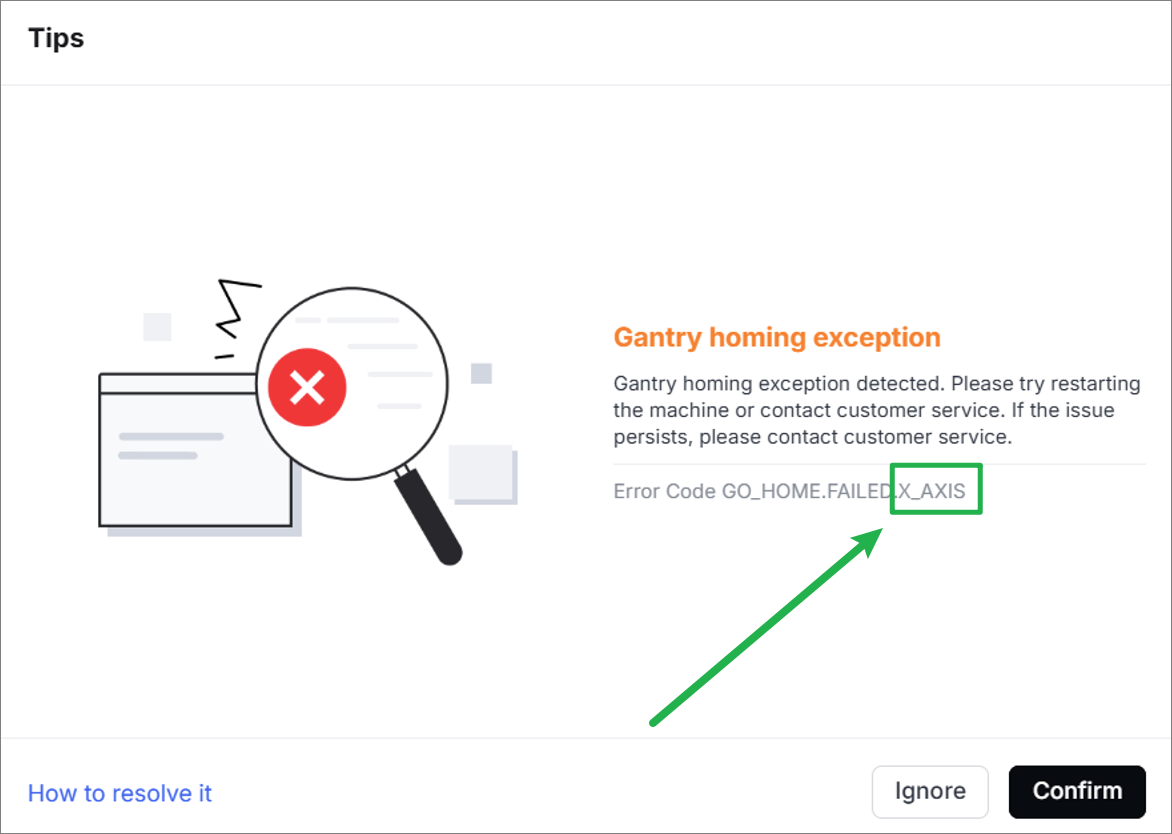
Issue in the software
The software prompts "Gantry homing exception" and the error code indicates "GO_HOME.FAILED.X_AXIS".
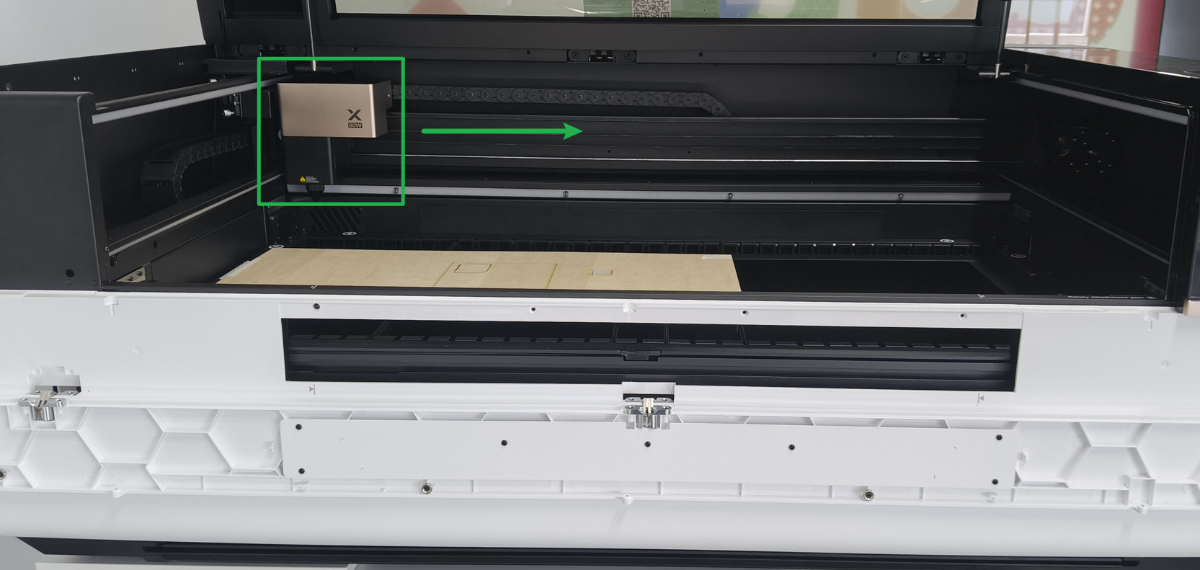
Issue 1 in the device: the laser module moves to the right slowly
Move the laser module to the center of the device and then turn the device on. Each time the device is powered on, the laser module will slowly move a short distance to the right.
Issue 2 in the device: the laser module hits the device
Move the laser module to the center of the device and then turn the device on. The laser module will move to the origin in a normal way, but it won't stop, producing an abnormal sound of hitting the device.
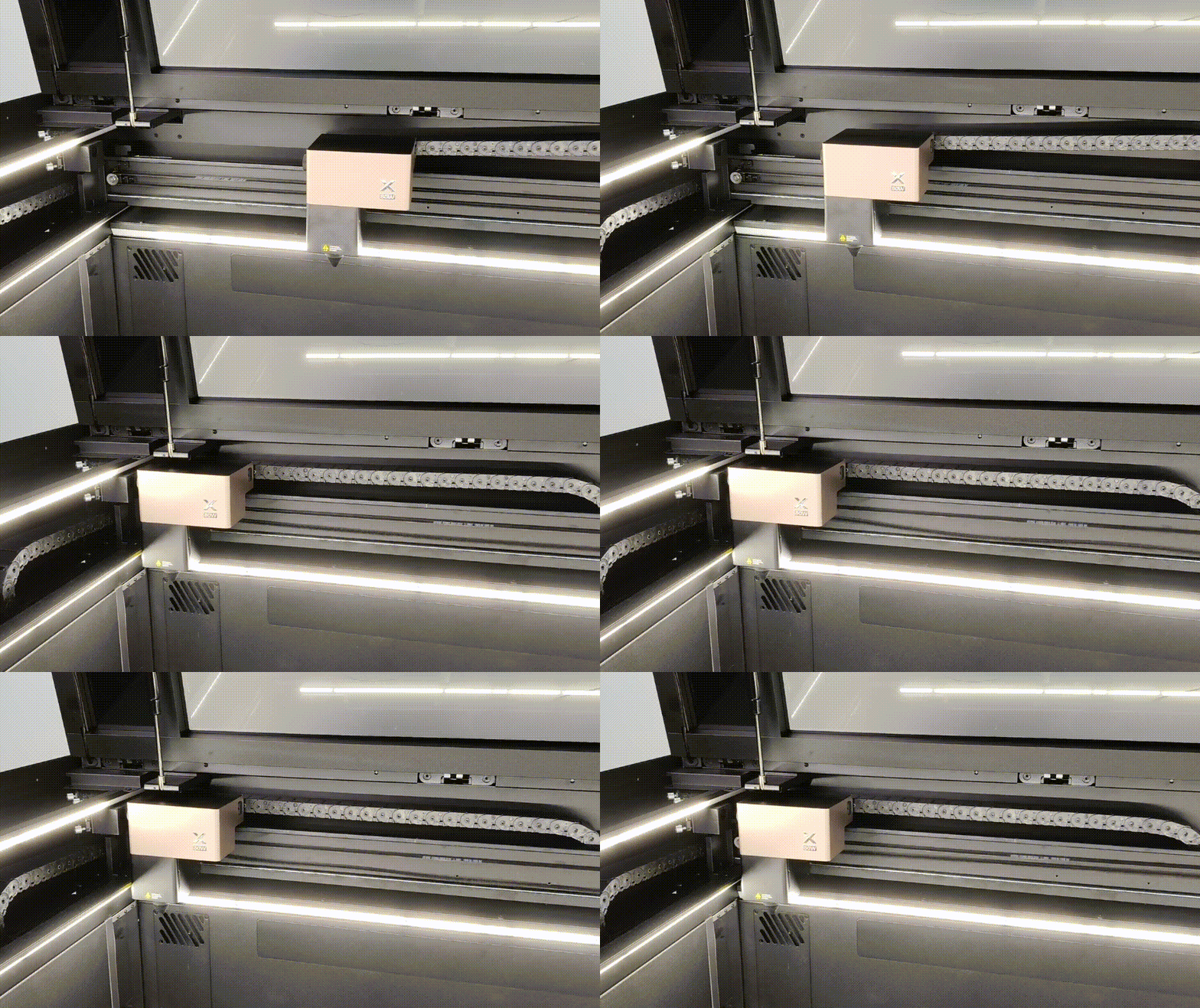
Issue 3 in the device: the laser module not moving or jittering
Move the laser module to the center of the device and then turn the device on. The laser module will stop moving or jitters in place without moving smoothly.
Possible causes
- There is a foreign object in the laser module movement path area.
- The limit switch is dirty.
- The connection cable on the Z-axis adapter board is loose.
- The limit spacer is deformed.
- The connection cable of the Z-axis adapter board on the main control board is loose.
Troubleshooting procedures for issue 1
Issue 1: Move the laser module to the center of the device and then turn the device on. Each time the device is powered on, the laser module will slowly move a short distance to the right.
1. Check the limit switch of the X-axis
Check whether the limit switch of the X-axis is dirty:
- If yes, use a cotton swab or lint-free tissue to clean it.
- If no, check for other issues.
2. Test the limit position indicator
(1) Power off the device.
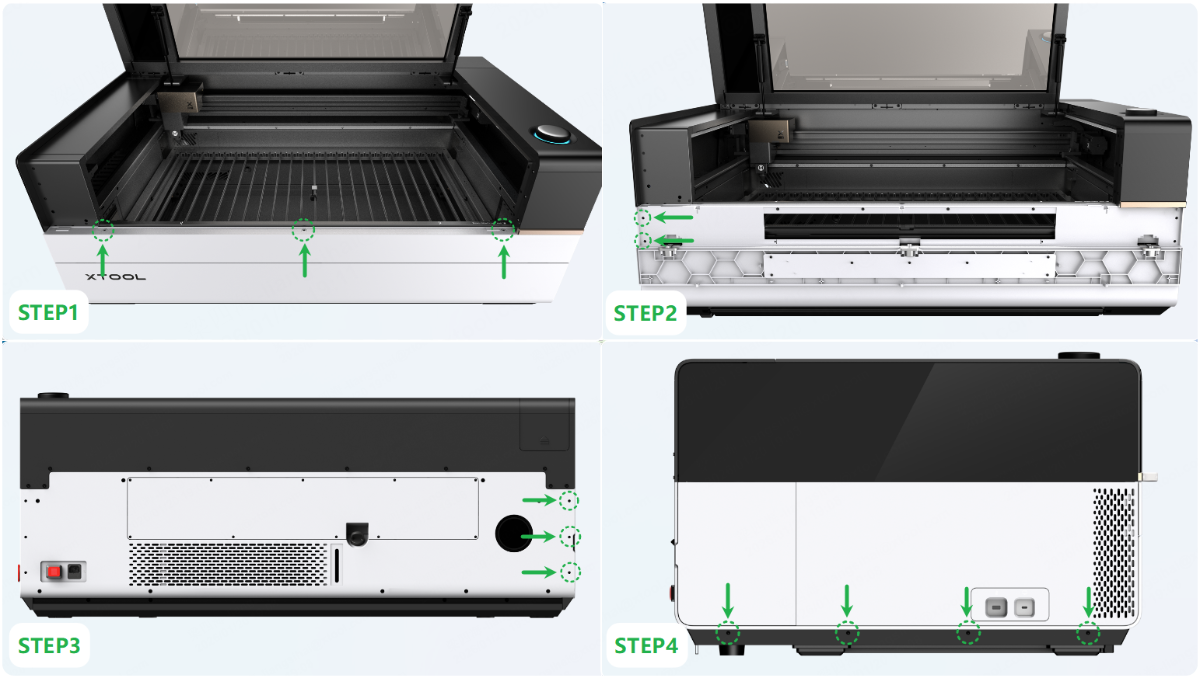
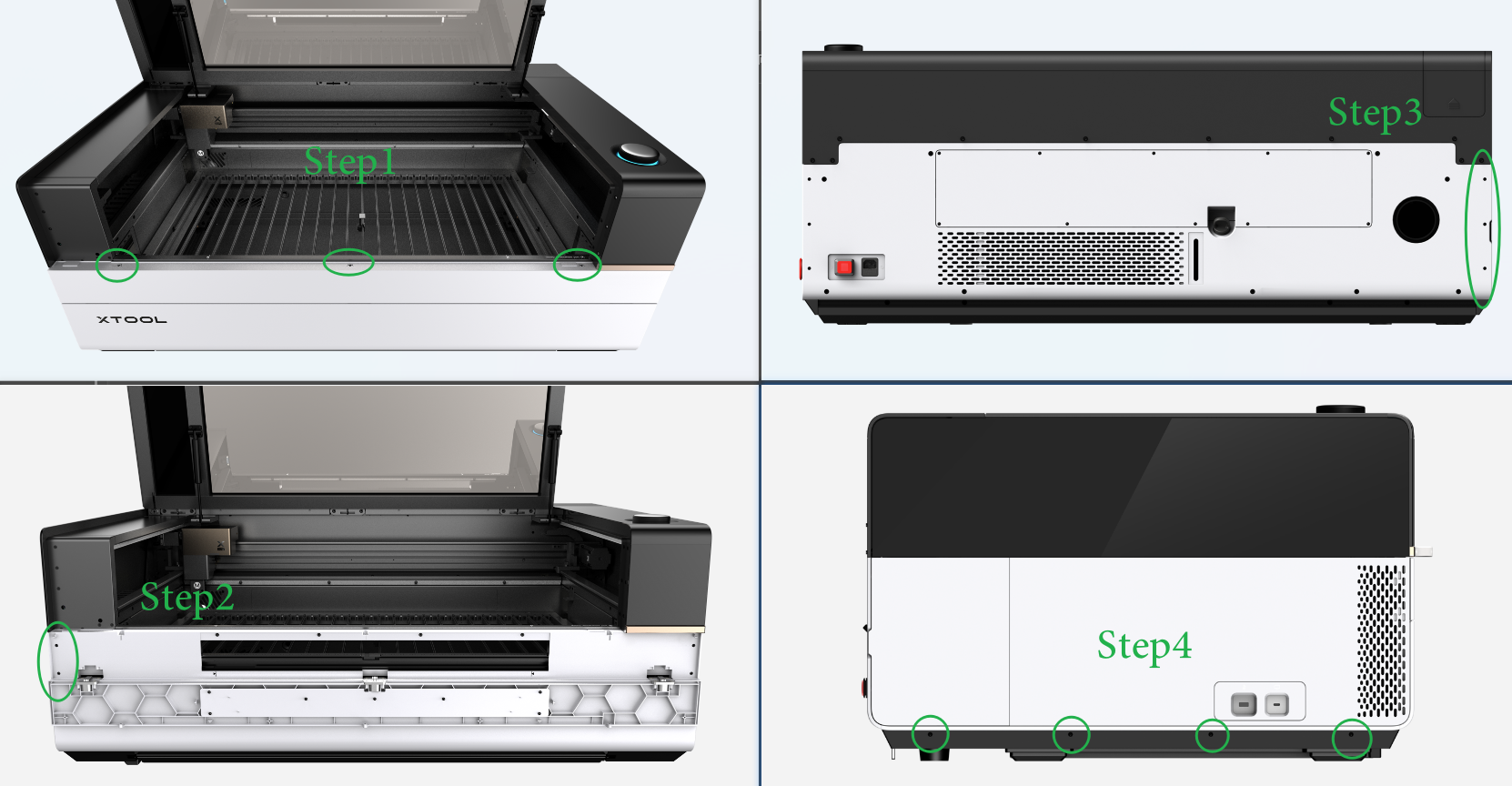
(2) Follow the instructions or video tutorial to remove the left panel.
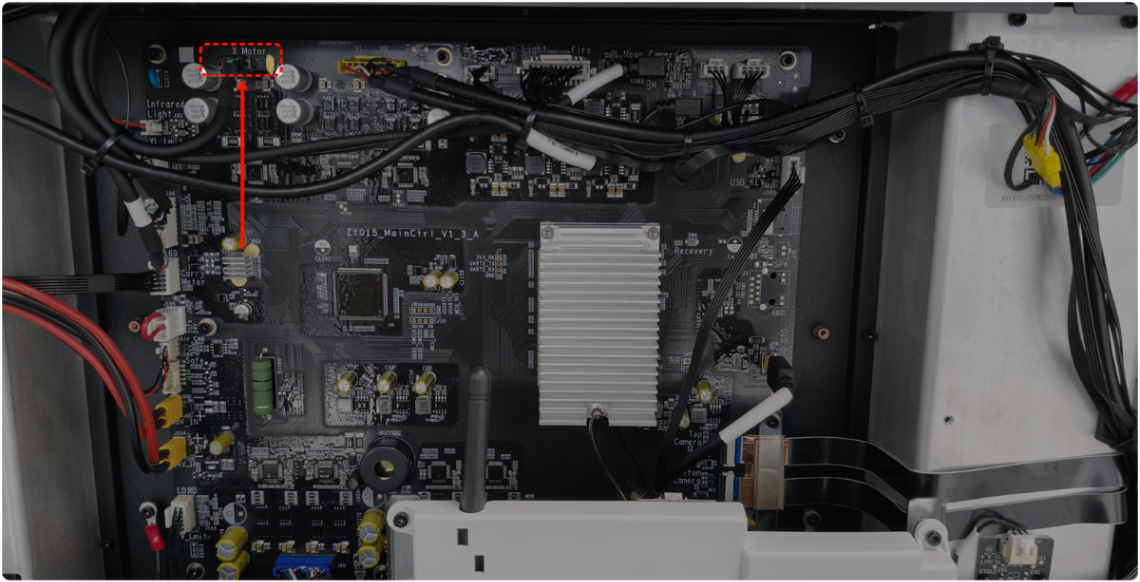
(3) Unplug the connection cable of the X-axis motor, then power on the device. At this time, the laser module on the X-axis does not move at all.
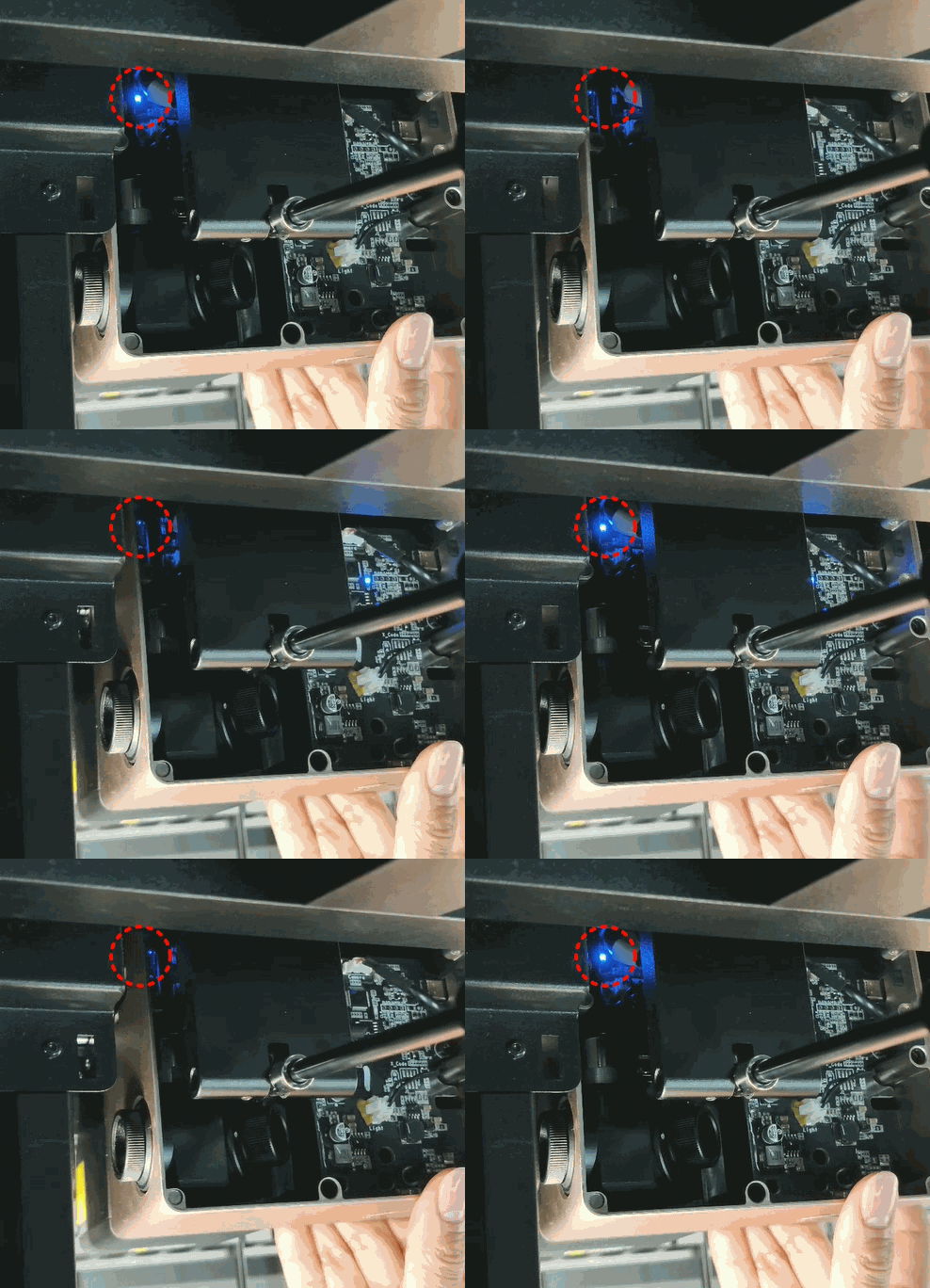
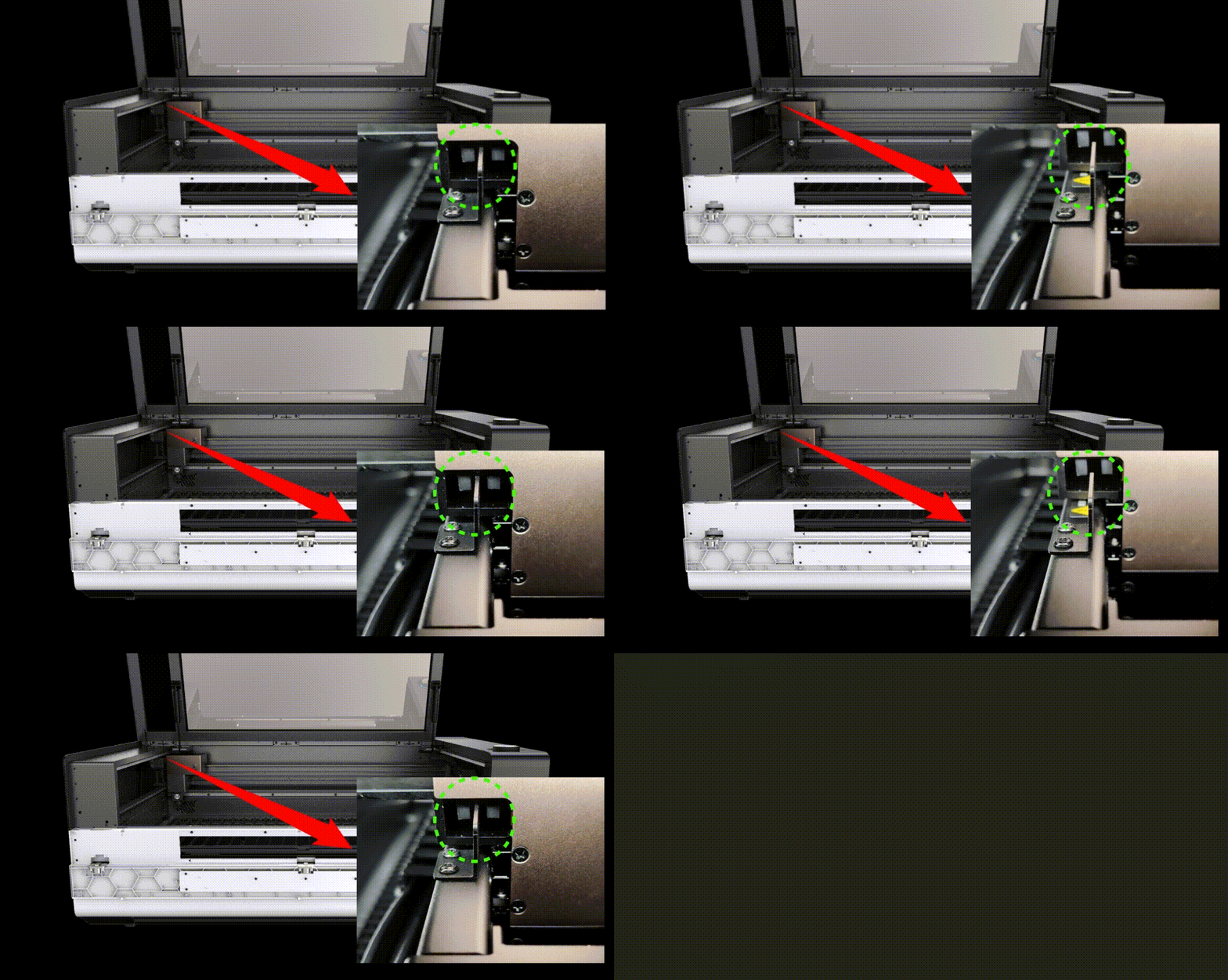
(4) Move the laser module to the left until reaching the origin. Observe whether the X-axis limit indicator changes (as shown below).
- If not changing, replace a new Z-axis adapter board.
- If yes, power off the device. Then, replug the connection cable of the X-axis motor, and check for other issues.
Troubleshooting procedures for issue 2
Issue 2: Move the laser module to the center of the device and then turn the device on. The laser module will move to the origin in a normal way, but it won't stop, producing an abnormal sound of hitting the device.
1. Check the left side of the laser module
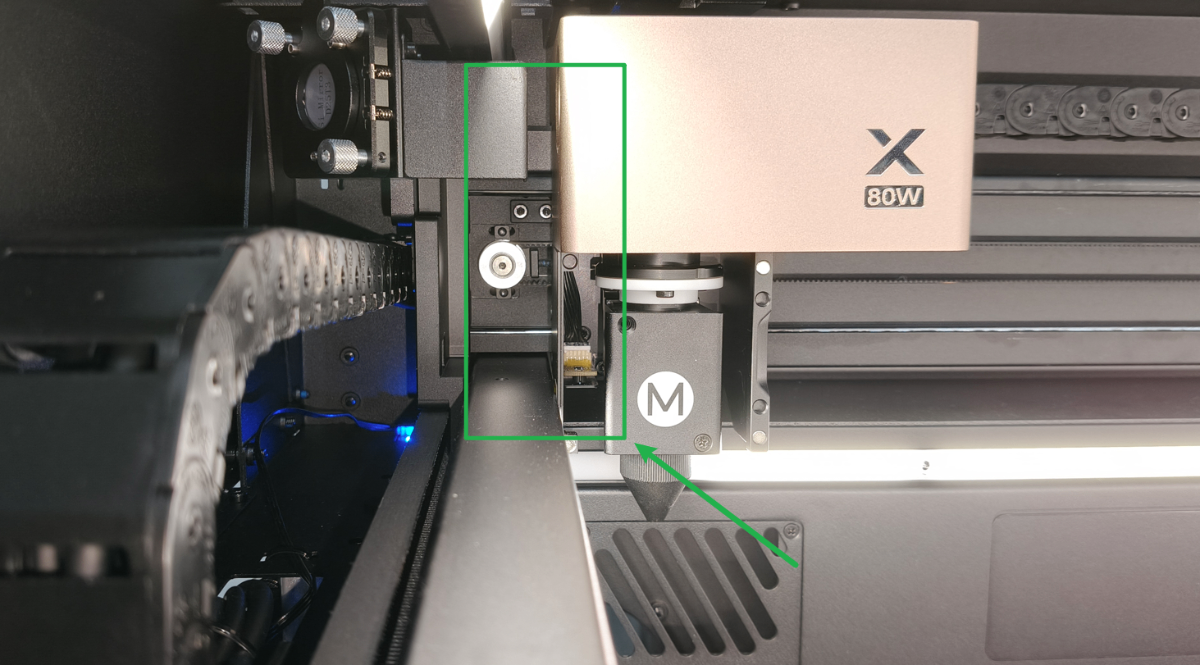
Check whether any foreign objects are blocking the space between the laser module and the device on the left side of the laser module. If there are any, clean them up.
2. Check the limit spacer of the X-axis
(1) Power off the device.
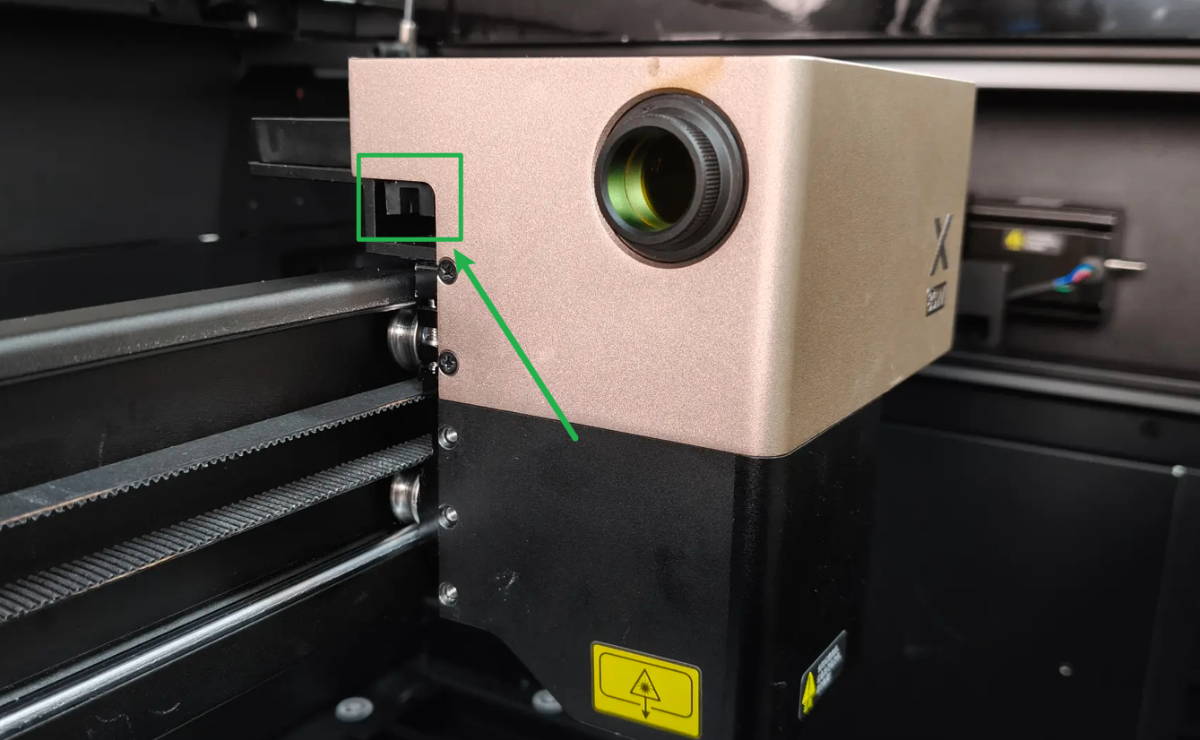
(2) Move the laser module to the far left. Move it horizontally to observe whether the limit spacer accurately inserts the center of the X-axis limit switch probe (as shown).
- If no, check whether the probes or limit spacer are deformed. Please set them right.
- If yes, check for other issues.
Troubleshooting procedures for issue 3
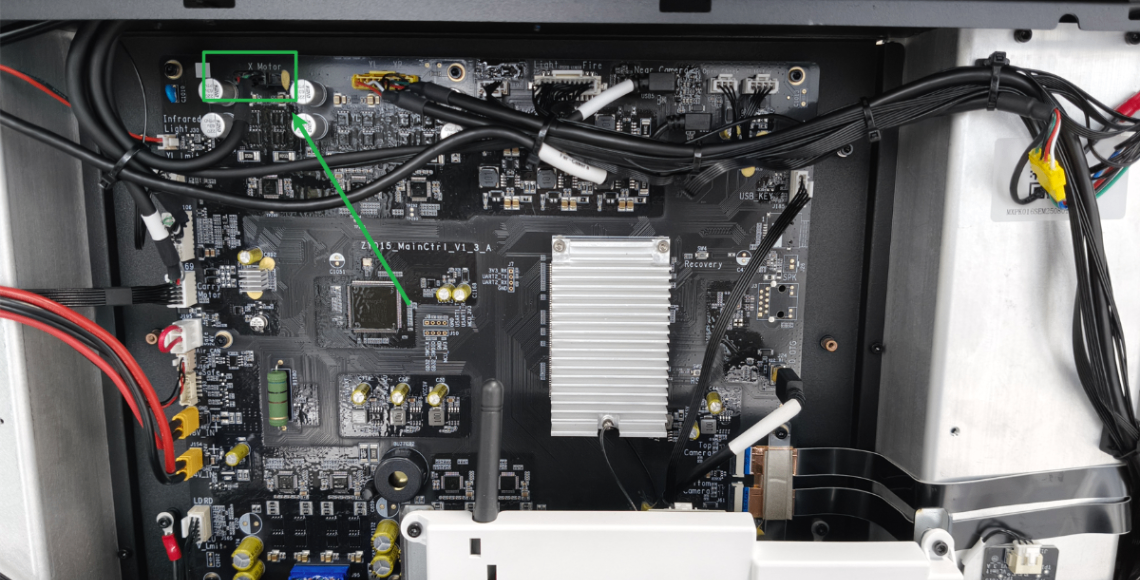
1. Check the connection cable on the main control board's end
(1) Disconnect xTool P3 from a power supply.
(2) Remove the left plate as shown. And you can see the video tutorial Assemble & Disassemble the Casing of xTool P3.
(2) Check whether the connection cable is loose as shown. Unplug and plug it snugly.
2. Check the connection cable on the motor's end
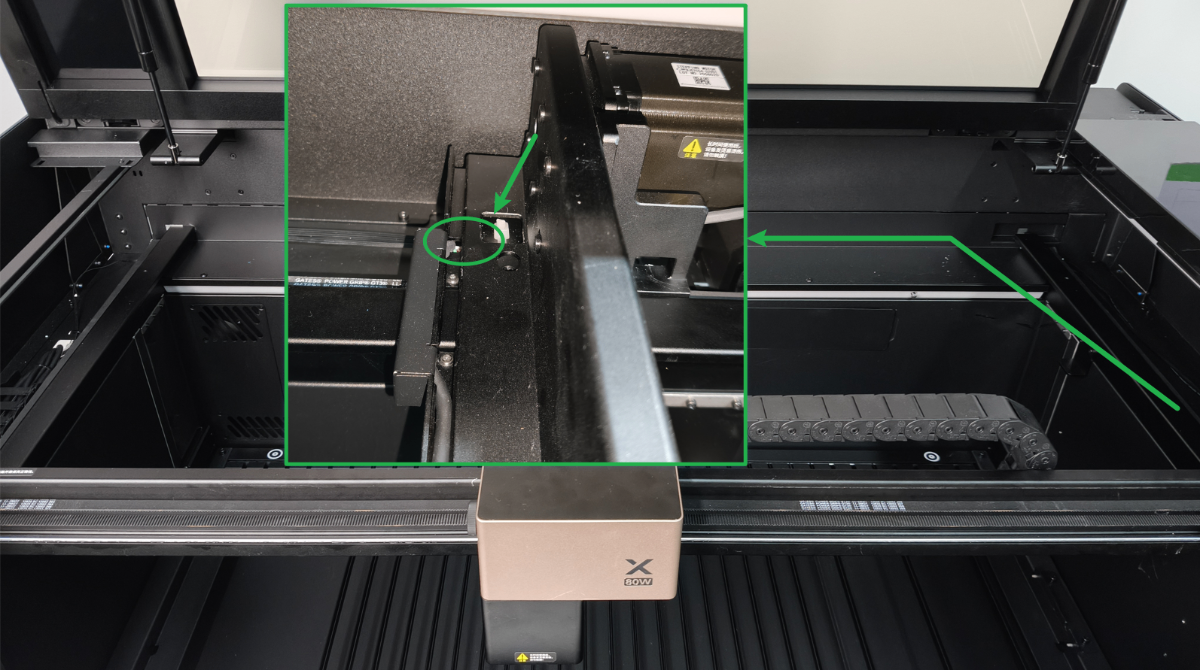
(1) Refer to the video tutorial on replacing the X-axis motor. At the bottom right of the device, find the connector of the X-axis motor (it is located under the gantry; you can feel it by touching it).
(2) Check whether the connector of the motor is loose. And try pushing it firmly to eliminate any issues with looseness or poor contact.
Still experiencing issues?
Should the issue persist after completing the preceding steps, submit a ticket via the "Submit a Ticket" button in the "Help Ticket" section below. The standard response time for xTool Customer Service is one business day.
For a prompt resolution, please include the following details:
- Issue description: A detailed explanation of the observed problem.
- Video evidence: Attach a video demonstrating the issue, where applicable.
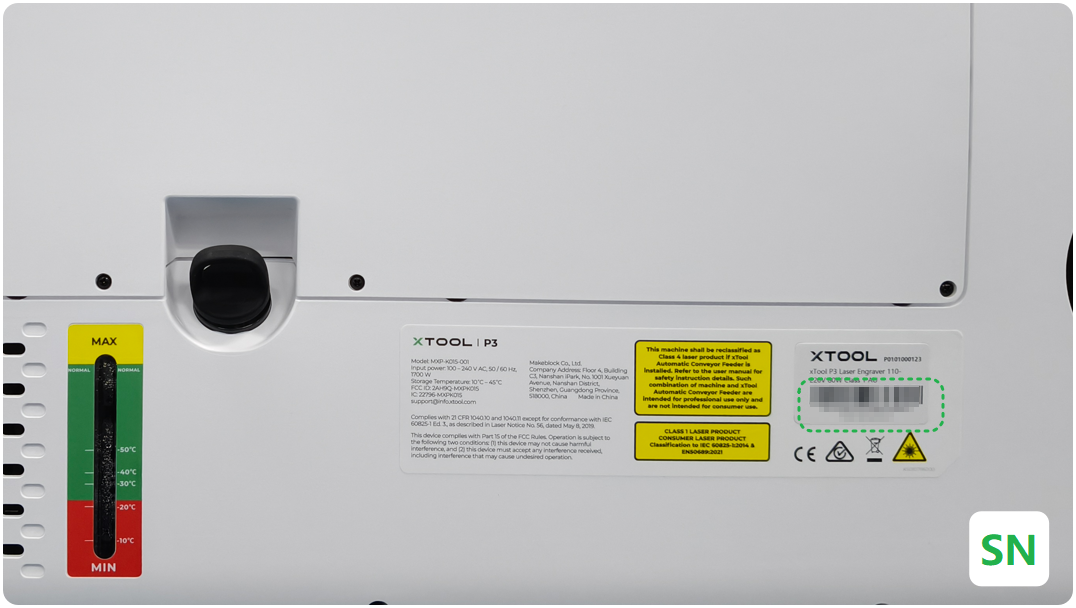
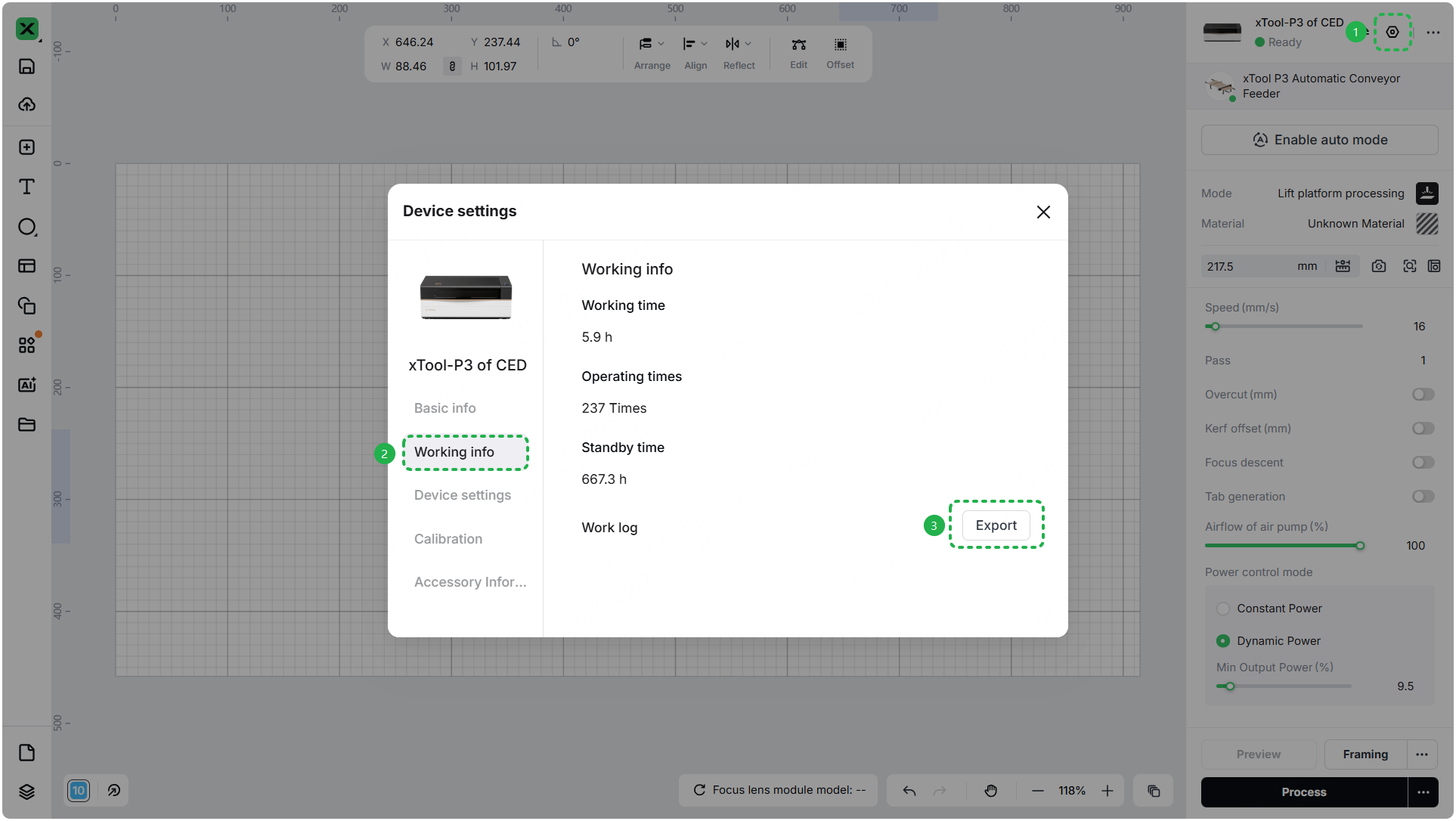
- Device information: Follow the steps to find the SN and export the work log.
- Troubleshooting performed: Any troubleshooting steps you have already attempted, along with their results.
This information is crucial for xTool technical support engineers to provide timely assistance.
Documentation feedback
Help improve this content by providing feedback. If this content did not meet your requirements, select "No" in the "Was this page helpful?" section below. Include specific details about what was unclear or missing in the pop-up suggestion box. Feedback submissions are reviewed by xTool technical writers to enhance future documentation.

