
Issue description
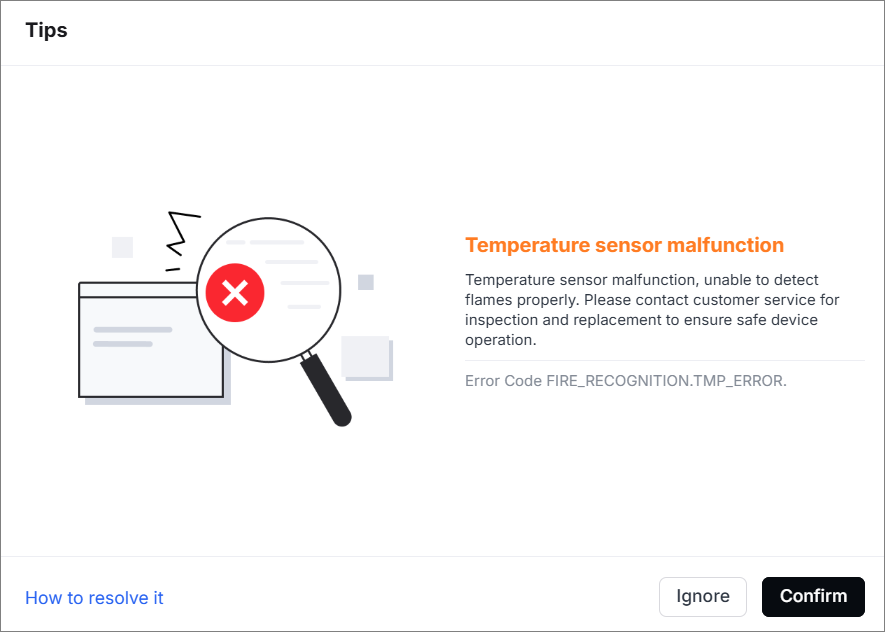
When you connect the device to the software, a pop-up window prompts "Temperature sensor malfunction" and the error code indicates "FIRE_RECOGNITION.TMP_ERROR".
Possible causes
- The connector of the temperature sensor is loose.
- The connection cable of the temperature sensor is damaged.
- The temperature sensor is faulty.
Troubleshooting procedures
1. Check the connector of the temperature sensor on the adapter board
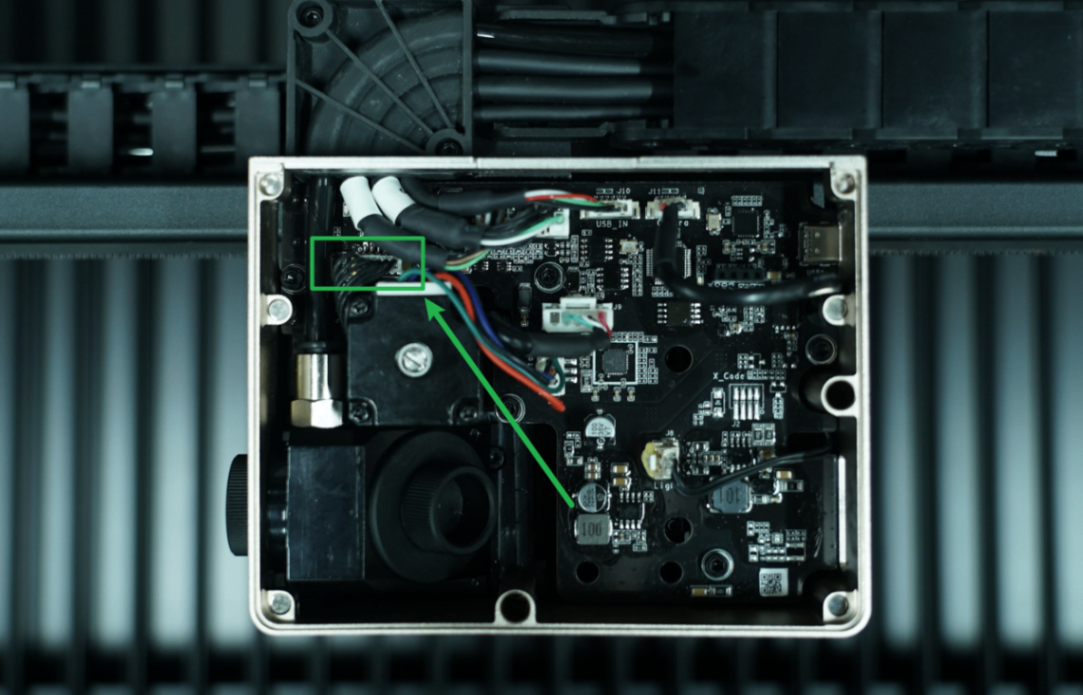
(1) Remove the cover of the laser module.
(2) Check whether the connector of the temperature sensor on the adapter board is loose. If yes, unplug and plug it snugly.
2. Check the connector of the temperature sensor
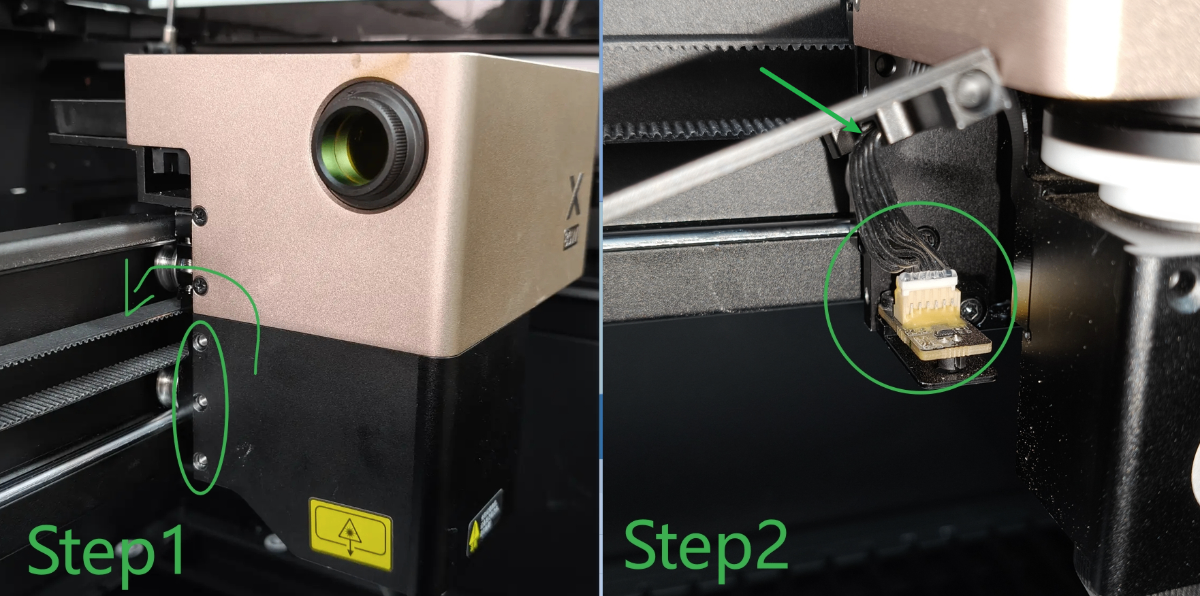
Use a Phillips screwdriver to remove three screws on the left side of the laser module (as shown). Check whether the connector of the temperature sensor is loose. If yes, unplug and plug it snugly.
3. Check the connection cable of the temperature sensor
Follow Step 2, check whether the connection cable of the temperature sensor is damaged.
- If yes, take a clear picture and send it to xTool after-sales service.
- If not, check for other issues.
4. The temperature sensor is faulty
Replace a new temperature sensor.
Still experiencing issues?
Should the issue persist after completing the preceding steps, submit a ticket via the "Submit a Ticket" button in the "Help Ticket" section below. The standard response time for xTool Customer Service is one business day.
For a prompt resolution, please include the following details:
- Issue description: A detailed explanation of the observed problem.
- Video evidence: Attach a video demonstrating the issue, where applicable.
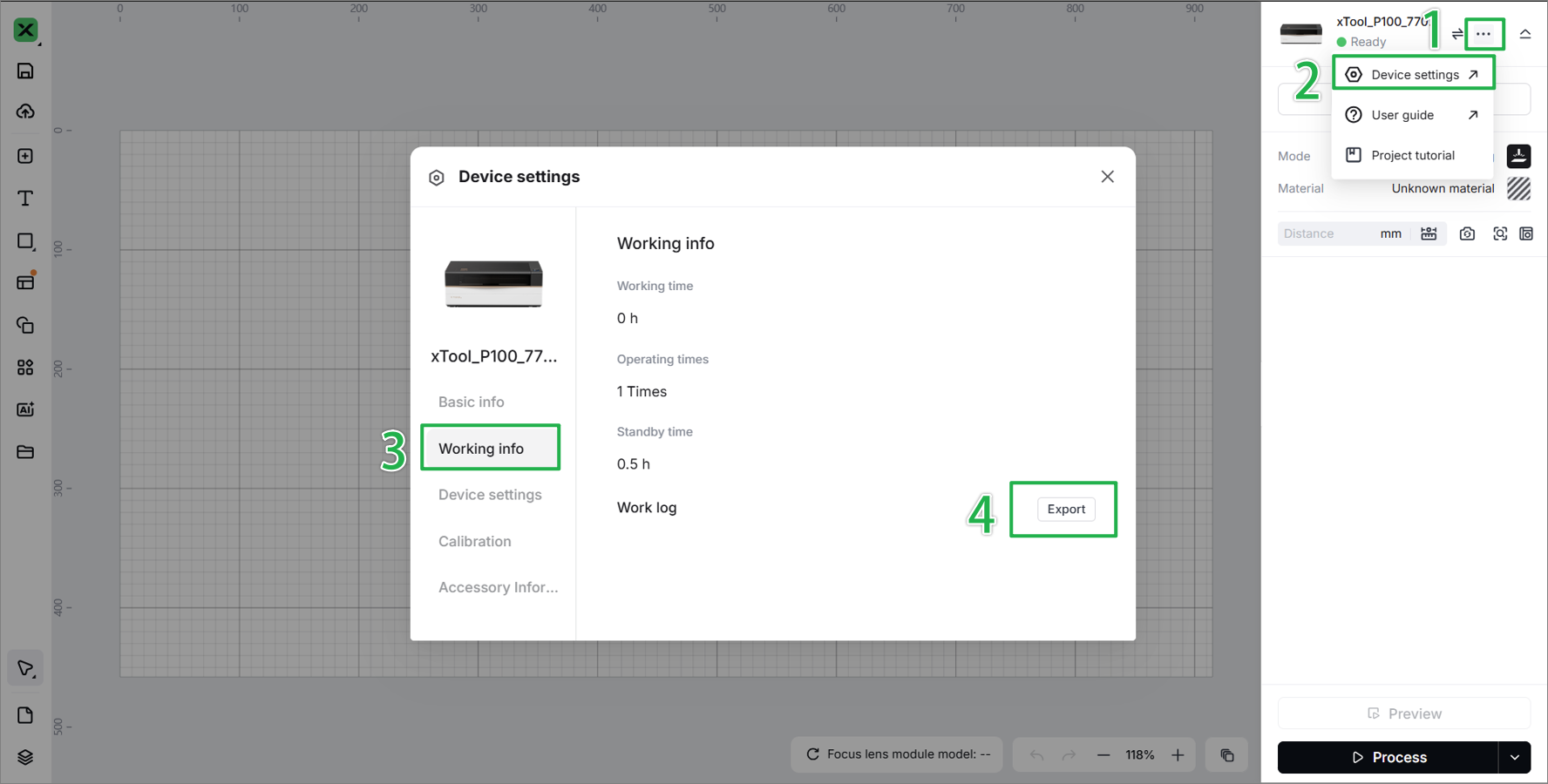
- Device information: Follow the steps to find the SN and export the work log.
- Troubleshooting performed: Any troubleshooting steps you have already attempted, along with their results.
This information is crucial for xTool technical support engineers to provide timely assistance.
Documentation feedback
Help improve this content by providing feedback. If this content did not meet your requirements, select "No" in the "Was this page helpful?" section below. Include specific details about what was unclear or missing in the pop-up suggestion box. Feedback submissions are reviewed by xTool technical writers to enhance future documentation.

Services & Help
Learn & Education

Copyright © 2025 xTool All Rights Reserved.